
CursorClip Black Friday 2026 deal
CursorClip has a confirmed Black Friday 2026 deal: Black Friday: the CursorClip lifetime licence is $49 instead of $70 with code BLACKFRIDAY at checkout, through November 30, 2026. Checked against the maker's page; listing last checked Nov 21, 2026. Black Friday 2026 is Nov 27 and Cyber Monday is Nov 30.
| Status | Confirmed for Black Friday 2026 |
|---|---|
| Code | BLACKFRIDAY |
| Ends | Nov 30, 2026 |
| Last checked | Nov 21, 2026 |
See also: CursorClip alternatives for Mac · Black Friday 2026 Mac app deals
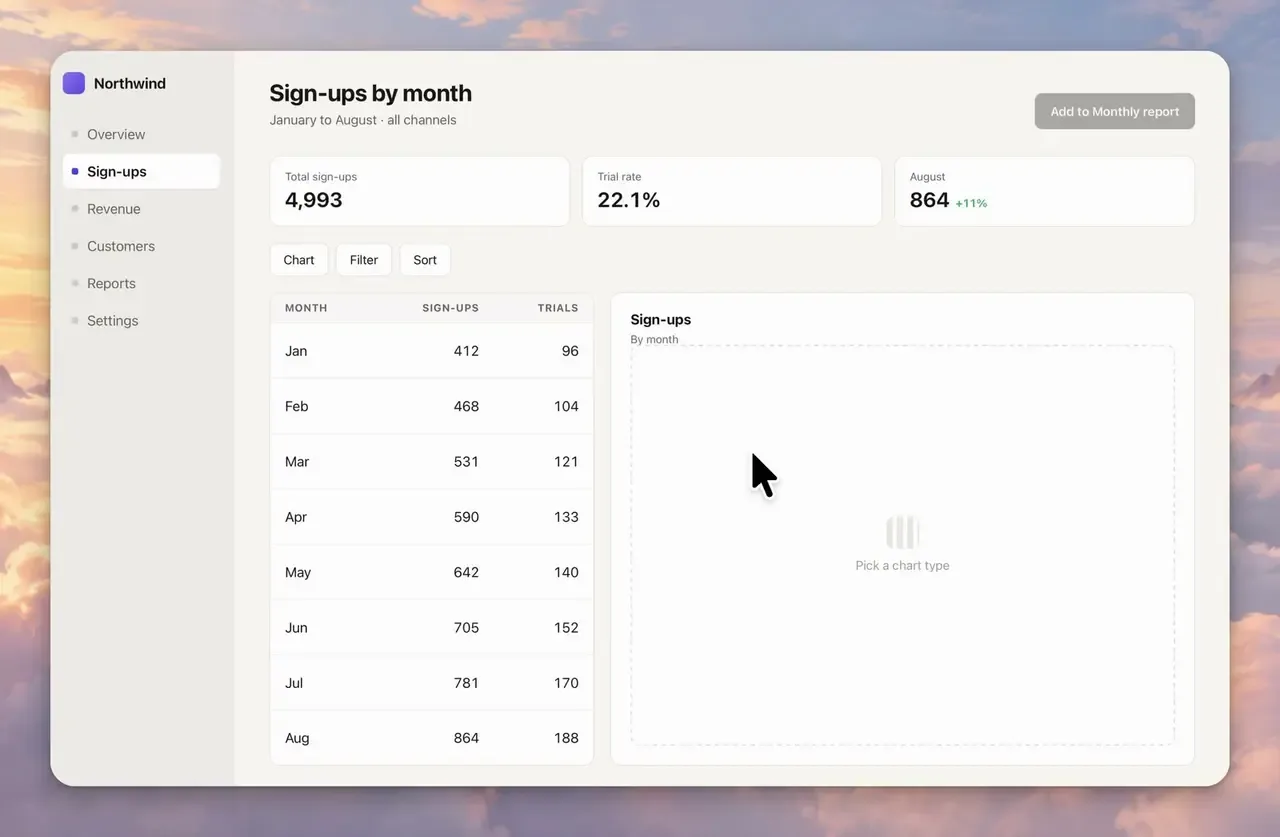
Mac screen recorder that adds automatic zooms and pans while you capture, so product demos and tutorials need far less editing afterwards.
Deal status
Live deal · verified on the maker's site Black Friday: the CursorClip lifetime licence is $49 instead of $70 with code BLACKFRIDAY at checkout, through November 30, 2026, plus tax or VAT where it applies. Subscriptions stay at $29 a year or $9 a month. Recording and editing are free; a licence unlocks exports, with a 14-day money-back guarantee. maker’s announcementWhat CursorClip looks likeImage from CursorClip's official site
Get deal alerts by email
We send a weekly email in November with the Black Friday 2026 deals makers have confirmed. Free, unsubscribe anytime.
What does it do?
While you capture the screen along with your camera, the Mac's own sound and your voice, CursorClip frames the result as it goes: it zooms toward the area you are working in and pans as the pointer moves. Afterwards you can move or delete zooms, trim, crop, switch between screen, camera and combined layouts, and change the background, without keyframes. Version 2.0 added a Smart Camera bubble that moves out of the cursor's way, a teleprompter fed from Notes and saved style presets. Exports go to MP4, MOV or GIF at up to 4K and 60 frames a second, in landscape, portrait or square.
Who is it for?
Founders, educators and developers who record product demos, onboarding clips or tutorials on a Mac and do not want to spend hours adding zooms by hand.
When would you use it?
- Recording a feature walkthrough: Click through a new screen normally and let the automatic zoom keep the active area large enough to read in the video.
- Making a short for social media: Export a portrait copy of the same recording with the cuts and zooms already applied for Shorts or Reels.
- Reading from a script: Keep your talking points in the floating Notes teleprompter while recording, knowing it never shows up in the exported file.
- Fixing a take afterwards: Remove one zoom that landed in the wrong place, trim the opening pause and crop the frame to the app window.
Why pay for it?
Recording and editing cost nothing, so the money is for exporting, and the Black Friday code makes the lifetime licence cheaper than two years of the annual plan while covering three Macs.
What should you know?
- Ventura (macOS 13.5) is the oldest supported system, and the app is tuned for Apple silicon.
- One licence activates on up to three Macs, and after activating once it keeps working without an internet connection.
- Every paid plan includes every feature, and buyers can ask for their money back within 14 days.
- Payments go through Dodo Payments, and support is available at the address listed on the site.
A look inside CursorClip
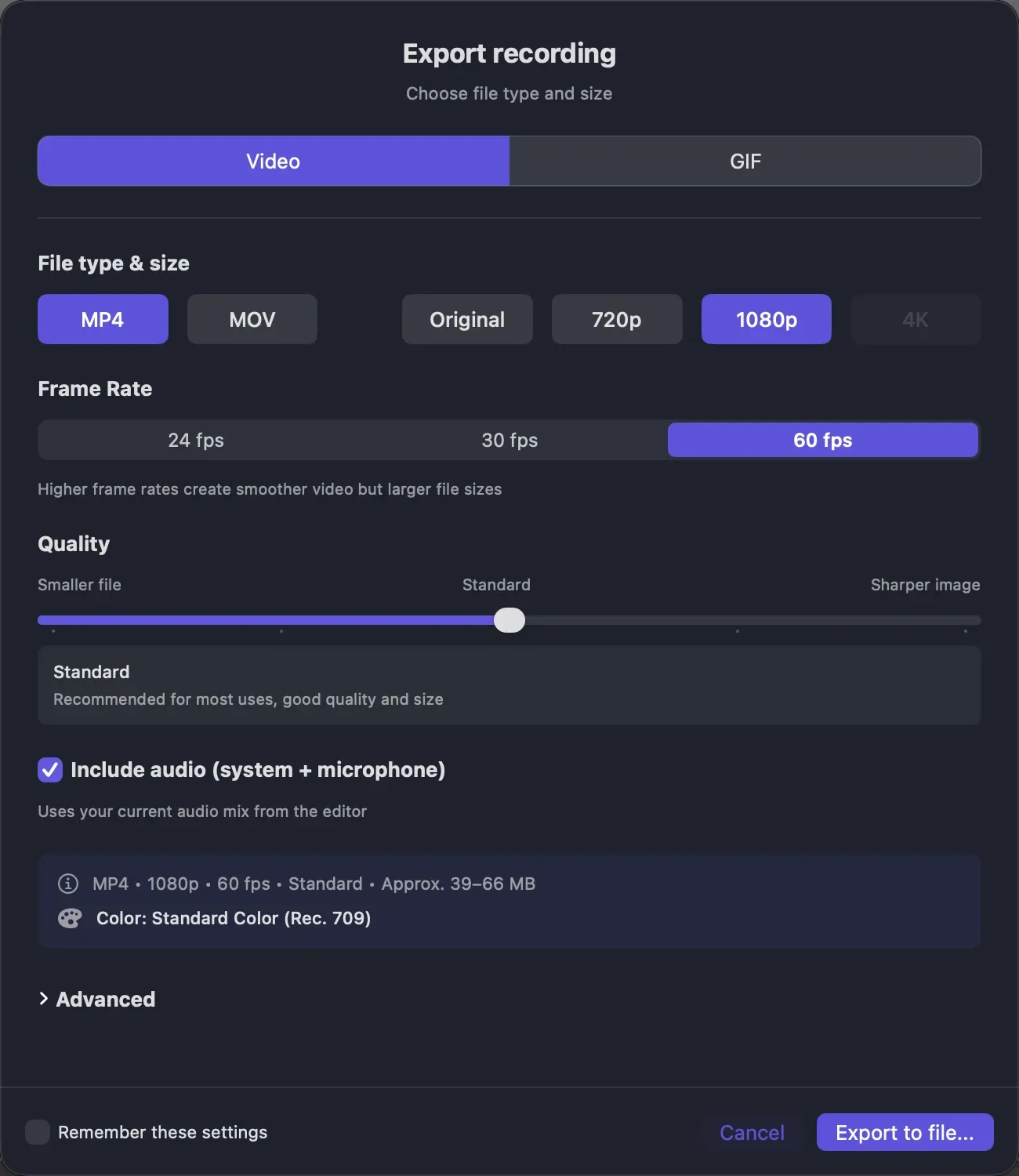
Images from CursorClip's official site.
Prices and codes change. Last year's codes may no longer work — always confirm on the maker's site. Are you the maker? Send us your 2026 deal — listing is free.
CursorClip alternatives for Mac
Similar deals
- Alter — Mac AI system that captures app context and turns voice or text into actions.
- KwaFlux — Fix noisy or shaky video, upscale old footage and clean up photos and audio with AI…
- Oil Studio — Records your Mac screen, zooms toward each click, and lets you cut the take by editing…
- Motionik — Record Mac or Windows screens and edit demos in one app with cursor auto-zoom.
- Magic Automa AI — Macro tool for Mac and Windows that turns a plain sentence into steps for DaVinci…
- Shotomatic — Automate long runs of screenshots, page turns included, and export them as one PDF,…
CursorClip deal history
| Year | Offer | Dates | Source |
|---|---|---|---|
| 2026 | Black Friday: the CursorClip lifetime licence is $49 instead of $70 with code BLACKFRIDAY at checkout, through November 30, 2026, plus tax or VAT where it applies. Subscriptions stay at $29 a year or $9 a month. Recording and editing are free; a licence unlocks exports, with a 14-day money-back guarantee. | Nov 30, 2026 | Verified on the maker's site (announcement) |
Similar apps to CursorClip
- ScreenOtter — A native Mac screen recorder and screenshot editor that adds automatic zooms, captions and backdrops so demos look polished quickly. Live deal Black Friday: 40% off both ScreenOtter licenses with code BLACKFRIDAY26 through November 30, 2026, already applied when you click Buy. One Mac is $29.40 instead of $49; three Macs are $47.40 instead of $79.
- ScreenSage Pro — Record polished screen demos and tutorials on your Mac with automatic zoom, camera layouts and iPhone capture built in. Live deal Up to 53% off one-time licenses: Lifetime $449 → $209.90 (53% off, code BFS2026L); Pro / 3 Macs $149 → $79.90 (46% off, code BFS2026P); Nov 4 to Dec 15, 2026
- SmoothCapture — Record your Mac screen and turn it into a polished product video with zooms, titles and 3D device mockups. Live deal 50% off Personal ($39.50), Lifetime ($74.50) and the Chronoid + SmoothCapture bundle ($99.50) with code BLACKFRIDAY26, applied automatically, until early Dec 2026 (pricing page says Dec 3)
- MotionShine — Record your Mac screen and get automatic click zooms, a restyled smooth cursor, captions and music in a built-in timeline editor. Live deal 50% off every paid plan with code BF50, all one-time purchases: Pro $24.50 instead of $49, Pro Forever $49.50 instead of $99, Agency $89.50 instead of $179. Nov 12 to Dec 5, 2026 (ends 11:59 pm US Pacific)
- palmscreen — Records your Mac screen with automatic zooms and cursor effects, then lets you edit the result or take polished screenshots without design work. Live deal $19 instead of $29 with code BLACKWEEK, one-time purchase, license for one Mac. Nov 23, 2026 00:00 UTC to Nov 30, 2026 23:59 UTC. The maker says $29 is the launch price and the regular price afterwards is $39.
- SmoothCut — Record your screen on Mac or Windows and get automatic zooms, a steadier cursor, cleaner audio and captions without opening an editor. Live deal 40% off, applied automatically at checkout (code BLACKFRIDAY40): Personal $47.40 (was $79), Pro $101.40 (was $169), one-time purchase. Nov 10 to Dec 1, 2026
More in Mac app (588 apps) · More in Screen & video (75 apps) · Screenshot & screen recording deals guide
FAQ
Is CursorClip on sale for Black Friday 2026?
Yes. The maker has confirmed a Black Friday 2026 deal: Black Friday: the CursorClip lifetime licence is $49 instead of $70 with code BLACKFRIDAY at checkout, through November 30, 2026, plus tax or VAT where it applies. Subscriptions stay at $29 a year or $9 a month. Recording and editing are free; a licence unlocks exports, with a 14-day money-back guarantee.. It runs until Nov 30, 2026. Last checked against the maker's page: Nov 21, 2026.
Does CursorClip have a lifetime or one-time price?
The lifetime licence is a one-time payment with no renewal, per the official pricing page, per the maker's pricing page. Check the maker's site for current pricing.
What platforms does CursorClip run on?
CursorClip is listed for Mac.
Compare alternatives: Alter alternatives · KwaFlux alternatives
See also: Screen & video Black Friday deals · Mac Black Friday 2026 deals.
For makers: add this badge
Optional. Copy this HTML to add a “Listed on IndieMarkdowns” badge that links to this deal page. It is never a condition of the listing.
A dark version uses https://indiemarkdowns.com/badge/listed-dark.svg. The older /badge/featured-light.svg and /badge/featured-dark.svg URLs work too.