Oil Studio Black Friday 2026 deal
Oil Studio has a confirmed Black Friday 2026 deal: The official buy page lists a Black Friday price of $39, 20% off the regular $49, through December 1. No code is needed. Checked against the maker's page; listing last checked Nov 20, 2026. Black Friday 2026 is Nov 27 and Cyber Monday is Nov 30.
| Status | Confirmed for Black Friday 2026 |
|---|---|
| Discount | 20% off |
| Code | No code needed |
| Ends | Dec 1, 2026 |
| Last checked | Nov 20, 2026 |
See also: Oil Studio alternatives for Mac · Black Friday 2026 Mac app deals
Records your Mac screen, zooms toward each click, and lets you cut the take by editing its transcript.
Deal status
Live deal · verified on the maker's site The official buy page lists a Black Friday price of $39, 20% off the regular $49, as a one-time purchase for two Apple silicon Macs, through December 1. No code is needed. maker’s announcementWhat Oil Studio looks likeImage from Oil Studio's official site
Get deal alerts by email
We send a weekly email in November with the Black Friday 2026 deals makers have confirmed. Free, unsubscribe anytime.
What does it do?
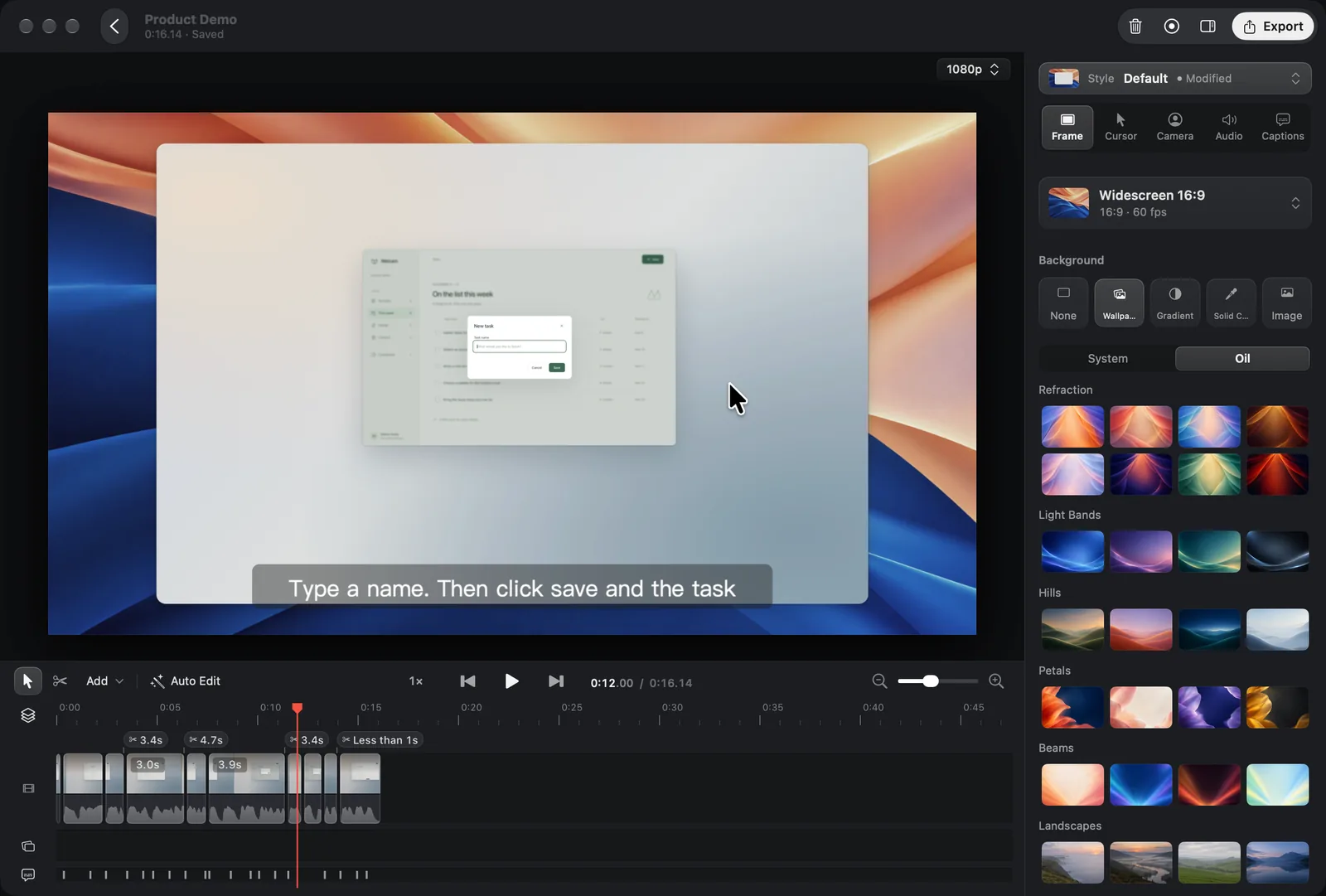
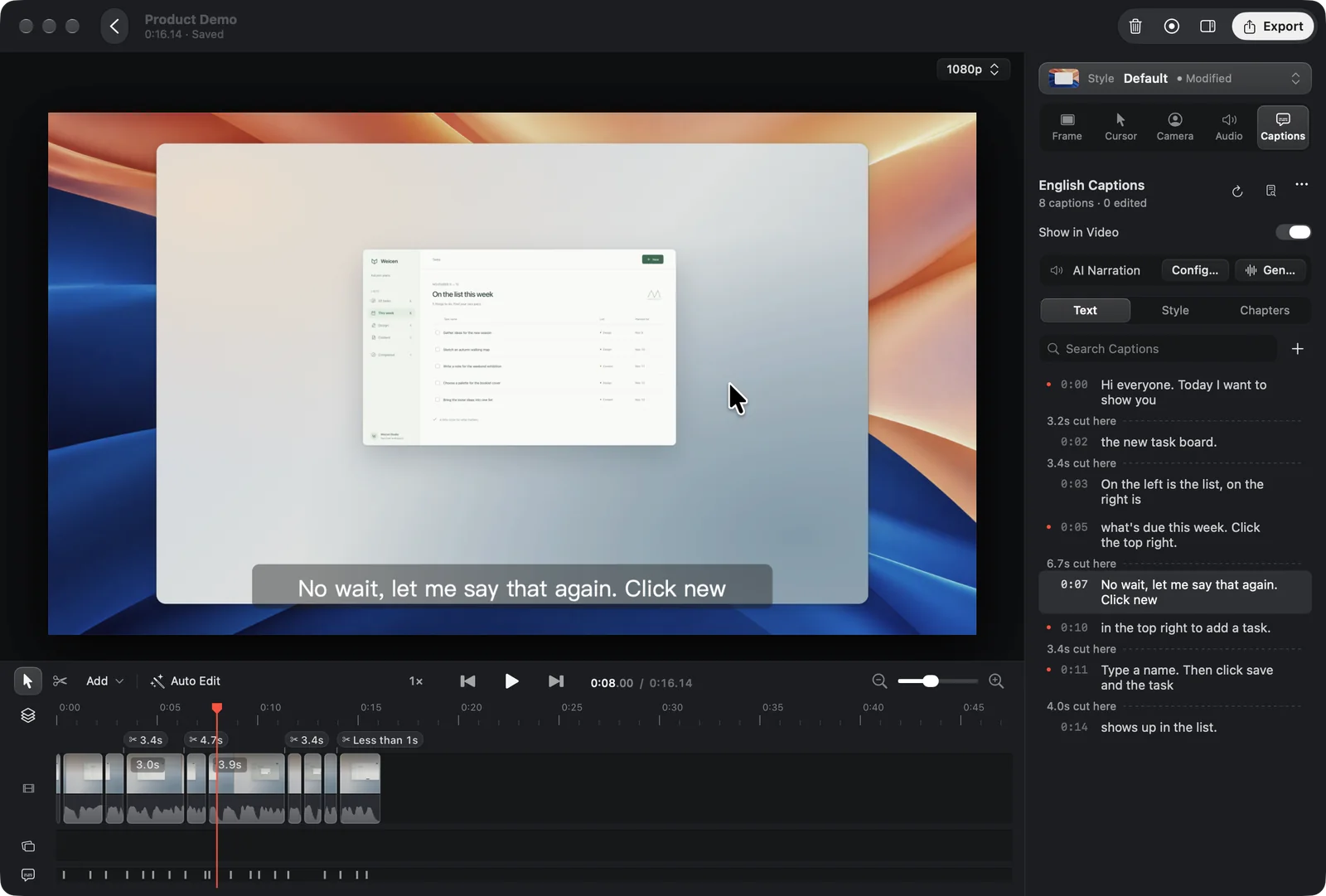
On Apple silicon, Oil Studio records the screen and edits the same take in one window. While you record, it remembers each click so you can later push the frame in on that spot and let it settle back, and the pointer is redrawn along the recorded movement so jitter is gone and the motion looks smooth. After the take, Whisper runs on the Mac to produce captions, and removing a sentence from the caption list also removes the matching part of the recording, aligned to whole words.
Who is it for?
People who record narrated product demos, tutorials, or walkthroughs and want click zoom, captions, and pause cleanup in the same Mac app, without a subscription or sending the audio off the computer.
When would you use it?
- Recording a click-through demo: Capture a full display or one window, then drag the zoom blocks on the timeline so the frame follows each click you made during the take.
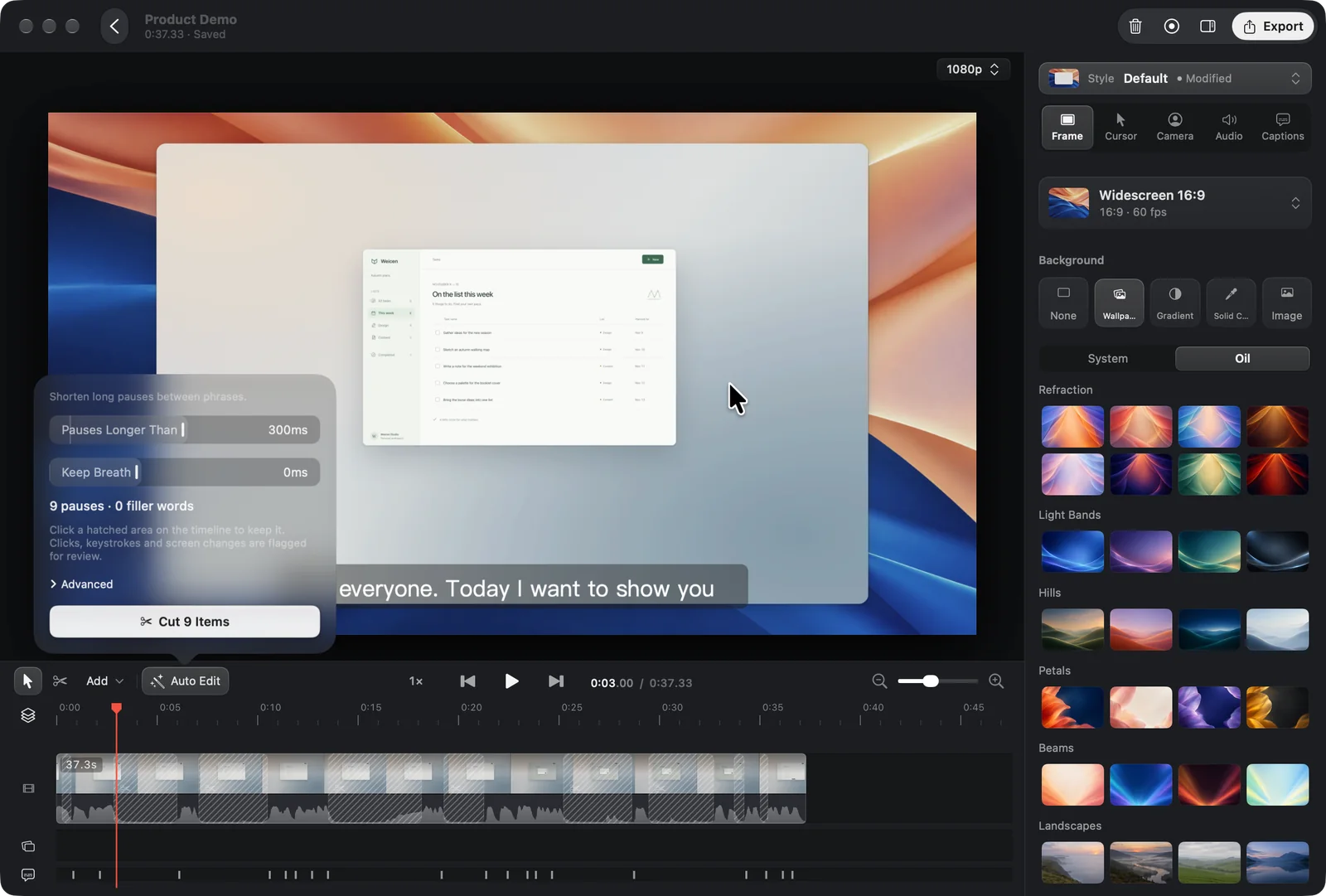
- Tightening a voice-over: Open Auto Edit to mark long pauses and filler words, keep a short breath if you want one, and remove the marked stretches in a single step.
- Dropping a retake: In the caption list, select the abandoned sentence or the take where you started over, and delete it so that part of the recording and its captions leave together.
Why pay for it?
Recording and editing stay free, and a license is only required when you export. Captions, pause cleanup, voice enhancement, and privacy redaction run on the Mac, with no media-hour cap and no per-use AI fee from Oil Studio. For a deeper pass, the app can give you a prompt to paste into Claude Code or Codex, then wait for you to approve the suggested cuts. Export is paid once and covers two Macs, up to 4K 60 fps, and exporting stays unlocked without a yearly bill.
What should you know?
- On the official buy page today, the sale is $39 rather than $49 and ends December 1, with no coupon field shown there.
- One license works on two Apple silicon Macs that run macOS 15 or later; if a machine stays offline for 30 days, that seat becomes available again.
- You can record, edit, and generate captions on the Mac with no account; checkout is Stripe, and support is at zhihuang.oiloil@gmail.com.
A look inside Oil Studio
Images from Oil Studio's official documentation and compare pages on studio.oiloil.org.
Prices and codes change. Last year's codes may no longer work — always confirm on the maker's site. Are you the maker? Send us your 2026 deal — listing is free.
Oil Studio alternatives for Mac
Similar deals
- Motionik — Record Mac or Windows screens and edit demos in one app with cursor auto-zoom.
- Cap — Open-source screen recorder with instant share links and a built-in studio editor.
- KeyScreen — Show keystrokes on your Mac screen with themes, filters and multi-display placement.
- ScreenOtter — A native Mac screen recorder and screenshot editor that adds automatic zooms, captions…
- Magic Automa AI — Macro tool for Mac and Windows that turns a plain sentence into steps for DaVinci…
- ScreenSage Pro — Record polished screen demos and tutorials on your Mac with automatic zoom, camera…
Oil Studio deal history
| Year | Offer | Dates | Source |
|---|---|---|---|
| 2026 | The official buy page lists a Black Friday price of $39, 20% off the regular $49, as a one-time purchase for two Apple silicon Macs, through December 1. No code is needed. | Nov 20, 2026 – Dec 1, 2026 | Verified on the maker's site (announcement) |
Similar apps to Oil Studio
- MotionShine — Record your Mac screen and get automatic click zooms, a restyled smooth cursor, captions and music in a built-in timeline editor. Live deal 50% off every paid plan with code BF50, all one-time purchases: Pro $24.50 instead of $49, Pro Forever $49.50 instead of $99, Agency $89.50 instead of $179. Nov 12 to Dec 5, 2026 (ends 11:59 pm US Pacific)
- Yaptake — Cut talking-head videos on a Mac by deleting words from the transcript, with local captions and no uploads. Live deal Half price for the first year with code YAPTAKEBF26, through December 2, 2026. Regular subscription prices are $9.99 a month or $79 a year. Editing and the first 3 exports on each Mac are free.
- SmoothCapture — Record your Mac screen and turn it into a polished product video with zooms, titles and 3D device mockups. Live deal 50% off Personal ($39.50), Lifetime ($74.50) and the Chronoid + SmoothCapture bundle ($99.50) with code BLACKFRIDAY26, applied automatically, until early Dec 2026 (pricing page says Dec 3)
- SmoothCut — Record your screen on Mac or Windows and get automatic zooms, a steadier cursor, cleaner audio and captions without opening an editor. Live deal 40% off, applied automatically at checkout (code BLACKFRIDAY40): Personal $47.40 (was $79), Pro $101.40 (was $169), one-time purchase. Nov 10 to Dec 1, 2026
- Slap Alert — A menu bar companion that drops a pixel-art sticky note on your Mac screen each time a customer pays you. Live deal Black Friday: 50% off the Slap Alert unlock (the paid upgrades, regularly US$19 plus local sales tax or VAT) with code BLACKFRIDAY50, November 27 to 30, 2026. The app itself is free; the unlock is a one-time purchase that covers all of your own Macs.
- Hopp — Pair program remotely with sharp 4K screen sharing and instant control of each other's keyboard and mouse. Awaiting this year's deal; 2025 offer (unconfirmed): 40% OFF until end of November, code HOPPFRIDAY40
More in Mac app (543 apps) · More in Screen & video (71 apps) · Screenshot & screen recording deals guide
FAQ
Is Oil Studio on sale for Black Friday 2026?
Yes. The maker has confirmed a Black Friday 2026 deal: The official buy page lists a Black Friday price of $39, 20% off the regular $49, as a one-time purchase for two Apple silicon Macs, through December 1. No code is needed.. It runs until Dec 1, 2026. Last checked against the maker's page: Nov 20, 2026.
Does Oil Studio have a lifetime or one-time price?
Yes. It is a one-time purchase for two Apple silicon Macs, with no subscription and no yearly renewal to keep exporting, per the maker's pricing page. Check the maker's site for current pricing.
What platforms does Oil Studio run on?
Oil Studio is listed for Mac.
Compare alternatives: Picmal alternatives · Motionik alternatives
See also: Screen & video Black Friday deals · Mac Black Friday 2026 deals.
For makers: add this badge
Optional. Copy this HTML to add a “Listed on IndieMarkdowns” badge that links to this deal page. It is never a condition of the listing.
A dark version uses https://indiemarkdowns.com/badge/listed-dark.svg. The older /badge/featured-light.svg and /badge/featured-dark.svg URLs work too.