MotionShine Black Friday 2026 deal
MotionShine has a confirmed Black Friday 2026 deal: 50% off every paid plan with code BF50, all one-time purchases: Pro $24.50 instead of $49. Nov 12 to Dec 5, 2026. Confirmed to us directly by the maker, listing last checked Nov 12, 2026. Black Friday 2026 is Nov 27 and Cyber Monday is Nov 30.
| Status | Confirmed for Black Friday 2026 |
|---|---|
| Discount | 50% off |
| Code | BF50 |
| Ends | Dec 5, 2026 |
| Last checked | Nov 12, 2026 |
See also: MotionShine alternatives for Mac · Black Friday 2026 Mac app deals
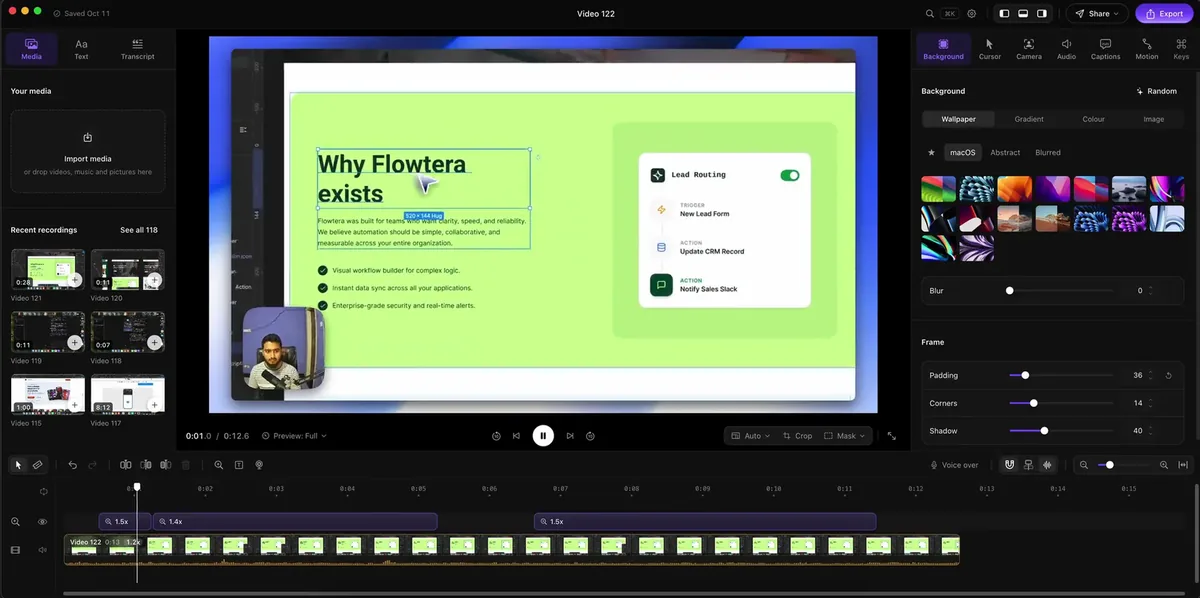
Record your Mac screen and get automatic click zooms, a restyled smooth cursor, captions and music in a built-in timeline editor.
Deal status
Live deal · confirmed by the maker 50% off every paid plan with code BF50, all one-time purchases: Pro $24.50 instead of $49, Pro Forever $49.50 instead of $99, Agency $89.50 instead of $179. Nov 12 to Dec 5, 2026 (ends 11:59 pm US Pacific) maker’s announcementWhat MotionShine looks likeImage from MotionShine's official site
Get deal alerts by email
We send a weekly email in November with the Black Friday 2026 deals makers have confirmed. Free, unsubscribe anytime.
What does it do?
Built for Mac, MotionShine pairs a screen recorder with its own timeline editor. While you record, it hides the real pointer and redraws a smoother one afterward, and each click becomes a zoom you can later resize, retarget or delete. In the editor you can lay the clip on a wallpaper or gradient, add a webcam bubble, generate captions on the Mac in over 40 languages, and mix music, sound effects and a voice-over on separate lanes.
Who is it for?
Founders, course makers, support teams and developers who record product demos or tutorials on a Mac and want a polished result without learning a full video editing suite.
When would you use it?
- SaaS feature demo: Record a walkthrough of a new feature, let the automatic zooms follow each click, then tighten the one zoom that lands on the wrong panel before exporting.
- Social clip from one take: Switch the finished project to a vertical 9:16 shape for Shorts or Reels, and the captions rewrap while zooms stay on the element you clicked.
- Scripted tutorial: Keep your script in the speaker notes that scroll on screen during capture, which viewers never see, and use the filler-word cleanup to cut ums afterward.
- Recording near sensitive apps: Let capture pause on its own when a password manager or banking page comes forward, so there are no frames to scrub later.
Why pay for it?
Subscription recorders charge every month for auto zoom and a tidy cursor, while MotionShine is free with no watermark and charges once only if you need exports above 720p. Captions are generated on the Mac rather than uploaded, and recordings stay in a local folder unless you share them. Projects remain editable, so you can reopen an old recording and export it again at 4K after buying a license.
What should you know?
- The free version has no time limit or watermark but caps exports at 720p and 30 fps. Buying any paid plan lifts that limit to 4K at up to 60 frames per second.
- Launch prices are Pro $49 for one Mac including twelve months of updates, Pro Forever $99 for three Macs with lifetime updates, and Agency $179 for up to five people. Code BF50 halves each of these until December 5, 2026.
- Ventura (macOS 13) or newer is required, on Apple silicon or Intel, and each paid plan carries a 30-day money-back promise.
A look inside MotionShine
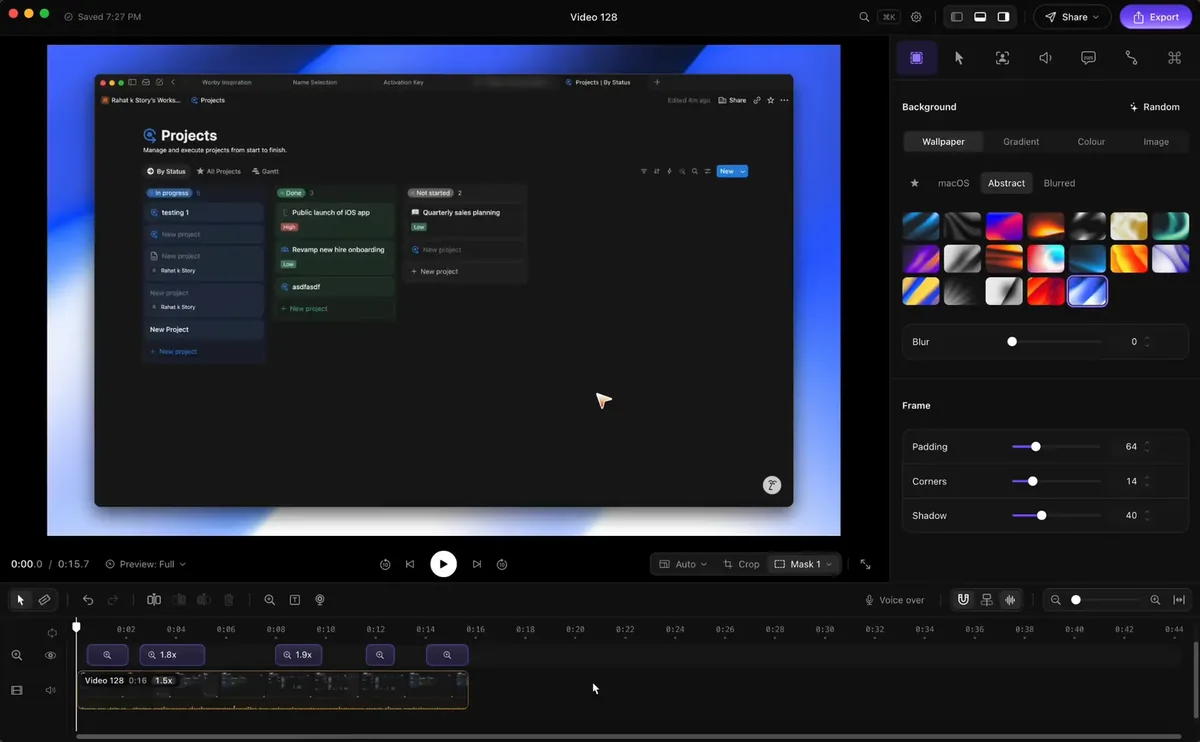
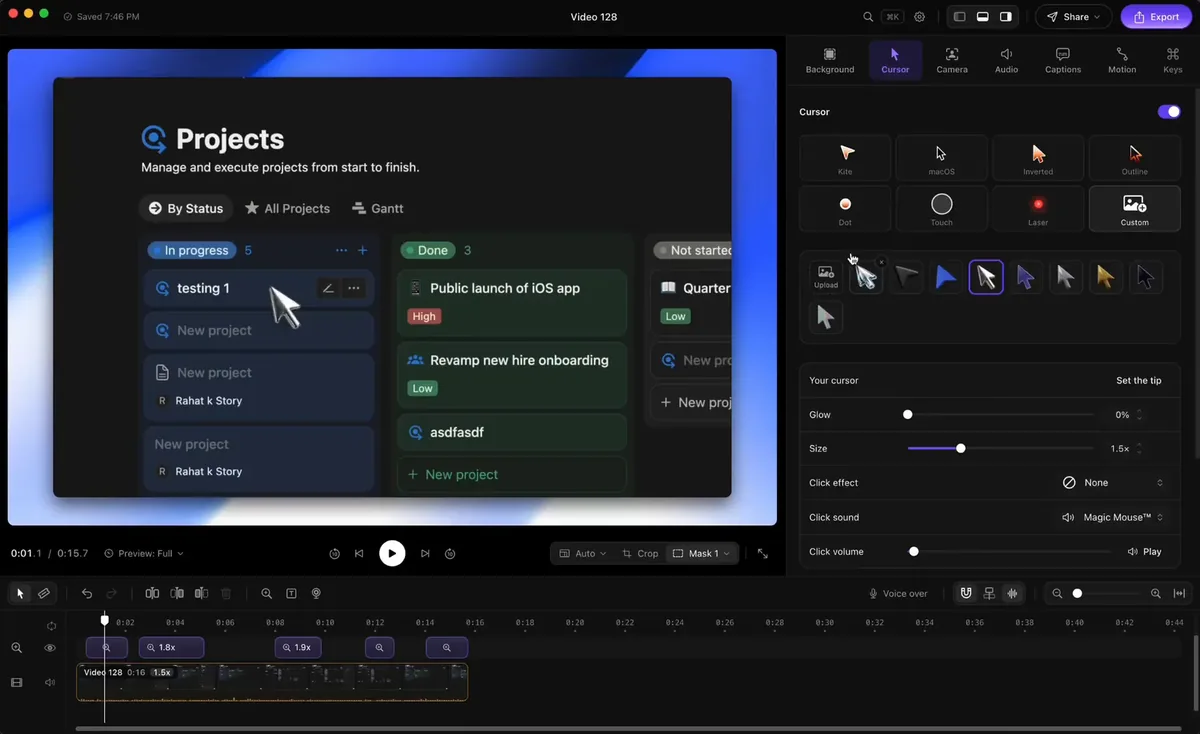
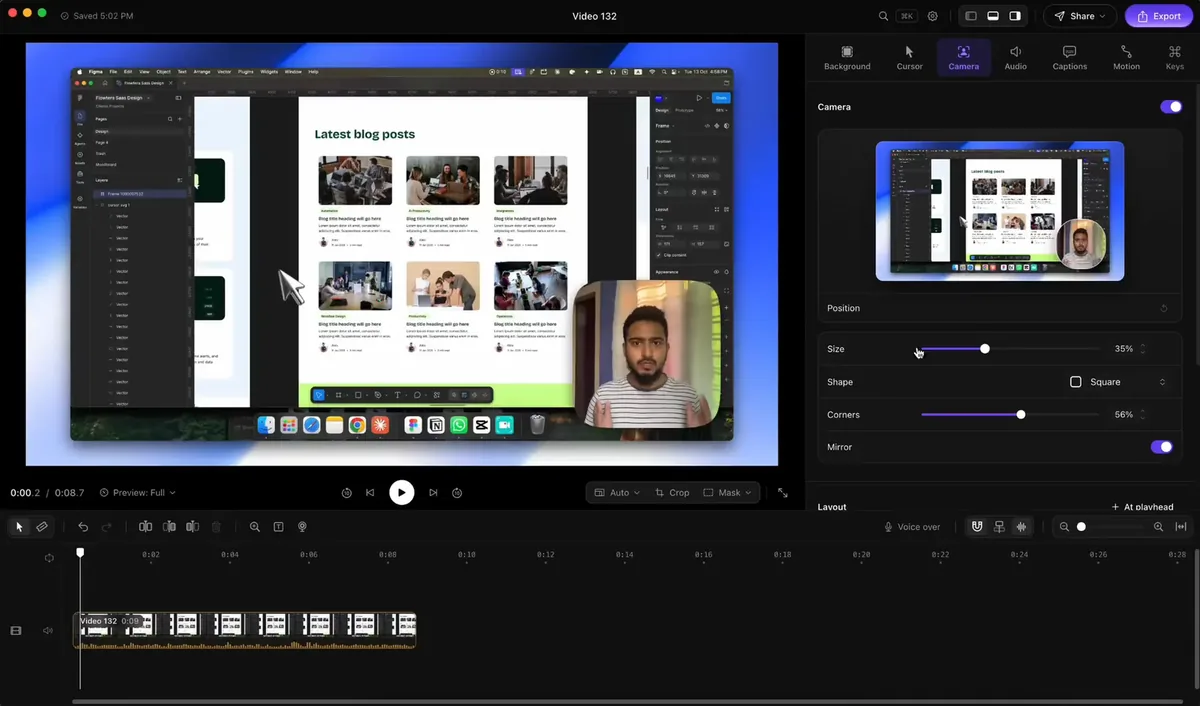
Images from MotionShine.
Prices and codes change. Last year's codes may no longer work — always confirm on the maker's site. Are you the maker? Send us your 2026 deal — listing is free.
Featured in: CleanShot X Black Friday 2026: 6 screenshot apps on sale instead
MotionShine alternatives for Mac
Similar deals
- Cutfac — Make and refine TikToks, Reels and Shorts about your product on your Mac, powered by…
- Recut — Silence remover that builds a rough cut and exports to your video editor.
- ScreenSnap Pro — Mac and Windows app for annotated screenshots, recordings and cloud share links.
- Dropshare — Upload screenshots, screen recordings and any file to the storage you already trust,…
- Shottr — Grab Mac screenshots, mark them up, read text from them, and capture long scrolling pages.
- palmscreen — Screen recordings with automatic zoom and cursor effects, an editor, and screenshots…
MotionShine deal history
| Year | Offer | Dates | Source |
|---|---|---|---|
| 2026 | 50% off every paid plan with code BF50, all one-time purchases: Pro $24.50 instead of $49, Pro Forever $49.50 instead of $99, Agency $89.50 instead of $179. Nov 12 to Dec 5, 2026 (ends 11:59 pm US Pacific) | Nov 12, 2026 – Dec 5, 2026 | Confirmed by the maker (announcement) |
Similar apps to MotionShine
- SmoothCut — Record your screen on Mac or Windows and get automatic zooms, a steadier cursor, cleaner audio and captions without opening an editor. Live deal 40% off, applied automatically at checkout (code BLACKFRIDAY40): Personal $47.40 (was $79), Pro $101.40 (was $169), one-time purchase. Nov 10 to Dec 1, 2026
- SmoothCapture — Record your Mac screen and turn it into a polished product video with zooms, titles and 3D device mockups. Live deal 50% off Personal ($39.50), Lifetime ($74.50) and the Chronoid + SmoothCapture bundle ($99.50) with code BLACKFRIDAY26, applied automatically, until early Dec 2026 (pricing page says Dec 3)
- ScreenSage Pro — Record polished screen demos and tutorials on your Mac with automatic zoom, camera layouts and iPhone capture built in. Live deal Up to 53% off one-time licenses: Lifetime $449 → $209.90 (53% off, code BFS2026L); Pro / 3 Macs $149 → $79.90 (46% off, code BFS2026P); Nov 4 to Dec 15, 2026
- Cap — Open-source screen recorder with instant share links and a built-in studio editor. Live deal Black Friday: 50% off Cap Pro Yearly, $49 instead of $98 per user per year, with code BLACKFRIDAY applied at checkout. Every seat on the yearly plan is half price. Ends Cyber Monday, November 30, 2026.
- Clipy — Record a bug or walkthrough once, then hand Claude Code, Codex or Cursor a link carrying transcript, summary and key frames. Live deal 32% off the first year of Clipy Pro Annual: $49 instead of $72 with code CLIPYBF26 (applied automatically from the maker's deal link), then $72 a year. Pro Annual only. Nov 9, 2026 to Jan 2, 2027
- ScreenDemos — Record product demo videos in the browser with automatic zoom and cursor polish. Awaiting this year's deal; 2025 offer (unconfirmed): 50% OFF lifetime plan with code BLACKFRIDAY2025
More in Mac app (525 apps) · More in Screen & video (66 apps) · Screenshot & screen recording deals guide
FAQ
Is MotionShine on sale for Black Friday 2026?
Yes. The maker has confirmed a Black Friday 2026 deal: 50% off every paid plan with code BF50, all one-time purchases: Pro $24.50 instead of $49, Pro Forever $49.50 instead of $99, Agency $89.50 instead of $179. Nov 12 to Dec 5, 2026 (ends 11:59 pm US Pacific). It runs until Dec 5, 2026. Confirmed directly by the maker (last checked Nov 12, 2026).
Does MotionShine have a lifetime or one-time price?
Yes. Every paid plan is a one-time payment; Pro includes a year of updates, Pro Forever and Agency include lifetime updates, per the maker's pricing page. Check the maker's site for current pricing.
What platforms does MotionShine run on?
MotionShine is listed for Mac.
Compare alternatives: Cutfac alternatives · Recut alternatives
See also: Screen & video Black Friday deals · Mac Black Friday 2026 deals.
For makers: add this badge
Optional. Copy this HTML to add a “Listed on IndieMarkdowns” badge that links to this deal page. It is never a condition of the listing.
A dark version uses https://indiemarkdowns.com/badge/listed-dark.svg. The older /badge/featured-light.svg and /badge/featured-dark.svg URLs work too.