
Fadeclock Black Friday 2026 deal
Fadeclock has a confirmed Black Friday 2026 deal: Black Friday: Fadeclock Pro, is $6 instead of $12 with code BF2026, through November 30, 2026, Pacific time, and the Buy Pro button on the official site applies the code. Confirmed with the app maker on Nov 21, 2026. Black Friday 2026 is Nov 27 and Cyber Monday is Nov 30.
| Status | Confirmed for Black Friday 2026 |
|---|---|
| Deal price | $6 (USD) |
| Code | BF2026 |
| Ends | Nov 30, 2026 |
| Last checked | Nov 22, 2026 |
See also: Black Friday 2026 Mac app deals
A Mac timer that sits on your slides, shows when the activity ends, and fades the room music out first.
Deal status
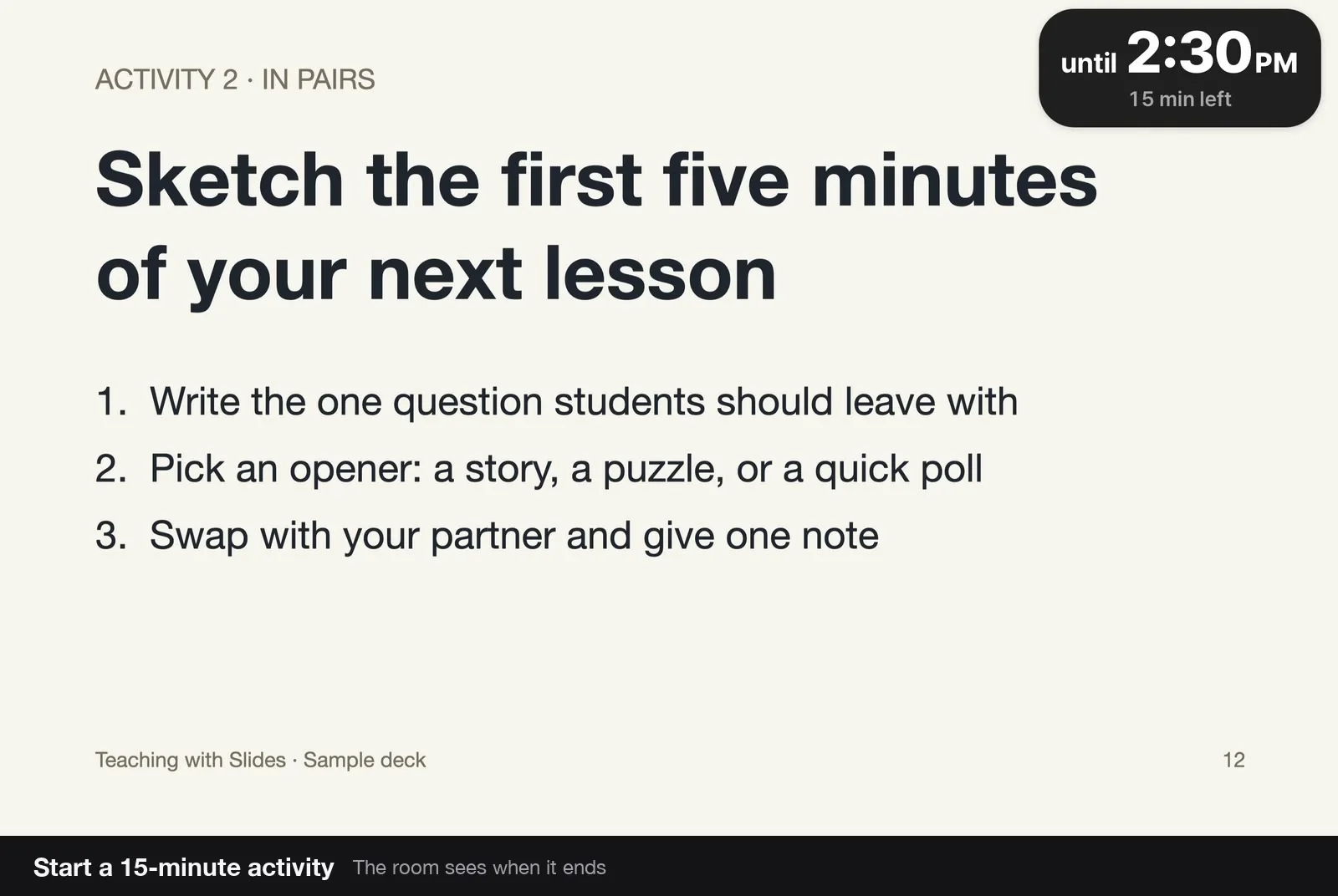
Live deal · confirmed with the app maker Black Friday: Fadeclock Pro, the one-time license, is $6 instead of $12 with code BF2026, through November 30, 2026, Pacific time. The download itself is free, and the Buy Pro button on the official site applies the code. Confirmed with the app maker.What Fadeclock looks likeImage from Fadeclock's official site
Get deal alerts by email
We send a weekly email in November with the Black Friday 2026 deals makers have confirmed. Free, unsubscribe anytime.
What does it do?
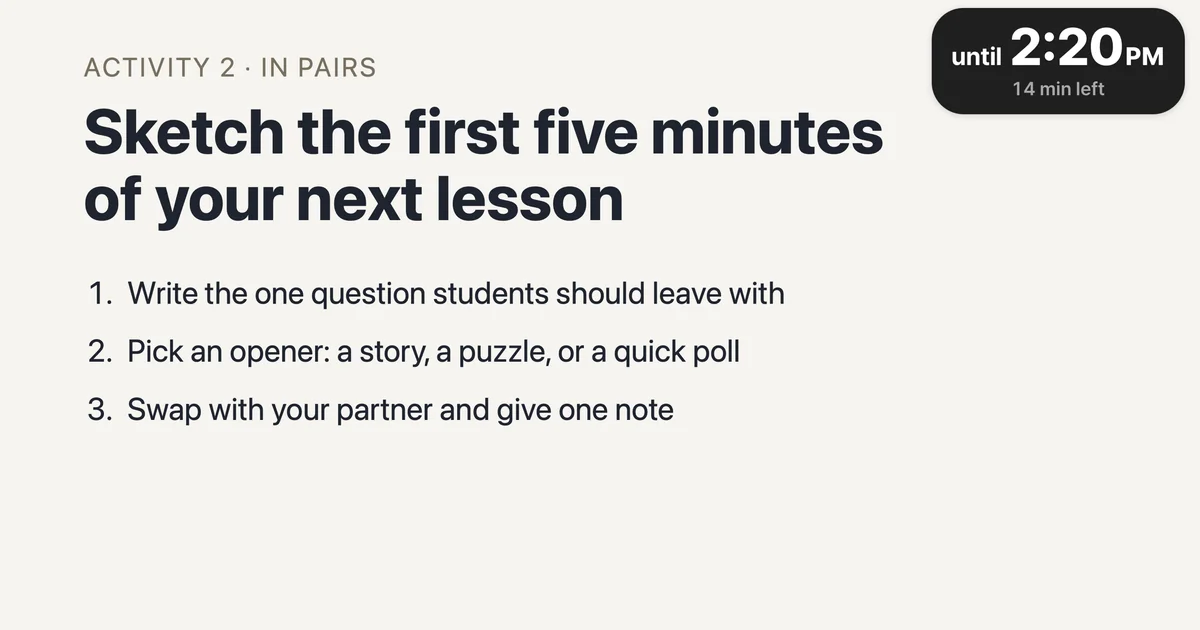
During a lesson or workshop, a small capsule floats over Keynote or PowerPoint and shows the end time in large type, with minutes left underneath. Music can fade in at the start and fade out in the last half-minute, then one chime marks the end.
Who is it for?
Teachers and workshop hosts who want the room to see a deadline on the slides and to hear the music wind down before time is up, without leaving the presentation.
When would you use it?
- Starting a timed activity: Pick a duration and press Start, then leave the capsule in a corner of the slide while you keep teaching.
- Giving the room a warning: In the last 30 seconds the music fades out, then a single chime plays when the end time arrives.
- Running a break: Start a break from the same window so the capsule is labeled Break until that period is over.
- Needing two more minutes: Add time from the capsule or a keyboard shortcut, and the displayed end time moves with it.
Why pay for it?
The download is free, so you can try the timer on your own slides before paying, and the Black Friday code cuts the one-time Pro license from $12 to $6 if you want local music files and start buttons inside the slides.
What should you know?
- Apple has not notarized the app. The official site says macOS will block it the first time you open it, and you have to allow it in System Settings. It targets macOS 13 or later on Apple silicon and Intel, and the site notes that Intel has not yet been tested.
- The free download includes the timer, breaks, and YouTube music. Pro, unlocked with a one-time license key, adds your own music files and start buttons in Keynote, PowerPoint, HTML slides and web pages. Payments go through Paddle.
- The official privacy policy says the app collects nothing in normal use and keeps settings on the Mac. YouTube is used only if you pick it as a music source, and in that case YouTube (Google) receives what it usually receives when a video plays. License keys are checked on the Mac, not against a server.
- Dogwang Seong, an individual developer in South Korea, makes the app. Support is support@fadeclock.app.
A look inside Fadeclock
Images from Fadeclock's official site.
Prices and codes change. Last year's codes may no longer work — always confirm on the maker's site. Are you the maker? Send us your 2026 deal — listing is free.
Similar deals
- Timemator — Automatic Mac time tracking that turns app, file and website activity into timesheets.
- TextSniper — Grab text you can't select from videos, images, PDFs and screenshots on your Mac, then…
- CSVtoSheets — Double-click any CSV on Mac and open it straight in Google Sheets.
- MenubarX — Pin any website to your Mac menu bar as a compact window that opens with one click,…
- Halopen — Hold a key, talk, and what you said is typed at the cursor in any Mac app, including…
- VoicePen — AI notes from speech, recordings and online audio across iPhone, Mac and other Apple…
Fadeclock deal history
| Year | Offer | Dates | Source |
|---|---|---|---|
| 2026 | Black Friday: Fadeclock Pro, the one-time license, is $6 instead of $12 with code BF2026, through November 30, 2026, Pacific time. The download itself is free, and the Buy Pro button on the official site applies the code. Confirmed with the app maker. | Nov 22, 2026 – Nov 30, 2026 | Confirmed with the app maker on Nov 21, 2026 |
Similar apps to Fadeclock
- Sonant — A menu bar pill that shows and controls what Spotify or Apple Music is playing, with lyrics and a sleep timer. Live deal Black Friday: EUR 9.99 instead of EUR 14.99 (EUR 5 off) as a one-time purchase, applied automatically on the official site, until December 1, 2026, 23:59 Amsterdam time.
- Umbraa — A Mac menu bar app that dims every display below the system minimum, with warm or red color modes and a sleep timer that fades the screen to black. Live deal 50% off on the Mac App Store, no code needed: $1.99 instead of $3.99, November 20 through November 30, 2026.
- Notch Radio — A live internet radio player that sits around the MacBook notch and shows each song's title and cover. Live deal Black Friday: the in-app unlock is $9.99 instead of $19.99 on the Mac App Store until December 1, no code needed. The app itself is free.
- Pangalin Space Manager — A Mac storage cleaner that shows where your space went, explains each item, and asks before anything is moved. Cleared items go to the Trash first. Scanning is free, and the first 5 GB you clear are free. Live deal 30% off the first year with code BLACKFRIDAY: $17.50 instead of $25 a year, through November 30, 2026. Scanning is free, and the first 5 GB you clear are free.
- CoolDock — Gives your Mac a second Dock that shows live widgets for music, to-dos, your calendar, the weather, search and system stats. Live deal 50% off CoolDock lifetime licenses, the maker's Black Friday price: Lifetime Access $46.50 to $23.25 for 1 device ($69.99 to $34.99 for 2, $89.99 to $44.99 for 3), Forever Edition $115.99 to $57.99. Shown on the maker's page, no code listed; maker confirmed it runs Nov 12 to Dec 1
- Lumière — Plays movies, shows and music from your own Plex, Jellyfin, Emby, Kodi or Lumière Server libraries and network folders. Live deal Black Friday: Lumière Plus Lifetime is $47.99 instead of $59.99 (20% off) on the App Store with offer code ARTSVITBF20, through November 30, 2026 (Pacific) or until 500 redemptions. The player itself is free to use; local prices may differ.
More in Mac app (590 apps) · More in Productivity (263 apps) · When Mac app Black Friday sales start
FAQ
Is Fadeclock on sale for Black Friday 2026?
Yes. The maker has confirmed a Black Friday 2026 deal: Black Friday: Fadeclock Pro, the one-time license, is $6 instead of $12 with code BF2026, through November 30, 2026, Pacific time. The download itself is free, and the Buy Pro button on the official site applies the code. Confirmed with the app maker.. It runs until Nov 30, 2026. Confirmed with the app maker on Nov 21, 2026.
Does Fadeclock have a lifetime or one-time price?
Fadeclock Pro is a one-time license key with no subscription, per the official price section, per the maker's pricing page. Check the maker's site for current pricing.
What platforms does Fadeclock run on?
Fadeclock is listed for Mac.
Compare alternatives: TextSniper alternatives · Paste alternatives
See also: Productivity Black Friday deals · Mac Black Friday 2026 deals.
For makers: add this badge
Optional. Copy this HTML to add a “Listed on IndieMarkdowns” badge that links to this deal page. It is never a condition of the listing.
A dark version uses https://indiemarkdowns.com/badge/listed-dark.svg. The older /badge/featured-light.svg and /badge/featured-dark.svg URLs work too.