
Pangalin Space Manager Black Friday 2026 deal
Pangalin Space Manager has a confirmed Black Friday 2026 deal: 30% off the first year with code BLACKFRIDAY: $17.50 instead of $25 a year, through November 30, 2026. Scanning is free. Confirmed to us directly by the maker, listing last checked Nov 15, 2026. Black Friday 2026 is Nov 27 and Cyber Monday is Nov 30.
| Status | Confirmed for Black Friday 2026 |
|---|---|
| Discount | 30% off |
| Deal price | $17.50 (USD) |
| Code | BLACKFRIDAY |
| Ends | Nov 30, 2026 |
| Last checked | Nov 15, 2026 |
See also: Black Friday 2026 Mac app deals
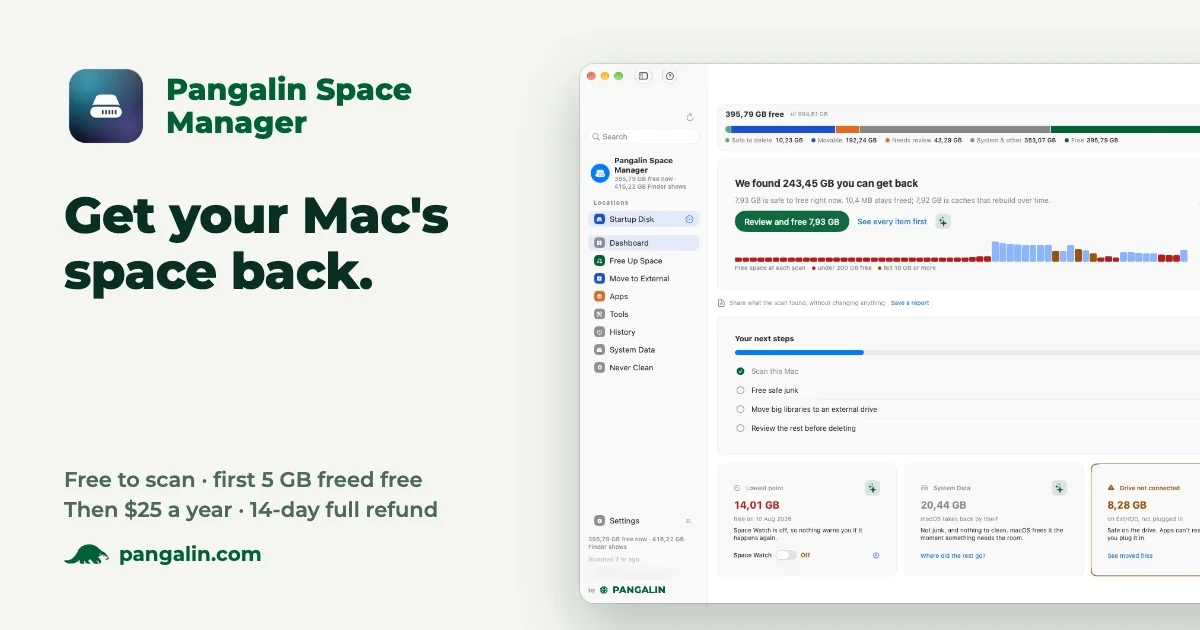
A Mac storage cleaner that shows where your space went, explains each item, and asks before anything is moved. Cleared items go to the Trash first. Scanning is free, and the first 5 GB you clear are free.
Deal status
Live deal · confirmed by the maker 30% off the first year with code BLACKFRIDAY: $17.50 instead of $25 a year, through November 30, 2026. Scanning is free, and the first 5 GB you clear are free. maker’s announcementVisit Pangalin Space Manager ↗
What Pangalin Space Manager looks likeImage from Pangalin Space Manager's official site
Get deal alerts by email
We send a weekly email in November with the Black Friday 2026 deals makers have confirmed. Free, unsubscribe anytime.
What does it do?
Pangalin Space Manager scans an Apple silicon Mac, shows what is using storage, and lets you clean, move, compress, merge, or uninstall items after you have read a short note about each one. Scanning is free. The first five gigabytes you actually free are also free. Cleared items go to the Trash first, and you can put recent moves or deletions back from History.
Who is it for?
People whose Apple silicon Macs are running out of room, especially if Xcode, Docker, AI models, or apps such as Final Cut Pro have left large caches, and who want to see the effect before anything is removed.
When would you use it?
- A disk that filled up overnight: Run a free scan, read why a cache is marked Caution, and leave macOS photo-analysis data alone if you do not want a hours-long rebuild.
- A bulky Docker image: Select the named item, move or delete it after reading the note, and confirm it went to the Trash so you can restore it from History if something breaks.
- Five gigabytes of obvious clutter: Free that first allowance at no cost, then decide whether a paid license is worth it for everything above that cap.
- Checking the real gain: Ignore purgeable space in the total, because the app does not count room that macOS can take back on its own as space you freed.
Why pay for it?
Scans have no fee and no account, and you can run them whenever you want. The first five gigabytes you free on that Mac cost nothing. A license, listed at $25 a year, removes the cap and still lets you preview each action. Purgeable space is not treated as a win, and caches that will simply come back are flagged before you touch them.
What should you know?
- Only Apple silicon, from the M1 onward, is supported, together with Ventura (macOS 13) or newer. Intel Macs are not supported.
- The five-gigabyte free allowance applies to each Mac, rather than resetting every month, and scanning itself has no time limit. After that, a paid license removes the cap. The official price is $25 a year, with a fourteen-day refund.
- Removed items are sent to the Trash first. You can reverse a move in History, and deletions from the past week can be put back as well.
- Space that the system reclaims on its own is not counted, and purgeable space is not treated as storage you have cleared.
A look inside Pangalin Space Manager
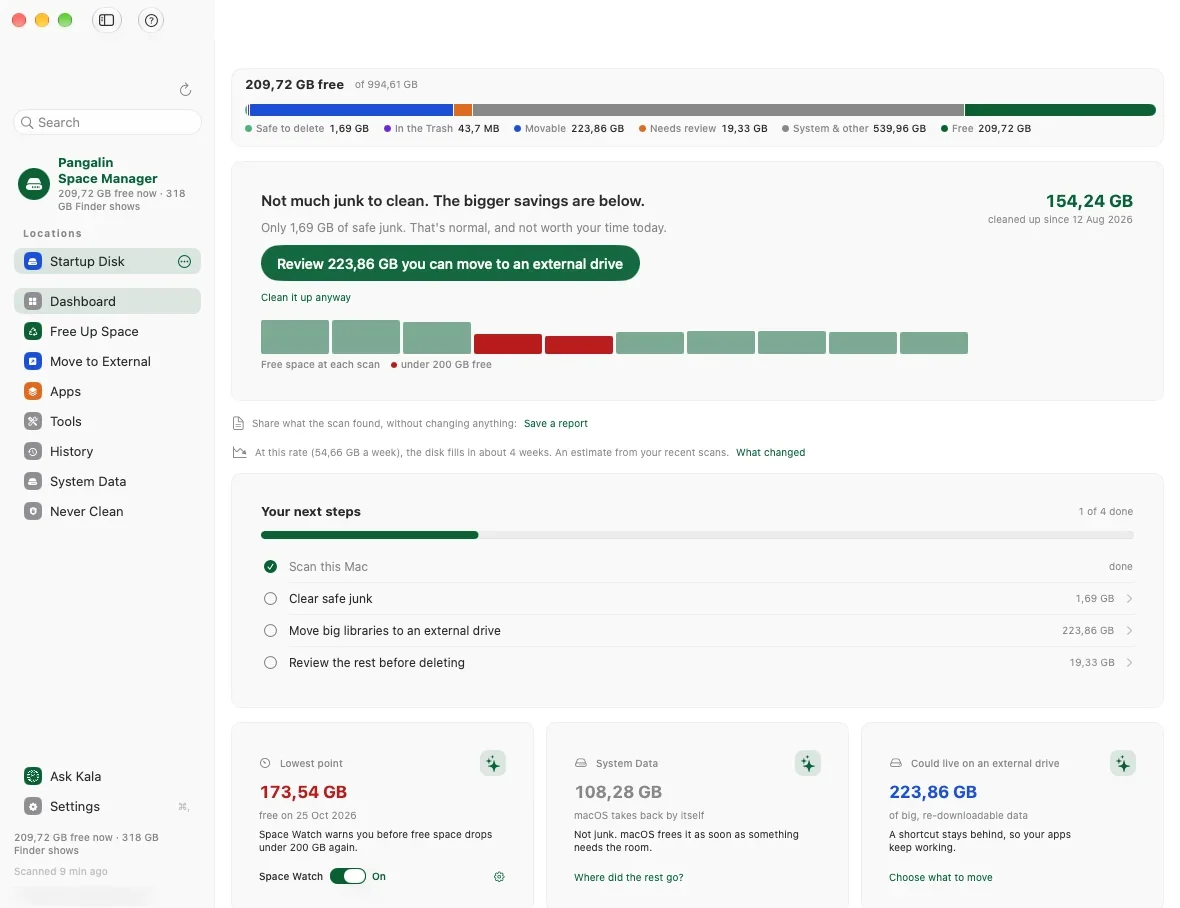
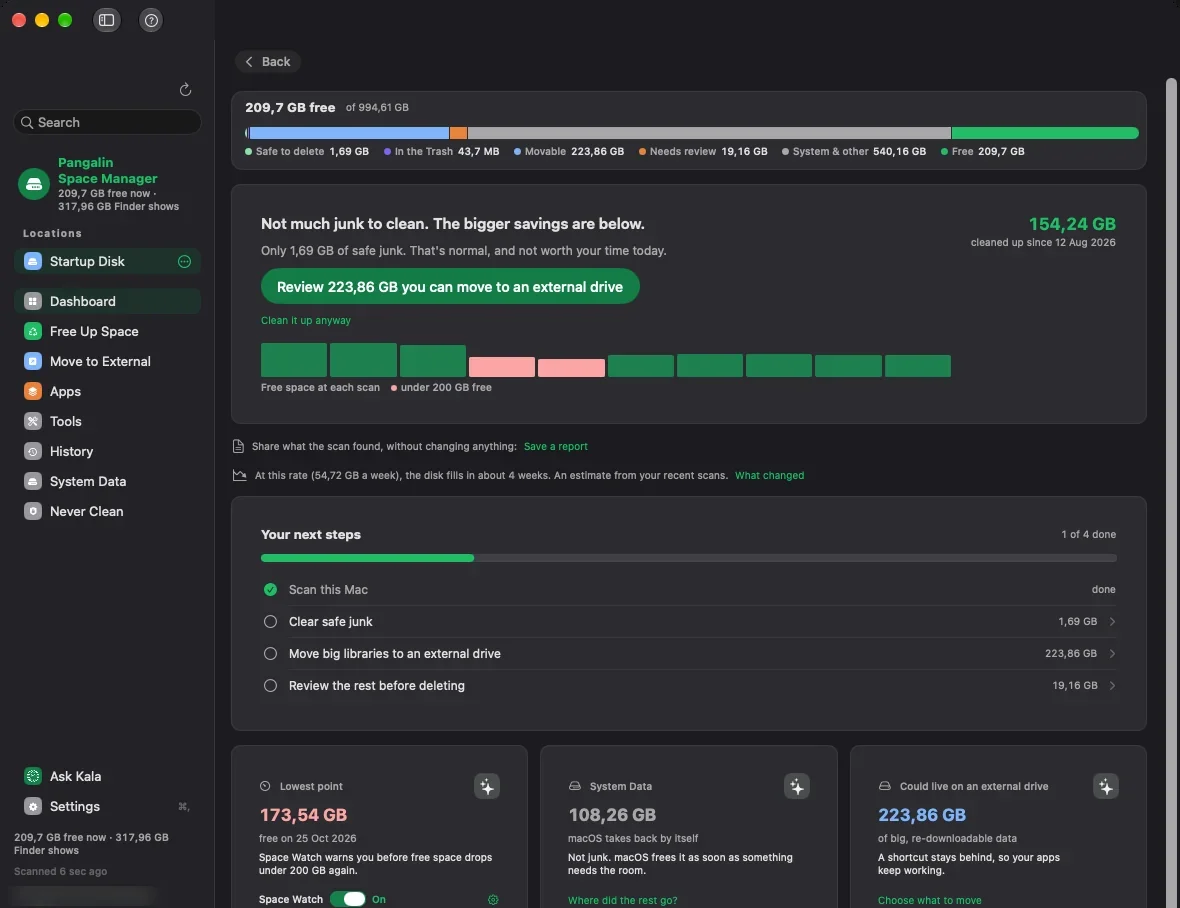
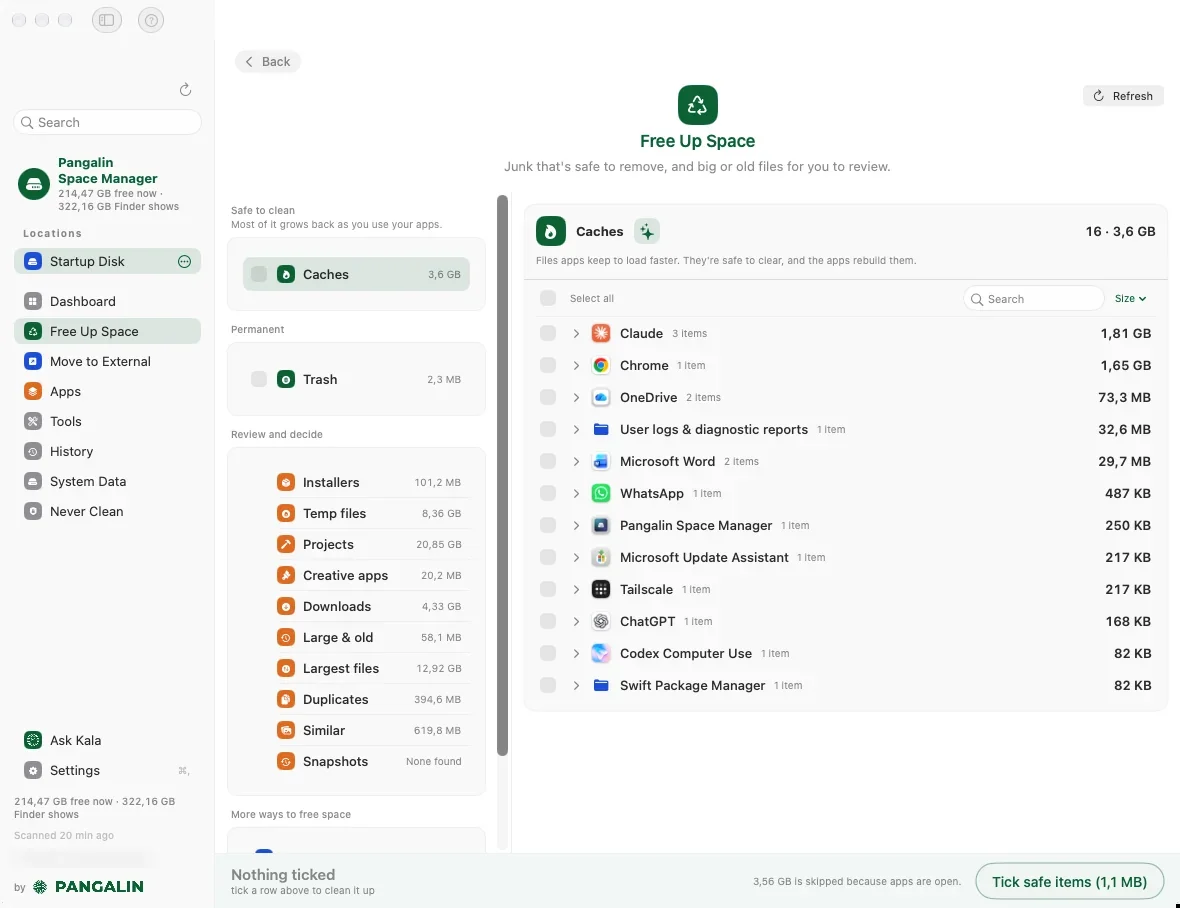
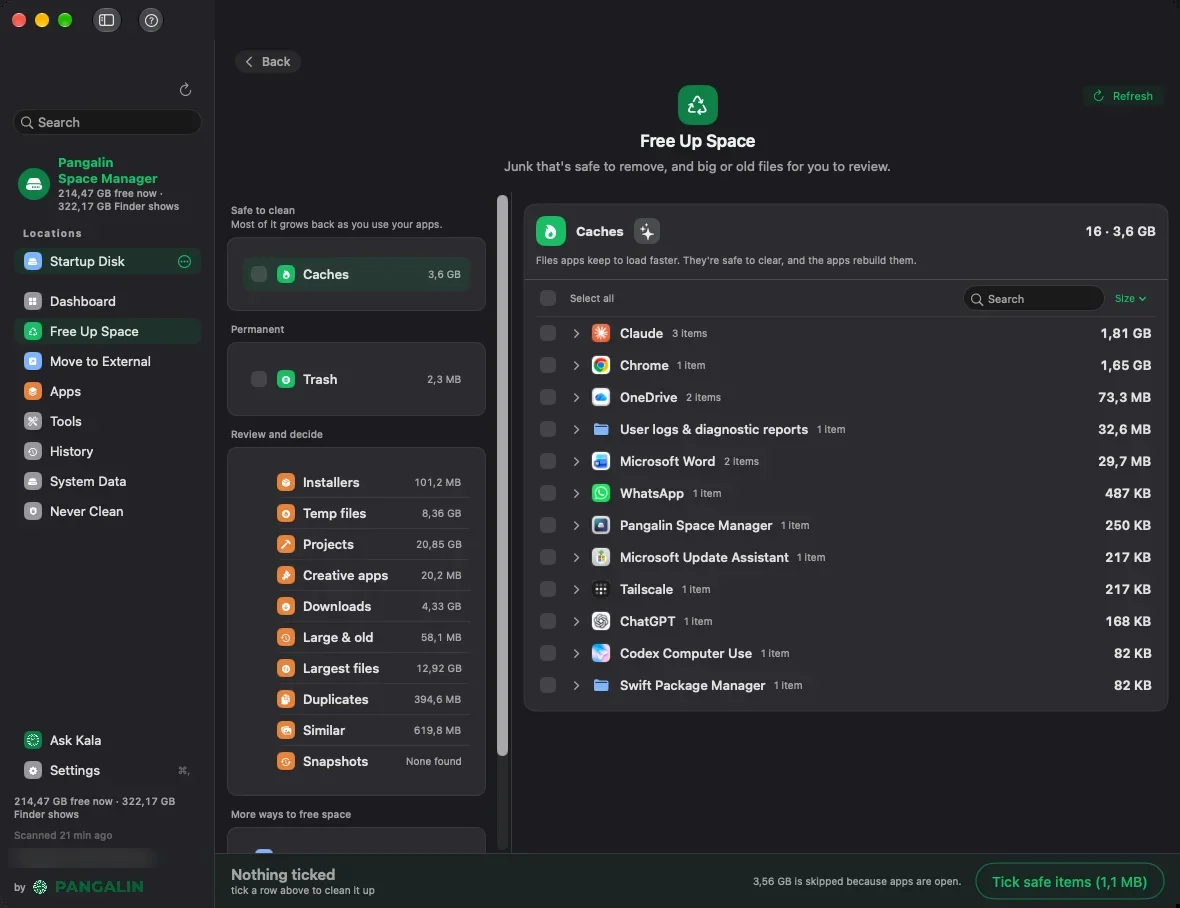
Images from Pangalin Space Manager's official site.
Prices and codes change. Last year's codes may no longer work — always confirm on the maker's site. Are you the maker? Send us your 2026 deal — listing is free.
Similar deals
- Picmal — Change the format or size of photos, videos, audio files and PDFs in bulk on your Mac,…
- PinSet — Describe a Mac problem in plain words and PinSet opens the exact System Settings pane…
- FileMinutes — Find any file on your Mac fast with a keyboard-driven search that browses folders,…
- ActionClip — A Mac utility that runs iPhone-style text actions on selected text, with a free tier of…
- FlexiBackup — A Mac app for choosing and managing backup locations for iPhones and iPads, so backups…
- DockGroups — Bundle the Mac apps you use for each kind of work into groups, then open or close a…
Pangalin Space Manager deal history
| Year | Offer | Dates | Source |
|---|---|---|---|
| 2026 | 30% off the first year with code BLACKFRIDAY: $17.50 instead of $25 a year, through November 30, 2026. Scanning is free, and the first 5 GB you clear are free. | Nov 15, 2026 – Nov 30, 2026 | Confirmed by the maker (announcement) |
Similar apps to Pangalin Space Manager
- SiftMac — Mac disk cleaner that explains every file before it goes, never touches what is in use, and keeps a 7-day undo. Live deal SiftMac's Founding license drops to $9 instead of $12 at checkout (25% off), no code needed, one-time for 2 Macs, Nov 27 to Nov 30, 2026.
- DiskFox — A Mac disk space analyzer that shows what is filling your storage, when it grew and why, and splits System Data into named parts. Live deal $7.99 instead of $10.99 with code BLACKFRIDAY (also £5.99 instead of £8.99, €6.99 instead of €9.99), one-time purchase covering 2 Macs. Nov 27 to Nov 30, 2026.
- Sweeper — Mac uninstaller that removes an app along with its caches, preferences and login items, showing each file first. Live deal 10% off Sweeper with code PARCSEBLACKFRIDAY, through Dec 1, 2026.
- Trash Buddy — Check, empty and manage your Mac's Trash from anywhere with shortcuts, item counts and optional scheduled emptying. Live deal 25% off with code CCOATMB7, now until Nov 30, 2026
- Zmina — A Mac clipboard manager that checks each copy and its paste destination, then offers the right cleanup before it lands. Live deal 40% off the lifetime license: $21 instead of $35, with code BF2026, through December 15, 2026
- Focusmo — Mac focus app that plans the day, runs focus blocks and shows where the hours went. Awaiting this year's deal; 2025 offer (unconfirmed): 50% OFF Lifetime Updates (Nov 21 - Dec 1). (code automatically applied)
More in Mac app (525 apps) · More in Utilities (174 apps) · When Mac app Black Friday sales start
FAQ
Is Pangalin Space Manager on sale for Black Friday 2026?
Yes. The maker has confirmed a Black Friday 2026 deal: 30% off the first year with code BLACKFRIDAY: $17.50 instead of $25 a year, through November 30, 2026. Scanning is free, and the first 5 GB you clear are free.. It runs until Nov 30, 2026. Confirmed directly by the maker (last checked Nov 15, 2026).
What platforms does Pangalin Space Manager run on?
Pangalin Space Manager is listed for Mac.
See also: Utilities Black Friday deals · Mac Black Friday 2026 deals.
For makers: add this badge
Optional. Copy this HTML to add a “Listed on IndieMarkdowns” badge that links to this deal page. It is never a condition of the listing.
A dark version uses https://indiemarkdowns.com/badge/listed-dark.svg. The older /badge/featured-light.svg and /badge/featured-dark.svg URLs work too.