DiskFox Black Friday 2026 deal
DiskFox has a confirmed Black Friday 2026 deal: $7.99 instead of $10.99 with code BLACKFRIDAY (also £5.99 instead of £8.99, €6.99 instead of €9.99), one-time purchase covering 2 Macs. Nov 27 to Nov 30, 2026. Confirmed to us directly by the maker, listing last checked Nov 16, 2026. Black Friday 2026 is Nov 27 and Cyber Monday is Nov 30.
| Status | Starts Nov 27, 2026 |
|---|---|
| Deal price | $7.99 (USD) |
| Code | BLACKFRIDAY |
| Starts | Nov 27, 2026 |
| Ends | Nov 30, 2026 |
| Last checked | Nov 16, 2026 |
See also: Black Friday 2026 Mac app deals
A Mac disk space analyzer that shows what is filling your storage, when it grew and why, and splits System Data into named parts.
Deal status
Upcoming deal · confirmed by the maker Starts Nov 27, 2026. $7.99 instead of $10.99 with code BLACKFRIDAY (also £5.99 instead of £8.99, €6.99 instead of €9.99), one-time purchase covering 2 Macs. Nov 27 to Nov 30, 2026.What DiskFox looks likeImage from DiskFox's official site
Get deal alerts by email
We send a weekly email in November with the Black Friday 2026 deals makers have confirmed. Free, unsubscribe anytime.
What does it do?
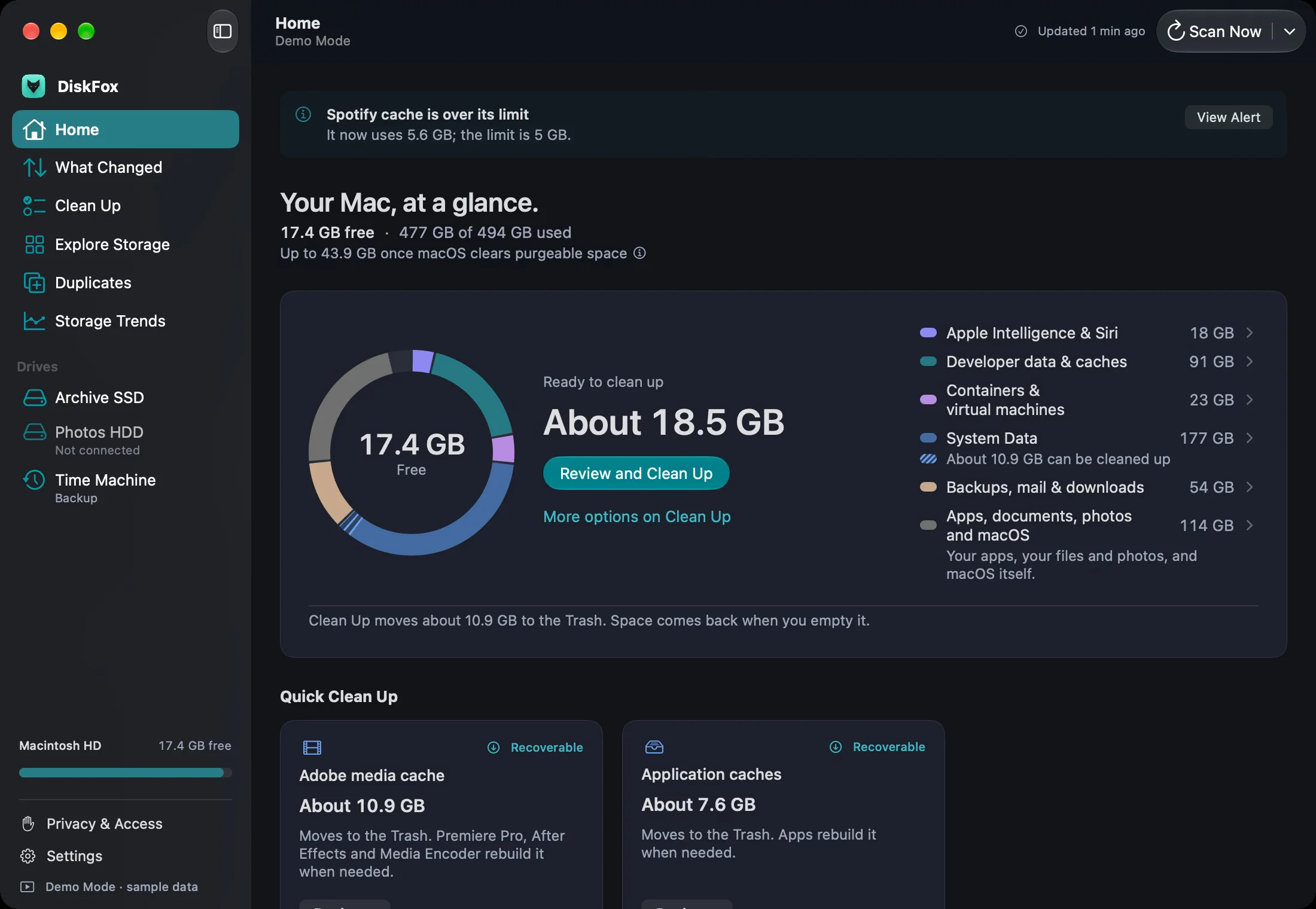
DiskFox scans your Mac's drive, compares each scan with the previous one, and tells you which folders grew, roughly when, and the likely reason. It breaks the vague System Data figure into named parts and lists cleanup it considers safe, which you review before anything is sent to the Trash.
Who is it for?
Mac owners whose storage keeps filling up for no obvious reason, and developers whose drives collect build caches, simulators, Docker images and other tool leftovers over time.
When would you use it?
- After a macOS update: Run a new scan and see whether the gigabytes that vanished went to downloaded system files, AI models or local Time Machine snapshots.
- Cleaning a developer Mac: Spot large Xcode DerivedData folders, old simulator runtimes, npm or Homebrew caches and Gradle files, then review them before removal.
- Tracking slow growth: Compare this week's scan with last week's to find the folder that quietly gained several gigabytes since then.
Why pay for it?
Most storage tools show a size and stop there. DiskFox keeps a history of scans, so it can point at what changed and between which dates, and it labels whether a cause was measured or only inferred. It recognises more than sixty common places where space builds up, and it never deletes on its own, so you stay in control.
What should you know?
- Supported systems start at macOS 14, on both Apple silicon and Intel Macs.
- Trying it for 14 days needs no card, and keeping DiskFox means paying once rather than subscribing.
- One licence covers up to two Macs.
A look inside DiskFox
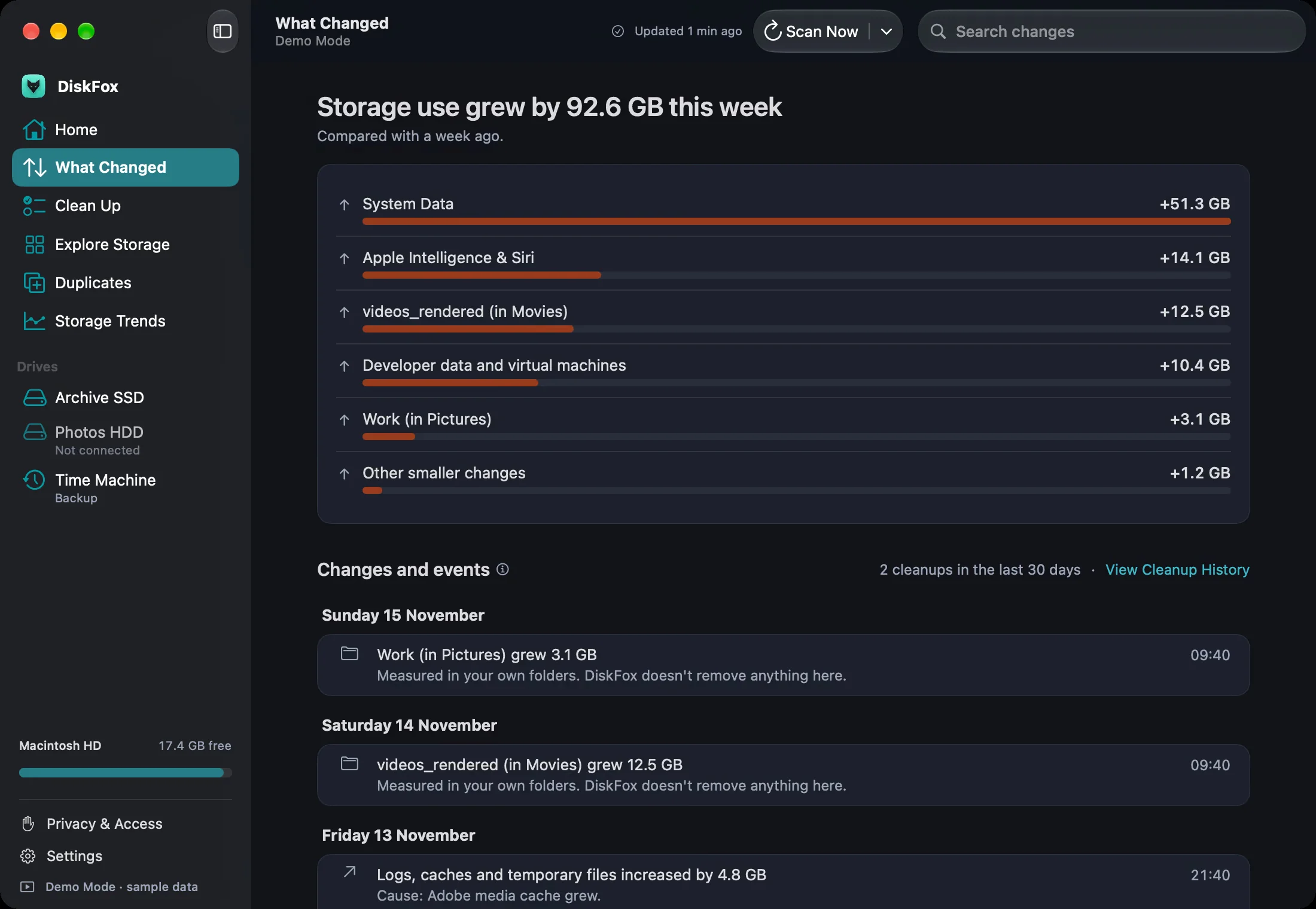
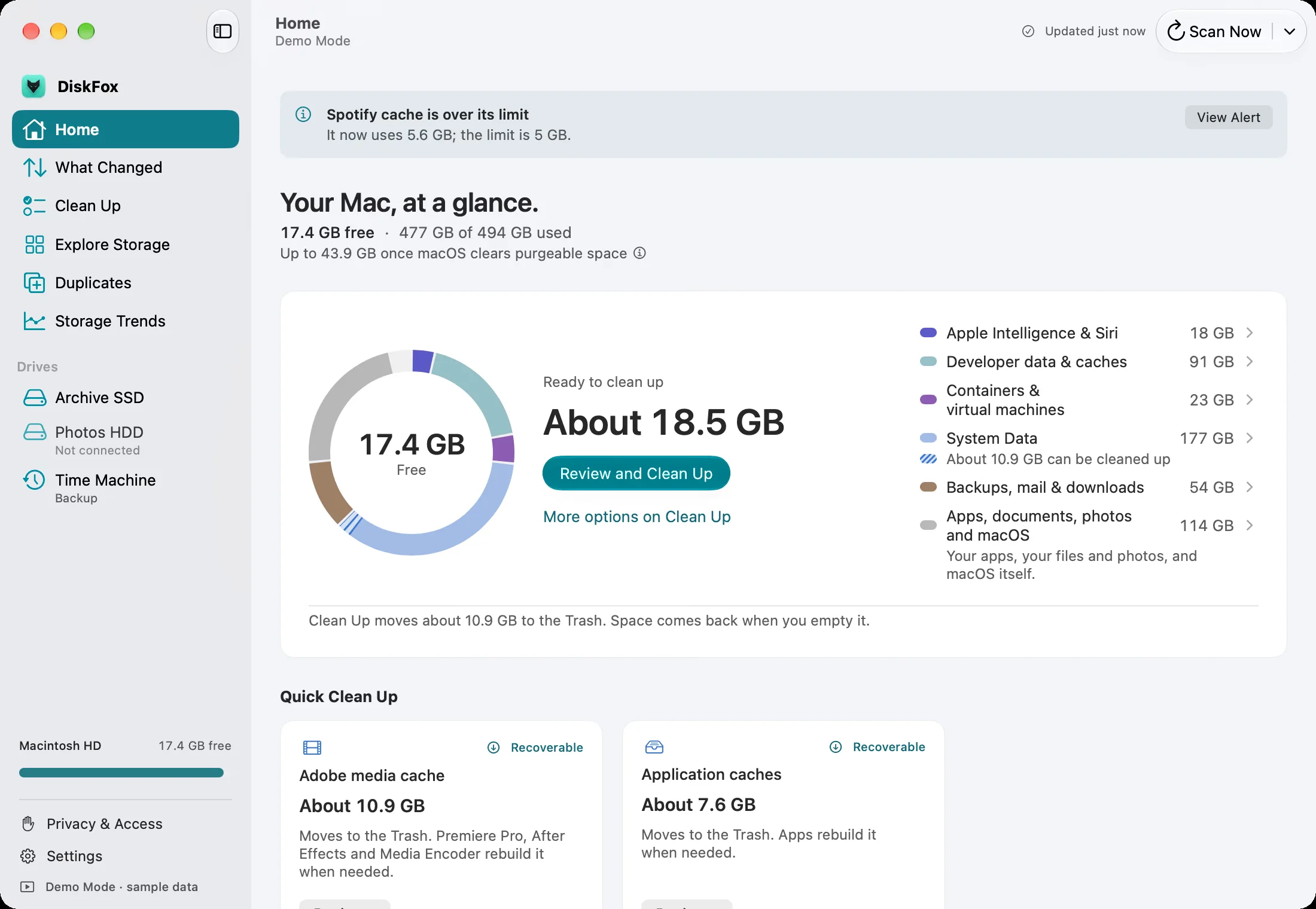
Images from DiskFox's official site (demo mode, sample data).
Prices and codes change. Last year's codes may no longer work — always confirm on the maker's site. Are you the maker? Send us your 2026 deal — listing is free.
Similar deals
- FileFaker — Mac app that generates sample files of chosen types and sizes for testing.
- Drum Pad — A 3-by-3 drum kit beside the Mac clock that saves what you play as audio, MIDI or video.
- Zmina — A Mac clipboard manager that checks each copy and its paste destination, then offers…
- Argon — Turns the MacBook notch into a music player, file tray, clipboard history and…
- Copet — A desktop pet for Mac: a cat-bunny that hangs from the menu bar and reacts to what’s…
- Notchet — Clipboard manager that drops out of the MacBook notch with your copied text, images,…
DiskFox deal history
| Year | Offer | Dates | Source |
|---|---|---|---|
| 2026 | $7.99 instead of $10.99 with code BLACKFRIDAY (also £5.99 instead of £8.99, €6.99 instead of €9.99), one-time purchase covering 2 Macs. Nov 27 to Nov 30, 2026. | Nov 27, 2026 – Nov 30, 2026 | Confirmed by the maker |
Similar apps to DiskFox
- Pangalin Space Manager — A Mac storage cleaner that shows where your space went, explains each item, and asks before anything is moved. Cleared items go to the Trash first. Scanning is free, and the first 5 GB you clear are free. Live deal 30% off the first year with code BLACKFRIDAY: $17.50 instead of $25 a year, through November 30, 2026. Scanning is free, and the first 5 GB you clear are free.
- Kilobat — See which apps are eating your bandwidth, protect hotspot data and find out why your internet is slow, all on your Mac. Live deal 30% off Kilobat Pro, a one-time purchase: $29 → $20.30 USD before tax, code BLACKFRIDAY30, November 20–30, 2026 (free tier unchanged)
- SkillKeeper — Find out what your AI coding agent really runs in every session and which parts of your setup are eating your tokens. Live deal 30% off the lifetime license ($19 → $13.30) with code INDIE30 (IndieMarkdowns code, first 50 uses), Nov 27 to Dec 1, 2026
- Folder Preview Pro — Press the Space bar on any folder or ZIP, RAR or 7z archive and see what's inside before you open it. Live deal 30% OFF with code BFF2026, Nov 27 to Dec 3, 2026
- Looq — Quick Look add-on for Mac that previews Markdown, LaTeX, notebooks, archives, 3D models and maps when you press Space. Live deal 10% off Looq with code PARCSEBLACKFRIDAY, through Dec 1, 2026. The regular price starts at $15, paid once.
- SiftMac — Mac disk cleaner that explains every file before it goes, never touches what is in use, and keeps a 7-day undo. Live deal SiftMac's Founding license drops to $9 instead of $12 at checkout (25% off), no code needed, one-time for 2 Macs, Nov 27 to Nov 30, 2026.
More in Mac app (525 apps) · More in Utilities (174 apps) · When Mac app Black Friday sales start
FAQ
Is DiskFox on sale for Black Friday 2026?
Yes. The maker has confirmed a Black Friday 2026 deal: $7.99 instead of $10.99 with code BLACKFRIDAY (also £5.99 instead of £8.99, €6.99 instead of €9.99), one-time purchase covering 2 Macs. Nov 27 to Nov 30, 2026.. It runs until Nov 30, 2026. Confirmed directly by the maker (last checked Nov 16, 2026).
Does DiskFox have a lifetime or one-time price?
Yes. One-time purchase, covers 2 Macs, no subscription, per the maker's pricing page. Check the maker's site for current pricing.
What platforms does DiskFox run on?
DiskFox is listed for Mac.
See also: Utilities Black Friday deals · Mac Black Friday 2026 deals.
For makers: add this badge
Optional. Copy this HTML to add a “Listed on IndieMarkdowns” badge that links to this deal page. It is never a condition of the listing.
A dark version uses https://indiemarkdowns.com/badge/listed-dark.svg. The older /badge/featured-light.svg and /badge/featured-dark.svg URLs work too.