Storage Menu Bar Black Friday 2026 deal
Storage Menu Bar has a confirmed Black Friday 2026 deal: Black Friday: 50% off on the Mac App Store, $0.99 instead of $1.99 in the US store, until November 30, 2026. Checked against the maker's page; listing last checked Nov 20, 2026. Black Friday 2026 is Nov 27 and Cyber Monday is Nov 30.
| Status | Confirmed for Black Friday 2026 |
|---|---|
| Discount | 50% off |
| Deal price | $0.99 (USD) |
| Ends | Nov 30, 2026 |
| Last checked | Nov 20, 2026 |
See also: Black Friday 2026 Mac app deals
A Mac menu bar app that shows free space on every drive and maps which folders take it up.
Deal status
Live deal · verified on the maker's site Black Friday: 50% off on the Mac App Store, $0.99 instead of $1.99 in the US store, until November 30, 2026. maker’s announcementWhat Storage Menu Bar looks likeImage from Storage Menu Bar's App Store
Get deal alerts by email
We send a weekly email in November with the Black Friday 2026 deals makers have confirmed. Free, unsubscribe anytime.
What does it do?
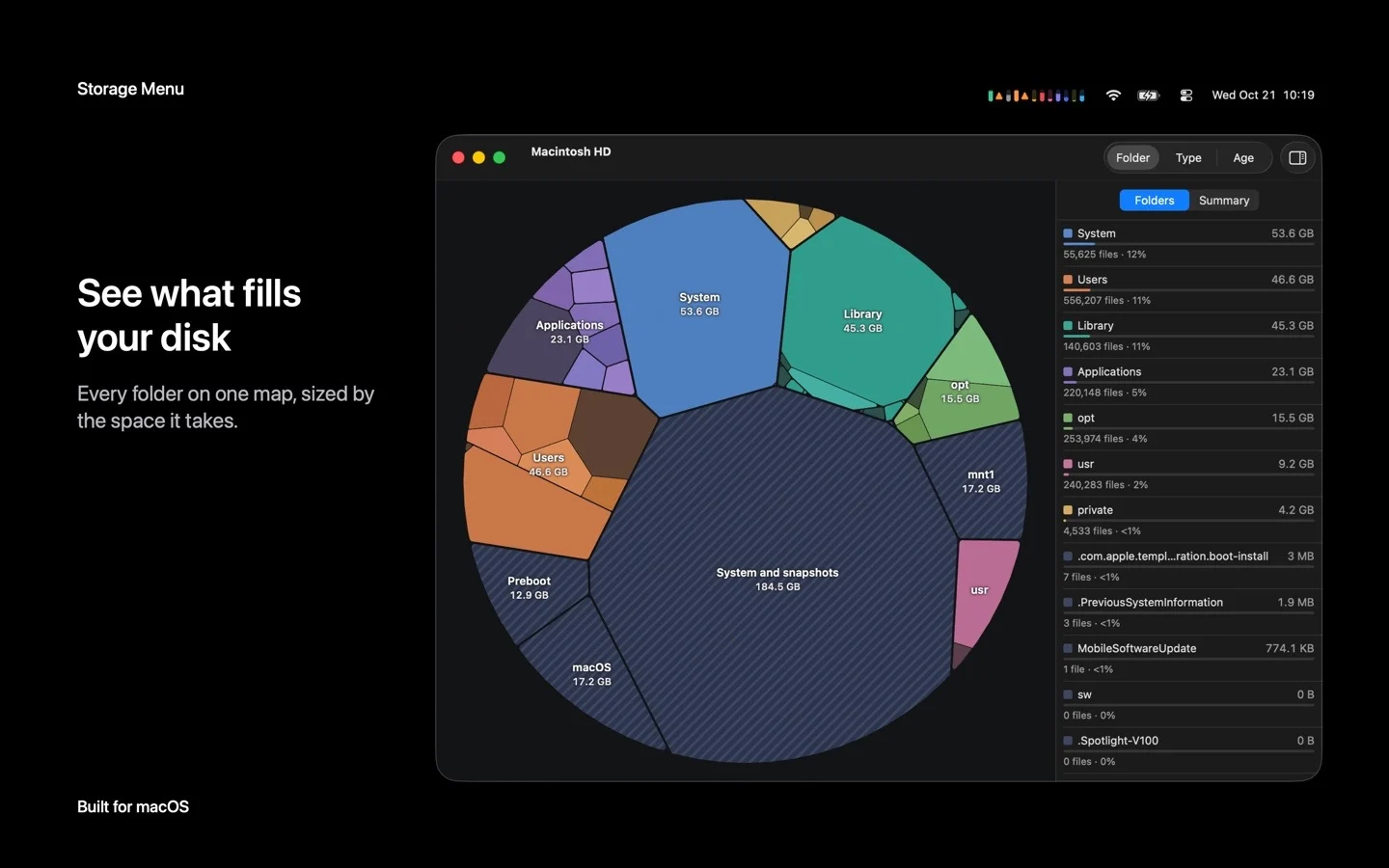
Storage Menu Bar puts the fill level of your internal disk and any external volumes in the macOS menu bar, with a warning threshold you set for each volume. Choosing Analyze on a volume opens a map in which each folder is a block sized by the space it uses. You can click into folders, shade the map by file type, by age or by top folder, list the largest files, and reveal any item in Finder.
Who is it for?
Anyone whose Mac keeps running short of disk space, plus people working across several external drives, such as developers keeping build caches or model files on separate volumes.
When would you use it?
- Watching a nearly full startup disk: Set a warning percentage for Macintosh HD so the menu bar flags it well before macOS starts complaining about storage.
- Finding what filled a drive: Pick Analyze on the volume, click through the folder map, and sort out the biggest files before deleting anything in Finder.
- Keeping an eye on external disks: Choose which external volumes show in the menu bar so you can see the free space on an SSD before copying a large project to it.
Why pay for it?
Finder and Disk Utility can report how full a disk is, but only when you go and look. Storage Menu Bar keeps that number visible all the time and adds a folder map when you want detail. It collects no data and sends no telemetry, and the map only reads a volume once you pick Analyze and grant access, without changing any files.
What should you know?
- During the Black Friday sale it costs $0.99 in the US Mac App Store, through November 30, 2026, against a regular price of US$1.99 stated on the maker site.
- The app needs macOS 14 or newer, on either Apple silicon or Intel hardware.
- The App Store lists the developer as Eduardo Stuart Vasconcelos. The app supports light and dark appearance and can start at login.
A look inside Storage Menu Bar
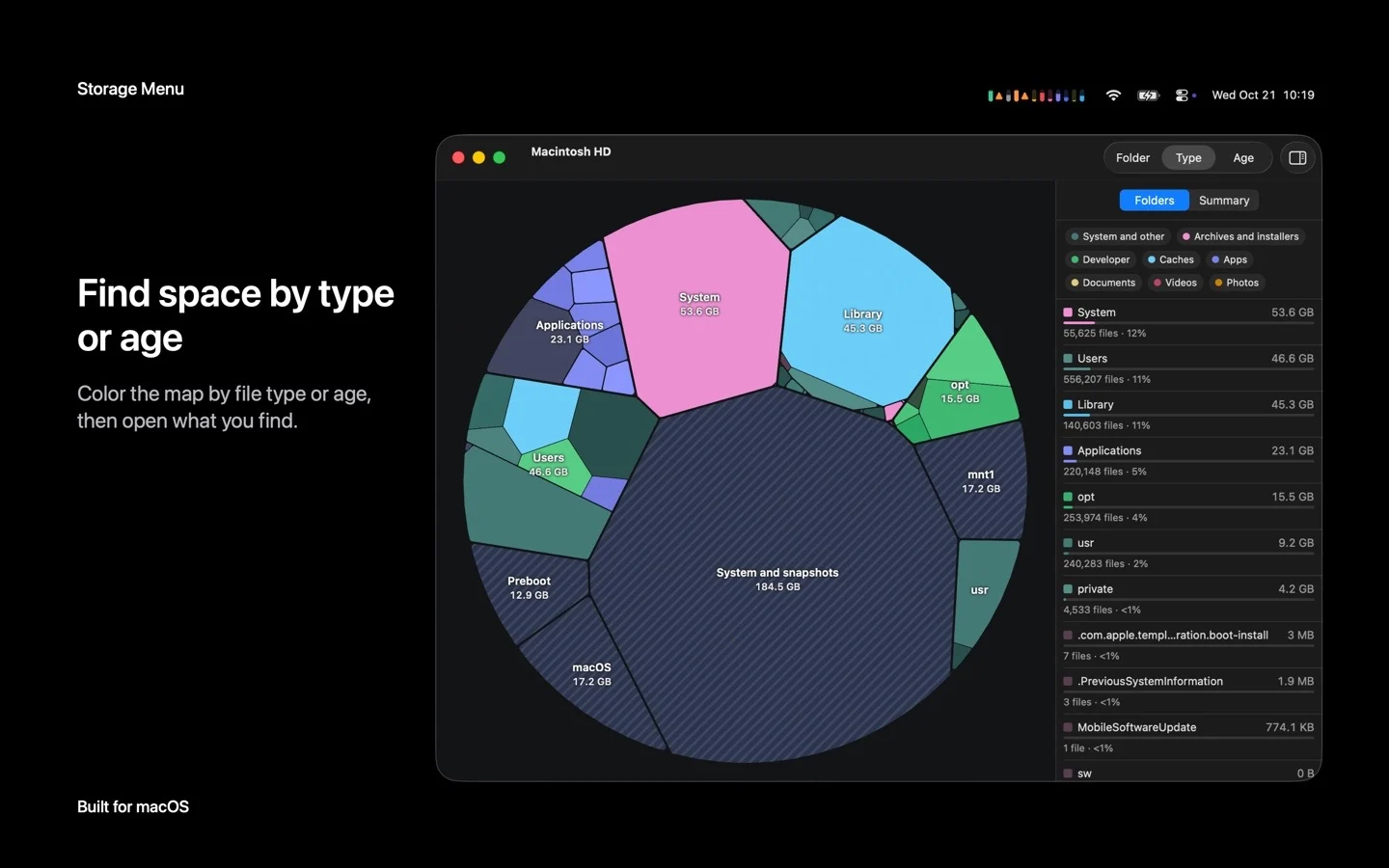
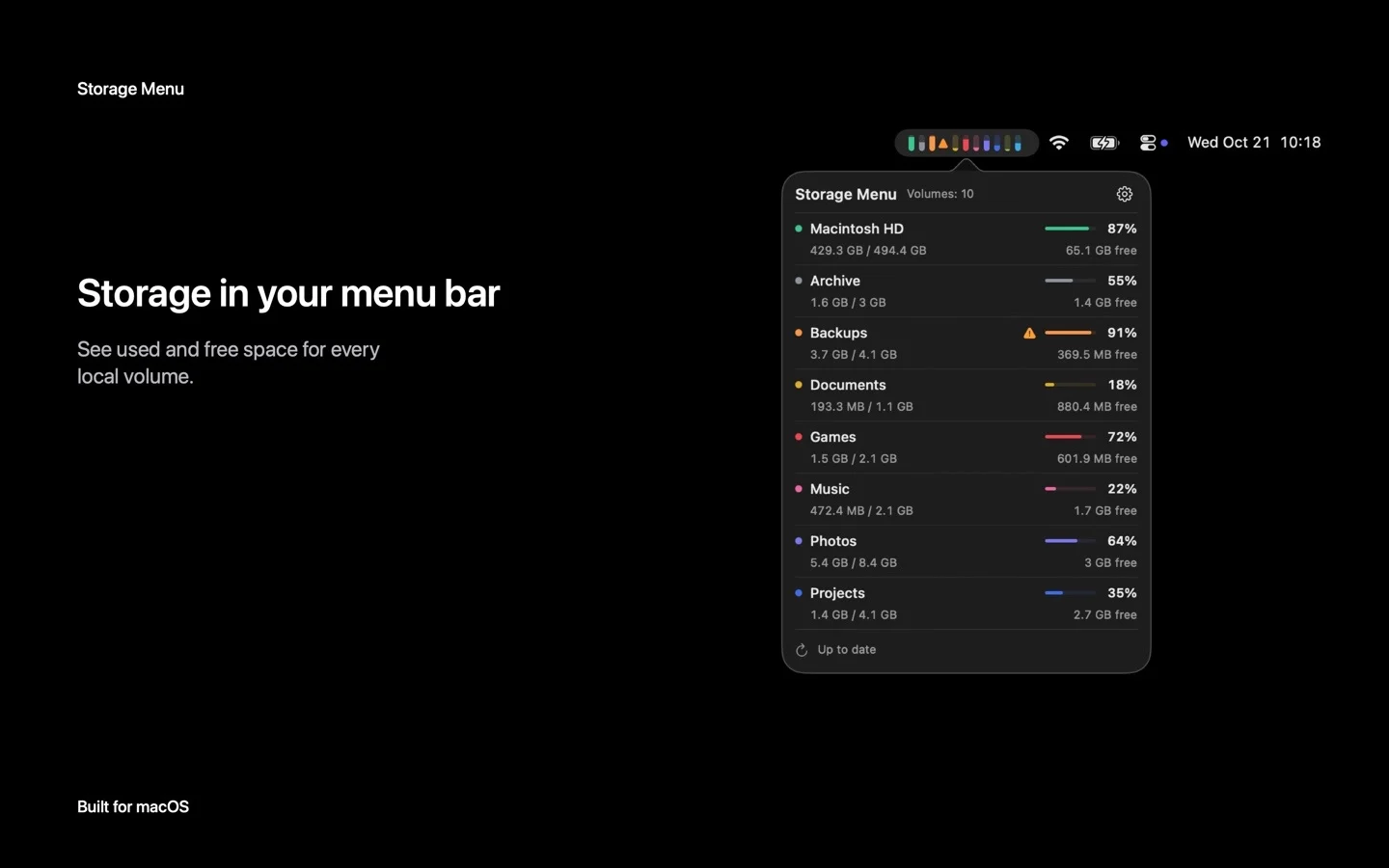
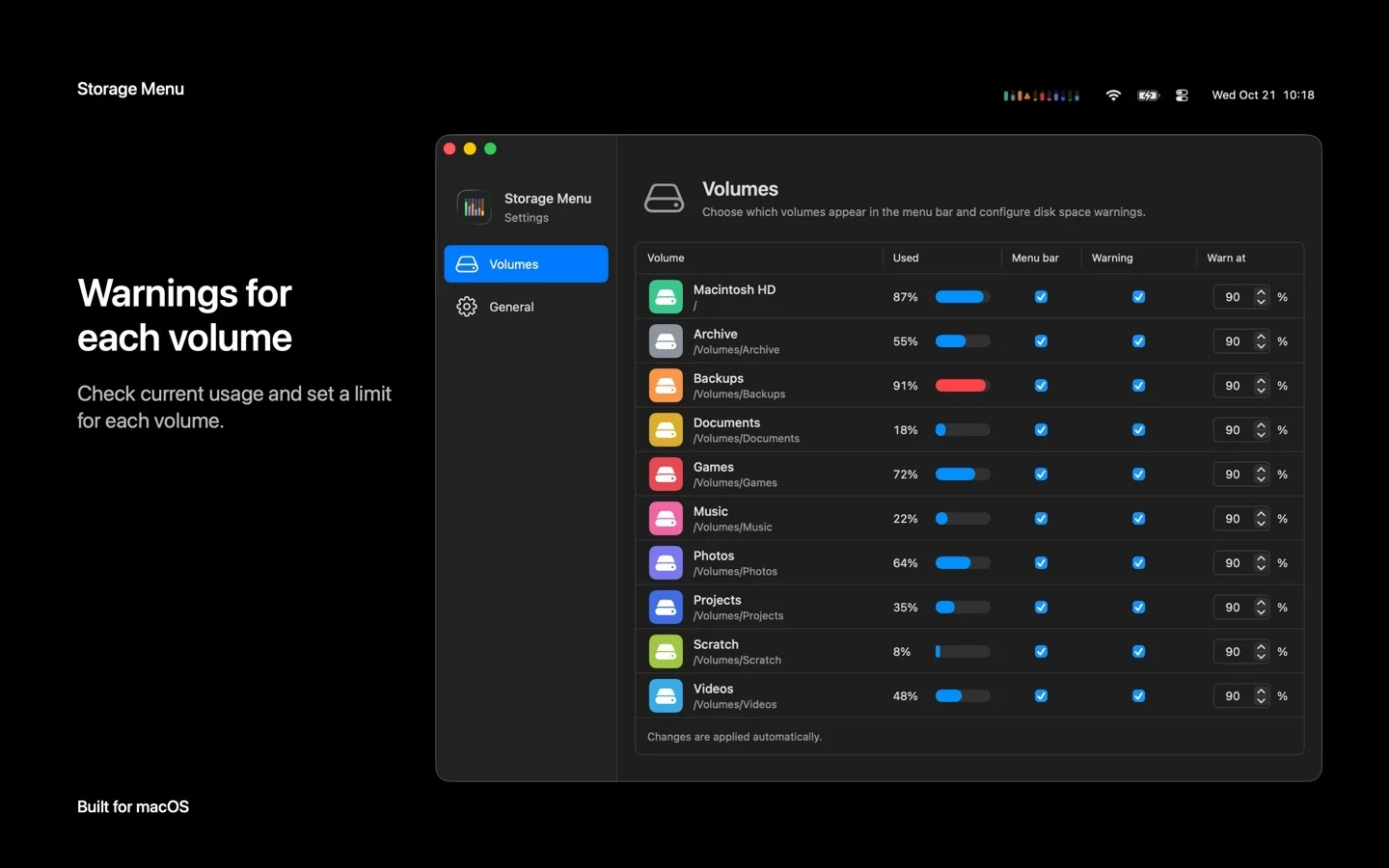
Images from the App Store listing.
Prices and codes change. Last year's codes may no longer work — always confirm on the maker's site. Are you the maker? Send us your 2026 deal — listing is free.
Similar deals
- Wrimie (formerly Noota) - AI Note Taker — Turn videos, audio, PDFs, and documents into notes, summaries, and study cards.
- Tangrid — Mac window manager that tiles windows automatically, groups them into tabs and adds a…
- SiftMac — Mac disk cleaner that explains every file before it goes, never touches what is in use,…
- Hand Mirror — One-click webcam check from the menu strip before you join a call.
- Audio Hijack — Mac recorder that captures audio from apps, mics or the whole system at once.
- TranscribeX — Turn meetings, interviews and podcasts into accurate transcripts on your Mac with local…
Storage Menu Bar deal history
| Year | Offer | Dates | Source |
|---|---|---|---|
| 2026 | Black Friday: 50% off on the Mac App Store, $0.99 instead of $1.99 in the US store, until November 30, 2026. | Nov 30, 2026 | Verified on the maker's site (announcement) |
Similar apps to Storage Menu Bar
- Pangalin Space Manager — A Mac storage cleaner that shows where your space went, explains each item, and asks before anything is moved. Cleared items go to the Trash first. Scanning is free, and the first 5 GB you clear are free. Live deal 30% off the first year with code BLACKFRIDAY: $17.50 instead of $25 a year, through November 30, 2026. Scanning is free, and the first 5 GB you clear are free.
- DiskFox — A Mac disk space analyzer that shows what is filling your storage, when it grew and why, and splits System Data into named parts. Live deal $7.99 instead of $10.99 with code BLACKFRIDAY (also £5.99 instead of £8.99, €6.99 instead of €9.99), one-time purchase covering 2 Macs. Nov 27 to Nov 30, 2026.
- Chord Pad — Choose a key from the Mac menu bar, play its chords with the number row, and export the take. Live deal $12 instead of $19, one-time purchase, no code (price applies on the buy page). Until Dec 1, 2026, 11:59 PM PT. Free updates and a 30-day refund
- Looq — Quick Look add-on for Mac that previews Markdown, LaTeX, notebooks, archives, 3D models and maps when you press Space. Live deal 10% off Looq with code PARCSEBLACKFRIDAY, through Dec 1, 2026. The regular price starts at $15, paid once.
- Sonant — A menu bar pill that shows and controls what Spotify or Apple Music is playing, with lyrics and a sleep timer. Live deal Black Friday: EUR 9.99 instead of EUR 14.99 (EUR 5 off) as a one-time purchase, applied automatically on the official site, until December 1, 2026, 23:59 Amsterdam time.
- ClockStack — Free up room in a crowded Mac menu bar by stacking time, date, battery and Wi-Fi into one slim item. Live deal $2.99 launch price until November 30, 2026 (40% off), then $4.99; one-time purchase, no subscription, no in-app purchases
More in Mac app (543 apps) · More in Utilities (180 apps) · When Mac app Black Friday sales start
FAQ
Is Storage Menu Bar on sale for Black Friday 2026?
Yes. The maker has confirmed a Black Friday 2026 deal: Black Friday: 50% off on the Mac App Store, $0.99 instead of $1.99 in the US store, until November 30, 2026.. It runs until Nov 30, 2026. Last checked against the maker's page: Nov 20, 2026.
Does Storage Menu Bar have a lifetime or one-time price?
Yes. It is a one-time Mac App Store purchase, per the maker's pricing page. Check the maker's site for current pricing.
What platforms does Storage Menu Bar run on?
Storage Menu Bar is listed for Mac.
See also: Utilities Black Friday deals · Mac Black Friday 2026 deals.
For makers: add this badge
Optional. Copy this HTML to add a “Listed on IndieMarkdowns” badge that links to this deal page. It is never a condition of the listing.
A dark version uses https://indiemarkdowns.com/badge/listed-dark.svg. The older /badge/featured-light.svg and /badge/featured-dark.svg URLs work too.