
Sidebar Black Friday 2026 deal
Sidebar has a confirmed Black Friday 2026 deal: 30% off all Sidebar licenses, no code needed, until December 4, 2026: Lifetime €19.99 to €13.99, Yearly €12.50 to €8.75, Monthly €1.25 to €0.87. Confirmed to us directly by the maker, listing last checked Nov 13, 2026. Black Friday 2026 is Nov 27 and Cyber Monday is Nov 30.
| Status | Confirmed for Black Friday 2026 |
|---|---|
| Discount | 30% off |
| Code | No code needed |
| Ends | Dec 4, 2026 |
| Last checked | Nov 13, 2026 |
See also: Black Friday 2026 Mac app deals
Swap the Mac Dock for a customizable bar with window previews, media controls, stacks and a launcher on every screen.
Deal status
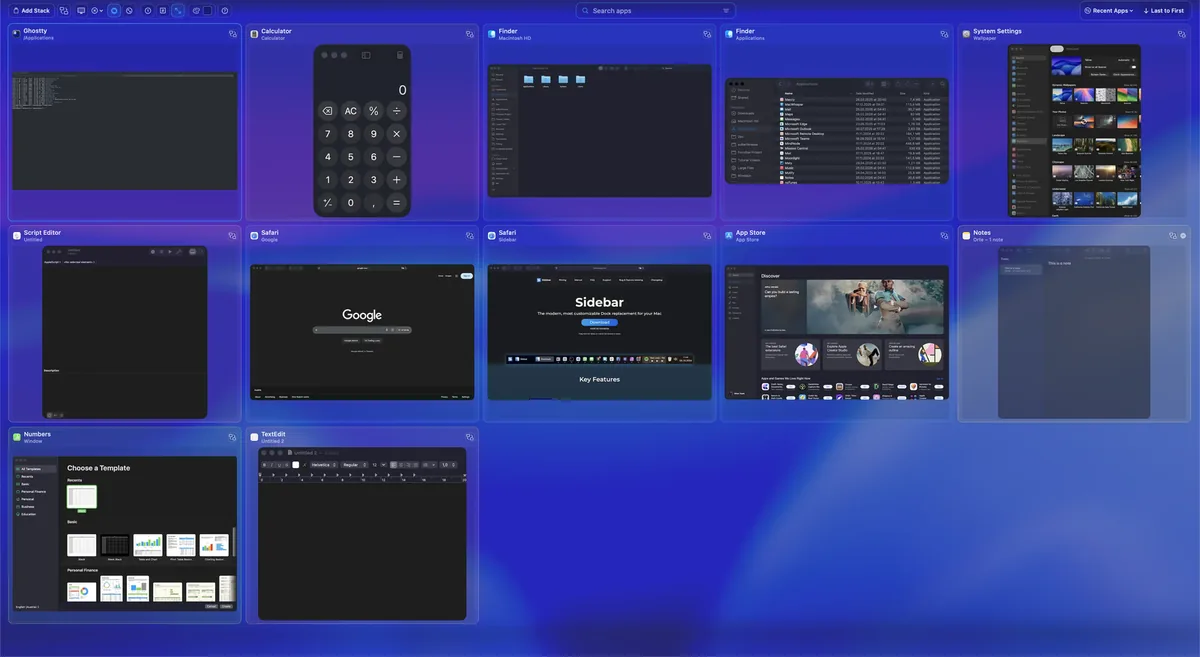
Live deal · confirmed by the maker 30% off all Sidebar licenses, no code needed, until December 4, 2026: Lifetime €19.99 to €13.99, Yearly €12.50 to €8.75, Monthly €1.25 to €0.87. maker’s announcementWhat Sidebar looks likeImage from Sidebar's official site
Get deal alerts by email
We send a weekly email in November with the Black Friday 2026 deals makers have confirmed. Free, unsubscribe anytime.
What does it do?
Sidebar replaces the macOS Dock with a bar you can place on one, several or all of your screens, each set up separately. Hover over an app to preview its windows, open a start menu to launch apps, and control playback for whatever is playing, all from the bar. It also offers a window switcher with search and saved filters, edge snapping, app stacks, a calendar, volume and trash controls, custom icons, and saved window layouts.
Who is it for?
Mac owners with more than one display, or anyone who finds the stock Dock too limited and wants Windows-style window previews and per-screen control.
When would you use it?
- Multi-monitor desk: Put a Sidebar on each display that shows only the apps and windows open on that screen.
- Finding the right window: Hover over a browser icon to see every open window by title and click straight into the one you need.
- Clean desktop: Use Clear View to hide every app at once when you need to drag a file from the desktop.
- Restoring a layout: Save window positions and let Sidebar put them back automatically after system events, such as a display reconnecting.
Why pay for it?
Apple's Dock offers few settings and no real window previews, while Sidebar lets you decide what appears on each screen and how it behaves. The maker promises all future updates without paid version upgrades, and the app collects no usage data. A 7-day trial lets you try it before paying.
What should you know?
- Regular prices are €19.99 once for the lifetime license, or optional support plans at €1.25 a month or €12.50 a year with the same features. The official Black Friday sale is 30% off all licenses, no code needed, until December 4, 2026 (Lifetime €13.99, Yearly €8.75, Monthly €0.87).
- Sidebar requires macOS 13 Ventura or newer, and Homebrew users can install it from the command line.
A look inside Sidebar

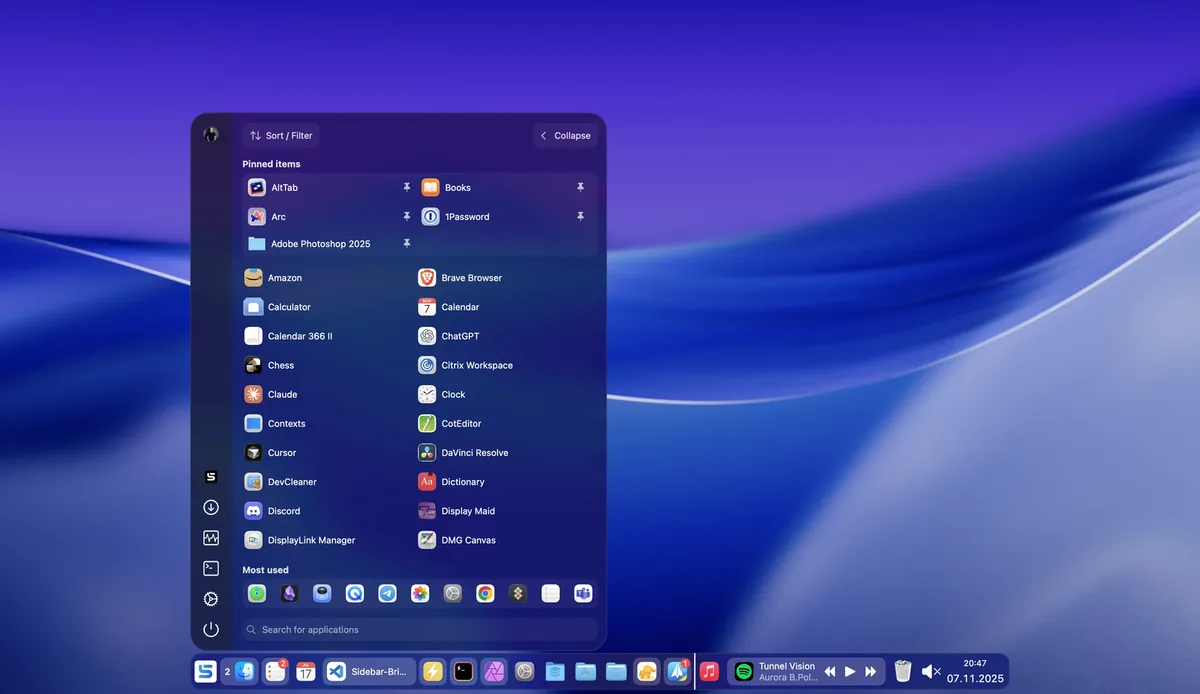
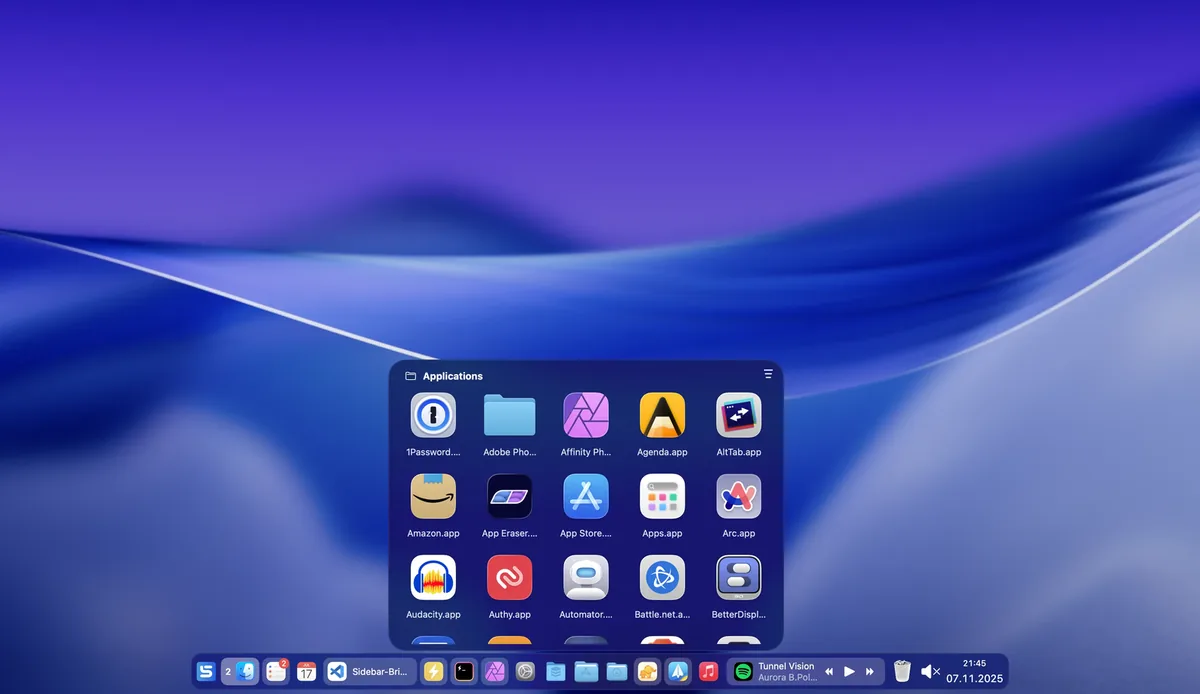
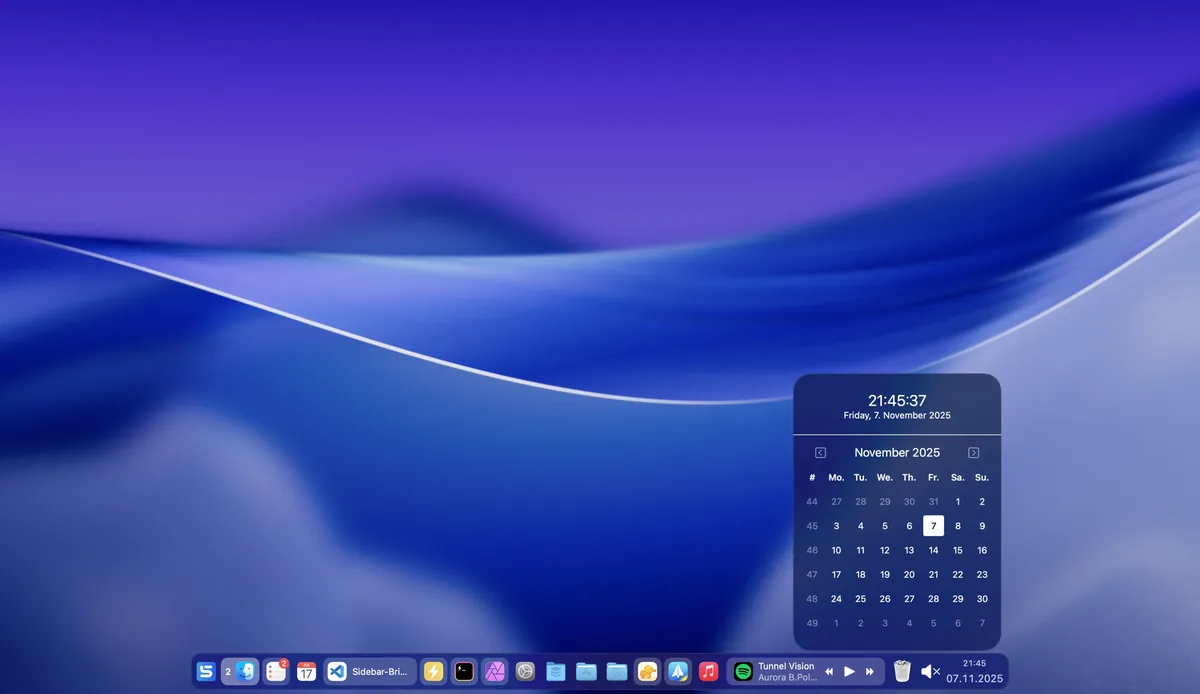
Images from Sidebar.
Prices and codes change. Last year's codes may no longer work — always confirm on the maker's site. Are you the maker? Send us your 2026 deal — listing is free.
Featured in: Swish Black Friday 2026: 6 window and dock apps on sale instead
Similar deals
- Vigil — Menu bar app that keeps a closed MacBook awake while Claude Code, a build or an export…
- PastePal — Clipboard history on Mac, iPhone and iPad with private iCloud sync and a one-time…
- DockView 2 (and MacPlus apps) — Hover over any Dock icon on your Mac to see live previews of that app's windows,…
- MouseUp — Smooth Mac mouse scrolling and debounce clicks when cheap mice make precise work annoying.
- Tangrid — Mac window manager that tiles windows automatically, groups them into tabs and adds a…
- Blit — A Mac app for moving large files between SFTP servers, drives and NAS shares, with…
Sidebar deal history
| Year | Offer | Dates | Source |
|---|---|---|---|
| 2026 | 30% off all Sidebar licenses, no code needed, until December 4, 2026: Lifetime €19.99 to €13.99, Yearly €12.50 to €8.75, Monthly €1.25 to €0.87. | Dec 4, 2026 | Confirmed by the maker (announcement) |
Similar apps to Sidebar
- ModusPad — A Launchpad and Dock replacement for Mac, with a customizable launcher in full screen, the notch or the Dock, and profiles that switch by themselves. Live deal 60% off a ModusPad lifetime license with code BLACKFRIDAY2026 (normally $10.99 for 1 Mac, $16.99 for 2 Macs, $27.99 for 5 Macs). Nov 23 to Dec 4, 2026
- NeoTiler — A native macOS window manager with snapping, workspaces, trackpad gestures and Dock previews. Live deal Black Friday special: 30% off the NeoTiler lifetime license, $6.99 instead of $9.99, with code BF30 (the official checkout link prefills it). The product schema on the official page sets priceValidUntil 2026-12-01. The license is one-time, for up to 3 Macs, including future updates.
- DockMagic — A customizable second Dock for macOS, with widgets and Dock profiles that sit alongside the Apple Dock. Live deal Black Friday lifetime licences, no code, until November 30, 2026 at 23:59 UTC: 1 Mac 48% off, $12.99 instead of $25; 2 Macs 50% off, $19.99 instead of $40; 3 Macs 50% off, $29.99 instead of $60.
- Umbraa — A Mac menu bar app that dims every display below the system minimum, with warm or red color modes and a sleep timer that fades the screen to black. Live deal 50% off, Nov 20 to 30, 2026
- Launchy: App Launcher Switcher — Radial Mac app launcher and switcher with a customizable wheel and keyboard jumps. Awaiting this year's deal; 2025 offer (unconfirmed): 57% OFF (no code needed). Valid Nov 16–Dec 2, 2025
- MacTiler — Snap Mac windows into layouts from the menu bar, including a swap between displays. Awaiting this year's deal; 2025 offer (unconfirmed): 30% off for Black Friday 2025
More in Mac app (525 apps) · More in Utilities (174 apps) · When Mac app Black Friday sales start
FAQ
Is Sidebar on sale for Black Friday 2026?
Yes. The maker has confirmed a Black Friday 2026 deal: 30% off all Sidebar licenses, no code needed, until December 4, 2026: Lifetime €19.99 to €13.99, Yearly €12.50 to €8.75, Monthly €1.25 to €0.87.. It runs until Dec 4, 2026. Confirmed directly by the maker (last checked Nov 13, 2026).
Does Sidebar have a lifetime or one-time price?
Yes. A one-time lifetime license with all future updates; optional monthly and yearly support plans are also sold, per the maker's pricing page. Check the maker's site for current pricing.
What platforms does Sidebar run on?
Sidebar is listed for Mac.
See also: Utilities Black Friday deals · Mac Black Friday 2026 deals.
For makers: add this badge
Optional. Copy this HTML to add a “Listed on IndieMarkdowns” badge that links to this deal page. It is never a condition of the listing.
A dark version uses https://indiemarkdowns.com/badge/listed-dark.svg. The older /badge/featured-light.svg and /badge/featured-dark.svg URLs work too.