
ModusPad Black Friday 2026 deal
ModusPad has a confirmed Black Friday 2026 deal: 60% off a ModusPad lifetime license with code BLACKFRIDAY2026. Nov 23 to Dec 4, 2026. Confirmed to us directly by the maker, listing last checked Nov 13, 2026. Black Friday 2026 is Nov 27 and Cyber Monday is Nov 30.
| Status | Starts Nov 23, 2026 |
|---|---|
| Discount | 60% off |
| Code | BLACKFRIDAY2026 |
| Starts | Nov 23, 2026 |
| Ends | Dec 4, 2026 |
| Last checked | Nov 13, 2026 |
See also: Black Friday 2026 Mac app deals
A Launchpad and Dock replacement for Mac, with a customizable launcher in full screen, the notch or the Dock, and profiles that switch by themselves.
Deal status
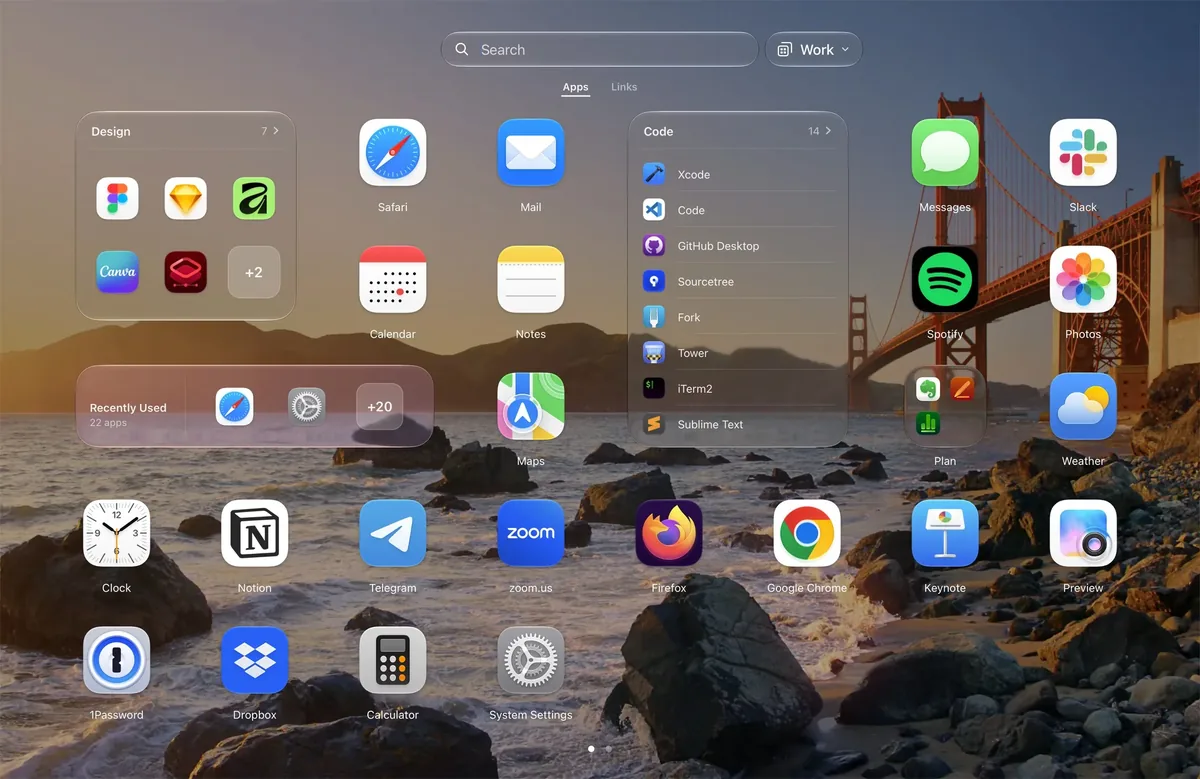
Upcoming deal · confirmed by the maker Starts Nov 23, 2026. 60% off a ModusPad lifetime license with code BLACKFRIDAY2026 (normally $10.99 for 1 Mac, $16.99 for 2 Macs, $27.99 for 5 Macs). Nov 23 to Dec 4, 2026What ModusPad looks likeImage from ModusPad's official site
Get deal alerts by email
We send a weekly email in November with the Black Friday 2026 deals makers have confirmed. Free, unsubscribe anytime.
What does it do?
On macOS, ModusPad gives you a launcher that can occupy the whole screen, sit in the menu-bar notch, or take over the Dock, with a grid of apps and a Links tab for sites, files and folders. You can keep more than one profile — Work and Home, for example — each with its own icons, wallpaper and Dock, and have a profile turn on from a Focus, a plugged-in display, a schedule or a keyboard shortcut. Folders can fill themselves from rules such as install date or recently used, and an older Launchpad layout can be imported.
Who is it for?
People on recent macOS releases who want a customizable app grid again, and a launcher that can change with the time of day, a Focus, or which display is connected.
When would you use it?
- Switch at the end of the day: Have a Home profile come on at 6:00 PM with different apps, larger icons and its own wallpaper, while Work is tied to a Focus during business hours.
- A travel layout when you unplug: Set a slimmer profile to activate when only the laptop screen is left, and a fuller one when an external display is attached.
- Keep sites beside apps: Save a frequently used page from Safari with Control-Option-L onto the Links tab of the Work profile, then open it from the same search as your apps.
- Folders that update themselves: Create a smart folder that gathers apps installed in the last year, and let new installs land there without rearranging the grid by hand.
Why pay for it?
Recent macOS releases dropped the classic Launchpad, and the built-in Dock does not give you a different set of icons per desktop or a folder that fills by a rule. ModusPad brings a searchable grid back and adds profiles and smart folders, with a two-week trial and a license you pay once instead of a subscription.
What should you know?
- It supports only macOS 26 (Tahoe) and macOS 27 (Golden Gate). A display without a notch still works: the island drops down from the top edge.
- Licenses are paid once, at $10.99 for one Mac, $16.99 for two, or $27.99 for five, and include updates for the life of the app. A 14-day trial needs no credit card, and you can get your money back for 14 days after purchase. Code BLACKFRIDAY2026 takes 60% off from November 23 to December 4, 2026.
- After the trial you can still open apps, search, and keep using the folders and layout you already made, but you cannot create or edit smart folders, switch other profiles automatically, or change the grid and background until a license key is entered. Settings stay on the Mac and return as soon as the key is entered.
- ModusPad does not require an account and does not include analytics inside the app. Layouts remain on your Mac, and the app only goes online for updates, the trial and the license. You can deactivate a key in Settings and move it to another machine.
A look inside ModusPad
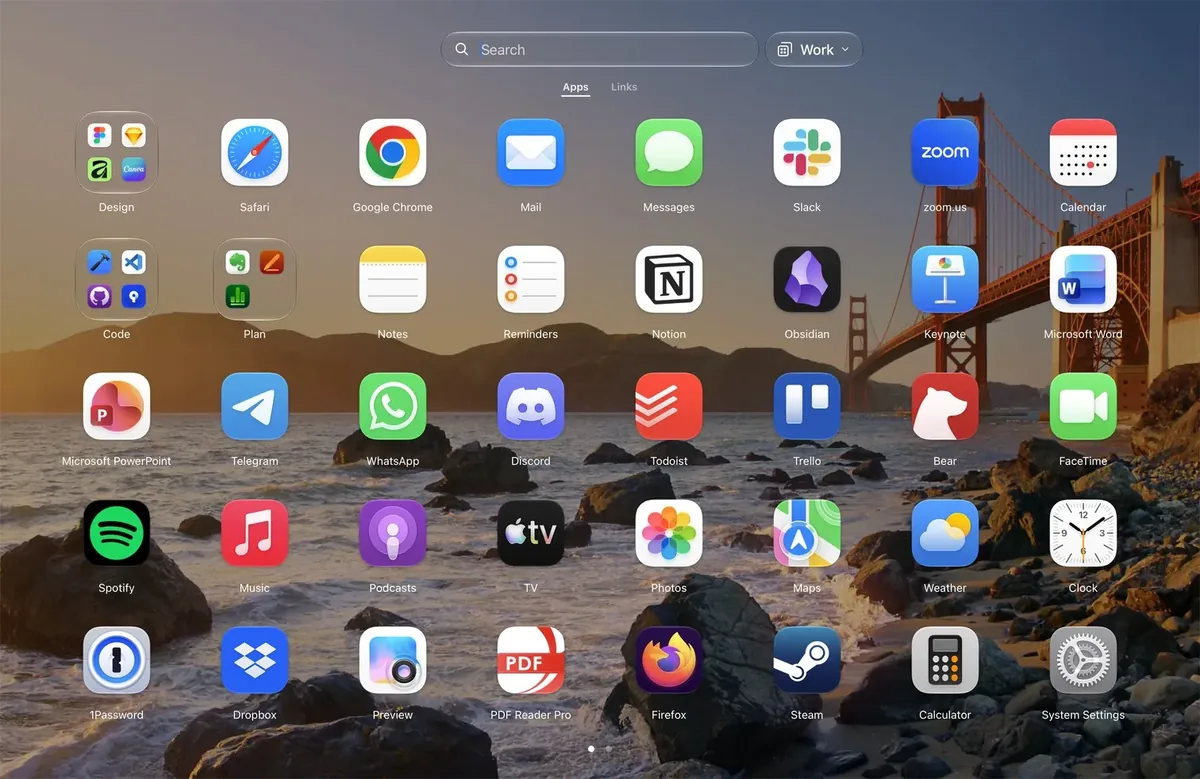
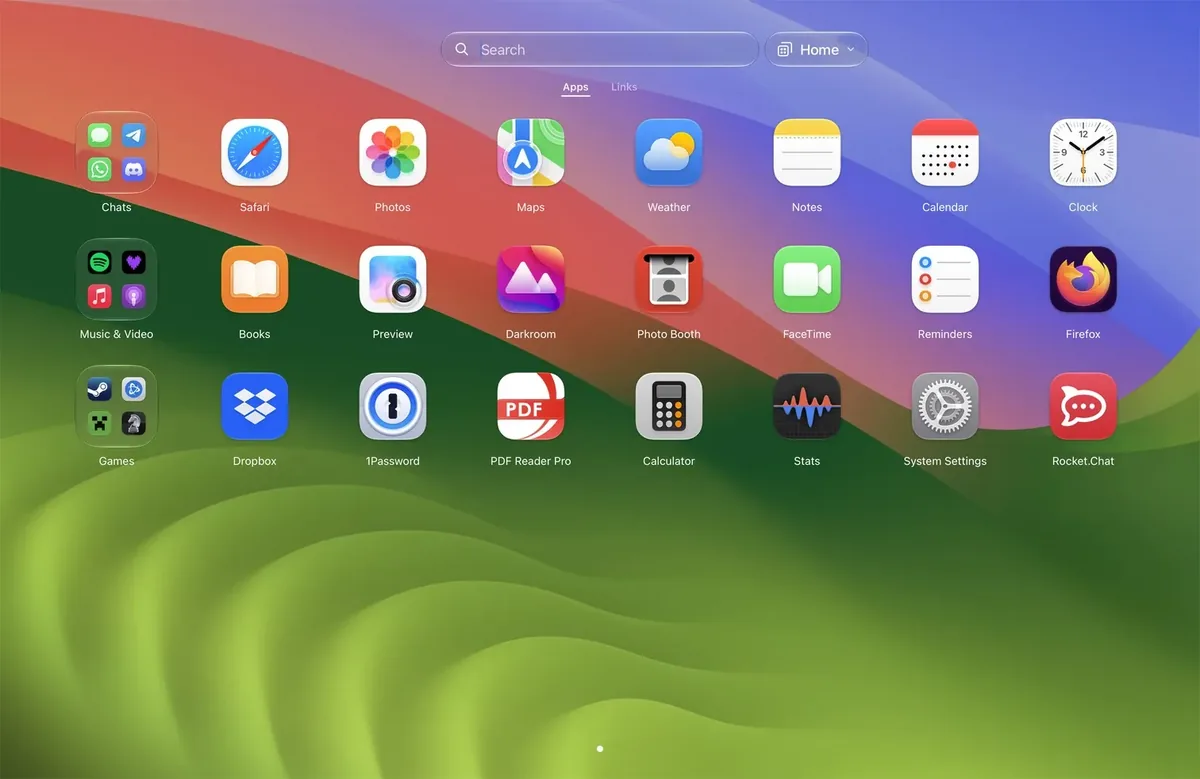
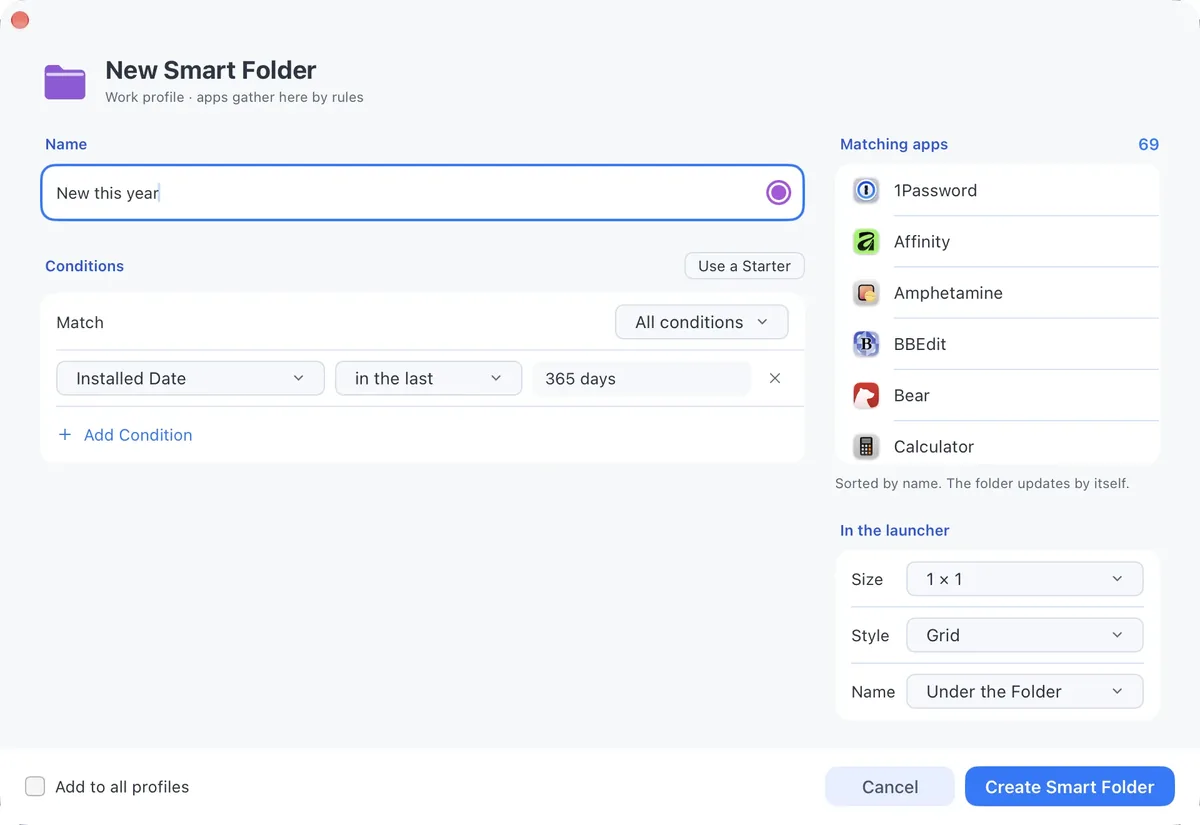
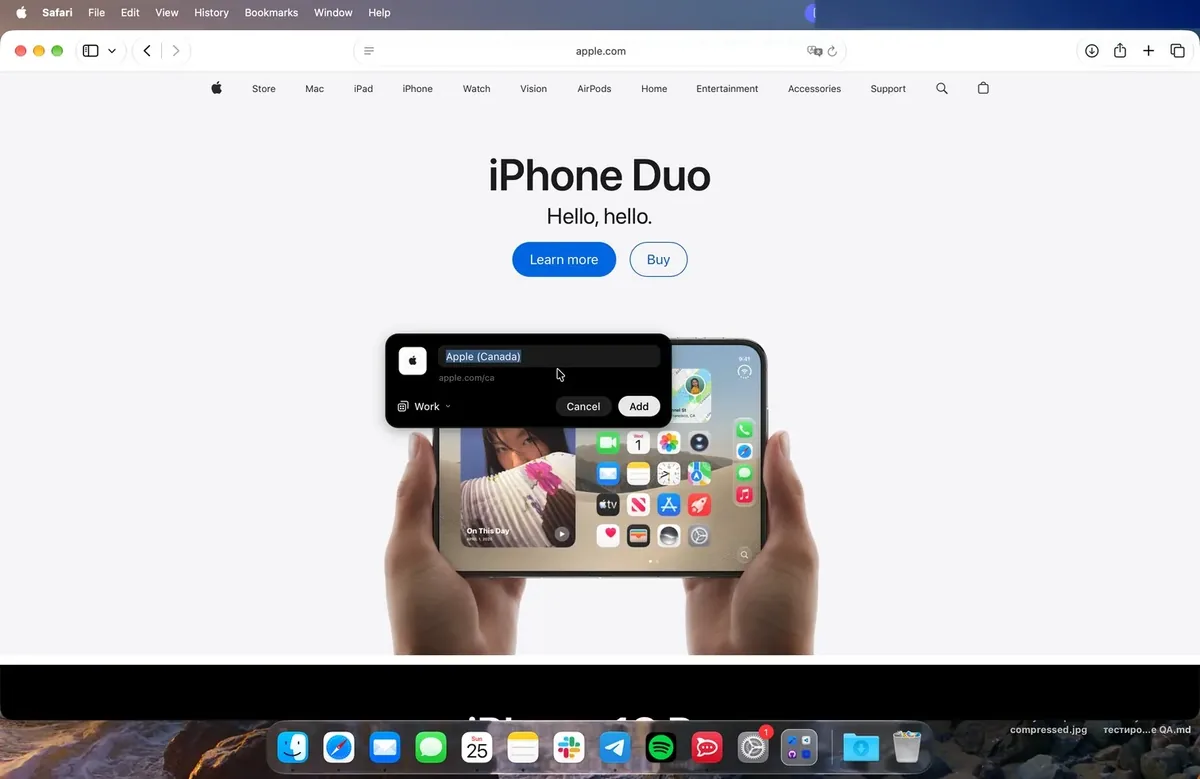
Images from ModusPad.
Prices and codes change. Last year's codes may no longer work — always confirm on the maker's site. Are you the maker? Send us your 2026 deal — listing is free.
Similar deals
- Sonant — A menu bar pill that shows and controls what Spotify or Apple Music is playing, with…
- MacTiler — Snap Mac windows into layouts from the menu bar, including a swap between displays.
- iKnow Suite — Bundle of iKnowMyDisplay and iKnowMyMac, two Mac apps that log display connections and…
- Tim Time Tracker — Native Mac menu-bar time tracker with shortcuts, charts, tags and local exports.
- CodexUse — Keep personal and work Codex accounts running at once, see which has quota left and…
- CopyPasta — Encrypted clipboard history for Mac that opens from the notch, reads text in…
ModusPad deal history
| Year | Offer | Dates | Source |
|---|---|---|---|
| 2026 | 60% off a ModusPad lifetime license with code BLACKFRIDAY2026 (normally $10.99 for 1 Mac, $16.99 for 2 Macs, $27.99 for 5 Macs). Nov 23 to Dec 4, 2026 | Nov 23, 2026 – Dec 4, 2026 | Confirmed by the maker |
Similar apps to ModusPad
- Sidebar — Swap the Mac Dock for a customizable bar with window previews, media controls, stacks and a launcher on every screen. Live deal 30% off all Sidebar licenses, no code needed, until December 4, 2026: Lifetime €19.99 to €13.99, Yearly €12.50 to €8.75, Monthly €1.25 to €0.87.
- DockMagic — A customizable second Dock for macOS, with widgets and Dock profiles that sit alongside the Apple Dock. Live deal Black Friday lifetime licences, no code, until November 30, 2026 at 23:59 UTC: 1 Mac 48% off, $12.99 instead of $25; 2 Macs 50% off, $19.99 instead of $40; 3 Macs 50% off, $29.99 instead of $60.
- Ganella — A native Mac Dock replacement with live widgets, so apps can show what's going on and let you act on it in one click. Live deal 25% off with code BLACK26, Nov 15 to Nov 30, 2026
- DockFlow — Save macOS Dock presets and switch them with shortcuts or Focus modes for each workspace. Live deal 50% off DockFlow lifetime licenses, the maker's lowest price of the year: Lifetime Access $40.96 to $20.48 per Mac, Forever Edition $99.99 to $49.99. Shown on the maker's page, no code or end date listed
- Wins — Snap windows into place, preview them from the Dock and switch faster with a smarter Cmd-Tab that feels native. Live deal 40% off new licenses and update renewals with code BF_26, through Dec 1, 2026: Wins Single $19.99 to $11.99, Wins Pro $39.99 to $23.99, Wins X $49.99 to $29.99
- Launchy: App Launcher Switcher — Radial Mac app launcher and switcher with a customizable wheel and keyboard jumps. Awaiting this year's deal; 2025 offer (unconfirmed): 57% OFF (no code needed). Valid Nov 16–Dec 2, 2025
More in Mac app (525 apps) · More in Utilities (174 apps) · When Mac app Black Friday sales start
FAQ
Is ModusPad on sale for Black Friday 2026?
Yes. The maker has confirmed a Black Friday 2026 deal: 60% off a ModusPad lifetime license with code BLACKFRIDAY2026 (normally $10.99 for 1 Mac, $16.99 for 2 Macs, $27.99 for 5 Macs). Nov 23 to Dec 4, 2026. It runs until Dec 4, 2026. Confirmed directly by the maker (last checked Nov 13, 2026).
Does ModusPad have a lifetime or one-time price?
Yes. One-time licenses for 1, 2 or 5 Macs, with lifetime updates; a 14-day trial and a 14-day money-back guarantee, per the maker's pricing page. Check the maker's site for current pricing.
What platforms does ModusPad run on?
ModusPad is listed for Mac.
See also: Utilities Black Friday deals · Mac Black Friday 2026 deals.
For makers: add this badge
Optional. Copy this HTML to add a “Listed on IndieMarkdowns” badge that links to this deal page. It is never a condition of the listing.
A dark version uses https://indiemarkdowns.com/badge/listed-dark.svg. The older /badge/featured-light.svg and /badge/featured-dark.svg URLs work too.