Pie Menu Black Friday 2026 deal
Pie Menu has a confirmed Black Friday 2026 deal: Save $5 on the one-time lifetime purchase with App Store offer code PIE2026: $34.99 instead of $39.99 in the US. Nov 17 to Nov 30, 2026. Confirmed to us directly by the maker, listing last checked Nov 17, 2026. Black Friday 2026 is Nov 27 and Cyber Monday is Nov 30.
| Status | Confirmed for Black Friday 2026 |
|---|---|
| Code | PIE2026 |
| Ends | Nov 30, 2026 |
| Last checked | Nov 17, 2026 |
See also: Black Friday 2026 Mac app deals
A ring of your chosen shortcuts that opens around the pointer, set up separately for each Mac app you use.
Deal status
Live deal · confirmed by the maker Save $5 on the one-time lifetime purchase with App Store offer code PIE2026: $34.99 instead of $39.99 in the US (about 12% off; local prices vary). Available in 156 App Store regions and limited to 500 redemptions. Nov 17 to Nov 30, 2026. maker’s announcementWhat Pie Menu looks likeImage from Pie Menu's App Store
Get deal alerts by email
We send a weekly email in November with the Black Friday 2026 deals makers have confirmed. Free, unsubscribe anytime.
What does it do?
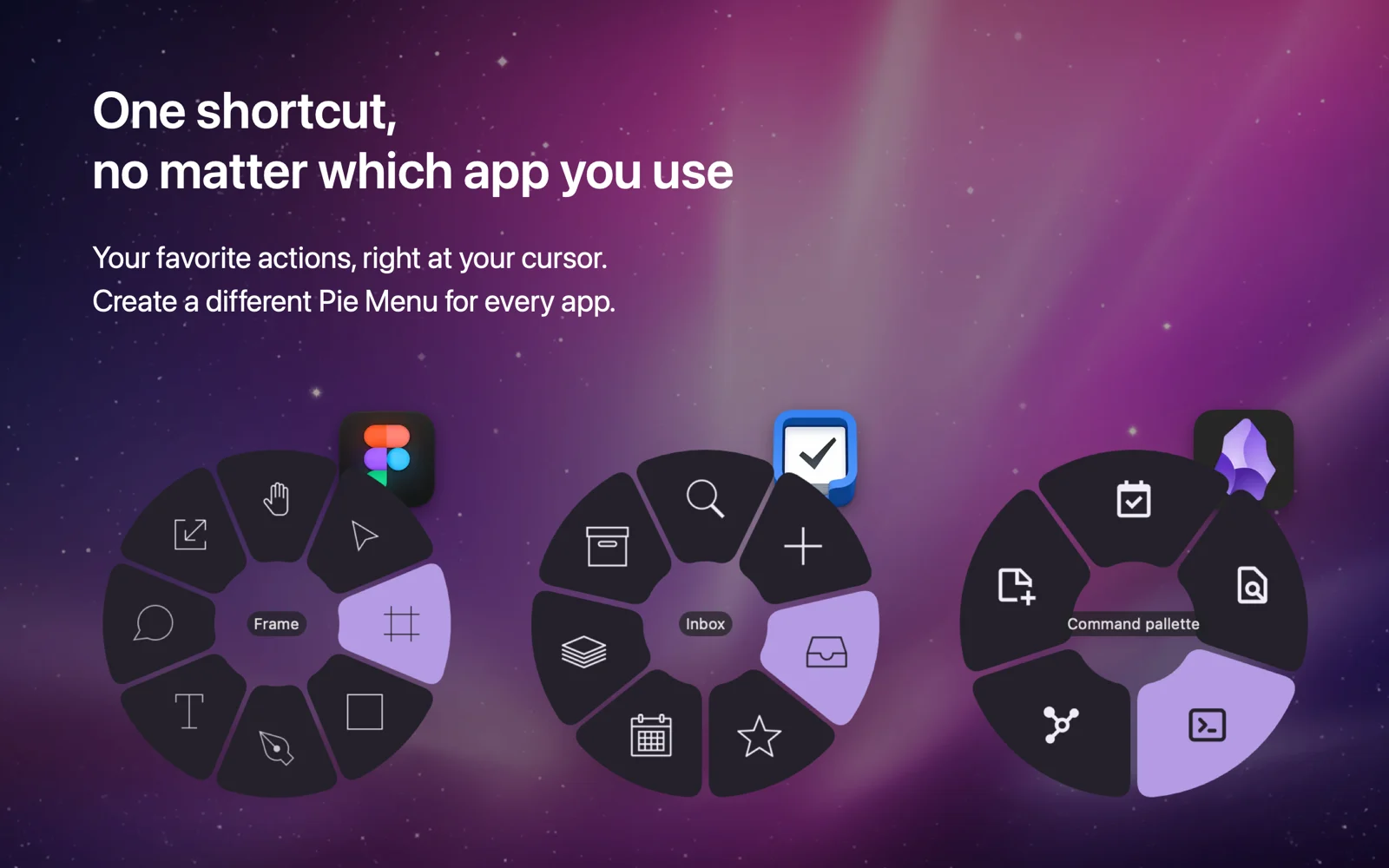
Pie Menu swaps a pile of memorized key combos for one trigger you choose. Press it and a circle of actions appears under the pointer; the slices change with whichever app is in front, and any slice can open a second circle of related commands.
Who is it for?
Anyone hopping between apps such as Figma, Obsidian, Things and a web browser all day who keeps forgetting which key combination does what in each of them.
When would you use it?
- Design sessions: Put the frame, pen, text and hand tools on a Figma ring, so changing tools is a flick of the mouse instead of recalling single letters.
- Note taking: Give Obsidian its own ring with the command palette, the quick switcher, a new note and the graph view, then point at the slice you need.
- Second Mac: Export your rings, themes and settings to a file and import that file on another Mac, so the same menus are ready there on day one.
Why pay for it?
People quoted on the official site openly admit they cannot keep shortcuts in their heads, and one says it helps most in apps they open only now and then. Since the trigger is identical in every app, there is a single combination to learn, and a seven-day trial shows quickly whether the habit sticks.
What should you know?
- Code PIE2026 brings the one-time purchase from $39.99 to $34.99 in the US App Store until November 30, and it stops after 500 redemptions.
- Pie Menu needs macOS 13 or later and is also included with a Setapp membership.
- Your menus are stored on your Mac, and sharing a menu or theme with the community is optional and makes it public.
A look inside Pie Menu
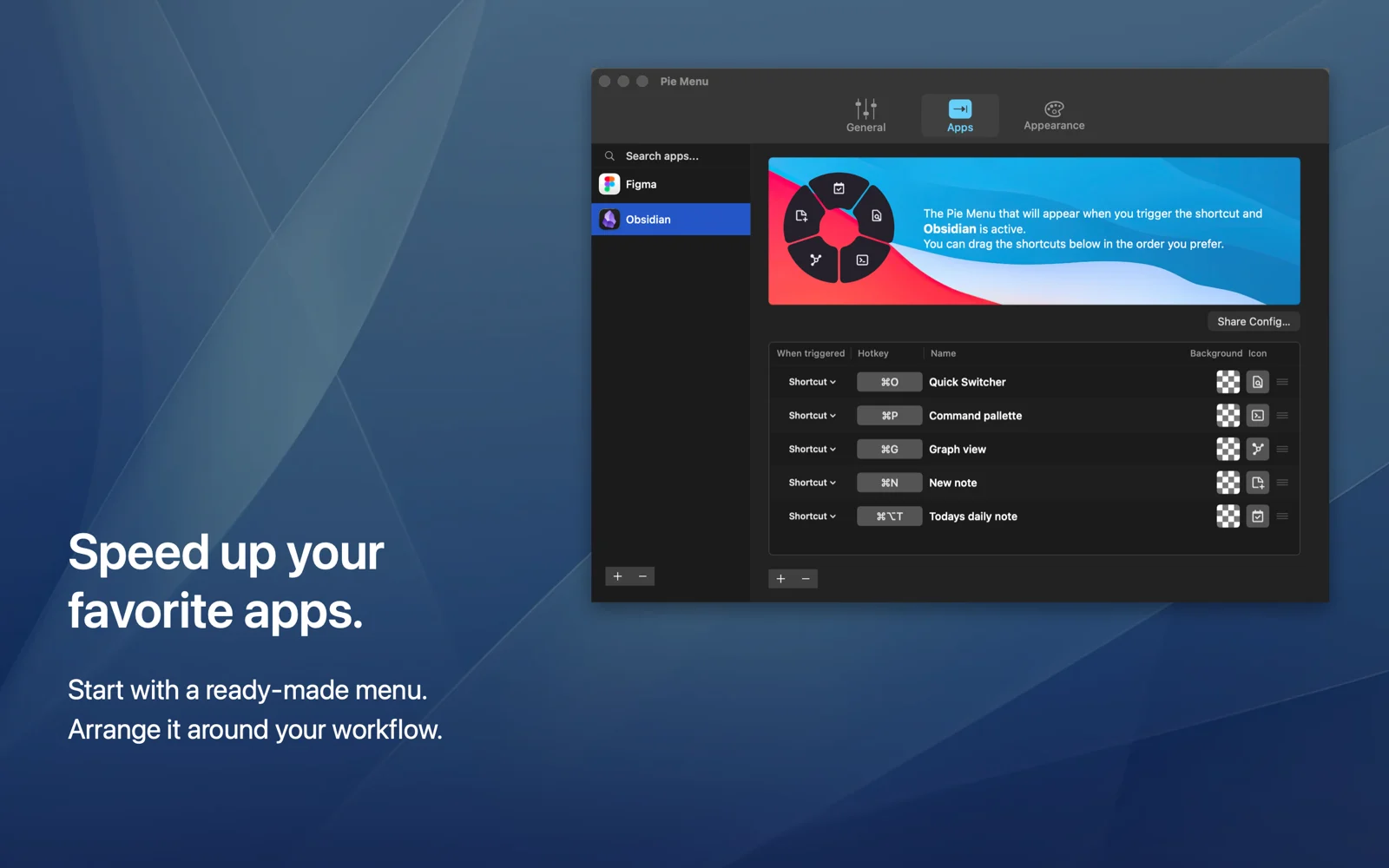
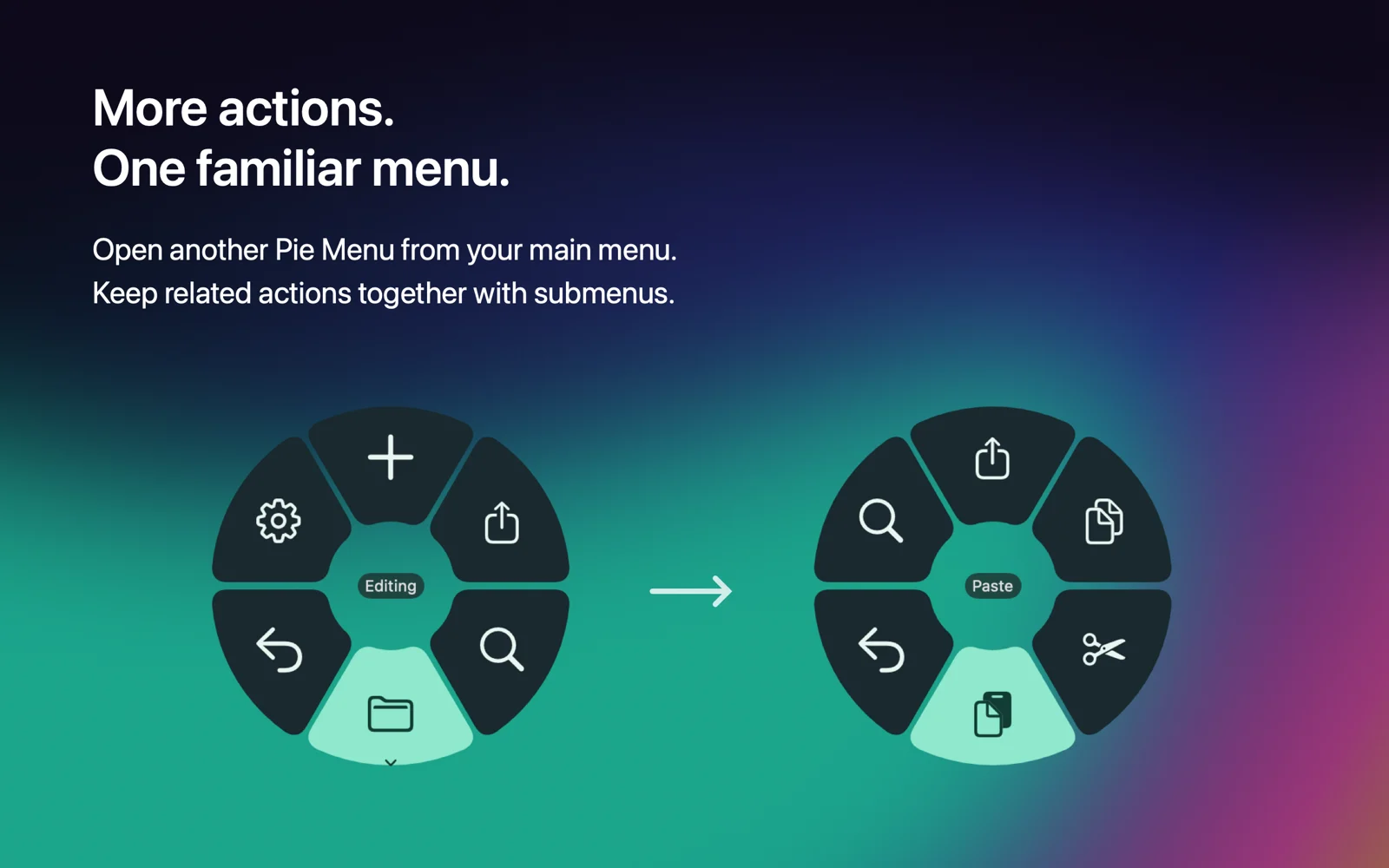
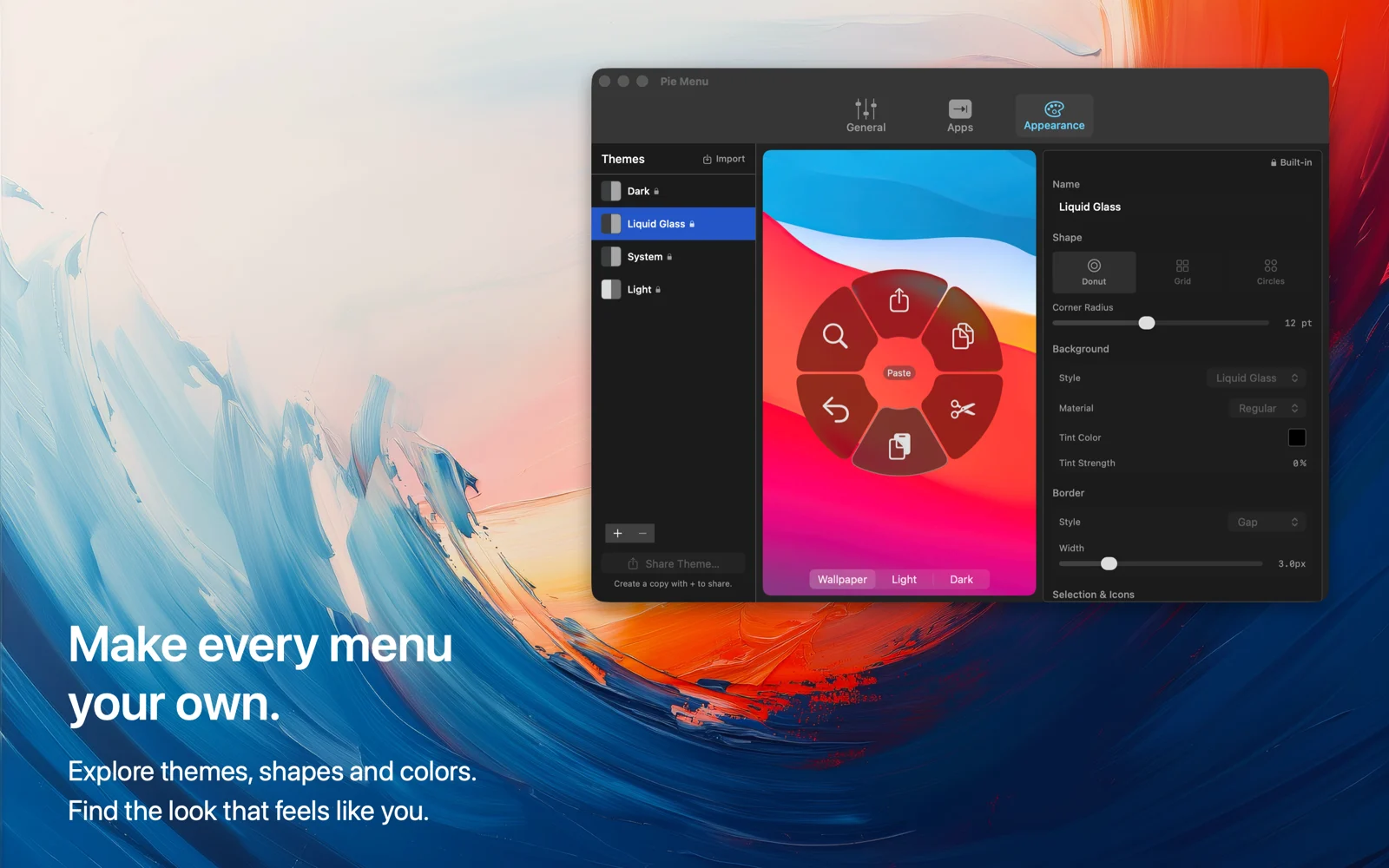
Images from Pie Menu's official Mac App Store listing.
Prices and codes change. Last year's codes may no longer work — always confirm on the maker's site. Are you the maker? Send us your 2026 deal — listing is free.
Similar deals
- ConniePad — Offline-first notes for Mac and iPhone with AI search that finds ideas by meaning.
- Voibe — Private Mac and Windows dictation plus meeting notes that keep a bot out of the call.
- KeyboardStack — Click, scroll and move the pointer anywhere on your Mac using only the keyboard, so…
- Vitamin-R — Time-box one clear objective on a Mac, park distractions, and review the session.
- Workspace+ — Saves and restores complete Mac workspaces, including apps, files, window positions,…
- WhatPulse — Find out where your computer time really goes, with private stats on typing, clicks,…
Pie Menu deal history
| Year | Offer | Dates | Source |
|---|---|---|---|
| 2026 | Save $5 on the one-time lifetime purchase with App Store offer code PIE2026: $34.99 instead of $39.99 in the US (about 12% off; local prices vary). Available in 156 App Store regions and limited to 500 redemptions. Nov 17 to Nov 30, 2026. | Nov 17, 2026 – Nov 30, 2026 | Confirmed by the maker (announcement) |
Similar apps to Pie Menu
- SnowWall — Free Mac menu bar app that draws snow, rain, petals and more across your desktop, with flakes that drift around the pointer and settle on windows. Live deal SnowWall Pro about a third off in every App Store: $9.99 instead of $14.99 in the US, no code needed, Nov 27 to Dec 1, 2026.
- DockGroups — Bundle the Mac apps you use for each kind of work into groups, then open or close a whole set at once. Live deal 25% off with code 3V97KSM1, Nov 26 to Dec 3, 2026
- Pointer Cue — Ring the pointer, flash clicks and spotlight the active window from a keystroke while you share your Mac screen. Live deal Pointer Cue Pro (one-time upgrade) $3.99 instead of $4.99 (20% off) with Mac App Store offer code INDIEMARKDOWNSBLACKFRIDAY; first 500 redemptions. Nov 11 to Nov 30, 2026 (PT)
- DuoBar — A Mac app that merges menu bar icons such as battery, Wi-Fi and memory into one icon you can hover to see separately again. Live deal Black Friday: DuoBar Pro is $4.99, was $6.99, 24 Nov to 1 Dec 2026. One-time purchase, no code needed.
- TuningMac — Shape the sound of everything on your Mac, set each app's volume on its own and play through several speakers in sync. Live deal Launch price $5 for the first 100 lifetime licenses, then $14. One-time purchase, use on up to 2 Macs, no subscription. The official site did not show code BLACKFRIDAY or a $4 price.
- DockFlow — Save macOS Dock presets and switch them with shortcuts or Focus modes for each workspace. Live deal 50% off DockFlow lifetime licenses, the maker's lowest price of the year: Lifetime Access $40.96 to $20.48 per Mac, Forever Edition $99.99 to $49.99. Shown on the maker's page, no code or end date listed
More in Mac app (525 apps) · More in Productivity (245 apps) · When Mac app Black Friday sales start
FAQ
Is Pie Menu on sale for Black Friday 2026?
Yes. The maker has confirmed a Black Friday 2026 deal: Save $5 on the one-time lifetime purchase with App Store offer code PIE2026: $34.99 instead of $39.99 in the US (about 12% off; local prices vary). Available in 156 App Store regions and limited to 500 redemptions. Nov 17 to Nov 30, 2026.. It runs until Nov 30, 2026. Confirmed directly by the maker (last checked Nov 17, 2026).
Does Pie Menu have a lifetime or one-time price?
Yes. The code applies to the separate one-time purchase ($39.99 regular), which includes lifetime updates. A yearly subscription and Setapp are the other ways to get the app, per the maker's pricing page. Check the maker's site for current pricing.
What platforms does Pie Menu run on?
Pie Menu is listed for Mac.
Compare alternatives: TextSniper alternatives · Paste alternatives
See also: Productivity Black Friday deals · Mac Black Friday 2026 deals.
For makers: add this badge
Optional. Copy this HTML to add a “Listed on IndieMarkdowns” badge that links to this deal page. It is never a condition of the listing.
A dark version uses https://indiemarkdowns.com/badge/listed-dark.svg. The older /badge/featured-light.svg and /badge/featured-dark.svg URLs work too.