DuoBar Black Friday 2026 deal
DuoBar has a confirmed Black Friday 2026 deal: Black Friday: DuoBar Pro is $4.99, was $6.99, 24 Nov to 1 Dec 2026. One-time purchase, no code needed. Checked against the maker's page; listing last checked Nov 18, 2026. Black Friday 2026 is Nov 27 and Cyber Monday is Nov 30.
| Status | Starts Nov 24, 2026 |
|---|---|
| Code | No code needed |
| Starts | Nov 24, 2026 |
| Ends | Dec 1, 2026 |
| Last checked | Nov 18, 2026 |
See also: Black Friday 2026 Mac app deals
A Mac app that merges menu bar icons such as battery, Wi-Fi and memory into one icon you can hover to see separately again.
Deal status
Upcoming deal · verified on the maker's site Starts Nov 24, 2026. Black Friday: DuoBar Pro is $4.99, was $6.99, 24 Nov to 1 Dec 2026. One-time purchase, no code needed. maker’s announcementWhat DuoBar looks likeImage from DuoBar's App Store
Get deal alerts by email
We send a weekly email in November with the Black Friday 2026 deals makers have confirmed. Free, unsubscribe anytime.
What does it do?
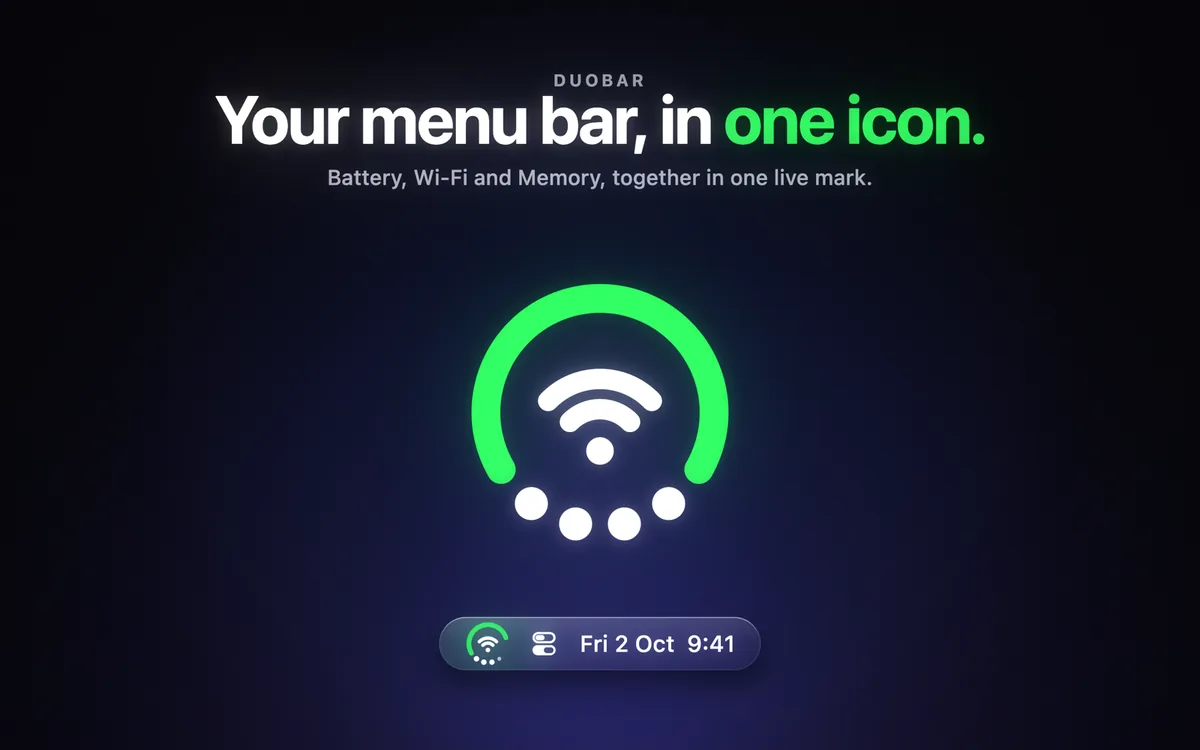
DuoBar combines several Mac status readings, for example power level, wireless signal and RAM use, into one compact menu bar icon. Each part of the icon carries its own reading, and a click opens a panel covering battery, Wi-Fi, Bluetooth, volume, network activity, memory, CPU and disk.
Who is it for?
MacBook owners with a notch whose menu bar icons keep disappearing behind the camera, and anyone who wants system readings at a glance without several separate icons.
When would you use it?
- Too many icons by the notch: Replace three system icons with one, so other apps' icons have room to stay visible.
- Rendering a video: Put CPU usage on the ring of the icon while the export runs and watch the load without opening Activity Monitor.
- Checking headphones: Open the panel to see the battery level of each paired Bluetooth device in one list.
Why pay for it?
Many menu bar managers broke when macOS 27 changed how the menu bar works. DuoBar avoids that by being one standard menu bar item that never moves or hides other icons, and it does not ask for Screen Recording or Accessibility permission. You choose which three of eight readings show and can recolor the ring.
What should you know?
- DuoBar supports macOS 14 or later, including macOS 27, on Apple silicon and Intel Macs.
- Downloading it from Apple's Mac store costs nothing, and Pro is unlocked with a single upgrade payment.
- An open-source app on GitHub uses the same name but comes from a different developer.
A look inside DuoBar
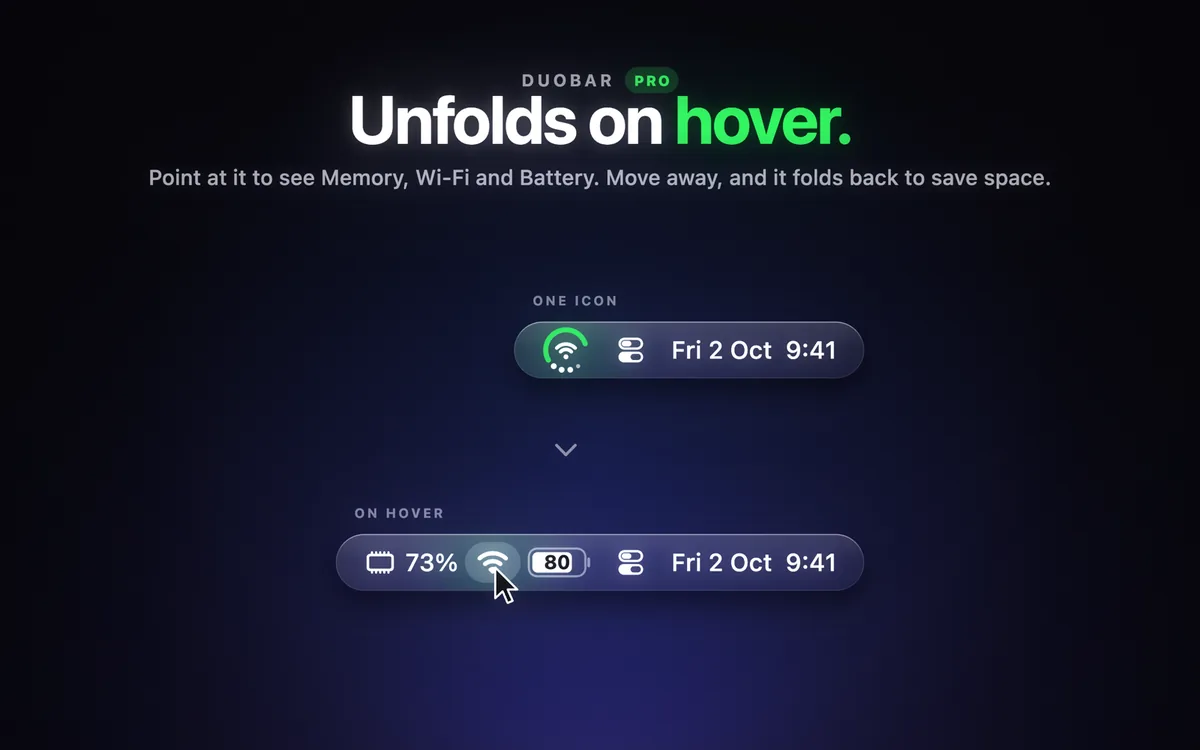
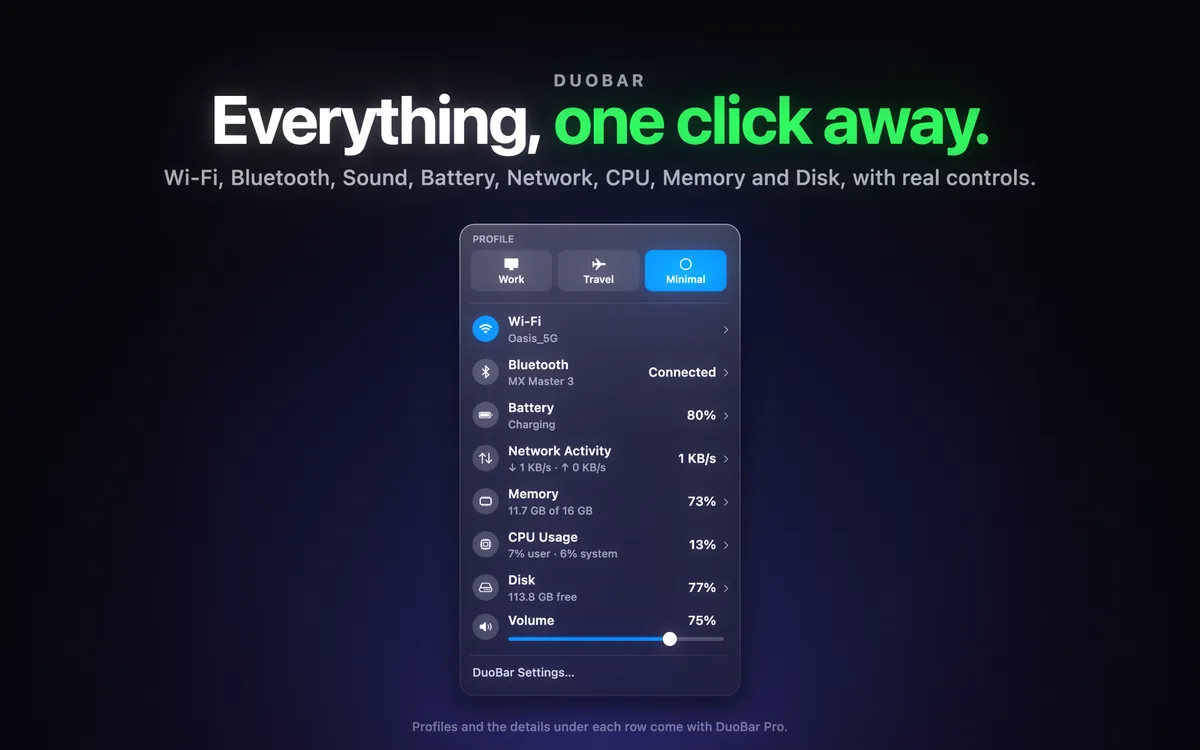
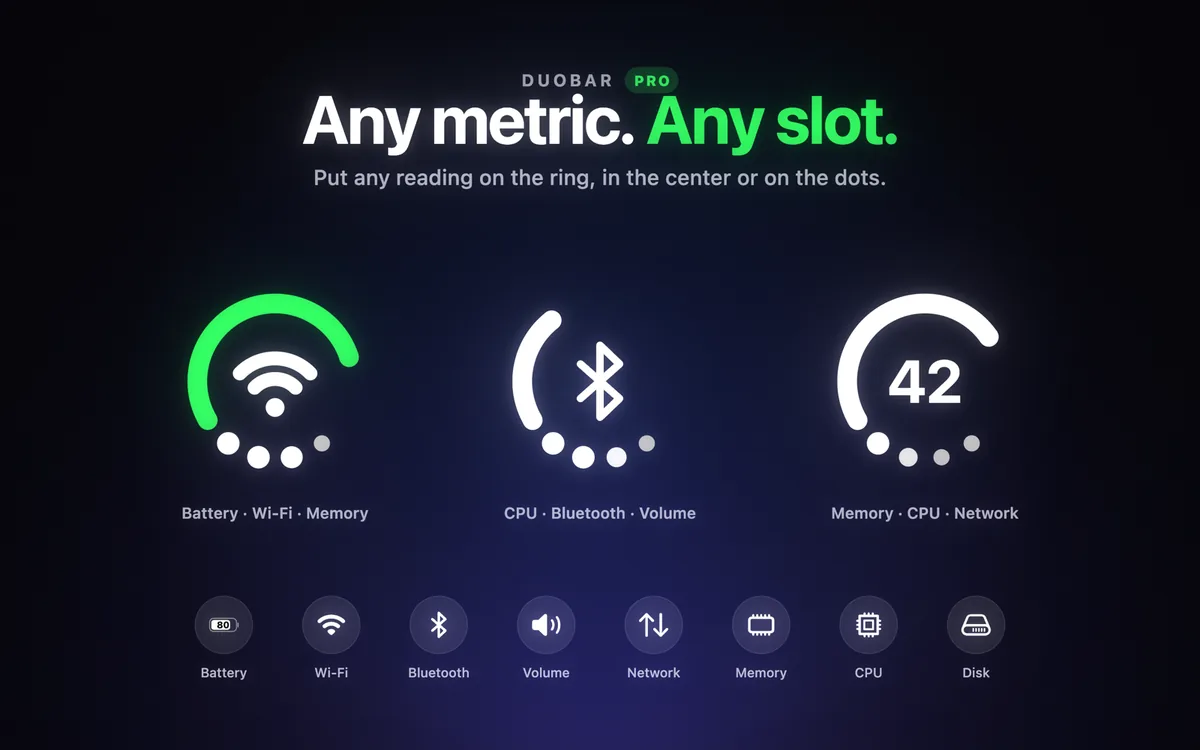
Images from DuoBar’s official Mac App Store listing.
Prices and codes change. Last year's codes may no longer work — always confirm on the maker's site. Are you the maker? Send us your 2026 deal — listing is free.
Similar deals
- Trickster — Recent Mac files and saved links in a compact view with filters and keyboard shortcuts.
- Airfoil — Stream any Mac audio in sync to HomePod, Sonos, Chromecast and Bluetooth speakers.
- Folder Preview Pro — Press the Space bar on any folder or ZIP, RAR or 7z archive and see what's inside…
- Neatify — Set rules once so Mac downloads and loose files sort themselves into folders.
- DiskFox — A Mac disk space analyzer that shows what is filling your storage, when it grew and…
- Fenn — Private on-device AI that finds pages, screens and files you saved, saw or heard on…
DuoBar deal history
| Year | Offer | Dates | Source |
|---|---|---|---|
| 2026 | Black Friday: DuoBar Pro is $4.99, was $6.99, 24 Nov to 1 Dec 2026. One-time purchase, no code needed. | Nov 24, 2026 – Dec 1, 2026 | Verified on the maker's site (announcement) |
Similar apps to DuoBar
- ClockStack — Free up room in a crowded Mac menu bar by stacking time, date, battery and Wi-Fi into one slim item. Live deal $2.99 launch price until November 30, 2026 (40% off), then $4.99; one-time purchase, no subscription, no in-app purchases
- DockView 2 (and MacPlus apps) — Hover over any Dock icon on your Mac to see live previews of that app's windows, including minimized ones. Live deal 30% off with code MACPLUSBLACKFRIDAY26 on all MacPlus Software apps, Nov 1 to 30, 2026. DockView 2 Standard $14.99, now $10.49; Lifetime $49.99, now $34.99. Also ActiveDock 2, Tab Finder 2, MultiDock 2, SuperTab 7, Command-Tab Plus 2, Tree Outliner, Classic Commander, Quick Exposé 3, Stage View and ContextClip.
- Pie Menu — A ring of your chosen shortcuts that opens around the pointer, set up separately for each Mac app you use. Live deal Save $5 on the one-time lifetime purchase with App Store offer code PIE2026: $34.99 instead of $39.99 in the US (about 12% off; local prices vary). Available in 156 App Store regions and limited to 500 redemptions. Nov 17 to Nov 30, 2026.
- iStat Menus — Menu bar system monitor for CPU, GPU, memory, disks, network and sensors. Awaiting this year's deal; 2025 offer (unconfirmed): 50% off
- Battery Indicator — Menu bar readout of remaining Mac battery time made by Sindre Sorhus. Awaiting this year's deal; 2025 offer (unconfirmed): 50% off
- Rainaissance — Put animated rain or snow on your Mac displays, with optional rain sound you can turn down separately. Awaiting this year's deal; 2025 offer (unconfirmed): 39% OFF one time purchase - auto applied at checkout
More in Mac app (525 apps) · More in Utilities (174 apps) · When Mac app Black Friday sales start
FAQ
Is DuoBar on sale for Black Friday 2026?
Yes. The maker has confirmed a Black Friday 2026 deal: Black Friday: DuoBar Pro is $4.99, was $6.99, 24 Nov to 1 Dec 2026. One-time purchase, no code needed.. It runs until Dec 1, 2026. Last checked against the maker's page: Nov 18, 2026.
Does DuoBar have a lifetime or one-time price?
DuoBar Pro is a one-time purchase, per the official page, per the maker's pricing page. Check the maker's site for current pricing.
What platforms does DuoBar run on?
DuoBar is listed for Mac.
See also: Utilities Black Friday deals · Mac Black Friday 2026 deals.
For makers: add this badge
Optional. Copy this HTML to add a “Listed on IndieMarkdowns” badge that links to this deal page. It is never a condition of the listing.
A dark version uses https://indiemarkdowns.com/badge/listed-dark.svg. The older /badge/featured-light.svg and /badge/featured-dark.svg URLs work too.