
Workspace+ Black Friday 2026 deal
Workspace+ has a confirmed Black Friday 2026 deal: 50% off with code HCBIW3W3, Nov 25 to Nov 30, 2026. Confirmed to us directly by the maker, listing last checked Nov 15, 2026. Black Friday 2026 is Nov 27 and Cyber Monday is Nov 30.
| Status | Starts Nov 25, 2026 |
|---|---|
| Discount | 50% off |
| Code | HCBIW3W3 |
| Starts | Nov 25, 2026 |
| Ends | Nov 30, 2026 |
| Last checked | Nov 15, 2026 |
See also: Black Friday 2026 Mac app deals
Saves and restores complete Mac workspaces, including apps, files, window positions, and browser tabs.
Deal status
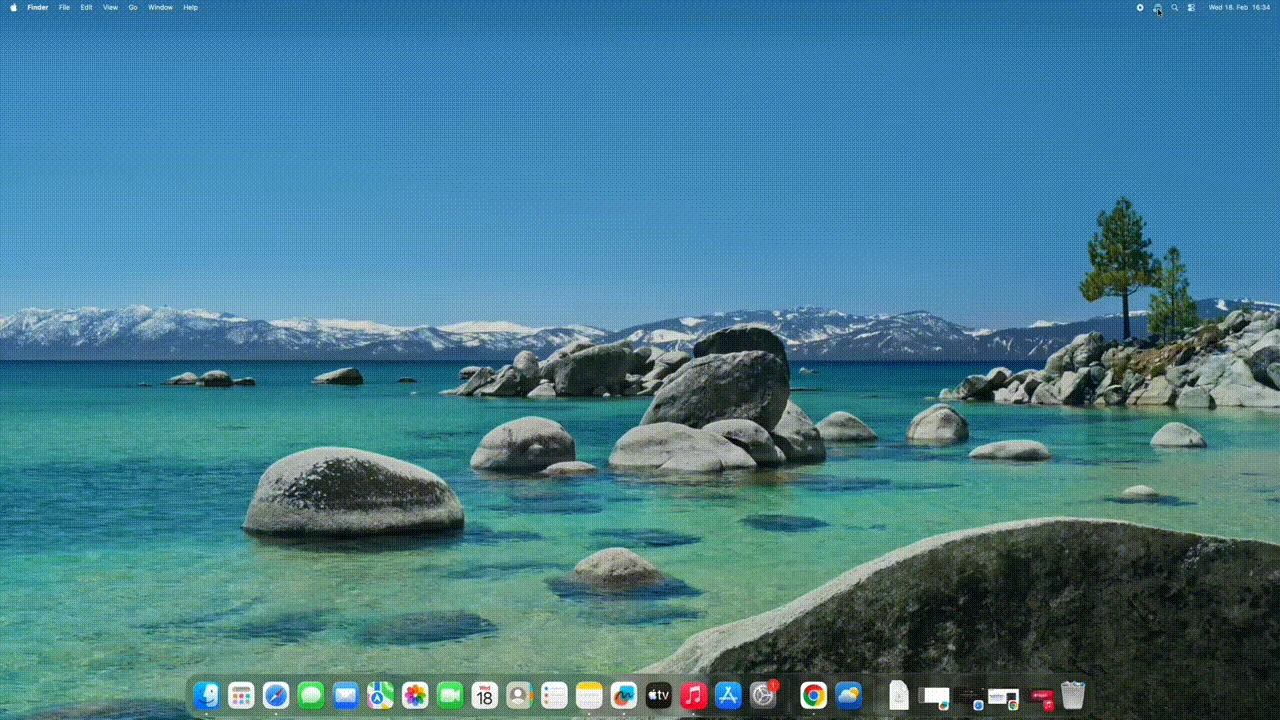
Upcoming deal · confirmed by the maker Starts Nov 25, 2026. 50% off with code HCBIW3W3, Nov 25 to Nov 30, 2026What Workspace+ looks likeImage from Workspace+'s official site
Get deal alerts by email
We send a weekly email in November with the Black Friday 2026 deals makers have confirmed. Free, unsubscribe anytime.
What does it do?
A whole working setup, from open apps and documents to window placement and browser tabs, can be saved by Workspace+ and reopened later with one click or shortcut. This menu bar app handles multiple displays and can restore a workspace automatically when a monitor is connected or disconnected.
Who is it for?
Freelancers, developers, designers, writers and students who juggle several projects and spend the first minutes of each switch reopening the same apps, files and tabs.
When would you use it?
- Switching clients: Save one workspace per client with its files, tools and browser tabs, and swap between them from the menu bar.
- Docking a laptop: Set an automatic trigger so your desk layout restores itself as soon as the external display connects.
- Separating coding from other work: Keep a frontend workspace and a backend workspace, each with its own IDE, terminal and documentation tabs.
- Undoing a wrong restore: Use the one-click revert to return to the state you were in before the last restoration.
Why pay for it?
Window managers usually stop at positions, while Workspace+ also brings back the files and the browser tabs that make up a project. Data stays on your Mac, and only Accessibility permission is needed, with Screen Recording optional for preview thumbnails.
What should you know?
- Tab restore supports Safari and Chromium browsers such as Chrome, Edge, Arc, Brave, Opera and Vivaldi, but not Firefox.
- It does not restore macOS Spaces, though it does restore layouts across several physical displays.
- Pricing is offered as a monthly plan or a one-time lifetime licence, with a 3-day trial.
- Custom icons and colours help tell saved workspaces apart, and workspaces can be imported and exported.
A look inside Workspace+
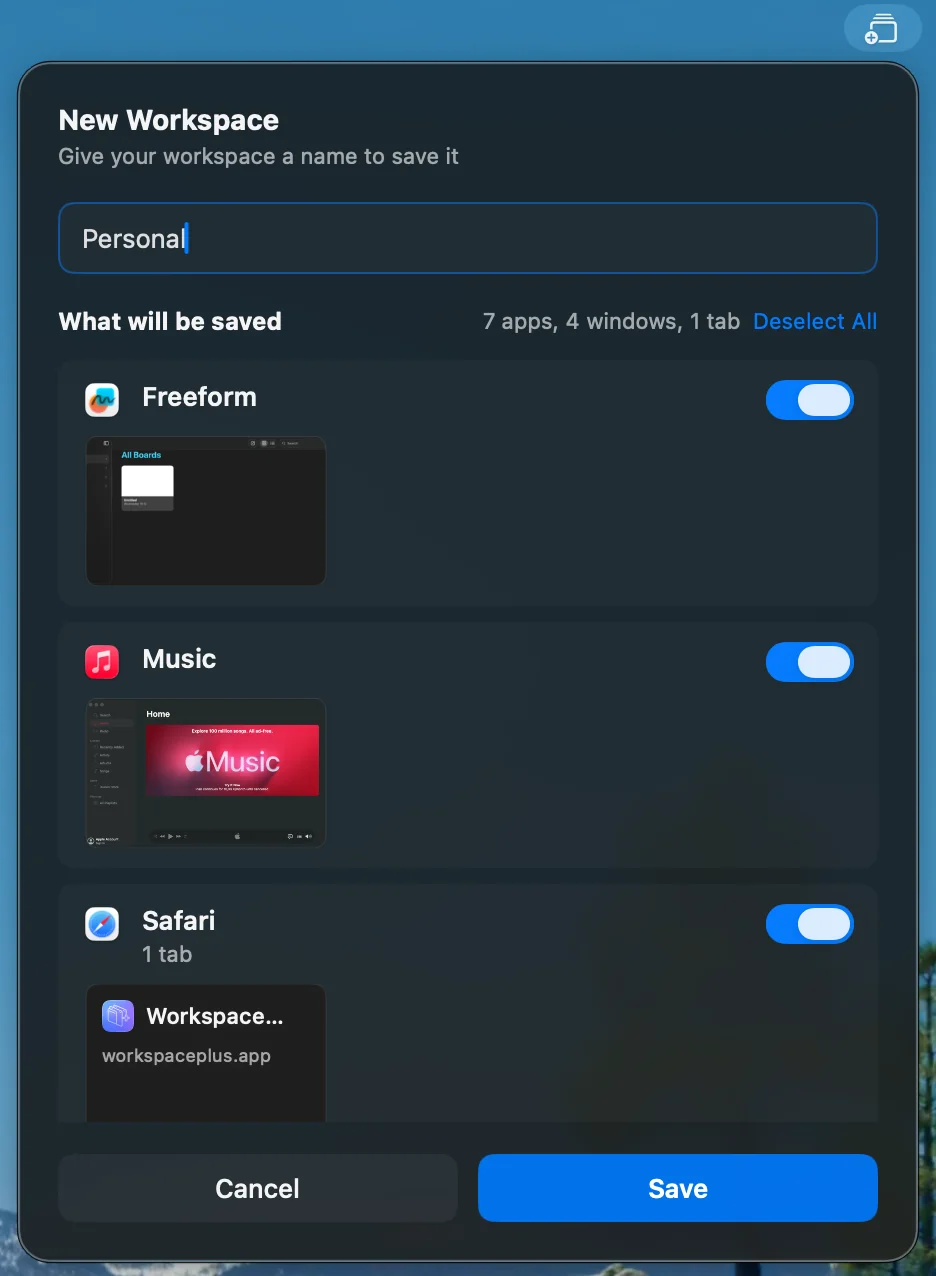
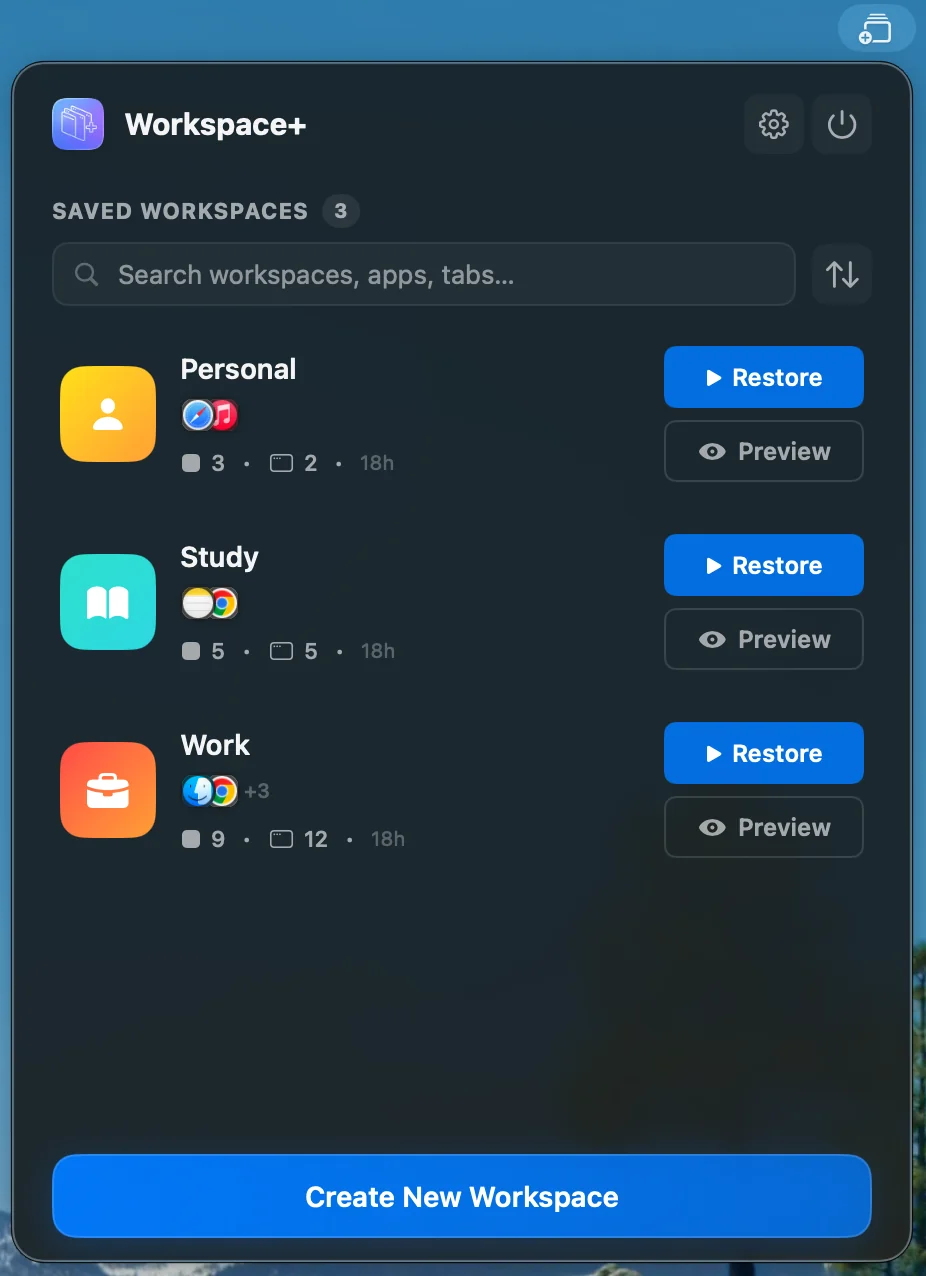
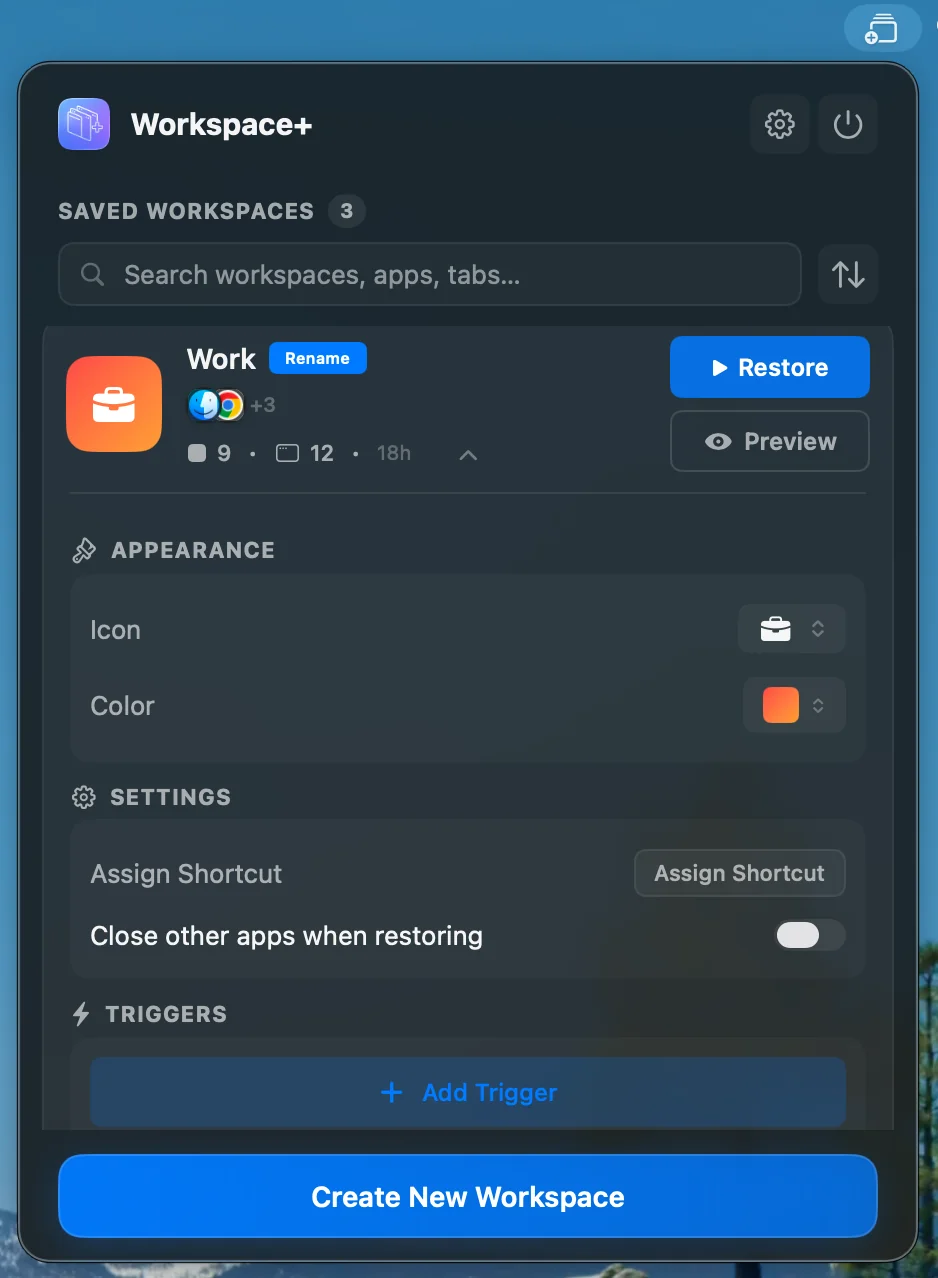
Images from Workspace+'s official site.
Prices and codes change. Last year's codes may no longer work — always confirm on the maker's site. Are you the maker? Send us your 2026 deal — listing is free.
Similar deals
- ARADAR Music Player — A Mac music player that organizes, plays and checks your tracks, with loudness…
- BetterDisplay Pro 4 — Mac display manager for scaling, virtual screens, brightness and advanced monitor control.
- DropDMG — Turn folders into polished Mac disk images, complete with custom layouts and an…
- Shotbolt — Capture, mark up and instantly find your Mac screenshots and recordings, with search…
- Swish — Mac window manager driven by trackpad gestures, mouse actions and keyboard shortcuts.
- Minimal Paste — A local-only clipboard manager for Mac. Find anything you copied, or a file in any…
Workspace+ deal history
| Year | Offer | Dates | Source |
|---|---|---|---|
| 2026 | 50% off with code HCBIW3W3, Nov 25 to Nov 30, 2026 | Nov 25, 2026 – Nov 30, 2026 | Confirmed by the maker |
Similar apps to Workspace+
- TidyFrame — Window manager for Mac that snaps windows into place and saves whole multi-app layouts as workspaces you restore with one keyboard shortcut. Live deal 30% off with code LAUNCH30, until November 30, 2026
- NeoTiler — A native macOS window manager with snapping, workspaces, trackpad gestures and Dock previews. Live deal Black Friday special: 30% off the NeoTiler lifetime license, $6.99 instead of $9.99, with code BF30 (the official checkout link prefills it). The product schema on the official page sets priceValidUntil 2026-12-01. The license is one-time, for up to 3 Macs, including future updates.
- Yonder — Mac add-on for your browser's address bar that lists open tabs and saved bookmarks first, then real shops without ads. Live deal 50% off Yonder with code BLACKFRIDAY at appsbymo.app, Nov 9 to Dec 1, 2026. The maker's app list shows a regular price of $14.99.
- BetterStage — A native Mac window and workspace manager: Stages span your monitors, TabStack combines automatic tiling with tabs, and Saved Workspaces remember a whole setup. Awaiting public announcement; maker submission not yet publicly verified
- Cosmil — Browse Mac files in a multi-pane window, including servers and NAS shares. Awaiting this year's deal; 2025 offer (unconfirmed): 30% off for Black Friday 2025
- Pola Browser — Mac browser that keeps projects in folders and profiles with floating tabs and a research tree. Awaiting this year's deal; 2025 offer (unconfirmed): 3 months FREE on All Access with code 3MONTHF6S, then Lifetime License at $19.99
More in Mac app (525 apps) · More in Productivity (245 apps) · More in Utilities (174 apps) · When Mac app Black Friday sales start
FAQ
Is Workspace+ on sale for Black Friday 2026?
Yes. The maker has confirmed a Black Friday 2026 deal: 50% off with code HCBIW3W3, Nov 25 to Nov 30, 2026. It runs until Nov 30, 2026. Confirmed directly by the maker (last checked Nov 15, 2026).
Does Workspace+ have a lifetime or one-time price?
The official site offers monthly and lifetime plans; the maker did not say which plans the code covers, per the maker's pricing page. Check the maker's site for current pricing.
What platforms does Workspace+ run on?
Workspace+ is listed for Mac.
Compare alternatives: Paste alternatives · TextSniper alternatives
See also: Utilities Black Friday deals · Mac Black Friday 2026 deals.
For makers: add this badge
Optional. Copy this HTML to add a “Listed on IndieMarkdowns” badge that links to this deal page. It is never a condition of the listing.
A dark version uses https://indiemarkdowns.com/badge/listed-dark.svg. The older /badge/featured-light.svg and /badge/featured-dark.svg URLs work too.