
MenuGlide Black Friday 2026 deal
MenuGlide has a confirmed Black Friday 2026 deal: Black Friday: 50% off MenuGlide's one-time licenses with code KOINGO50, from November 19, 2026 through January 1, 2027. The Solo current-version license is $4.98 instead of $9.95. Confirmed to us directly by the maker, listing last checked Nov 19, 2026. Black Friday 2026 is Nov 27 and Cyber Monday is Nov 30.
| Status | Confirmed for Black Friday 2026 |
|---|---|
| Discount | 50% off |
| Deal price | $4.98 (USD) |
| Code | KOINGO50 |
| Ends | Jan 1, 2027 |
| Last checked | Nov 19, 2026 |
See also: Black Friday 2026 Mac app deals
Brings back a classic application menu in the Mac menu bar for switching apps, pinning favorites and opening folders.
Deal status
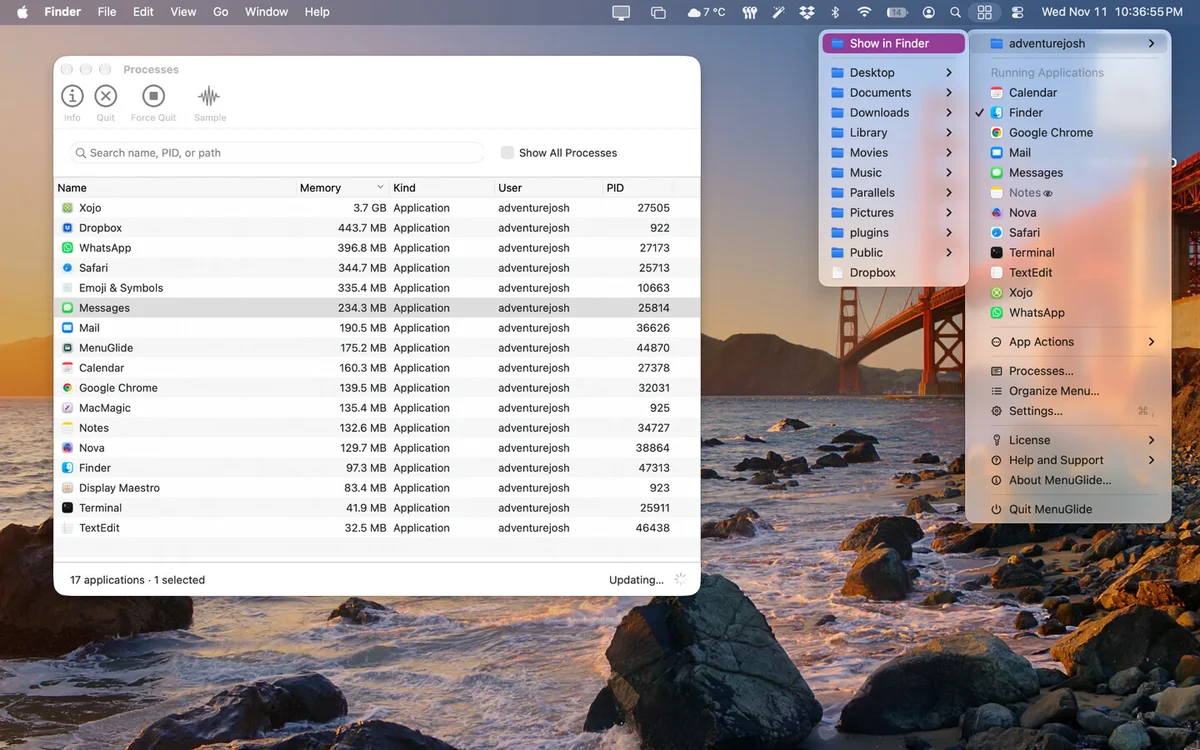
Live deal · confirmed by the maker Black Friday: 50% off MenuGlide's one-time (non-subscription) licenses with code KOINGO50, from November 19, 2026 through January 1, 2027. The Solo current-version license is $4.98 instead of $9.95. Annual subscriptions are not included. maker’s announcementWhat MenuGlide looks likeImage from MenuGlide's official site
Get deal alerts by email
We send a weekly email in November with the Black Friday 2026 deals makers have confirmed. Free, unsubscribe anytime.
What does it do?
MenuGlide adds one menu to the right side of the Mac menu bar that lists the programs you have open alongside the ones you have pinned, plus any folders and dividers you choose to place there. Picking an entry jumps to that app or launches it, and each app has a submenu with actions, process details and a way to sample its activity.
Who is it for?
Longtime Mac users who miss the old application menu, and anyone who keeps a fixed set of programs and project folders they open many times a day.
When would you use it?
- Switching apps quickly: Click the menu-bar icon and choose a program from the list of running and pinned apps, instead of hunting through the Dock or pressing Command-Tab repeatedly.
- Opening a project folder: Pin the folders you work in, then browse their contents straight from the menu, or jump to the full folder in Finder when it holds more than a hundred items.
- Spotting a runaway app: Enable the optional CPU and memory warnings, and a badge marks the misbehaving program; clicking it opens the Info window with its process details.
Why pay for it?
The Dock and app switcher only show part of the picture, and neither lets you mix apps with folders in your own order. MenuGlide keeps everything in a single list you arrange yourself, adds handy per-app actions, and quietly watches for programs that hog the processor or memory, so you catch problems before the fans spin up.
What should you know?
- With the code KOINGO50, Koingo halves the price of every one-time MenuGlide license until 1 January 2027, so the Solo license for the current version drops from $9.95 to $4.98.
- Yearly plans are left out of that discount. Koingo also sells a lifetime-updates license and larger household, school and business tiers.
- Version 1.0 arrived on 10 November 2026 and runs on macOS 13 Ventura or later. A free demo is available, and after it ends the app actions and process list need a license.
A look inside MenuGlide
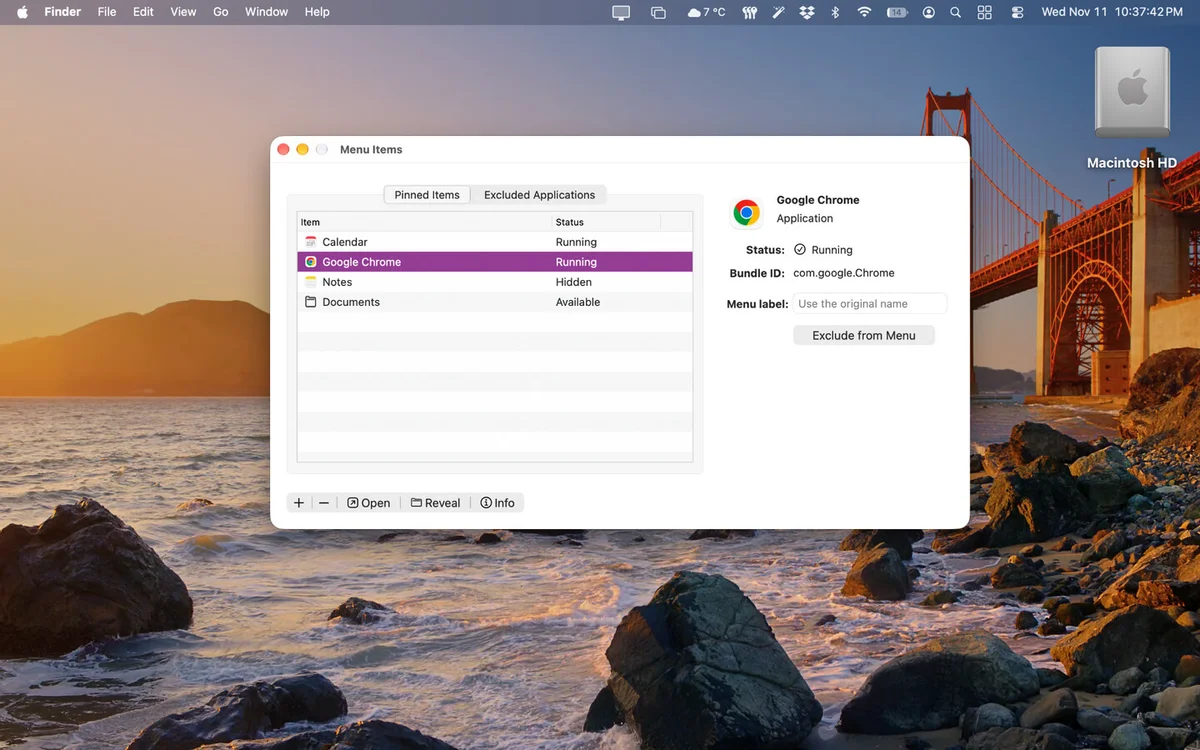
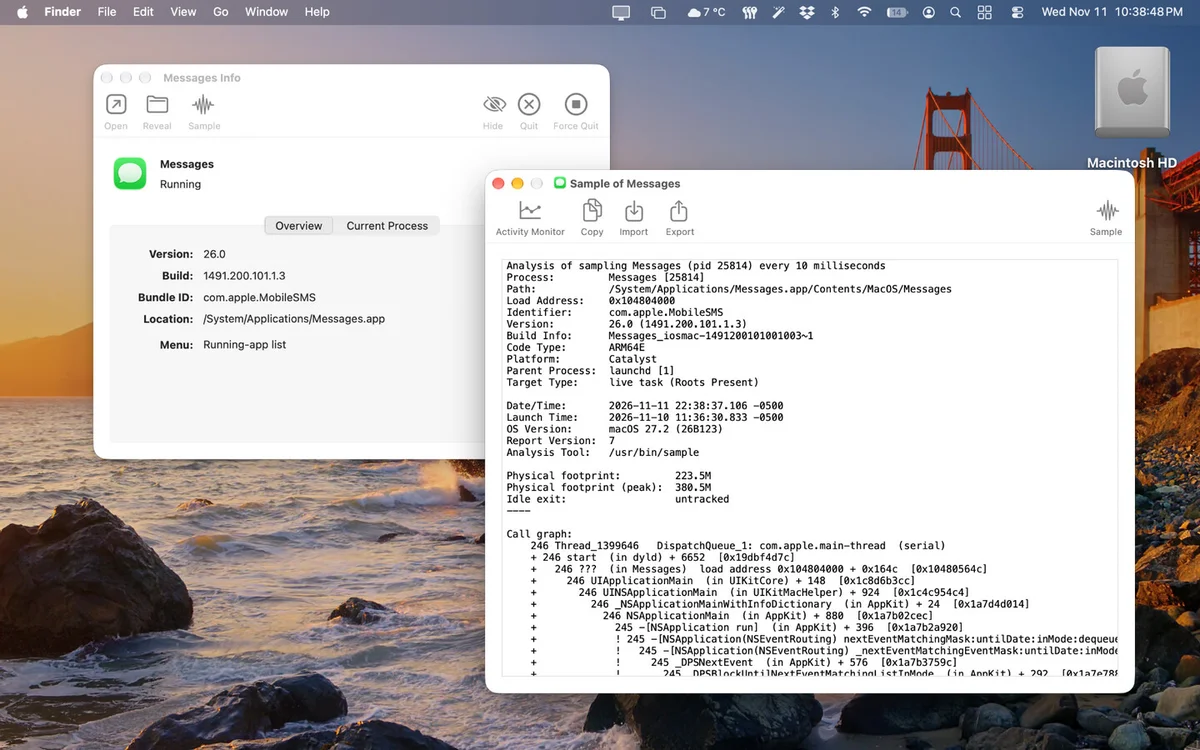
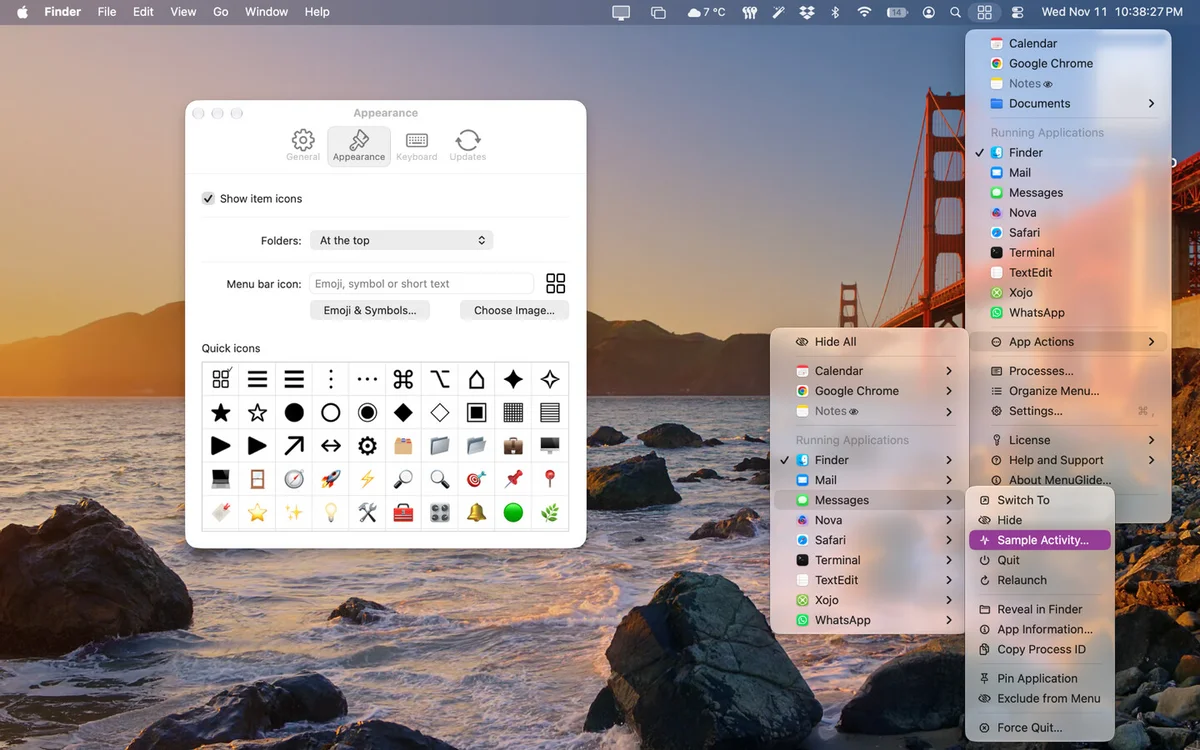
Images from Koingo Software's MenuGlide page.
Prices and codes change. Last year's codes may no longer work — always confirm on the maker's site. Are you the maker? Send us your 2026 deal — listing is free.
Similar deals
- Workspace+ — Saves and restores complete Mac workspaces, including apps, files, window positions,…
- Pola Browser — Mac browser that keeps projects in folders and profiles with floating tabs and a…
- Pangalin Space Manager — A Mac storage cleaner that shows where your space went, explains each item, and asks…
- FluidCast — A podcast player for Apple devices, Android, Windows, Linux and the web, with…
- Almighty — A big library of native Mac tweaks, plus Zeus to run them from typed or spoken requests.
- DeskMat — Cover Mac desktop icons and widgets for a clean share or a focused work session.
MenuGlide deal history
| Year | Offer | Dates | Source |
|---|---|---|---|
| 2026 | Black Friday: 50% off MenuGlide's one-time (non-subscription) licenses with code KOINGO50, from November 19, 2026 through January 1, 2027. The Solo current-version license is $4.98 instead of $9.95. Annual subscriptions are not included. | Nov 19, 2026 – Jan 1, 2027 | Confirmed by the maker (announcement) |
Similar apps to MenuGlide
- Fluent — Call a BYOK context-aware AI from any Mac app or tab without constant copy-paste switching. Live deal 25% OFF with code BF2026 (until Dec 1, 2026)
- Chord Pad — Choose a key from the Mac menu bar, play its chords with the number row, and export the take. Live deal $12 instead of $19, one-time purchase, no code (price applies on the buy page). Until Dec 1, 2026, 11:59 PM PT. Free updates and a 30-day refund
- ClockStack — Free up room in a crowded Mac menu bar by stacking time, date, battery and Wi-Fi into one slim item. Live deal $2.99 launch price until November 30, 2026 (40% off), then $4.99; one-time purchase, no subscription, no in-app purchases
- RapidWeaver Classic — Original theme-based website builder for Mac that still opens classic projects and addons. Awaiting this year's deal; 2025 offer (unconfirmed): Save 45% on first year with code BLACKFRIDAY45. Ends December 1st.
- Badgeify — Menu bar badges for Messages, Mail, Slack and other Mac apps you pin. Awaiting this year's deal; 2025 offer (unconfirmed): 50% OFF with code BLACKFRIDAY2025
- CodeSwissKnife Bar Dev Tools — Encode text, format JSON, generate UUIDs and more from a small developer toolkit that waits in your Mac menu bar. Awaiting this year's deal; 2025 offer (unconfirmed): 20% OFF Lifetime Package from Nov.21 to Dec.2
More in Mac app (530 apps) · More in Utilities (176 apps) · When Mac app Black Friday sales start
FAQ
Is MenuGlide on sale for Black Friday 2026?
Yes. The maker has confirmed a Black Friday 2026 deal: Black Friday: 50% off MenuGlide's one-time (non-subscription) licenses with code KOINGO50, from November 19, 2026 through January 1, 2027. The Solo current-version license is $4.98 instead of $9.95. Annual subscriptions are not included.. It runs until Jan 1, 2027. Confirmed directly by the maker (last checked Nov 19, 2026).
Does MenuGlide have a lifetime or one-time price?
Yes. Besides an annual plan, every MenuGlide tier has one-time options: a current-major-version license (Solo $9.95) and a lifetime-updates license (Solo $49), per the maker's pricing page. Check the maker's site for current pricing.
What platforms does MenuGlide run on?
MenuGlide is listed for Mac.
See also: Utilities Black Friday deals · Mac Black Friday 2026 deals.
For makers: add this badge
Optional. Copy this HTML to add a “Listed on IndieMarkdowns” badge that links to this deal page. It is never a condition of the listing.
A dark version uses https://indiemarkdowns.com/badge/listed-dark.svg. The older /badge/featured-light.svg and /badge/featured-dark.svg URLs work too.