
Glifa Black Friday 2026 deal
Glifa has a confirmed Black Friday 2026 deal: Black Friday price: $9.99 instead of $14.99. Through November 30, 2026, Pacific Time. The official buy page lists $14.99 as the lowest price before this offer. Confirmed to us directly by the maker, listing last checked Nov 20, 2026. Black Friday 2026 is Nov 27 and Cyber Monday is Nov 30.
| Status | Confirmed for Black Friday 2026 |
|---|---|
| Ends | Nov 30, 2026 |
| Last checked | Nov 20, 2026 |
See also: Glifa alternatives for Mac · Black Friday 2026 Mac app deals
A Mac Markdown editor that formats as you type and sends selected text to the AI model you choose.
Deal status
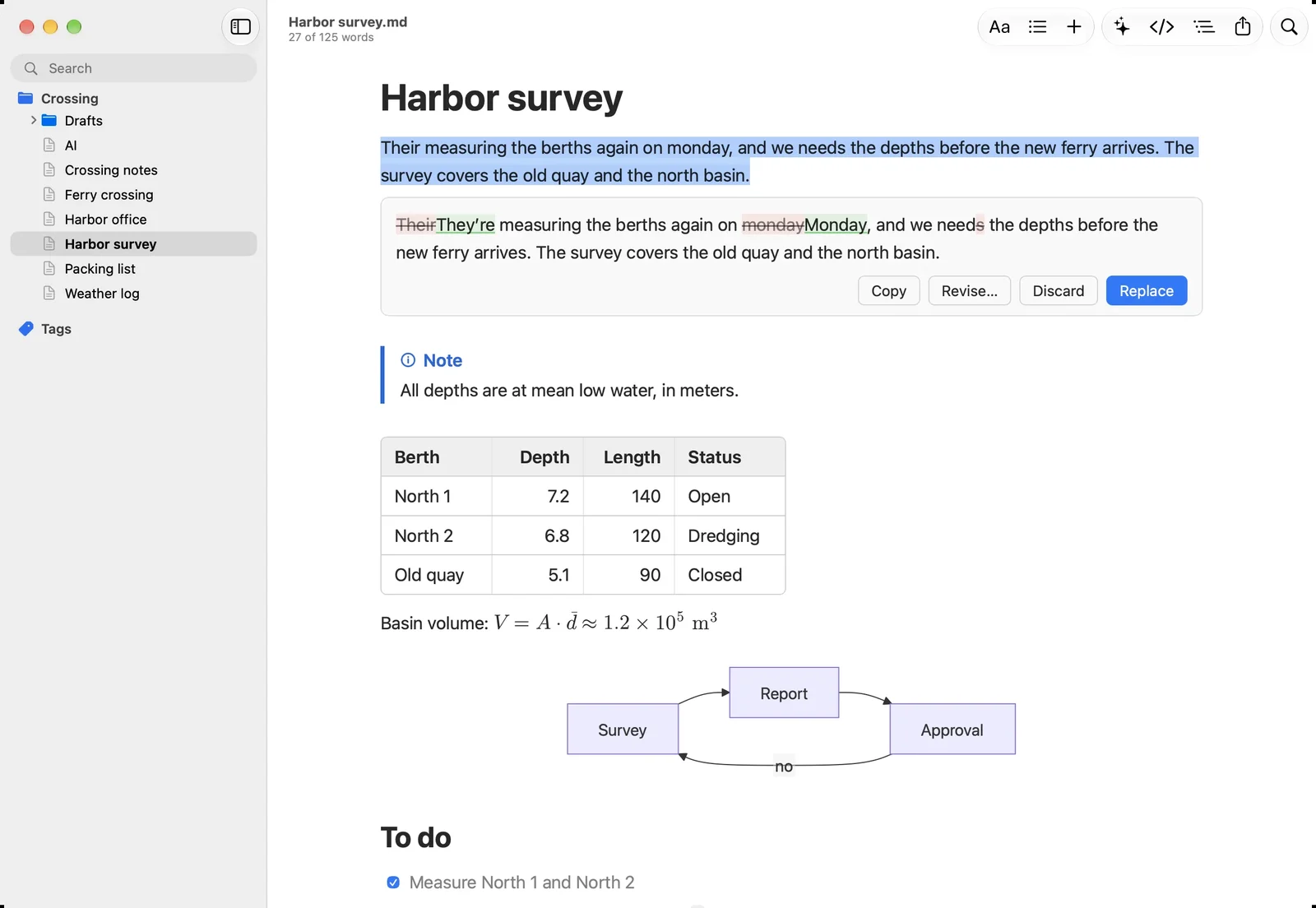
Live deal · confirmed by the maker Black Friday price: $9.99 instead of $14.99, one-time for up to 3 Macs with every 1.x update. Through November 30, 2026, Pacific Time. The official buy page lists $14.99 as the lowest price before this offer. maker’s announcementWhat Glifa looks likeImage from Glifa's official site
Get deal alerts by email
We send a weekly email in November with the Black Friday 2026 deals makers have confirmed. Free, unsubscribe anytime.
What does it do?
Built for Apple silicon Macs, Glifa renders each Markdown line as a finished page once the cursor leaves it, and the raw Markdown comes back when you click into the line again. It handles tables edited in their cells, TeX math, Mermaid diagrams, callouts, footnotes and wikilinks. Selecting text and pressing Shift-Command-R opens a prompt where you can request a table, a chart, a summary or a rewrite; the proposal appears with each change marked and is applied only when you click Replace.
Who is it for?
Mac writers who keep notes, documentation or drafts as plain Markdown files, including Obsidian vault users, and who want optional AI help without paying a monthly fee to an editor company.
When would you use it?
- Turning rough notes into structure: Select a list of figures or meeting notes, press Shift-Command-R, and request a table, a flowchart or the main points, then review the marked proposal before accepting it.
- Checking edits made by an agent: If Claude Code, Codex or any script edits a note you have open, Glifa highlights each change so you can accept or reverse them individually.
- Exporting a finished document: Check page breaks in Page Preview, then export to PDF with an outline, or to HTML, Word, RTF, or any format Pandoc can write if it is installed.
Why pay for it?
Glifa runs no AI servers of its own. Requests travel from the Mac straight to whichever provider you select: an API key for Anthropic, OpenAI or Gemini, an existing Claude Code or Codex sign-in, or a local model through Apple Intelligence, LM Studio or Ollama. AI can be switched off completely, and documents stay ordinary Markdown files on disk.
What should you know?
- Until the end of November 30, 2026 (Pacific), Glifa costs $9.99 rather than $14.99, and the buy page says $14.99 was the lowest price offered before this sale.
- One payment covers up to 3 Macs plus all 1.x updates through Paddle checkout, and a 15-day trial works without an account or card.
- Apple silicon and macOS 15 or newer are required, and API keys sit in the macOS Keychain.
A look inside Glifa
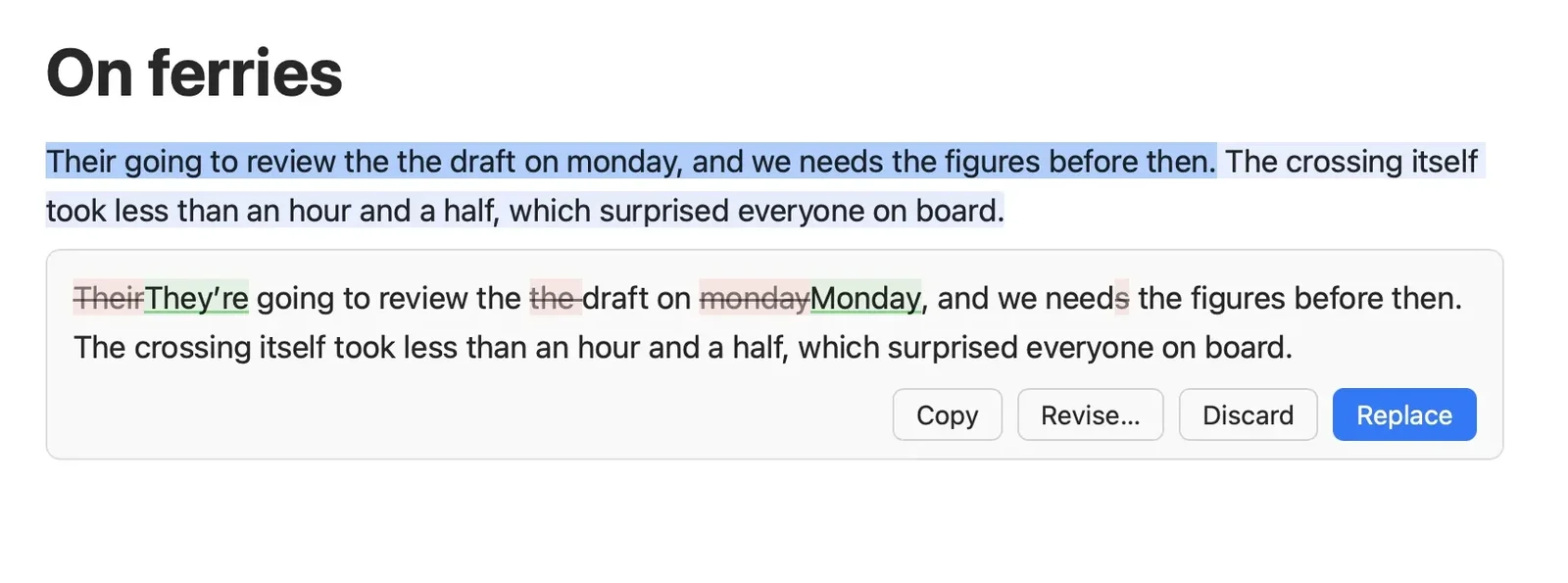
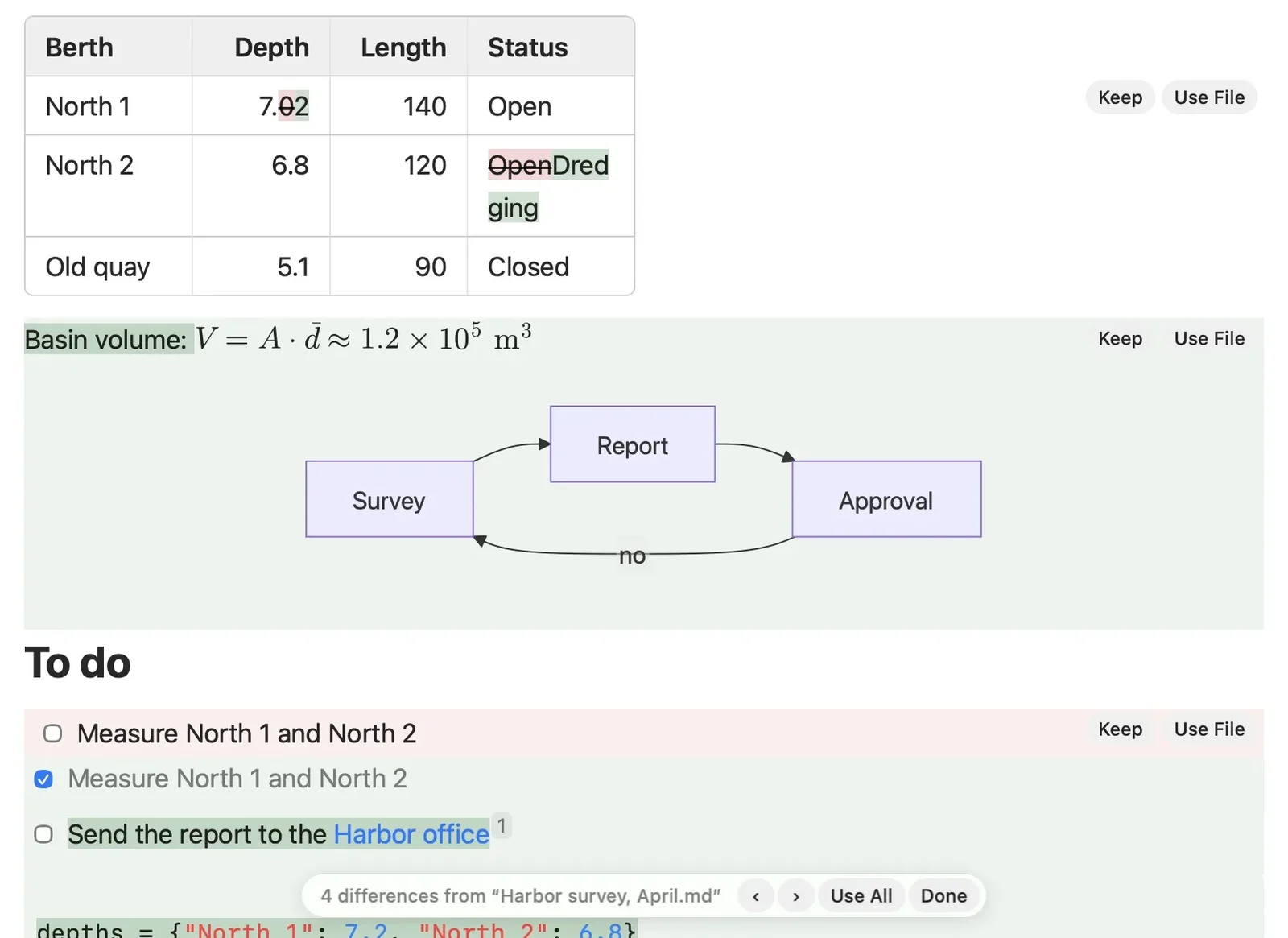
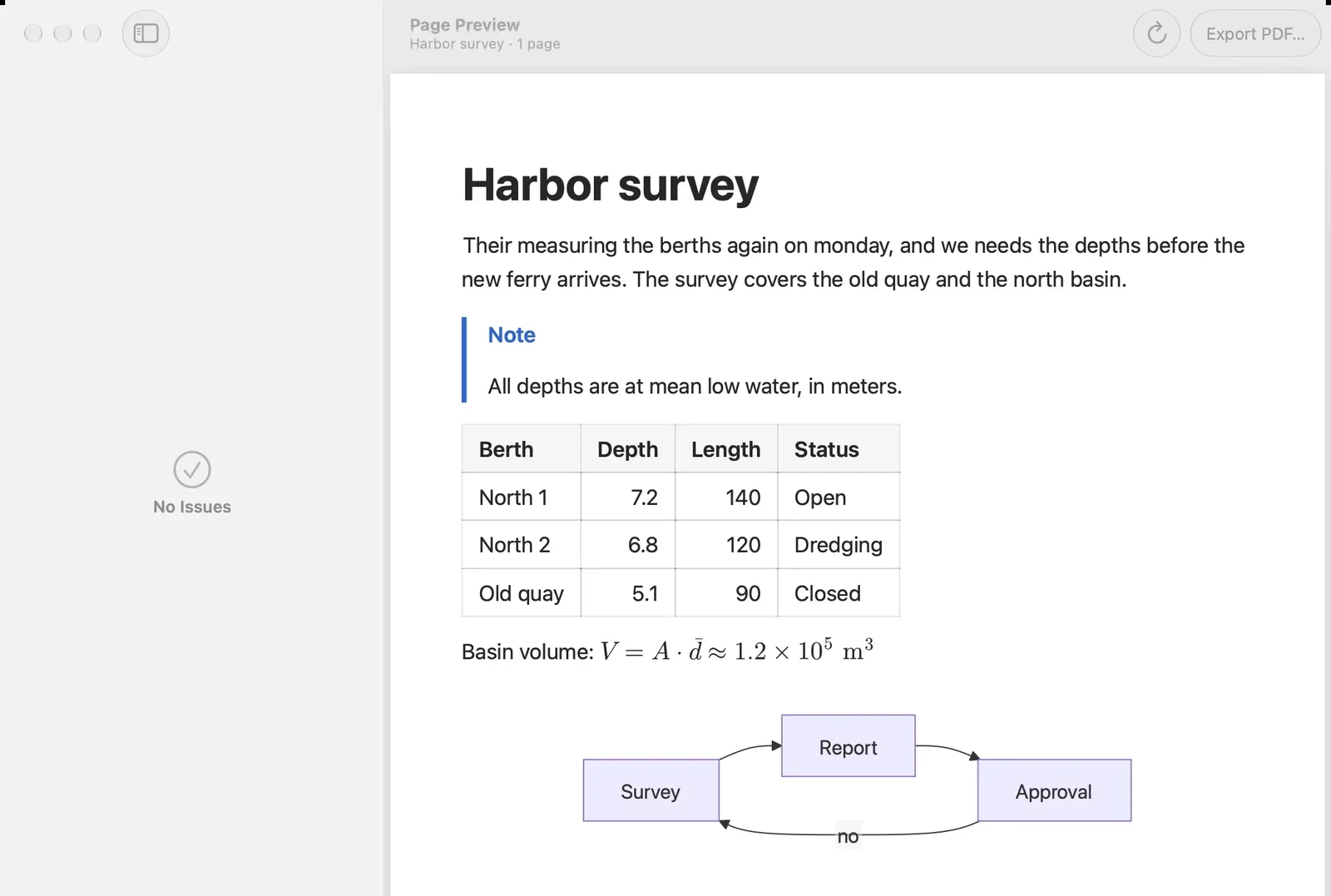
Images from glifa.app.
Prices and codes change. Last year's codes may no longer work — always confirm on the maker's site. Are you the maker? Send us your 2026 deal — listing is free.
Similar deals
- Sussurro Whisper Speech to Text — Private on-device Whisper transcription for Mac, iPhone and iPad with a one-time unlock.
- MacWhisper — Local Mac transcription with Whisper models, meeting capture and system dictation tools.
- ScreenVerb — AI screenshot app for Mac, iPhone and iPad: capture a window or region, pick an AI…
- Typoly — Fix typos and grammar in any Mac app in place with one key, across fifteen languages.
- Jot — Capture selected text, screenshots or dictation on a Mac with a double Shift tap, saved…
- Monologue — Speak into any app, save voice notes, and capture meetings with no guest bot.
Glifa deal history
| Year | Offer | Dates | Source |
|---|---|---|---|
| 2026 | Black Friday price: $9.99 instead of $14.99, one-time for up to 3 Macs with every 1.x update. Through November 30, 2026, Pacific Time. The official buy page lists $14.99 as the lowest price before this offer. | Nov 30, 2026 | Confirmed by the maker (announcement) |
Similar apps to Glifa
- Marklet — Write Markdown on your Mac in a single clean pane, where formatting appears as you type and the file stays plain text. Free download Free download until Sep 2027. Any Mac that runs the direct build from getmarklet.com before then keeps a free license for good; the Mac App Store version of the same app is $2.99
- SmartInbox — Takes spam, phishing, and cold sales out of your Inbox in Apple Mail, decided by Apple Intelligence or a model you choose. Live deal 60% off until Tuesday, December 1, 2026. From loshadki.app, $2.00 instead of $4.99 with code BLACKFRIDAY26, one payment, for up to five Macs. On the App Store, $1.99 instead of $4.99, already lowered. An App Store purchase and a license from loshadki.app are separate.
- Pippin — A Mac to-do list that writes itself from the text on your screen, then sends that text to the AI you pick: ChatGPT, Claude or OpenRouter. Live deal $29 lifetime access instead of $59, no code needed (the price applies at checkout). Through December 2, 2026.
- ActionClip — A Mac utility that runs iPhone-style text actions on selected text, with a free tier of 30 actions a day and paid lifetime plans for unlimited use on 1, 3, or 10 Macs. Live deal Black Friday lifetime plans: Individual $9 (1 Mac), Family $15 (up to 3 Macs), Team $29 (up to 10 Macs), through November 29, 2026, 23:59 UTC. Pay once, no subscription. A free download covers 30 actions a day.
- DuoTyping — An AI writing companion that rewrites or checks text where you type, on the Mac, Windows, and in Chrome or Edge. It can use the DuoTyping Engine or your own OpenAI, Anthropic, Google, or custom keys; the text you send goes to that AI service. Live deal 50% off the first Pro payment with code BFCM2026 (monthly $9.90 → $4.95, yearly $89.90 → $44.95). Through December 13, 2026.
- Marked 2 — Live Markdown preview that refreshes whenever you save inside your usual editor. Awaiting this year's deal; 2025 offer (unconfirmed): 50% off in the Unclutter Editors' Choice Black Friday bundle ($14 → $7)
More in Mac app (543 apps) · More in Writing (42 apps) · More in AI (102 apps) · When Mac app Black Friday sales start
FAQ
Is Glifa on sale for Black Friday 2026?
Yes. The maker has confirmed a Black Friday 2026 deal: Black Friday price: $9.99 instead of $14.99, one-time for up to 3 Macs with every 1.x update. Through November 30, 2026, Pacific Time. The official buy page lists $14.99 as the lowest price before this offer.. It runs until Nov 30, 2026. Confirmed directly by the maker (last checked Nov 20, 2026).
Does Glifa have a lifetime or one-time price?
Yes. Glifa is a one-time purchase for up to 3 Macs and includes every 1.x update, per the maker's pricing page. Check the maker's site for current pricing.
What platforms does Glifa run on?
Glifa is listed for Mac.
Compare alternatives: Typoly alternatives · Jot alternatives
See also: AI apps Black Friday deals · Mac Black Friday 2026 deals.
For makers: add this badge
Optional. Copy this HTML to add a “Listed on IndieMarkdowns” badge that links to this deal page. It is never a condition of the listing.
A dark version uses https://indiemarkdowns.com/badge/listed-dark.svg. The older /badge/featured-light.svg and /badge/featured-dark.svg URLs work too.