
DuoTyping Black Friday 2026 deal
DuoTyping has a confirmed Black Friday 2026 deal: 50% off the first Pro payment with code BFCM2026 (monthly $9.90 → $4.95, yearly $89.90 → $44.95). Through December 13, 2026. Checked against the maker's page; listing last checked Nov 16, 2026. Black Friday 2026 is Nov 27 and Cyber Monday is Nov 30.
| Status | Confirmed for Black Friday 2026 |
|---|---|
| Discount | 50% off |
| Code | BFCM2026 |
| Ends | Dec 13, 2026 |
| Last checked | Nov 16, 2026 |
See also: DuoTyping alternatives for Mac · Black Friday 2026 Mac app deals
An AI writing companion that rewrites or checks text where you type, on the Mac, Windows, and in Chrome or Edge. It can use the DuoTyping Engine or your own OpenAI, Anthropic, Google, or custom keys; the text you send goes to that AI service.
Deal status
Live deal · verified on the maker's site 50% off the first Pro payment with code BFCM2026 (monthly $9.90 → $4.95, yearly $89.90 → $44.95). Through December 13, 2026. maker’s announcementWhat DuoTyping looks likeImage from DuoTyping's official site
Get deal alerts by email
We send a weekly email in November with the Black Friday 2026 deals makers have confirmed. Free, unsubscribe anytime.
What does it do?
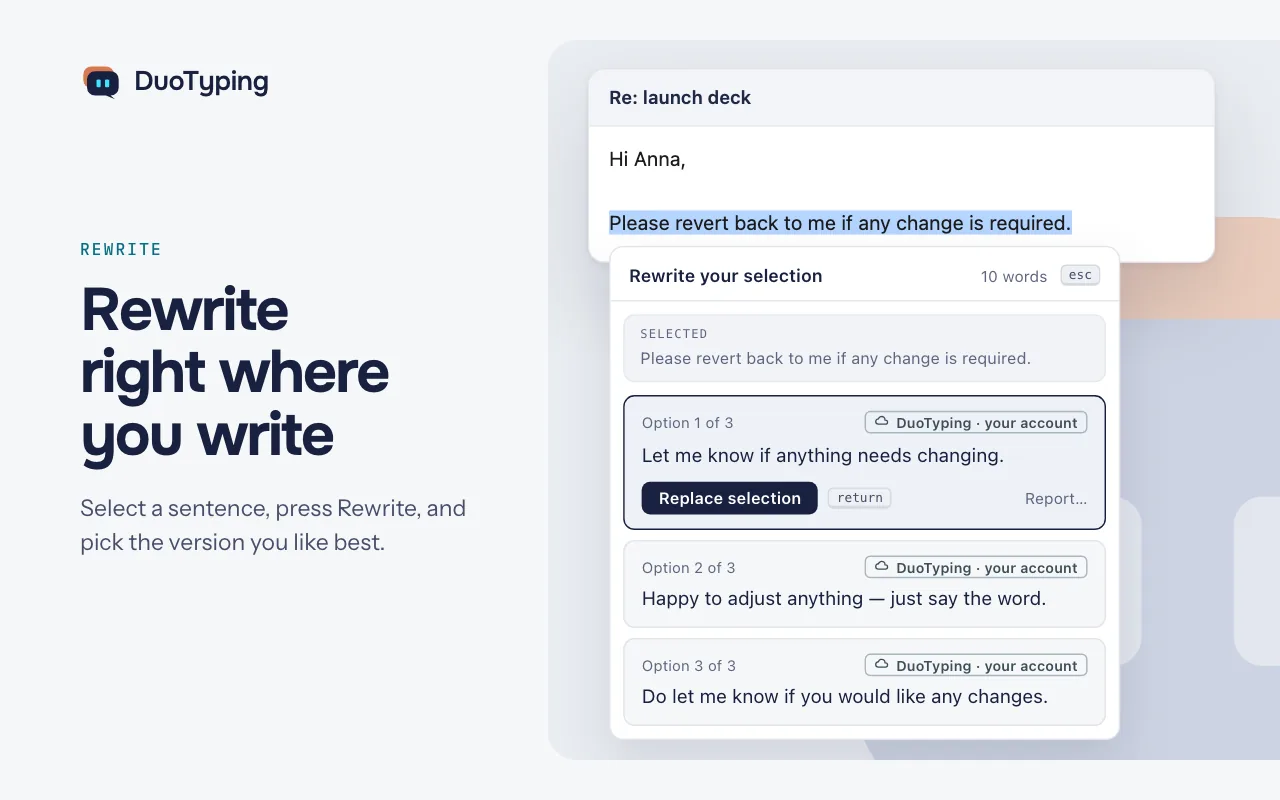
Writing help follows you across apps with DuoTyping, an AI companion for Mac, Windows, Chrome, Edge and the web. It underlines grammar mistakes as you type, rewrites sentences for tone or clarity, translates in both directions, explains confusing passages and predicts the next words. Every change is offered as a suggestion you accept or skip.
Who is it for?
Non-native English writers such as freelancers, students, researchers, developers and support agents who write for clients or teachers in English every day.
When would you use it?
- Replying to a client: Draft the answer in your own language, translate it into natural English, and fix the remaining grammar with one click on each underline.
- Reading a dense source: Ask for a simple explanation or summary of a technical paragraph without pasting it into a separate chatbot tab.
- Softening a message: Turn a blunt payment reminder into a politer version with the rewrite option before sending it.
- Answering reviewers: Turn rough notes about a reviewer's comment on your paper into a polite, complete reply that explains what you changed.
Why pay for it?
Having grammar checks, translation and rewrites in one place saves the back-and-forth between a translator, a grammar tool and an AI chat. Checks have no daily limit on any plan, and a bring-your-own-key option on Mac and Windows removes DuoTyping's limits entirely.
What should you know?
- On a Mac it needs macOS 14 or later on Apple silicon or Intel, and the Windows app needs Windows 10 22H2 or Windows 11 24H2 or later.
- A free account includes unlimited checks, while Pro costs US$9.90 a month or US$89.90 a year and raises the daily allowance for rewrites, translations and questions.
- With your own AI key in the desktop apps, DuoTyping imposes no limits and your AI service bills you directly.
- The maker advises against pasting anything private into the checker.
A look inside DuoTyping
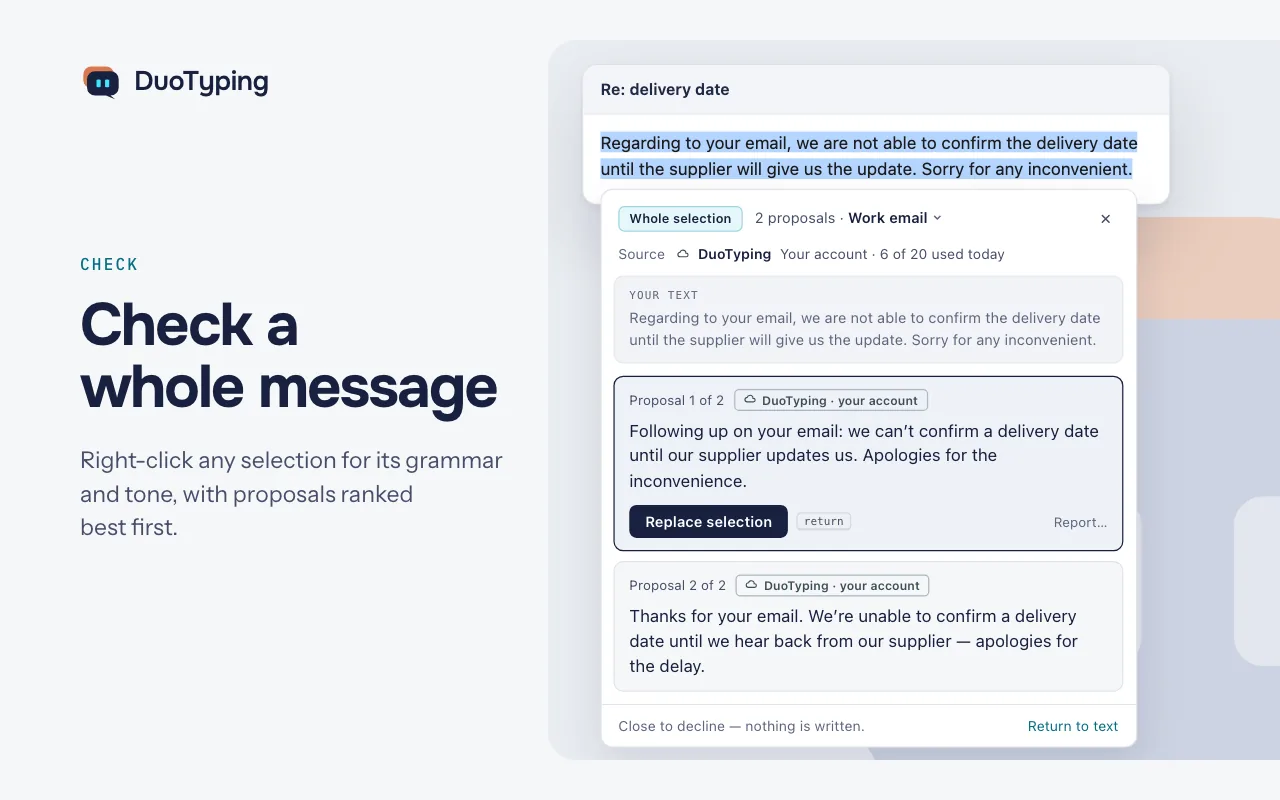
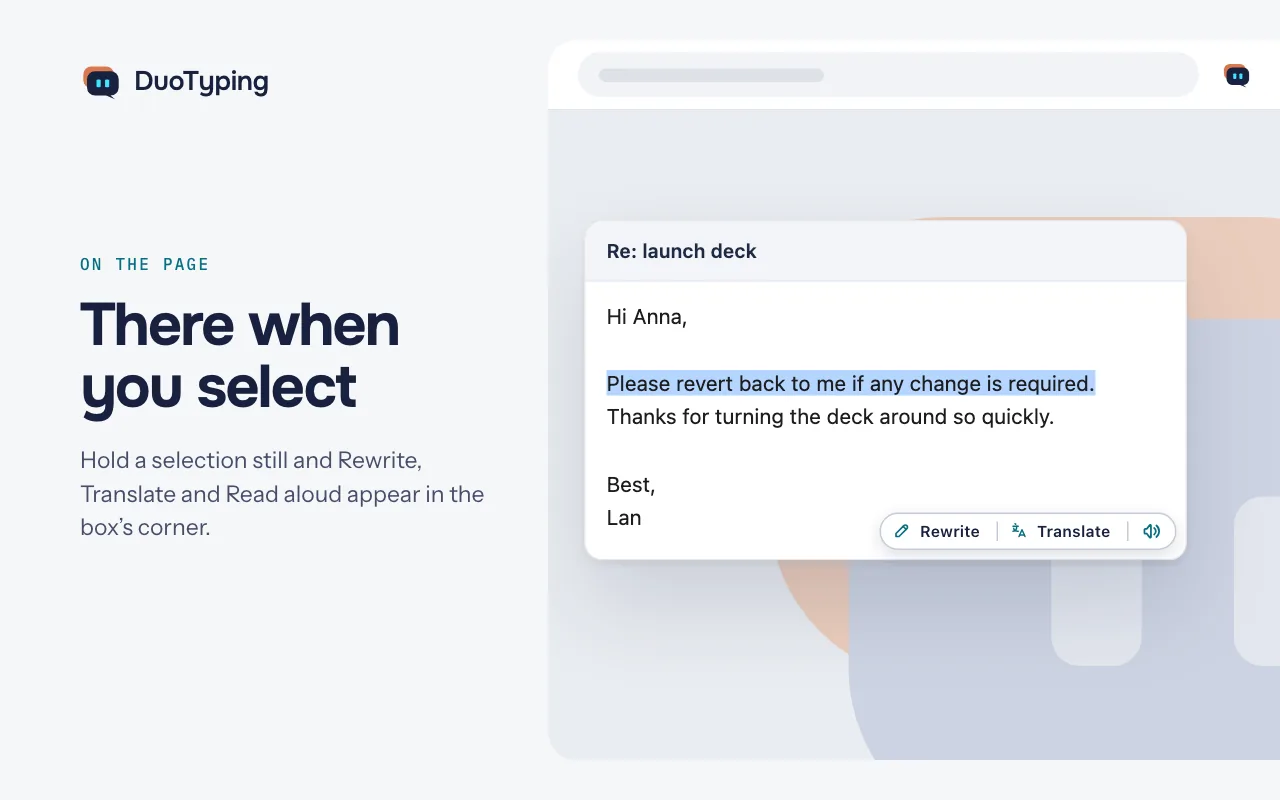
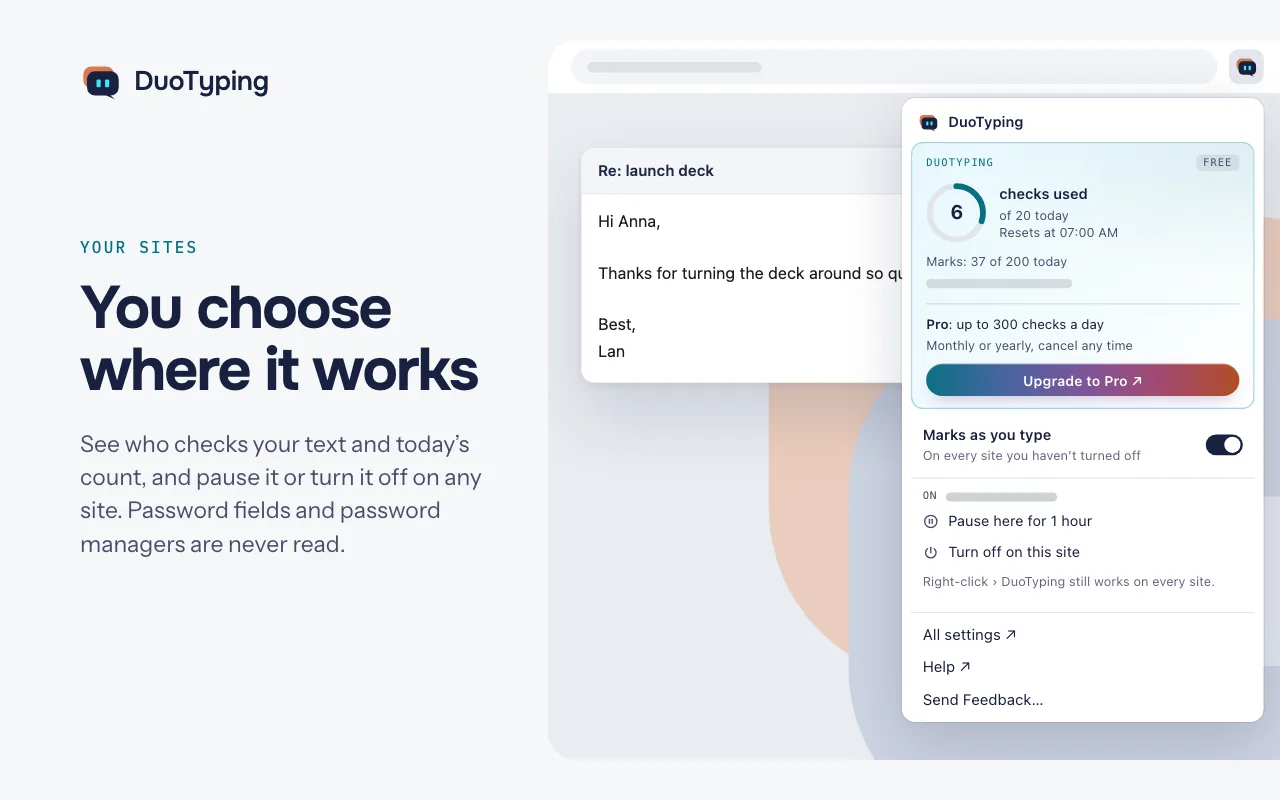
Official stills from the DuoTyping Chrome Web Store listing (extension id eldkfheijiolifmamkighbkdmclfidkg).
Prices and codes change. Last year's codes may no longer work — always confirm on the maker's site. Are you the maker? Send us your 2026 deal — listing is free.
DuoTyping alternatives for Mac
Similar deals
- Enconvo — An AI assistant for your Mac that sees what's on screen, works inside your apps and…
- Unclutter — Pull-down Mac panel for mid-task files, scratch notes and clipboard history items.
- Smolpad — Write Markdown notes on Mac, iPhone, iPad and Watch, with each note saved as an…
- Watchflows — A Mac automation app in the style of n8n: build flows that run on your Mac, with…
- Speakmac — Offline Mac dictation and bot-free meeting transcripts that keep audio on your machine.
- Notepad.exe — Open a blank note on your Mac, write a few lines in your favorite language and run them…
DuoTyping deal history
| Year | Offer | Dates | Source |
|---|---|---|---|
| 2026 | 50% off the first Pro payment with code BFCM2026 (monthly $9.90 → $4.95, yearly $89.90 → $44.95). Through December 13, 2026. | Dec 13, 2026 | Verified on the maker's site (announcement) |
Similar apps to DuoTyping
- AtAt — Type @@ in any Mac text field to send on-screen context to Claude Code, Codex, Ollama or your own API key. Live deal Black Friday pricing from Nov 24 until Dec 1, 2026 (11:59 PM PT), applied at checkout: Lifetime $89 instead of $169 (one-time), or Yearly $39 for the first year instead of $59.
- SimpleFill — A browser extension for text expansion, AI actions and form filling in Chrome, Firefox and Edge. Live deal 25% off SimpleFill Standard and Pro with code LAUNCH, at checkout on simplefill.app: Standard $21.75 instead of $29, Pro $44.25 instead of $59, one-time. The code does not apply to the Safari version on the Mac App Store. Nov 10 to Dec 7, 2026
- TypeBoost — Personal AI writing toolkit for Mac and iOS that runs inside the apps where you type. Live deal 50% off the first year of the yearly plan with code TYPEBOOST50 ($30 instead of $60), or 25% off the monthly plan for the first 3 months with code TYPEBOOST25 ($6 instead of $8). Nov 23 to Nov 30, 2026, on the TypeBoost website only (not the App Store).
- Marklet — Write Markdown on your Mac in a single clean pane, where formatting appears as you type and the file stays plain text. Free download Free download until Sep 2027. Any Mac that runs the direct build from getmarklet.com before then keeps a free license for good; the Mac App Store version of the same app is $2.99
- ProfileLauncher — Opens Safari, Chrome, Edge, Brave, and Firefox profiles from the menu bar, a keyboard shortcut, or Spotlight. Live deal 60% off until Tuesday, December 1, 2026: $2.00 instead of $4.99 from loshadki.app with code BLACKFRIDAY26, one payment, for up to five Macs. The maker's newsletter did not list an App Store price.
- HyperWhisper — Offline-capable speech-to-text for Mac, Windows and Linux with your own keys or credits. Awaiting this year's deal; 2025 offer (unconfirmed): 50% OFF Lifetime BLACKFRIDAY2025
More in Mac app (525 apps) · More in Writing (39 apps) · More in AI (100 apps) · When Mac app Black Friday sales start
FAQ
Is DuoTyping on sale for Black Friday 2026?
Yes. The maker has confirmed a Black Friday 2026 deal: 50% off the first Pro payment with code BFCM2026 (monthly $9.90 → $4.95, yearly $89.90 → $44.95). Through December 13, 2026.. It runs until Dec 13, 2026. Last checked against the maker's page: Nov 16, 2026.
What platforms does DuoTyping run on?
DuoTyping is listed for Mac, Windows, Browser and Web.
Compare alternatives: Unclutter alternatives · Smolpad alternatives
See also: AI apps Black Friday deals · Mac Black Friday 2026 deals.
For makers: add this badge
Optional. Copy this HTML to add a “Listed on IndieMarkdowns” badge that links to this deal page. It is never a condition of the listing.
A dark version uses https://indiemarkdowns.com/badge/listed-dark.svg. The older /badge/featured-light.svg and /badge/featured-dark.svg URLs work too.