WELTEN Black Friday 2026 deal
WELTEN has a confirmed Black Friday 2026 deal: Black Friday sale: the one-time license is €14.99 instead of €24.99, until November 30, 2026, 11:59 PM PT. Confirmed to us directly by the maker, listing last checked Nov 14, 2026. Black Friday 2026 is Nov 27 and Cyber Monday is Nov 30.
| Status | Confirmed for Black Friday 2026 |
|---|---|
| Ends | Nov 30, 2026 |
| Last checked | Nov 14, 2026 |
See also: Black Friday 2026 Mac app deals
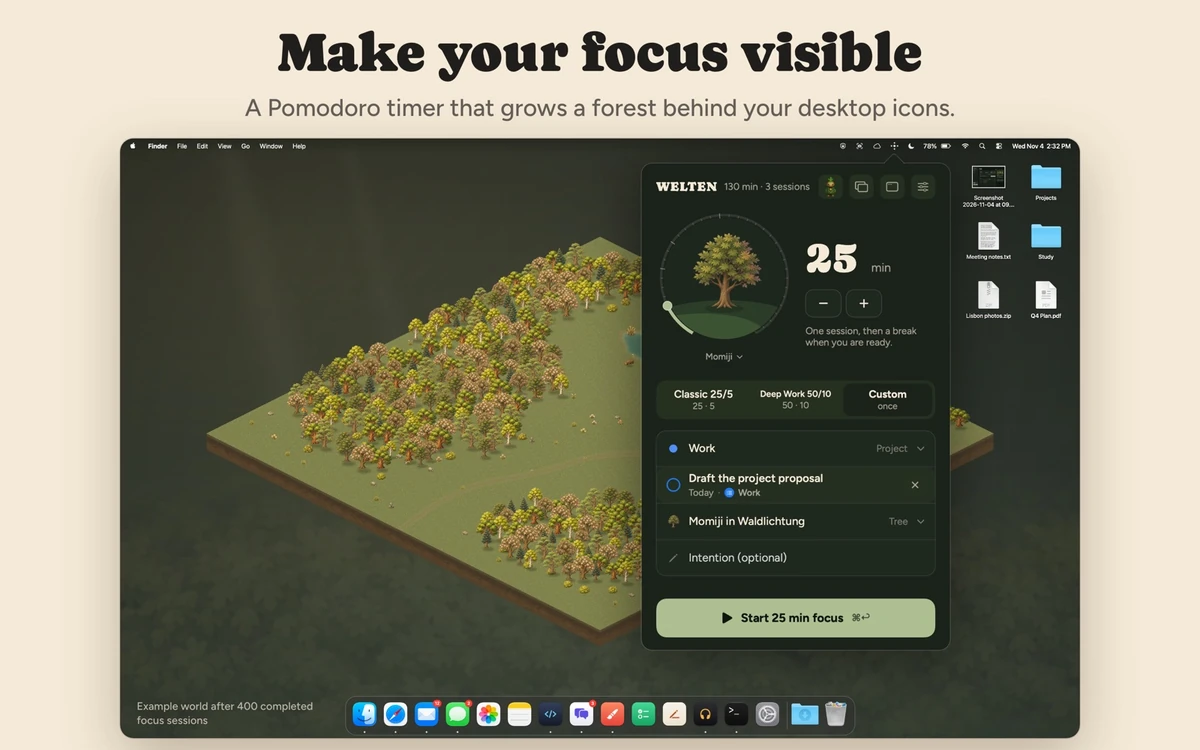
A Mac focus and Pomodoro timer that grows a forest behind your desktop icons. Every completed session plants a lasting tree.
Deal status
Live deal · confirmed by the maker Black Friday sale: the one-time license is €14.99 instead of €24.99, until November 30, 2026, 11:59 PM PT maker’s announcementWhat WELTEN looks likeImage from WELTEN's App Store
Get deal alerts by email
We send a weekly email in November with the Black Friday 2026 deals makers have confirmed. Free, unsubscribe anytime.
What does it do?
Finished focus sessions grow into trees with WELTEN, a Pomodoro timer for the Mac. Each completed session plants a tree in a forest drawn behind your desktop icons, so your wallpaper stays and your progress stays visible. It runs from the menu bar and can pull a task from Apple Reminders.
Who is it for?
People who work in timed focus blocks on a Mac and find a visible reward, rather than a streak counter, keeps them coming back to the timer.
When would you use it?
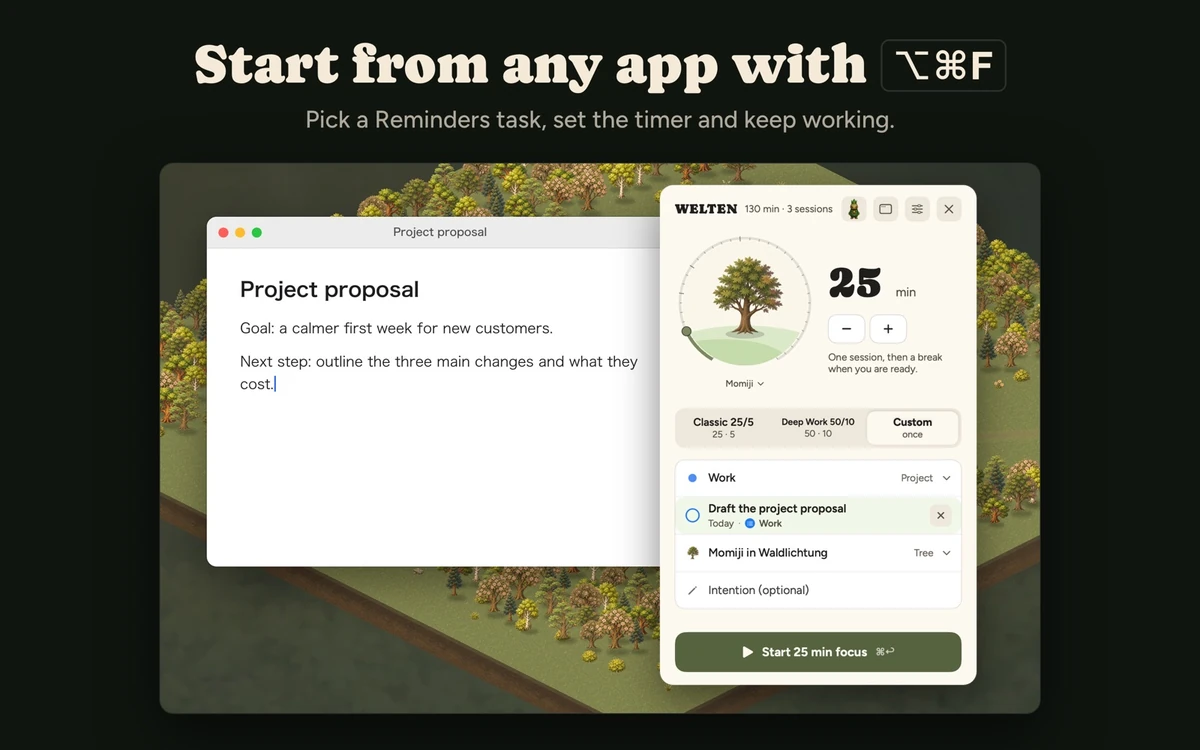
- Starting a block without leaving your work: Press Option-Command-F in any app to open Quick Focus, pick a length and project, and the panel gets out of the way.
- Working through a to-do list: Link a task from Apple Reminders to the session and tick it off from the timer when the session ends.
- Blocking distractions: Let WELTEN switch on Do Not Disturb or another macOS Focus when a session starts and turn it off on breaks.
- Masking a noisy room: Play forest sounds, white, pink or brown noise, or your own Spotify or YouTube audio, timed to follow the session.
Why pay for it?
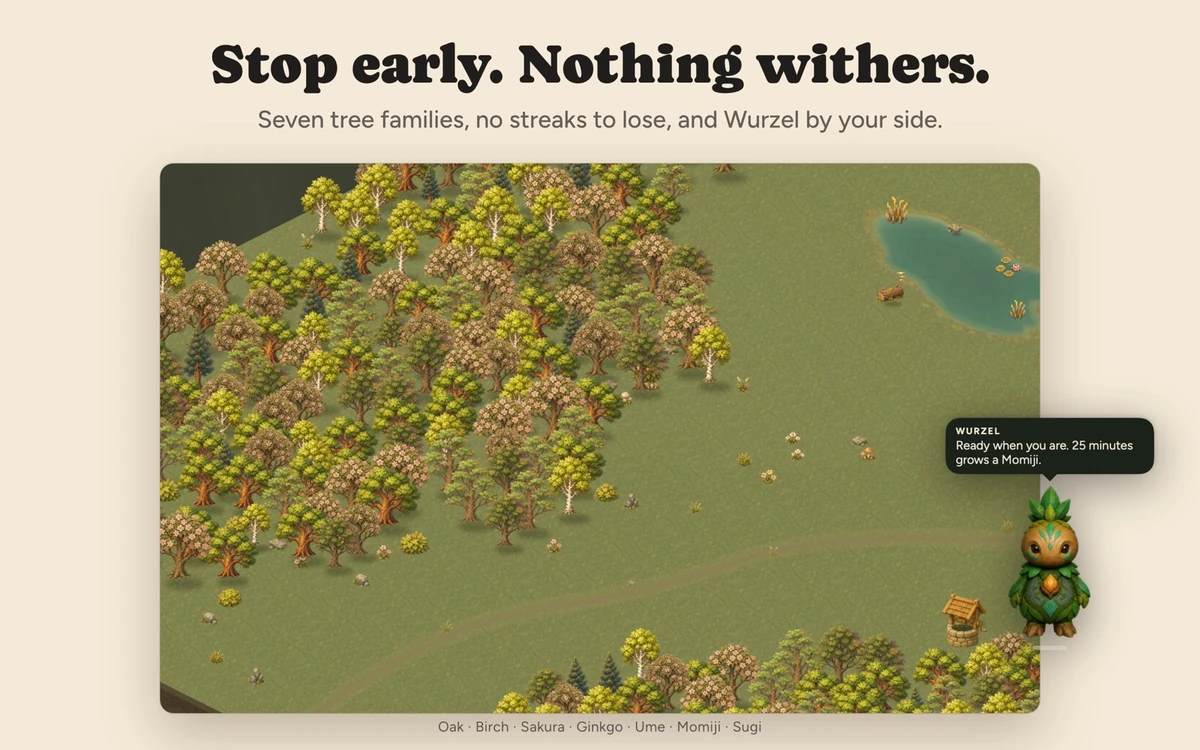
Seeing a forest fill in behind your icons is a gentle reason to finish one more session, and nothing withers if you take days off. Routines, project tracking and Reminders links make it a practical timer, and sessions, projects and the forest are stored locally without any sign-up.
What should you know?
- Requires macOS 14 or later on an Apple silicon Mac.
- The first 10 completed sessions are free with no account or payment details, after which the app costs 14.99 euros, paid once.
- Focus length can be set anywhere from 1 to 180 minutes, and routines save your breaks and rounds.
- After 500 finished sessions a forest is archived as a chapter and a new one starts.
A look inside WELTEN
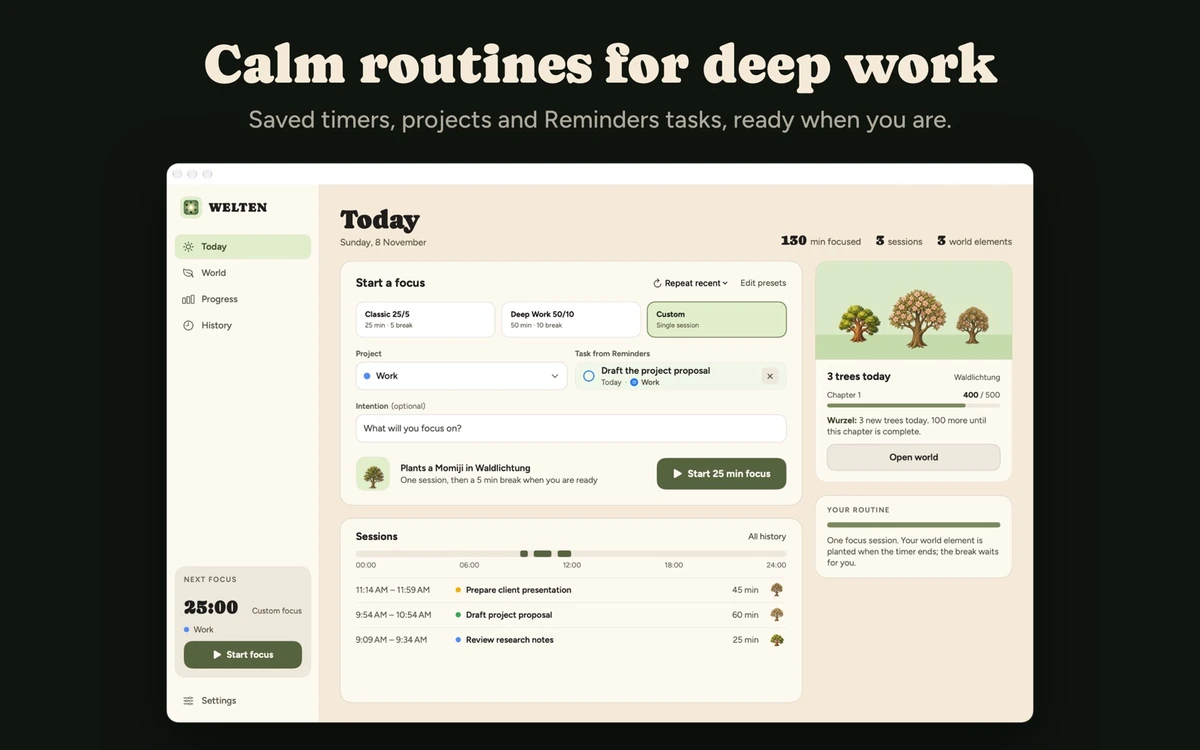
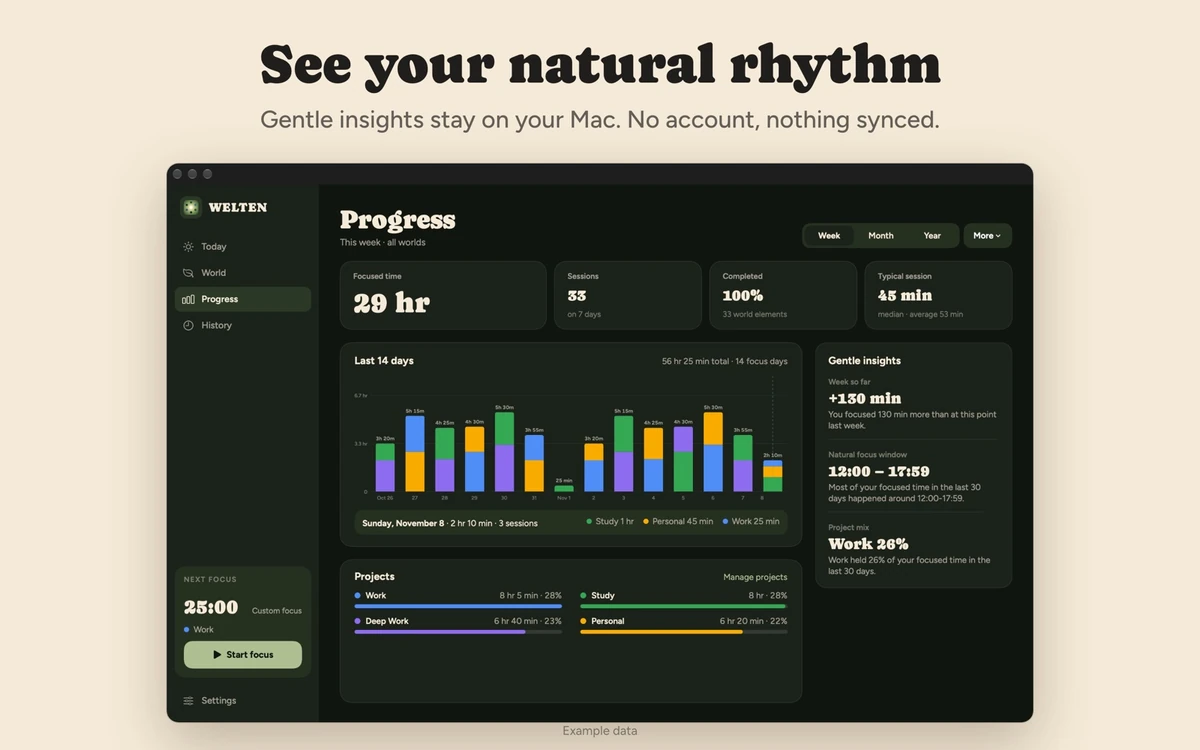
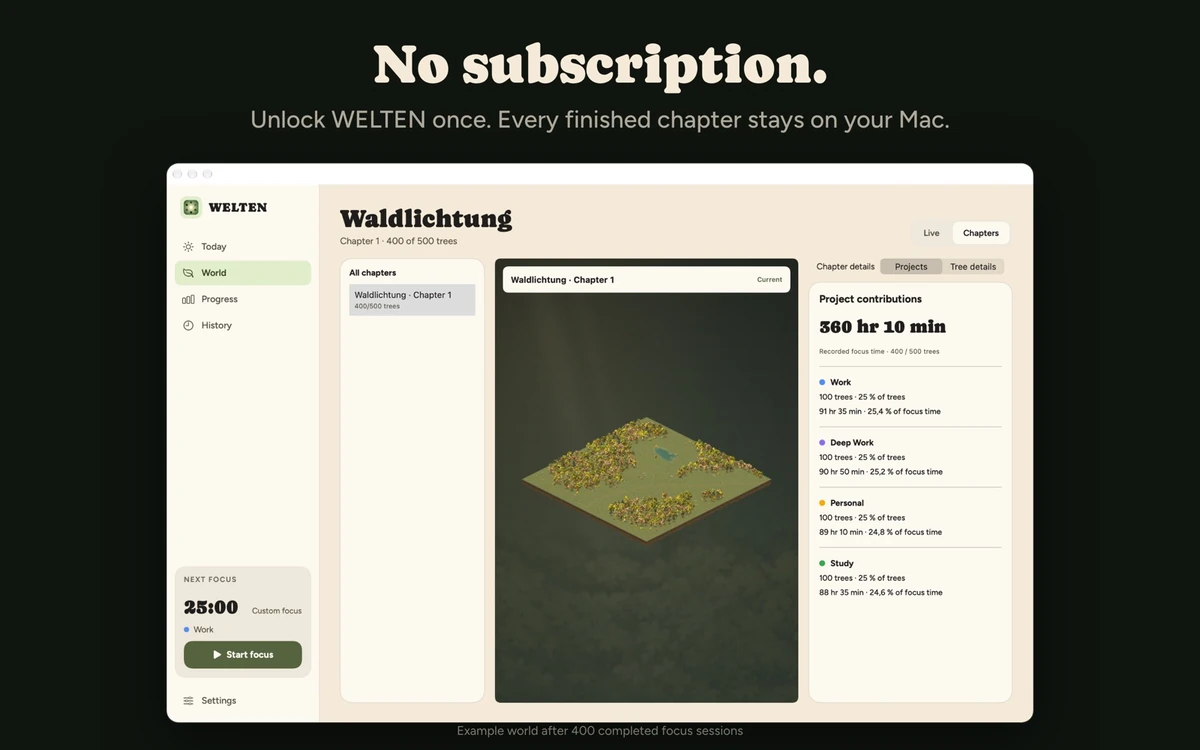
Images from WELTEN's App Store.
Prices and codes change. Last year's codes may no longer work — always confirm on the maker's site. Are you the maker? Send us your 2026 deal — listing is free.
Similar deals
- PastePal — Clipboard history on Mac, iPhone and iPad with private iCloud sync and a one-time…
- Typoly — Fix typos and grammar in any Mac app in place with one key, across fifteen languages.
- DockMagic — A customizable second Dock for macOS, with widgets and Dock profiles that sit alongside…
- Chronos Planner — Plan each Mac day in morning, afternoon and evening sections with a full notes editor.
- Remotr — Turns a Mac into an RDP server, so Windows Remote Desktop or the Windows App can…
- File Cabinet Pro — Menu bar file manager for Mac that opens, moves, renames and tags files fast.
WELTEN deal history
| Year | Offer | Dates | Source |
|---|---|---|---|
| 2026 | Black Friday sale: the one-time license is €14.99 instead of €24.99, until November 30, 2026, 11:59 PM PT | Nov 30, 2026 | Confirmed by the maker (announcement) |
Similar apps to WELTEN
- TimeGo Clock — Lightweight Mac focus timer with a menu-bar countdown and custom timer groups. Live deal 50% off on the Mac App Store, no code needed: $1.99 instead of $3.99. Nov 20 to Dec 6, 2026 (ends 11:59 PM PT).
- Umbraa — A Mac menu bar app that dims every display below the system minimum, with warm or red color modes and a sleep timer that fades the screen to black. Live deal 50% off, Nov 20 to 30, 2026
- Focusito: Pomodoro Focus Timer — Quiet Mac Pomodoro timer with LoFi sounds, project tags and focus session history. Awaiting this year's deal; 2025 offer (unconfirmed): 50% OFF Lifetime
- Pomotto — Mac Pomodoro timer that turns on Do Not Disturb while you focus and chimes for breaks. Awaiting this year's deal; 2025 offer (unconfirmed): 30% off in the AppStore (already applied) - Pay Once Own Forever
- DeskMat — Cover Mac desktop icons and widgets for a clean share or a focused work session. Awaiting this year's deal; 2025 offer (unconfirmed): 50-77% off during the Eternal Storms Black Friday 2025 sale (30% of proceeds to
- TimeWave - Timer Chains — Chain sequential timers for workouts, focus blocks, cooking steps, and breathing drills. Awaiting this year's deal; 2025 offer (unconfirmed): 50% OFF Lifetime Family Purchase between Nov 28 and Dec 3.
More in Mac app (525 apps) · More in Productivity (245 apps) · More in Utilities (174 apps) · When Mac app Black Friday sales start
FAQ
Is WELTEN on sale for Black Friday 2026?
Yes. The maker has confirmed a Black Friday 2026 deal: Black Friday sale: the one-time license is €14.99 instead of €24.99, until November 30, 2026, 11:59 PM PT. It runs until Nov 30, 2026. Confirmed directly by the maker (last checked Nov 14, 2026).
Does WELTEN have a lifetime or one-time price?
One-time purchase. First 10 focus sessions are free. No subscription, per the maker's pricing page. Check the maker's site for current pricing.
What platforms does WELTEN run on?
WELTEN is listed for Mac.
Compare alternatives: TextSniper alternatives · Paste alternatives
See also: Utilities Black Friday deals · Mac Black Friday 2026 deals.
For makers: add this badge
Optional. Copy this HTML to add a “Listed on IndieMarkdowns” badge that links to this deal page. It is never a condition of the listing.
A dark version uses https://indiemarkdowns.com/badge/listed-dark.svg. The older /badge/featured-light.svg and /badge/featured-dark.svg URLs work too.