
| Status | Confirmed for Black Friday 2026 |
|---|---|
| Discount | 50% off |
| Code | SNAPAPPBF26; some options need no code |
| Ends | Dec 1, 2026 |
| Last checked | Nov 25, 2026 |
See also: SnapApp alternatives for Mac · Black Friday 2026 Mac app deals
Capture a region on your Mac, mark it with arrows or blur, and copy a PNG in one step.
Deal status
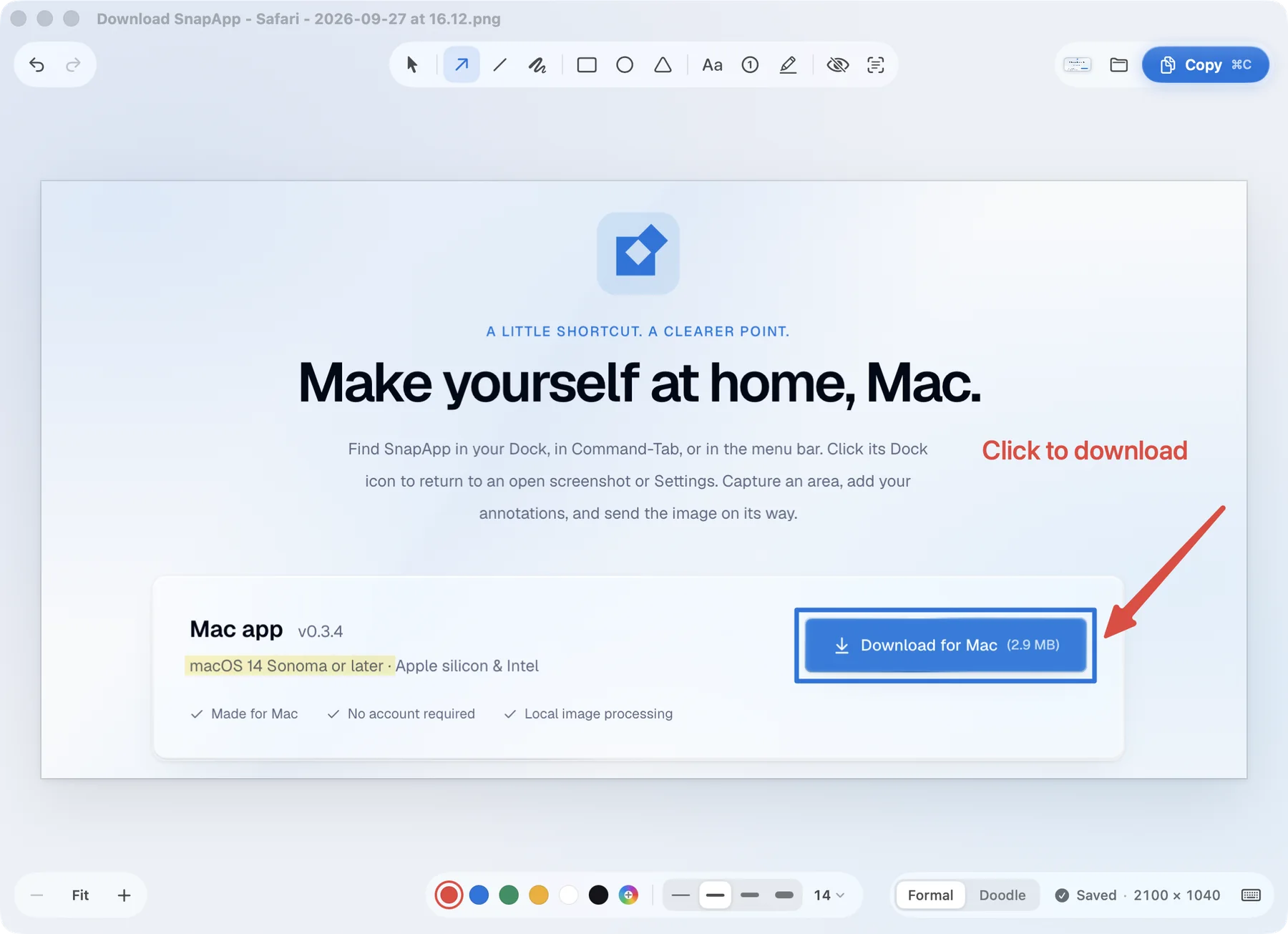
Live deal · verified on the maker's site On the website, monthly Pro is $1.45 a month for the first 12 months, then $2.90 a month (usually $2.90). Yearly is $14.50 for the first year, then $29 a year (usually $29). Lifetime is $44.50 instead of $89, one payment. The site applies the code SNAPAPPBF26 at checkout automatically, with nothing to type. The website offer is for first-time buyers of the version downloaded from this site. In the Mac App Store, Pro Lifetime is $44.99 instead of $89 starting November 24, with no code; buy it inside the free app. That store window closes at the same moment as the site sale. Prices are in US dollars; the App Store shows local currency. Ends at 11:59 pm Pacific. maker’s announcementWhat SnapApp looks likeImage from SnapApp's official site
Get deal alerts by email
We send a weekly email in November with the Black Friday 2026 deals makers have confirmed. Free, unsubscribe anytime.
What does it do?
A menu-bar snipping utility for macOS lets you freeze the display, drag a region, and open that cut in an editor. Arrows, shapes and type can go on the image, and the canvas stretches if a mark runs past an edge. Each cut is written to a full-resolution PNG on the computer and can be placed on the clipboard in one click. Capture and basic markup stay free; paying Pro unlocks blur, a solid cover, text pulled from the image, and numbered steps.
Who is it for?
Support folks, designers and engineers who repeatedly clip a region, mark one control or hide a name, then paste the PNG into a chat or ticket with no account in the way.
When would you use it?
- A teammate asked where to click: Press the shortcut, drag around the window, put an arrow on the exact control, copy the PNG, and paste it into the thread.
- A screenshot has a name, email or token you do not want to share: Open Pro tools, blur or pixelate those details or cover a secret with a solid block, then copy the cleaned PNG.
- A short how-to would take a paragraph: Capture the form, stamp numbered steps on each control, add an arrow if needed, and send the image instead of writing it out.
Why pay for it?
Pro is half price until 11:59 at night on December 1, Pacific time, if you buy on snapapp.im. The monthly plan is a dollar forty-five each month for a year, then two dollars and ninety cents. The yearly plan is fourteen dollars and fifty cents in year one, then twenty-nine. A lifetime licence is forty-four fifty instead of eighty-nine, paid once. Checkout fills in SNAPAPPBF26 for you; that path is for a first purchase of the direct-download build. The Mac App Store has a separate lifetime cut: forty-four ninety-nine instead of eighty-nine, starting November 24 and ending December 1, with no code. Capture without Pro stays free, and no account is required.
What should you know?
- The copy on snapapp.im is version 0.3.23 and about 3.6 MB; Apple’s listing showed 0.3.24 when checked. It runs on Apple silicon and Intel once the system is macOS 14.
- O-mega’s policy, last updated November 19, 2026, says captures are processed on the device and screenshot pixels are not sent to their servers. PNGs land in a folder inside Pictures, or in a folder you pick. Update checks use HTTPS and do not upload images.
- The website sale applies to a first purchase of the direct-download build. Apple’s listing says that if you installed the Mac App Store app before Pro existed, every Pro tool stays free on that copy.
- The company behind the app is O-mega Enterprise, Inc. Privacy and terms live at snapapp.im/legal/privacy and /legal/terms. Mail support at hello@snapapp.im.
A look inside SnapApp
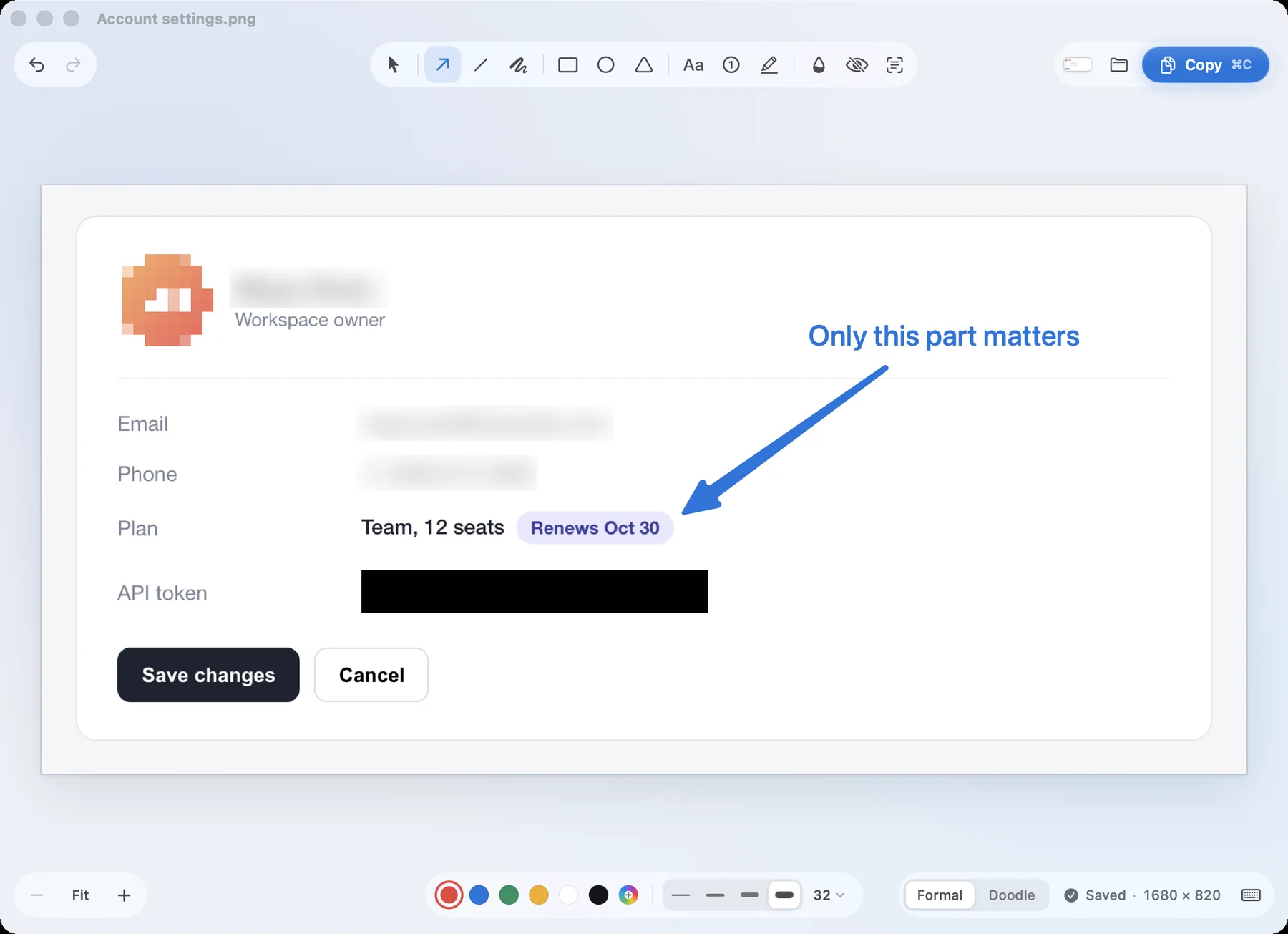
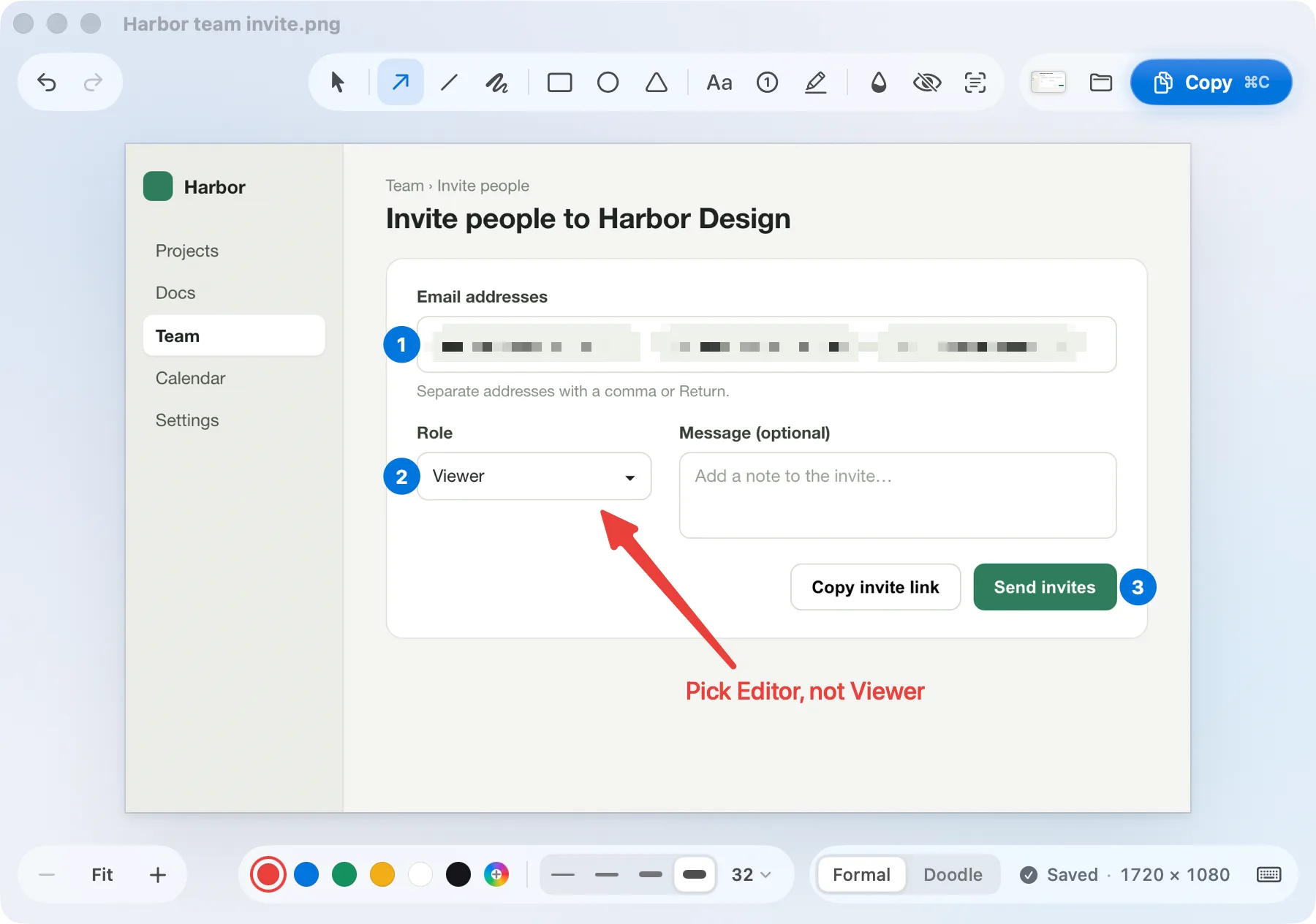
Images from SnapApp’s official site.
Prices and codes change. Last year's codes may no longer work — always confirm on the maker's site. Are you the maker? Send us your 2026 deal — listing is free.
Similar deals
- Yaptake — Cut talking-head videos on a Mac by deleting words from the transcript, with local…
- Chronoid — Track time across your Mac apps, websites and documents automatically, then turn it…
- TypeBoost — Personal AI writing toolkit for Mac and iOS that runs inside the apps where you type.
- Jot — Capture selected text, screenshots or dictation on a Mac with a double Shift tap, saved…
- LociMark — Pull bookmarks from every browser into one searchable library that stays on your Mac.
- Wins — Snap windows into place, preview them from the Dock and switch faster with a smarter…
SnapApp deal history
| Year | Offer | Dates | Source |
|---|---|---|---|
| 2026 | Black Friday through December 1, 2026 at 11:59 pm Pacific: 50% off SnapApp. On the website, monthly Pro is $1.45 a month for the first 12 months, then $2.90 a month (usually $2.90). Yearly is $14.50 for the first year, then $29 a year (usually $29). Lifetime is $44.50 instead of $89, one payment. The site applies the code SNAPAPPBF26 at checkout automatically, with nothing to type. The website offer is for first-time buyers of the version downloaded from this site. In the Mac App Store, Pro Lifetime is $44.99 instead of $89 starting November 24, with no code; buy it inside the free app. That store window closes at the same moment as the site sale. Prices are in US dollars; the App Store shows local currency. | Dec 1, 2026 | Verified on the maker's site (announcement) |
Similar apps to SnapApp
- Shotbolt — Capture, mark up and instantly find your Mac screenshots and recordings, with search that reads the words inside them. Live deal Shotbolt Pro $9.99 once instead of $19.99 (50% off) for one Mac, or $17.49 instead of $27.49 for two Macs, applied automatically at checkout. Until Dec 31, 2026
- Columnly — Mark the fields on one sample PDF, then pull matching invoices and statements into Excel or CSV offline. Live deal 25% off the one-time lifetime licence with code BLACKFRIDAY25: $9.74 instead of the $12.99 introductory price. Nov 19 to Nov 30, 2026
- Ratio — Work out bills, budgets and conversions in plain lines of text, with every step kept and answers updating as you type. Live deal 30% off with BLACKFRIDAY26, Nov 1 to Dec 1, 2026. One-time licenses; no sale price stated here.
- Zone Share — A Mac screen-sharing tool that can show a mirrored region in a preview window or as a virtual camera for meetings. Live deal 50% off with code C5R6CAJO, Nov 25 to Nov 30, 2026
- Shottr — Grab Mac screenshots, mark them up, read text from them, and capture long scrolling pages. Awaiting this year's deal; 2025 offer (unconfirmed): $9 for Black Friday 2025
- ScreenFloat for Mac — Capture, float, edit and file Mac screenshots in one workflow built for repeated reference. Awaiting this year's deal; 2025 offer (unconfirmed): 50% OFF from Nov 27th 2025 to December 1st, 2025 on the Mac App Store and Direct
More in Mac app (668 apps) · More in Productivity (290 apps) · More in Screen & video (82 apps) · Screenshot & screen recording deals guide
FAQ
Is SnapApp on sale for Black Friday 2026?
Yes. The maker's own site lists a Black Friday 2026 deal: Black Friday through December 1, 2026 at 11:59 pm Pacific: 50% off SnapApp. On the website, monthly Pro is $1.45 a month for the first 12 months, then $2.90 a month (usually $2.90). Yearly is $14.50 for the first year, then $29 a year (usually $29). Lifetime is $44.50 instead of $89, one payment. The site applies the code SNAPAPPBF26 at checkout automatically, with nothing to type. The website offer is for first-time buyers of the version downloaded from this site. In the Mac App Store, Pro Lifetime is $44.99 instead of $89 starting November 24, with no code; buy it inside the free app. That store window closes at the same moment as the site sale. Prices are in US dollars; the App Store shows local currency. It runs until Dec 1, 2026. Last checked against the maker's page: Nov 25, 2026.
Does SnapApp have a lifetime or one-time price?
Website lifetime is $44.50 once during the sale (usually $89). Mac App Store Pro Lifetime is $44.99 instead of $89 from November 24 to December 1. Monthly and yearly Pro plans are also 50% off for a first term, then return to the usual price, per the maker's pricing page. Check the maker's site for current pricing.
What platforms does SnapApp run on?
SnapApp is listed for Mac.
Compare alternatives: Yaptake alternatives · Clipture alternatives
See also: Screen & video Black Friday deals · Mac Black Friday 2026 deals.
For makers: add this badge
Optional. Copy this HTML to add a “Listed on IndieMarkdowns” badge that links to this deal page. It is never a condition of the listing.
A dark version uses https://indiemarkdowns.com/badge/listed-dark.svg. The older /badge/featured-light.svg and /badge/featured-dark.svg URLs work too.