ExtraBar Black Friday 2026 deal
ExtraBar has a confirmed Black Friday 2026 deal: 50% off ExtraBar lifetime licenses, the maker's Black Friday price: Lifetime Access $46.50 to $23.25 per device, no code listed; maker confirmed it runs Nov 12 to Dec 1. Checked against the maker's page; listing last checked Nov 18, 2026. Black Friday 2026 is Nov 27 and Cyber Monday is Nov 30.
| Status | Confirmed for Black Friday 2026 |
|---|---|
| Discount | 50% off |
| Code | No code needed |
| Ends | Dec 1, 2026 |
| Last checked | Nov 18, 2026 |
See also: Black Friday 2026 Mac app deals
Customize your macOS menu bar with shortcuts, quick actions and deep links, no permissions needed.
Deal status
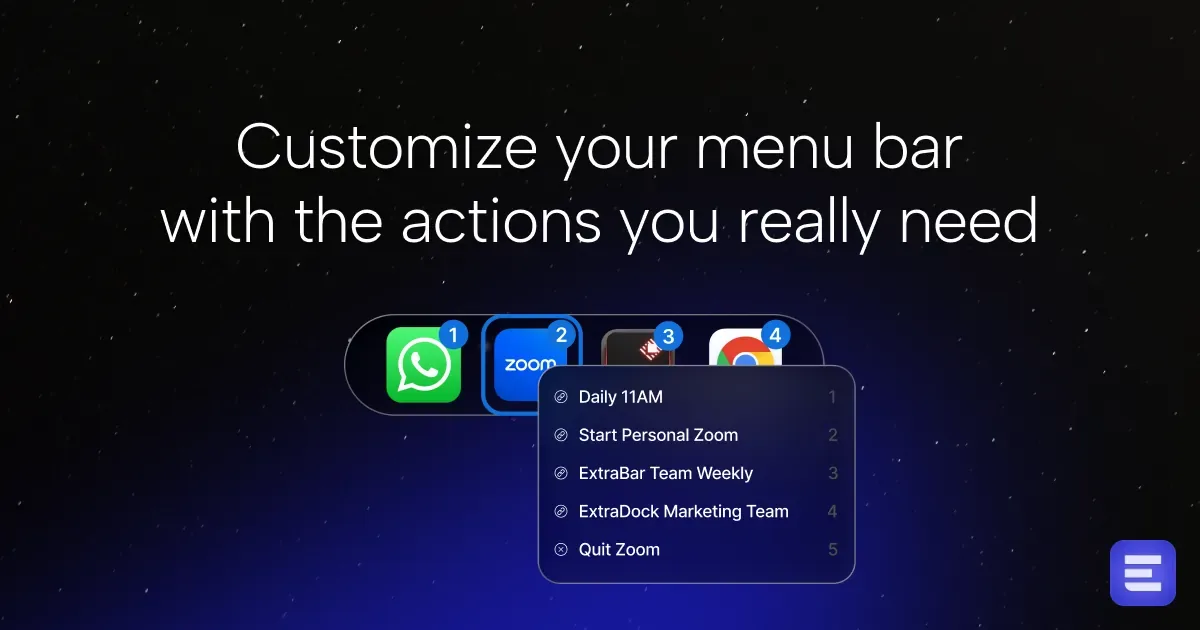
Live deal · verified on the maker's site 50% off ExtraBar lifetime licenses, the maker's Black Friday price: Lifetime Access $46.50 to $23.25 per device, Forever Edition $115.99 to $57.99. Shown on the maker's page, no code listed; maker confirmed it runs Nov 12 to Dec 1 maker’s announcementWhat ExtraBar looks likeImage from ExtraBar's official site
Get deal alerts by email
We send a weekly email in November with the Black Friday 2026 deals makers have confirmed. Free, unsubscribe anytime.
What does it do?
The status area at the top of a Mac can hold a row of actions you assemble yourself in ExtraBar. Each item can open a program, jump to a particular screen through a deep link, run a Shortcut, a shell command, or a Keyboard Maestro macro. You can keep the row in the usual status strip, float it, tuck it under a single icon, move it into the camera notch, or use it as a launcher. A shortcut you choose opens the bar, and you can move through the list with the number keys or the arrows.
Who is it for?
People who bounce between the same Mac programs all day and want a short path back to a particular Slack channel, Zoom room, Raycast command, or project, without digging through each program's own menus. It also suits anyone who already keeps Shortcuts, shell commands, or Keyboard Maestro macros and wants those one click away.
When would you use it?
- Joining a recurring call: Save a deep link to the Zoom room or Google Meet in the bar, then click it when the meeting starts instead of searching the calendar invite.
- Starting a coding session: Use one item to open the project in your editor and another to run a command that updates every local git repository, which you can generate with the ExtraBar MCP.
- Switching projects: Keep a different set of bar items for each kind of work, then change setups when you move from design files to a writing day.
- Running a macro: Fire a Keyboard Maestro routine or an Apple Shortcut from the bar, such as restarting a program, without opening the automation app first.
Why pay for it?
The stock menu bar only shows icons that other programs place there. ExtraBar lets you fill that strip with the exact jumps and commands you already rely on, in a layout that can stay in the menu bar, sit in the notch, float, or collapse. You pay once. A standard lifetime key keeps working after the first year of included upgrades, and a Forever Edition covers later versions on as many as five Macs. After you activate the license, the app is meant to run without a network connection, and your setup stays on the machine, with an export you can load on another Mac.
What should you know?
- No unpaid trial is offered. Purchases can be returned within fourteen days.
- The oldest system it supports is macOS 12.4, and the site lists macOS 26 Tahoe as supported.
- After license activation, the maker says the app works offline, does not collect analytics or telemetry, and keeps your configuration on the Mac. You can export that setup and import it on a second computer.
- A One Year License costs $14.99 and covers one Mac for a year, including upgrades during that year.
- A Lifetime Access key is bought once and covers one, two, or three Macs, at a regular price of $46.50, $69.99, or $89.99. The first twelve months of upgrades are included, the app keeps running after that window, and further upgrades can be extended for $9.99 a year.
- The Forever Edition is a one-time purchase that covers as many as five Macs and every later version. Anyone who bought before the one-year upgrade policy still receives new versions for life.
A look inside ExtraBar
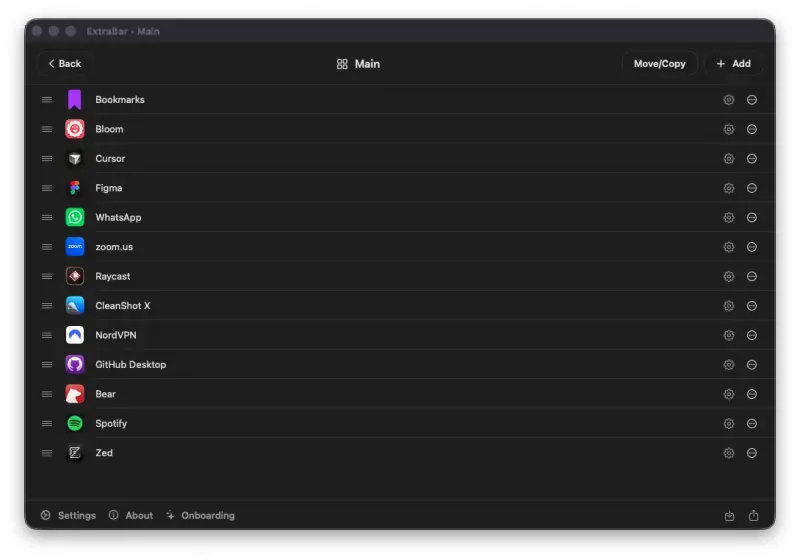
Images from ExtraBar.
Prices and codes change. Last year's codes may no longer work — always confirm on the maker's site. Are you the maker? Send us your 2026 deal — listing is free.
Featured in: AlDente Pro Black Friday 2026: 6 Mac utility apps on sale instead
Similar deals
- MeetMic — Record and transcribe Mac meetings, memos, videos and dictation on-device by default.
- Radar — Watch the metrics that matter from the menu bar, with analytics and threshold alerts.
- Dropshare — Upload screenshots, screen recordings and any file to the storage you already trust,…
- Redacto — A Mac app that helps you review documents and remove sensitive information before…
- Yonder — Mac add-on for your browser's address bar that lists open tabs and saved bookmarks…
- Textlore — See every book, show, restaurant and app friends suggested over text in one list on…
ExtraBar deal history
| Year | Offer | Dates | Source |
|---|---|---|---|
| 2026 | 50% off ExtraBar lifetime licenses, the maker's Black Friday price: Lifetime Access $46.50 to $23.25 per device, Forever Edition $115.99 to $57.99. Shown on the maker's page, no code listed; maker confirmed it runs Nov 12 to Dec 1 | Nov 12, 2026 – Dec 1, 2026 | Verified on the maker's site (announcement) |
Similar apps to ExtraBar
- Trickster — Recent Mac files and saved links in a compact view with filters and keyboard shortcuts. Live deal 50% off the one-time Full Version unlock on the Mac App Store: $29.99 to $14.99, Nov 20 through Nov 30, 2026, inclusive
- DynamicLake — A Dynamic Island-style Mac companion for music, notification glances and quick drop actions. Live deal Limited-time 20% off. The official page at https://www.dynamiclake.com/ shows “LIMITED TIME 20% OFF” and a “Get Code” control; it does not publish the code or an end date. End date not announced.
- Pie Menu — A ring of your chosen shortcuts that opens around the pointer, set up separately for each Mac app you use. Live deal Save $5 on the one-time lifetime purchase with App Store offer code PIE2026: $34.99 instead of $39.99 in the US (about 12% off; local prices vary). Available in 156 App Store regions and limited to 500 redemptions. Nov 17 to Nov 30, 2026.
- DockX — Turn your Mac's Dock and menu bar into a live dashboard for network speed, system stats, world clocks and memos. Live deal 25% OFF on the App Store, or with code BF2026 at dockx.app checkout (DockX Pro $3.99 to $2.99)
- BetterTouchTool — Mac automation for trackpad, mouse, keyboard, menu bar and Stream Deck actions. Awaiting this year's deal; 2025 offer (unconfirmed): Reported as 35% off the Lifetime license (from a third-party 2025 roundup; not c
- Swish — Mac window manager driven by trackpad gestures, mouse actions and keyboard shortcuts. Awaiting this year's deal; 2025 offer (unconfirmed): 30% off with code BLACKFRIDAY25
More in Mac app (525 apps) · More in Productivity (245 apps) · More in Utilities (174 apps) · When Mac app Black Friday sales start
FAQ
Is ExtraBar on sale for Black Friday 2026?
Yes. The maker has confirmed a Black Friday 2026 deal: 50% off ExtraBar lifetime licenses, the maker's Black Friday price: Lifetime Access $46.50 to $23.25 per device, Forever Edition $115.99 to $57.99. Shown on the maker's page, no code listed; maker confirmed it runs Nov 12 to Dec 1. It runs until Dec 1, 2026. Last checked against the maker's page: Nov 18, 2026.
Does ExtraBar have a lifetime or one-time price?
Yes. Lifetime Access keeps working forever (one year of updates, optional $9.99 renewal); Forever Edition includes all future updates, per the maker's pricing page. Check the maker's site for current pricing.
What platforms does ExtraBar run on?
ExtraBar is listed for Mac.
Compare alternatives: TextSniper alternatives · Paste alternatives
See also: Utilities Black Friday deals · Mac Black Friday 2026 deals.
For makers: add this badge
Optional. Copy this HTML to add a “Listed on IndieMarkdowns” badge that links to this deal page. It is never a condition of the listing.
A dark version uses https://indiemarkdowns.com/badge/listed-dark.svg. The older /badge/featured-light.svg and /badge/featured-dark.svg URLs work too.