
| Status | Starts Nov 27, 2026 |
|---|---|
| Discount | 50% off |
| Deal price | $1.99 (USD) |
| Code | No code needed |
| Starts | Nov 27, 2026 |
| Ends | Nov 30, 2026 |
| Last checked | Nov 24, 2026 |
See also: Clipture alternatives for Mac · Black Friday 2026 Mac app deals
Screenshots, long scrolling captures, text recognition and markup in one light Mac tool.
Deal status
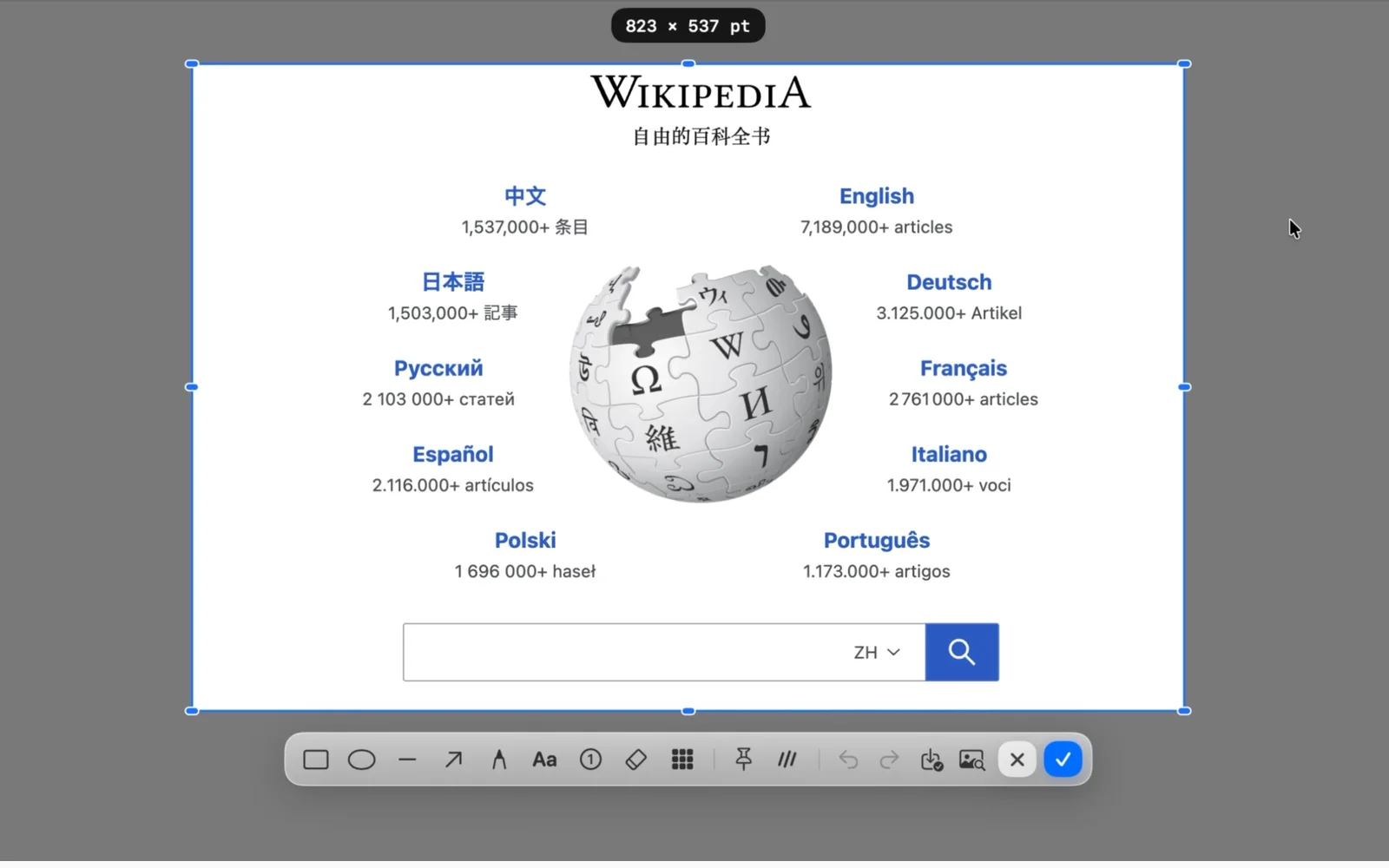
Upcoming deal · Confirmed with the app maker The Clipture Lifetime Unlock is 50% off on the Mac App Store, $1.99 instead of $3.99, a one-time in-app purchase with no code needed.What Clipture looks likeImage from Clipture's App Store
Get deal alerts by email
We send a weekly email in November with the Black Friday 2026 deals makers have confirmed. Free, unsubscribe anytime.
What does it do?
Clipture captures a region, a window or the whole screen from the menu bar or a shortcut, then lets you copy, save or pin the image above other windows. For long pages you scroll by hand while it stitches the frames into one tall picture. Captures can be marked up with arrows, shapes, text, freehand lines and mosaic blur, and it can read text and QR codes from an image. A color picker and optional translation of recognized text round it out.
Who is it for?
People who take screenshots for bug reports, guides or chats and want long captures and text grabbing without paying for a larger suite.
When would you use it?
- Reporting a bug: Capture the window, add an arrow and a blurred box over private data, and paste the result into the ticket.
- Saving a long thread: Scroll through a chat or article while Clipture builds one image of the whole thing.
- Copying text from an image: Select a slide in a video call and pull its text out instead of retyping it.
Why pay for it?
The sale halves Lifetime Access to $1.99 (normally $3.99), a one-off payment far below the yearly subscriptions common for capture tools. The free tier already covers basic capture, so the unlock pays for scrolling capture, recognition and the other extras.
What should you know?
- It needs macOS 12 or later and is free on the Mac App Store, with Pro sold in the app.
- Text recognition runs on the Mac; translation is optional and uses an outside service, as the privacy page explains.
- Clipture shares a maker with PasteNook and AirCalendar: Marzer Wong, trading as Haloa.
A look inside Clipture
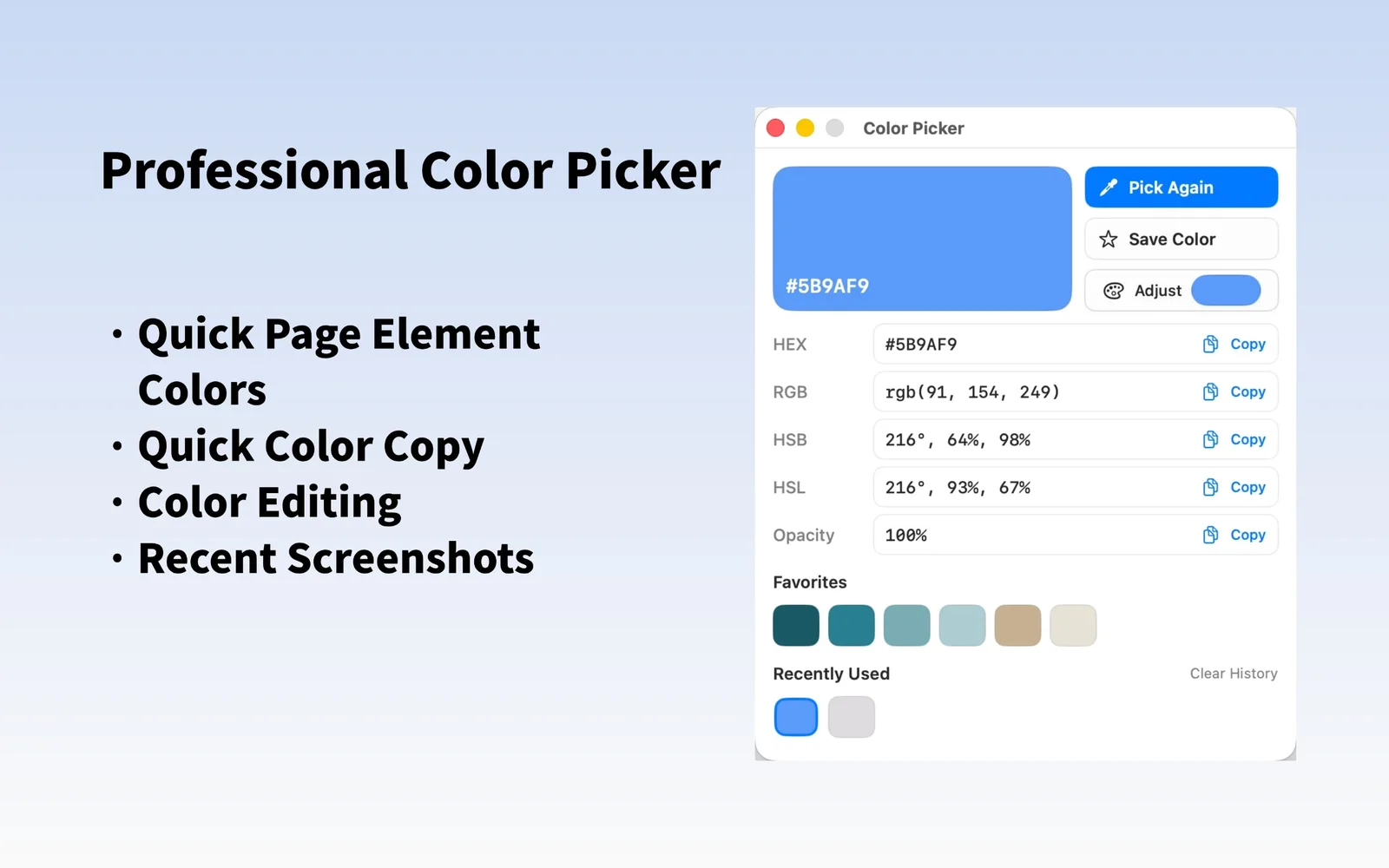
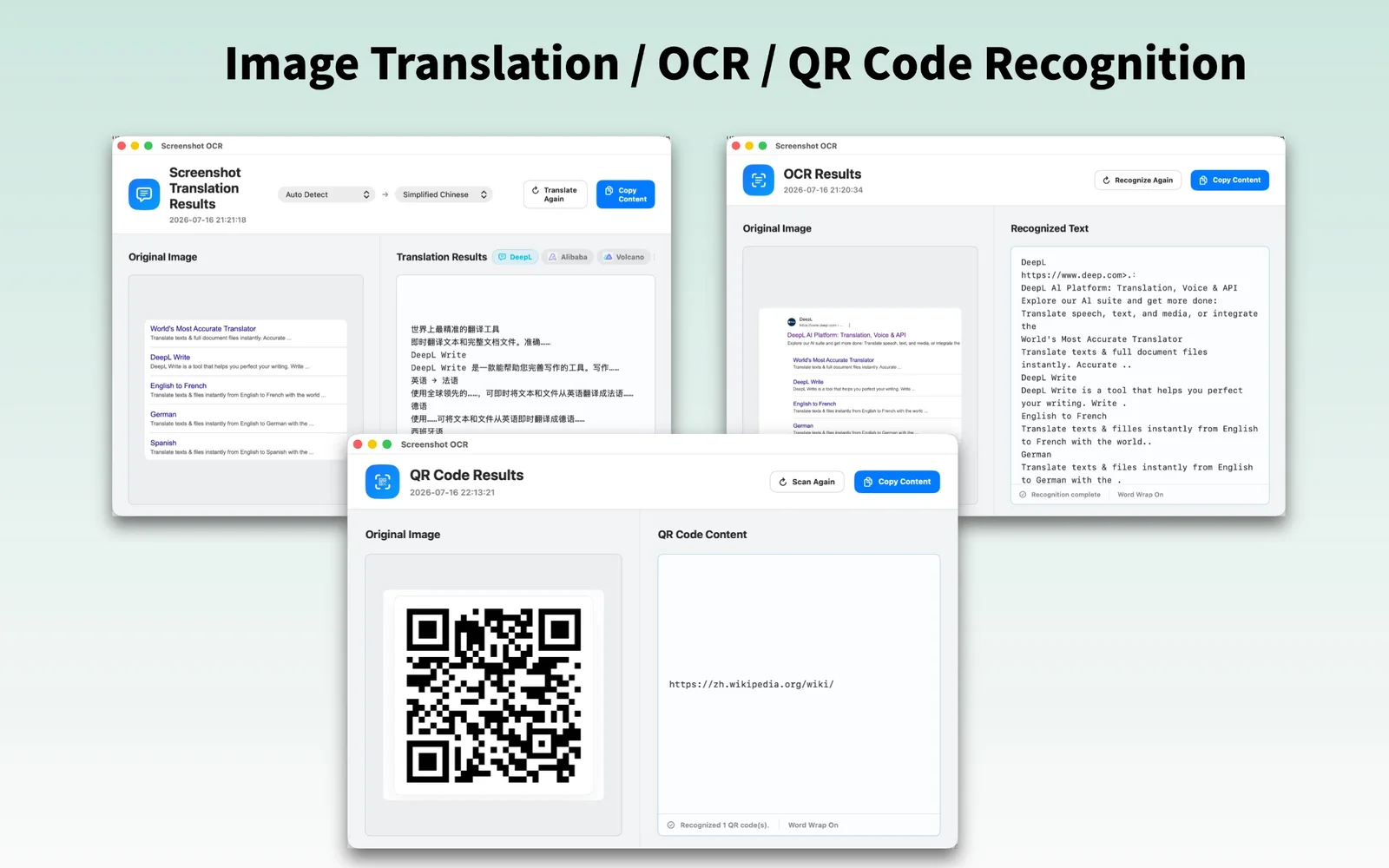
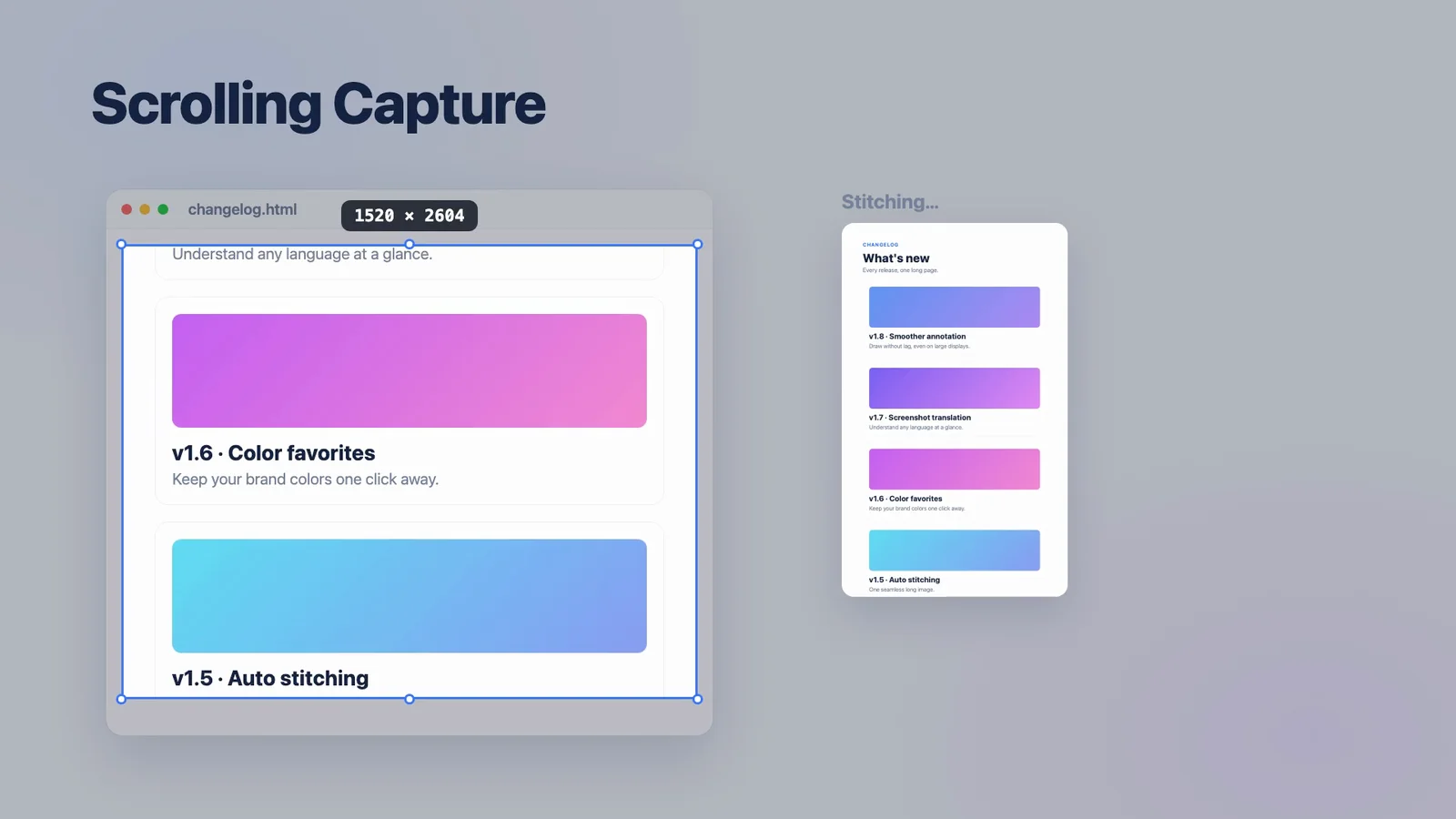
Official Mac screenshots from the Clipture Mac App Store listing (https://apps.apple.com/us/app/id6787685075?mt=12), developer Marzer Wong (Haloa).
Prices and codes change. Last year's codes may no longer work — always confirm on the maker's site. Are you the maker? Send us your 2026 deal — listing is free.
Similar deals
- Fotilo — Mark up Mac screenshots in place and paste them instantly, or record demos with…
- MotionShine — Record your Mac screen and get automatic click zooms, a restyled smooth cursor,…
- Remote Buddy 2 — Control Mac apps and web videos from iPhone, Siri Remote, iPad or Apple TV companions.
- Alter — Mac AI system that captures app context and turns voice or text into actions.
- EchoKeys — Shows the keys, shortcuts and clicks you press on screen, with optional typing sounds,…
- Point-Free — A membership video series on advanced Swift, with a free plan you can sample first.
Clipture deal history
| Year | Offer | Dates | Source |
|---|---|---|---|
| 2026 | Black Friday: the Clipture Lifetime Unlock is 50% off on the Mac App Store, $1.99 instead of $3.99, a one-time in-app purchase with no code needed, from November 27 to November 30, 2026. Confirmed with the app maker. | Nov 27, 2026 – Nov 30, 2026 | Confirmed with the app maker on Nov 24, 2026 |
Similar apps to Clipture
- Shotomatic — Automate long runs of screenshots, page turns included, and export them as one PDF, guide or timelapse on your Mac. Live deal 40% OFF lifetime licenses with code BF2026 (1 Mac $23.40, up to 3 Macs $65.40; subscriptions excluded; live since Oct 18, no expiry)
- Screenshot Studio — Turn your raw app captures into polished store screenshots, translate the captions and upload the whole set from one Mac app. Live deal Black Friday: 50% off all subscriptions and 33% off Lifetime, through Dec 1, 2026. No code stated; see the App Store for local prices.
- VidNotes — Take timestamped notes on videos on your Mac, with on-device transcripts, text recognition on frames and AI research briefs. Live deal 25% off every VidNotes license with code BF2026, bought at vidnotes.org (Mac App Store prices are not included): Scholar $7.49 instead of $9.99, Researcher $29.99 instead of $39.99, Pro $59.99 instead of $79.99, all one-time. Nov 24 to Dec 1, 2026 (11:59 pm Pacific)
- Shottr — Grab Mac screenshots, mark them up, read text from them, and capture long scrolling pages. Awaiting this year's deal; 2025 offer (unconfirmed): $9 for Black Friday 2025
- ClipZen — Clipboard history and screenshots together on Mac so captures and copies stay in one place. Awaiting this year's deal; 2025 offer (unconfirmed): 50% OFF util 31 Dec
- SnapVis — Browser tool that turns screenshots into framed visuals with backgrounds and shadows. Awaiting this year's deal; 2025 offer (unconfirmed): 80% OFF with code BLACKFRIDAY
More in Mac app (644 apps) · More in Screen & video (81 apps) · Screenshot & screen recording deals guide
FAQ
Is Clipture on sale for Black Friday 2026?
Yes. The maker has confirmed a Black Friday 2026 deal: the Clipture Lifetime Unlock is 50% off on the Mac App Store, $1.99 instead of $3.99, a one-time in-app purchase with no code needed, from November 27 to November 30, 2026. It runs until Nov 30, 2026. Confirmed with the app maker on Nov 24, 2026.
Does Clipture have a lifetime or one-time price?
The deal is the one-time Lifetime Unlock in-app purchase; Clipture is a free download and also sells monthly or yearly plans, per the maker's pricing page. Check the maker's site for current pricing.
What platforms does Clipture run on?
Clipture is listed for Mac.
Compare alternatives: Scry alternatives · MacWhisper alternatives
See also: Screen & video Black Friday deals · Mac Black Friday 2026 deals.
For makers: add this badge
Optional. Copy this HTML to add a “Listed on IndieMarkdowns” badge that links to this deal page. It is never a condition of the listing.
A dark version uses https://indiemarkdowns.com/badge/listed-dark.svg. The older /badge/featured-light.svg and /badge/featured-dark.svg URLs work too.