At a glance

Snapperon Pro Lifetime, BLACKFRIDAY26
Best forConsultants, agency staff and product managers who drop screenshots into decks, proposals and tickets several times a day
CleanShot X Basic licence
Best forMac users who want one app for every kind of capture, recording and quick cloud sharing
Quick verdict
If your screenshots end up in front of clients, Snapperon makes each one look designed and safely redacted in a single pass, for little more than half of CleanShot’s price.
Pick CleanShot X when you also need screen recording, scrolling capture and shareable cloud links in the same tool.
Both figures come from the price table below. A one-time licence is paid once, so its 3-year cost stays the same unless you buy an upgrade.
Snapperon is for the moment after the screenshot, when it has to go into a board deck, a statement of work or a Linear ticket and look deliberate. Capture a window or open a PDF page, add a styled callout banner or numbered pins, black out the client’s name for good, set a background, padding and shadow, then Copy + Close and paste. CleanShot X is the popular do-everything capture app for the Mac. For presentation-ready screenshots, Snapperon Pro is $19.50 once with BLACKFRIDAY26.
Snapperon pricing ↗ CleanShot X pricing ↗
Plain links to each developer. Nothing here earns us a commission.
What each option costs over three years
| Plan | What you get | Year 1 | 3 years |
|---|---|---|---|
| Snapperon Pro Lifetime, BLACKFRIDAY26 | Pro paid once at web checkout, half price until December 1 (Toronto time). | $19.50 once | $19.50 |
| Snapperon Pro Lifetime | The same one-time licence at the usual price. | $38.99 once | $38.99 |
| Snapperon Pro Annual, BLACKFRIDAY26 | $10 for the first year, then $19.99 a year. | $10 | $49.98 |
| Snapperon Pro Monthly, BLACKFRIDAY26 | $1 a month for 12 months, then $2 a month. | $12 | $60 |
| Snapperon Free | Up to 10 screenshots a day, with a watermark on shared images. | $0 | $0 |
| CleanShot X Basic licence | Pay once for the Mac app, with 12 months of updates and 1 GB of cloud space. | $35 once | $35 |
| CleanShot X Pro, billed yearly | Updates for as long as you pay, unlimited cloud storage and team controls, at $10 per user each month. | $120 per user | $360 per user |
Sources: the snapperon.com pricing section, the maker’s written offer terms and cleanshot.com/pricing, all on Nov 23, 2026. US dollars.
Worked example
Hannah, a strategy consultant, has an hour to turn six dashboard grabs into slides for a client review
Each chart needs one clear takeaway. Two screenshots show another client’s name in the corner, and one comes from a PDF contract that needs a clause highlighted.
With Snapperon
Hannah captures the first dashboard, drops a callout banner on the key number, dims the rest with a spotlight, and adds the same studio background and padding she uses on every slide. Solid redaction flattens the other client’s name into the image, so it cannot be undone after pasting. She opens the PDF page directly and marks the clause with a highlighter. Copy + Close, paste, next. Her licence costs $19.50.
With CleanShot X
CleanShot would handle the captures and arrows quickly, hide the names, and upload a link if she wanted to share a draft. Its homepage does not describe styled callout banners or opening a PDF page as a canvas. Basic is $35 once.
Hannah pays: $19.50 once for Snapperon Pro, against $35 for CleanShot Basic, or $73 with two years of update renewals.
A look inside Snapperon
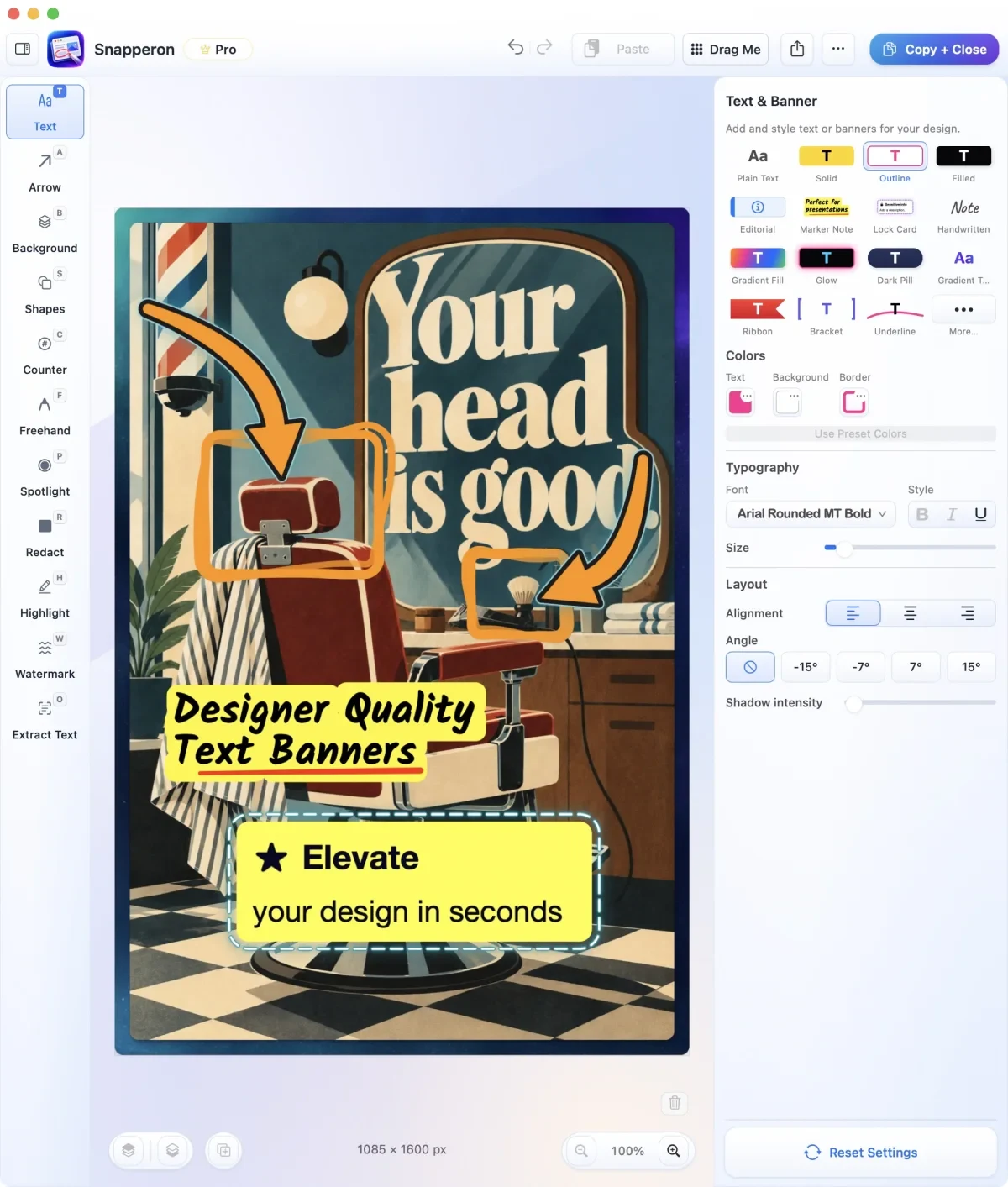
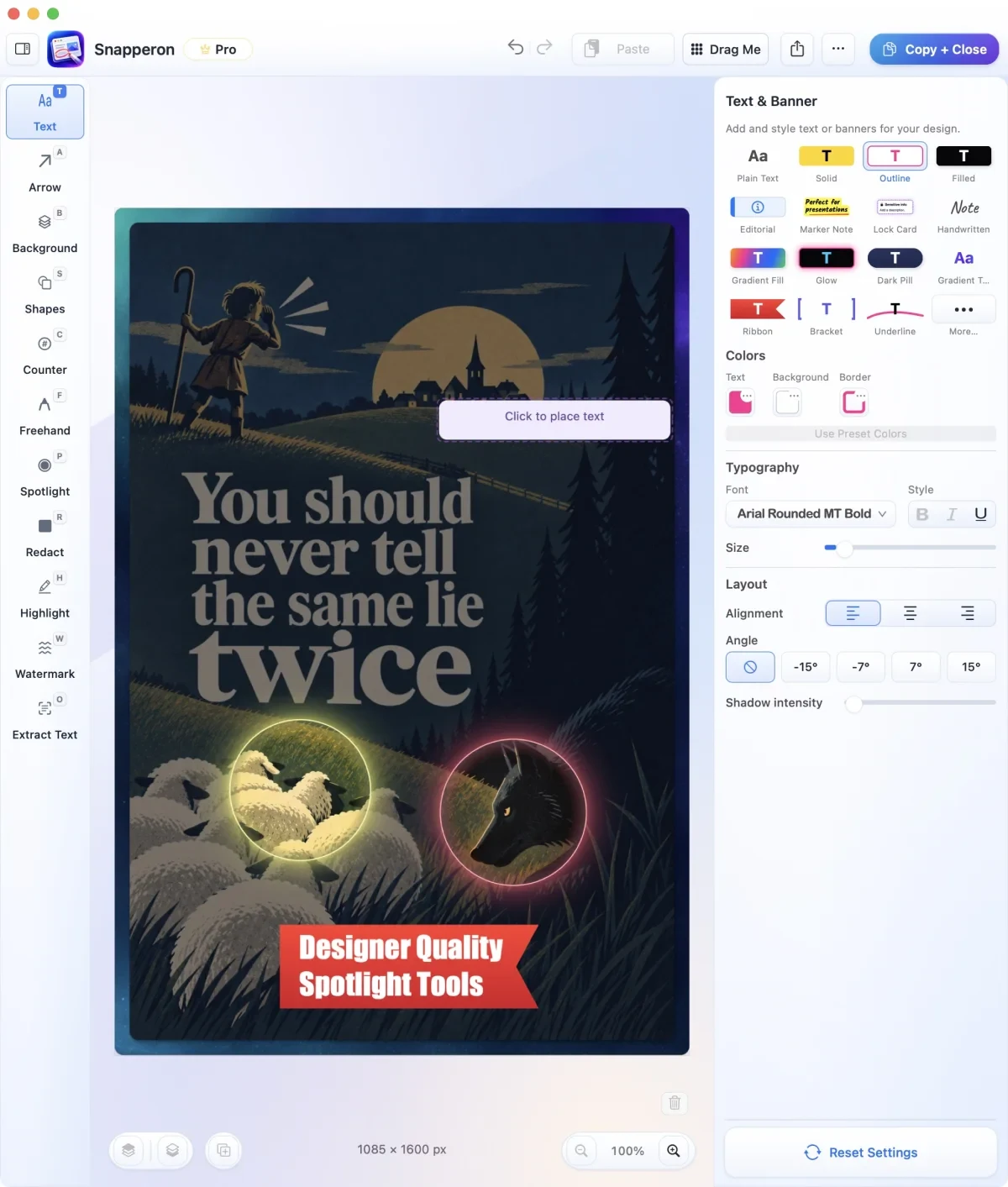
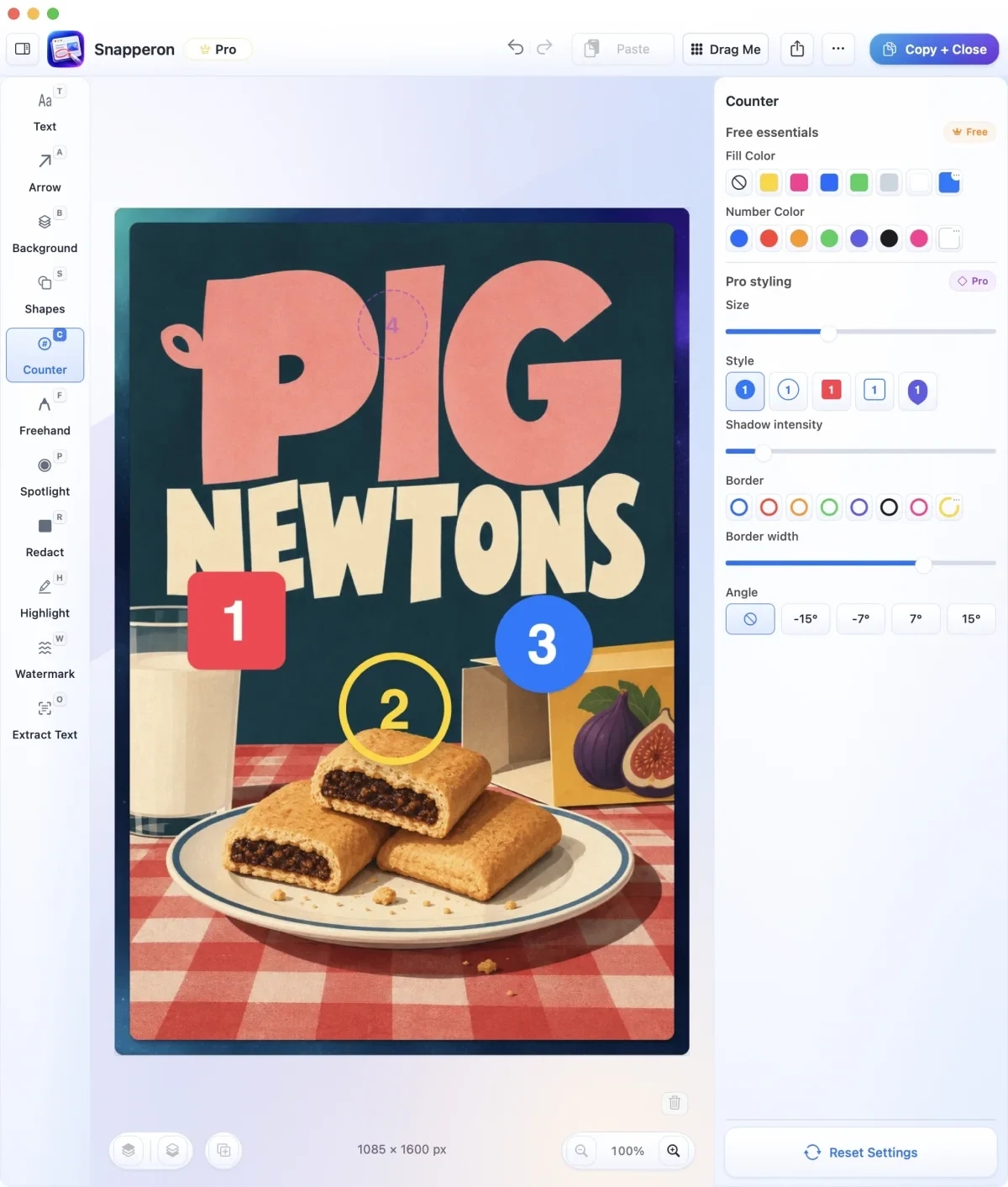
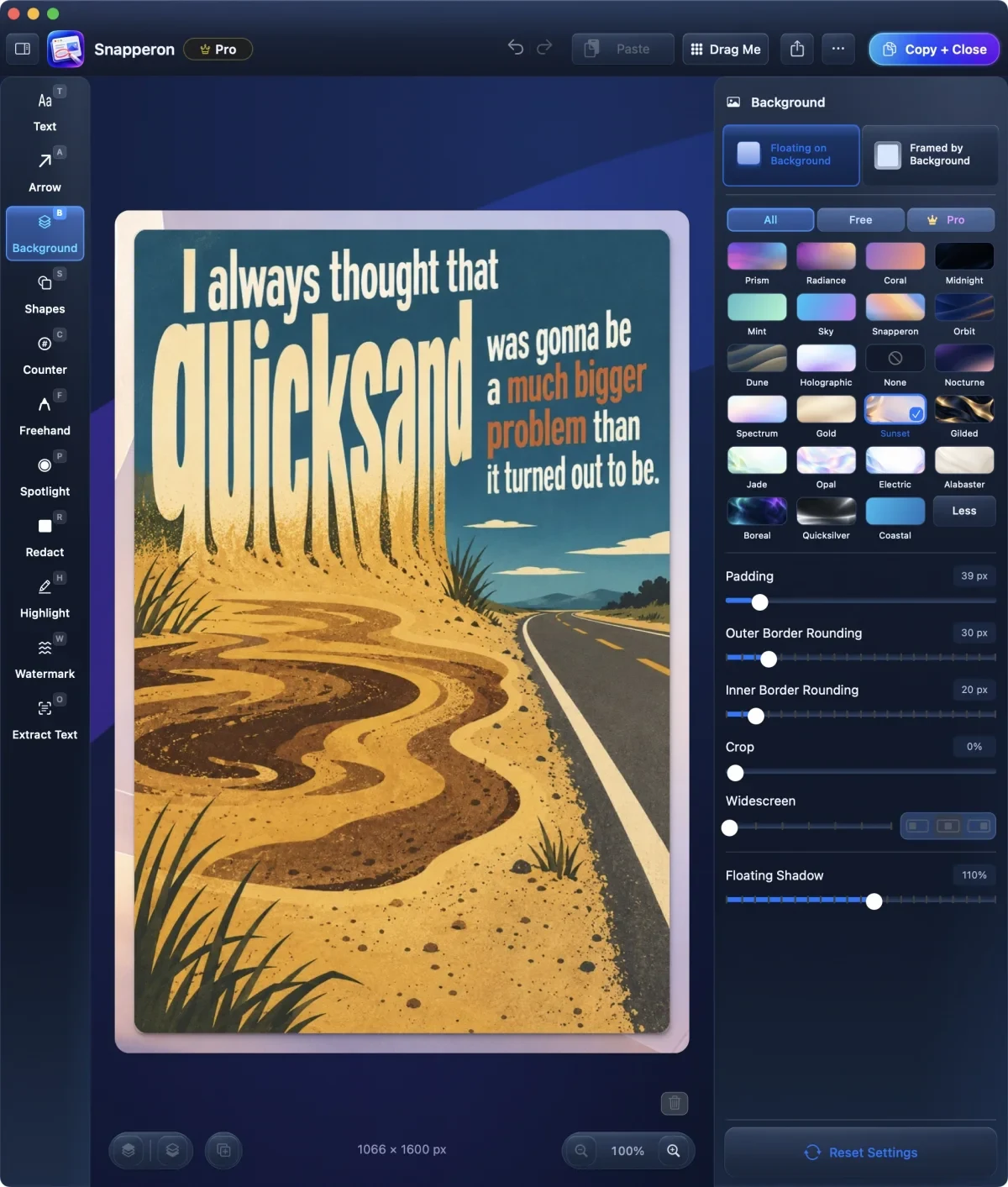
Images from Snapperon. More on our Snapperon deal page.
Feature by feature
| Topic | Snapperon | CleanShot X |
|---|---|---|
| Main job | Turning a capture or PDF page into a finished, framed visual for a deck, document or ticket. | Capturing and recording anything on screen, then sharing it. |
| Annotation | Nine tools, including callout banners, curved arrows, numbered counters, spotlight, highlighter and freehand sketching. | A full annotation editor with arrows, shapes, text and blur. |
| Redaction | Solid, pattern or labelled blocks, flattened into every copied or saved image. | Tools to hide sensitive details while marking up. |
| Framing | Backgrounds, padding, rounded corners, shadow and an optional custom watermark. | Twenty backgrounds plus padding, shadows and custom styles. |
| Sources | Part of the screen, one window, a whole monitor, an existing image or a page from a PDF. | Screens, windows and scrolling pages, plus screen recording. |
| Sharing | Copy + Close puts a flattened PNG on the clipboard; export PNG or JPG. | Shareable Cloud links with 1 GB of space on Basic and no cap on Pro. |
| Requirements | Apple silicon (M1 or newer). No account needed. | macOS 13 or later. |
Privacy
Snapperon edits on your Mac with no account, and its redaction overwrites the pixels rather than layering a box on top, so the hidden detail is not in the file you paste. CleanShot also edits locally, and only puts a capture online when you ask it to. Check both privacy policies before handling confidential client material.
Where CleanShot X wins
- It records your screen as video, which Snapperon does not offer.
- Scrolling capture and cloud links cover jobs outside presentations.
- It runs on Intel Macs with macOS 13, and Pro adds SSO and team management.
Who should pick which
- Snapperon Pro suits consultants, agencies and founders who paste screenshots into client decks, proposals and SOWs every week.
- Snapperon also suits product designers and PMs who send numbered UI fixes to Slack or Linear and want them consistent.
- CleanShot X suits people who need one capture tool for recordings, long pages and quick shared links.
Our take: for screenshots that represent you in front of a client, Snapperon is the specialist and costs less. Choose CleanShot X if video and cloud sharing matter more than polish.
Snapperon Pro Lifetime for $19.50 until December 1
Use code BLACKFRIDAY26 at web checkout; no account or card is needed for the trial. No affiliate link here.
Sources and notes, checked Nov 23, 2026
- Snapperon pricing section: official Pro from $19.99 a year or $38.99 once, BLACKFRIDAY26 for 50% off through December 1, 2026, a free version after the trial, Apple silicon required, annotation, redaction and framing tools as listed.
- Snapperon’s maker confirmed the Black Friday terms for our listing: Lifetime $19.50, Annual $10 for the first year, Monthly $1 a month for 12 months, on web purchases, ending 11:59 p.m. Toronto time on December 1. Regular monthly price $2.
- CleanShot X pricing: official Basic $35 once with one year of updates, optional $19 yearly renewal and 1 GB of Cloud; Pro at $10 per user a month billed annually with unlimited Cloud, SSO and SCIM; macOS 13 or later.
- CleanShot X homepage: screen recording with a webcam bubble, scrolling capture, backgrounds, padding and shadows, hiding sensitive details, cloud links and comments.
- Three-year totals repeat today’s prices after any first-year discount. Taxes may be extra. We did not test either app.