
Snapperon Black Friday 2026 deal
Snapperon has a confirmed Black Friday 2026 deal: 50% OFF Snapperon Pro with code BLACKFRIDAY26 at web checkout: Lifetime is $19.50 instead of $38.99, November 20 – December 1, 2026. Confirmed with the app maker on Nov 20, 2026. Black Friday 2026 is Nov 27 and Cyber Monday is Nov 30.
| Status | Confirmed for Black Friday 2026 |
|---|---|
| Discount | 50% off |
| Code | BLACKFRIDAY26 |
| Ends | Dec 1, 2026 |
| Last checked | Nov 21, 2026 |
See also: Black Friday 2026 Mac app deals
Mark up, redact, crop and frame Mac screenshots, then paste the finished image straight into a proposal, ticket or chat.
Deal status
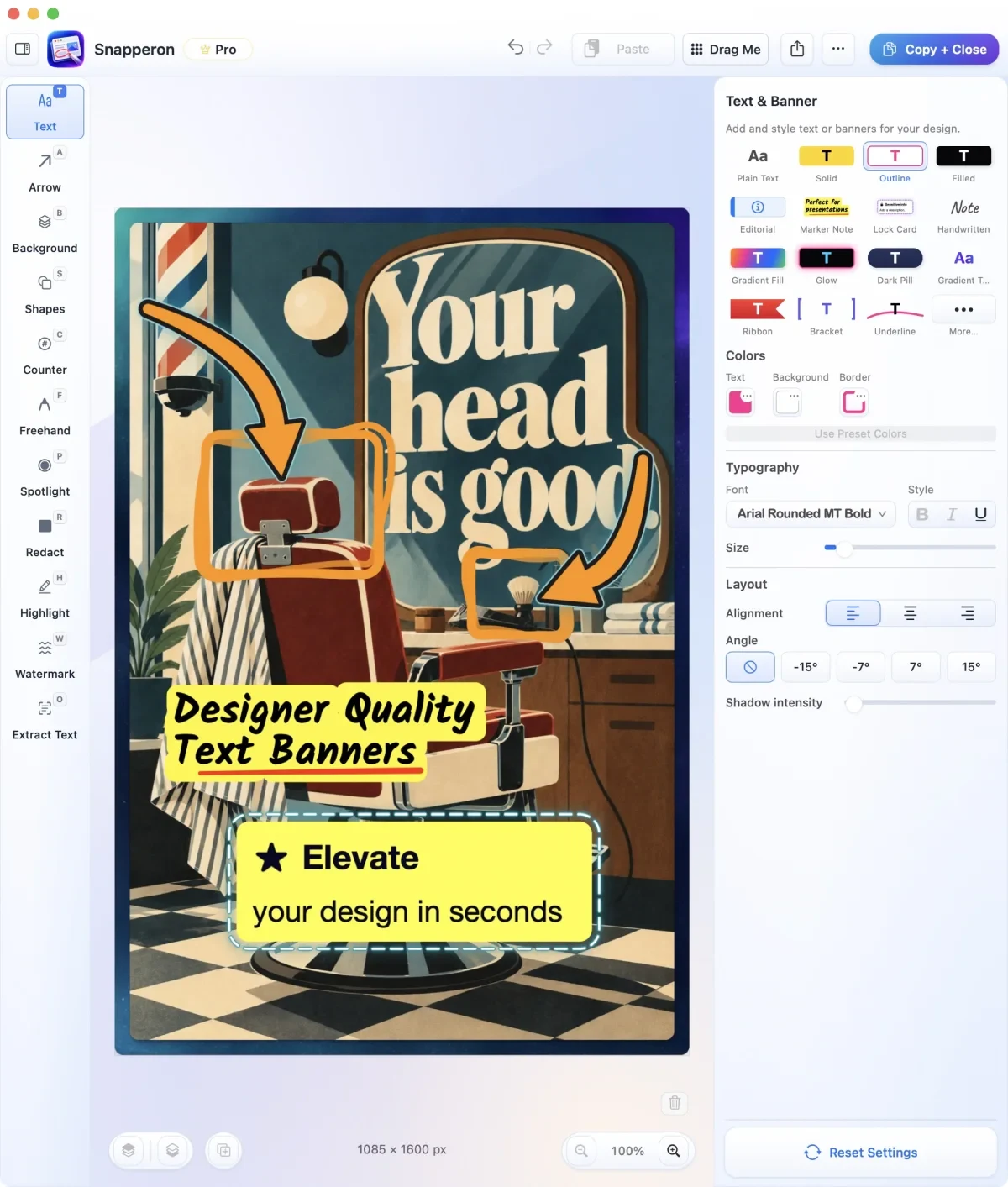
Live deal · confirmed with the app maker 50% OFF Snapperon Pro with code BLACKFRIDAY26 at web checkout: Lifetime is $19.50 instead of $38.99 (Annual $10 for the first year, Monthly $1/month for 12 months), November 20 – December 1, 2026.What Snapperon looks likeImage from Snapperon's official site
Get deal alerts by email
We send a weekly email in November with the Black Friday 2026 deals makers have confirmed. Free, unsubscribe anytime.
What does it do?
Snapperon is where a Mac screenshot gets marked up before you send it. You grab a region, a single window or a whole display, or open an image or a PDF page, then add arrows, numbered steps, text banners, highlights, boxes, circles, spotlights, freehand strokes and redaction blocks. It can also crop to social-media shapes, set the picture on a backdrop with padding and a border, pull words out of the image with on-device text recognition, and reflow a cramped capture into a tall page that reads well on a phone.
Who is it for?
Freelancers, consultants and designers who drop screenshots into proposals, client reviews and support tickets, and want to point at or hide a detail without opening a full design tool.
When would you use it?
- Sending layout feedback: Aim an arrow at the control you want moved, then number the remaining fixes so the designer can tick them off one at a time.
- Sharing an invoice or estimate: Cover the account number with a Solid redaction block, which is burned into the exported PNG or JPG, while the totals stay readable.
- Filing a bug report: Open Extract Text, select the error lines in the screenshot, and paste them into the ticket as plain text, with recognition done on the Mac by Apple Vision.
- Preparing a social post: Crop a product shot to 4:5 for Instagram or 9:16 for Stories, give it a background, then press Copy + Close and paste it into the post.
Why pay for it?
The free version keeps every core markup tool but stops at 10 screenshots a day and stamps a Snapperon watermark on images you save or share. Pro removes the daily cap, lets you use your own watermark or none, and adds more styles, backgrounds, Labeled and Pattern redaction, plus extra filter and reading-page presets. You never need an account, and captures and text recognition stay on your Mac.
What should you know?
- Entering BLACKFRIDAY26 when you pay on the website takes 50% off Snapperon Pro from Nov 20 until Dec 1, 2026 (the cutoff is just before midnight, Toronto time). Lifetime drops to $19.50 from $38.99, Annual is $10 for the first year, and Monthly is $1 a month for the first 12 months.
- An M1 chip or later and macOS 14 or newer are required, so Intel Macs are out. Translating text inside a screenshot also needs macOS 15 and a supported language pair.
- Today it is a direct download from snapperon.com, with Pro bought through PayPal inside the app. A Mac App Store edition is announced, and Pro bought in one edition does not carry over to the other.
- Installing it starts a three-day Pro trial with no card and no account. A built-in local MCP server also lets Claude Desktop or Codex take captures, place annotations and read text through the app.
A look inside Snapperon
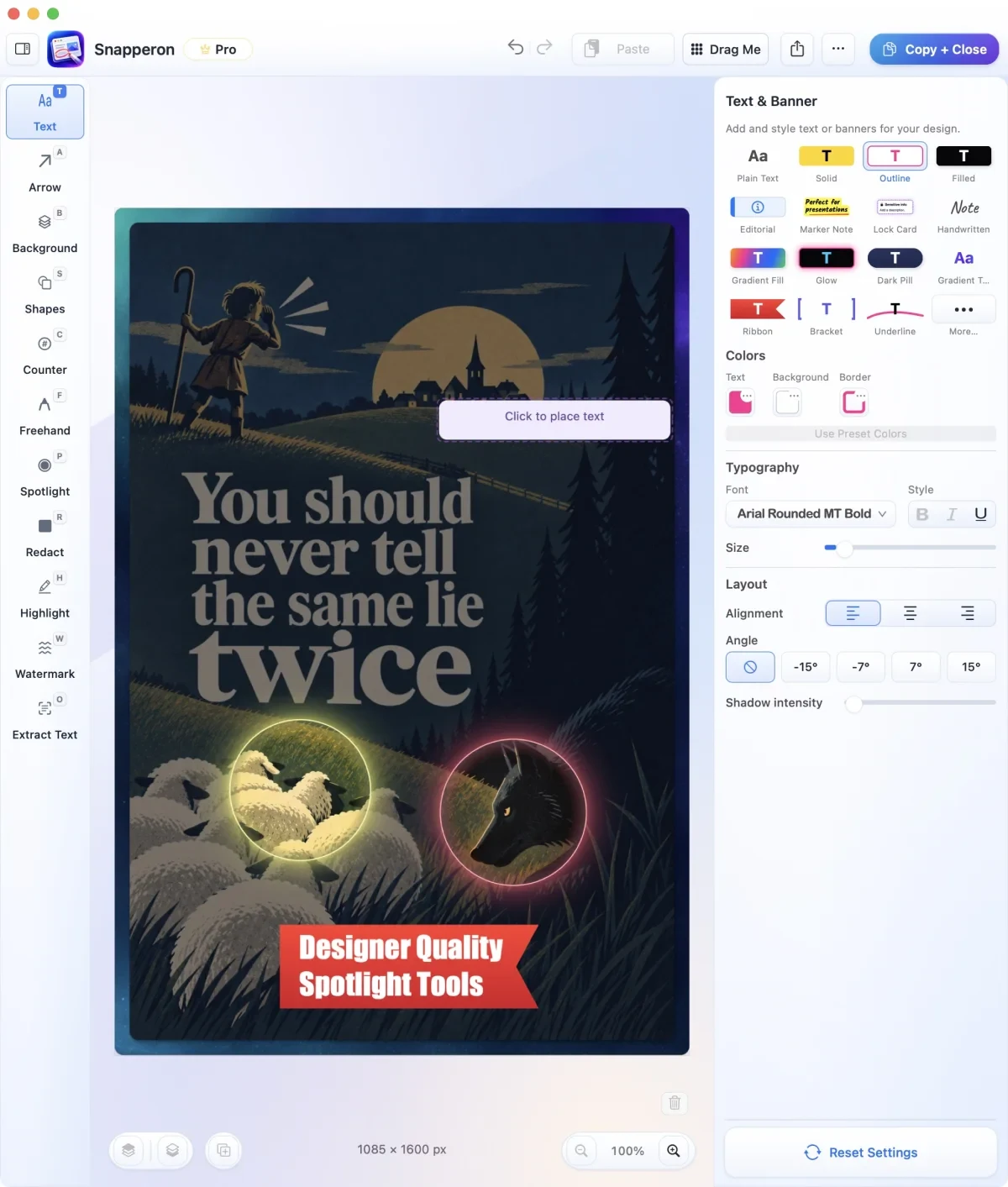
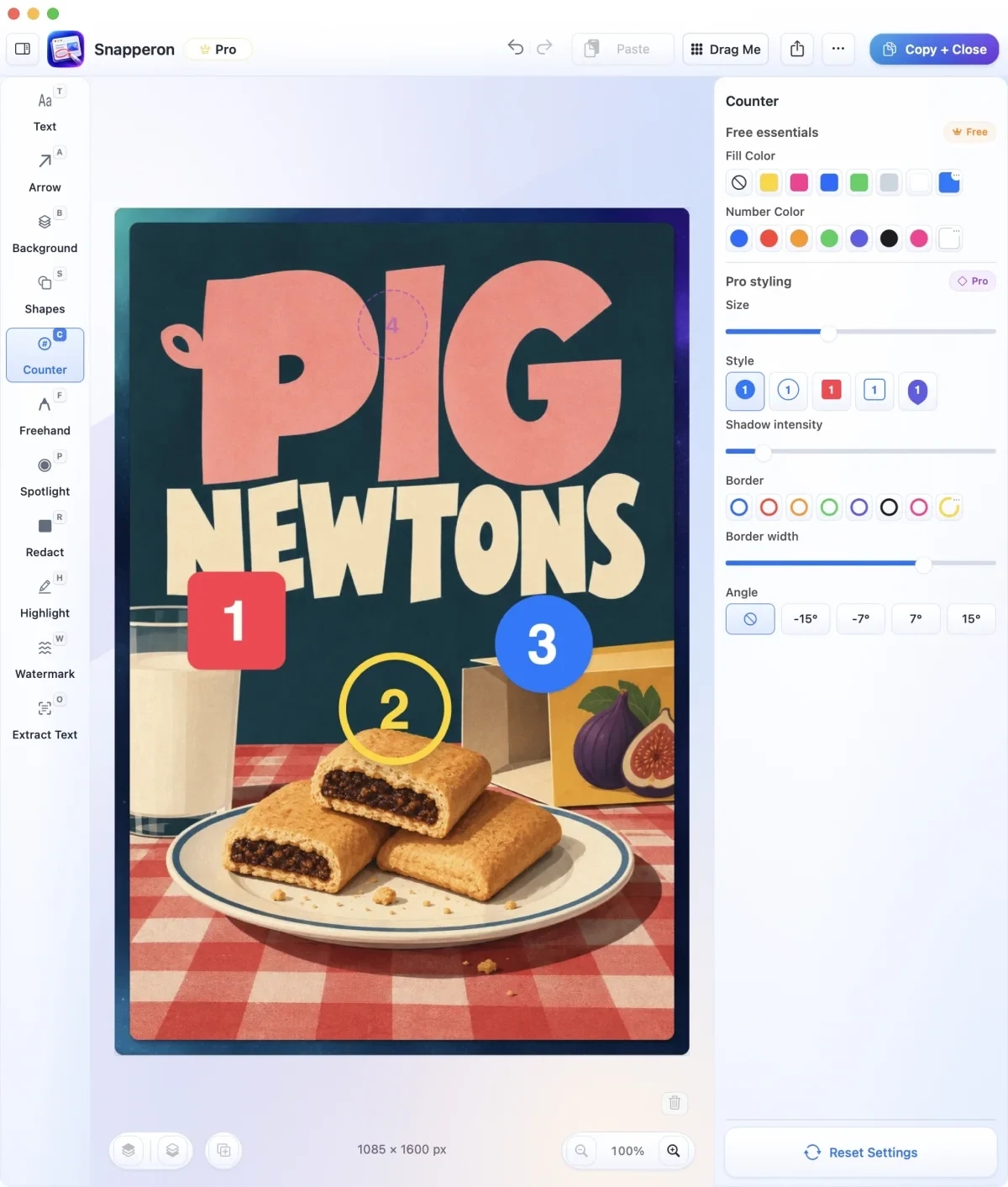
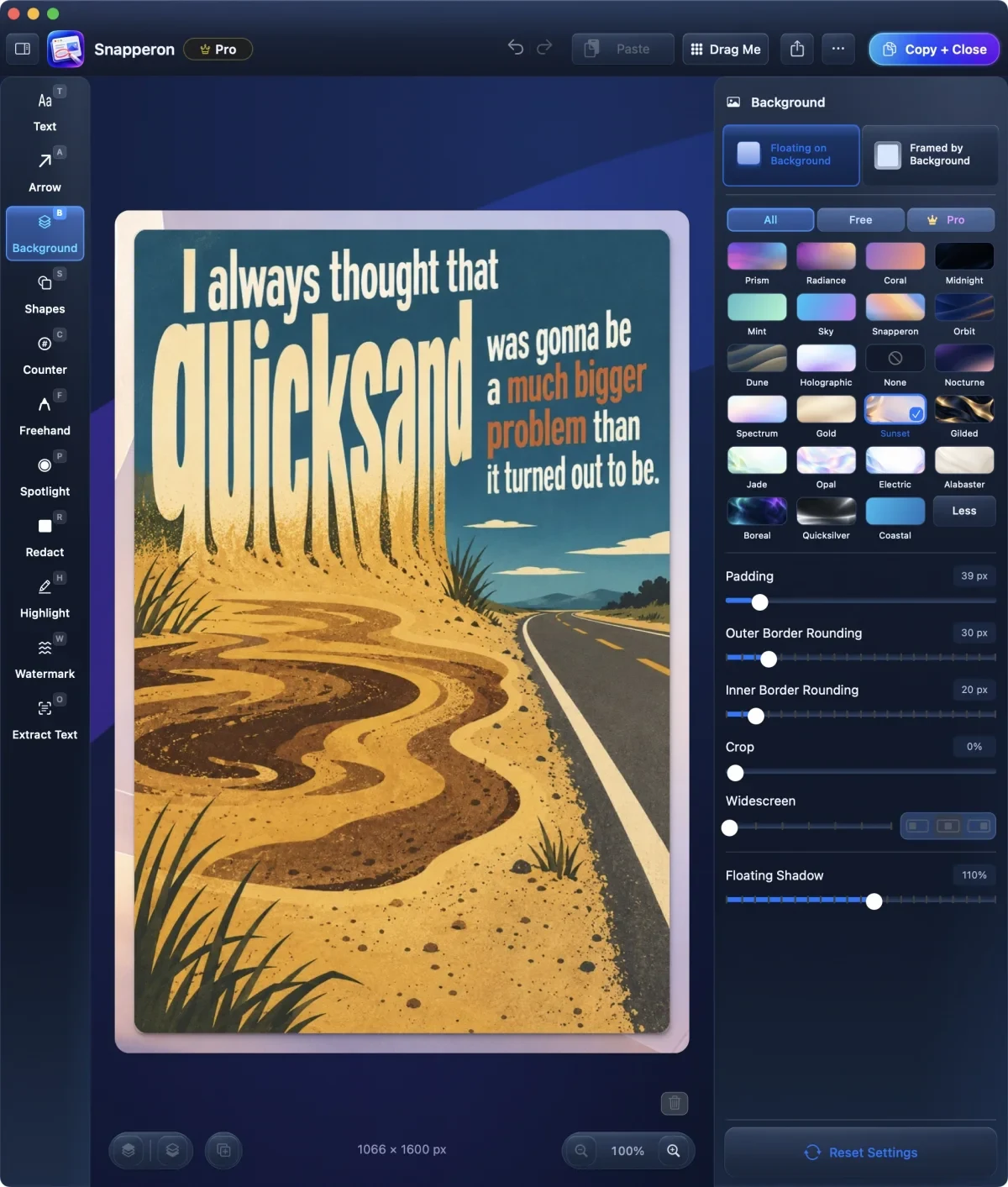
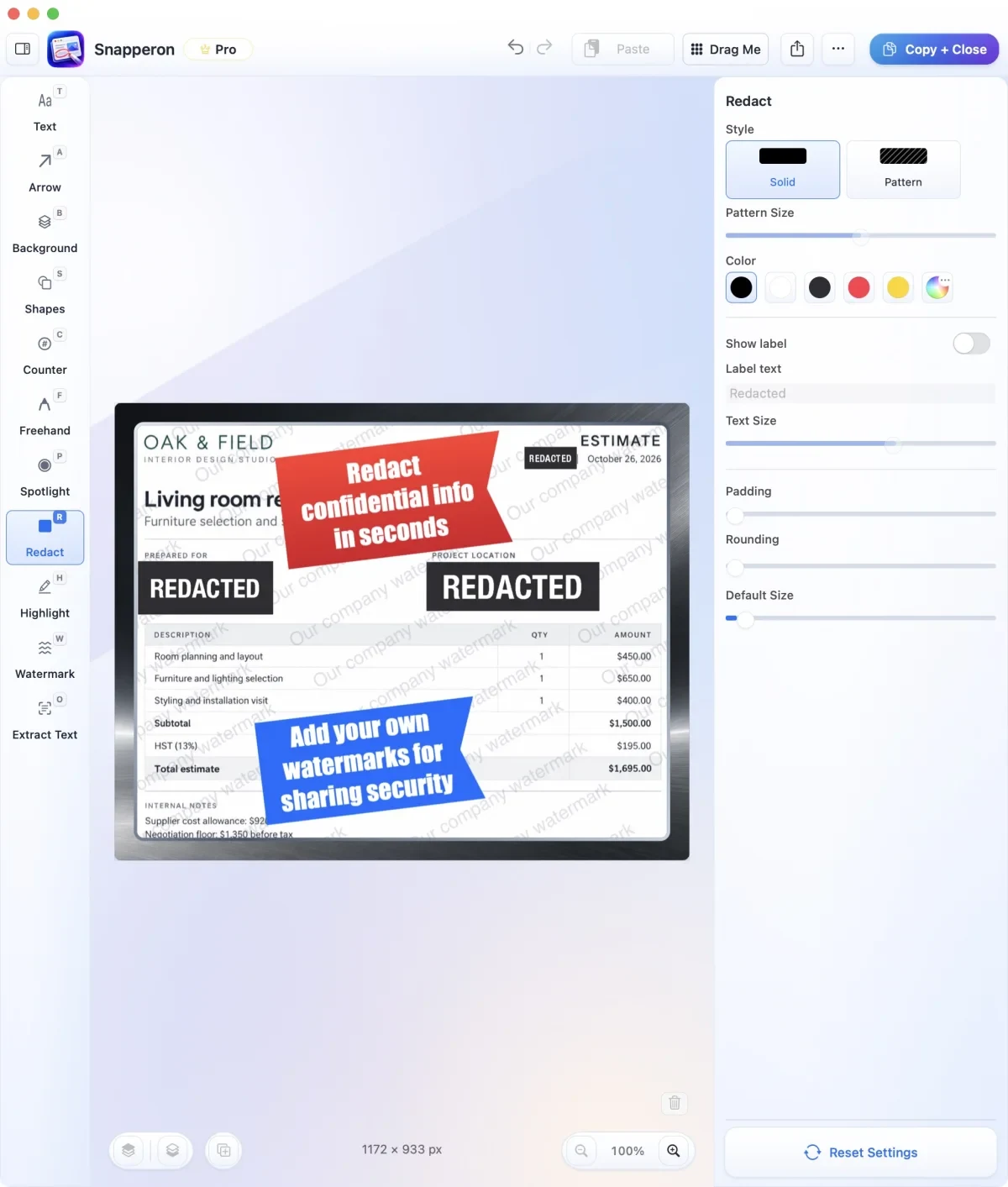
Images from Snapperon.
Prices and codes change. Last year's codes may no longer work — always confirm on the maker's site. Are you the maker? Send us your 2026 deal — listing is free.
Similar deals
- Jot — Capture selected text, screenshots or dictation on a Mac with a double Shift tap, saved…
- AudioRecorder.app — Capture your Mac's sound and your voice in one click, without installing drivers or…
- FileFaker — Mac app that generates sample files of chosen types and sizes for testing.
- ClipZen — Clipboard history and screenshots together on Mac so captures and copies stay in one…
- KeyEcho — Hear satisfying mechanical keyboard sounds on any laptop keyboard, with a tiny app for…
- Tower — Handle every Git task from a clear desktop app on Mac or Windows, and undo almost any…
Snapperon deal history
| Year | Offer | Dates | Source |
|---|---|---|---|
| 2026 | 50% OFF Snapperon Pro with code BLACKFRIDAY26 at web checkout: Lifetime is $19.50 instead of $38.99 (Annual $10 for the first year, Monthly $1/month for 12 months), November 20 – December 1, 2026. | Nov 20, 2026 – Dec 1, 2026 | Confirmed with the app maker on Nov 20, 2026 |
Similar apps to Snapperon
- TextSniper — Grab text you can't select from videos, images, PDFs and screenshots on your Mac, then paste, read aloud or scan codes. Live deal 75% off the lifetime license with code BFIM2026, Nov 27 to Dec 4, 2026
- BirdFrame — Crop thousands of bird photos in one pass without losing resolution, straight from Apple Photos or a folder of images. Live deal 33% off the one-time unlock: $19.99 instead of $29.99, no code needed, Nov 20 - Dec 1, 2026
- Columnly — Mark the fields on one sample PDF, then pull matching invoices and statements into Excel or CSV offline. Live deal 25% off the one-time lifetime licence with code BLACKFRIDAY25: $9.74 instead of the $12.99 introductory price. Nov 19 to Nov 30, 2026
- Redac — Click text in an image on Mac to redact it without a full photo editor. Live deal 40% off with code BLACKFRIDAY26, applied at checkout: $3, was $5. End date not announced.
- Shotbolt — Capture, mark up and instantly find your Mac screenshots and recordings, with search that reads the words inside them. Live deal Shotbolt Pro $9.99 once instead of $19.99 (50% off) for one Mac, or $17.49 instead of $27.49 for two Macs, applied automatically at checkout. Until Dec 31, 2026
- Shottr — Grab Mac screenshots, mark them up, read text from them, and capture long scrolling pages. Awaiting this year's deal; 2025 offer (unconfirmed): $9 for Black Friday 2025
More in Mac app (566 apps) · More in Productivity (254 apps) · More in Utilities (190 apps) · When Mac app Black Friday sales start
FAQ
Is Snapperon on sale for Black Friday 2026?
Yes. The maker has confirmed a Black Friday 2026 deal: 50% OFF Snapperon Pro with code BLACKFRIDAY26 at web checkout: Lifetime is $19.50 instead of $38.99 (Annual $10 for the first year, Monthly $1/month for 12 months), November 20 – December 1, 2026.. It runs until Dec 1, 2026. Confirmed with the app maker on Nov 20, 2026.
Does Snapperon have a lifetime or one-time price?
Lifetime Pro is a one-time payment ($19.50 with BLACKFRIDAY26, regularly $38.99). Monthly and Annual Pro plans renew automatically until canceled. Free version available (10 screenshots a day, watermark on shared images), per the maker's pricing page. Check the maker's site for current pricing.
What platforms does Snapperon run on?
Snapperon is listed for Mac.
Compare alternatives: TextSniper alternatives · Paste alternatives
See also: Utilities Black Friday deals · Mac Black Friday 2026 deals.
For makers: add this badge
Optional. Copy this HTML to add a “Listed on IndieMarkdowns” badge that links to this deal page. It is never a condition of the listing.
A dark version uses https://indiemarkdowns.com/badge/listed-dark.svg. The older /badge/featured-light.svg and /badge/featured-dark.svg URLs work too.