
WishNote Black Friday 2026 deal
WishNote has a confirmed Black Friday 2026 deal: WishNote Pro Lifetime $2.99 instead of $17.99, Nov 20 to Dec 2, 2026. The sale price is applied automatically in the App Store; no code needed. Confirmed to us directly by the maker, listing last checked Nov 15, 2026. Black Friday 2026 is Nov 27 and Cyber Monday is Nov 30.
| Status | Starts Nov 20, 2026 |
|---|---|
| Discount | 83% off |
| Deal price | $2.99 (USD) |
| Code | No code needed |
| Starts | Nov 20, 2026 |
| Ends | Dec 2, 2026 |
| Last checked | Nov 15, 2026 |
See also: WishNote alternatives for Mac · Black Friday 2026 Mac app deals
A notes, to-do, and reminders app for iPhone, iPad, and Mac, with iCloud sync, tags, and widgets.
Deal status
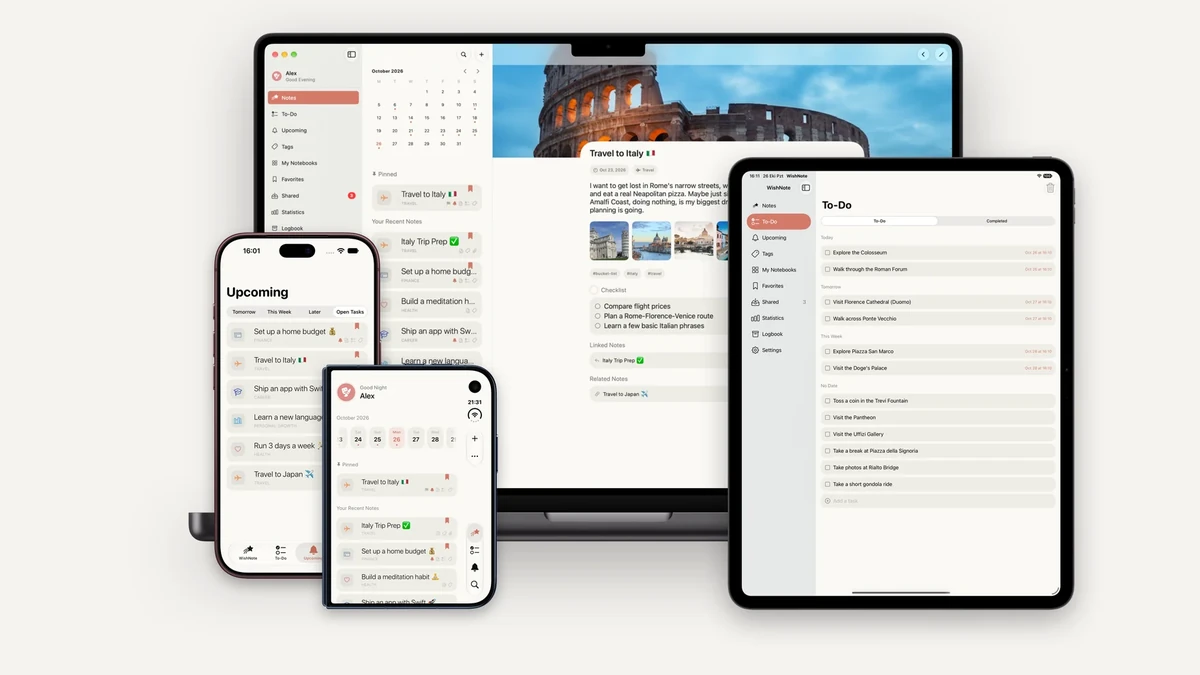
Upcoming deal · confirmed by the maker Starts Nov 20, 2026. WishNote Pro Lifetime $2.99 instead of $17.99 (83% off), Nov 20 to Dec 2, 2026. The sale price is applied automatically in the App Store; no code needed. The app itself is free. maker’s announcementWhat WishNote looks likeImage from WishNote's App Store
Get deal alerts by email
We send a weekly email in November with the Black Friday 2026 deals makers have confirmed. Free, unsubscribe anytime.
What does it do?
WishNote keeps wishes, ordinary notes, a separate to-do list, checklists, and reminders in one app for iPhone, iPad, and Mac. The unpaid tier covers those basics and a home-screen widget. A Pro unlock adds iCloud sync, wiki-style [[Title]] links, recurring notes, notebooks beyond the free cap, a lock, export and import, and more room for photos and attachments.
Who is it for?
People who want wishes and tasks in the same place on Apple devices, and who may later want those pages to follow them through iCloud without setting up a third-party account.
When would you use it?
- Capturing a goal: Write the wish on the iPhone, add a deadline once you subscribe or buy Pro, and glance at the widget on the Home Screen the next morning.
- A repeating chore: Turn a note into a weekly or monthly recurrence so the next copy appears after you check the current one off.
- Linking two pages: Put a [[Title]] link inside a wish so you can jump to the related note and see what points back.
- On the Mac: Open the command palette with the keyboard, jump to a notebook, and keep typing while the same vault updates on the phone through iCloud.
Why pay for it?
Notes, a simple task list, checklists, reminders, and a widget already work without paying, so you can live with the unpaid app first. Pro is what adds sync, backlinks, recurring notes, and the higher limits, and those extras unlock whether you buy once or pay each month or year, on every device you use.
What should you know?
- WishNote runs on iPhone, iPad, and Mac, and the official site lists readiness for iOS 27, iPadOS 27, and macOS 27. Sync is an iCloud feature in Pro, not a WishNote account.
- On the free tier, to-do due dates, notebooks, the photo gallery, the shared inbox, and archive history are capped at three each. Recurring notes, deadline tracking, Face ID or passcode lock, PDF attachments, wiki-links, export and import, and iCloud sync are Pro-only.
- Siri and Shortcuts can create a wish or mark one finished. The Mac app includes a command palette for jumping around the vault.
- Pro can be bought once, or billed monthly or yearly, and every option unlocks the same Pro features on all of your devices.
A look inside WishNote
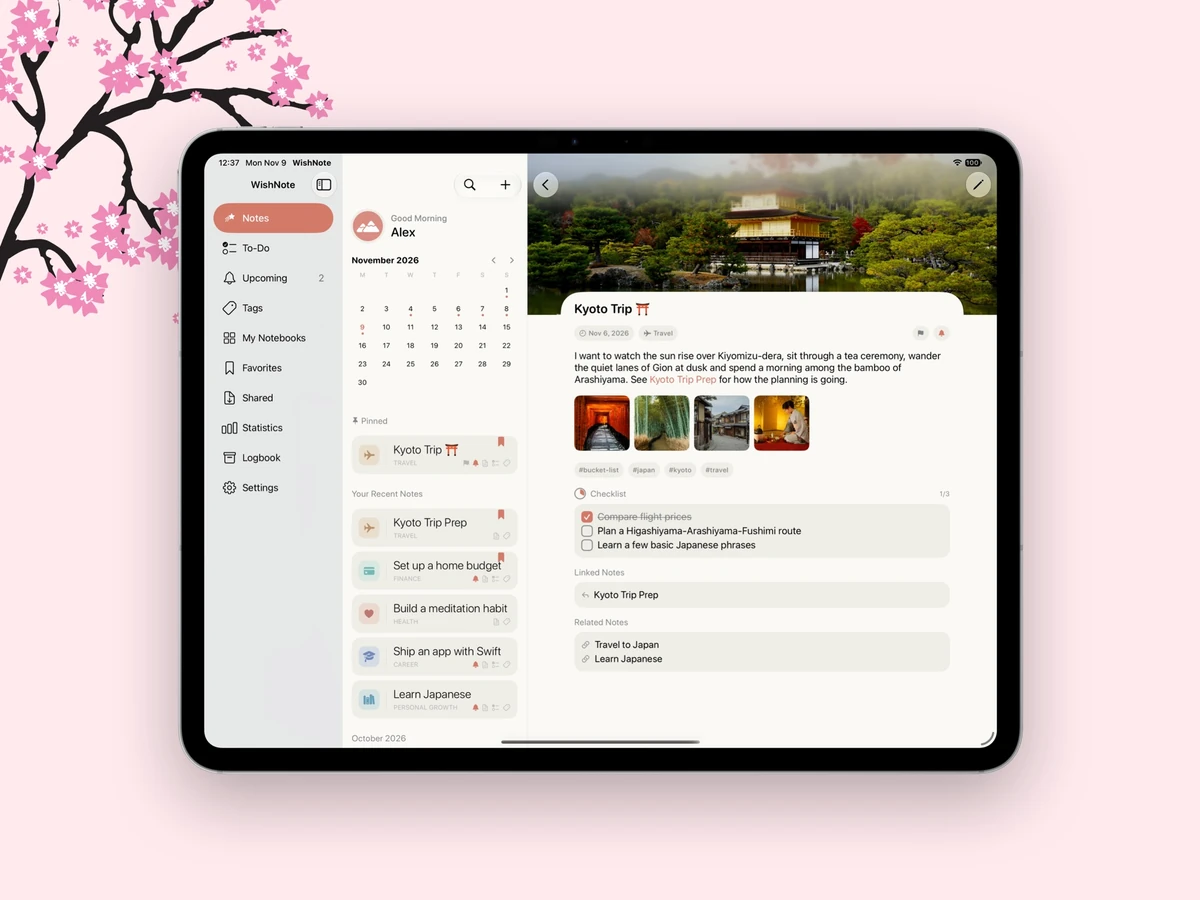
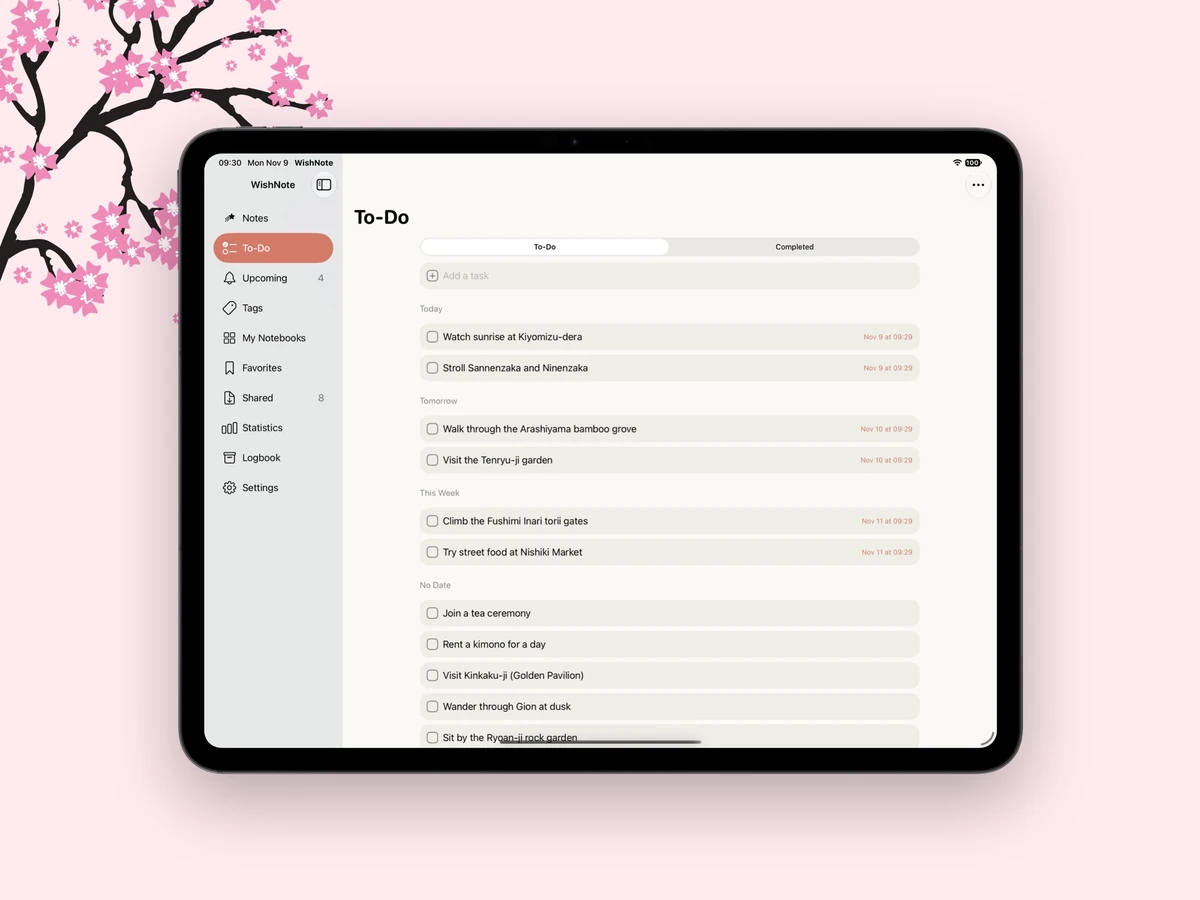
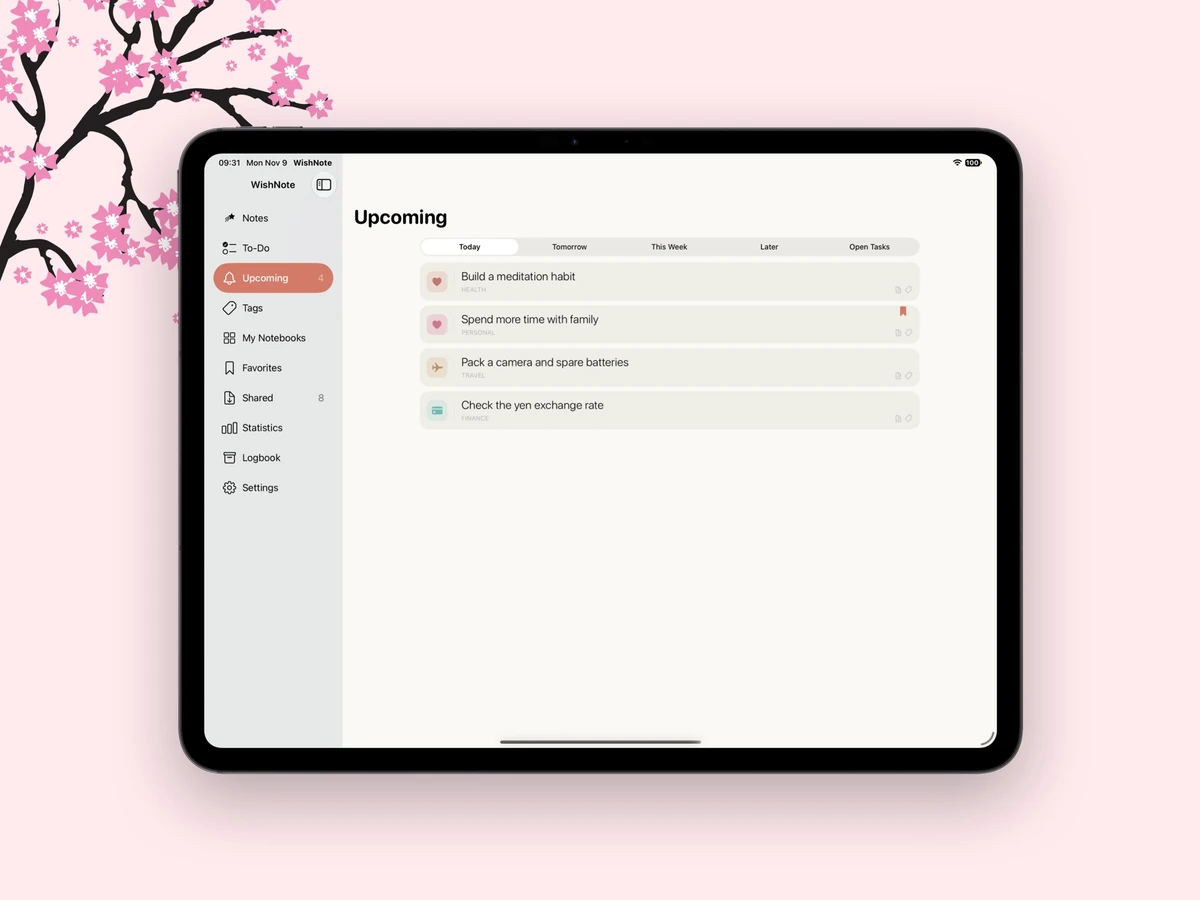
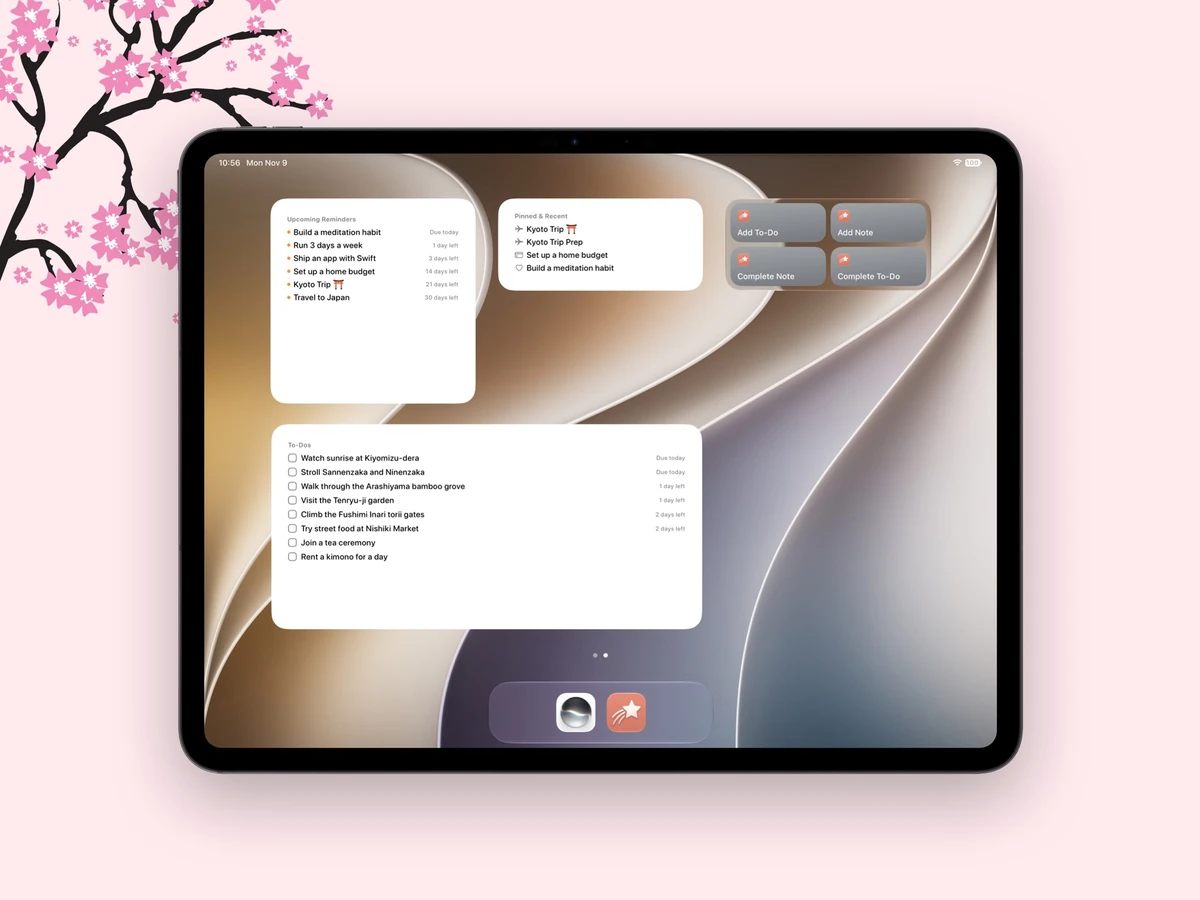
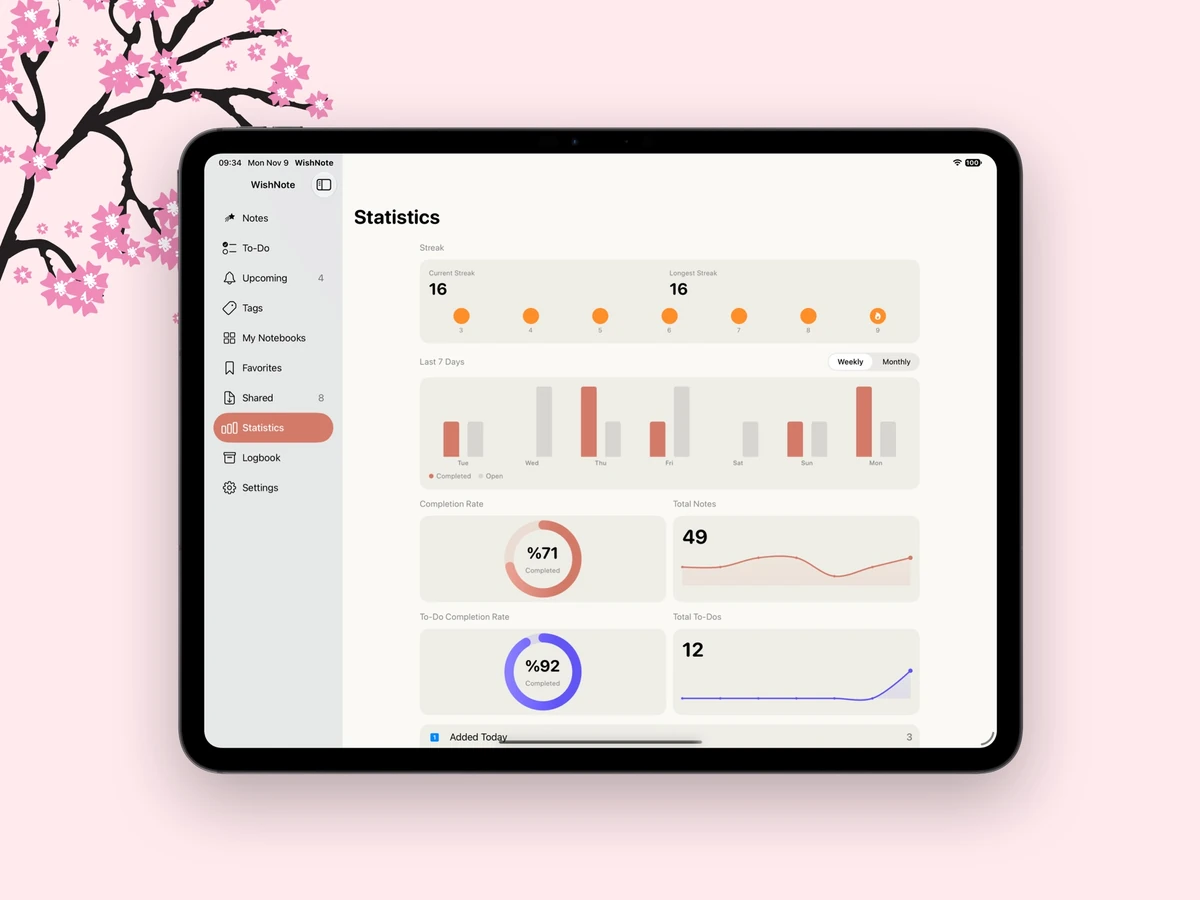
Images from WishNote's official site and the App Store listing.
Prices and codes change. Last year's codes may no longer work — always confirm on the maker's site. Are you the maker? Send us your 2026 deal — listing is free.
Similar deals
- Keystro — Show live keystrokes, cursor highlights and mechanical key sounds for clearer tutorials.
- Kaku - Japanese Notebook — Japanese study notebook with instant lookups, OCR, and read-aloud on Apple devices.
- Thurayya — Mac launcher that learns which apps, files and sites you open at each hour and has them…
- Vidimote for Safari — Safari extension for faster web video playback, Picture in Picture and skip controls.
- Timemator — Automatic Mac time tracking that turns app, file and website activity into timesheets.
- Quotion - Apple Notes to blogs in minutes — Turn a folder of Apple Notes into a fast, good-looking blog on your own domain, updated…
WishNote deal history
| Year | Offer | Dates | Source |
|---|---|---|---|
| 2026 | WishNote Pro Lifetime $2.99 instead of $17.99 (83% off), Nov 20 to Dec 2, 2026. The sale price is applied automatically in the App Store; no code needed. The app itself is free. | Nov 20, 2026 – Dec 2, 2026 | Confirmed by the maker (announcement) |
Similar apps to WishNote
- PastePal — Clipboard history on Mac, iPhone and iPad with private iCloud sync and a one-time purchase. Live deal 50% off a lifetime license, $7.49 instead of $14.99, with code INDIEGOODIESBF26. November 20 to November 30, 2026.
- Smolpad — Write Markdown notes on Mac, iPhone, iPad and Watch, with each note saved as an ordinary file in your own iCloud. Live deal Smolpad Pro Lifetime for $14.99 instead of $29.99 (50% off) with App Store offer code BLACKFRIDAY, redeemed through the maker's App Store redeem link (not inside the app). One purchase covers Mac, iPhone, iPad and Apple Watch. Live now through Dec 1, 2026
- Forma — A native Mac app for notes, tasks, and freehand drawing on one canvas. Local-first, with optional iCloud sync and no account required. Live deal 47% off Forma Pro Lifetime with App Store offer code BLACKFRIDAY50: $7.99 instead of $14.99, through Dec 1, 2026. Redeem via the maker’s App Store offer-code link. The app itself is free. Prices vary by region.
- Hustla — A to-do app with just three lists for today, next and someday that turns typed phrases into reminders. Live deal Black Friday: Hustla Pro Lifetime is 50% off, $19.99 instead of $39.99 in the US, with App Store offer code BLACKFRIDAY26 (applied from the official page), until December 3, 2026, 11:59 PM PT. One purchase covers iPhone, iPad and Mac.
- Cloister Ink — A markdown writing app for Mac, iPad, and iPhone that keeps your work as plain markdown files in iCloud. No account and no subscription. Also on Windows through the Microsoft Store. Live deal One-time unlock $39.99 instead of $59.99 (33% off), no code, Nov 27 through Dec 7, 2026, back to $59.99 on Dec 8. 7-day free trial. On Apple, one purchase covers Mac, iPad, and iPhone, with Family Sharing. The Microsoft Store sale is US only, per the maker.
- FiveNotes — Five floating Mac notes you can reach instantly, with themes and optional iCloud sync. Awaiting this year's deal; 2025 offer (unconfirmed): 50% OFF Lifetime, Nov 21th - Dec 3th
More in Mac app (525 apps) · More in iOS app (79 apps) · More in Productivity (245 apps) · More in Writing (39 apps) · When Mac app Black Friday sales start · App Store vs direct purchase
FAQ
Is WishNote on sale for Black Friday 2026?
Yes. The maker has confirmed a Black Friday 2026 deal: WishNote Pro Lifetime $2.99 instead of $17.99 (83% off), Nov 20 to Dec 2, 2026. The sale price is applied automatically in the App Store; no code needed. The app itself is free.. It runs until Dec 2, 2026. Confirmed directly by the maker (last checked Nov 15, 2026).
Does WishNote have a lifetime or one-time price?
Optional one-time Pro Lifetime in-app purchase. The app itself is free to download, per the maker's pricing page. Check the maker's site for current pricing.
What platforms does WishNote run on?
WishNote is listed for Mac and iOS.
Compare alternatives: Quotion - Apple Notes to blogs in minutes alternatives · Marked 2 alternatives
See also: Mac & iPhone Black Friday deals · Mac Black Friday 2026 deals.
For makers: add this badge
Optional. Copy this HTML to add a “Listed on IndieMarkdowns” badge that links to this deal page. It is never a condition of the listing.
A dark version uses https://indiemarkdowns.com/badge/listed-dark.svg. The older /badge/featured-light.svg and /badge/featured-dark.svg URLs work too.