
ls.graphics Black Friday 2026 deal
ls.graphics has a confirmed Black Friday 2026 deal: 50% off every product and plan, both billed annually. Nov 6 to Dec 1, 2026. Confirmed to us directly by the maker, listing last checked Nov 18, 2026. Black Friday 2026 is Nov 27 and Cyber Monday is Nov 30.
| Status | Confirmed for Black Friday 2026 |
|---|---|
| Discount | 50% off |
| Code | No code needed |
| Ends | Dec 1, 2026 |
| Last checked | Nov 18, 2026 |
See also: Black Friday 2026 Design deals
Put app screens and brand artwork into thousands of device, print and packaging mockups, then edit and export them in your browser.
Deal status
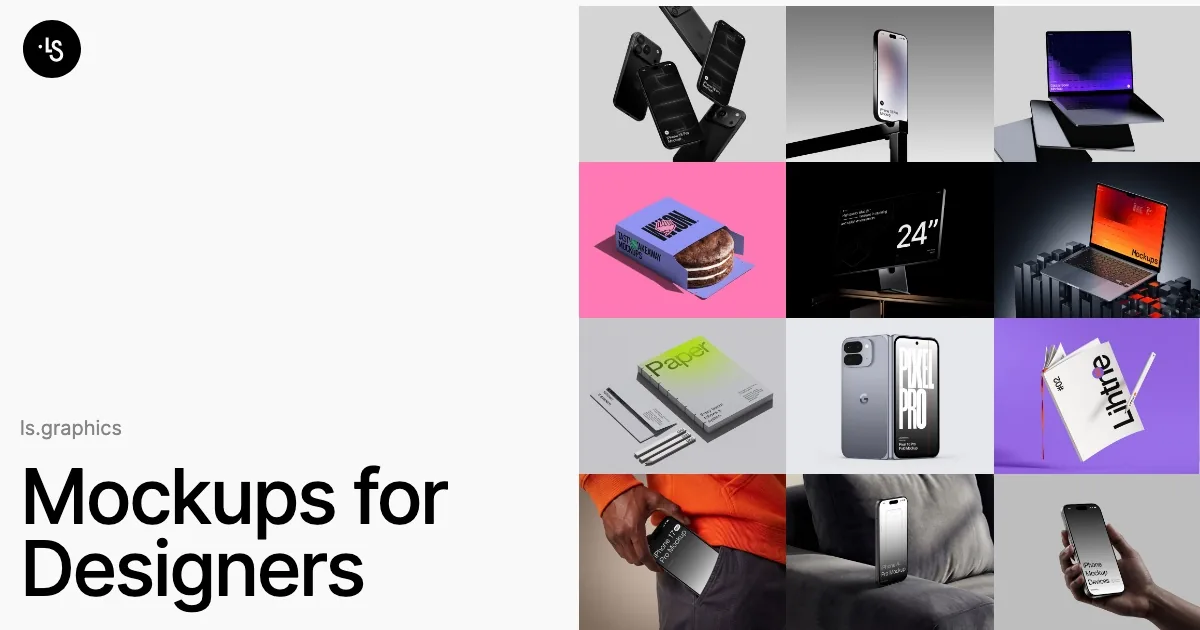
Live deal · confirmed by the maker 50% off every product and plan, applied automatically with no code: Start Yearly drops from $9 to $4.50 a month and Pro Yearly from $12 to $6 a month, both billed annually. Nov 6 to Dec 1, 2026 maker’s announcementWhat ls.graphics looks likeImage from ls.graphics's official site
Get deal alerts by email
We send a weekly email in November with the Black Friday 2026 deals makers have confirmed. Free, unsubscribe anytime.
What does it do?
Behind the ls.graphics name sits a subscription library of design mockups, along with browser tools to edit them. The catalog covers thousands of device scenes for iPhone, MacBook, iPad, Android and Apple Watch, plus print, packaging, apparel and branding sets, abstract backgrounds and illustrations. You can place a design in a static mockup online, render animated device clips, build multi-device scenes in a 3D studio, or work through the Figma plugin.
Who is it for?
UI designers, app developers and brand designers who need realistic presentation images or short videos of their work for App Store pages, portfolios, pitches and social posts.
When would you use it?
- App launch visuals: Drop your app screens into an iPhone or MacBook scene in the online editor, pick a device color, and export a PNG for the landing page.
- Product video: Use a live mockup to turn a device, change the lighting and render an MP4 clip you can post on launch day.
- Branding presentation: Place a new logo on business cards, packaging and signage mockups to show a client the identity in a realistic setting.
- Staying in Figma: Insert mockups through the plugin so presentation frames update without exporting files into another tool first.
Why pay for it?
Building convincing device or packaging scenes by hand takes hours in Photoshop, and a subscription gives you a large, regularly updated catalog plus editors that run in the browser. The Pro tier includes the Photoshop, Figma and Sketch source files when you want full control. Plans can be cancelled anytime and come with a refund window of 14 days.
What should you know?
- Start Yearly is $9 a month, billed annually, and covers the static mockup editor. Pro Yearly is $12 a month, billed annually, and adds live mockups, the 3D studio, the Figma plugin and every source file.
- Black Friday halves the price of every product and plan without a code. On the yearly plans that works out to $4.50 a month for Start and $6 a month for Pro, still charged once a year, from November 6 through December 1, 2026.
- Depending on your country, value-added tax can be charged on top at checkout.
A look inside ls.graphics
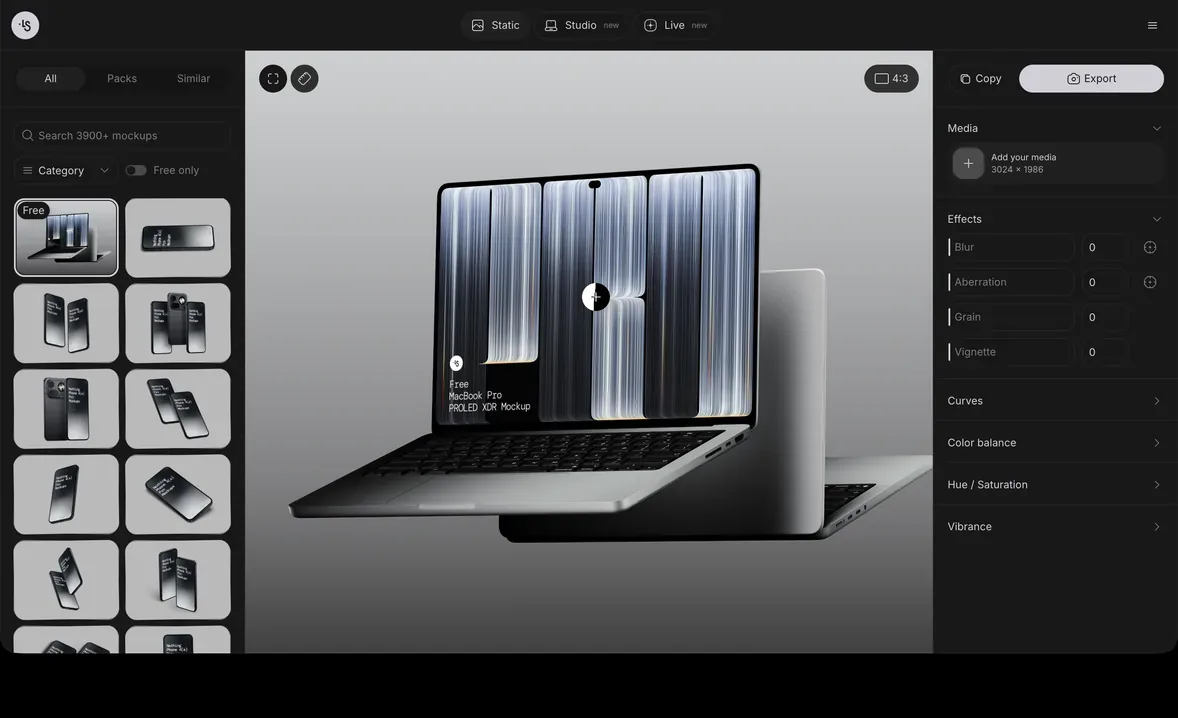
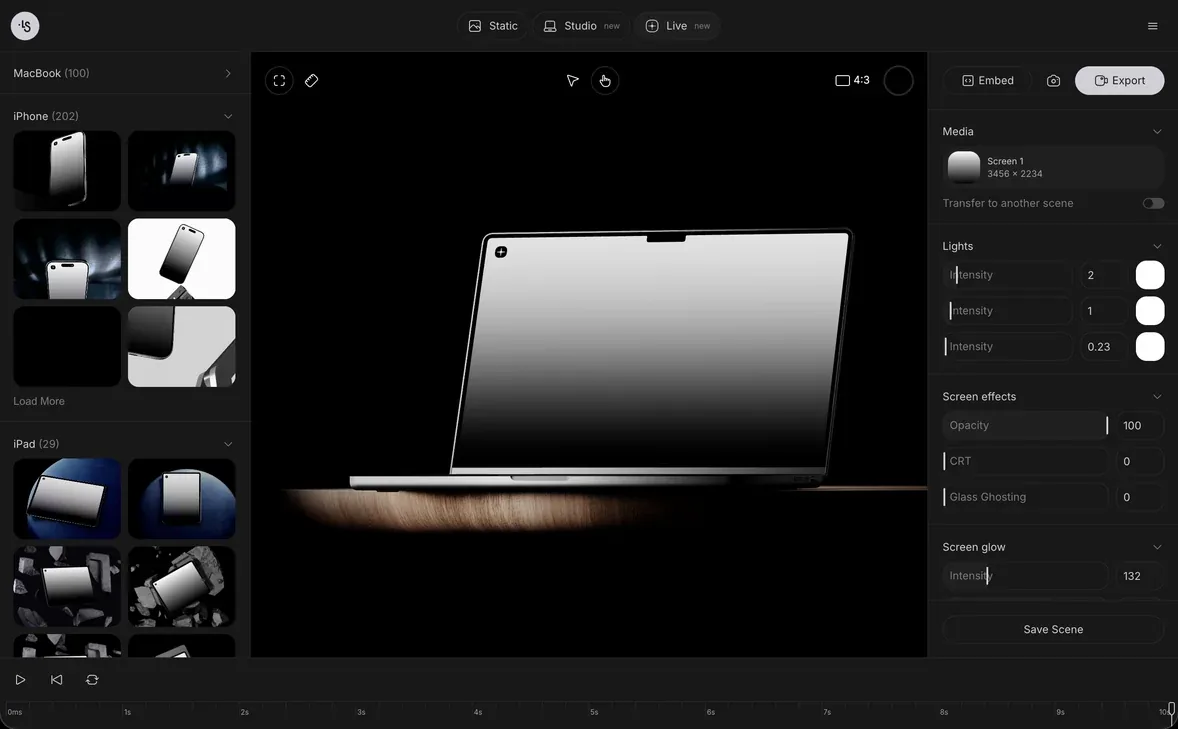
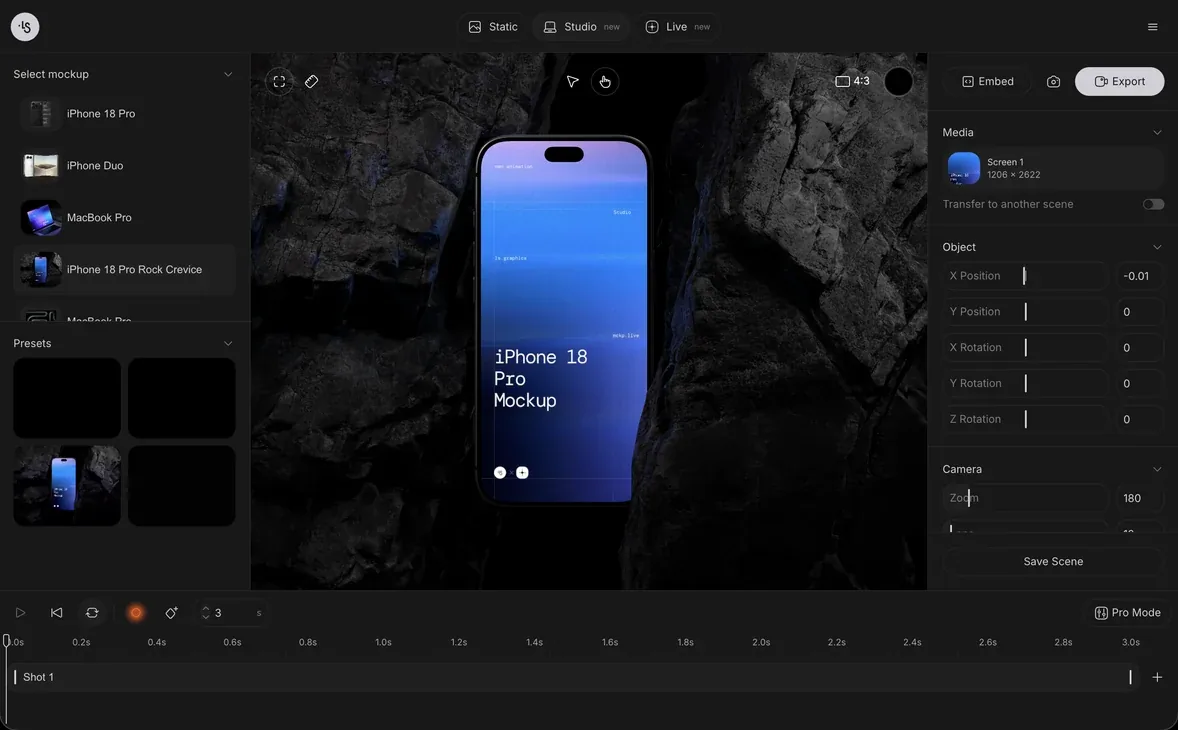
Images from ls.graphics.
Prices and codes change. Last year's codes may no longer work — always confirm on the maker's site. Are you the maker? Send us your 2026 deal — listing is free.
Featured in: Darkroom Black Friday 2026 deal + 5 more
Similar deals
- Atmos — Build accessible, perceptually even color palettes and design tokens for your…
- CamFrame Stream Your Face — Keep a floating webcam window on top of your Mac screen while you record a tutorial,…
- Creativit — Keep text, links, images, and files for a project in one iCloud mood board.
- Lineicons — More than 31,000 consistent icons in ten styles, ready to drop into Figma, React…
ls.graphics deal history
| Year | Offer | Dates | Source |
|---|---|---|---|
| 2026 | 50% off every product and plan, applied automatically with no code: Start Yearly drops from $9 to $4.50 a month and Pro Yearly from $12 to $6 a month, both billed annually. Nov 6 to Dec 1, 2026 | Nov 6, 2026 – Dec 1, 2026 | Confirmed by the maker (announcement) |
Similar apps to ls.graphics
- Bindrik — A Mac app that turns artwork into a KDP-ready interior and cover, working out bleed, gutter, spine width and the barcode zone from the page count. Runs offline. Live deal Black Friday: $39 instead of $69, with code BLACKFRIDAY2026 at checkout. The official page shows the banner from 23 November 2026, 08:00 UTC, and says it ends Monday 30 November. The page script ends the discount at 1 December 2026, 08:00 UTC (when the Paddle code expires).
- Quotion - Apple Notes to blogs in minutes — Turn a folder of Apple Notes into a fast, good-looking blog on your own domain, updated automatically when you edit. Live deal 30% off all paid plans (Lite, Pro, Enterprise) for the first 12 months with code BLACKFRIDAY2026, Nov 9 to Dec 2, 2026
- Iconbuddy — Search hundreds of thousands of open-source icons, tweak them, and export an SVG without hunting through packs. Awaiting this year's deal; 2025 offer (unconfirmed): $60 OFF
- Animock: 3D Mockup Maker — 3D device mockup studio that turns screenshots and recordings into promo videos. Awaiting this year's deal; 2025 offer (unconfirmed): 20% OFF on Lifetime PRO
- Pics2PDF: Image Converter — Turn HEIC, JPEG, and PNG photos into JPG, PNG, or a merged PDF on the device. Awaiting this year's deal; 2025 offer (unconfirmed): 75% OFF Lifetime (auto-applied), Nov 22 – Dec 4
- PhotInfo — Open a photo's hidden camera settings, date, and GPS, then fix or strip them before you share the file. Awaiting this year's deal; 2025 offer (unconfirmed): 66% OFF, Nov 21 - Dec 4
More in Design (76 apps) · When Mac app Black Friday sales start
FAQ
Is ls.graphics on sale for Black Friday 2026?
Yes. The maker has confirmed a Black Friday 2026 deal: 50% off every product and plan, applied automatically with no code: Start Yearly drops from $9 to $4.50 a month and Pro Yearly from $12 to $6 a month, both billed annually. Nov 6 to Dec 1, 2026. It runs until Dec 1, 2026. Confirmed directly by the maker (last checked Nov 18, 2026).
What platforms does ls.graphics run on?
ls.graphics is listed for Web.
Compare alternatives: Paste alternatives
See also: Mac Black Friday 2026 deals.
For makers: add this badge
Optional. Copy this HTML to add a “Listed on IndieMarkdowns” badge that links to this deal page. It is never a condition of the listing.
A dark version uses https://indiemarkdowns.com/badge/listed-dark.svg. The older /badge/featured-light.svg and /badge/featured-dark.svg URLs work too.