Cirrus Black Friday 2026 deal
Cirrus has a confirmed Black Friday 2026 deal: Cirrus Pro (one-time) 50% off: $2.49 instead of $4.99 with code BLACKFRIDAY, filled in automatically when you buy from trycirrus.app. Nov 24 to Dec 1, 2026. Confirmed to us directly by the maker, listing last checked Nov 12, 2026. Black Friday 2026 is Nov 27 and Cyber Monday is Nov 30.
| Status | Starts Nov 24, 2026 |
|---|---|
| Discount | 50% off |
| Deal price | $2.49 (USD) |
| Code | BLACKFRIDAY |
| Starts | Nov 24, 2026 |
| Ends | Dec 1, 2026 |
| Last checked | Nov 12, 2026 |
See also: Black Friday 2026 Mac app deals
Pop a Markdown note above any Mac app with one shortcut, work out quick sums inline, and sync through your own iCloud.
Deal status
Upcoming deal · confirmed by the maker Starts Nov 24, 2026. Cirrus Pro (one-time) 50% off: $2.49 instead of $4.99 with code BLACKFRIDAY, filled in automatically when you buy from trycirrus.app. Nov 24 to Dec 1, 2026What Cirrus looks likeImage from Cirrus's App Store
Get deal alerts by email
We send a weekly email in November with the Black Friday 2026 deals makers have confirmed. Free, unsubscribe anytime.
What does it do?
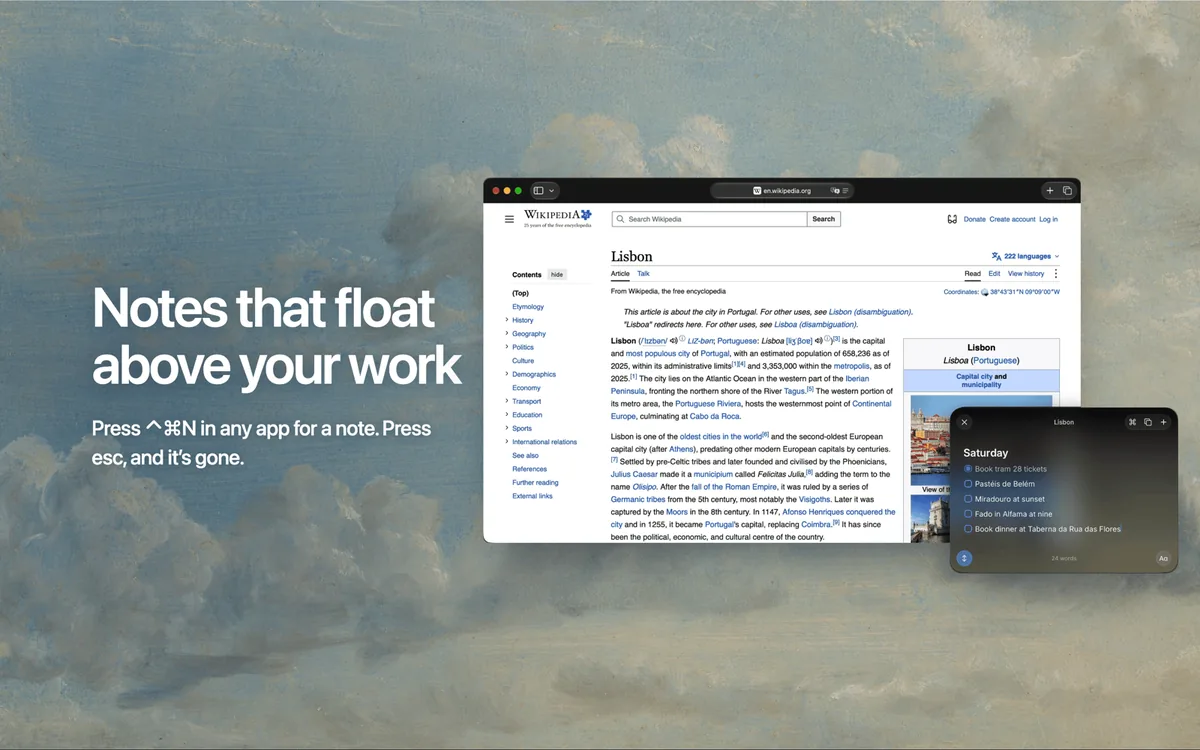
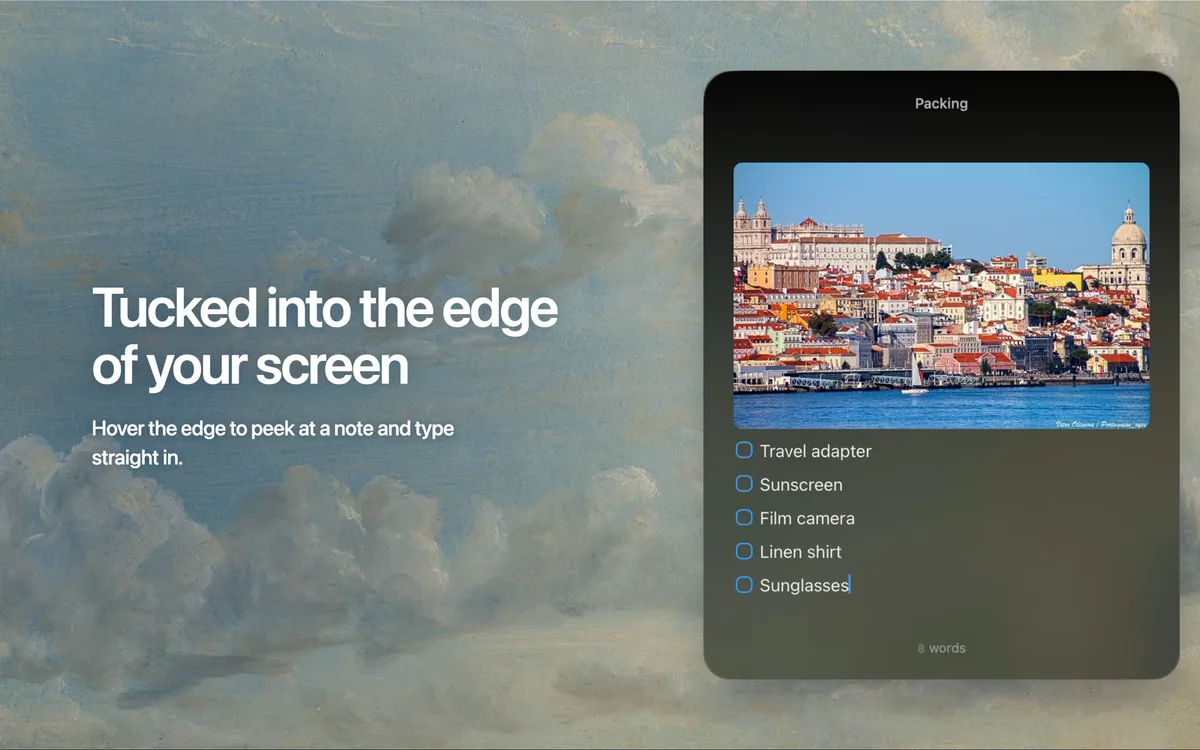
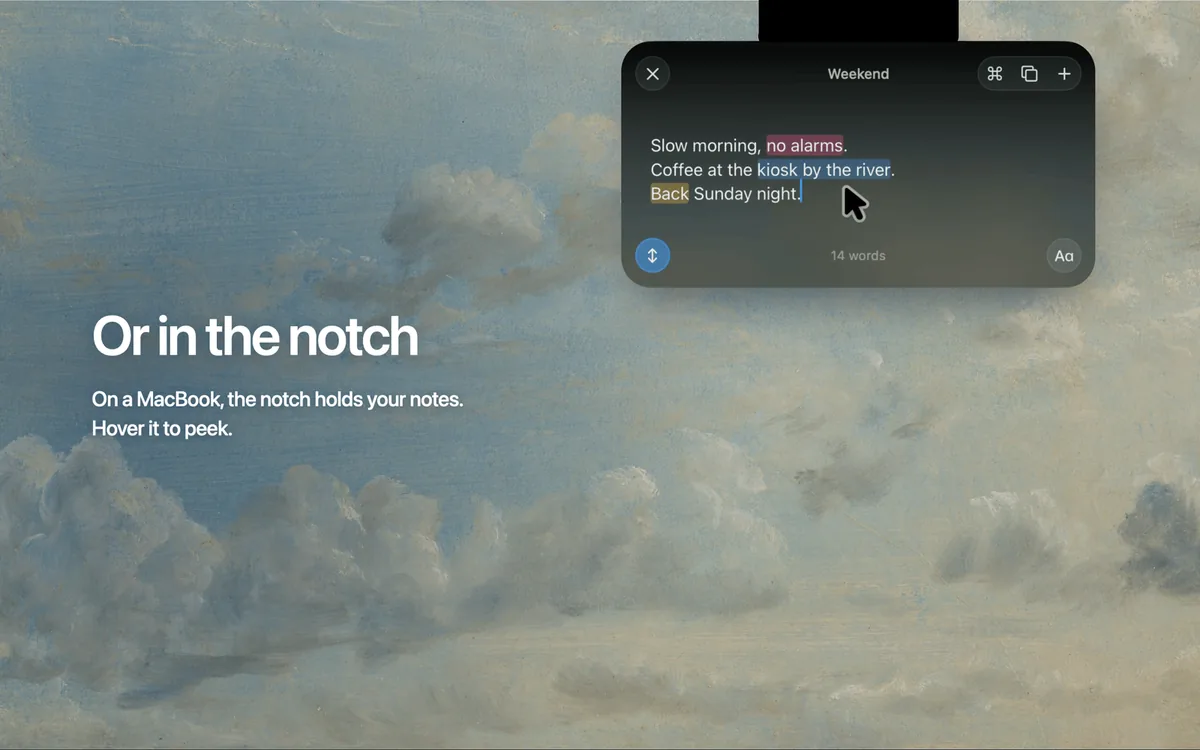
With Cirrus, a Mac note floats above whatever app you are working in. A global shortcut, Control-Command-N, summons it, Escape sends it away, and you can park it as a small tab on a screen edge or inside the MacBook notch. Notes use Markdown that hides its symbols, and any line ending in an equals sign is calculated, including units, time zones and currency conversion.
Who is it for?
Busy Mac owners who constantly jot down quick reminders, numbers or snippets while working in other apps and want somewhere to put them without switching windows or opening a full notes app.
When would you use it?
- Mid-call scratchpad: Summon a note during a video meeting to write down an action item, then press Escape and you are back in the meeting window.
- Trip budgeting: Type hotel nights, fares and a currency conversion on separate lines ending in equals signs, and Cirrus fills in each answer plus a running total.
- Collecting research: Turn on Paste Mode, copy addresses and links from several pages, and they all land in one note without switching back each time.
- Linking ideas: Type two square brackets to connect a note to another one, or create the target note on the spot when it does not exist yet.
Why pay for it?
Most notes apps ask you to leave what you are doing, while Cirrus appears over the current window and disappears when you click away. It needs no account, syncs through your own private iCloud, and exports every note as Markdown, so your text is never locked in. The free tier allows three notes with every feature, and Pro is a single small payment instead of a subscription.
What should you know?
- Pro costs $4.99 once for unlimited notes, and one license bought from the maker covers up to three Macs. The Mac App Store version is the same app at the same price, but purchases do not carry over between the two.
- Code BLACKFRIDAY fills in automatically on trycirrus.app and halves Pro to $2.49 from November 24 to December 1, 2026.
- You need macOS 14 or newer, and direct purchases can be refunded within 14 days. An iPhone version is planned but not released yet.
A look inside Cirrus
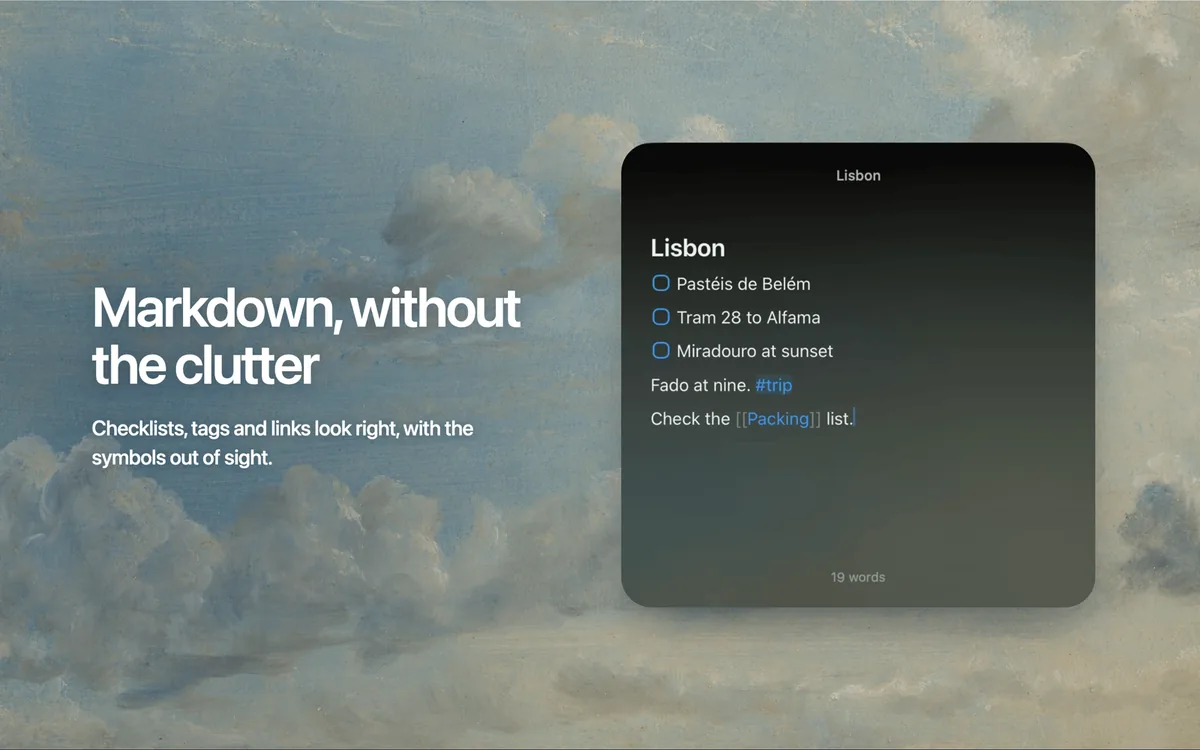
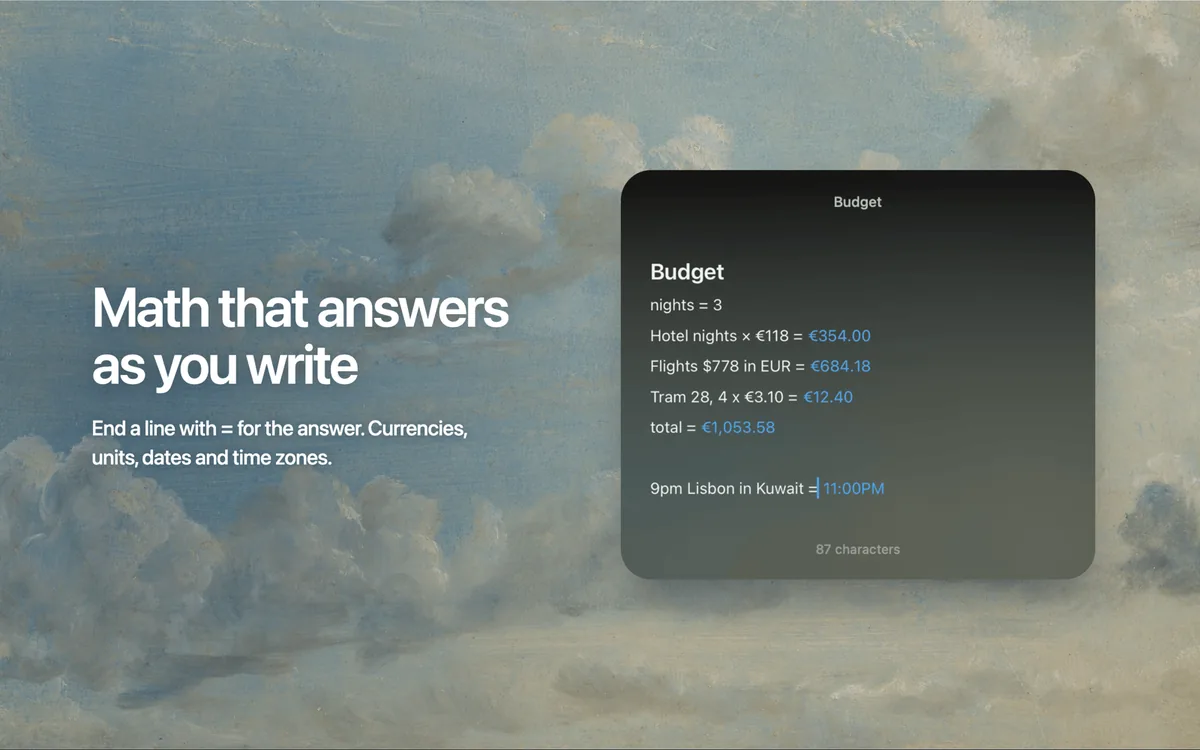
Images from the App Store listing.
Prices and codes change. Last year's codes may no longer work — always confirm on the maker's site. Are you the maker? Send us your 2026 deal — listing is free.
Similar deals
- LocalCan — Put a localhost project on a stable public HTTPS link to test webhooks, share previews…
- Dropshare — Upload screenshots, screen recordings and any file to the storage you already trust,…
- Zen Mode — One-click Mac modes that mute audio and hide windows before awkward moments.
- TimeGo Clock — Lightweight Mac focus timer with a menu-bar countdown and custom timer groups.
- BetterStage — A native Mac window and workspace manager: Stages span your monitors, TabStack combines…
- AppHalt — Pause the Mac apps you are not using right now and bring them back later with every…
Cirrus deal history
| Year | Offer | Dates | Source |
|---|---|---|---|
| 2026 | Cirrus Pro (one-time) 50% off: $2.49 instead of $4.99 with code BLACKFRIDAY, filled in automatically when you buy from trycirrus.app. Nov 24 to Dec 1, 2026 | Nov 24, 2026 – Dec 1, 2026 | Confirmed by the maker |
Similar apps to Cirrus
- Smolpad — Write Markdown notes on Mac, iPhone, iPad and Watch, with each note saved as an ordinary file in your own iCloud. Live deal Smolpad Pro Lifetime for $14.99 instead of $29.99 (50% off) with App Store offer code BLACKFRIDAY, redeemed through the maker's App Store redeem link (not inside the app). One purchase covers Mac, iPhone, iPad and Apple Watch. Live now through Dec 1, 2026
- Cloister Ink — A markdown writing app for Mac, iPad, and iPhone that keeps your work as plain markdown files in iCloud. No account and no subscription. Also on Windows through the Microsoft Store. Live deal One-time unlock $39.99 instead of $59.99 (33% off), no code, Nov 27 through Dec 7, 2026, back to $59.99 on Dec 8. 7-day free trial. On Apple, one purchase covers Mac, iPad, and iPhone, with Family Sharing. The Microsoft Store sale is US only, per the maker.
- TuningMac — Shape the sound of everything on your Mac, set each app's volume on its own and play through several speakers in sync. Live deal Launch price $5 for the first 100 lifetime licenses, then $14. One-time purchase, use on up to 2 Macs, no subscription. The official site did not show code BLACKFRIDAY or a $4 price.
- Forma — A native Mac app for notes, tasks, and freehand drawing on one canvas. Local-first, with optional iCloud sync and no account required. Live deal 47% off Forma Pro Lifetime with App Store offer code BLACKFRIDAY50: $7.99 instead of $14.99, through Dec 1, 2026. Redeem via the maker’s App Store offer-code link. The app itself is free. Prices vary by region.
- Rune — A fast Mac text editor with one scratch file shared across your Macs through iCloud Drive. Live deal 30% off Rune with code BLACKFRIDAY: $13.30 instead of $19 for a license covering 3 Macs. Also 30% off the Blit + Rune bundle, $20.30 instead of $29. Nov 27 to Dec 1, 2026, Pacific time
- BoltAI — Work with more than 300 AI models from one fast Mac app, and call it up over any window with a shortcut. Live deal Pro $99 → $59 (2 desktop devices + 1 mobile), Pro+ $199 → $119 (3 desktop devices + 2 mobile), or Lifetime $399 → $239 (5 seats + 3 mobile, lifetime updates), with code BFCM2026. One-time / perpetual licenses. The maker did not publish an end date.
More in Mac app (525 apps) · More in Productivity (245 apps) · When Mac app Black Friday sales start
FAQ
Is Cirrus on sale for Black Friday 2026?
Yes. The maker has confirmed a Black Friday 2026 deal: Cirrus Pro (one-time) 50% off: $2.49 instead of $4.99 with code BLACKFRIDAY, filled in automatically when you buy from trycirrus.app. Nov 24 to Dec 1, 2026. It runs until Dec 1, 2026. Confirmed directly by the maker (last checked Nov 12, 2026).
Does Cirrus have a lifetime or one-time price?
Yes. Pro is a one-time $4.99 purchase; the free version allows 3 notes, per the maker's pricing page. Check the maker's site for current pricing.
What platforms does Cirrus run on?
Cirrus is listed for Mac.
Compare alternatives: TextSniper alternatives · Paste alternatives
See also: Productivity Black Friday deals · Mac Black Friday 2026 deals.
For makers: add this badge
Optional. Copy this HTML to add a “Listed on IndieMarkdowns” badge that links to this deal page. It is never a condition of the listing.
A dark version uses https://indiemarkdowns.com/badge/listed-dark.svg. The older /badge/featured-light.svg and /badge/featured-dark.svg URLs work too.