
Aevo Black Friday 2026 deal
Aevo has a confirmed Black Friday 2026 deal: Black Friday: first year of Pro 49€ instead of 70€ (code BLACKFRIDAY26), or lifetime 149€ instead of 199€ (code BLACKFRIDAY26LIFETIME), November 27–30, 2026 (German time, CET). Checked against the maker's page; listing last checked Nov 16, 2026. Black Friday 2026 is Nov 27 and Cyber Monday is Nov 30.
| Status | Starts Nov 27, 2026 |
|---|---|
| Code | BLACKFRIDAY26 / BLACKFRIDAY26LIFETIME |
| Starts | Nov 27, 2026 |
| Ends | Nov 30, 2026 |
| Last checked | Nov 16, 2026 |
See also: Black Friday 2026 Mac app deals
A workspace for tasks, goals, and a daily plan, on the web and as apps for the Mac and Windows.
Deal status
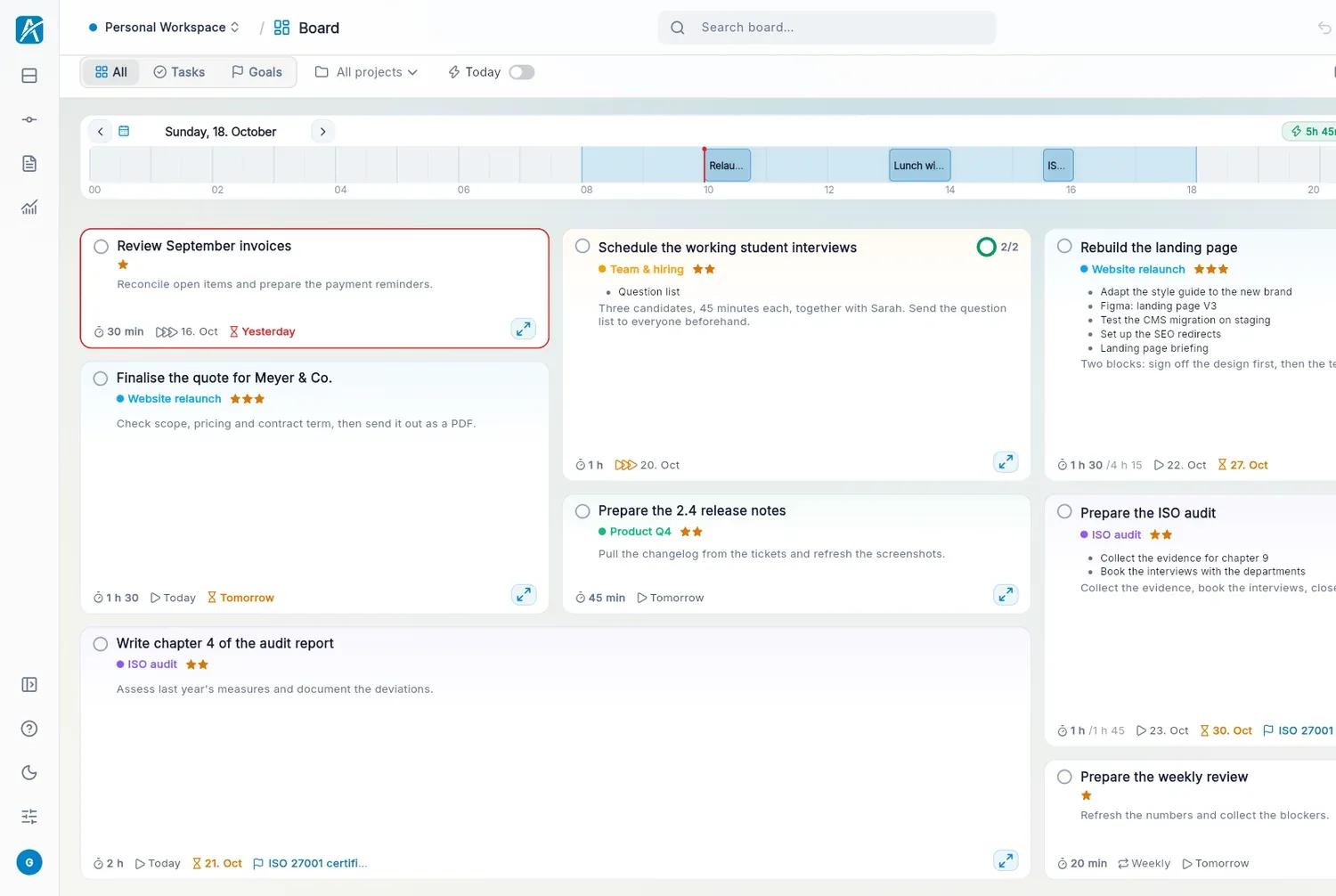
Upcoming deal · verified on the maker's site Starts Nov 27, 2026. Black Friday: first year of Pro 49€ instead of 70€ (code BLACKFRIDAY26), or lifetime 149€ instead of 199€ (code BLACKFRIDAY26LIFETIME), November 27–30, 2026 (German time, CET). maker’s announcementWhat Aevo looks likeImage from Aevo's official site
Get deal alerts by email
We send a weekly email in November with the Black Friday 2026 deals makers have confirmed. Free, unsubscribe anytime.
What does it do?
Aevo shows tasks as tiles on a board where size reflects effort and position reflects importance, so what matters now sits top left. Connect a calendar and it subtracts meetings from your working hours, then draws a line around the tasks that still fit into today. Notes, subtasks and projects live on the same board.
Who is it for?
Freelancers and knowledge workers whose to-do lists grow faster than their days and who want an honest view of what will actually fit between meetings.
When would you use it?
- Planning the day: Drag tasks from the backlog into the gaps between fixed calendar meetings and see at once what still fits.
- Breaking down a big job: Zoom into a task to add grouped subtasks, links, files and notes, going as many levels deep as you need.
- Facing procrastination: Watch a tile turn yellow after its third postponement, then decide whether to finish it or drop it.
- Turning mail into work: Link your email read-only and convert a message or meeting into a task with one click.
Why pay for it?
Instead of an AI that plans for you, Aevo ranks tasks with a visible calculation of deadline, date, priority and postponements, so you can see why each tile is where it is. Its servers run in the EU and the app uses no analytics or advertising services.
What should you know?
- Desktop downloads are offered for macOS and Windows, and a web demo works without an account.
- Free use has no time limit and covers one workspace and five projects.
- Pro costs 7 euros a month or 70 euros a year after a 14-day trial, and a lifetime licence is 199 euros paid once.
- Calendars from Google, Microsoft 365, iCloud and CalDAV can be connected, and tasks import from Todoist, TickTick or CSV.
A look inside Aevo
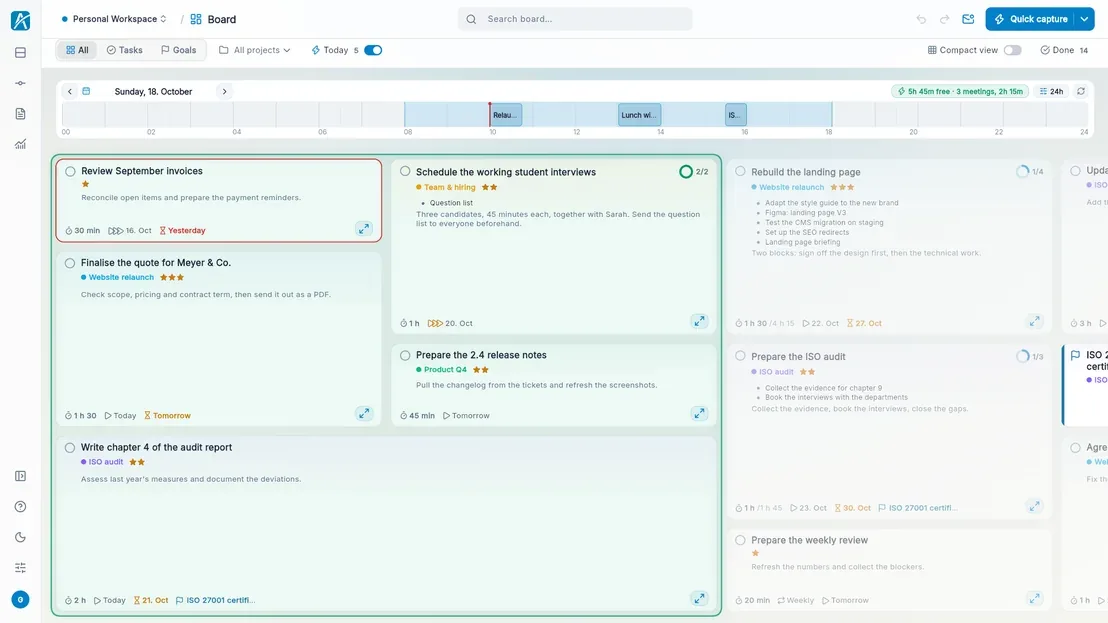
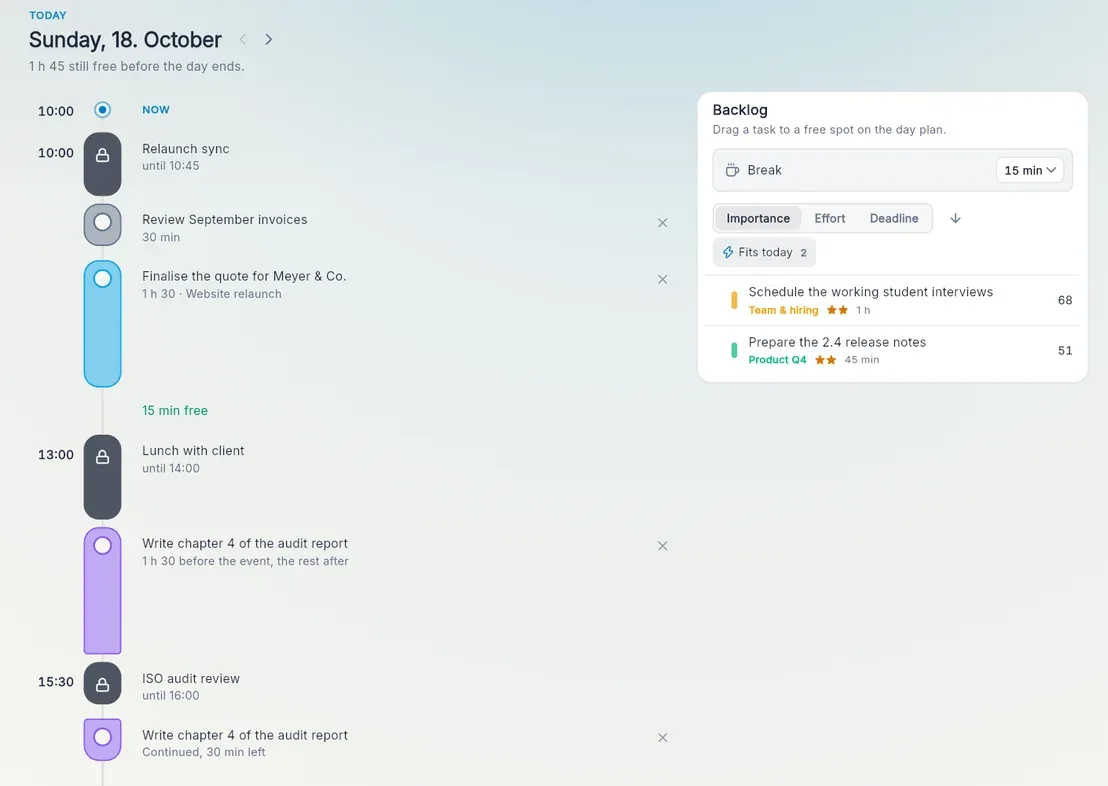
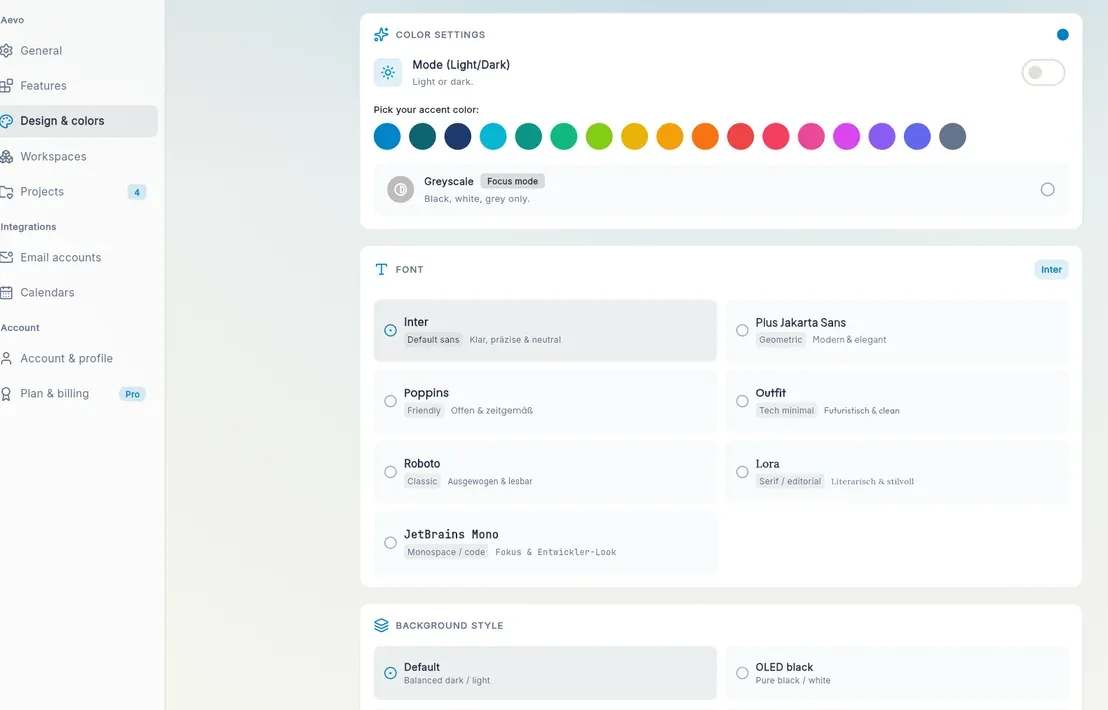
Images from Aevo's official site (aevo.so).
Prices and codes change. Last year's codes may no longer work — always confirm on the maker's site. Are you the maker? Send us your 2026 deal — listing is free.
Similar deals
- DoubleMemory — Save anything you copy twice into a tagged iCloud library across Mac, iPhone, iPad and…
- CleanShot X — Mac toolkit for screenshots, annotations, screen recording and optional cloud sharing…
- Kanbanero — Local kanban board app for Mac where every board is a plain YAML or JSON file in a…
- Shiori — Keeps your links in tags, folders and saved filters, synced between a Mac app, a web…
- AudioBo — Turn messy audio folders into chaptered M4B audiobooks for Apple Books and CarPlay.
- FiveNotes — Five floating Mac notes you can reach instantly, with themes and optional iCloud sync.
Aevo deal history
| Year | Offer | Dates | Source |
|---|---|---|---|
| 2026 | Black Friday: first year of Pro 49€ instead of 70€ (code BLACKFRIDAY26), or lifetime 149€ instead of 199€ (code BLACKFRIDAY26LIFETIME), November 27–30, 2026 (German time, CET). | Nov 27, 2026 – Nov 30, 2026 | Verified on the maker's site (announcement) |
Similar apps to Aevo
- Craft Docs — Notes, tasks and polished documents living in one Craft workspace across your devices. Live deal 40% off yearly Craft Plus and Family plans with code BLACKFRIDAY26-A (Plus goes from $8 to $4.80 a month, US price, local prices vary), or 20% off monthly plans with code BLACKFRIDAY26-M. The discount stays on every renewal, and the free plan stays free. Nov 16 to Dec 9, 2026.
- Atelier — Mac workspace for Claude Code, Codex and Cursor sessions that keeps tasks, releases, feedback and project memory for each of your apps. Live deal 50% off Atelier with code BLACKFRIDAY at appsbymo.app, until Dec 1, 2026. The regular price is $19.99, paid once.
- Layerwise — Go from idea to a working web app with database, sign-in, email and storage already set up, using your AI plan. Live deal 20% off all paid plans for 12 months (monthly or annual) with code BLACKFRIDAY2026, redeem by Dec 2, 2026
- Superlist — Tasks, notes and shared plans in one app for Mac, iOS, Android and the web from the Wunderlist makers. Live deal Black Friday: 50% off your first year on any yearly Superlist plan with code SUPERFRIDAY2026. Basic is $29.50 instead of $59 and Super is $99.50 instead of $199 for the first year. Redeem in the web app or the Mac app; the code does not work for purchases through iOS or Google Play. Valid until midnight on November 29, 2026.
- Tempus - AI Daily Planner — Plan the day with AI scheduling, AlarmKit reminders, and a clear visual timeline. Awaiting this year's deal; 2025 offer (unconfirmed): 67% OFF Lifetime (auto-applied)
- Hookmark — Link Mac files, mail, tasks, and web pages so related work is one click away. Awaiting this year's deal; 2025 offer (unconfirmed): 35% off for Black Friday 2025
More in Mac app (525 apps) · More in Productivity (245 apps) · When Mac app Black Friday sales start
FAQ
Is Aevo on sale for Black Friday 2026?
Yes. The maker has confirmed a Black Friday 2026 deal: Black Friday: first year of Pro 49€ instead of 70€ (code BLACKFRIDAY26), or lifetime 149€ instead of 199€ (code BLACKFRIDAY26LIFETIME), November 27–30, 2026 (German time, CET).. It runs until Nov 30, 2026. Last checked against the maker's page: Nov 16, 2026.
Does Aevo have a lifetime or one-time price?
A lifetime license is offered at 149€ instead of 199€ with code BLACKFRIDAY26LIFETIME, November 27–30, 2026 (CET), per the maker's pricing page. Check the maker's site for current pricing.
What platforms does Aevo run on?
Aevo is listed for Mac, Windows and Web.
Compare alternatives: Paste alternatives · TextSniper alternatives
See also: Productivity Black Friday deals · Mac Black Friday 2026 deals.
For makers: add this badge
Optional. Copy this HTML to add a “Listed on IndieMarkdowns” badge that links to this deal page. It is never a condition of the listing.
A dark version uses https://indiemarkdowns.com/badge/listed-dark.svg. The older /badge/featured-light.svg and /badge/featured-dark.svg URLs work too.