At a glance
Transom Personal, Black Friday
Best forLaptop owners who dock and undock and want windows to go back where they were
Magnet
Best forAnyone who only needs keyboard and drag snapping on any recent Mac
Quick verdict
Transom earns its higher cost when you switch between a laptop screen and a monitor, because it rebuilds the layout for you.
If snapping is all you do, Magnet covers it for less and runs on older and Intel Macs.
Both figures come from the price table below. A one-time licence is paid once, so its 3-year cost stays the same unless you buy an upgrade.
Transom and Magnet both move Mac windows into halves, thirds and corners from the keyboard. Magnet has done that since 2012 and sells for $4.99 in Apple’s store. Transom adds two things Magnet does not describe: a scrolling Strip mode where windows keep their width, and Desks that put every window back on the right screen when you plug a monitor in again. For Black Friday, Transom is $9 once instead of $19 until December 1.
Transom pricing ↗ Magnet in the App Store ↗
Transom’s link opens its own pricing page and Magnet’s opens Apple’s store; neither click earns this site money.
Transom and Magnet prices side by side
| Plan | What you get | Year 1 | 3 years |
|---|---|---|---|
| Transom Personal, Black Friday | One Mac, all of Snap, Strip and Desks, with 1.x updates included, until December 1. | $9 once | $9 |
| Transom Household, Black Friday | Up to three Macs for the same person or family, until December 1. | $14 once | $14 |
| Transom Personal | Single-Mac price once December 1 has passed. | $19 once | $19 |
| Transom Household | The three-Mac licence after the sale. | $29 once | $29 |
| Magnet | A single App Store purchase, no subscription or extras, shareable with family members. | $4.99 once | $4.99 |
Prices from transommac.com/pricing and Apple’s listing for Magnet, read Nov 24, 2026. Owners will pay half price to move to Transom 2 when it ships, and version 1 keeps running. Sales tax or VAT can apply on top.
Worked example
Sam docks a MacBook Pro at a desk with a 34-inch ultrawide every morning
Sam keeps a browser, an editor, a terminal and a chat app open all day, and unplugs twice a day for meetings.
With Transom
Sam sets the ultrawide to Strip, so each new window opens beside the current one at a third or half of the width, and control, option and an arrow slide along the row. The laptop screen stays in Snap mode. When Sam unplugs, the windows land on the laptop; when the monitor comes back, Desks returns each one to the spot and size it had on the ultrawide. One Personal licence is $9 in the sale.
With Magnet
Sam drags windows to trigger areas or uses shortcuts to put them into halves, thirds and quarters on the ultrawide, and Magnet handles the second display without fuss. After each undock, though, Sam rearranges the windows again, because the App Store page lists custom commands and layouts but no automatic restore on reconnect. Magnet costs $4.99.
For Sam: Transom saves the re-arranging twice a day for $4.01 more than Magnet during the sale. Someone who never unplugs gets most of the value from Magnet.
A look inside Transom
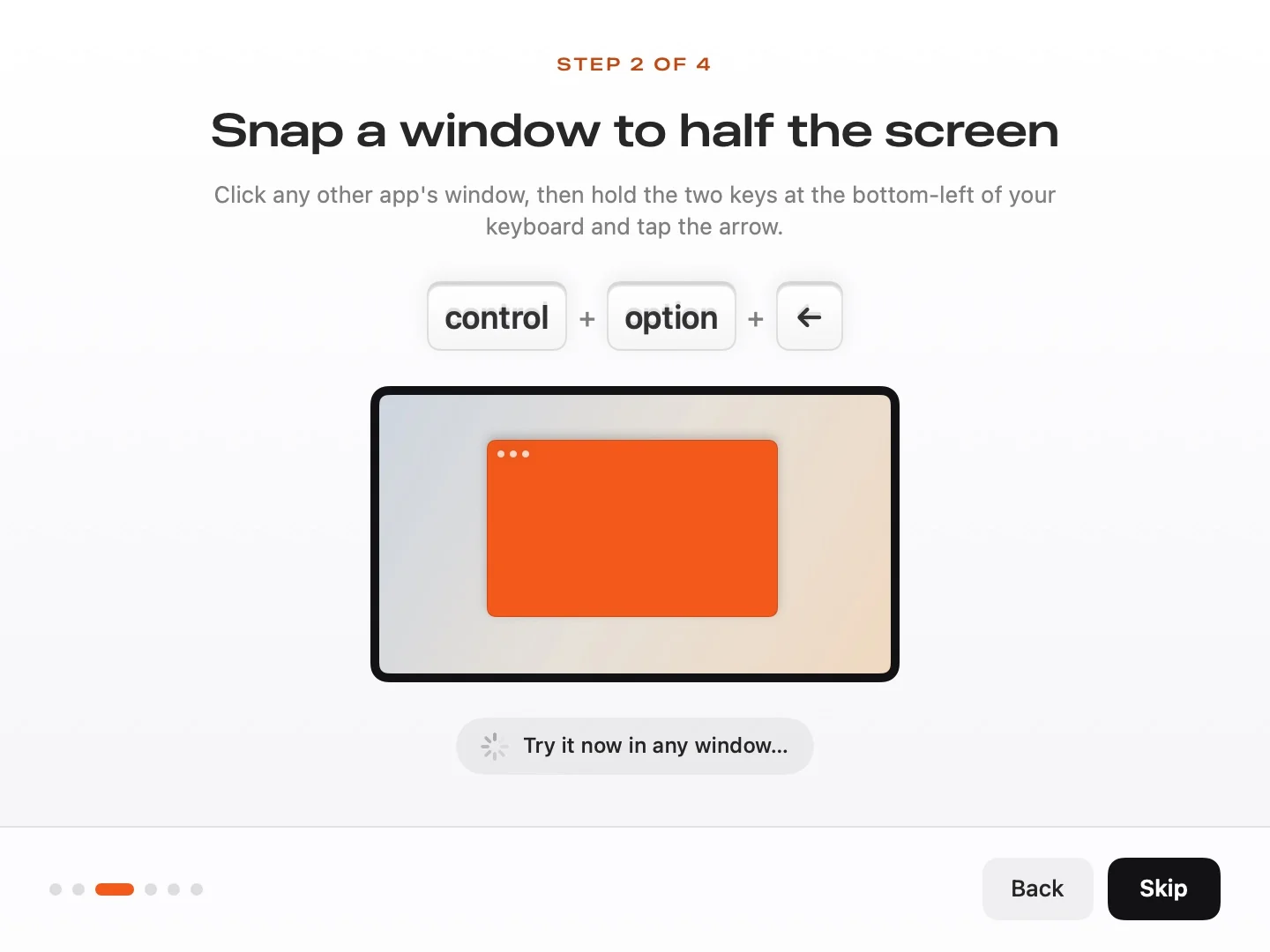
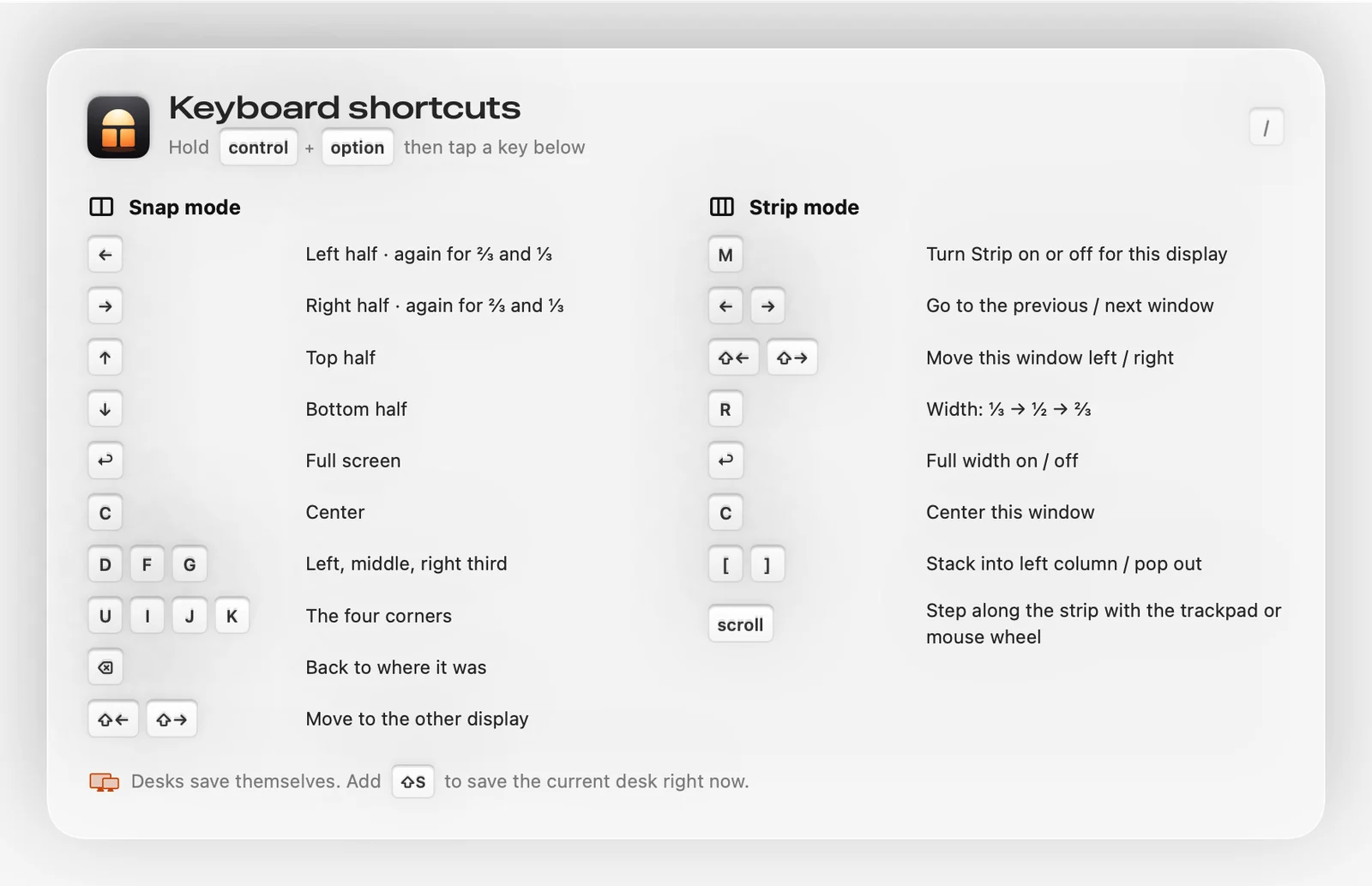
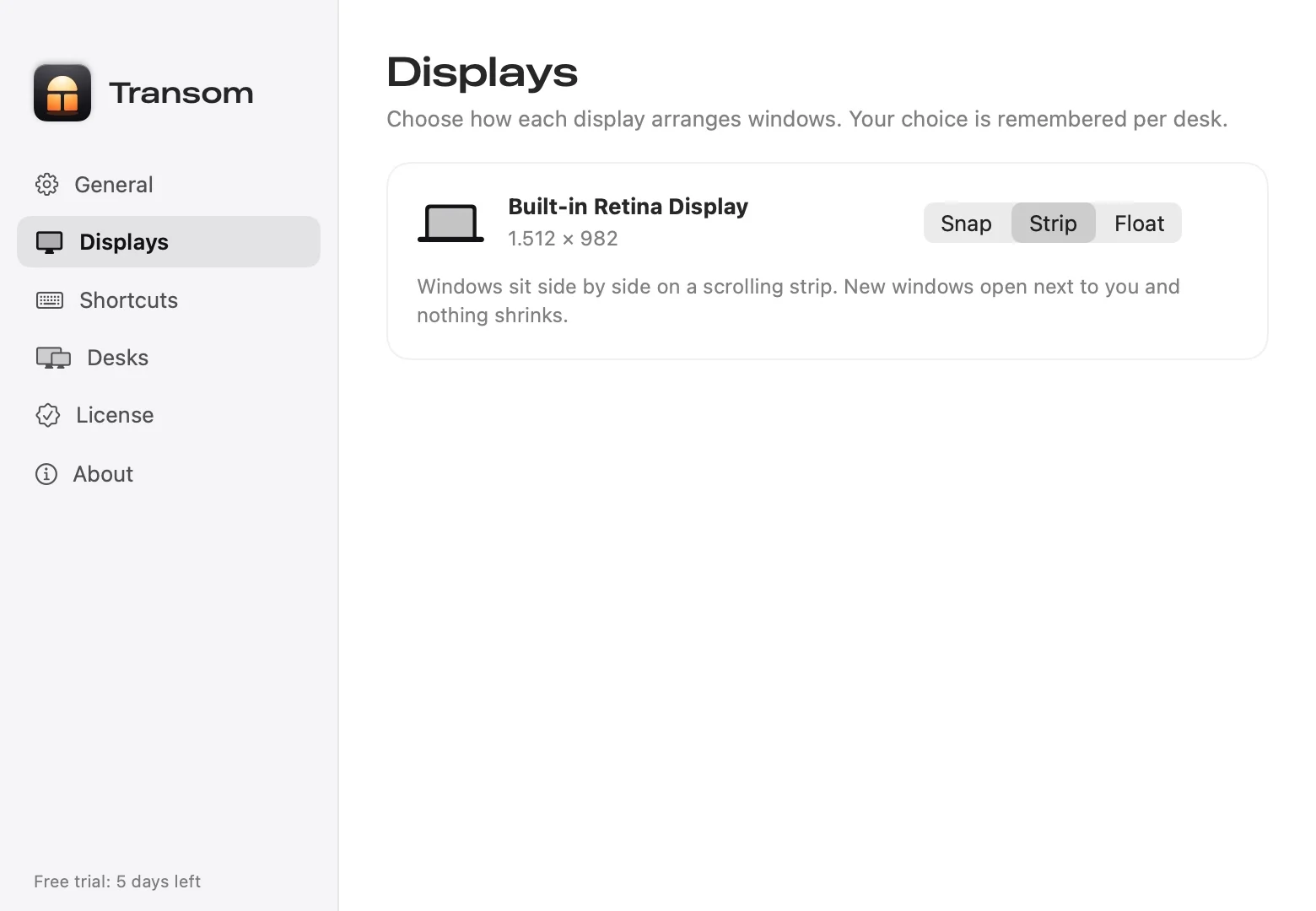
Images from Transom's site. More on our Transom deal page.
Feature by feature
| Topic | Transom | Magnet |
|---|---|---|
| Snapping | Halves, thirds, corners and full screen; pressing the same keys again cycles ½, ⅔ and ⅓; drag to an edge also works. | A set of built-in commands plus unlimited custom ones, through shortcuts, trigger areas, the green window button or the menu bar. |
| Scrolling layout | Strip mode keeps every window at its width on a row wider than the screen, like niri on Linux. | Not offered. |
| Restore after docking | Desks quietly record where windows sit for every monitor combination and rebuild that arrangement on reconnect. | Not described on the App Store page. |
| Per-display mode | Each display can use Snap, Strip or Float. | The same command set on every display, with vertical monitors supported. |
| Learning curve | A guided first run, plus control, option and slash to show every shortcut. | Configurable shortcuts and visual styles; iCloud sync of settings. |
| Macs supported | Apple silicon only, macOS 14 Sonoma or later. | macOS 13 Ventura or later, Intel and Apple silicon. |
| Trial and refunds | 14-day free trial with no account; sales are final. | No trial listed; App Store refund rules apply. |
| Recent updates | Version 1.1.0, released November 23, 2026. | Ongoing since 2012, by BOOTCODE A.S. |
Privacy
Transom’s policy says the app works offline once activated, the website tells visitors apart with a daily code instead of storing IP addresses, and Stripe handles payment. Magnet’s App Store listing says it collects no personal data. Neither needs an account.
Where Magnet wins
- At $4.99 it undercuts both Transom licences even in the sale, and one purchase can be shared with your family.
- It runs on Intel Macs and on macOS 13 Ventura, which Transom does not support.
- Unlimited custom commands and trigger areas give finer control over exact sizes than Transom’s preset widths.
- Buying through the App Store means Apple’s refund process if it does not suit you.
Who should pick which
- Transom suits laptop users who dock and undock and want windows to find their way back by themselves, or anyone who wants a scrolling row on a wide monitor.
- Transom Household makes sense for someone with a desktop Mac and a laptop, since one key covers three Macs.
- Magnet suits a single-screen or always-docked setup on any recent Mac where snapping is all you need.
Our take: if you have ever rebuilt the same layout after a meeting, try Transom’s 14-day trial before the $9 sale price ends on December 1. If you only snap windows, Magnet is the cheaper buy.
Try Transom free for 14 days
No commission here from Transom or Magnet. The $9 Transom price lasts until December 1, 2026.
Sources and notes, checked Nov 24, 2026
- Transom homepage and Transom pricing: official Personal $19 and Household $29 one-time prices, Black Friday $9 and $14 until December 1, 14-day trial, Snap, Strip and Desks, macOS 14 and Apple silicon, version 1.1.0 dated November 23, 2026.
- Transom privacy policy and terms: Stripe payments, no stored IP addresses, purchases final.
- Magnet’s App Store page: official $4.99 price, feature list, no in-app purchases, no personal data collection, macOS 13 or later, Family Sharing, developer BOOTCODE A.S.
- Three-year totals count one payment for one-time licences. Taxes may be extra.