TidyFrame vs Magnet
At a glance

TidyFrame, one-time
Best forSaving and restoring a whole multi-app workspace with a shortcut, on macOS 14+
Magnet, Mac App Store
Best forMagnet’s official snapping system, including up to six external displays, and an App Store purchase
Quick verdict
This is not a price contest. TidyFrame is the official workspace-restore app at $4.99.
Magnet is the official snapping app at $4.99.
Figures from the official price table below; 3-year totals are list price × 3 (lifetime and one-time licences are one payment).
TidyFrame and Magnet are the same official sticker today: $4.99 once. On TidyFrame’s official site we checked on Nov 20, 2026, the license is $4.99 after a 7-day free trial, with no subscription, on macOS 14 or later. The Mac App Store page for Magnet, also checked Nov 20, 2026, lists Magnet at $4.99, for Mac, with no in-app purchases in the official offer data we read. The price is not a reason to pick one over the other. Pick TidyFrame if you want official workspaces — snap windows, then save a whole multi-app layout and restore it with a shortcut. Pick Magnet if you want the official Magnet snapping system (corners, edges, halves, quarters, thirds, up to six displays) and an App Store purchase. Our listing also has a maker-confirmed 30% off TidyFrame with code LAUNCH30 through November 30, 2026. The TidyFrame homepage we fetched still printed $4.99, so we are not inventing a sale-checkout dollar amount.
Get TidyFrame ↗(affiliate link)
Prices below are official US-dollar figures we read on Nov 20, 2026. TidyFrame’s 30% off with LAUNCH30 is the maker-confirmed offer in our listing, through November 30, 2026; we did not see that sale price printed on the homepage fetch, so the table uses the official $4.99 figure and names the code separately. Taxes and App Store regional pricing can differ. Confirm live prices before you buy.
What you pay, and what you do not
| Plan (official, checked Nov 20, 2026) | What it covers, as listed | Year 1 | Years 1 to 3 combined |
|---|---|---|---|
| TidyFrame, one-time | Official: 7-day free trial, every feature included, no credit card to start. Then $4.99 once, “no subscription,” macOS 14+. Official FAQ: you pay $4.99 once and TidyFrame is yours. | $4.99 once | $4.99 |
| TidyFrame, with code LAUNCH30 | Maker-confirmed 30% off with code LAUNCH30, until November 30, 2026. Official homepage still showed $4.99 when we fetched it, so we are not printing a computed sale price here. | 30% off $4.99 with the official code, through Nov 30, 2026 | Same one-time license |
| Magnet, Mac App Store | Official App Store offer: $4.99, Mac only, no in-app purchases in the offer data we read. Official site: window snapping via dragging, keyboard shortcuts, or the menu bar; halves, quarters and thirds; up to six external displays; free updates as stated on the Magnet site. | $4.99 once | $4.99 |
Sources: TidyFrame (including official JSON-LD Offer $4.99 USD) and the Magnet Mac App Store page, plus Magnet’s official site, checked Nov 20, 2026. App Store user reviews mention older prices; we are not using those as the current official price. The current official offer we read is $4.99.
Illustrative scenario — not a real customer
A designer who rebuilds the same app layout every morning
Jordan works on one Mac, opens the same set of apps each morning, and wants those windows back in the same places after lunch or after a display change. Jordan is willing to pay about $5 once.
In TidyFrame, using only listed tools
Official copy is a window manager that snaps windows into place and saves whole multi-app layouts as workspaces you restore with one keyboard shortcut. Jordan can try every official feature for 7 days, then pay $4.99, or apply LAUNCH30 during the listed window. Official requirement is macOS 14+.
In Magnet, using only listed tools
Official Magnet copy is snapping: drag to corners for quarters, edges for halves, top to maximize, bottom for thirds, with shortcuts and a menu bar, and up to six external displays. Jordan pays $4.99 on the official App Store listing. We did not see an official Magnet “saved workspace” or “restore a multi-app layout with one shortcut” claim on the pages we fetched, so we are not inventing one.
What the numbers say for this scenario: both official purchases are $4.99 once, so the decision is the product, not the price. If Jordan’s daily need is restoring a saved multi-app layout, that is the official TidyFrame feature. If Jordan mainly wants edge and corner snapping, including official support for up to six displays, Magnet is the official product that lists that. If Jordan’s Mac is older than macOS 14, TidyFrame’s official requirement may rule it out; we did not capture a Magnet system-requirement line we could cite from the pages we fetched.
A look inside TidyFrame
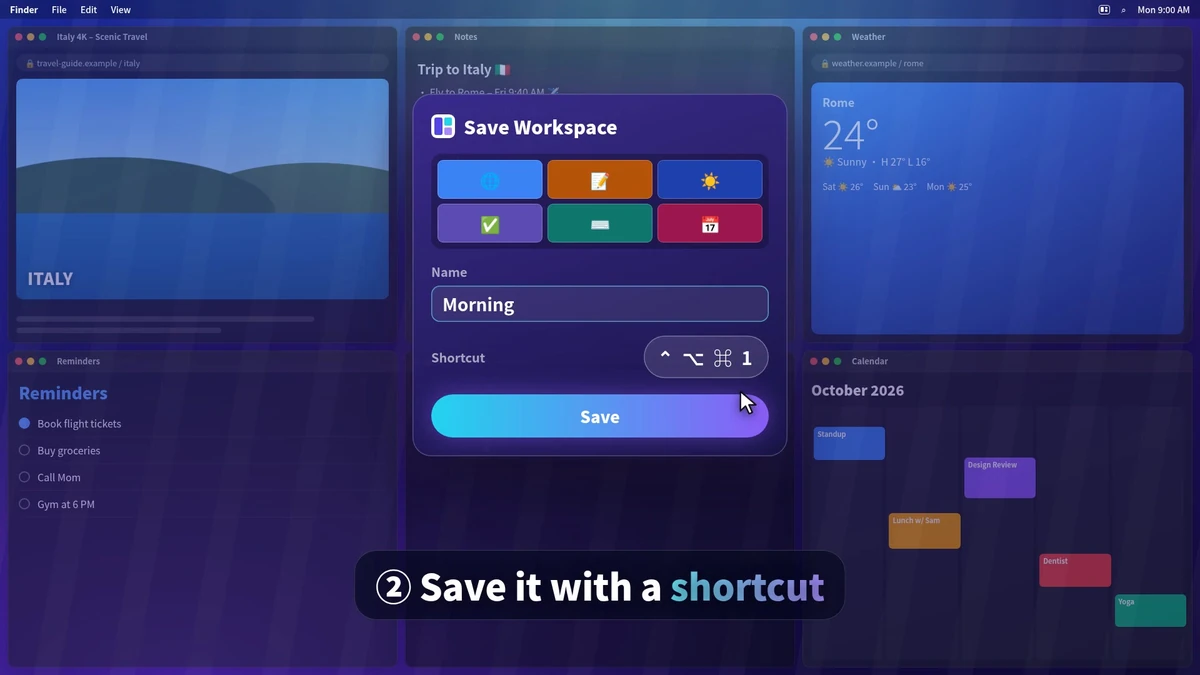
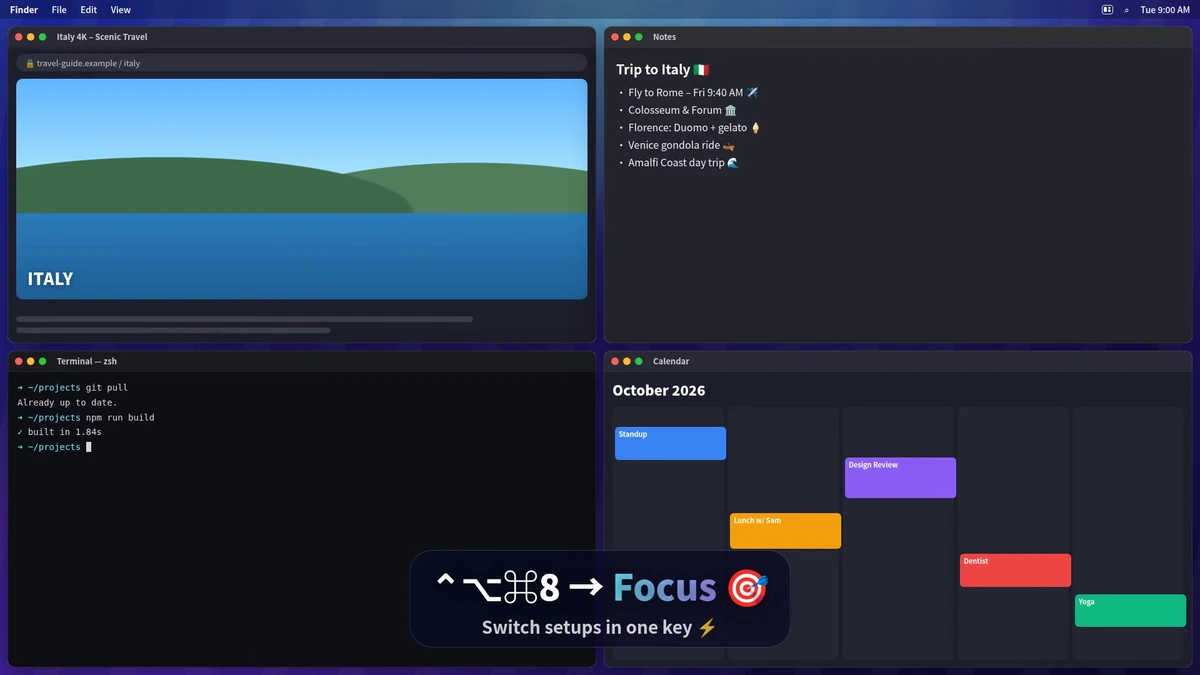
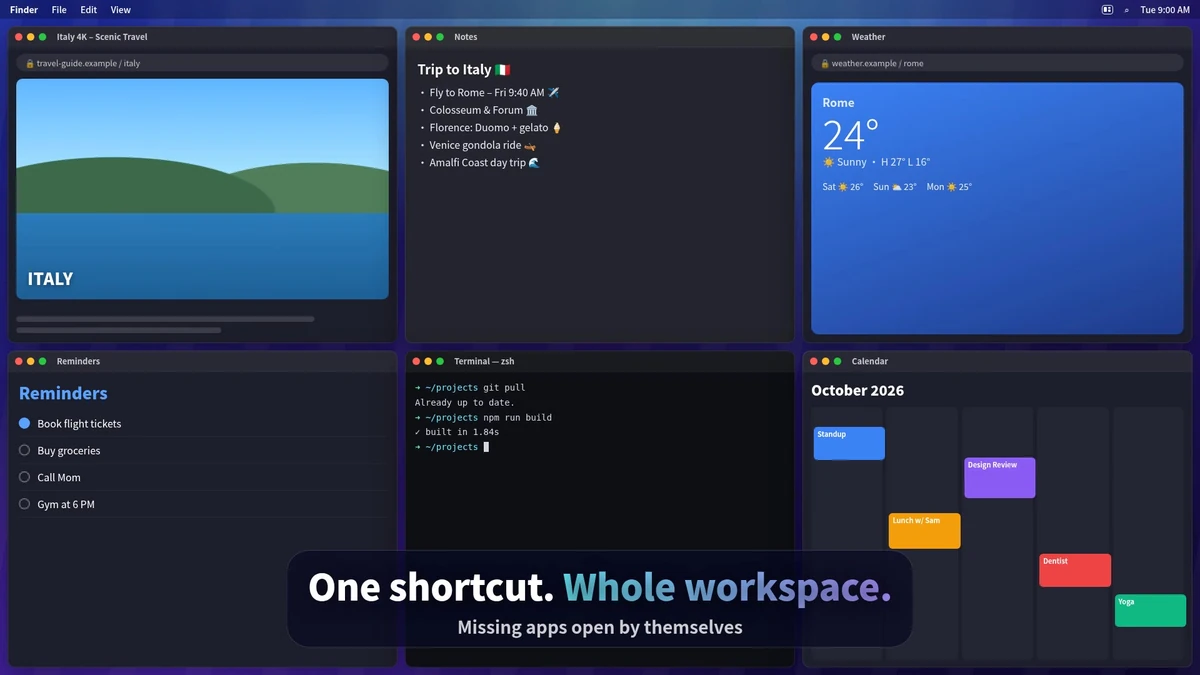
Images from TidyFrame's official site. More on our TidyFrame deal page.
Where Magnet wins, stated plainly
- Official Magnet is sold on the Mac App Store, with an official $4.99 offer and no in-app purchases in the offer data we read. If you only want to pay Apple, that is the official storefront.
- Official Magnet documents a full snapping system: corners, sides, top, bottom, halves, quarters, thirds, vertical screens, and up to six external displays. TidyFrame officially includes snapping, but the homepage we read puts the weight on saved workspaces. We are not inventing a TidyFrame display limit.
- Magnet has been on the App Store long enough that many people already own it. If you already bought it, spending another $4.99 on TidyFrame is only worth it if you need official workspaces Magnet does not list.
- TidyFrame officially requires macOS 14+. If your Mac cannot run that version, Magnet may still be an option; confirm the current App Store system requirements, which we did not get as a clean official sentence in our fetch.
Feature by feature, from official pages
| Topic | TidyFrame, as listed on tidyframe.app (checked Nov 20, 2026) | Magnet, as listed on magnet.crowdcafe.com and the Mac App Store (checked Nov 20, 2026) |
|---|---|---|
| What you pay | $4.99 once after a 7-day trial of every feature; no subscription; no credit card to start the trial. Maker-confirmed 30% off with LAUNCH30 through Nov 30, 2026. | $4.99 on the official Mac App Store offer; no in-app purchases in the offer data we read. |
| Window snapping | Official: snaps windows into place. | Official: drag to corners for quarters, sides for halves, top to maximize, bottom for thirds, including vertical displays; shortcuts and menu bar. |
| Saved layouts | Official: save whole multi-app layouts as workspaces and restore them with one keyboard shortcut. | We did not see an official saved-workspace claim on the Magnet site or App Store text we captured. |
| Displays | Not stated in the official homepage text we captured, so we are not inventing a limit. | Official: up to six external displays. |
| System version | Official: macOS 14+. | Sold as a Mac App Store app. We did not capture a clean OS version line. |
| Trial | Official 7-day trial, every feature, no credit card. | Not listed as a trial on the official pages we fetched. App Store purchases follow Apple’s refund rules, which we are not restating here. |
Privacy and where data goes
Both products are Mac window managers. TidyFrame’s official FAQ we read is about the $4.99 license and the 7-day trial, not about account or cloud sync. Magnet’s official site describes local window snapping and an App Store download. We did not see an official cloud-account requirement on either page we fetched, and we are not inventing a privacy claim beyond that. Read each vendor’s current terms if that matters to you.
Updates and plan changes
TidyFrame is listed as a one-time purchase with no subscription. Magnet’s official site says the App Store is how you get Magnet “and its free updates.” The LAUNCH30 code is confirmed through November 30, 2026; after that, the official regular price we saw is $4.99. App Store prices can vary by country. Check both listings before you buy.
Who should pick which
- Pick TidyFrame ($4.99 once, or 30% off with LAUNCH30 through Nov 30, 2026) if you are on macOS 14+, want a 7-day official trial, and the feature you care about is saving and restoring a whole workspace with a shortcut. That is the fit for the morning-layout scenario above.
- Pick Magnet ($4.99 on the official App Store listing) if you want Magnet’s official snapping system, including up to six external displays, and an App Store purchase. That is the better official fit if you already think in corners and edges, or you already own Magnet.
- Pick neither a second time if you already bought one of them and it already does the job. The official prices are the same, so a second $4.99 only makes sense for a feature the first app does not list.
Our verdict: this is not a price contest. TidyFrame is the official workspace-restore app at $4.99. Magnet is the official snapping app at $4.99. Buy the one whose listed behavior matches how you actually arrange windows.
Get TidyFrame
The official $4.99 price, 7-day trial, and macOS 14+ requirement are on tidyframe.app. Our TidyFrame deal page lists the LAUNCH30 offer through November 30, 2026. The button below uses our existing approved affiliate link.
Some links on this page are affiliate links. If you buy through them, IndieMarkdowns may earn a commission at no extra cost to you.
All comparison pages · TidyFrame on IndieMarkdowns · Magnet on the Mac App Store
Sources, checked Nov 20, 2026
- TidyFrame official site, including the $4.99 JSON-LD offer, 7-day trial, and macOS 14+ wording.
- Magnet official site and the Magnet Mac App Store listing (official offer $4.99, no in-app purchases in the offer data we read).