SmoothCut vs Screen Studio
At a glance
SmoothCut Personal, sale / regular
Best forA one-time Mac or Windows screen recorder you will still use in a few years
Screen Studio Personal, billed yearly
Best forOfficial Mac-only tools including iPhone mockups and edit-by-transcript, in one subscription
Quick verdict
For a paid license you will still use in three years, official SmoothCut one-time prices, especially Pro in the sale, undercut three years of official Screen Studio.
Screen Studio wins on official Mac-only tools we could not cite on SmoothCut in the same words, including iPhone mockups and edit-by-transcript.
Figures from the official price table below; 3-year totals are list price × 3 (lifetime and one-time licences are one payment).
If you want a screen recorder you pay for once, and you are happy on a Mac or a Windows PC, SmoothCut is the better official value over a few years. On SmoothCut’s official site we checked on Nov 20, 2026, Personal is $79 once (on sale for $47.40), for one computer, every listed feature, and a year of updates. Pro is $169 once (on sale for $101.40), for up to five computers, with official lifetime updates. Official Black Friday wording is 40% off, applied at checkout. Screen Studio’s official pricing page, checked the same day, lists Personal plans from $9 a month billed yearly, or $29 a month billed monthly, on macOS only, with every feature in every plan. $9 a month billed yearly is $108 a year, or $324 over three years if that price stays the same. SmoothCut Pro at the official sale price is $101.40 once. Screen Studio is the official product if you need a Mac-only subscription with official iPhone and iPad recording and device mockups, or official edit-by-transcript tools that SmoothCut’s homepage did not list in the same words. SmoothCut also has an official free download: no account, no time limit, with free exports at 720p and 30 fps, and a 14-day refund on paid plans.
Get SmoothCut ↗(affiliate link)
Prices below are official US-dollar figures we read on Nov 20, 2026. SmoothCut’s sale amounts are printed on the official site. Three-year columns multiply official yearly totals, except one-time licenses, which stay one payment. They are not three-year SKUs. Taxes may be extra. Confirm live prices on each site before you buy.
What you pay, and what you do not
| Plan (official, checked Nov 20, 2026) | What it covers, as listed | Year 1 | Years 1 to 3 combined |
|---|---|---|---|
| SmoothCut Free | Official: yes, including exporting, with no account and no time limit. A free export is listed at 720p and 30 fps. | $0 | $0 |
| SmoothCut Personal, sale / regular | Official: $47.40 during the official 40% off sale, $79 regular, once. One computer, all features, updates for 1 year, works offline. Official 14-day refund, no questions. Official upgrade to Pro later for the difference. | $47.40 or $79 once | $47.40 or $79, plus whatever you later pay if you want another year of updates after the official first year; we did not get a clean official renewal figure for that, so we are not inventing one |
| SmoothCut Pro, sale / regular | Official: $101.40 sale, $169 regular, once. Up to five computers, all features, lifetime updates, works offline. 14-day refund. | $101.40 or $169 once | $101.40 or $169 |
| Screen Studio Personal, billed yearly | Official: $9 per month billed yearly, which is $108 a year. Official: every feature in every plan. Official: not free. Official: students and educators get 40% off (we did not invent a student dollar amount). macOS only, as listed. | $108 | $324 |
| Screen Studio Personal, billed monthly | Official: $29 per month. | $348 | $1,044 |
Sources: SmoothCut and Screen Studio pricing, checked Nov 20, 2026. Official Screen Studio JSON-LD is an aggregate offer with low $9 and high $29, named “Personal, billed yearly” and “Personal, billed monthly.”
Illustrative scenario — not a real customer
A freelancer who records short product demos on a Mac, and sometimes on a Windows PC
Alex records a few minutes at a time, wants automatic zooms and a steadier cursor, and expects to still be recording demos in two or three years. Alex uses a Mac most days and a Windows machine at a client’s office.
In SmoothCut, using only listed tools
Official tools include automatic zoom that follows the cursor, cursor smoothing, on-device captions, studio voice noise removal, camera layouts, share links, and 4K 60 fps export. Official platforms are macOS and Windows 10+. Alex can start with official Free (720p / 30 fps exports), then buy Personal at $47.40 during the official sale if one computer and a year of updates is enough, or Pro at $101.40 for five computers and official lifetime updates. Official refund window is 14 days.
In Screen Studio, using only listed tools
Official Screen Studio is a Mac screen recorder with automatic and manual zoom, a smooth cursor, captions on the Mac, edit-by-transcript, iPhone and iPad recording with device mockups, and optional cloud features, with official “offline first” wording. Official Personal is $108 a year at the $9 a month yearly figure, or $29 a month. Official FAQ: it is not free; macOS includes the Screenshot toolbar as a built-in alternative. Screen Studio’s official pages we checked list macOS, not Windows.
What the numbers say for this scenario: if Alex will still be recording in three years, official SmoothCut Pro at $101.40 (or $169 regular) once is less than three years of Screen Studio at $324, and official SmoothCut also covers the Windows PC. If Alex only has a Mac and wants official iPhone mockups or official edit-by-transcript, Screen Studio is the official product that lists those. If 720p / 30 fps official Free exports are enough, SmoothCut can stay at $0.
A look inside SmoothCut
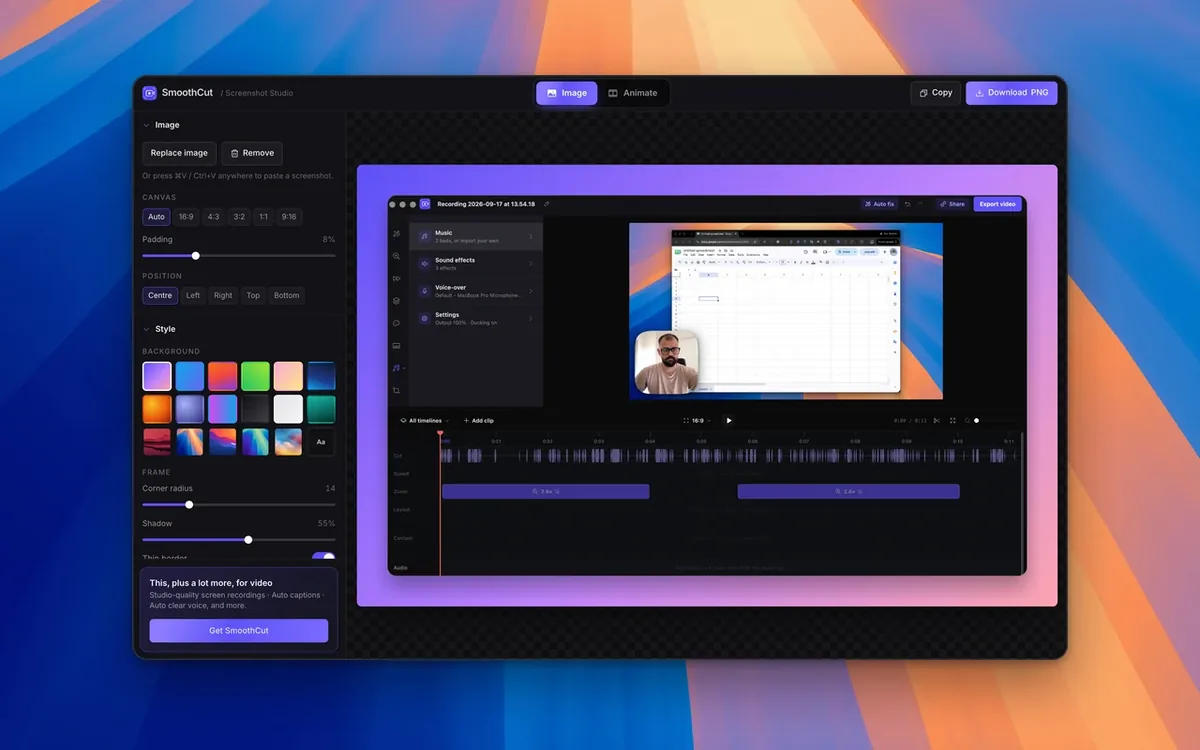
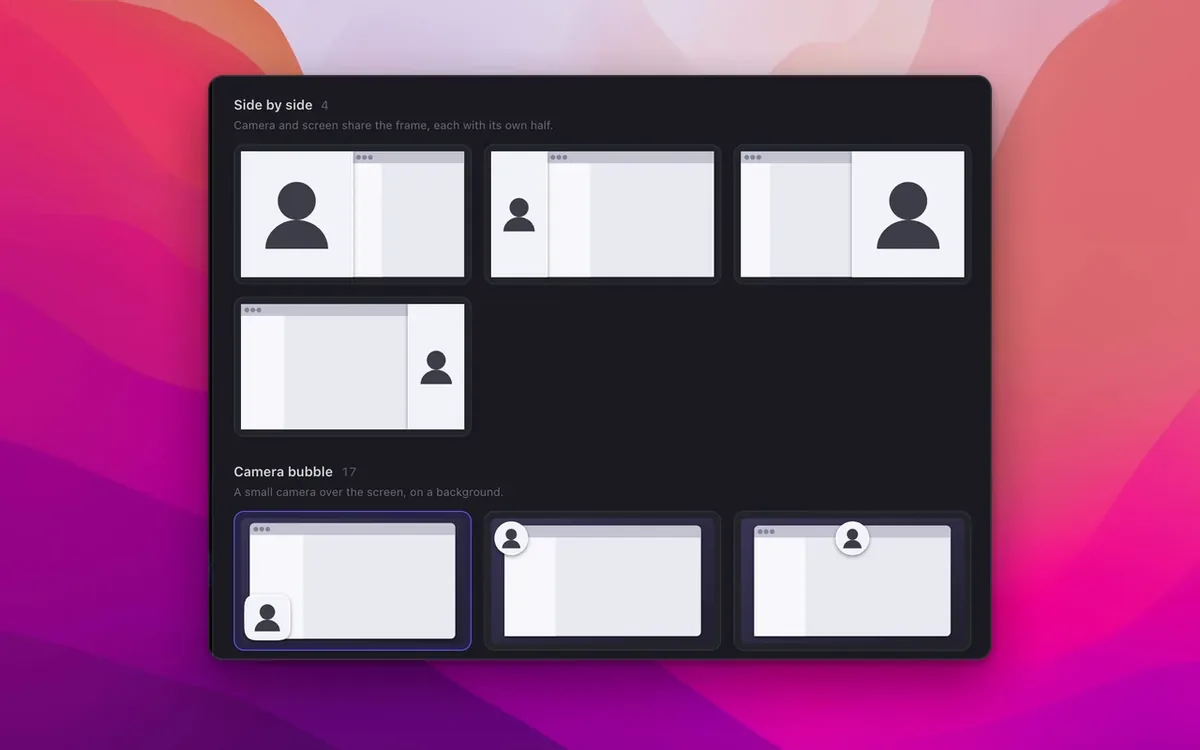
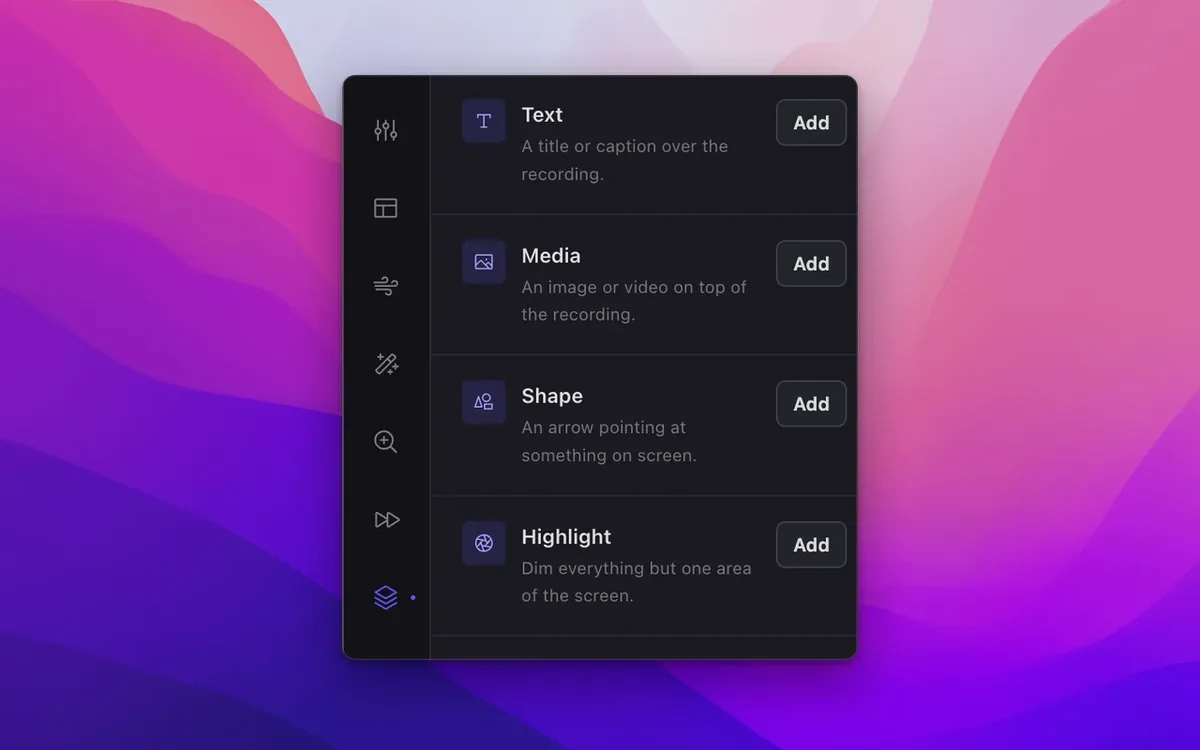
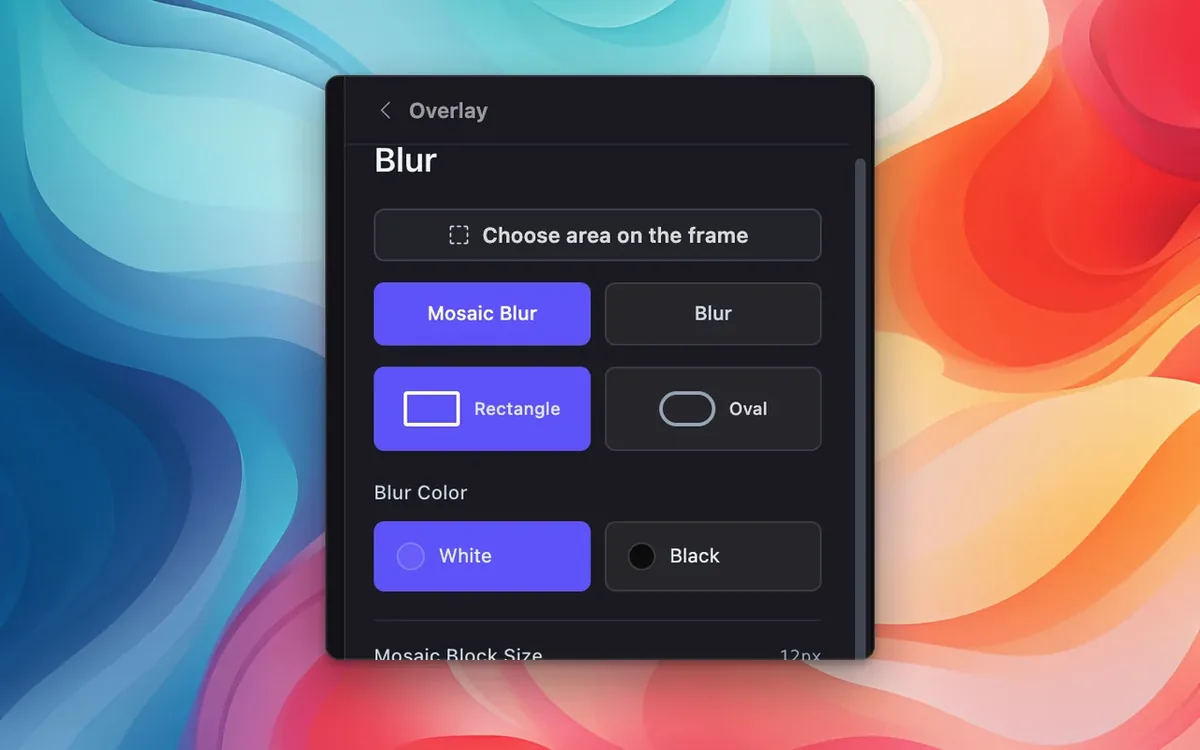
Images from SmoothCut. More on our SmoothCut deal page.
Where Screen Studio wins, stated plainly
- Official Screen Studio lists iPhone and iPad recording with device mockups, and edit-by-transcript, including clearing filler words and long pauses. We did not see those official claims in the same words on SmoothCut’s homepage, so we are not inventing them.
- Official Screen Studio says every feature is in every plan. Official SmoothCut splits Personal (one computer, one year of updates) from Pro (five computers, lifetime updates).
- If you already work only on a Mac and already pay for Screen Studio, adding SmoothCut is a second purchase.
- Official Screen Studio student and educator wording is 40% off. SmoothCut’s official sale we read is the 40% Black Friday price for everyone at checkout, not a student SKU.
Feature by feature, from official pages
| Topic | SmoothCut, as listed on smoothcut.studio (checked Nov 20, 2026) | Screen Studio, as listed on screen.studio (checked Nov 20, 2026) |
|---|---|---|
| What you pay | Free official 720p / 30 fps export, no account, no time limit. Personal $79 / $47.40 once (1 computer, 1 year of updates). Pro $169 / $101.40 once (5 computers, lifetime updates). 14-day refund. | Not free. Personal $9 a month billed yearly ($108 a year) or $29 a month. Every feature in every plan. Students and educators, 40% off. |
| Platforms listed | macOS and Windows 10+. | macOS. |
| Zoom, cursor, captions | Official: automatic zoom that follows the cursor, cursor smoothing, on-device captions, studio voice noise removal, camera layouts and backgrounds, 4K 60 fps export. | Official: automatic and manual zoom with smart framing; smooth cursor, motion blur, and click effects; captions on your Mac; microphone cleanup on your Mac. |
| Phone recording and editing | Not listed in those words on the official homepage we captured, so we are not inventing it. | Official: iPhone and iPad recording with device mockups; edit by transcript; clear filler words and long pauses. |
| Where it runs | Official: everything runs on your computer; works offline. | Official: offline first; cloud features optional. |
Privacy and where recordings go
Official SmoothCut copy is that everything runs on your computer and works offline. Official Screen Studio copy is “offline first; cloud features optional,” with captions and microphone cleanup listed as happening on your Mac. We did not capture a full official privacy policy quote from either pricing fetch, and we are not inventing what happens if you turn on share links or optional cloud features. Read each vendor’s current terms.
Updates and plan changes
Official SmoothCut Personal includes updates for one year; official Pro includes lifetime updates. Official Screen Studio is a subscription at the yearly or monthly figures above. The official SmoothCut 40% off sale was printed on the site on Nov 20, 2026, matching our listing (Nov 10 to Dec 1, 2026). Prices change; confirm them at checkout.
Who should pick which
- Start with SmoothCut Free ($0) if official 720p / 30 fps exports, with no account and no time limit, are enough.
- Pick SmoothCut Pro ($101.40 in the official sale, or $169 regular) if you want a one-time license for up to five computers, official lifetime updates, and official Windows plus Mac. That is the three-year value choice in the freelancer scenario above.
- Pick SmoothCut Personal ($47.40 sale, or $79 regular) if one official computer and one official year of updates are enough, and you are willing to revisit updates after that year. Official upgrade to Pro is “for the difference.”
- Pick Screen Studio Personal ($108 a year at the official yearly figure) if you only work on a Mac and want official iPhone mockups, official edit-by-transcript, and every official feature in one subscription.
Our verdict: for a paid license you will still use in three years, official SmoothCut one-time prices, especially Pro in the sale, undercut three years of official Screen Studio. Screen Studio wins on official Mac-only tools we could not cite on SmoothCut in the same words, including iPhone mockups and edit-by-transcript. Try official SmoothCut Free first if 720p exports will do.
Get SmoothCut
Current official prices, the 40% off sale, official Free export limits, and the 14-day refund are on smoothcut.studio. Our SmoothCut deal page lists the same sale through Dec 1, 2026. The button below uses our existing approved affiliate link.
Some links on this page are affiliate links. If you buy through them, IndieMarkdowns may earn a commission at no extra cost to you.
All comparison pages · SmoothCut on IndieMarkdowns · Screen Studio official pricing
Sources, checked Nov 20, 2026
- SmoothCut official site, including the printed $47.40 / $79 Personal and $101.40 / $169 Pro prices, Free export wording, and 14-day refund.
- Screen Studio pricing, including official JSON-LD offers at $9 per month billed yearly and $29 per month billed monthly.