At a glance

Shotnamer Pro, SHOTBF26
Best forBookkeepers, support staff and anyone who screenshots receipts and errors and later searches by what they showed
Hazel 6
Best forOrganisers who want rules that file, rename and tidy every folder on the Mac
Quick verdict
Shotnamer names each screenshot by its contents within seconds, with no rules to write and nothing leaving your Mac.
Hazel is the deeper tool when you want to automate bills, downloads and the Trash as well.
Both figures come from the price table below. A one-time licence is paid once, so its 3-year cost stays the same unless you buy an upgrade.
Shotnamer does one job without any setup: a few seconds after you take a screenshot, the file’s clock-stamp name becomes a short description of what the picture shows, such as an invoice number and company, or the app that threw an error. Apple’s on-device text recognition and model do the reading, and the app has no network access at all. Hazel is the classic Mac automation tool that files, renames, tags and cleans up any kind of file according to rules you write. If all you want is screenshots you can find later, Shotnamer is free to start and Pro is $9.99 with this week’s code. If you want to automate your whole Downloads folder, Hazel is worth learning.
Straight to each maker, with no tracking or commission.
What naming your files costs
| Option | What you get | Year 1 | 3 years |
|---|---|---|---|
| Shotnamer free | Automatic names for new screenshots in one folder, with undo. | $0 | $0 |
| Shotnamer Pro, SHOTBF26 | Pro paid once, November 26 to 30. | $9.99 once | $9.99 |
| Shotnamer Pro, launch price | Pro paid once until November 28. | $14.99 once | $14.99 |
| Shotnamer Pro, yearly | Pro as a subscription, with a 14-day trial. | $9.99 | $29.97 |
| Hazel 6 | Rule-based file automation for one user. | $42 once | $42 |
Read Nov 23, 2026 on shotnamer.com and store.noodlesoft.com. Shotnamer prices are US prices with tax included.
Worked example
Clara, a freelance bookkeeper, screenshots receipts, bank alerts and client chats all day
At month end she has to find the screenshot of one supplier’s invoice from three weeks ago, and her desktop holds 400 files named by date and time.
Clara with Shotnamer
She never touches a setting. Each capture is renamed within seconds, so the file she needs is already called something like “Invoice Brightwater Supplies 2026-11-03”. A Spotlight search for the supplier finds it. With Pro she also renames last month’s old screenshots in one go.
Clara with Hazel
Hazel can move every screenshot into a monthly folder and rename it by date, and it can match words in a file’s contents. It cannot look at a screenshot and decide it is an invoice from Acme on its own; she would build and maintain the rules.
Clara’s cost: $0 for Shotnamer’s free tier or $9.99 for Pro with the code, against $42 for Hazel.
A look inside Shotnamer
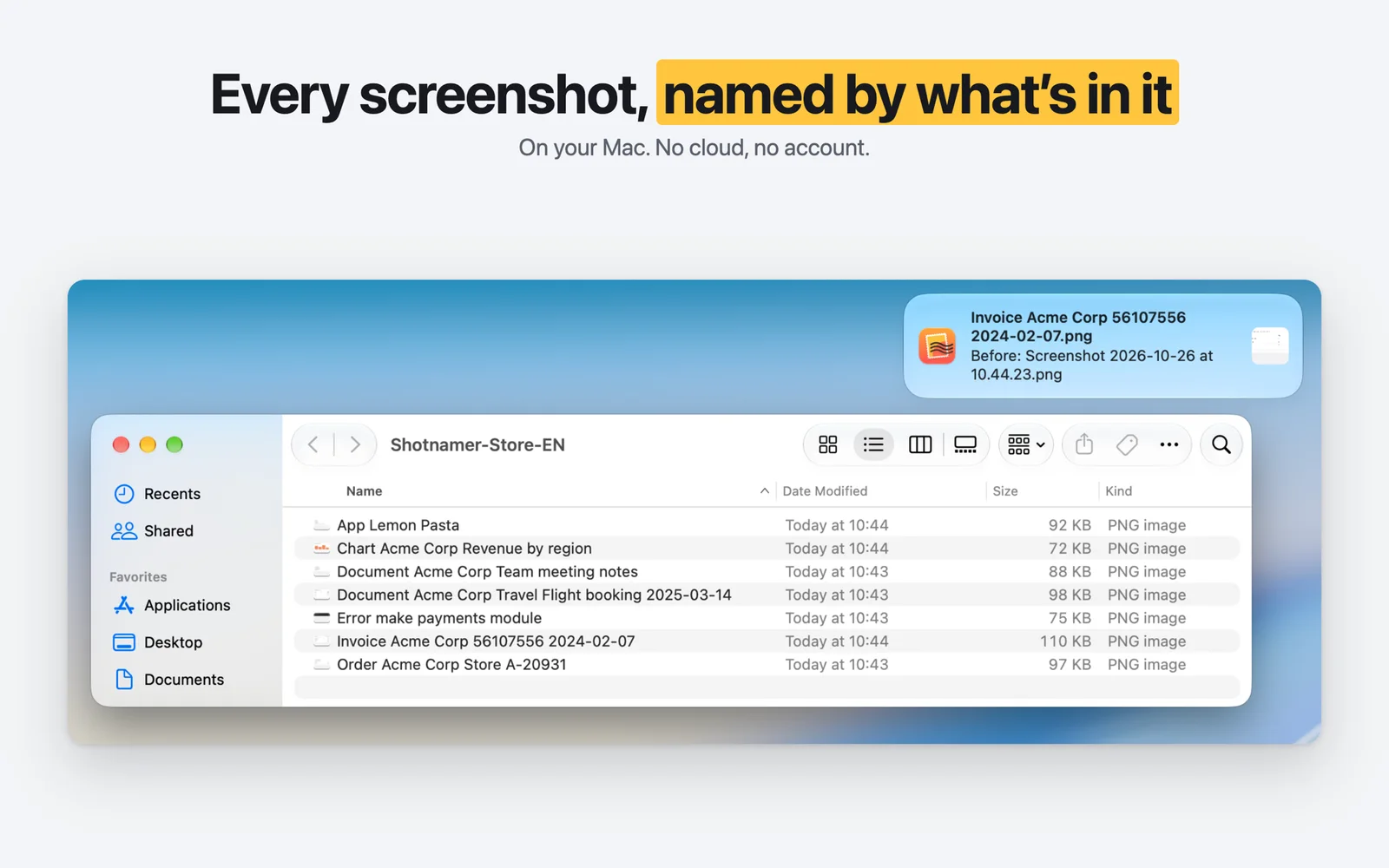
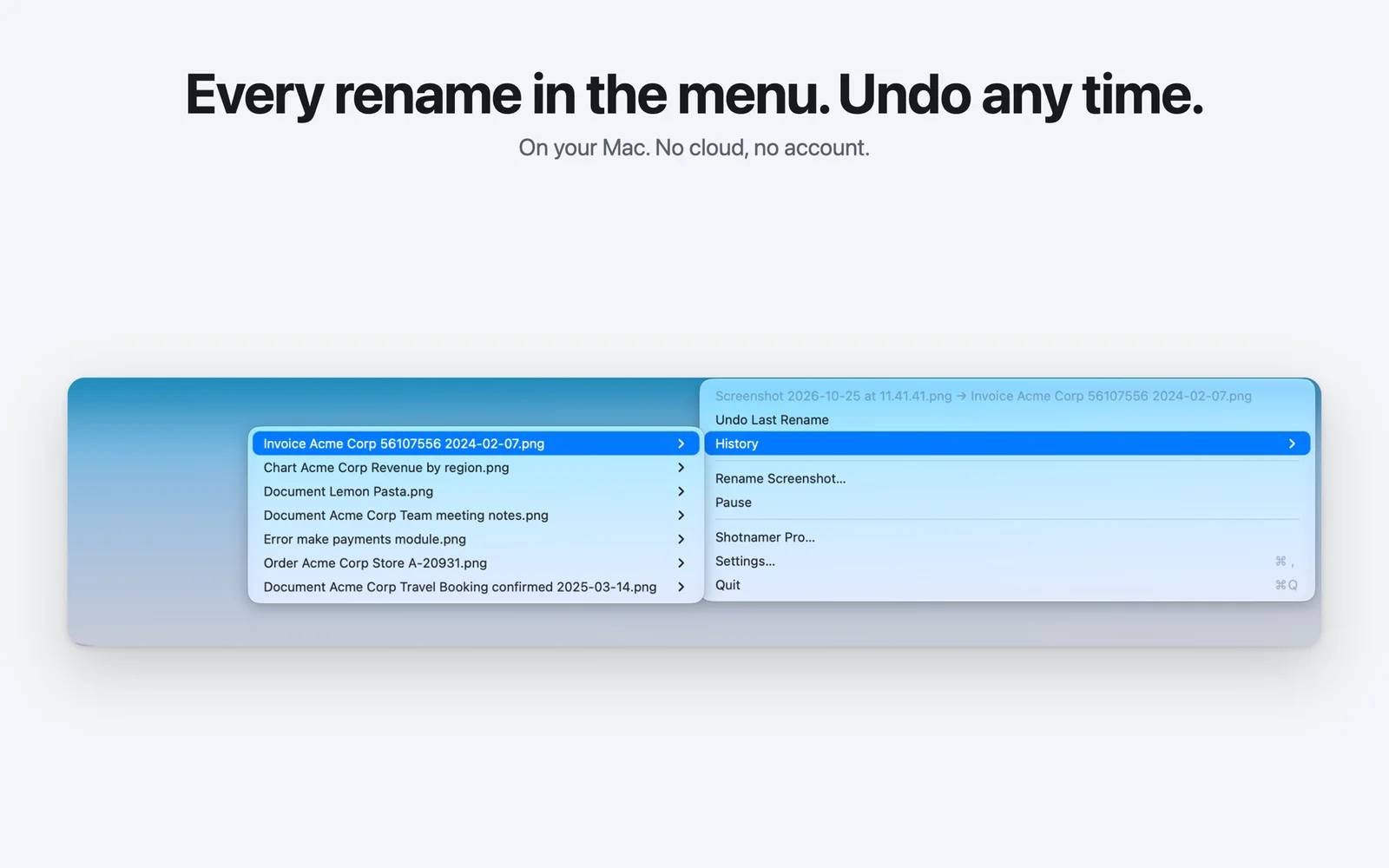
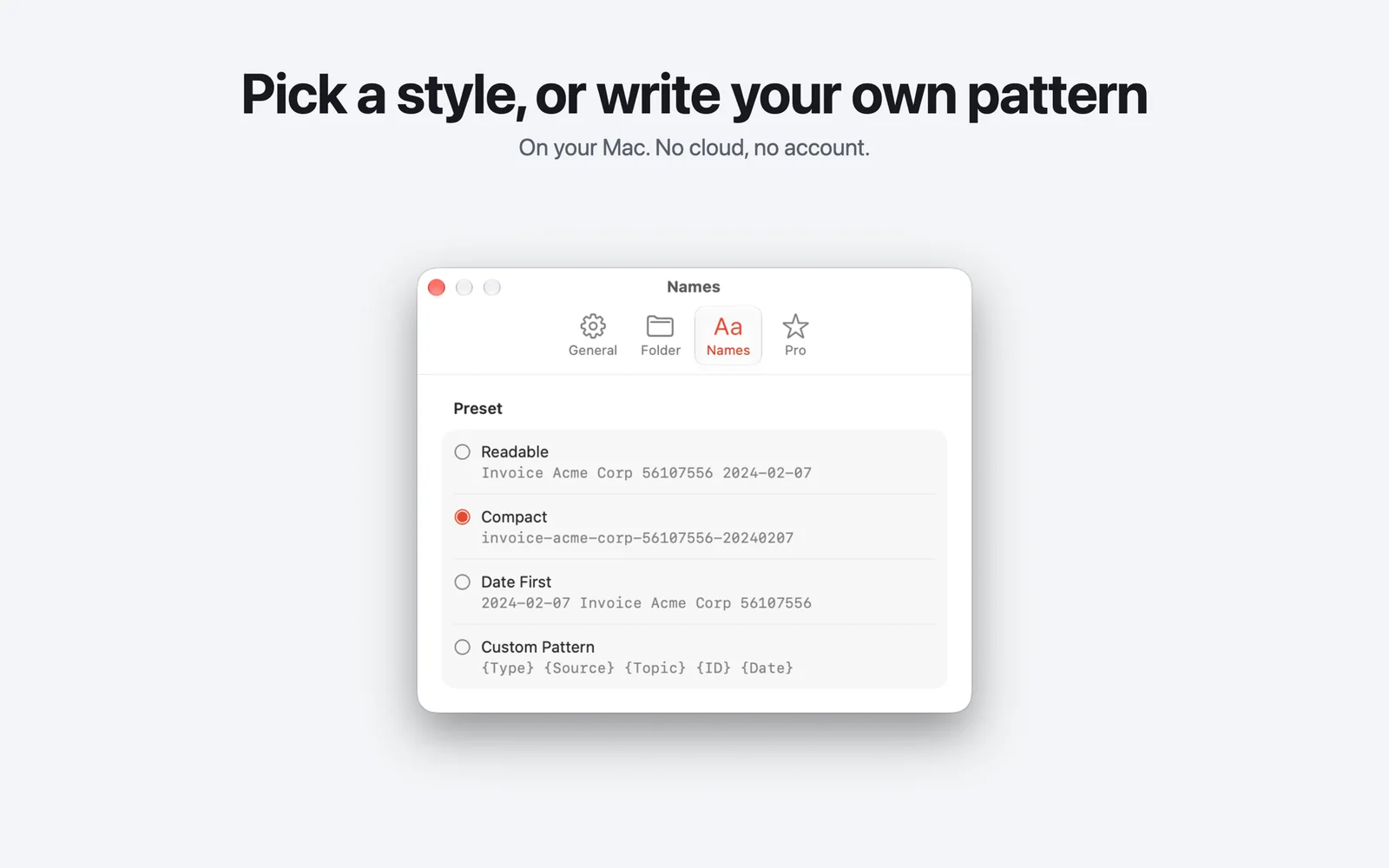
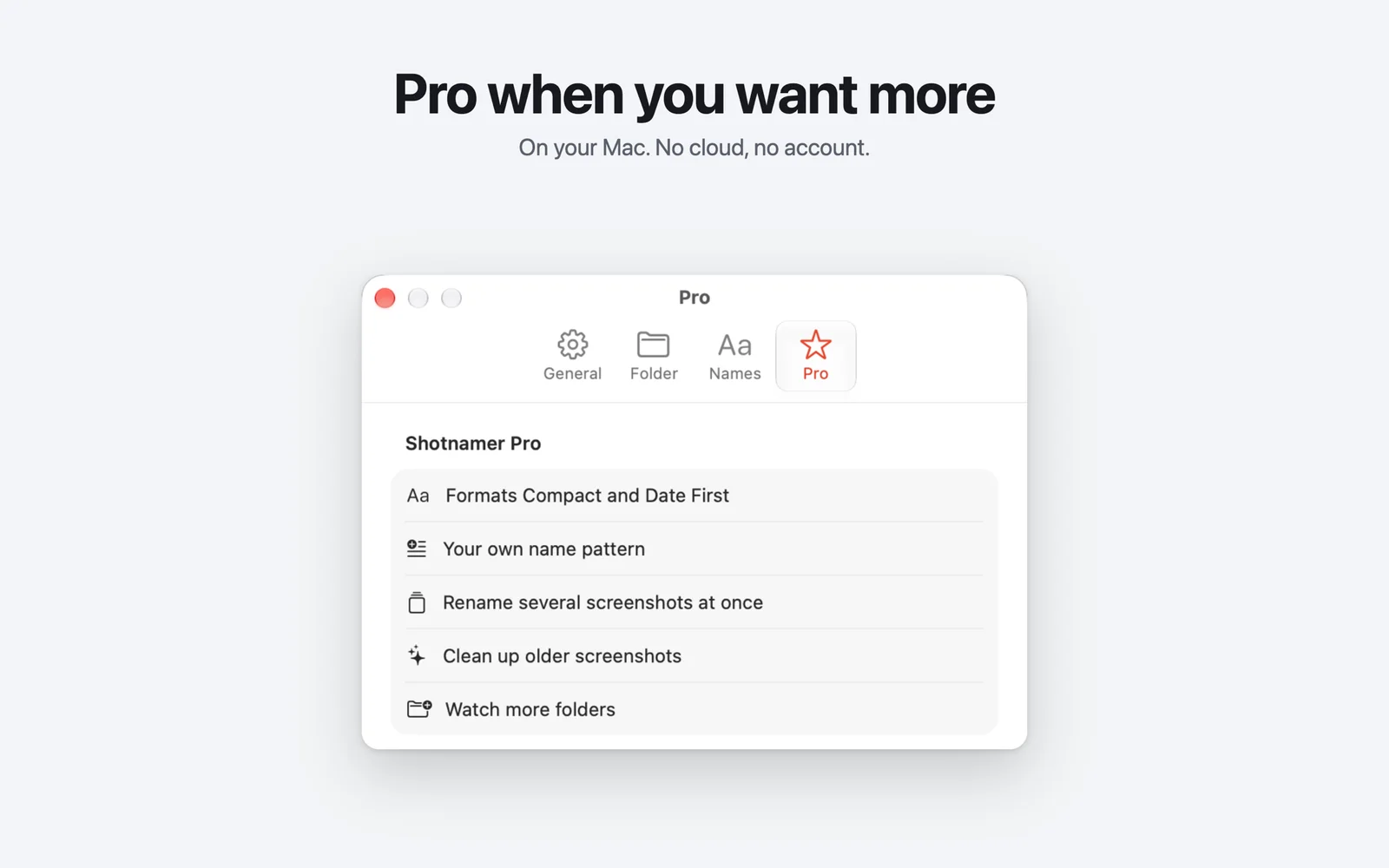
Mac App Store screenshots (App Store id6826214399, seller Thomas Hochbichler). More on our Shotnamer deal page.
How they compare
| Topic | Shotnamer | Hazel |
|---|---|---|
| What it handles | Screenshots only. | Any file in any folder you point it at. |
| How names are chosen | Read from the picture by Apple’s on-device text recognition and model. | From rules you write: name, date, type, source site and other attributes. |
| Setup | None; it starts with your screenshot folder. | You create the rules and pattern matches. |
| Undo | Every rename can be undone; the last 100 are kept after a restart. | Not described on its site. |
| Beyond renaming | Pro: name styles, your own pattern, more folders, bulk rename of older screenshots. | Moves, tags, archives, uploads, empties the Trash, removes leftovers of deleted apps. |
| Requirements | An M-series Mac on macOS 27 or newer, with Apple Intelligence on. | A Mac; Hazel 6 is the current version. |
Privacy
Shotnamer has no network permission, collects no data and does not use Private Cloud Compute, so screenshots never leave the Mac. Hazel also runs locally, though rules you write can upload files if you ask them to.
Why Hazel may suit you better
- It organises every kind of file, from bills to films, not only screenshots.
- It runs on Macs without Apple Intelligence or macOS 27.
- It works with Shortcuts, AppleScript and Automator for bigger workflows.
The verdict
- Shotnamer suits people who grab receipts, tickets, error messages and chat snippets and later search for them by what they showed.
- Shotnamer also suits support and QA staff whose desktops fill with captures they must attach to tickets.
- Hazel suits organisers who want rules for every folder on the Mac.
Our take: Shotnamer gives useful screenshot names with zero effort, and the free tier never expires. Buy Hazel when you want to automate far more than screenshots.
Shotnamer Pro for $9.99 with SHOTBF26
Download free; the code works from November 26 to 30. No affiliate arrangement applies.
Sources and notes, checked Nov 23, 2026
- Shotnamer official site: free tier, Pro at $14.99 once until November 28 and $19.99 after, or $9.99 a year with a 14-day trial; requirements; no network access; undo history. If Apple Intelligence is off, the app falls back to a simpler name built from the largest text and the date.
- The maker confirmed SHOTBF26 for our listing: Pro for $9.99 once, November 26 to 30, 2026, US prices. Prices vary by country on the Mac App Store.
- Noodlesoft store: Hazel 6 $42, Family Pack $65 for up to five household members, upgrade $20. Hazel official site: rules, App Sweep, Trash handling, Shortcuts and AppleScript support, free trial.
- The yearly Shotnamer figure for three years is three times the yearly price.