Season Jar vs macOS screen savers
At a glance

Season Jar, up to 5 Macs, through Nov 29
Best forPeople who want weather-linked painted landscapes as a screen saver or desktop art, and who can use the five-Mac key before it ends
macOS screen savers
Best forPeople who only need a built-in idle screen and do not want another app or key
Quick verdict
Season Jar is the paid art pack, with a five-Mac key at $12 through Nov 29 or $9 for one Mac.
The macOS screen savers are already on the computer and cost nothing extra.
Both figures come from the price table below. A one-time license is paid once, so its 3-year cost stays the same unless you buy an upgrade.
Season Jar is a Mac app of weather-linked landscape paintings that can run as a screen saver or as desktop art. On Nov 28, 2026, seasonjar.com sold a key for one Mac at $9 once, and a Black Friday key for up to five Macs at $12 once, down from $15, ending Sunday, Nov 29 at 11:59 PM Pacific. macOS already ships screen savers you switch on from System Settings. Apple’s Mac help covers desktop and Dock controls, and there is no extra store fee for those built-in savers.
Season Jar ↗ Mac desktop and Dock help ↗
These buttons go to seasonjar.com and to Apple’s Mac help. No referral code is attached to either link.
Season Jar keys against a built-in screen saver
| Plan | What you get | Year 1 | 3 years |
|---|---|---|---|
| Season Jar, 1 Mac | Lifetime access on one computer, from seasonjar.com. The page says all sales are final and asks you to try the demo first. macOS 14 or later. The download is free; a key unlocks it. There is no trial, and updates stay free through version 1. | $9 once | $9 |
| Season Jar, up to 5 Macs, through Nov 29 | The Black Friday key for up to five computers, usually $15, now $12, ending Sunday, Nov 29, 11:59 PM PT. | $12 once | $12 |
| macOS screen savers | The screen savers that ship with the Mac, turned on from System Settings, with nothing extra to buy. | $0 | $0 |
A look inside Season Jar
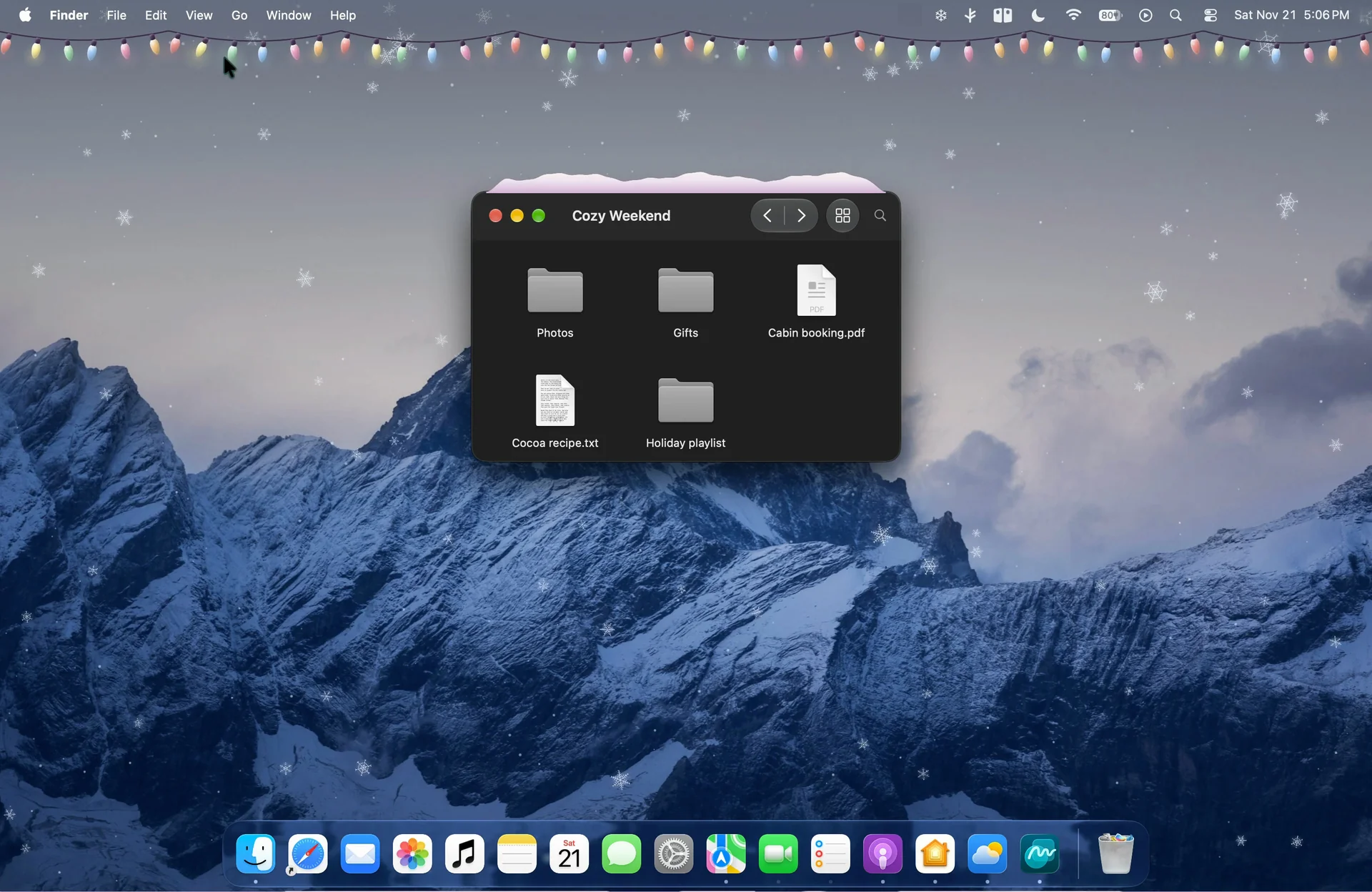
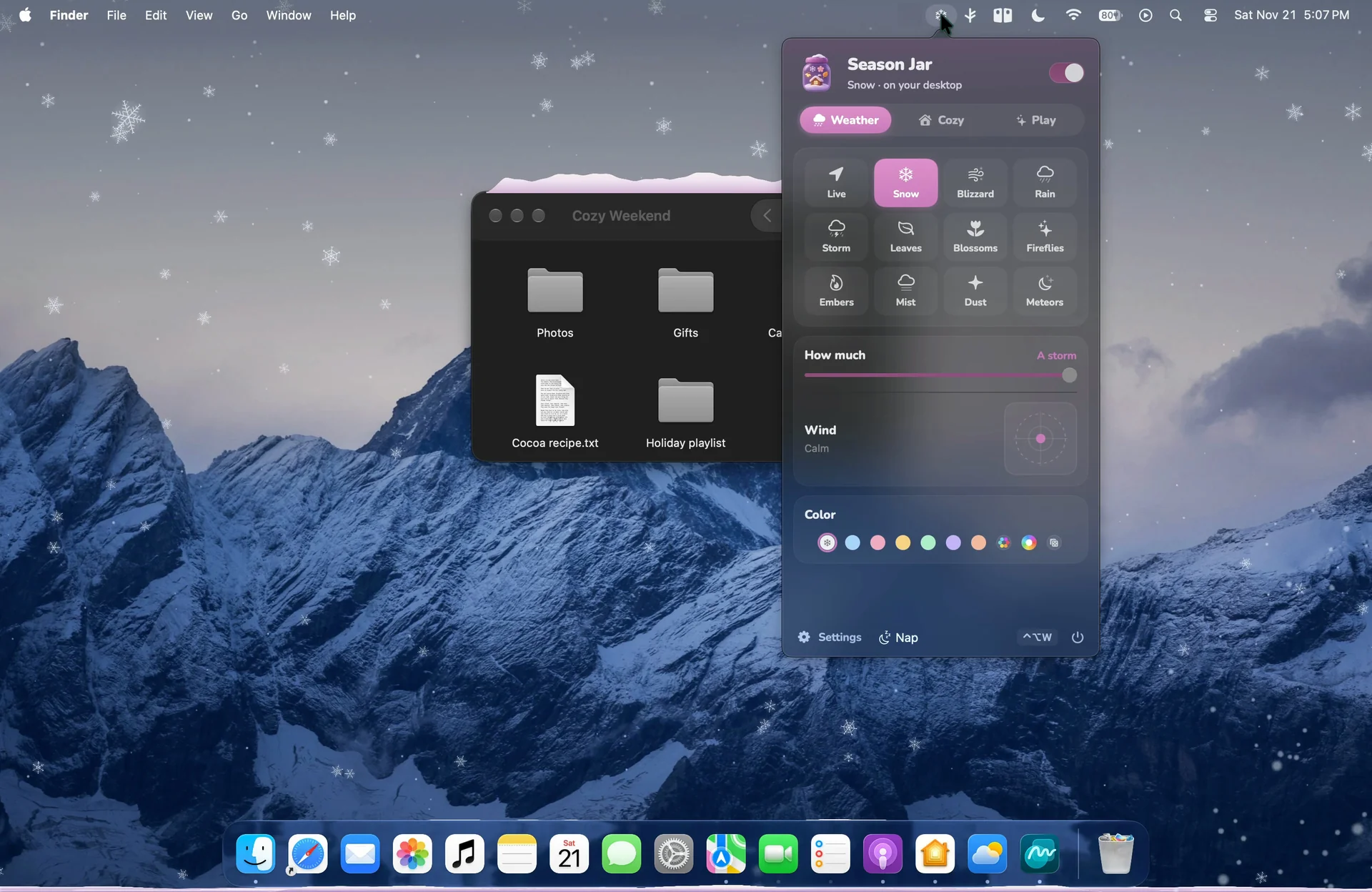
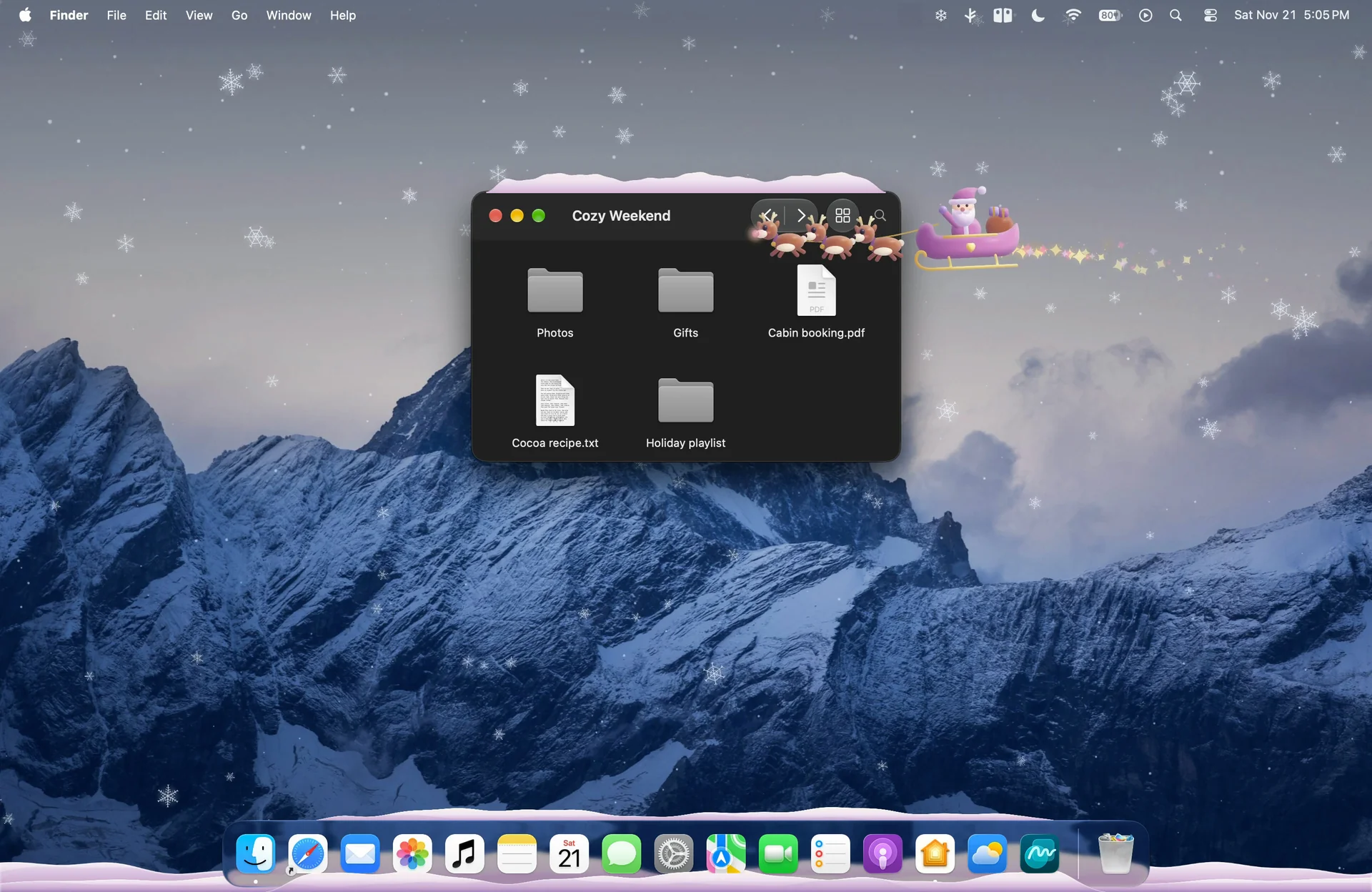
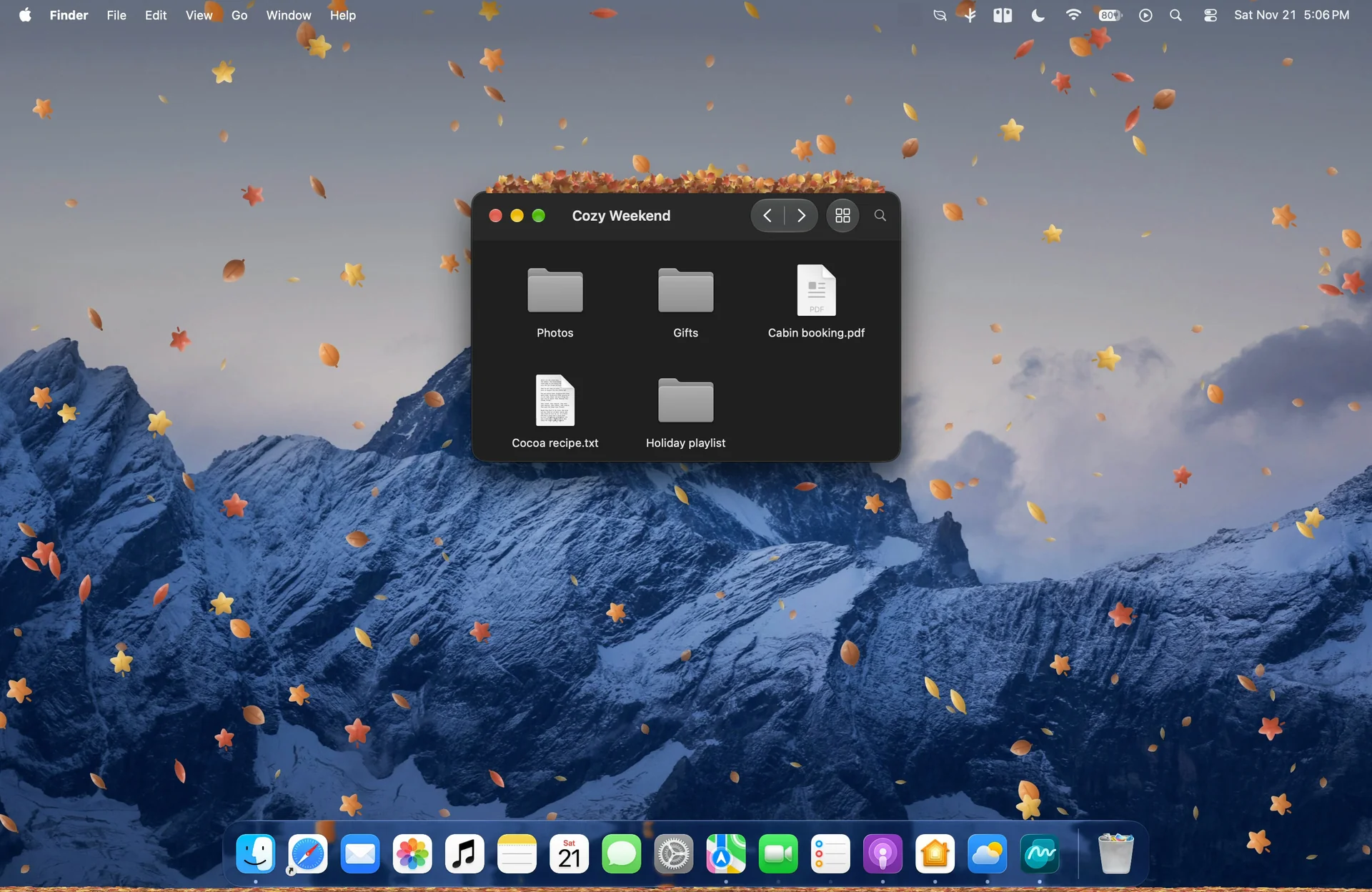
Images sent by the Season Jar maker, 2026-11-22 (Gmail 1a2040380eece143). More on our Season Jar deal page.
What each one actually does
| Topic | Season Jar | macOS screen savers |
|---|---|---|
| Look | Painted seasonal landscapes that shift with weather. The site mentions winter, spring, summer, autumn, and a weather shortcut. | Apple’s built-in collection of screen savers and desktop pictures, including dynamic options that change through the day, depending on your macOS version. |
| Where it runs | A Mac app you install, then use as a screen saver or as desktop art. | Already on the Mac; you pick a saver or a desktop picture in System Settings. |
| Trying it | A free download that needs a key. The maker says sales are final, so try the demo first. There is no trial period after purchase. | Nothing to buy or redeem. |
| Platforms | The site also showed a Windows lifetime key at $5. The Mac offer is what this page covers. | Part of macOS only. |
Where the built-in saver already does the job
If you only want something to move on an idle display, the screen savers that already come with macOS do that job at no extra cost. Season Jar is a paid art pack with a weather-aware look, not a replacement for every system saver option, clock, or message picker Apple already provides.
Who should pick which
- Pick Season Jar if you want those painted seasonal scenes and are fine paying once, especially the five-Mac key through Nov 29.
- Stay with the system screen savers if a built-in look will do and a second key would be wasted.
The five-Mac sale ends Sunday night Pacific time. After that, the one-Mac key at $9 remains the figure the site showed for a single computer.
Get a Season Jar key
The Black Friday five-Mac offer runs through Nov 29, 11:59 PM PT. Sales are final.
Where Season Jar and macOS screen saver figures come from (Nov 28, 2026)
- Season Jar site: 1 Mac $9 once; Black Friday up to 5 Macs usually $15, now $12, ends Sun 29 Nov, 11:59 PM PT; macOS 14 or later; free download that needs a key; no trial; sales are final; updates through version 1; Windows lifetime $5 also appeared on the page.
- Apple Mac help on desktop and Dock settings: support.apple.com/guide/mac-help/change-desktop-dock-settings-mchlp1119/mac. Screen savers and desktop pictures are system features; no separate purchase is listed. A more specific screen-saver article redirected to the Mac User Guide welcome page when opened this day, so no second Apple URL, and no dollar price beyond $0 for a built-in setting, is added here.
- Wallpaper Engine was considered as a well-known rival. wallpaperengine.io and the Steam store page describe Windows 10/11 (Steam price $4.99) and a free Android app, not macOS, so it is not used as a Mac alternative here.