Scrivener vs Microsoft Word
At a glance

Scrivener Standard Licence, macOS or Windows
Best forA long manuscript, if all you need is the writing app
Microsoft 365 Personal, listed yearly price
Best forExcel, PowerPoint, Outlook, OneNote, 1 TB of OneDrive storage, and Copilot in Word, in one suite
Quick verdict
For a long manuscript, the cheaper official purchase is a Scrivener licence, not a Microsoft 365 subscription, if all you need is the writing app.
If you already pay for Microsoft 365, Word is already in the suite, and Scrivener is an extra purchase.
Figures from the official price table below; 3-year totals are list price × 3 (lifetime and one-time licences are one payment).
For a long manuscript, the cheaper official purchase is a Scrivener licence, not a Microsoft 365 subscription, if all you need is the writing app. On official pages we checked on Nov 20, 2026, a Standard Licence of Scrivener for macOS or for Windows is a $59.99 download. A macOS + Windows bundle is $95.98. An Educational Licence is $50.99. The official iOS app is $23.99 on the App Store, sold separately. Microsoft does not list a standalone Word subscription on the compare-all-plans page we checked; Word is included in Microsoft 365 Personal at $99.99 a year, or $9.99 a month, with a first-period offer of $69.99 a year or $6.99 a month, and in Office Home 2024, a $179.99 one-time purchase. Over three years, if the official Personal yearly price stays $99.99, that is $299.97, versus $59.99 for the Scrivener Standard Licence. That is not an apples-to-apples product comparison. Microsoft 365 Personal also includes Excel, PowerPoint, Outlook, OneNote, 1 TB of OneDrive storage, and Copilot in Word, among other listed apps. Scrivener is the writing app. If you already pay for Microsoft 365, Word is already in the suite, and Scrivener is an extra purchase.
Get Scrivener ↗(affiliate link)
Prices, plans and features below come from official Literature & Latte and Microsoft pages checked on Nov 20, 2026. Sales tax may be added to the Scrivener rates, as the official crossgrading page notes. Microsoft listed prices may also have tax on top, depending on where you are. The button on this page goes to Scrivener through our affiliate link. Affiliate link: IndieMarkdowns may earn a commission if you buy through this link, at no extra cost to you.
What you pay, and what you do not
Literature & Latte’s official Scrivener overview publishes structured offers we checked on Nov 20, 2026: a Standard Licence (macOS or Windows) at $59.99, an Educational Licence at $50.99, a macOS + Windows bundle at $95.98, and Scrivener for iOS at $23.99. Those same dollar amounts also appear on the official crossgrading page ($59.99 for either desktop licence; $37.95 for the other desktop platform once you already own one, with the caveats on that page). The Mac App Store listing for Scrivener 3 was also $59.99 the same day (version 3.5.2, macOS 11 or later). The iOS listing, Scrivener, was $23.99 (version 1.2.4, iOS 12 or later).
That $59.99 figure is a licence, not a monthly plan. The official download page says that when you buy from their store, they send a licence key which removes the time limit from the trial. It does not, on the pages we checked, promise free upgrades through every future major version. We are not treating it as a lifetime subscription to every future Scrivener.
Literature & Latte confirmed a 25% Black Friday offer for Scrivener and Scapple on macOS or Windows with the code FRIDAY2026, valid Black Friday through Cyber Monday, November 27–30, 2026. Twenty-five percent of the official $59.99 Standard Licence is $44.99. That arithmetic is ours, applied to the official list price; the confirmation came by maker email, not from a public Black Friday page on the Literature & Latte site at the time we checked. The code and dates are also on our Scrivener deal page.
Microsoft’s official compare-all Microsoft 365 products page, checked the same day, listed these consumer prices:
- Microsoft 365 Personal: $99.99 a year, or $9.99 a month. A first-period offer of $69.99 a year, or $6.99 a month. For one person. The official merch card lists Microsoft 365 apps including Word, Excel, PowerPoint, Outlook, and OneNote; 1 TB of OneDrive cloud storage; and Copilot in Word, among other listed features.
- Microsoft 365 Family: $129.99 a year, or $12.99 a month, for up to six people, with the official OneDrive storage and Microsoft 365 apps listed on that merch card.
- Microsoft 365 Premium: $199.99 a year, or $19.99 a month.
- Office Home 2024: $179.99 as a one-time purchase. The official merch card lists classic apps including Word, Excel, PowerPoint, OneNote, and Outlook, and states there are no AI features and no automatic feature updates.
The year-1 and years-1-to-3 columns below use those official figures. The three-year Microsoft 365 totals multiply the listed yearly (or monthly × 12) price by three, except for the first-period Personal offer, where we count the official $69.99 only in year 1 and the listed $99.99 in years 2 and 3. That is arithmetic on the listed prices, not a three-year Microsoft plan Microsoft published as a bundle. If Microsoft changes the price later, the total changes.
| Option (official, checked Nov 20, 2026) | What you get, as listed | Year 1 | Years 1 to 3 combined |
|---|---|---|---|
| Scrivener Standard Licence, macOS or Windows | $59.99 one-off download for one desktop platform, official overview and crossgrading pages. Licence key removes the trial time limit. Not a Microsoft 365 suite. | $59.99 | $59.99 |
| Scrivener Standard Licence with FRIDAY2026 | 25% off, Nov 27–30, 2026, confirmed by the maker. $44.99 is 25% off the official $59.99 list price (our arithmetic). | $44.99 | $44.99 |
| Scrivener Educational Licence | $50.99, official overview structured offer. Eligibility is set by Literature & Latte, not by us. | $50.99 | $50.99 |
| Scrivener macOS + Windows bundle | $95.98, official overview structured offer. The official crossgrade, if you already own one desktop licence, is $37.95 for the other (with the five-year and Mac App Store limits on that page). | $95.98 | $95.98 |
| Scrivener for iOS, added to a Mac licence | Official iOS app $23.99 on the App Store, sold separately, plus the $59.99 Mac Standard Licence. $83.98 combined, our addition of the two official prices. | $83.98 | $83.98 |
| Microsoft 365 Personal, first-period yearly offer, then listed yearly | Official first-period $69.99 in year 1, then $99.99 a year. Includes Word plus the other listed apps, 1 TB OneDrive, and Copilot in Word. One person. | $69.99 | $269.97 |
| Microsoft 365 Personal, listed yearly price | $99.99 a year as listed, if the first-period offer does not apply. Same official app list. | $99.99 | $299.97 |
| Microsoft 365 Personal, listed monthly price | $9.99 a month as listed, which is $119.88 for 12 months and $359.64 for 36 months (our multiplication). Official first-period monthly offer is $6.99, not used in this row. | $119.88 | $359.64 |
| Office Home 2024, one-time | $179.99 official one-time purchase. Classic Word and the other listed apps. Official merch card: no AI features and no automatic feature updates. | $179.99 | $179.99 |
If you already subscribe to Microsoft 365 for email, spreadsheets, or that 1 TB of OneDrive, Word is already in the plan. The incremental official cost of adding Scrivener is then $59.99 (or $44.99 with FRIDAY2026), not a choice between $59.99 and $0. Office Home 2024 is the official one-time Microsoft suite that includes Word; it still costs $179.99, and it still is a suite, not a dedicated long-form writing app.
Some links on this page are affiliate links. If you buy through them, IndieMarkdowns may earn a commission at no extra cost to you.
A look inside Scrivener
Getting Started - An Introduction to Scrivener 3. Official Literature & Latte tutorial, from literatureandlatte.com video tutorials. Loads from the video host only when you press play.
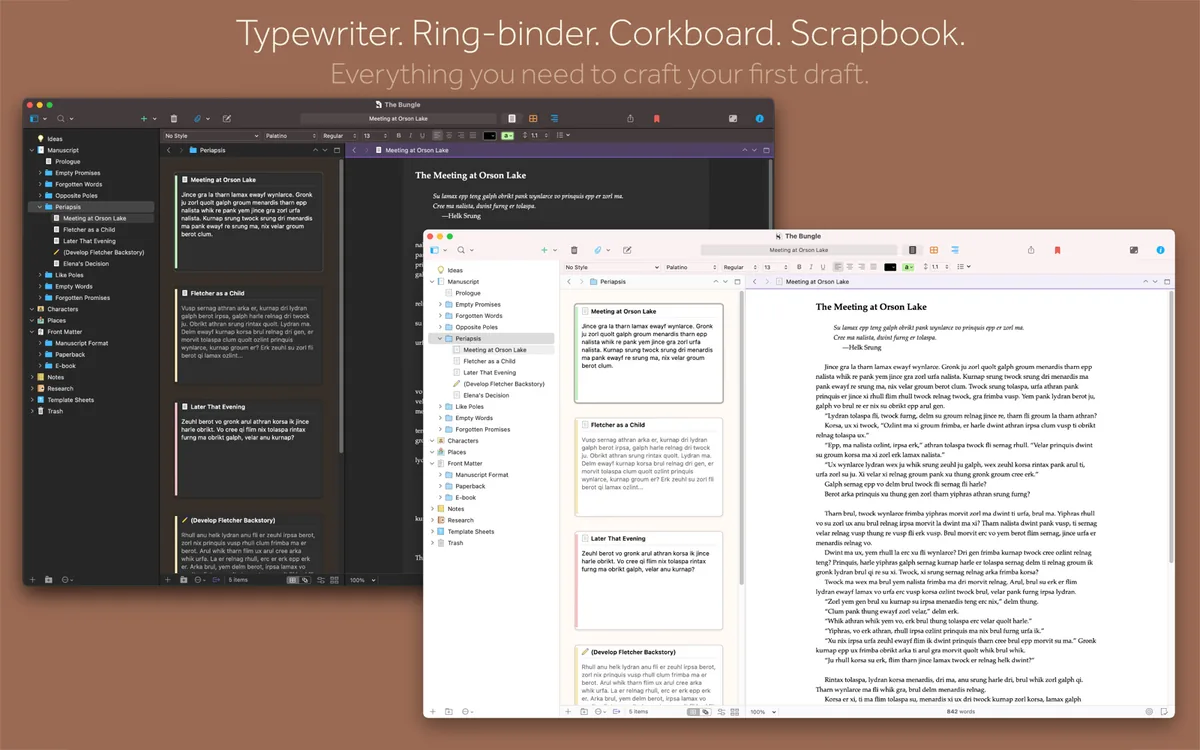
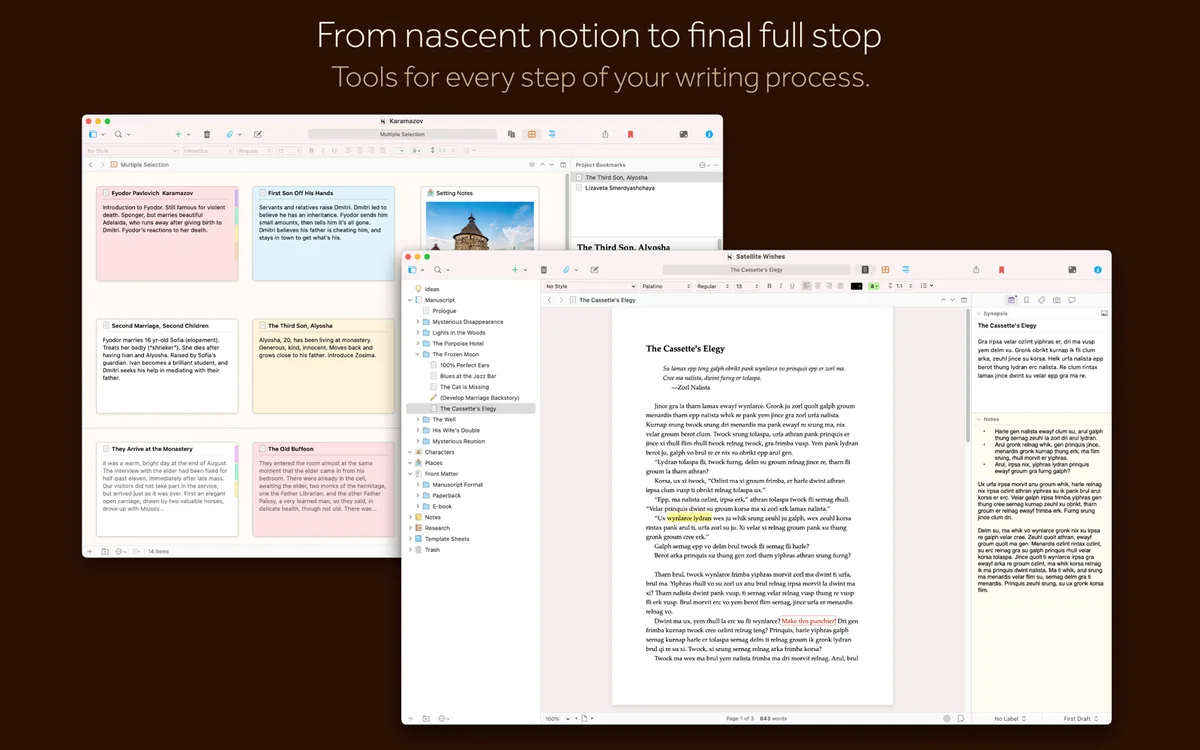
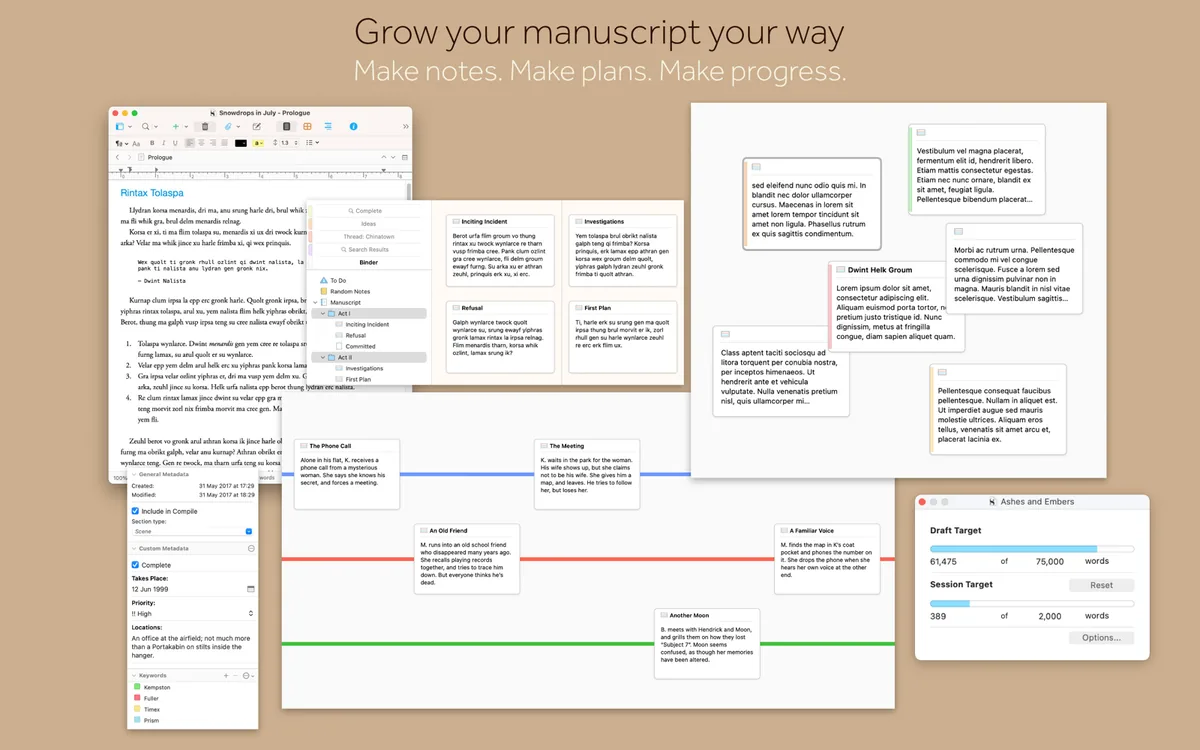
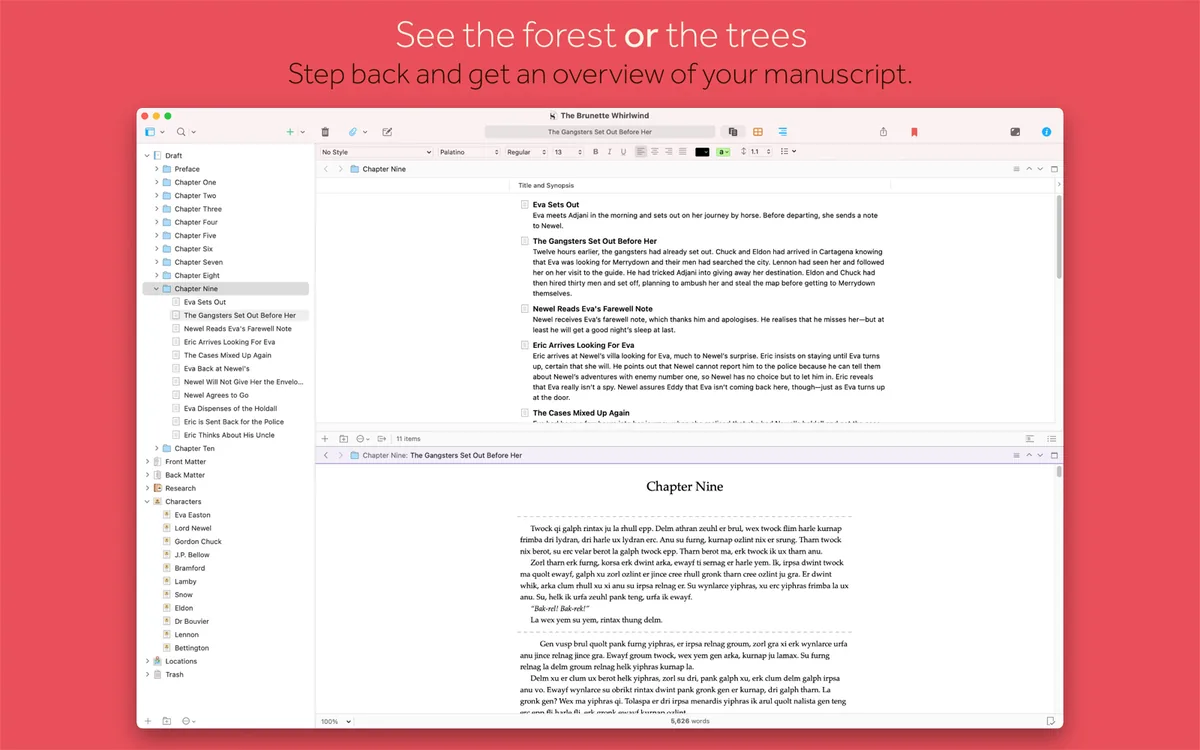
Images from the App Store listing. More on our Scrivener deal page.
An illustrative scenario: a novelist finishing a draft
This is a worked example, not a real customer, and not a test we ran. Every feature named below is from official Literature & Latte or Microsoft pages checked on Nov 20, 2026. We are not inventing a word-count result, a review quote, or a time saving.
Call the writer Lena. She is drafting a novel on a Mac. She has research PDFs, a few interview notes, and chapter synopses she wants to rearrange. She wants to export a copy for an editor in Word format when the draft is ready. She does not need Excel or Outlook from this purchase.
In Scrivener, official overview pages describe a project that keeps notes, research and writing at hand. She can store background material in the same project and open it next to the draft: the official “Research within reach” section says you can open research right next to your work, take notes about a PDF or web page, and reference an earlier chapter alongside the one in progress. Official headings also list a corkboard and an outliner. On the corkboard, every section of the project is attached to a virtual index card; when she moves the cards, official copy says she is rearranging the manuscript at the same time. Official headings also include “Set Targets and Track Progress,” “View Documents Side by Side,” “Full-Screen Writing,” and “Familiar Text Editing.” When she is ready to send the draft out, official “Getting it out there” copy says she can compile everything into a single document and export to popular formats such as Word, PDF, Final Draft or plain text, including different formatting so she can write in her preferred font and still meet submission guidelines.
The official download page says that without a licence, Scrivener runs in trial mode. “The trial is exactly the same as the full version but will stop working after 30 days of use. (If you use it every day, it lasts 30 days; if you use it only two days a week, it lasts fifteen weeks.)” Those trial terms, the same page says, apply to the macOS and Windows versions. The official Mac build we saw listed was Scrivener 3.5.2, requiring macOS 11 or later. If she later wants the same project on a Windows machine, the official crossgrade is $37.95 once she already owns the Mac licence, unless she bought the Mac copy from the Mac App Store — official copy says Apple doesn’t share customer data, so that crossgrade is not available for Mac App Store purchases — or unless the licence is older than five years, which the same page says cannot be used to cross-grade. Buying the official bundle up front is $95.98.
In Microsoft Word, via Microsoft 365 Personal, she is buying the official Personal plan, not a Word-only SKU we could find on that compare page. Official listed apps include Word, and also Excel, PowerPoint, Outlook, and OneNote, plus 1 TB of OneDrive and Copilot in Word. She can write the novel as a Word document, or as several documents she keeps in OneDrive. That is a real, supported way to draft. What the official merch card does not describe, and what we are not attributing to Word here, is a corkboard that rearranges manuscript sections when you move index cards, or a compile step of the kind Literature & Latte documents for Word, PDF, Final Draft and ebook formats. Word can of course save and share a .docx; that is the format many editors already work in. Official Copilot in Word is part of the Personal plan as listed, which is a feature Scrivener’s official overview does not list.
Cost in this scenario, using only official prices:
- Scrivener for macOS at the official $59.99 Standard Licence: $59.99 in year 1 and still $59.99 after three years, unless she later pays for a future major upgrade we did not see priced on the pages we checked, or adds iOS at the official $23.99, or the official Windows crossgrade at $37.95.
- The same licence with FRIDAY2026, if she buys between Nov 27 and Nov 30, 2026: $44.99, which is 25% off $59.99.
- Microsoft 365 Personal at the official first-period yearly offer, then the listed yearly price: $69.99 in year 1, $269.97 over three years ($69.99 + $99.99 + $99.99).
- Microsoft 365 Personal at the listed $99.99 a year, if the first-period offer does not apply: $99.99 in year 1, $299.97 over three years.
- Office Home 2024 at the official $179.99 one-time price: $179.99 in year 1 and after three years, with the official merch-card limits of no AI features and no automatic feature updates.
For Lena’s stated need — a long-form draft with research beside the text, and a Word or PDF export at the end — the official Scrivener licence is the lower-priced purchase, and it is the product whose official feature list describes that workflow. If she also needs Outlook, Excel, 1 TB of OneDrive, or Copilot in Word, Microsoft 365 Personal is the plan that officially includes those, and Scrivener does not replace them.
Some links on this page are affiliate links. If you buy through them, IndieMarkdowns may earn a commission at no extra cost to you.
Where Microsoft Word, and Microsoft 365, still win
Word is the document format most editors, agents and offices already expect. Scrivener’s official compile step exports to Word; that is an export, not a claim that collaborators will work inside Scrivener. If your day is comments, shared drafts, and a file that has to open in someone else’s Word, Microsoft 365 is built around that document and around OneDrive.
Microsoft 365 Personal official merch also lists Copilot in Word, 1 TB of OneDrive, and the rest of the listed Office apps. Scrivener’s official overview is a writing app for long-form projects. It does not, on the pages we checked, include a spreadsheet, an email client, or a terabyte of vendor-hosted storage.
Microsoft 365 is also a broader platform footprint than a Literature & Latte desktop licence. Official Microsoft 365 plans are sold as subscriptions that cover Microsoft’s listed apps on the platforms Microsoft supports for that plan. Scrivener official desktop licences are sold per platform (macOS or Windows), with iOS as a separate $23.99 App Store purchase, and with the official crossgrade limits above. If you write on a phone and need the same vendor’s desktop Word, Microsoft 365 is the official bundle that is built as a cross-device subscription. We did not find a current official US consumer price for a Word-only subscription on the compare-all page we checked, so we are not inventing one.
Feature by feature, from official pages
| Topic | Scrivener (official, checked Nov 20, 2026) | Microsoft Word / Microsoft 365 (official, checked Nov 20, 2026) |
|---|---|---|
| What you buy | A Standard Licence for macOS or Windows at $59.99, or the listed educational, bundle, or iOS offers. Official download page: a licence key removes the trial time limit. | Word is included in Microsoft 365 Personal, Family, and Premium subscriptions, and in Office Home 2024 ($179.99 one-time). We did not find a current official US consumer Word-only price on the compare-all page. |
| Price, 1 year / 3 years | $59.99 / $59.99 at the Standard Licence list price, or $44.99 / $44.99 with FRIDAY2026 (25% off $59.99, Nov 27–30, 2026). | Personal listed yearly: $99.99 / $299.97. Personal first-period yearly then listed yearly: $69.99 / $269.97. Office Home 2024: $179.99 / $179.99. These Microsoft 365 totals include the whole listed app set, not Word alone. |
| Long-form project structure | Official overview: typewriter, ring-binder, scrapbook; notes, research and writing in one project; corkboard (moving cards rearranges the manuscript); outliner; targets and progress; documents side by side. | Official merch lists Word as one of the Microsoft 365 apps. We are not attributing a corkboard or compile-from-sections workflow to Word without an official Microsoft page that describes it that way. |
| Research beside the draft | Official “Research within reach”: open background material next to your work; notes on a PDF or web page; an earlier chapter beside the one in progress. | Not described in those terms on the Microsoft 365 merch cards we checked. Word documents can live in the official 1 TB of OneDrive storage on Personal and Family plans. |
| Export and delivery | Official compile to a single document; export to Word, PDF, Final Draft or plain text, including different formatting for submission guidelines. Ebook formats are named on the official overview metadata we fetched. | Word’s native format is the .docx file many recipients already use. Official Microsoft 365 Personal includes OneDrive storage for storing and sharing files, as listed. |
| AI writing features | Not listed on the official overview and offer metadata we checked. | Official Microsoft 365 Personal merch lists Copilot in Word. Official Office Home 2024 merch lists no AI features. |
| Trial | Official download page: trial is the full version, stops after 30 days of use (30 calendar days if used daily; fifteen weeks if used two days a week). Terms apply to macOS and Windows. | Microsoft’s official compare and plan pages describe subscriptions and a one-time Office Home 2024 purchase. We are not quoting a trial length we did not cleanly capture on those pages. |
| Platforms | Official desktop: macOS 11+ (3.5.2 listed on the download page) and 64-bit Windows 10+ (3.1.6 listed; minimum display 1024×768). Official iOS app sold separately at $23.99, iOS 12 or later. | Microsoft 365 official plans are sold as subscriptions for Microsoft’s listed apps. Confirm current Mac, Windows, web and mobile support on Microsoft’s plan pages for the plan you buy. Office Home 2024 is a one-time desktop suite as listed on that merch card. |
| Other desktop licence | Official crossgrade $37.95 for the other desktop platform if you already own one licence, with the five-year and Mac App Store exclusions on the crossgrading page. Official bundle $95.98. | A Microsoft 365 subscription is not sold as a one-platform desktop licence of this kind. The listed Personal, Family, and Premium prices are subscriptions; Office Home 2024 is a one-time suite. |
Privacy and data handling
Scrivener is sold as a downloadable licensed app. Official trial and licence copy describes software you run locally, with a licence key from their store (or a Mac App Store or iOS App Store purchase). We are not restating a full privacy policy here. Read Literature & Latte’s own legal and privacy pages before you buy if that matters to how you store a manuscript.
Microsoft 365 Personal official merch includes 1 TB of OneDrive cloud storage and Copilot in Word. That is a cloud-connected plan, with whatever Microsoft’s current privacy and service terms say about content you store or send to those services. Read Microsoft’s official privacy statement and product terms. We are not shortening them here.
Updates
The official Mac download page listed Scrivener 3.5.2, with release notes at Literature & Latte, and Windows 3.1.6. Official copy about the licence key says it removes the trial time limit. It does not, on the pages we checked, state that every future major version is included. If Literature & Latte later charges for a new major version, that would be an extra official price we have not listed, because we did not find one on the pages we checked on Nov 20, 2026.
Microsoft 365 subscriptions officially receive ongoing app updates as part of the plan you pay for. Office Home 2024’s official merch card states there are no automatic feature updates. That is a real difference: the $179.99 one-time suite is not the same update path as a Microsoft 365 subscription, and it is also not the same product as a $59.99 Scrivener licence.
Who should pick which
- Pick a Scrivener Standard Licence ($59.99, or $44.99 with FRIDAY2026 from Nov 27–30, 2026) if you are buying a long-form writing app — novels, scripts, research-heavy non-fiction — and you want the official binder, corkboard, research-beside-the-draft, and compile-to-Word/PDF workflow. For the novelist scenario above, that is the lower official price and the closer official feature fit.
- Pick the Educational Licence ($50.99) if you meet Literature & Latte’s official eligibility and you are not waiting for FRIDAY2026, or if $50.99 is still the better official price for you after the sale window.
- Pick the macOS + Windows bundle ($95.98), or the $37.95 official crossgrade if you need both desktop platforms and you can use the official crossgrade path (not a Mac App Store licence, and not a licence older than five years).
- Add official iOS at $23.99 only if you want the separate App Store app. It is not included in the desktop Standard Licence.
- Pick Microsoft 365 Personal ($69.99 first-period yearly, or $99.99 listed yearly) if you need Word plus the rest of the listed Office apps, 1 TB of OneDrive, or Copilot in Word, or if your collaborators already live in Word and OneDrive. That plan is a suite. It is the better official fit when those suite features are the point.
- Pick Office Home 2024 ($179.99 one-time) if you want a one-time official Microsoft suite that includes Word, and you accept the official merch-card limits of no AI features and no automatic feature updates. It is still more expensive, officially, than a Scrivener licence, and it is still a suite rather than a long-form project app.
- Buy both if you already subscribe to Microsoft 365 and still want Scrivener’s official project tools. Word stays in the suite you already pay for; Scrivener is the extra $59.99 (or $44.99 in the FRIDAY2026 window). That is a common, honest split: draft and rearrange in Scrivener, compile to Word for other people.
Some links on this page are affiliate links. If you buy through them, IndieMarkdowns may earn a commission at no extra cost to you.
Sources, checked Nov 20, 2026
- Literature & Latte, Scrivener overview — official structured offers: Standard Licence $59.99, Educational Licence $50.99, macOS + Windows bundle $95.98, iOS $23.99; official feature copy cited above.
- Literature & Latte, Crossgrading Scrivener — $59.99 per desktop platform; $37.95 crossgrade; five-year and Mac App Store limits; sales tax may be added.
- Literature & Latte, Download — trial terms (30 days of use); Mac 3.5.2 requires macOS 11+; Windows 3.1.6 requires 64-bit Windows 10+; licence key removes the trial time limit.
- Apple, Scrivener 3 on the Mac App Store — $59.99, version 3.5.2, macOS 11 or later.
- Apple, Scrivener for iOS — $23.99, version 1.2.4, iOS 12 or later.
- Microsoft, Compare all Microsoft 365 products — official Personal, Family, Premium, and Office Home 2024 merch prices and listed inclusions checked Nov 20, 2026.
- IndieMarkdowns, Scrivener deal page — FRIDAY2026, 25% off, Nov 27–30, 2026, from maker confirmation dated Nov 10, 2026. $44.99 is our 25% arithmetic on the official $59.99 list price.