PDF Expert vs Adobe Acrobat
At a glance
PDF Expert Yearly
Best forA person who works on Apple devices and needs to mark up, fill, sign and tidy PDFs
Acrobat Pro, annual
Best forWindows, building fillable forms, comparing two PDFs, and tracked e-signature workflows
Quick verdict
For a person who works on Apple devices and needs to mark up, fill, sign and tidy PDFs, PDF Expert is the better value.
Acrobat still wins for Windows, for building fillable forms, for comparing two PDFs, and for tracked e-signature workflows.
Figures from the official price table below; 3-year totals are list price × 3 (lifetime and one-time licences are one payment).
For a person who works on Apple devices and needs to mark up, fill, sign and tidy PDFs, PDF Expert is the better value. On the official prices we checked on Nov 20, 2026, its yearly plan is $79.99 and its Mac-only lifetime license is $139.99. Adobe Acrobat Pro, billed annually, is listed at $19.99 a month or $239.88 a year. Over three years, that is $239.97 for PDF Expert yearly versus $719.64 for Acrobat Pro, if those list prices stay the same. Acrobat still wins for Windows, for building fillable forms, for comparing two PDFs, and for tracked e-signature workflows. Those three-year totals are our arithmetic from the listed US prices; they are not three-year plans either company sold on the pages we checked.
Get PDF Expert ↗(affiliate link)
Prices, plans, features and policies below come from official Readdle and Adobe pages checked on Nov 20, 2026. User comments are quoted or paraphrased from findable threads and App Store reviews and are what those users reported, not our tests. The buttons on this page go to PDF Expert through our affiliate link. Affiliate link: IndieMarkdowns may earn a commission if you buy through this link, at no extra cost to you.
What you pay, and what you do not
The value case is straightforward once you put the official US list prices next to each other. PDF Expert yearly costs about one third of Acrobat Pro in year one ($79.99 versus $239.88). The $139.99 lifetime license, which is Mac only, costs less than two years of PDF Expert yearly ($159.98) and less than eight months of Acrobat Pro at $19.99 a month. You do not pay Adobe for cloud storage, an AI Assistant add-on, a Windows seat, or a teams admin console if you do not need those things. You also do not get them.
| Plan (official US list, Nov 20, 2026) | What it covers, as listed | Year 1 | Years 1 to 3 combined |
|---|---|---|---|
| PDF Expert Yearly | Shown as $1.53/week, billed annually at $79.99. iPhone, iPad and Mac. 30-day money-back guarantee. Includes the Premium feature list on the pricing page (edit, OCR, convert, sign, PDF Copilot, and the rest of that list). | $79.99 | $239.97 |
| PDF Expert Lifetime | $139.99 one-time. Mac version only. 30-day money-back guarantee. Same listed tools, with this note: “Additional new features may come at an extra cost.” Continuous support and bug fixes are listed. | $139.99 | $139.99 |
| PDF Expert Yearly, education | The pricing page offers 30% off the annual plan after an educational email is verified. Readdle did not print the resulting dollar amount. 30% off $79.99 is $55.99, which is our arithmetic. | $55.99 | $167.97 |
| Acrobat Standard, annual | $14.99/mo, annual billed monthly, or $179.88/yr prepaid. Essential PDF tools. Desktop, web and mobile. Cancel-after-14-days terms are on the plans page. | $179.88 | $539.64 |
| Acrobat Pro, annual | $19.99/mo, annual billed monthly, or $239.88/yr prepaid. Advanced PDF toolset, including redaction, compare, web forms and turning scans into editable PDFs, as listed for Pro. | $239.88 | $719.64 |
| Acrobat Studio, annual | $24.99/mo, annual billed monthly, or $299.88/yr prepaid. Everything in Pro, plus AI Assistant, PDF Spaces and Adobe Express Premium, as listed. | $299.88 | $899.64 |
Sources: pdfexpert.com/pricing and adobe.com/acrobat/plans.html, checked Nov 20, 2026. Three-year columns multiply the listed annual total by three, except lifetime, which is one payment. Taxes are not included. Adobe also lists month-to-month and teams prices, an AI Assistant add-on at $1.99/mo or $19.99/yr, and a student Creative Cloud bundle; those are in the plan section below. Adobe’s plans page also says there is no perpetual Acrobat after Acrobat 2020, and points to Acrobat Pro 2024 desktop software as a one-time, three-year desktop license without feature updates or paid web and mobile services. We did not find a public dollar amount for Acrobat Pro 2024 on the plans page.
What you do not pay for with PDF Expert, if you only need Apple devices: a $239.88 Acrobat Pro year, a $179.88 Standard year, Studio at $299.88, teams licenses, or the AI Assistant add-on. What you do not get: a Windows or Android app (PDF Expert’s current site is iPhone, iPad and Mac; the pricing page says it requires macOS Monterey or later), Adobe’s 100GB of cloud storage with a paid membership, Acrobat’s official web-form and bulk e-sign tools, or the document-compare feature Adobe lists for Pro.
Illustrative scenario — not a real customer
A freelancer who annotates and signs about 20 contracts a month
This is a worked example so the prices are easier to judge. It is not a test we ran and not a person we interviewed. Every feature named here is one the official product pages list. We do not invent how long each contract takes, how accurate a signature is, or what a client accepted.
Jordan is a freelance consultant who works on a Mac and an iPad. In a typical month they mark up about 20 client contracts: comments and highlights, form fields, and a signature, then send the file back. They also keep a copy on the phone. That mix is why the official PDF Expert yearly plan is the one that fits this scenario: it is the plan Readdle lists for iPhone, iPad and Mac. The $139.99 lifetime license is listed as Mac only, so it would leave the iPad and iPhone outside that purchase.
In PDF Expert, using only listed tools
- Open the contract PDF in PDF Expert on the Mac or iPad. Readdle’s site describes a reading and annotation toolkit: highlights, notes, stamps, stickers, audio notes and drawing, plus a customizable toolbar.
- Mark the clauses that need a comment with those annotation tools. The official pages do not promise a particular markup style or a time per page, so we do not add one.
- Fill the PDF form fields. The product page lists filling out PDF forms, including demanding forms with formulas and calculations.
- Add a signature. The official wording is a “personal, electronic signature,” and “Collect customer signatures with a special feature on iPhone and iPad.” That is not the same as a certificate-based digital signature; we come back to that in the user-report section.
- If the file arrived as a scan, the yearly and lifetime plans on the pricing page both list “Recognize text (OCR)” and convert-to-Word, Excel or PPT. The homepage also lists an AI-powered Enhance tool for scans.
- Send the file. Readdle’s site describes signing and sending without walking through a specific mail client, so we stop at “send the finished PDF.”
Official cost for this scenario, if Jordan buys the yearly plan at the US list price we checked on Nov 20, 2026: $79.99 in year 1, and $239.97 over three years if the $79.99 price is still what they pay each year. The 30-day money-back guarantee is listed for that plan. We do not have a confirmed Black Friday 2026 price for PDF Expert in our records; last year’s listed offer, clearly labeled as 2025, was a $20 lifetime license limited to the first 500 purchases. That is not a current price.
In Adobe Acrobat, using only listed tools
- Open the same contract in Acrobat on desktop, web or mobile. Adobe’s plans page says paid Acrobat plans are for use “on desktop, mobile, or in your web browser,” with 100GB of cloud storage included in a paid membership.
- Annotate, edit or organize pages, and fill the form. Acrobat Standard is listed with edit and organize, convert to and from PDF, fill out forms, sign, request e-signatures, and password-protect files.
- If Jordan needs a legally tracked signature request, Standard and Pro both list collecting legally binding e-signatures and tracking responses. Pro adds branding, web forms, reusable e-sign templates, and sending in bulk.
- If two versions of the contract need a difference review, Adobe lists “Compare PDFs to review differences” for Pro, not for Standard. If a clause must be removed for good, Pro lists redaction of sensitive information.
- If the file is a scan, Pro lists turning scanned documents into searchable and editable PDFs. Standard’s official short list does not include that line.
Official cost if Jordan buys Acrobat Pro at the US annual price we checked: $239.88 in year 1 (or $19.99 a month on the annual-billed-monthly plan), and $719.64 over three years if that annual total stays the same. Acrobat Standard would be $179.88 and $539.64 on the same method — still more than PDF Expert yearly, and Standard’s official list does not include compare, redaction, or turning scans into editable PDFs. A 14-day cancel window is described on the plans page, with a fee of up to half the remaining annual commitment if they cancel later on the billed-monthly annual plan, and no refund after 14 days on the prepaid annual plan.
What the numbers say for this scenario: staying on PDF Expert yearly instead of Acrobat Pro saves $159.89 in year 1 and $479.67 over three years, at the list prices we checked. That saving holds only if Jordan does not need a Windows copy, Acrobat’s compare or web-form and bulk e-sign tools, or Adobe’s cloud and mobile-web setup. If they do, Acrobat Pro is the official product that lists those features, and the higher price is the price of that set.
A look inside PDF Expert
PDF Expert Promo Video. Official Readdle video, embedded on pdfexpert.com. Loads from the video host only when you press play.
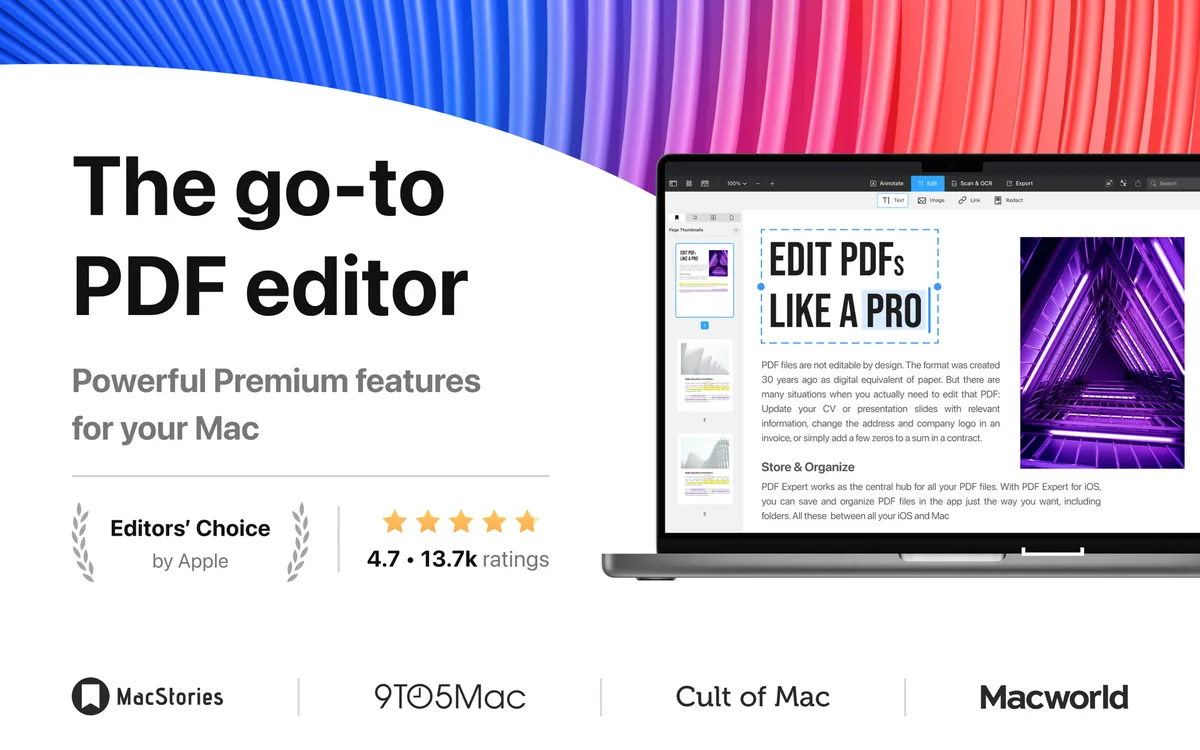
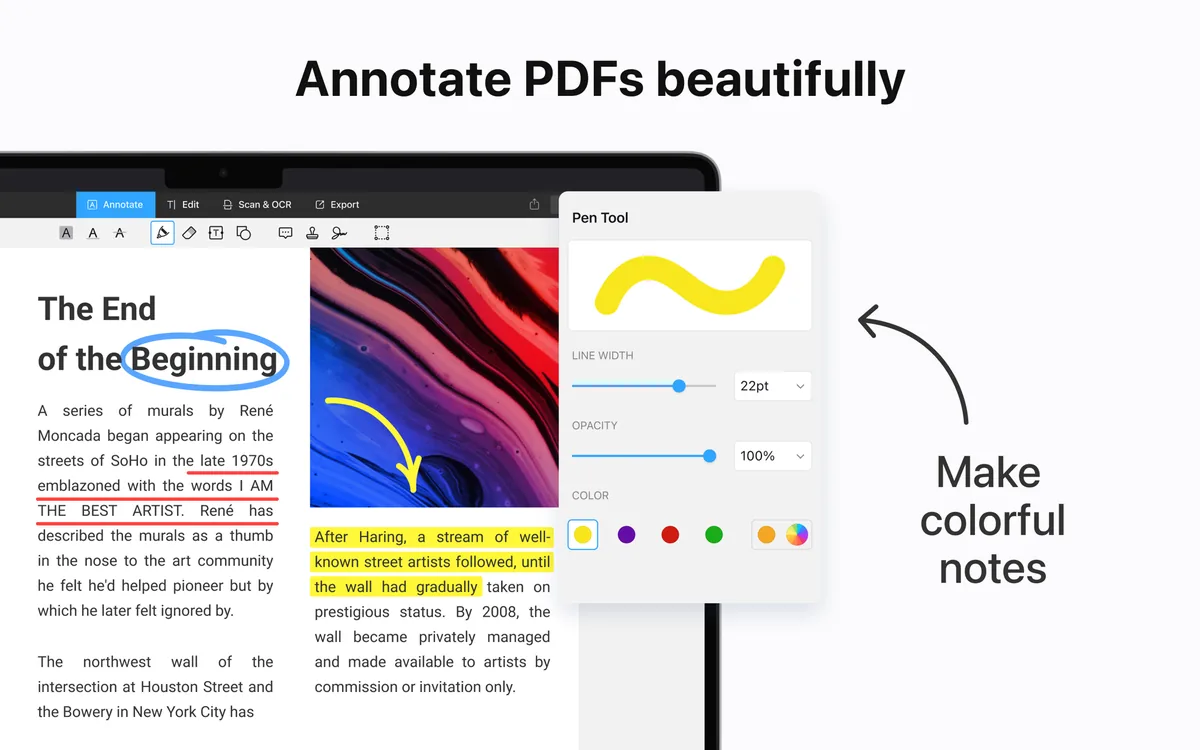
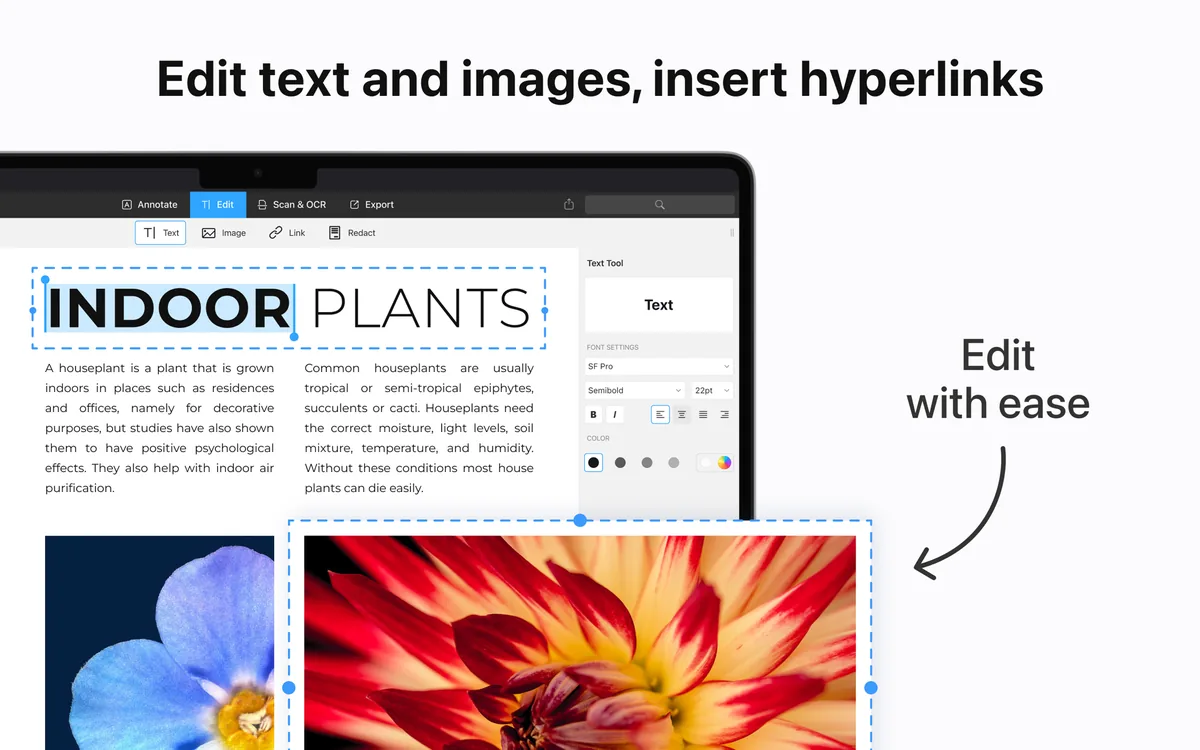
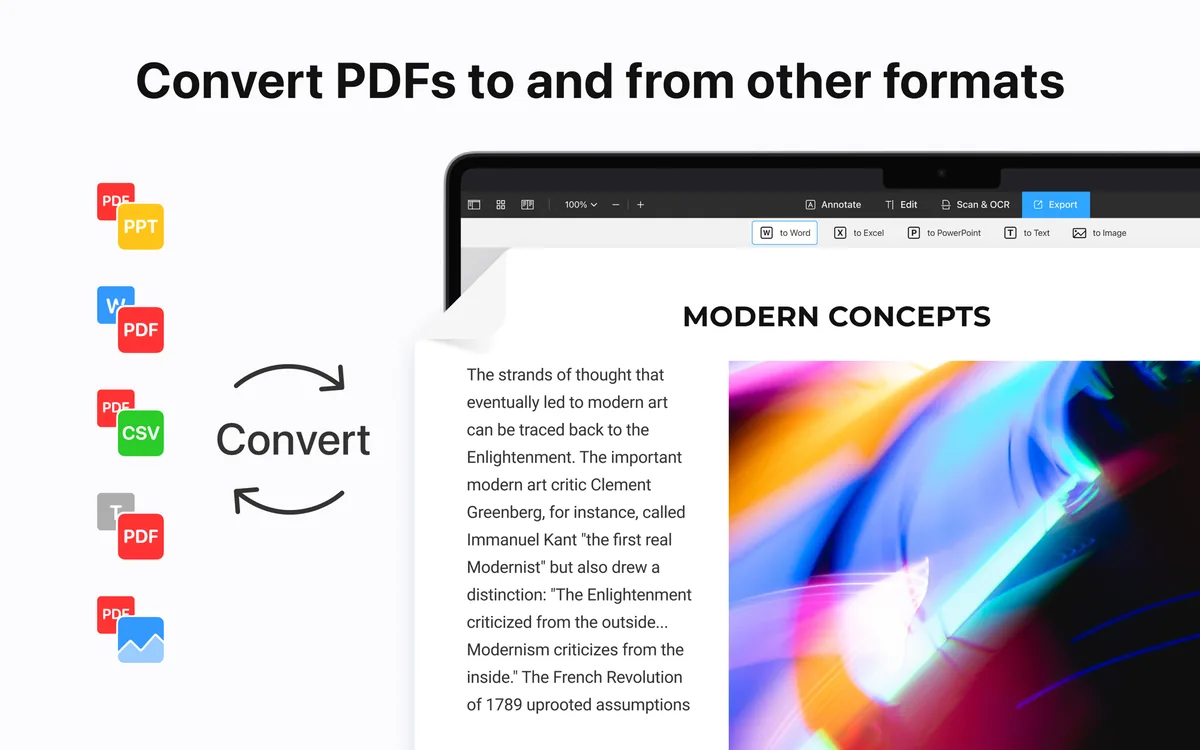
Images from PDF Expert's App Store. More on our PDF Expert deal page.
Official plans in more detail
PDF Expert
Readdle’s pricing page, checked Nov 20, 2026, has two Premium plans. Yearly is $1.53/week “billed annually at $79.99,” covers “iPhone, iPad, and Mac versions,” lists “Big updates and new features,” and includes PDF Copilot, Translate PDF, Convert PDF to Word, Excel, PPT, Recognize text (OCR), Sign documents, “Annotate like a Pro,” edit PDF text, images and links, and priority support. Lifetime is $139.99 “one-time payment,” “Mac version only,” with “Get continuous support and bug fixes. Additional new features may come at an extra cost,” and the same tool list. Both show a 30-day money-back guarantee. A verified educational email is offered “30% off PDF Expert annual plan.” The page also says “Requires macOS Monterey or later versions.” The homepage title and buttons advertise a free download / free trial; we did not find a current stated trial length on the pricing page, so we do not invent one. The Mac App Store listing for “PDF Expert – Edit, Sign PDFs” (id 1055273043) showed version 3.13.5, a $139.99 price, and a 12.0 minimum OS on Nov 20, 2026, which matches Monterey and the lifetime price.
Adobe Acrobat
On Adobe’s plans page, checked Nov 20, 2026, individual annual-billed-monthly prices were $14.99/mo for Standard, $19.99/mo for Pro and $24.99/mo for Studio, with prepaid annual prices of $179.88, $239.88 and $299.88 — which are those monthly figures times 12. Teams prices were listed at $16.99, $23.99 and $29.99 per license per month, or $203.88, $287.88 and $359.88 prepaid per license per year. An “Add AI Assistant to your Acrobat plan” line was listed at $1.99/mo or $19.99/yr. The product page at adobe.com/acrobat.html also showed a bundle line, “US$19.99/mo for Acrobat Pro + US$4.99/mo for AI Assistant Plus.” We treat those as the two AI add-on figures Adobe printed, and we do not merge them into one plan.
For students and teachers, “Acrobat Pro for students and teachers” was listed at the same $19.99/mo and $239.88/yr as regular Pro. A separate “Creative Cloud Pro for students and teachers” bundle was listed at $19.99/mo the first year and $39.99/mo after that (or $239.88/yr then $479.88/yr), described as saving 71% or 69% on 20+ apps including Acrobat Pro. That cheaper first year is the all-apps bundle, not a discounted standalone Acrobat Pro.
Where Acrobat wins, stated plainly
- Platforms. Acrobat is officially for desktop, web and mobile, and Adobe’s system-requirements page lists Windows and macOS (including macOS v13 through v27). PDF Expert’s current official site is iPhone, iPad and Mac only. If Jordan, or anyone else, has to edit the same file on a Windows PC, Acrobat is the one that lists that.
- Form creation and e-sign operations. Adobe lists web forms, reusable e-sign templates, send in bulk, and branded agreements in its Pro set. PDF Expert’s official pages list filling forms and adding a personal electronic signature; they do not list building a new fillable form or a bulk signature request. Reddit users have reported the same gap, which we quote below as user reports, not as a test.
- Compare and redact as a Pro feature. Adobe’s plans FAQ lists compare and redact for Pro. PDF Expert’s homepage does list Redact under editing. We did not find an official PDF Expert “compare two PDFs” feature on the pricing or homepage we checked.
- Batch and automation. Acrobat Pro’s official FAQ lists Action Wizard sequences (OCR, redaction, watermarking, conversion) on multiple PDFs. We did not find a comparable official batch-OCR control on PDF Expert’s current pricing page.
- Cloud collaboration. Paid Acrobat includes 100GB of storage and official connections to OneDrive, Google Drive, Dropbox and Box, and official tools to store and share files online. PDF Expert’s privacy notice, discussed below, says Readdle does not store your files, with a short exception for conversion.
Feature by feature, from official pages
| Topic | PDF Expert, as listed on pdfexpert.com (checked Nov 20, 2026) | Adobe Acrobat, as listed on adobe.com / helpx (checked Nov 20, 2026) |
|---|---|---|
| Edit text and images | Yes, on the Premium pricing list: “Edit PDF text, images, and links.” | Standard and Pro: “Edit text and images, export, secure, and organize documents.” |
| Annotate | Homepage lists notes, highlights, stamps, stickers, audio notes, drawing, plus reading modes (Day, Night, Sepia). | View, print, share and comment are listed even around Reader; paid plans add the editing set above. |
| Fill forms | Yes, including “checklists with formulas and calculations, insurance or tax forms.” | Standard and Pro: fill out forms. Pro also creates web forms. |
| Signatures | “Personal, electronic signature.” Collect customer signatures on iPhone and iPad. | Standard and Pro: sign and request e-signatures, track responses. Official language includes “legally binding” / “Binding and secure e-signatures.” |
| OCR / scans | Pricing list: “Recognize text (OCR).” Homepage: Enhance scans, crop and split pages. | Pro: “Turn scanned documents into searchable and editable PDFs.” Not in the Standard short list. |
| Convert | PDF to Word, Excel, PPT (pricing page); homepage also mentions JPG. | Standard and Pro: convert documents to and from PDF. Official supported-formats help is at helpx.adobe.com. |
| Merge / pages | Homepage: rearrange, extract, delete, rotate, merge. | Organize documents is listed for paid plans; Pro adds optimize / reduce file size. |
| Redact | Homepage lists Redact under editing. | Listed for Pro: “Redact sensitive information from PDFs.” |
| Compare two PDFs | Not listed on the pricing page or homepage we checked. | Listed for Pro. |
| AI assistant | PDF Copilot is listed on both Premium plans: “AI-powered assistant to interact with PDFs.” A separate Copilot web privacy notice names OpenAI and Vertex AI among processors. | Studio includes AI Assistant. Other plans can add it for $1.99/mo or $19.99/yr, or a “AI Assistant Plus” line at $4.99/mo was also printed on adobe.com/acrobat.html. |
| Platforms | iPhone, iPad and Mac. Yearly covers all three; lifetime is Mac only. macOS Monterey or later. | Desktop, web and mobile. System requirements: Windows 10/11 and servers; macOS v13–v27; 4GB RAM. |
What users report
These are real, findable comments. They are not our reviews and not a composite.
On value and switching away from Acrobat, users have reported that PDF Expert is the more pleasant daily tool, with limits. In r/MacOS, March 19, 2026, u/LithiumLizzard wrote that they “switched from Acrobat Pro to PDF Expert,” found it “much more intuitive for day to day use,” and that “It does pretty much everything that Acrobat Pro does, except it doesn’t create forms.” In r/mac, October 31, 2026, u/Mr-Reeeee wrote: “I dumped Acrobat Pro for PDF Expert. There are a few frustrating interface issues, but I’m not paying Adobe.” In r/MacOS, December 21, 2024, u/swnest wrote that Acrobat’s interface is “inflexible and user unfriendly,” that PDF Expert “while not perfect, is the best of the limited choices,” and that they “still use Acrobat most of the time but find editing less problematic in PDF Expert.”
On speed and on missing batch tools, a long r/macapps write-up reported that PDF Expert’s OCR on a sample scan finished in about one second on their MacBook Pro, versus about 5–6 seconds in PDF Studio, and that they could not find an easy way to batch-OCR a directory in PDF Expert. In r/macapps, April 2025, the original poster wrote that they wanted Acrobat Pro’s “Prepare Form” behavior — OCR a scan and get tab-able fillable fields — and that “So far it appears that only Adobe Acrobat Pro can do that,” including with PDF Expert already in hand.
On Hacker News, a July 2025 thread includes D13Fd writing: “PDF Expert is excellent in every way, and is a dramatic improvement on both Adobe Acrobat and Preview. It’s so weird that they won’t release a PC version.” In an October 2025 thread, treetalker reported using “the free version of PDF Expert on all my Apple devices” for “heavy-duty highlighting and annotation, document creation/merging, creation of tables of contents, as well as handling large pdfs — appellate case records, briefs, etc.,” and liking it on a large iPad Pro with Apple Pencil. In an October 2021 thread, dev_tty01 wrote that they “couldn’t stand another minute of dealing with Acrobat,” then “removed all vestiges of Adobe”; JKCalhoun wrote that they “Noped out” after PDF Expert “Defaulted to setting PDFExpert as my PDF viewer,” showed “a survey I could not close out,” and “required an account to begin.”
One-star Mac App Store reviews for PDF Expert (app id 1055273043) include users who felt a one-time purchase was later boxed in by a subscription. G3Chris1, dated Nov 17, 2026, review id 14803935729, titled “Once was good now useless,” wrote: “I bought this program years ago. Suddenly now it's useless because I have to buy a crazyazz subscription.” abk0006, dated Sep 8, 2026, review id 14526316783, titled “Bait and switch,” wrote: “I paid $40 for this app. Somehow my app got updated, and now basic functionality like filling out forms is stuck behind a subscription paywall, so that they can sell you a bunch of AI garbage.” That sits next to the official 2026 pricing page, which still lists a $139.99 Mac-only lifetime license and warns that additional new features may cost extra. Other one-star reviews report failures we cannot verify ourselves: LowTSoyBoi (Oct 16, 2026, id 14675460369), titled “Bugs Are Never Fixed,” wrote that a bug “causes the entire app to crash (losing all of your work)”; Chromaton (Aug 15, 2026, id 14432771459), titled “Can’t actually sign documents,” wrote that signing “does not mean that you can use a certificate to provide a digital signature to a document.” Those reviews are on Apple’s PDF Expert for Mac reviews listing.
One-star reviews of Adobe’s Acrobat Reader iOS app (id 469337564) report paywalls and reliability problems. C1531, dated Nov 10, 2026, review id 14773935782, titled “Pay or your work is gone,” wrote that an edit was allowed “with the current level of membership,” but that saving “required more $$$$ or it wouldn’t save my project.” aliasmfrance, dated Nov 11, 2026, review id 14778559744, titled “NEVER WORKS WHEN YOU NEED IT TO,” wrote: “This application sucks on both mobile devices and desktops.”
A YouTube review, “PDF Expert App Review - What to Know (Explained)”, says that many advanced editing and conversion features require a premium subscription, and that the free version is “mainly suitable for reading, basic annotations, and limited document management.” That matches Readdle’s official split between a free download and paid Premium plans. The video also tells viewers that features and pricing can change.
A further user report on iCloud: in r/macapps, November 2025, the original poster wrote that “Recently PDF Expert stopped allowing directly annotating PDFs from iCloud (instead you have to now save in their own cloud),” which made the app “unusable” for their sync-from-iCloud workflow. We did not re-test that behavior.
Privacy and where files go
Readdle’s Privacy Notice for the PDF Expert app is dated August 12, 2026. It states: “We do not store your files. However, the files are temporarily stored for up to three (3) hours for the file conversion functionality.” It also says the app lets you “upload, edit, and convert files,” and that you may link Apple or Google accounts. For AI features it says models may “operate locally on your device and/or [be] provided by third-party AI providers such as Azure OpenAI Service by the Microsoft Corporation or OpenAI API by OpenAI, L.L.C.,” and that Readdle “may manually switch between these AI providers.” A third-party table on the same notice includes iCloud, OpenAI and Azure OpenAI. Readdle’s Data and Security help article says they hold to GDPR obligations, are ISO/IEC 27001:2022-certified, encrypt data in transit and at rest, and that “All our services are powered by enterprise-grade infrastructure from Google Cloud.” A separate PDF Copilot web privacy notice, dated May 29, 2026, lists Google, Apple, OpenAI and Vertex AI among parties that may provide data.
Adobe’s Privacy Policy, last updated October 24, 2025, covers Adobe’s Services and Software. The Acrobat system-requirements page says Adobe online services “require agreement to additional terms and the Adobe Privacy Policy,” are not available in all countries, and may require registration. The plans page says a paid membership “comes with 100GB of cloud storage.” We are not restating processing details Adobe did not make specific to Acrobat on the pages we read; the policy itself is the place to read how Adobe uses personal information, including cloud content and choices about that use.
In short, PDF Expert’s official app notice says ordinary files are not kept on Readdle’s side, except a three-hour window for conversion, while Copilot and conversion can involve named third parties. Acrobat’s paid plans officially include a large cloud store and online services under Adobe’s policy. Which is “better” depends on whether you want files to stay on the device by default, or you want Adobe’s cloud, sharing and review tools.
Updates
PDF Expert’s official Mac changelog at pdfexpert.com/pem3/changelog.html, checked Nov 20, 2026, lists version 3.13.6: a Hand tool in every toolbar (including Option-Space to switch temporarily), a new Pan & Zoom mode, and an annotation summary that can filter by author or show completed and uncompleted annotations. The public HTML we fetched showed only that latest entry, with a pointer to earlier notes at the same URL. The US Mac App Store listing the same day still showed version 3.13.5, with a current-version date of Nov 4, 2026, 12:53 PM Pacific Time (the store listed 2026-11-04T15:53:46Z). So the site changelog was ahead of the App Store listing on the day we checked.
Adobe’s plans FAQ says that while a Studio, Pro or Standard subscription is active, “Regular updates will ensure you have the latest features available in Acrobat.” Acrobat Pro 2024, the one-time desktop license, “includes quarterly security updates but does not include Acrobat feature enhancements.” We did not rely on a third-party recap for a dated Acrobat desktop version list, because the official release-notes URL we tried did not return a usable page from here.
Platforms, offline use, and formats
PDF Expert: official site is iPhone, iPad and Mac; yearly covers all three, lifetime is Mac only; macOS Monterey or later (App Store minimum 12.0). Convert targets officially listed: Word, Excel, PPT, and JPG on the homepage. We did not find a Windows product on the current site. Offline use of local files is the normal Mac-app pattern; we do not claim an official “fully offline Premium” statement we did not see. Conversion and Copilot, per the privacy notice, can involve temporary upload or third-party AI.
Acrobat: official desktop, web and mobile, Windows and Mac, with the RAM and disk figures on Adobe’s system requirements. Paid plans include online services and 100GB of storage. Acrobat Pro 2024 is the official offline-leaning exception: a three-year desktop license, usable offline once activated, without feature updates or paid web/mobile features, per Adobe’s FAQ.
Who should pick which
- Pick PDF Expert yearly ($79.99, or $55.99 if the 30% education discount applies) if you work on iPhone, iPad and Mac, want the official Premium tool list (edit, OCR, convert, sign, Copilot), and want to pay about one third of Acrobat Pro’s annual list price. That is the value choice for the freelancer scenario above.
- Pick PDF Expert lifetime ($139.99) if you only need the Mac app, you are comfortable with Readdle’s note that new features may cost extra, and you would rather pay once than $79.99 a year. At current prices it undercuts two years of yearly and undercuts a single year of Acrobat Pro.
- Pick Acrobat Pro ($239.88 a year) if you need Windows or the official Pro-only set: compare two PDFs, Action Wizard batch work, web forms, bulk and branded e-sign, or you already live in Microsoft 365 and Adobe’s cloud. Those are real, listed advantages. They cost more.
- Pick Acrobat Standard ($179.88 a year) only if you need Adobe’s cross-platform paid set without Pro’s extras. It is still more expensive than PDF Expert yearly, and it does not officially include compare, redaction, or scan-to-editable-PDF.
Our verdict for the typical Apple-only contract and markup workload: PDF Expert yearly is the better value, by a wide official-price margin, as long as you do not need Acrobat’s form-building, compare, batch and Windows strengths. If you do need those, pay for Acrobat Pro and know what the extra $159.89 a year is for.
Get PDF Expert
Current official prices are on Readdle’s pricing page. Our PDF Expert deal page is listed as last year’s offer: a 2025 lifetime license for $20, limited to the first 500 purchases. That is not a confirmed 2026 deal. The button below uses our existing approved Impact affiliate link.
Some links on this page are affiliate links. If you buy through them, IndieMarkdowns may earn a commission at no extra cost to you.
All comparison pages · PDF Expert on IndieMarkdowns · Adobe Acrobat official plans
Sources, checked Nov 20, 2026
- PDF Expert pricing; PDF Expert homepage; Privacy Notice (app), August 12, 2026; PDF Copilot privacy, May 29, 2026; Data and Security; Mac changelog; Mac App Store listing id 1055273043 (version 3.13.5, $139.99, macOS 12.0), checked Nov 20, 2026.
- Adobe Acrobat plans; adobe.com/acrobat.html; Adobe Privacy Policy, October 24, 2025; Acrobat system requirements; Acrobat Pro 2024 facts are from the FAQ on Adobe’s plans page.
- User reports: Reddit, Hacker News, App Store review ids cited in the section above, and YouTube review u_Hf9NSoN8Y.