At a glance

PasteNook Lifetime, Black Friday
Best forOne-Mac users who want searchable clipboard history, OCR and text splitting without a subscription
Paste Annual Plan
Best forPeople who copy across Mac, iPhone and iPad and want one synced history with a paste queue
Quick verdict
Pick PasteNook if your clipboard lives on one Mac and a one-time $2.49 unlock is the appeal.
Pick Paste if you need the same history on every Apple device, Paste Stack, and a long track record.
Both figures come from the price table below. A one-time licence is paid once, so its 3-year cost stays the same unless you buy an upgrade.
PasteNook keeps a searchable history of the text, links, images and files you copy on one Mac, with on-device text recognition for images. Paste is the long-running clipboard manager that syncs that history across Mac, iPhone and iPad through iCloud. From November 27 to 30, 2026, the PasteNook Lifetime Unlock costs $2.49 rather than $4.99.
Each button opens the developer’s own page. No referral is attached.
PasteNook against Paste, priced over three years
| Plan | What you get | Year 1 | 3 years |
|---|---|---|---|
| PasteNook Lifetime, Black Friday | Lifetime Access, paid once in-app; half off from November 27 to 30, 2026, with nothing to enter. | $2.49 once | $2.49 |
| PasteNook Lifetime, usual price | The same lifetime unlock at its regular price. | $4.99 once | $4.99 |
| PasteNook Pro, yearly | Yearly subscription with unlimited history, favourites, tags and filters. | $3.99 | $11.97 |
| PasteNook Free | Up to 100 history items or 500 MiB, search, notes, basic OCR and multi-select. | $0 | $0 |
| Paste Lifetime Plan | Pay once for Mac and iOS, with future updates. | $89.99 once | $89.99 |
| Paste Annual Plan | Mac and iOS, billed yearly. New subscribers get 50% off the first year until December 1. | $29.99 | $89.97 |
| Paste Monthly Plan | Mac and iOS, billed monthly. | $47.88 | $143.64 |
Both apps’ amounts come from their American App Store pages, checked November 27, 2026. The Paste Annual row shows the regular price; the Black Friday half-price first year would lower Year 1.
Worked example
Priya fills the same web forms every week and keeps losing a link she grabbed earlier that morning
Priya works on one MacBook and rarely copies anything on her phone.
With PasteNook
She searches the history by keyword, selects several text cards and copies them as one combined block, or splits a long sentence into word tokens and keeps only the parts she needs. The free tier holds about 100 items; for unlimited history she pays $2.49 once during the sale.
With Paste
She opens Paste with one shortcut, pastes recent items with ⌘1–9, and queues several in Paste Stack to fill a form in order. The same history appears on her iPhone through iCloud. That costs $29.99 a year, or $89.99 once for Lifetime.
Priya’s cost: $2.49 once for PasteNook, against $29.99 a year or $89.99 once for Paste.
A look inside PasteNook
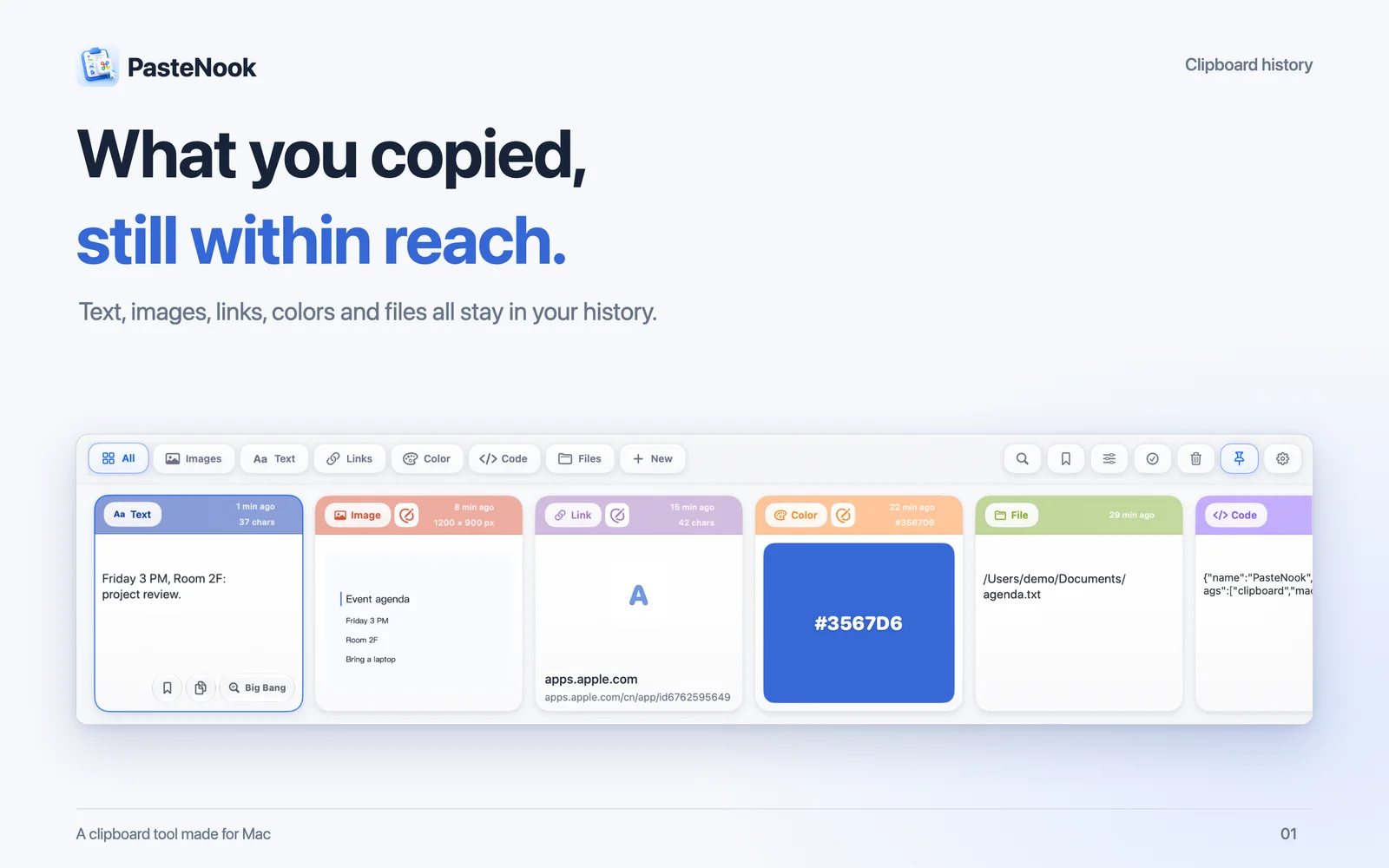
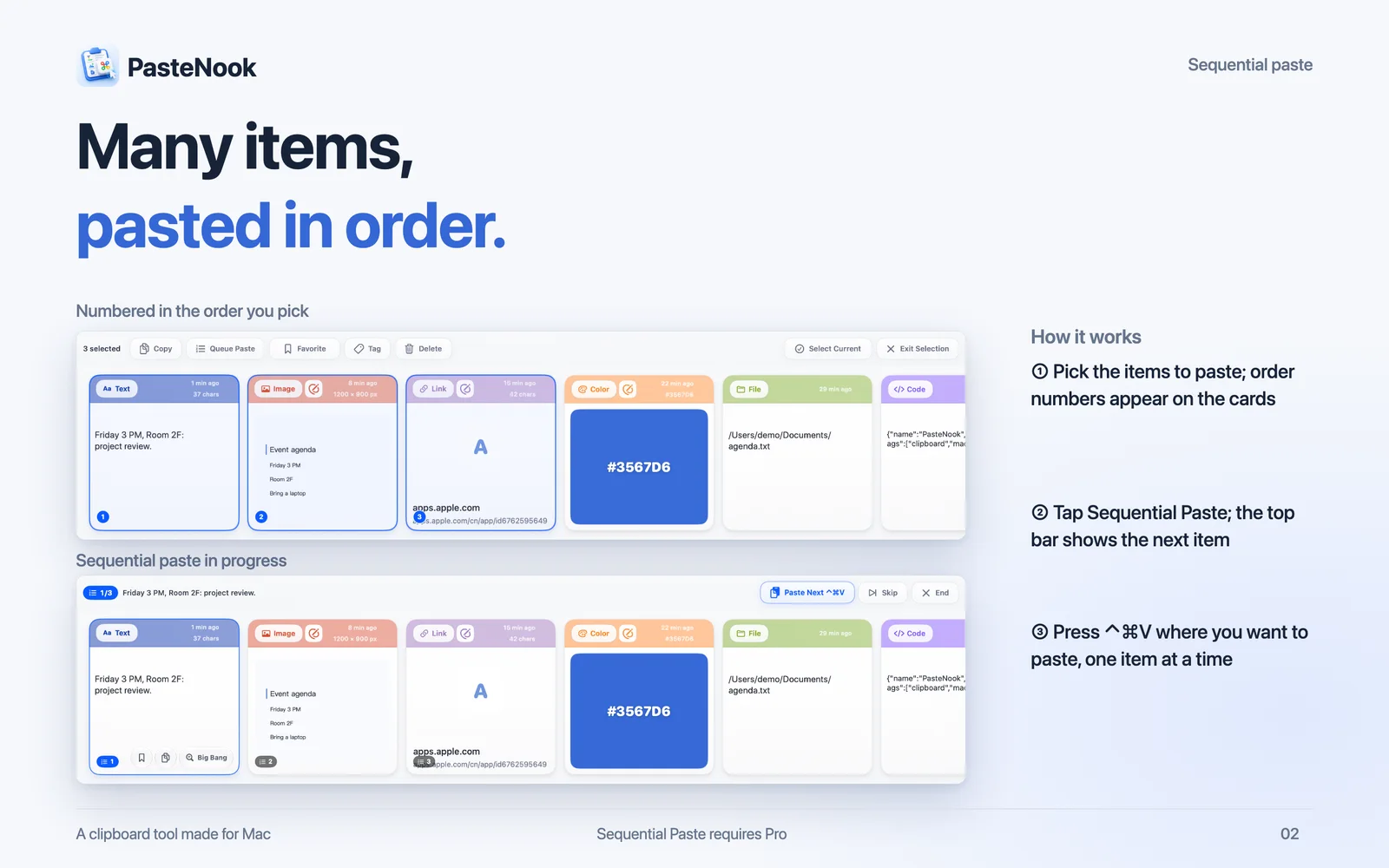
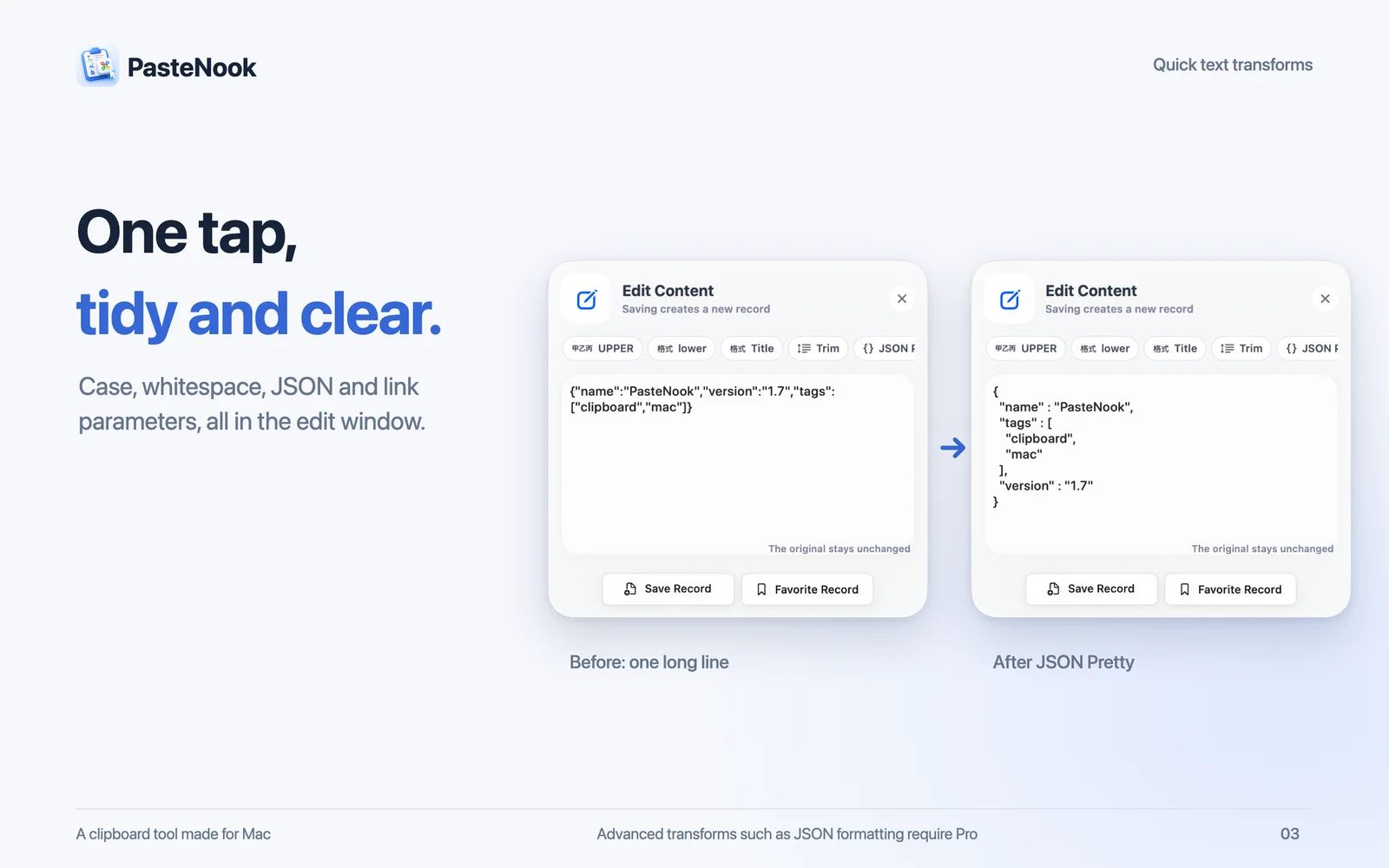
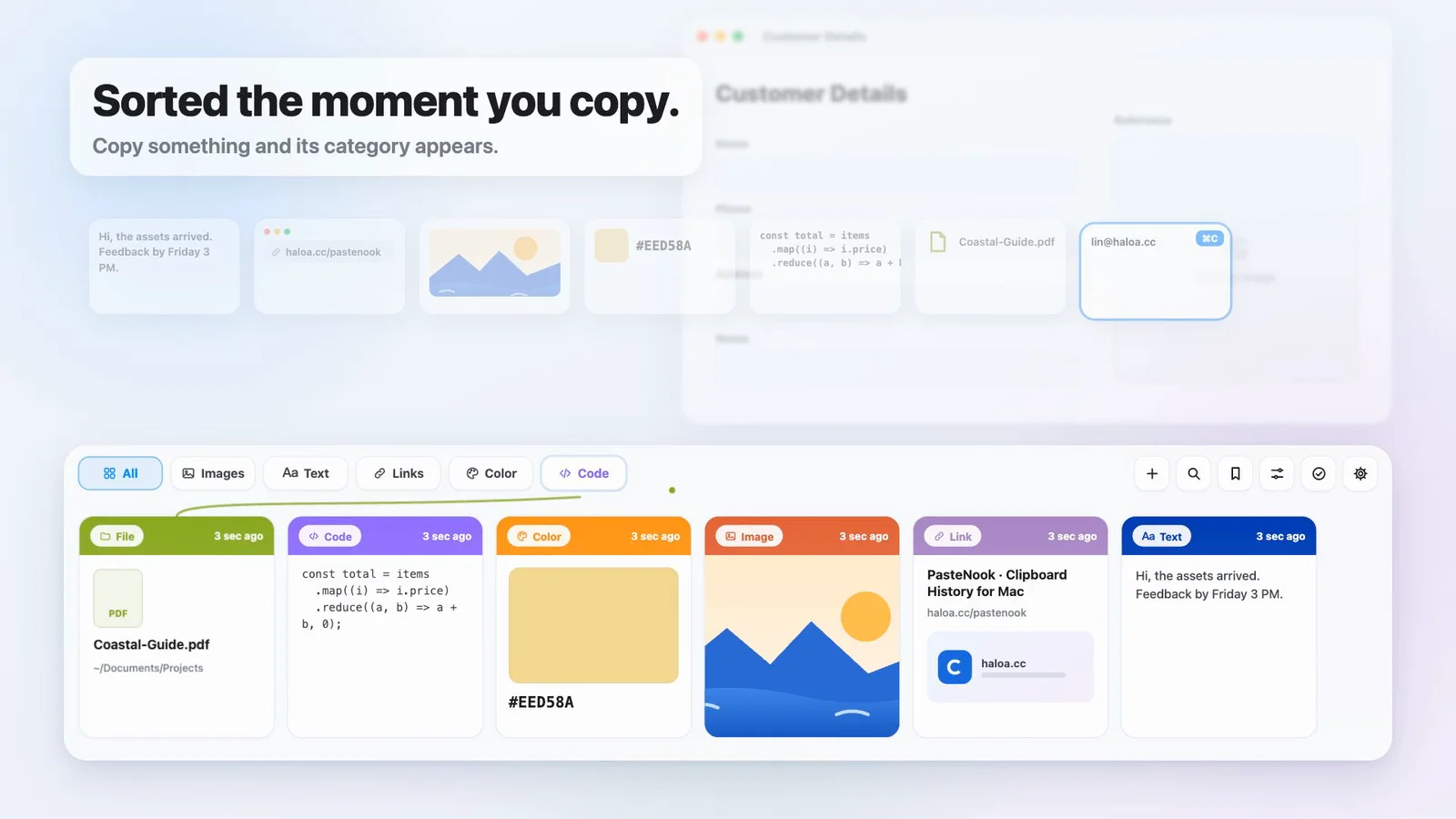
Mac screenshots from the PasteNook Mac App Store listing (https://apps.apple.com/us/app/id6762595649?mt=12), developer Marzer Wong (Haloa). More on our PasteNook deal page.
Feature by feature
| Topic | PasteNook | Paste |
|---|---|---|
| Devices | One Mac, macOS 13 or later. The product page describes no iPhone app or sync. | Mac, iPhone and iPad, kept in step with iCloud; macOS 14 or later on the Mac. |
| History size | Free keeps up to 100 items or 500 MiB; Pro removes the item limit. | Unlimited history on every plan. |
| Paste in order | Merge several selected text cards into a single copy; Haloa is clear this is no automatic queue. | Paste Stack queues items and pastes them in order. |
| Text in images | Reads text out of copied pictures locally with Apple’s Vision framework. | Search finds text inside screenshots and photos. |
| Organising | Notes, pinned cards, and in Pro favourites, custom tags, app filters and exclusion rules. | Pinboards, filters by app, date, device or type, and team pinboards. |
| Sensitive content | Pause recording, exclusion rules in Pro, and explicit deletion. | Rules that skip passwords and other sensitive content. |
| Export | Pro brings backups, restores, and exporting the entire history as CSV or JSON. | Not mentioned in the Paste material we read. |
Privacy and data
PasteNook stores history locally on the Mac. Its page notes that link previews contact the linked site (on by default, can be turned off) and that store purchases, update checks and translation resources can use the network. Its App Store privacy label lists identifiers (user ID, device ID) and product-interaction usage data linked to you, for app functionality. Paste’s label lists both linked and unlinked data, and its history syncs through your iCloud account. If you copy passwords or client data, set exclusion rules in either app.
Updates and platforms
PasteNook 1.7.0 was released on November 19, 2026, adding sequential paste and quick text transforms; the app launched in June 2026. Paste 7.1.0 shipped on November 16, 2026, after ten years on the market.
Where Paste pulls ahead
- iCloud sync puts the same history on iPhone and iPad, with a Paste keyboard on iOS.
- Paste Stack is a true paste queue for forms and repetitive work.
- Unlimited history on every plan, and a decade-long track record.
Who should pick which
- PasteNook suits one-Mac users who want searchable history, OCR and text splitting for a few dollars, paid once.
- Paste suits people who copy on several Apple devices and want the same history everywhere, or who rely on a paste queue.
Our take: on a single Mac, PasteNook covers the everyday clipboard-history job for $2.49 once during the sale, about a twelfth of a year of Paste. If you need your history on your iPhone too, Paste is the one built for that.
PasteNook Lifetime for $2.49, November 27 to 30
PasteNook costs nothing to install; tap Lifetime Access in its settings during the four sale days. We do not earn from that purchase.
Sources and notes, checked Nov 27, 2026
- PasteNook product page (Haloa), read November 27, 2026: Free up to 100 items / 500 MiB, Pro removes the item-count limit, favourites, tags, filters, backup and CSV/JSON export; on-device Vision OCR; combined copy is not an automatic paste queue; local history, link previews contact sites; Black Friday Lifetime Unlock $2.49 instead of $4.99, Nov 27–30, 2026, no code.
- PasteNook on the Mac App Store: Lifetime Access $2.49, Yearly $3.99, Monthly $0.99; macOS 13.0 or later; version 1.7.0 (November 19, 2026); privacy label Data Linked to You (identifiers, usage data) for app functionality.
- Maker sale terms: Haloa (Marzer Wong) confirmed the Black Friday price, November 27 to 30, 2026, no code, in email to IndieMarkdowns on November 24, 2026; the Haloa product page carries the same Black Friday line.
- Paste on the App Store, read November 27, 2026: Annual $29.99, Monthly $3.99, Lifetime $89.99, Family $59.99; macOS 14.0 or later; version 7.1.0 (November 16, 2026); Black Friday note “new subscribers get 50% off the first year of Annual until December 1”; iCloud sync, Paste Stack, ⌘1–9, rules that skip passwords.
- Paste pricing: Personal Monthly, Annual and Lifetime, prices in USD excluding taxes; 7-day free trial on the first App Store subscription.
- Three-year totals repeat today’s regular prices. Taxes may be extra. We did not test either app.