Notepad.exe vs CodeRunner
At a glance
Notepad.exe Perpetual License, version 1.x
Best forOfficial Free, or official Swift-without-a-project tools including Simulator and export-as-app
CodeRunner Personal License
Best forA one-time official Mac license with official free future upgrades, debugging, and many languages
Quick verdict
For a paid all-purpose Mac run-and-edit license, official CodeRunner Personal is the better value on the prices we checked.
Notepad.exe wins when official Free is enough, or when official Swift-without-a-project tools are the reason to buy.
Figures from the official price table below; 3-year totals are list price × 3 (lifetime and one-time licences are one payment).
If you mainly want a lightweight Mac editor that runs code, CodeRunner’s official Personal license is the cheaper one-time purchase we could cite. On CodeRunner’s official purchase page we checked on Nov 20, 2026, a Personal license is $22.99, and official policy says free future upgrades are included with all licenses. Notepad.exe’s official purchase page, checked the same day, lists a Free download at $0, Pro at $19.99 a year, and a perpetual license for version 1.x at $45 once, for 3 devices. Over three years, if Pro stays $19.99 a year, that is $59.97, which is more than CodeRunner’s $22.99, and more than Notepad.exe’s $45 version 1.x license. Notepad.exe is still the official product if you want a $0 start, official Swift-without-a-project tools (including iOS Simulator and exporting a Mac app, as listed), or the 3-device 1.x license. Official Notepad.exe requires macOS 15.6 or later. Our listing, confirmed with the maker, is 80% off with code BBFF2525 from November 19 through December 7, 2026. The official purchase page we fetched on Nov 20 still printed $19.99 a year and $45, and did not show that code or a sale price, so we are not inventing a discounted dollar amount.
Get Notepad.exe ↗(affiliate link)
Prices below are official US-dollar figures we read on Nov 20, 2026. The BBFF2525 code is maker-confirmed in our listing; it is not printed on the official purchase page we fetched, so the table uses the official list prices. Three-year columns multiply official yearly totals; they are not three-year SKUs. Taxes may be extra. Confirm live prices on each site before you buy.
What you pay, and what you do not
| Plan (official, checked Nov 20, 2026) | What it covers, as listed | Year 1 | Years 1 to 3 combined |
|---|---|---|---|
| Notepad.exe Free | Official JSON-LD and purchase page: $0, download from the official DMG link. Official description: a lightweight Mac code editor; start free and go Pro when you use it often. | $0 | $0 |
| Notepad.exe Pro, annual | Official: $19.99 a year. Official JSON-LD name: “Pro (annual subscription).” | $19.99 | $59.97 |
| Notepad.exe Perpetual License, version 1.x | Official purchase page: $45 one-time, “perpetual license for version 1.x,” works on 3 devices. | $45 once | $45 for version 1.x, as listed; we are not inventing coverage of a later major version |
| CodeRunner Personal License | Official purchase page: $22.99. “A license for individual use. Can be used on computers that the license holder owns personally.” Official: free future upgrades are included with all licenses. | $22.99 once | $22.99 |
| CodeRunner Site License | Official: $15 per computer, 5 computer minimum, so $75 at the official minimum. One license key with a stated computer allowance. Free future upgrades included. | $75 at the 5-computer official minimum | $75 at that official minimum |
Sources: Notepad.exe purchase and official JSON-LD on notepadexe.com, and CodeRunner Purchase, checked Nov 20, 2026. Official Notepad.exe also points students and educators to “free academic access”; we did not invent a student dollar amount. Official CodeRunner orders go through Paddle.com as merchant of record.
Illustrative scenario — not a real customer
A Mac developer who wants to try a short Swift or Python snippet without opening a full project
Sam writes small experiments a few times a week on a personal Mac, sometimes in Swift and sometimes in Python or JavaScript, and does not need a company site license.
In Notepad.exe, using only listed tools
Official Free may be enough to start. Official features include running Swift, Python, JavaScript, Go, and Rust files without creating a project, running SwiftUI and UIKit experiments in iOS Simulator, and distributing a macOS Swift note as a local Mac app. Official system requirement is macOS 15.6 or later. If Sam uses it every day, official Pro is $19.99 a year, or the official version 1.x license is $45 once for 3 devices. The maker-confirmed code BBFF2525 is listed through December 7, 2026, but was not printed on the official purchase page we fetched.
In CodeRunner, using only listed tools
Official CodeRunner 4 is a Mac programming editor that lists 25 languages out of the box, instant run, debugging with breakpoints in more than a dozen languages, and a $22.99 Personal license with official free future upgrades. Sam pays $22.99 once on the official purchase page.
What the numbers say for this scenario: if Sam only needs a paid Mac editor and will still use it in three years, official CodeRunner Personal at $22.99 once, with official free future upgrades, is less than three years of Notepad.exe Pro at $59.97, and less than the official $45 version 1.x license. If official Free on Notepad.exe is enough, or if official Swift-without-a-project tools (Simulator, export a Mac app) are the reason to buy, Notepad.exe is the official product that lists those. If Sam’s Mac cannot run macOS 15.6, official Notepad.exe may be off the table; CodeRunner’s current listed build is CodeRunner 4 for macOS (v4.6, Nov 2026).
A look inside Notepad.exe
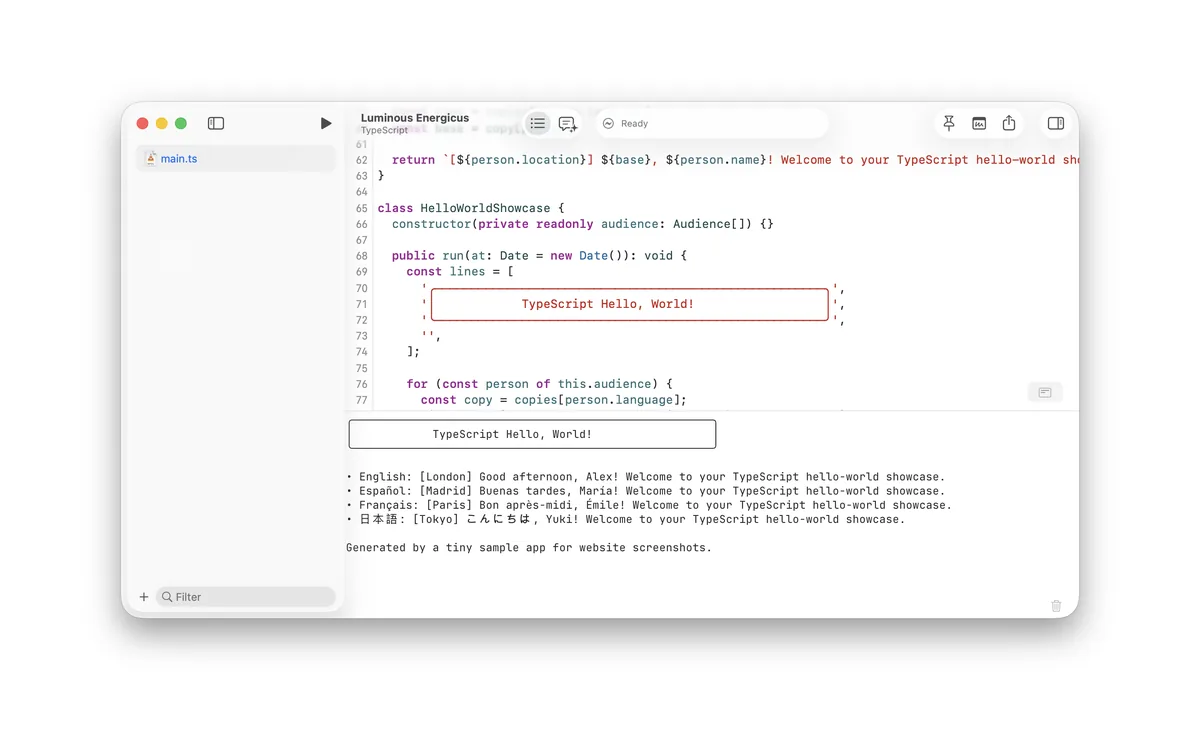
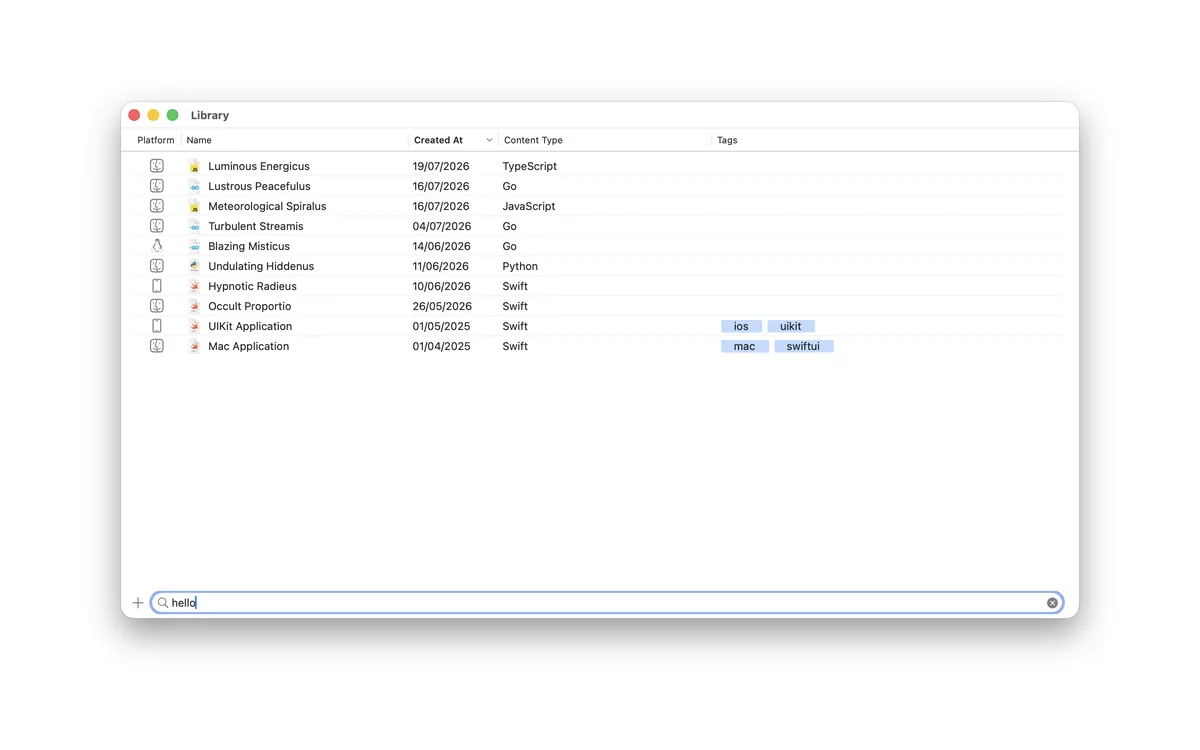
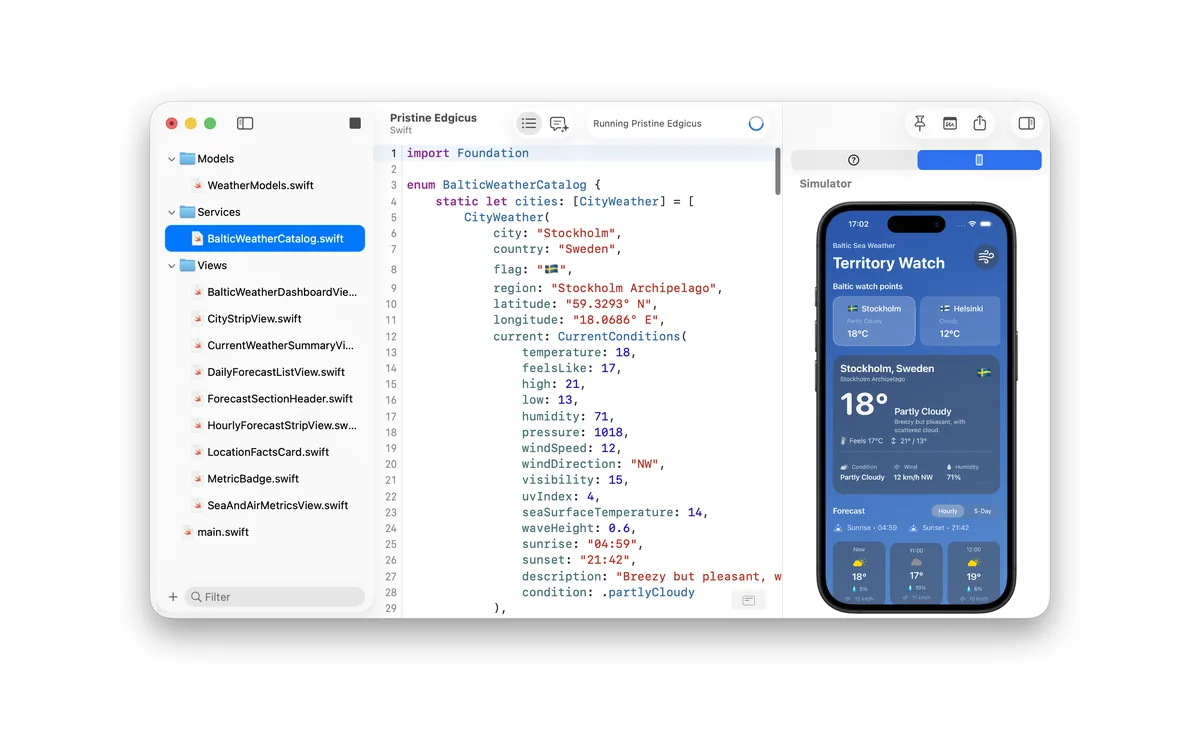
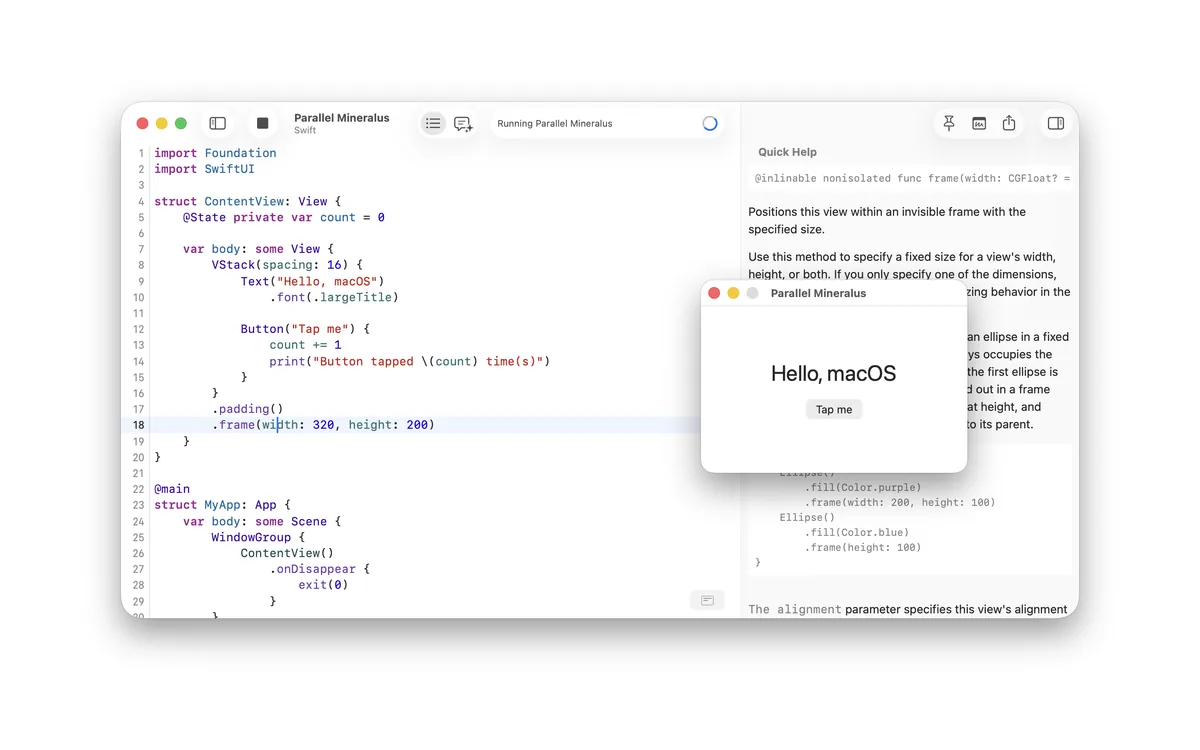
Images from Notepad.exe's official press kit. More on our Notepad.exe deal page.
Where CodeRunner wins, stated plainly
- Official CodeRunner Personal is $22.99 once, with official free future upgrades. Official Notepad.exe Pro is a $19.99 yearly subscription, and the official perpetual license is $45 and limited to version 1.x.
- Official CodeRunner lists 25 languages out of the box, debugging with breakpoints in more than a dozen languages, live errors and linting, and a long list of editor features (multiple selections, Vim mode, TextMate syntaxes, a built-in console). Notepad.exe officially focuses on running files without a project, including official Swift and iOS Simulator workflows.
- Official CodeRunner Site licenses start at five computers. Official Notepad.exe’s perpetual license lists 3 devices; we did not see a site-license SKU on the purchase page we fetched.
Feature by feature, from official pages
| Topic | Notepad.exe, as listed on notepadexe.com (checked Nov 20, 2026) | CodeRunner, as listed on coderunnerapp.com (checked Nov 20, 2026) |
|---|---|---|
| What you pay | Free at $0; Pro $19.99 a year; version 1.x perpetual $45 once, 3 devices. Maker-confirmed 80% off with BBFF2525 through Dec 7, 2026, not printed on the official purchase page we fetched. | Personal $22.99 once; Site $15 per computer, 5 minimum. Official free future upgrades with all licenses. |
| System requirement | Official: macOS 15.6 or later. | Official current download: CodeRunner 4, v4.6, macOS, Nov 2026. We did not capture a minimum macOS version sentence we could cite. |
| Languages and run | Official: run Swift, Python, JavaScript, Go, and Rust without creating a project; manage Swift packages, Python requirements, JavaScript dependencies, and Go modules; test supported workflows on macOS and Linux. | Official: configured to run 25 languages out of the box; additional languages by entering their terminal command; over 200 syntax modes. |
| Swift / iOS tools | Official: SwiftUI and UIKit experiments in iOS Simulator; distribute a macOS Swift note as a local Mac app. Official coding assistant can use an on-device model, Notepad AI, ChatGPT, or Claude. | Official language table includes Swift-adjacent C, C++, JavaScript and others. We did not see an official iOS Simulator or “export a Mac app from a note” claim, so we are not inventing one. |
| Debugging | Not named as breakpoints-and-step-through on the official feature list we captured, so we are not inventing it. | Official: built-in debugging with breakpoints, call stack, variables, in more than a dozen languages (lldb, jdb, and others as listed). |
Privacy and where code goes
Official Notepad.exe lists an optional coding assistant that can use an on-device model, or ChatGPT, or Claude. That means cloud assistants are a choice, not a requirement, as listed. We did not capture a full official privacy statement on either purchase page, and we are not inventing where snippets go if you turn an assistant on. CodeRunner’s official pages we fetched describe a local Mac editor and do not, in the text we captured, require an account to buy a Personal license through Paddle. Read each vendor’s current terms if that matters.
Updates and plan changes
Official CodeRunner licenses include free future upgrades. Official Notepad.exe’s $45 license is for version 1.x, which is not the same promise. Official Notepad.exe Pro is a yearly subscription. The maker-confirmed Notepad.exe code BBFF2525 runs through December 7, 2026; confirm at checkout whether it still applies, because it was not on the official purchase page we fetched on Nov 20, 2026.
Who should pick which
- Start with Notepad.exe Free ($0) if official free is enough to run short files without a project, and your Mac meets macOS 15.6.
- Pick CodeRunner Personal ($22.99 once) if you want a one-time official Mac license with official free future upgrades, official debugging, and official support for many languages. That is the lower official three-year outlay in the scenario above.
- Pick the Notepad.exe version 1.x license ($45 once, 3 devices) if you want official Swift-without-a-project tools, including official Simulator and export-as-app, and you are willing to pay more than CodeRunner for that list, knowing the official license is for version 1.x.
- Pick Notepad.exe Pro ($19.99 a year) only if you prefer the official subscription to the $45 1.x license, and you have checked whether BBFF2525 still applies at checkout.
- Pick a CodeRunner Site license if you need official seats on company or institution machines, at $15 per computer with a 5-computer official minimum.
Our verdict: for a paid all-purpose Mac run-and-edit license, official CodeRunner Personal is the better value on the prices we checked, because $22.99 once with official free future upgrades undercuts both Notepad.exe paid options over three years. Notepad.exe wins when official Free is enough, or when official Swift-without-a-project tools are the reason to buy.
Get Notepad.exe
Current official prices are on notepadexe.com/purchase. Our Notepad.exe deal page lists the maker-confirmed BBFF2525 code through December 7, 2026. The button below uses our existing approved affiliate link.
Some links on this page are affiliate links. If you buy through them, IndieMarkdowns may earn a commission at no extra cost to you.
All comparison pages · Notepad.exe on IndieMarkdowns · CodeRunner official purchase
Sources, checked Nov 20, 2026
- Notepad.exe purchase and the Notepad.exe homepage, including official JSON-LD offers (Free $0, Pro $19.99 a year, Perpetual License $45).
- CodeRunner Purchase and the CodeRunner homepage (Personal $22.99, Site $15 per computer / 5 minimum, free future upgrades).