NanoVoice vs Apple Dictation
At a glance

NanoVoice Lifetime, through Nov 30
Best forPeople who want local models, full history, and meeting capture on top of Apple Speech
Apple Dictation
Best forPeople who only need the system dictation already built into the Mac
Quick verdict
NanoVoice Lifetime is $2.49 once through Nov 30 if you want local models, history, and meeting mode.
Apple Dictation, and NanoVoice’s free tier, already cover basic speech-to-text at no charge.
Both figures come from the price table below. A one-time license is paid once, so its 3-year cost stays the same unless you buy an upgrade.
NanoVoice is a Mac dictation app that puts words at the cursor. On Nov 28, 2026, getnano.dev/voice offered free dictation with Apple Speech, no account required, and a Lifetime upgrade at $2.49 once, down from $4.99, with code BFVOICE2026 applied automatically, ending November 30, Pacific time. macOS 15 or later. Apple Dictation is the system dictation built into the Mac, covered in Apple’s help article on dictating messages and documents, and it does not need a separate purchase.
NanoVoice ↗ Apple Dictation help ↗
The NanoVoice button goes to getnano.dev/voice; the other opens Apple’s dictation guide. No referral parameters.
NanoVoice’s lifetime upgrade against system dictation
| Plan | What you get | Year 1 | 3 years |
|---|---|---|---|
| NanoVoice Free | Dictation through Apple Speech, access to your three most recent recordings, no account, $0. | $0 | $0 |
| NanoVoice Lifetime, usual | One-time upgrade, $4.99: local models on top of Apple Speech, full history, meeting mode, templates, and optional BYOK formatting. | $4.99 once | $4.99 |
| NanoVoice Lifetime, through Nov 30 | The same upgrade at $2.49, 50% off, BFVOICE2026 applied automatically, ending November 30, Pacific time. | $2.49 once | $2.49 |
| Apple Dictation | System dictation on the Mac, from Apple’s Mac User Guide. No separate store purchase. | $0 | $0 |
A look inside NanoVoice
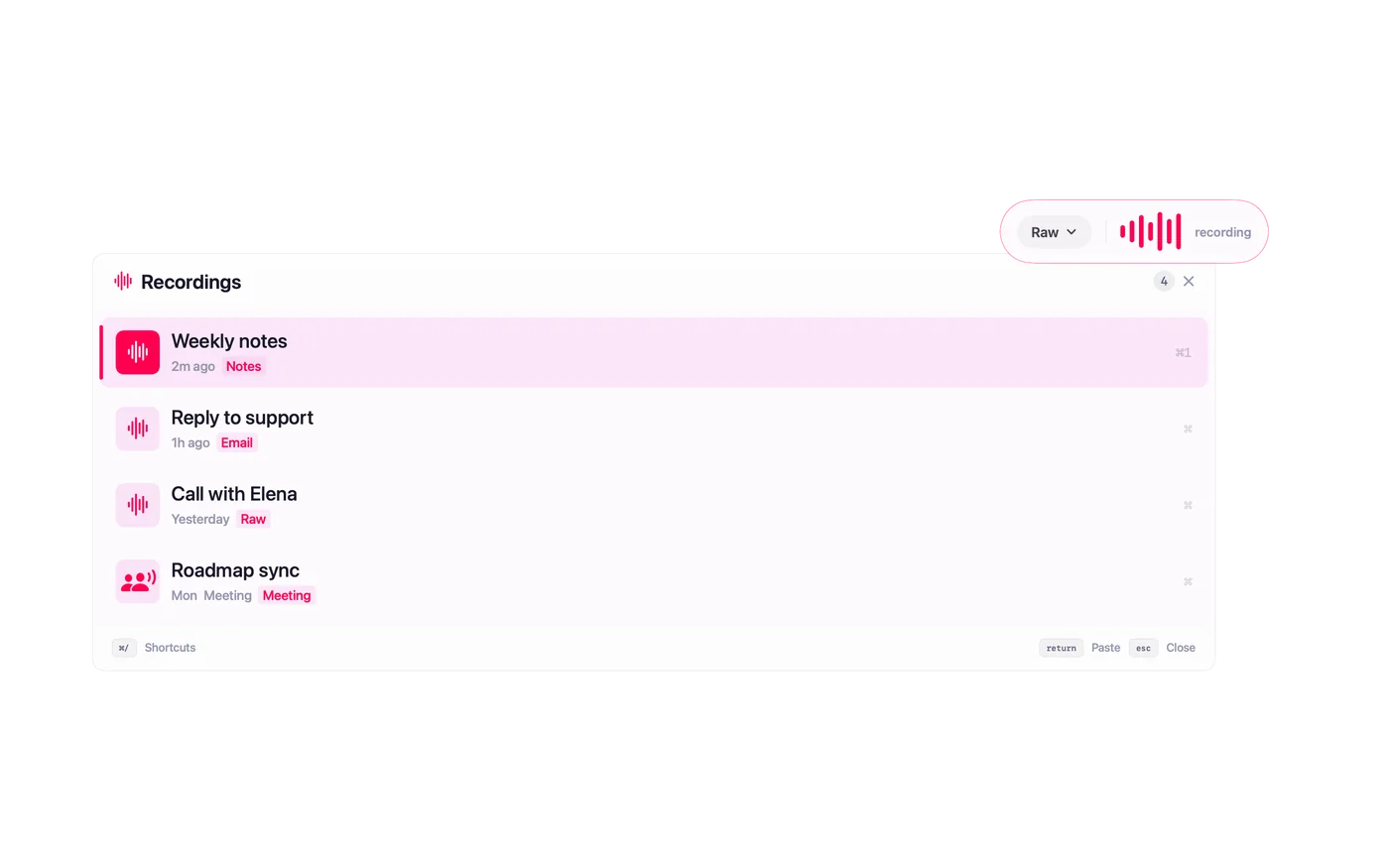
Screenshot from getnano.dev, checked 2026-11-27. More on our NanoVoice deal page.
Cursor-ready capture versus the system dictation UI
| Topic | NanoVoice | Apple Dictation |
|---|---|---|
| Where text goes | The site describes speaking, then placing words at the cursor in whatever app currently has focus, with a shortcut (the page shows Control-Command-W, which you can change). | Apple’s guide covers dictating into messages and documents on the Mac with the system dictation feature. |
| Models | Free uses Apple Speech. Lifetime adds local models; optional extra formatting can use on-device tools, Ollama, or your own API key. | Apple’s system speech recognition, as documented in the Mac User Guide. On-device versus server details that the guide left unstated are omitted rather than guessed. |
| Extras | Lifetime adds full recording history, meeting mode (mic plus Mac audio, no bot on the call), and templates. | System dictation does not add NanoVoice’s meeting recorder or template pack. |
Where Apple Dictation is enough
If occasional speech-to-text in a field is all you need, system dictation is already installed and has no store fee. NanoVoice’s free tier also leans on Apple Speech, so paying $2.49 is about local models, history, meeting mode, and templates — not about unlocking basic dictation.
Who should pick which
- Keep NanoVoice’s free tier, or Apple Dictation, if basic speech-to-text is enough.
- Buy Lifetime at $2.49 through Nov 30 if you want local models, full history, and meeting capture.
NanoVoice’s $2.49 lifetime window
BFVOICE2026 is applied automatically and ends November 30, Pacific time.
NanoVoice and Apple Dictation sources, Nov 28, 2026
- getnano.dev/voice: Black Friday, 50% off lifetime upgrades, through November 30; Free $0 vs Lifetime $2.49 (usual $4.99); BFVOICE2026 applied automatically, ends November 30, Pacific time; macOS 15+; no account; Apple Speech on Free; Lifetime adds local models, full history, meeting mode, templates; optional Ollama / cloud BYOK formatting; transcription described as running on the Mac with Apple Speech.
- Apple Mac User Guide: dictate messages and documents on Mac. System dictation is part of macOS; the built-in row is $0.