At a glance

Mopup Lifetime, Black Friday
Best forCareful cleaners and developers who want every item explained and no subscription
Best forPeople who want malware, cloud drive and inbox cleanup in one subscription
Quick verdict
Mopup covers the everyday space problems, explains each deletion before it happens, and handles coding clutter that CleanMyMac does not list.
CleanMyMac makes sense when malware protection and cloud or email cleanup matter to you.
Both figures come from the price table below. A one-time licence is paid once, so its 3-year cost stays the same unless you buy an upgrade.
CleanMyMac from MacPaw is the best-known Mac cleaner: it clears caches and logs, removes apps, scans for malware and tidies cloud storage and email, on a subscription. Mopup is a one-person app that sticks to disk space and speed, explains every item before it goes, and adds a section for developers with build caches, merged git worktrees and forgotten dev servers. For Black Friday, Mopup’s lifetime licence is $9.99 once until November 30, for every Mac you own.
Mopup ↗ CleanMyMac in Apple’s store ↗
One link opens Mopup’s site, the other Apple’s store page for CleanMyMac; this page carries no referral codes.
Mopup and CleanMyMac on price
| Plan | What you get | Year 1 | 3 years |
|---|---|---|---|
| Mopup Free | Unlimited scans and your first 2 GB of cleaning. | $0 | $0 |
| Mopup Lifetime, Black Friday | One payment, every update, every Mac you own, until November 30. | $9.99 once | $9.99 |
| Mopup Lifetime | The same licence after November 30. | $19.99 once | $19.99 |
| Mopup Yearly | All features while subscribed, every Mac you own. | $9.99 | $29.97 |
| CleanMyMac Yearly | Mac App Store subscription after a 7-day trial. | $39.99 | $119.97 |
| CleanMyMac Plus Yearly | The higher App Store tier. | $65.99 | $197.97 |
| CleanMyMac Monthly | Month-to-month App Store subscription. | $119.88 | $359.64 |
Prices from mopup.online and Apple’s US listing for CleanMyMac, read Nov 24, 2026. MacPaw also sells CleanMyMac directly, where plans and prices can differ from Apple’s list. Tax is extra in many regions.
Worked example
Chris has a 256 GB MacBook Air, a macOS update waiting, and a year of side projects on disk
Chris needs about 30 GB free for the update and does not want to delete anything by accident.
With Mopup
The free scan lists caches, logs and stale installers with a note on each, plus build caches and worktrees from merged branches. The make-room view aims for the space the update needs and ticks the largest safe items first; anything Chris might want back stays unticked. Everything removed goes to the Trash. Cleaning beyond 2 GB needs a plan, and the lifetime licence is $9.99 until November 30.
With CleanMyMac
CleanMyMac clears caches, broken downloads, logs and mail attachments, shows a storage map, and can also clean synced files in iCloud Drive, Google Drive, OneDrive or Dropbox and run a malware scan. It does not list developer leftovers such as git worktrees. After the 7-day trial the App Store subscription is $39.99 a year.
For Chris: Mopup gets the update installed for a one-time $9.99 and handles the coding clutter. CleanMyMac is worth its yearly price only if Chris also wants malware scans and cloud and inbox cleanup.
A look inside Mopup
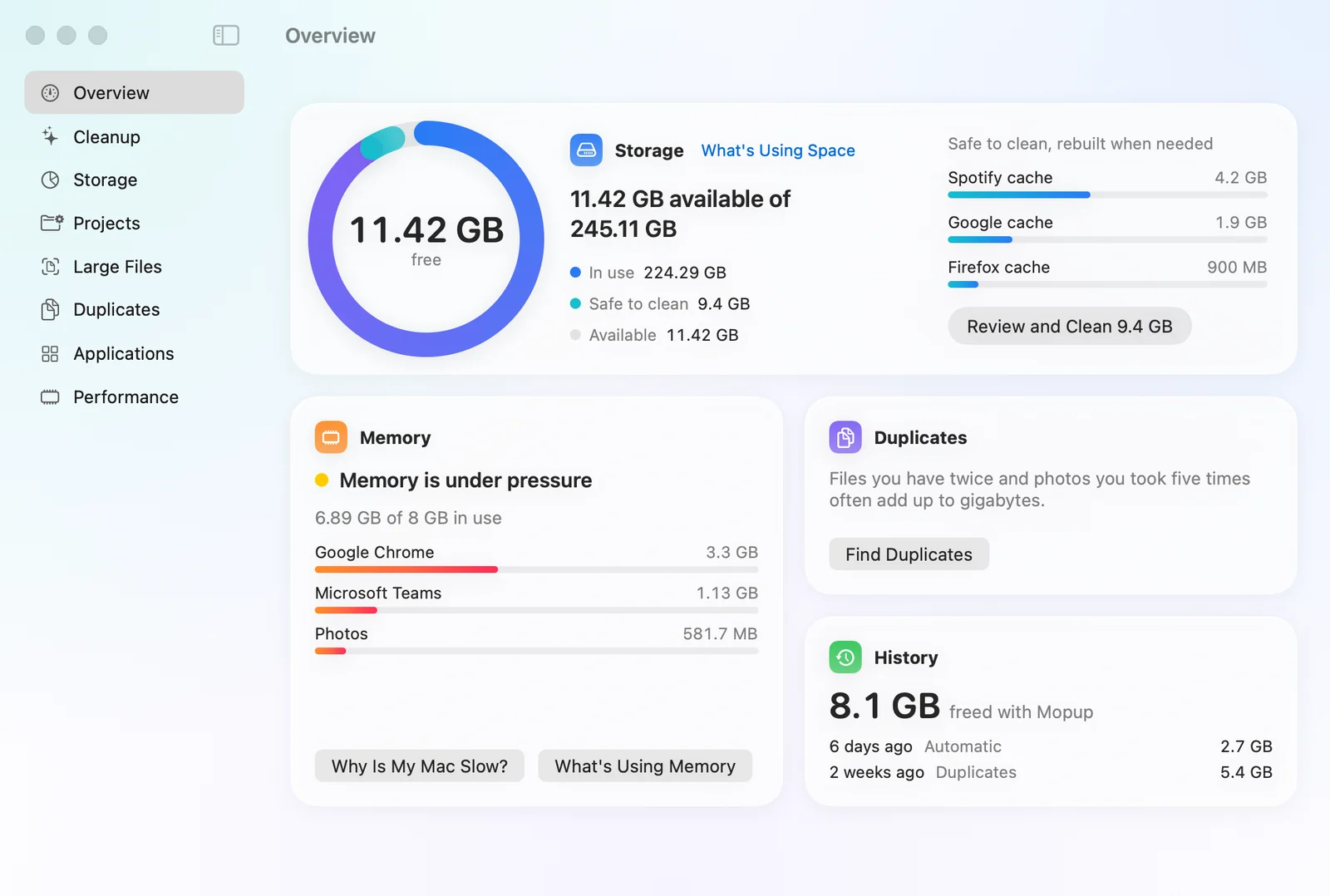
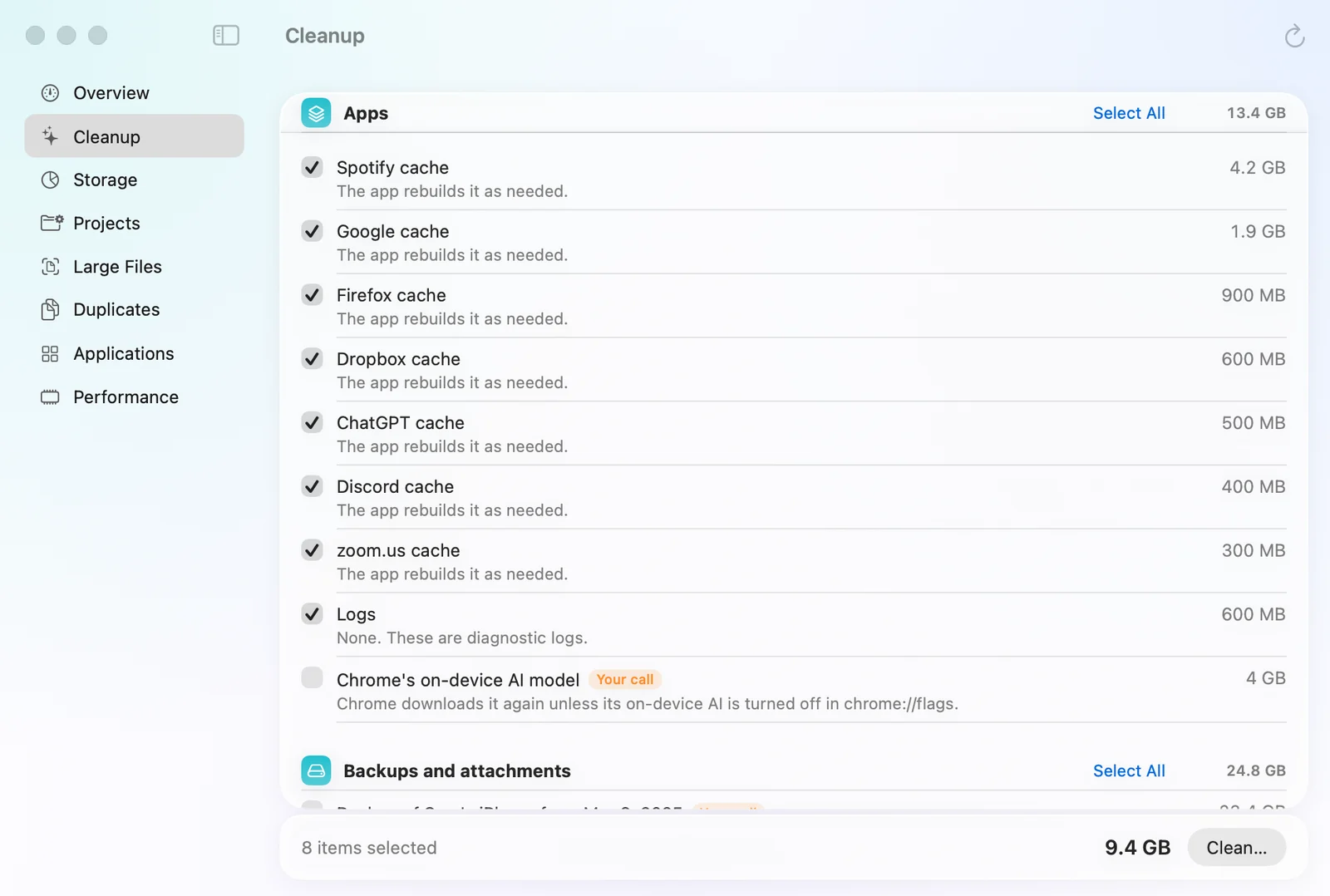
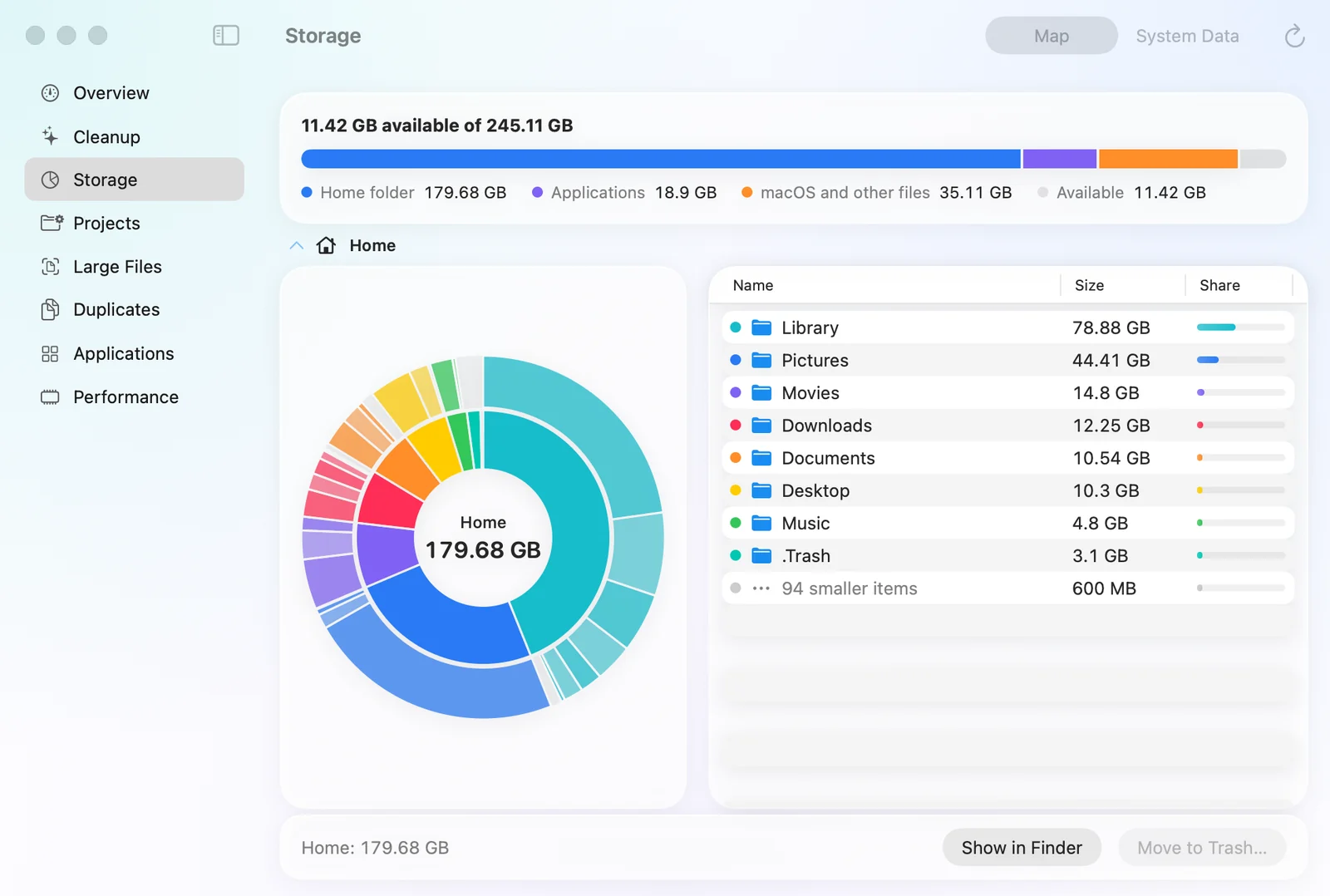
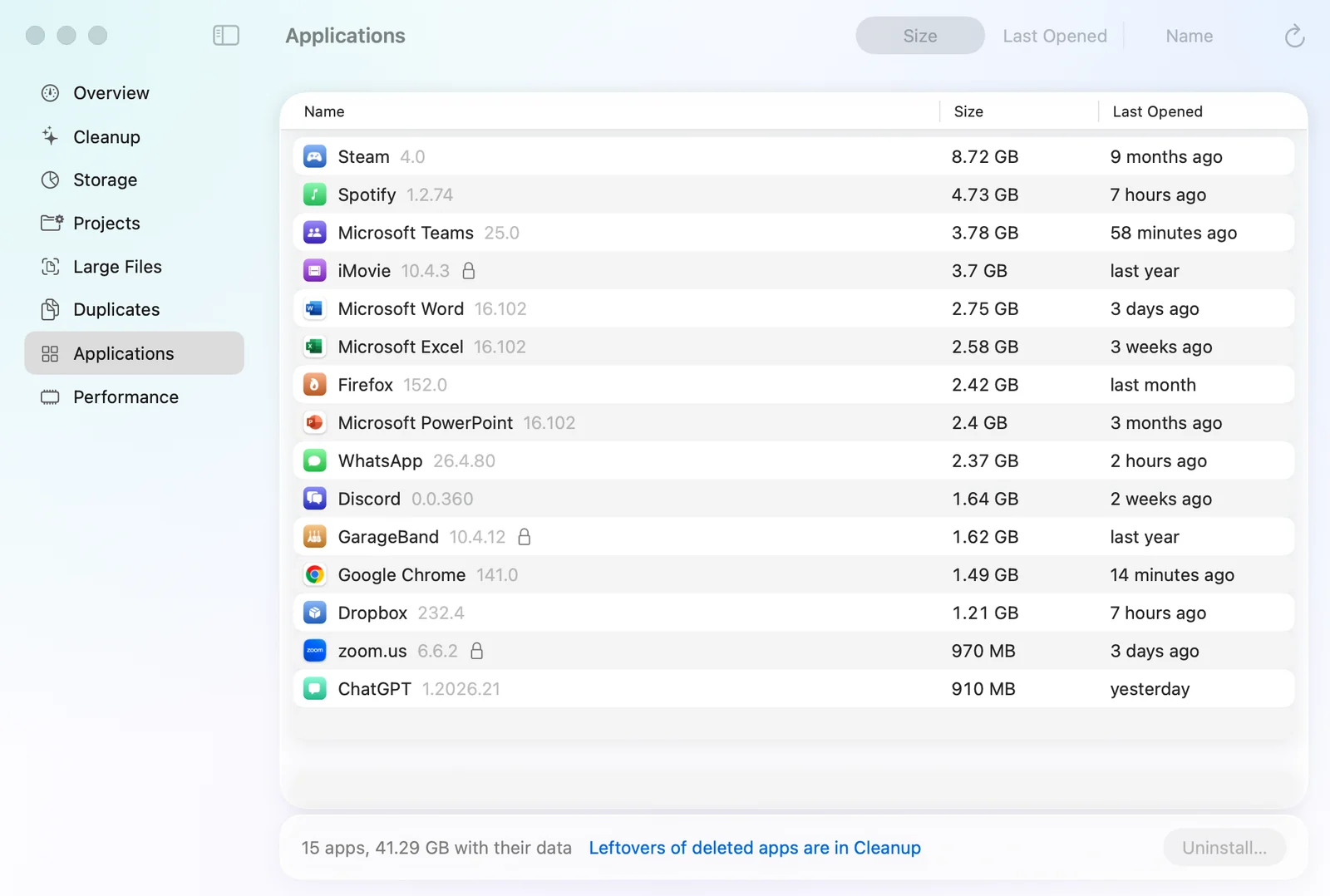
Images from Mopup's site; they show a demo Mac. More on our Mopup deal page.
Feature by feature
| Topic | Mopup | CleanMyMac |
|---|---|---|
| Junk cleanup | App caches, log files, stale installers, remnants of uninstalled software and the Trash, each with a short note on the effect of removing it. | Caches, broken downloads, logs and unneeded email attachments. |
| Space for updates | A make-room mode that targets the space a macOS update needs and can clear old installers and Time Machine snapshots. | No equivalent listed. |
| Storage view | A map of the home folder plus a breakdown of System Data. | A visual map of storage. |
| Duplicates and photos | Exact copies and bursts taken seconds apart; the Photos library itself is left alone. | Duplicates, similar pictures and old large files. |
| Apps | Uninstalls with leftovers, finds remnants of apps deleted long ago, lists apps unopened for months. | Complete uninstalls, leftovers of deleted apps, and app updates. |
| Developer clutter | Build caches, merged git worktrees, running dev servers and AI app leftovers. | Not listed. |
| Security | Not offered. | Malware scans powered by Moonlock and browsing data cleanup. |
| Cloud and email | Not offered. | Cleanup in iCloud Drive, Google Drive, OneDrive and Dropbox, plus bulk email cleanup. |
| Requirements | macOS 15 or later, notarized, downloaded from mopup.online. | macOS 11 or later from the Mac App Store. |
| Refunds | 30 days, no questions. | App Store refund rules. |
Privacy
Mopup’s privacy policy says scans and cleaning happen on the Mac without an account, usage analytics or crash reports; only update checks, yearly licence renewal and an optional GitHub lookup for merged pull requests use the network. CleanMyMac’s cloud and email cleanup by nature works with your accounts at those services, so read MacPaw’s privacy policy before connecting them.
Where CleanMyMac wins
- It bundles malware protection, which Mopup does not offer at all.
- Cloud drive and inbox cleanup reach clutter that lives outside the Mac’s disk.
- It runs back to macOS 11, so older Macs that cannot install macOS 15 are covered.
- MacPaw says it has more than 18 years of experience with Mac utilities, while Mopup is a one-person app.
Who should pick which
- Mopup suits people who want to see exactly what goes before it goes, and developers with build caches and worktrees piling up.
- Mopup Lifetime is the pick if you dislike subscriptions; one payment covers every Mac you own.
- CleanMyMac suits someone who wants one subscription that also covers malware, cloud storage and email.
Our take: run Mopup’s free scan first. If it finds the space you need, $9.99 once before November 30 is far less than a CleanMyMac year.
Scan your Mac with Mopup for free
This comparison is unpaid by both makers. The $9.99 Mopup lifetime price stops on November 30, 2026.
Sources and notes, checked Nov 24, 2026
- Mopup homepage and pricing: official Yearly $9.99 a year and Lifetime $19.99 once, Black Friday Lifetime $9.99 until November 30, free scan and 2 GB clean, 30-day refund, macOS 15 or later, developer cleanup.
- Mopup privacy policy and about page: local scans, no analytics, made by Suman Maharjan, Paddle as merchant of record.
- CleanMyMac on the Mac App Store: official in-app purchase prices (Yearly $39.99, Plus Yearly $65.99, Monthly $9.99), 7-day trial, feature list, macOS 11 or later, developer MacPaw Way Ltd.
- Three-year totals repeat yearly prices three times, multiply monthly prices by 12 and 36, and count one payment for lifetime licences.