At a glance

Mimestream Individual yearly, Black Friday
Best forGmail and Google Workspace users who want a fast Mac app that keeps their labels, tabs and filters exactly as they are
Spark Plus, yearly
Best forPeople with mail across iCloud, Outlook and Gmail who want one inbox and AI help
Quick verdict
Mimestream is the most faithful way to use Gmail on a Mac, and a year costs half of Spark Plus even at full price.
Spark is the better fit once your mail spreads beyond Google, or if you want AI drafting.
Both figures come from the price table below. A one-time licence is paid once, so its 3-year cost stays the same unless you buy an upgrade.
Mimestream is a Mac app made only for Gmail. Because it talks to Gmail directly through Google’s API, your categories, coloured labels, filters, snooze, vacation replies and Gmail’s own search all behave exactly as they do on the web, just in a fast native window. Spark is the popular all-accounts mail app with AI on its paid plans. If Gmail is where your mail lives, Mimestream’s sale makes year one $34.99, about a third of Spark Plus.
Mimestream pricing ↗ Spark pricing ↗
Straight to the two pricing pages; there is no referral fee.
A Gmail client’s cost against Spark’s plans
| Plan | What you get | Year 1 | 3 years |
|---|---|---|---|
| Mimestream Individual yearly, Black Friday | New customers save 30% on year one until November 29, then $49.99 a year. Family sharing and up to five devices. | $34.99 | $134.97 |
| Mimestream Individual yearly | The regular yearly rate. | $49.99 | $149.97 |
| Mimestream Individual monthly | $4.99 a month. | $59.88 | $179.64 |
| Spark Free | Spark’s free tier. | $0 | $0 |
| Spark Plus, yearly | AI assistant and meeting notes, per user. | $99 per user | $297 per user |
| Spark Pro, yearly | Spark’s top individual tier, per user. | $199 per user | $597 per user |
From mimestream.com/pricing and sparkmailapp.com/pricing on Nov 23, 2026.
Worked example
Marcus runs a two-person agency on Google Workspace and has a personal Gmail too
He relies on Gmail’s Primary and Promotions tabs, a dozen coloured labels and server-side filters that took years to tune. He wants a real Mac app instead of a browser tab, without losing any of that.
With Mimestream
Marcus signs in with both Google accounts and sees them in one window. The Promotions tab still catches newsletters, his labels keep their colours, and his filters keep running on Google’s servers because Mimestream uses them as they are. He snoozes a client thread until Monday, sets a work profile with quiet hours for the evening, and trackers from more than 75 common services are blocked as he reads. The first year costs $34.99 if he subscribes before November 29.
With Spark
Spark would put both accounts in a smart unified inbox with AI drafting on Plus. It works across providers, so Gmail’s own categories and label colours are not its focus.
His spend: $134.97 over three years for Mimestream, against $297 on Spark Plus.
A look inside Mimestream
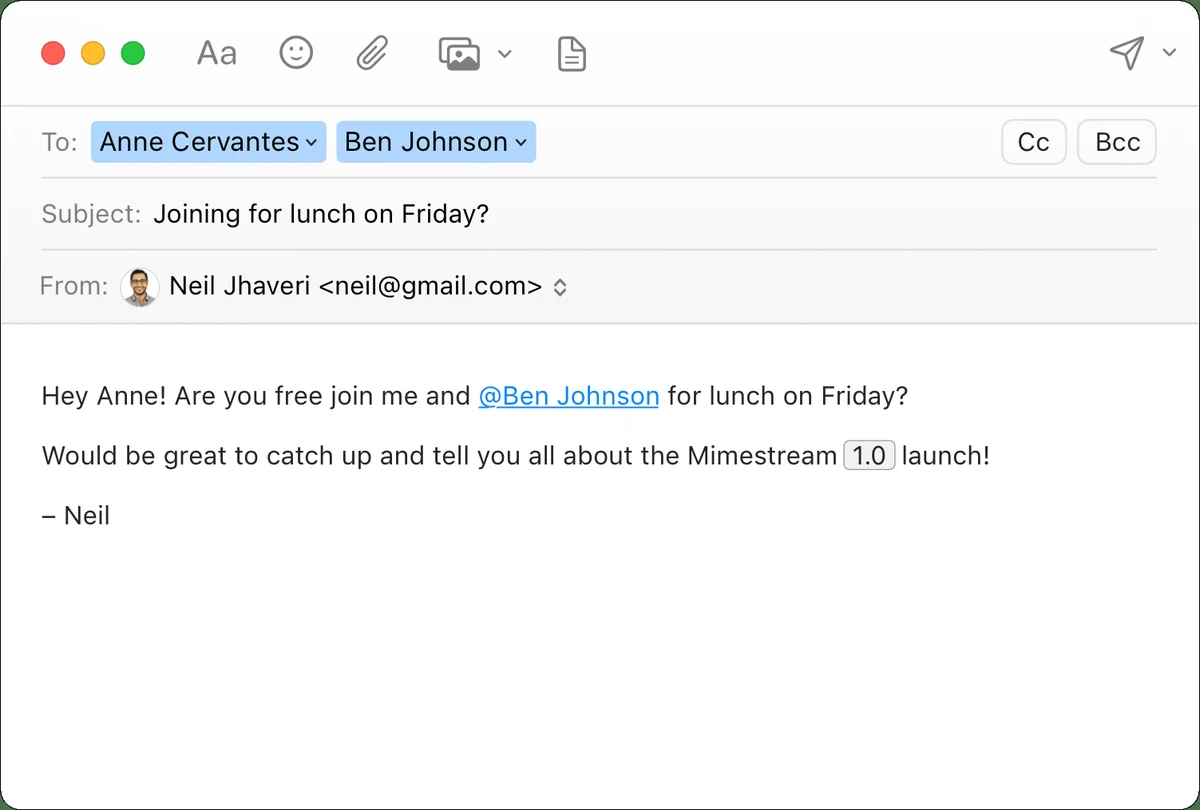
Images from Mimestream's site. More on our Mimestream deal page.
Feature by feature
| Topic | Mimestream | Spark |
|---|---|---|
| Accounts | Gmail and Google Workspace only, several in one window. | Many providers in one unified inbox. |
| Gmail features | Categories, coloured labels, server filters, snooze, vacation replies and full Gmail search, through the Gmail API. | Its own organisation tools across providers. |
| Focus | Profiles and quiet hours for work mail. | Not compared here. |
| Tracking protection | Blocks trackers from 75+ common services. | Not compared here. |
| AI | Mimestream sells no AI add-on. | AI assistant and meeting notes on Plus and Pro. |
| Devices | Mac, macOS 12 or later; an iPhone and iPad version is in beta. Up to five devices with family sharing. | Runs on more than just Macs. |
| Trial | 14 days, no card. | Free tier instead of a trial. |
Privacy
Mimestream connects your Mac to Google directly through the Gmail API, and it blocks tracking pixels from over 75 services while you read. Spark’s AI features work by processing your mail to draft and summarise. Check both privacy policies, and your Workspace admin rules, before connecting a company account.
Where Spark wins
- It handles iCloud, Outlook and other providers, not just Gmail.
- The free tier costs nothing and its phone apps are out of beta.
- AI drafting and meeting notes come built in on Plus and Pro.
Who should pick which
- Mimestream suits Gmail and Workspace users who want a native Mac app that keeps labels, categories and filters intact.
- Mimestream also suits families: one plan covers up to five devices with family sharing.
- Spark Free suits anyone with mail spread across several providers.
- Spark Plus suits anyone who would like an assistant to draft replies and sort the inbox.
Our take: for Gmail on a Mac, Mimestream is the most faithful app you can buy and the cheaper subscription. Pick Spark if your mail is not all on Google.
Try Mimestream free for 14 days
We get no commission. The new-customer discount ends November 29.
Sources and notes, checked Nov 23, 2026
- Mimestream pricing: official $34.99 for the first year, then $49.99 a year, or $4.99 a month; additional seats at $49.99 a year after the first year. Our listing records the 30% first-year offer for new customers ending November 29, 2026.
- Mimestream’s features, device limits, trial and system requirements come from its site, as recorded on our listing.
- Spark pricing: official Free at $0, Plus at $99 a year or $10 a month per user, Pro at $199 a year or $20 a month per user.
- Three-year totals use the sale year and then two years at the regular price.