At a glance

MediaOrganizer Studio, sale Nov 23–30
Best forSomeone whose pictures are still split across Photos libraries, folders and old scans, and who wants to preview and file that into one dated tree on a Mac
FolioSort Elite
Best forSomeone whose pictures already live in ordinary folders, who wants Mac and Windows, and who wants search, culling and backup in the same app
Quick verdict
MediaOrganizer Studio is the better fit when Apple Photos libraries and remembered places on scans are the hard part of the job.
FolioSort is the better fit when the files are already in folders and you want a broader organizer with a free trial on both Mac and Windows.
Both figures come from the price table below. A one-time licence is paid once, so its 3-year cost stays the same unless you buy an upgrade.
MediaOrganizer Studio and FolioSort both turn a messy pile of photos and videos into dated folders you keep on disk, without a subscription. MediaOrganizer Studio is built for the person whose pictures still live in Apple Photos libraries as well as in folders, and who needs a place to put old scans that never had a camera date or GPS tag. FolioSort is built for the person whose pictures already sit in ordinary folders or a Google Takeout export, and who wants on-device search, culling and backup in the same tool. MediaOrganizer Studio is a Mac App Store app. FolioSort runs on Mac and Windows and is sold from the maker’s site.
MediaOrganizer Studio ↗ FolioSort ↗
These buttons go to each maker’s site. We have no commission on either purchase.
What a one-time photo organizer costs
| Option | What you get | Year 1 | 3 years |
|---|---|---|---|
| MediaOrganizer Studio, sale Nov 23–30 | One-time Mac App Store purchase, US price during the sale. | $24.99 once | $24.99 |
| MediaOrganizer Studio, usual US price | One-time Mac App Store purchase after the sale, US price. | $29.99 once | $29.99 |
| FolioSort Free | Browse the library and try the organizer on up to 100 files in a batch. | €0 | €0 |
| FolioSort Pro | Unlimited organizer on one computer, Mac or Windows, paid once. | €29.99 once | €29.99 |
| FolioSort Elite | Pro plus on-device AI, automation and three devices, paid once. | €39.99 once | €39.99 |
Read November 24, 2026 on brightfoundry.info/mediaorganizer/, the US App Store listing, and foliosort.app/pricing. MediaOrganizer Studio prices are US dollars; FolioSort prices are euros, and checkout may add VAT. App Store prices in other countries can differ. Three-year totals count one payment for a one-time licence.
Worked example
Helen has 15 years of family pictures in two Photos libraries, a camera card and a shoe box of scans
She wants one dated folder tree she can back up and keep adding to, without rebuilding a new catalog or sending the files away.
Helen with MediaOrganizer Studio
She adds both Photos libraries and the camera card as sources, previews the proposed folders, and sets damaged files aside before anything is moved. For the scans she types a town and year a parent remembers, so those pictures sit with the digital shots from the same period. The original libraries stay as they are, because the app works on copies.
Helen with FolioSort
She points FolioSort at folders she has already exported, previews a Year and Month tree, and can fill missing places from nearby phone photos that already have GPS. The free tier lets her try this on 100 files first. It does not open a Photos library as a source, so she would export from Photos first. Elite adds on-device search and a checked backup copy.
Helen’s cost: $24.99 once for MediaOrganizer Studio during the sale, or FolioSort at €0 to try, €29.99 for Pro, or €39.99 for Elite, paid once.
A look inside MediaOrganizer Studio
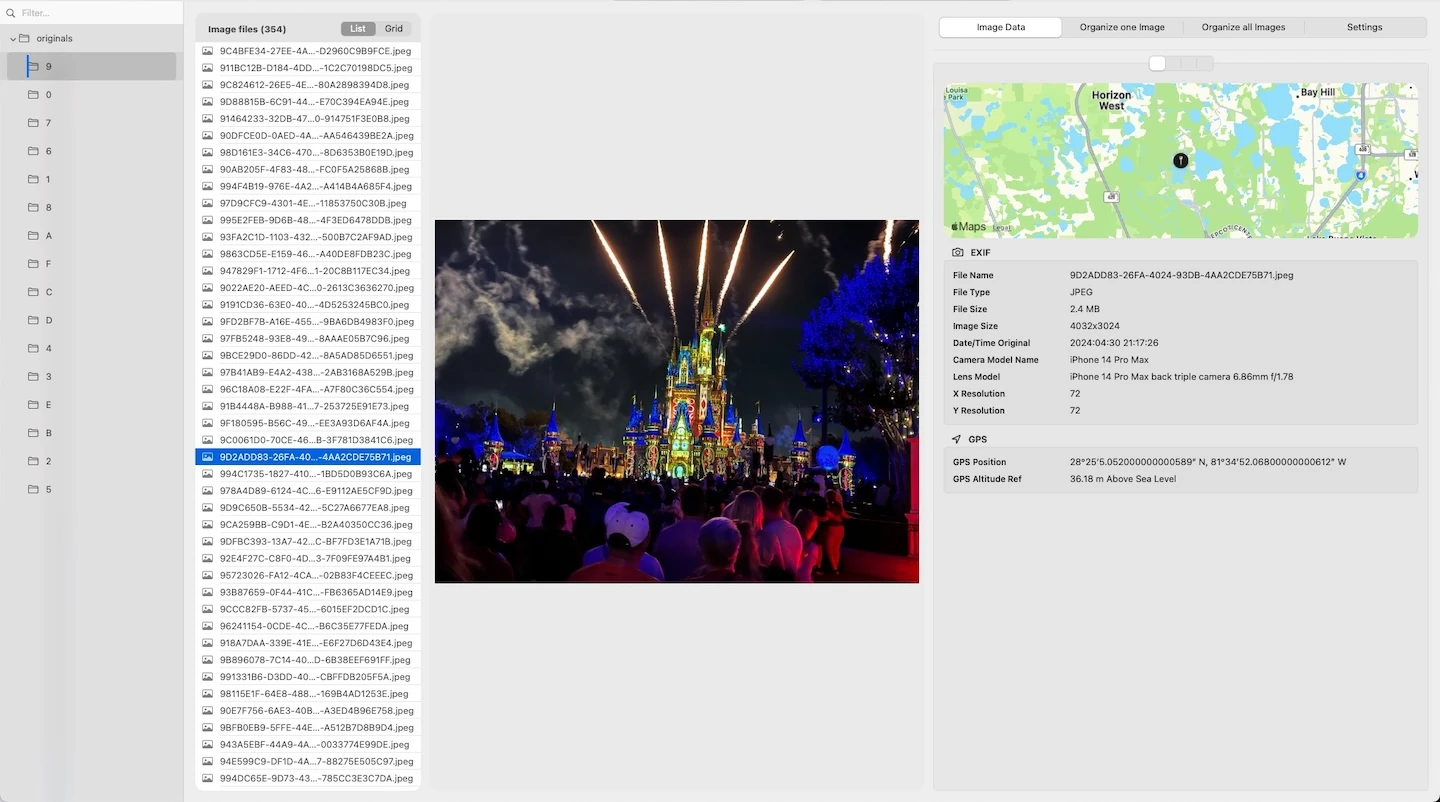
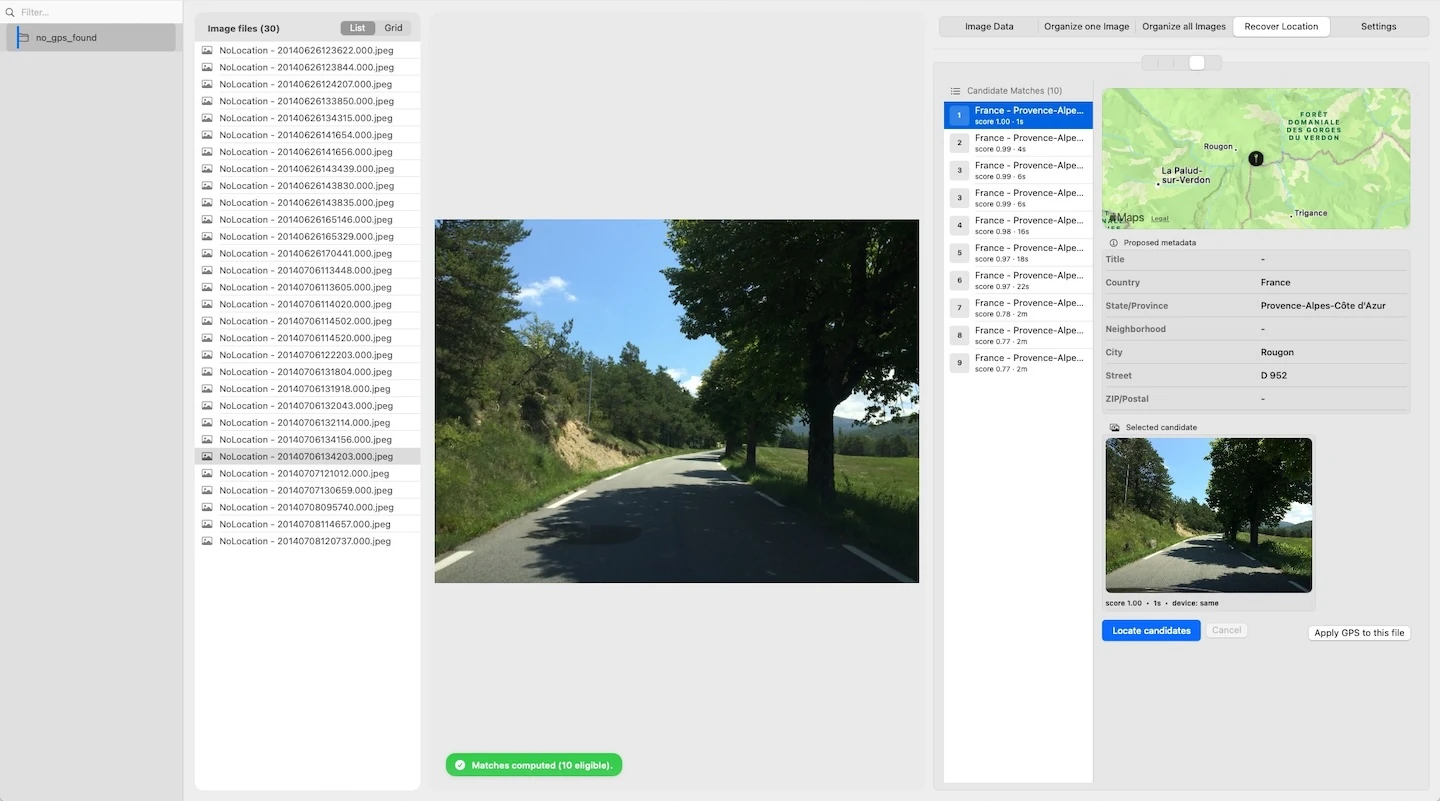
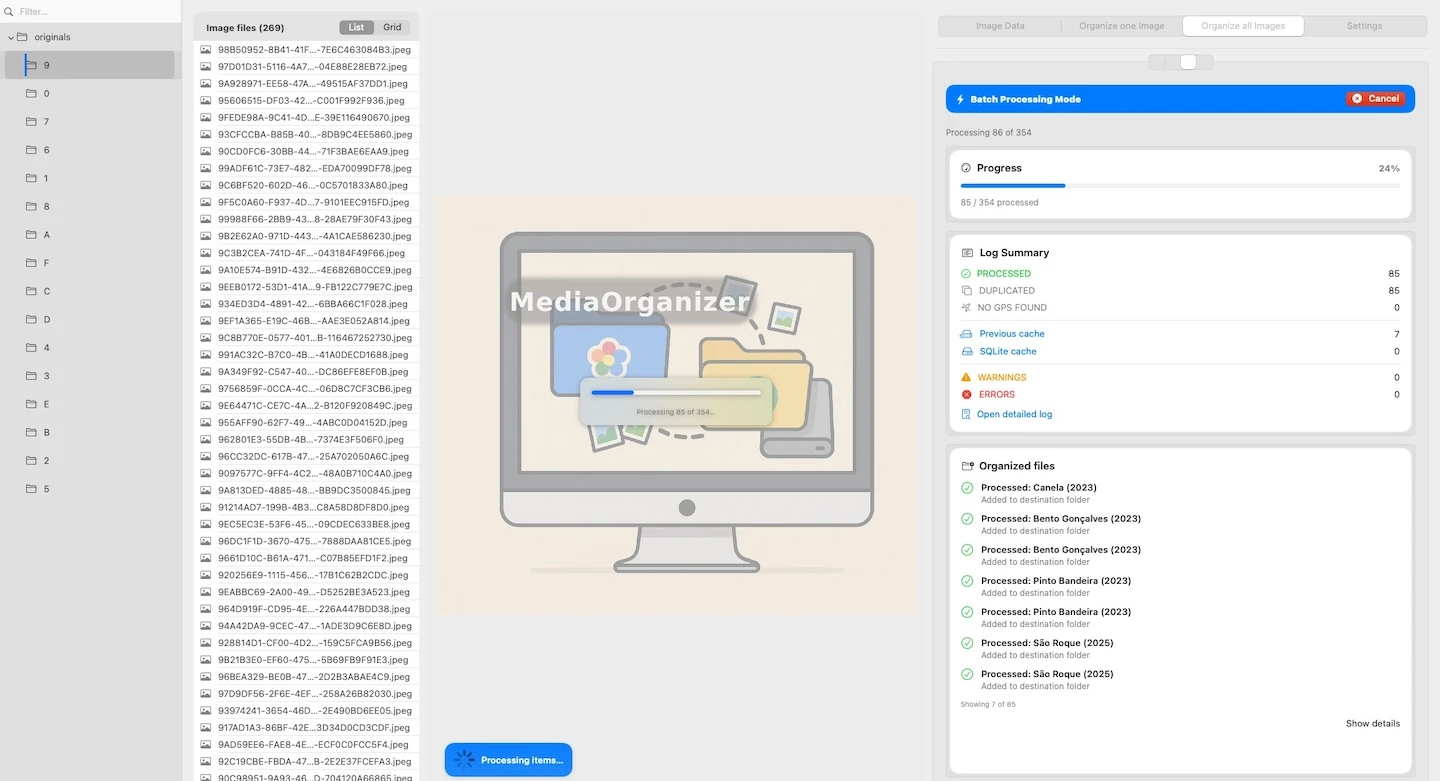
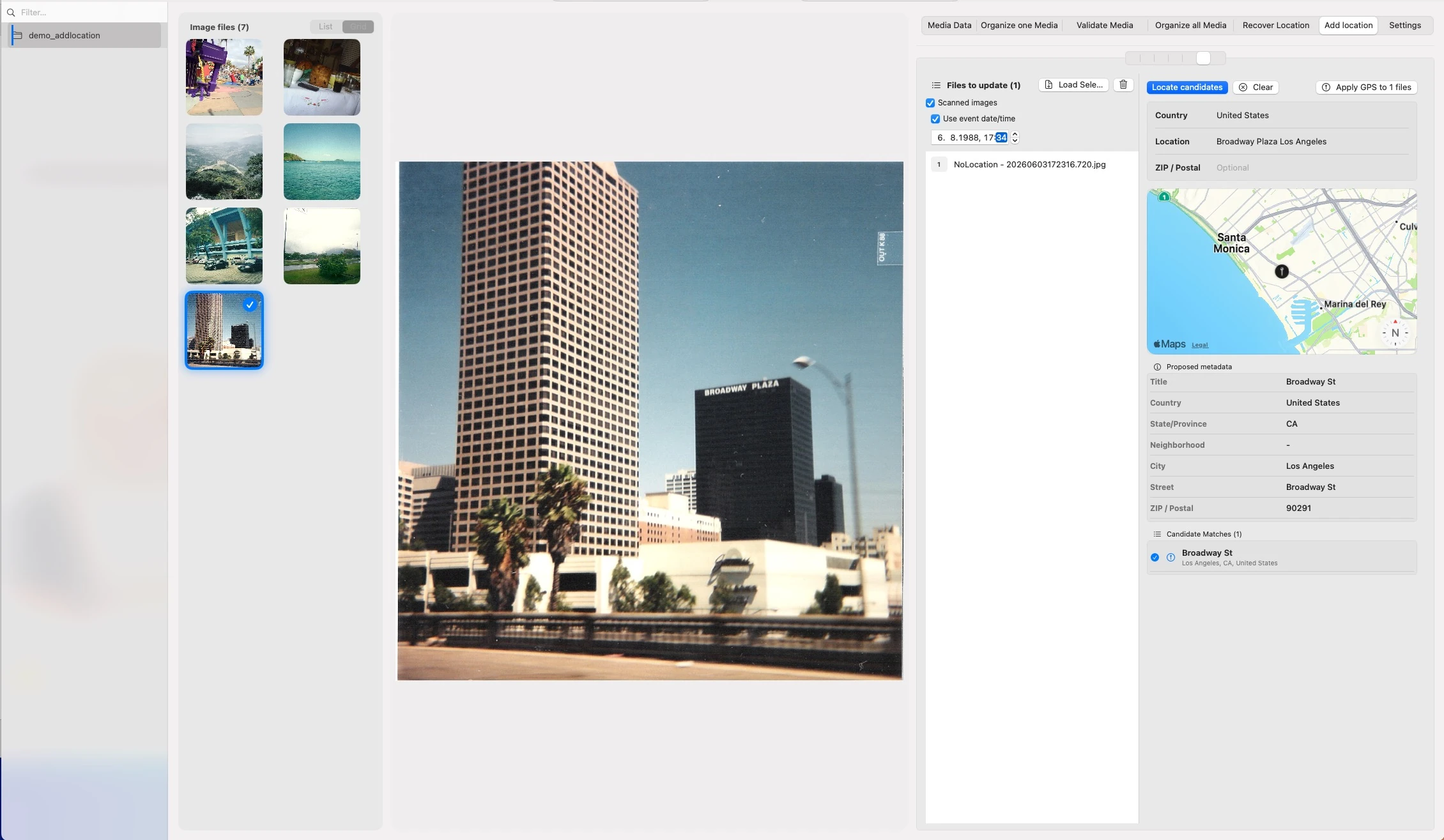
Images from Bright Foundry’s MediaOrganizer page. More on our MediaOrganizer Studio deal page.
How they compare
| Topic | MediaOrganizer Studio | FolioSort |
|---|---|---|
| What you point it at | Folders, drives, backups and Apple Photos libraries. It works on copies and does not change the original library. | Folders already on disk, including a Google Photos Takeout export. It browses those folders without an import step. |
| How files are arranged | A dated, located folder tree, after a preview of the proposed changes. | Folder templates with date, camera and place tokens, also with a preview before anything moves. |
| Missing places and dates | Recover Location suggests a place from nearby shots taken around the same time. Add Location lets you type a remembered place and date, including on old scans. | It can write a place taken from nearby phone photos that already have GPS, and it can fill, shift or set capture dates in the files. |
| Damaged or messy files | Unreadable or damaged files are separated for review before the rest is processed. | Duplicate, blurry and screenshot cleanup, plus archive health checks and a hash-checked backup in paid tiers. |
| Search and culling | A processing workflow with progress, logs and cancel. No on-device AI search is described on the product page. | Elite adds on-device AI search, people, text-in-photo search, automatic events, culling and watch folders. |
| Where it runs | Mac only, macOS 15.5 or later, sold on the Mac App Store. | macOS 14 or later and Windows 10 or later. Pro covers one computer; Elite covers three devices on one key. |
Privacy
Both apps process photos on your own computer and do not ask you to create an account. MediaOrganizer Studio’s privacy policy says coordinates go to OpenStreetMap’s Nominatim service for geocoding, and that Add Location sends a country, place and postal code to Apple Maps, and that nothing else leaves the Mac. FolioSort’s product and pricing pages say photos never leave the computer and that its AI models run on the machine.
Why FolioSort may suit you better
- You also use a Windows PC, or you want one licence for three devices.
- Your pictures already live in ordinary folders or a Google Takeout export, and you do not need to read an Apple Photos library directly.
- You want on-device AI search, face search, culling, watch folders, or a checked backup in the same app.
- You want a free tier you can try on 100 files, or a 14-day refund from the maker.
The verdict
- MediaOrganizer Studio suits someone whose archive is still split across Photos libraries, folders and old scans, and who wants to preview, check and file that into one dated tree on a Mac.
- FolioSort suits someone whose pictures already sit in folders, who wants Mac and Windows, and who wants search, culling and backup in the same purchase.
Our take: pick MediaOrganizer Studio when Apple Photos libraries and remembered places on scans are the hard part of the job. Pick FolioSort when the files are already in folders and you want a broader organizer with a free trial on both Mac and Windows.
MediaOrganizer Studio for $24.99 through November 30
The sale price is applied automatically in the Mac App Store, with no code. No affiliate arrangement applies.
MediaOrganizer Studio ↗ FolioSort ↗
MediaOrganizer Studio on IndieMarkdowns · FolioSort on IndieMarkdowns · All comparison pages
Sources and notes, checked November 24, 2026
- MediaOrganizer product page: sale banner $24.99 instead of $29.99, November 23–30, 2026, one-time purchase, no subscription, no code; workflow for folders and Photos libraries; Recover Location; Add Location; local processing. Privacy policy: Nominatim and Apple Maps notes. US App Store listing and iTunes lookup id 6755330599: current US price $24.99, macOS 15.5 or later, seller Marcio Yared. Store prices in other countries can differ; the Swiss listing showed CHF 20.00 the same evening.
- FolioSort pricing and FolioSort home: Free, Pro at €29.99 once and Elite at €39.99 once on the page this evening (no struck sale price was showing); macOS 14 and Windows 10; 100-file free batch; 14-day refund; features including Takeout repair, nearby-photo places, date fixing, duplicates, archive health and Elite on-device AI. VAT may apply. Our FolioSort deal page records a maker-confirmed Elite sale starting November 26; that lower price was not on the pricing page when this comparison was written, so the table uses the prices printed there today.
- Three-year totals count a single payment for a one-time licence. Taxes may be extra.