MediaOrganizer Studio vs Apple Photos
At a glance

MediaOrganizer, through Nov 30
Best forPeople with a messy, multi-source photo and video archive who want a local, pay-once workflow
Apple Photos
Best forPeople who only need the system Photos library, everyday edits, and iCloud Photos
Quick verdict
MediaOrganizer is the archive workflow at $24.99 once through Nov 30, usually $29.99.
Apple Photos is the everyday library that already comes with the Mac.
Both figures come from the price table below. A one-time license is paid once, so its 3-year cost stays the same unless you buy an upgrade.
MediaOrganizer, from Bright Foundry, is a Mac workflow for checking, repairing, and filing large photo and video archives, including folders and Apple Photos libraries. The maker’s site on Nov 28, 2026 priced the app at $24.99 once, down from $29.99 (17% off), dated November 23–30, 2026, with no subscription and free updates. Processing stays on the Mac. Apple Photos is the library app that comes with the Mac, documented in Apple’s Photos User Guide, including iCloud Photos and everyday organize-and-edit work.
MediaOrganizer ↗ Photos User Guide ↗
The first link is the Bright Foundry product page; the second is Apple’s Photos help. No referral codes.
A one-time archive tool next to the system Photos app
| Plan | What you get | Year 1 | 3 years |
|---|---|---|---|
| MediaOrganizer, usual | One-time purchase, $29.99, no subscription, free updates, local processing on macOS. | $29.99 once | $29.99 |
| MediaOrganizer, through Nov 30 | The same license at $24.99 (17% off), November 23–30, 2026. Price shown in USD; the page notes App Store regional prices may vary. | $24.99 once | $24.99 |
| Apple Photos | The Photos app that comes with the Mac, covered in Apple’s Photos User Guide. | $0 | $0 |
A look inside MediaOrganizer Studio
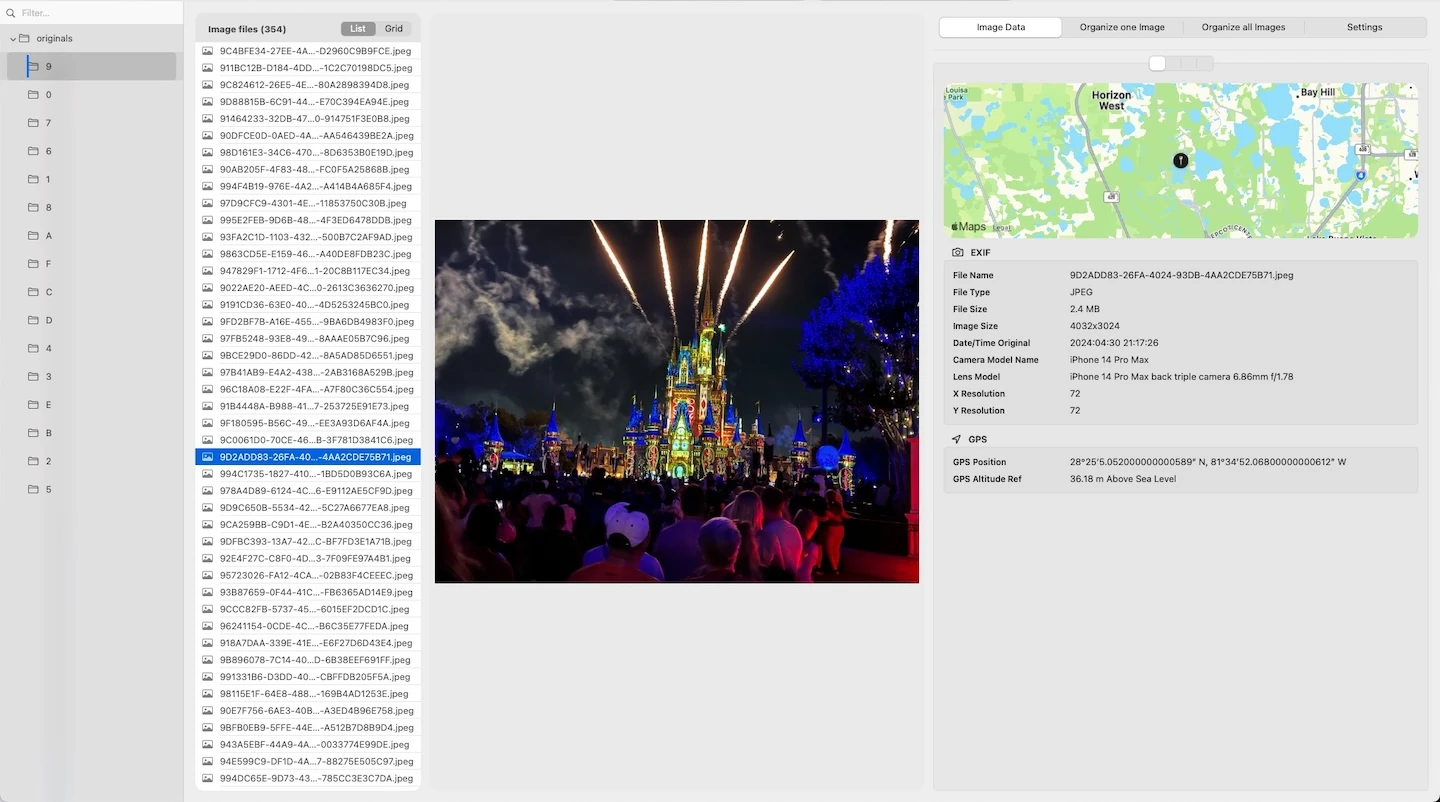
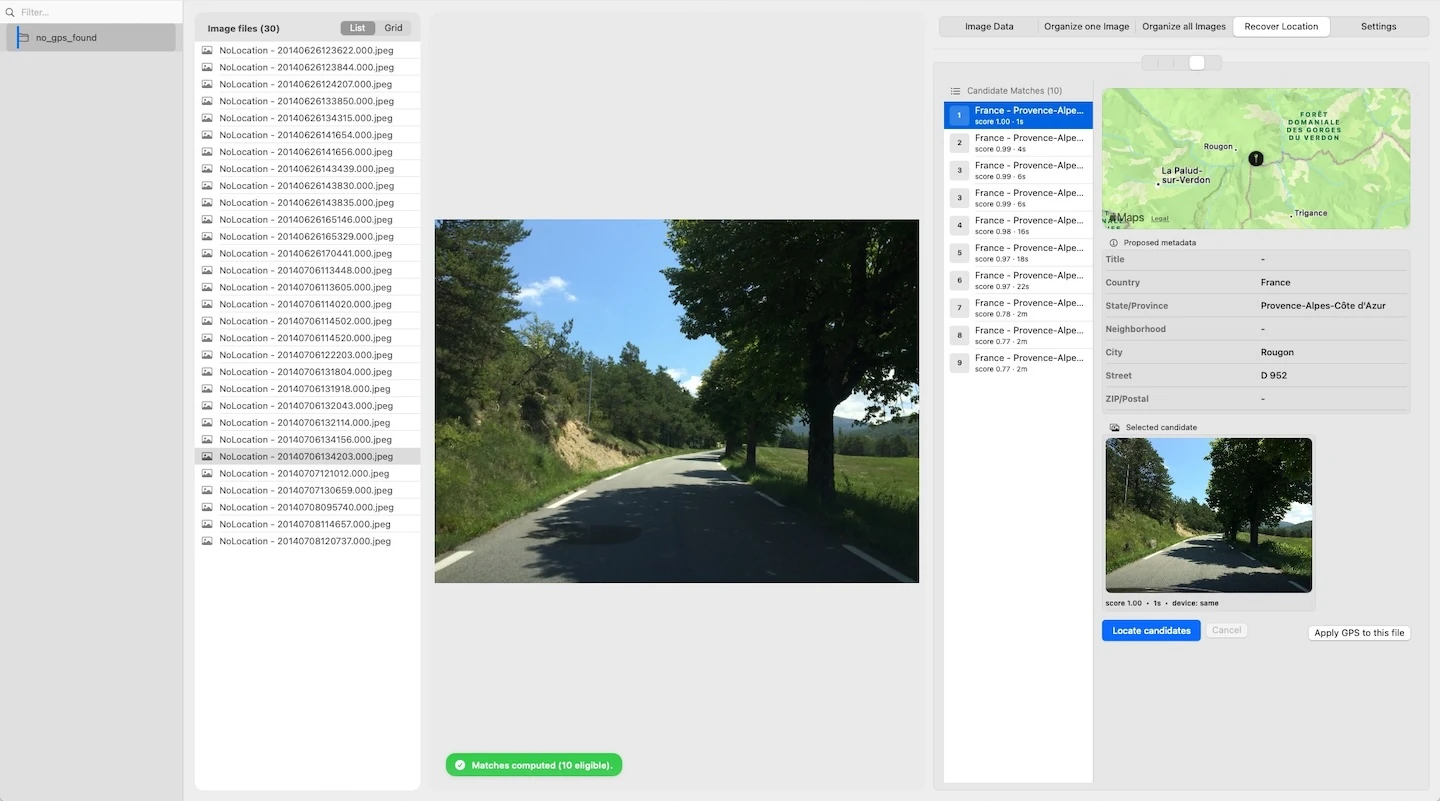
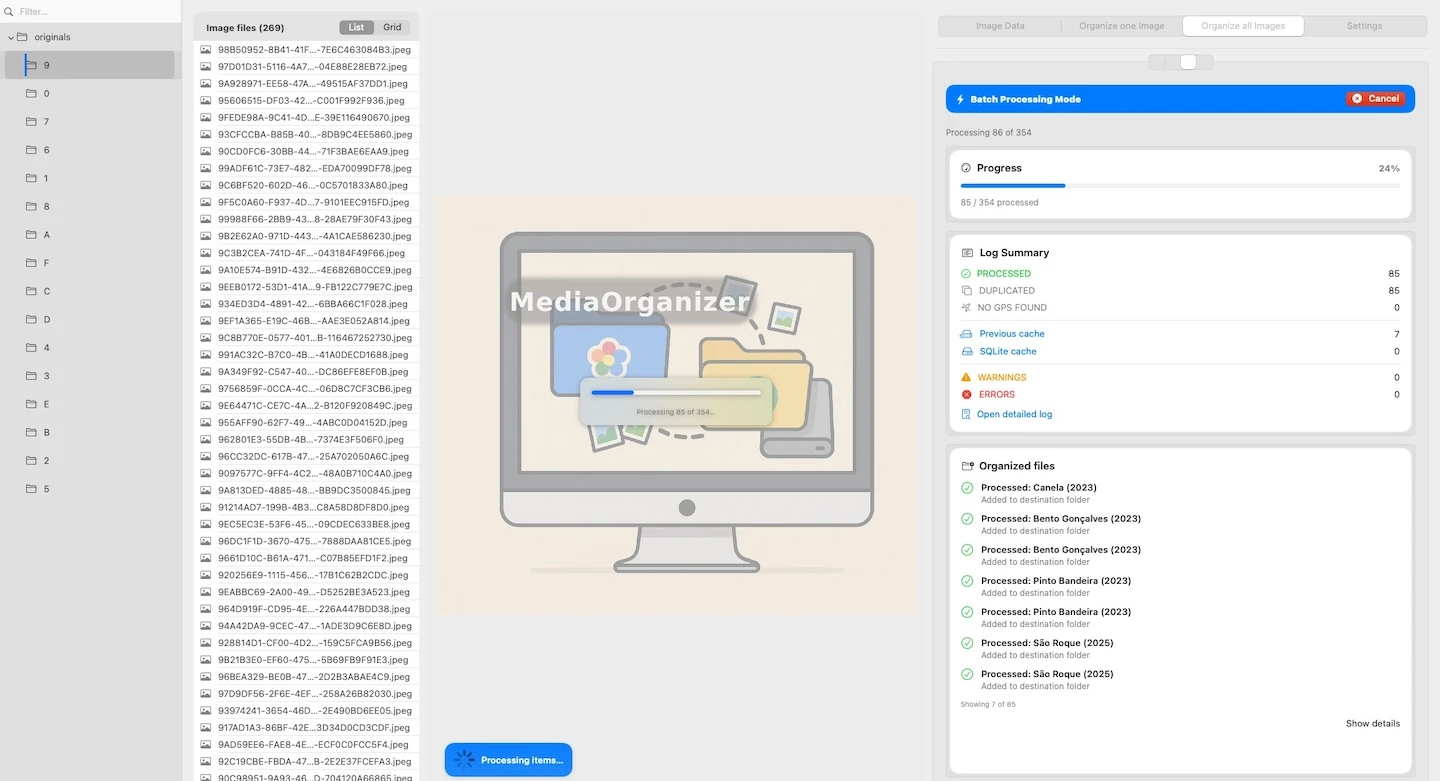
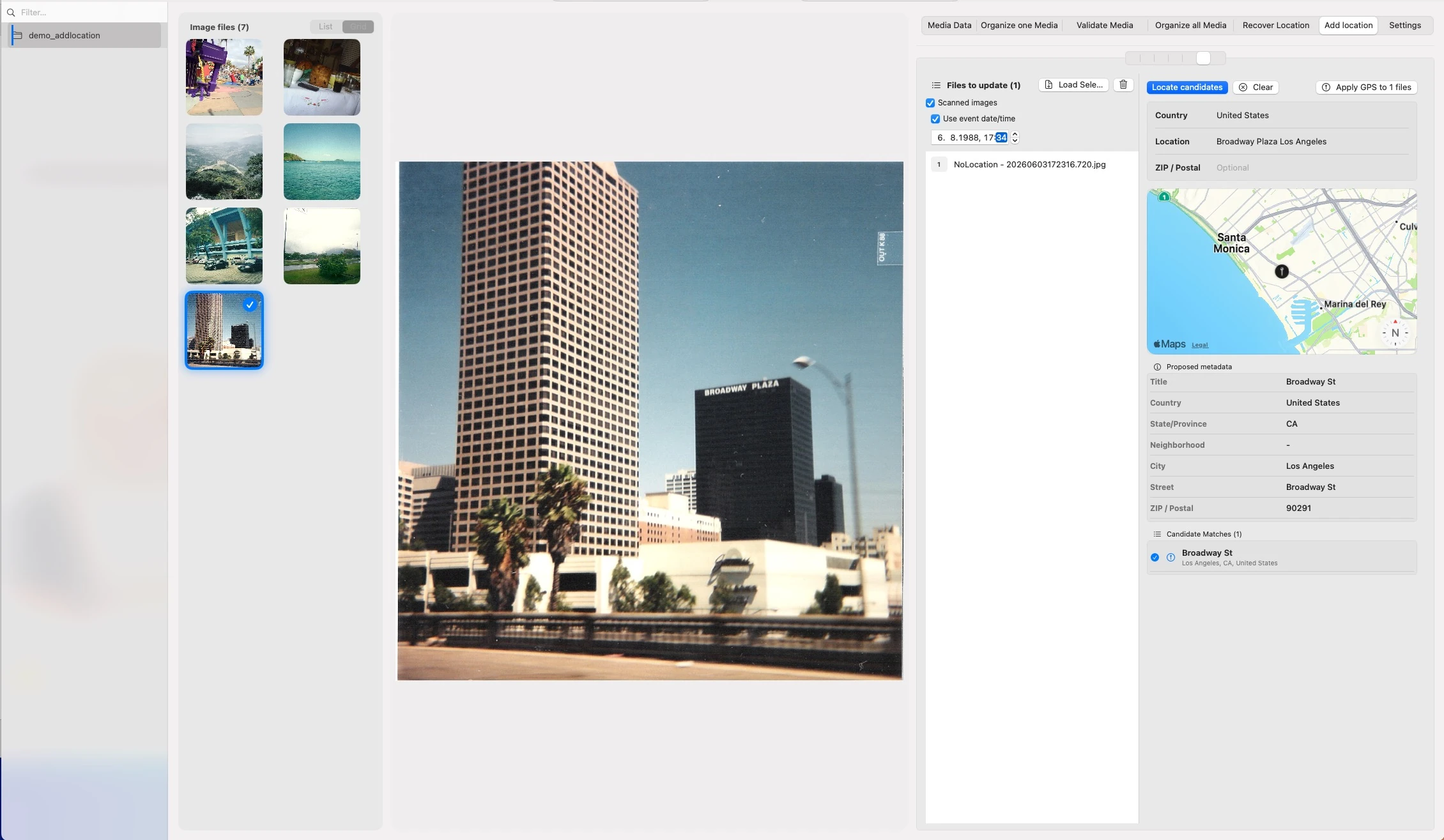
Images from Bright Foundry’s MediaOrganizer page. More on our MediaOrganizer Studio deal page.
Archive workflow versus an everyday library
| Topic | MediaOrganizer | Apple Photos |
|---|---|---|
| Job | Bring together folders, Photos libraries, cameras, phones, recovered disks, backups, and scans; validate damaged files; restore missing location data; organize a growing archive. The maker describes work on a 363,575-file personal archive. | Browse, edit, and share photos and videos; iCloud Photos can keep a library in sync across Apple devices, per the Photos User Guide. |
| Where files live | Local processing on macOS; the site says your media stays on your Mac. | A Photos library on the Mac, with optional iCloud Photos. |
| Relationship | It can read Apple Photos libraries as a source, then build a structured archive. It is not a reskin of the Photos app. | The default library app most Mac users already have. |
Where Apple Photos is the better everyday tool
For daily shooting, editing, Memories, and iCloud sync, Photos is the system library and adds no store fee. MediaOrganizer is aimed at messy, multi-source archives — damaged files, missing metadata, folders next to Photos libraries — not at replacing the everyday Photos window.
Who should pick which
- Use MediaOrganizer if you need a one-time, local workflow for a large, mixed archive, and the $24.99 markdown through Nov 30 helps.
- Stay in Apple Photos if you only need the system library, edits, and iCloud Photos.
MediaOrganizer’s November markdown
$24.99 instead of $29.99, through November 30, 2026, one-time, no subscription.
MediaOrganizer and Apple Photos sources, Nov 28, 2026
- brightfoundry.info/mediaorganizer: Black Friday / Cyber Monday 2026, $29.99 → $24.99 (17% off), November 23–30, 2026; one-time purchase; no subscription; free updates; works with folders and Photos libraries; local processing; media stays on the Mac; archive-integrity, metadata, and large-library features described on the page.
- Photos User Guide for Mac: get started with Photos, iCloud Photos, browse/edit/share. The Photos app ships with the Mac; the built-in row is $0. A marketing page at apple.com/photos did not load this day.