At a glance

Best forAnyone transcribing interviews, lectures, podcasts or recorded meetings on a Mac
Best forDevelopers and writers who want to speak into any app on Mac, Windows, Linux or a phone
Quick verdict
Choose MacWhisper when the job is turning recordings into transcripts, subtitles and exports.
Choose Spokenly when the job is dictating at the cursor, and free on-device dictation is enough.
Both figures come from the price table below. A one-time licence is paid once, so its 3-year cost stays the same unless you buy an upgrade.
MacWhisper turns audio and video files into text on your Mac, records your calls without a bot joining, and also dictates into any app. Spokenly is built around one thing, dictation at the cursor, and gives the on-device version away for free. If you transcribe recordings, MacWhisper wins there; if you mostly talk instead of type, start with Spokenly.
MacWhisper on Gumroad ↗ Spokenly pricing ↗
Both links go to the makers’ own pages, and we earn nothing from either.
Price check: the first year and three years
| Plan | What you get | Year 1 | 3 years |
|---|---|---|---|
| MacWhisper Free | File transcription with local Whisper models, drag and drop, an editor, search and exports in common formats. Some models and features are Pro only. | €0 | €0 |
| MacWhisper Pro, one license | Everything in Free, plus Parakeet and Qwen models, batch transcription, watch folders, automatic speaker recognition, YouTube transcription, the command line tool and integrations. Pay once, use forever. 7-day refund. | €65 | €65 |
| MacWhisper Pro, Black Friday | The same license with code BF20263 at checkout for 25% off. The maker gives no end date. | €48.75 | €48.75 |
| Spokenly Free | Unlimited dictation using local Whisper and Parakeet models. Works offline with no sign-in, and takes your own API keys. | $0 | $0 |
| Spokenly Local+ | Adds two recording looks (Notch and Capsule), dictating from your phone, synced settings and faster support. Pay once; $29 in the Black Friday sale. | $29 once | $29 |
| Spokenly Pro, yearly | Everything in Local+, with Spokenly’s own cloud models and AI text polish. The pricing page takes 40% off the first year, then $144 a year. | $86.40 | $374.40 |
MacWhisper is priced in euros and Spokenly in dollars, so the columns are not directly comparable. The MacWhisper Pro figure is the one-license price in the Gumroad purchase options, and the Black Friday figure is that price less 25%; tax is extra. Sources are listed at the end.
Worked example
Priya records client interviews and also writes long emails by voice
She has a dozen hour-long interview recordings a month to turn into quotes, and she would like to dictate her follow-up emails.
With MacWhisper
Priya drops the files in, lets a local model transcribe them, labels the speakers, fixes lines in the editor and exports DOCX or subtitles. Batch transcription of a whole folder of recordings is a Pro feature. System-wide dictation is in the same app, so the emails are covered.
With Spokenly
Spokenly handles the emails well: hold the shortcut and the words land at the cursor, free and offline. Nothing we read from Spokenly describes transcribing recorded files or exporting subtitles, so the interviews would need another tool.
What Priya pays: one MacWhisper Pro license covers both jobs, €48.75 with the Black Friday code. Spokenly would be $0 for the emails alone.
A look inside MacWhisper
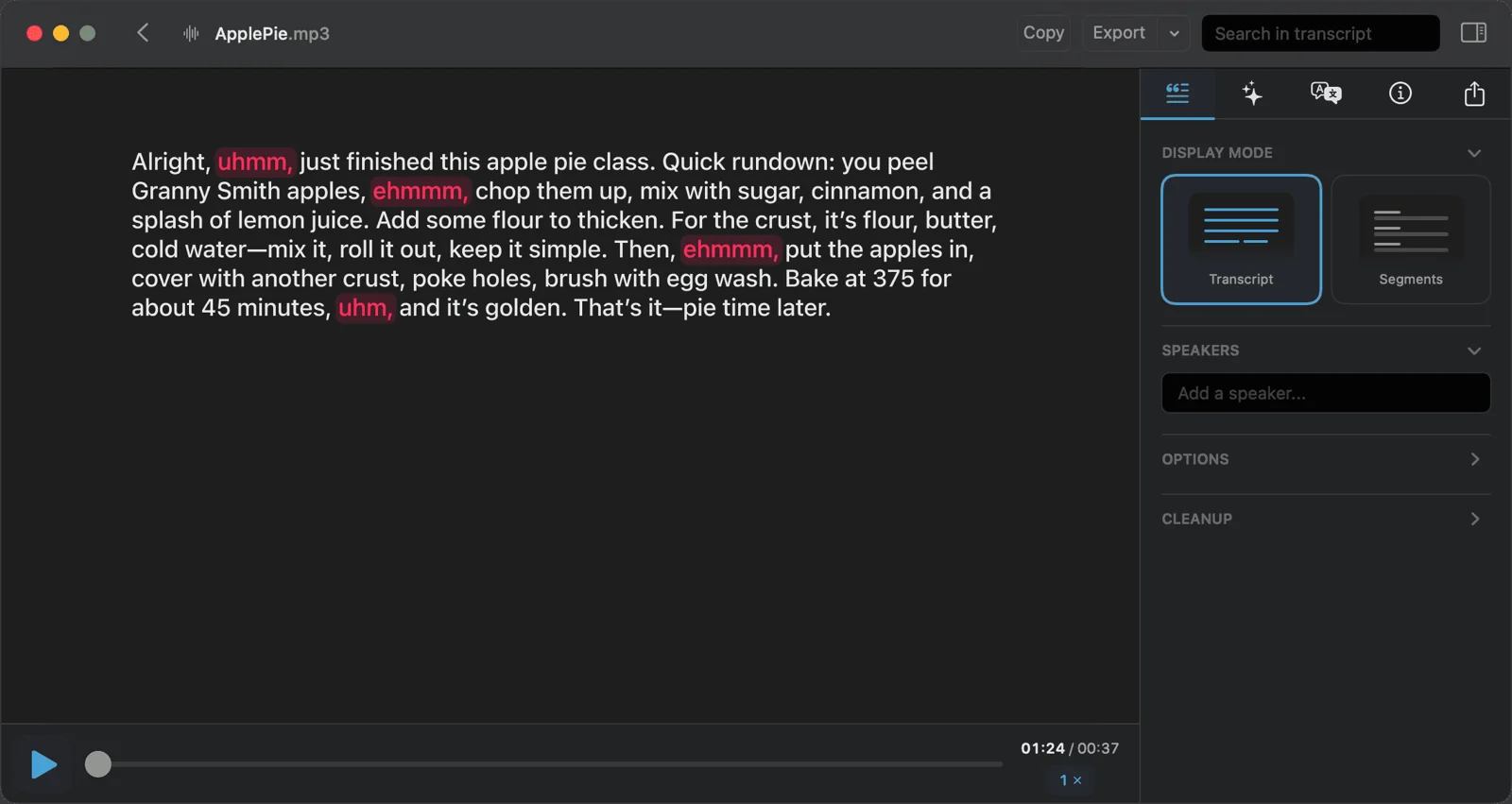
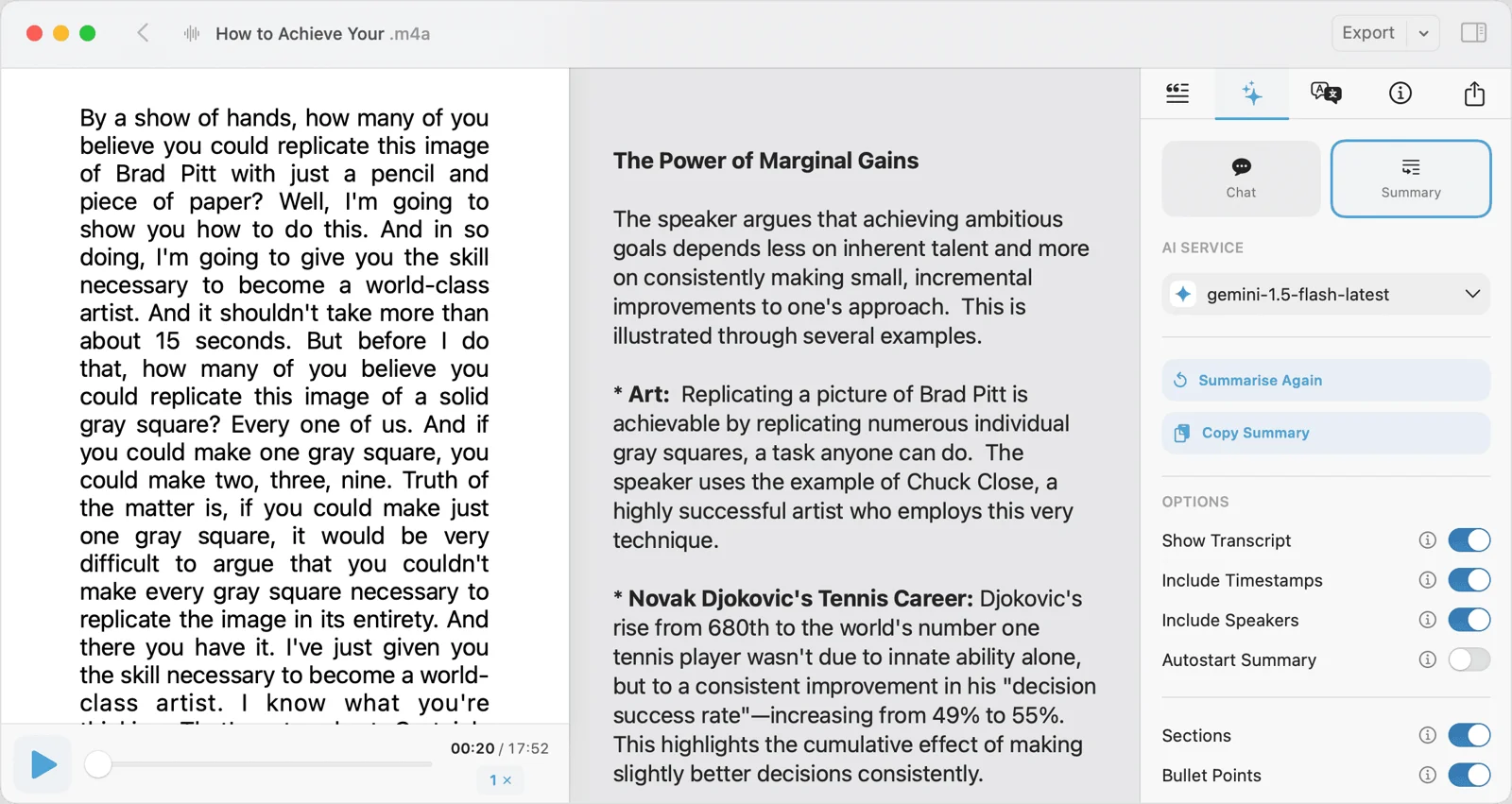
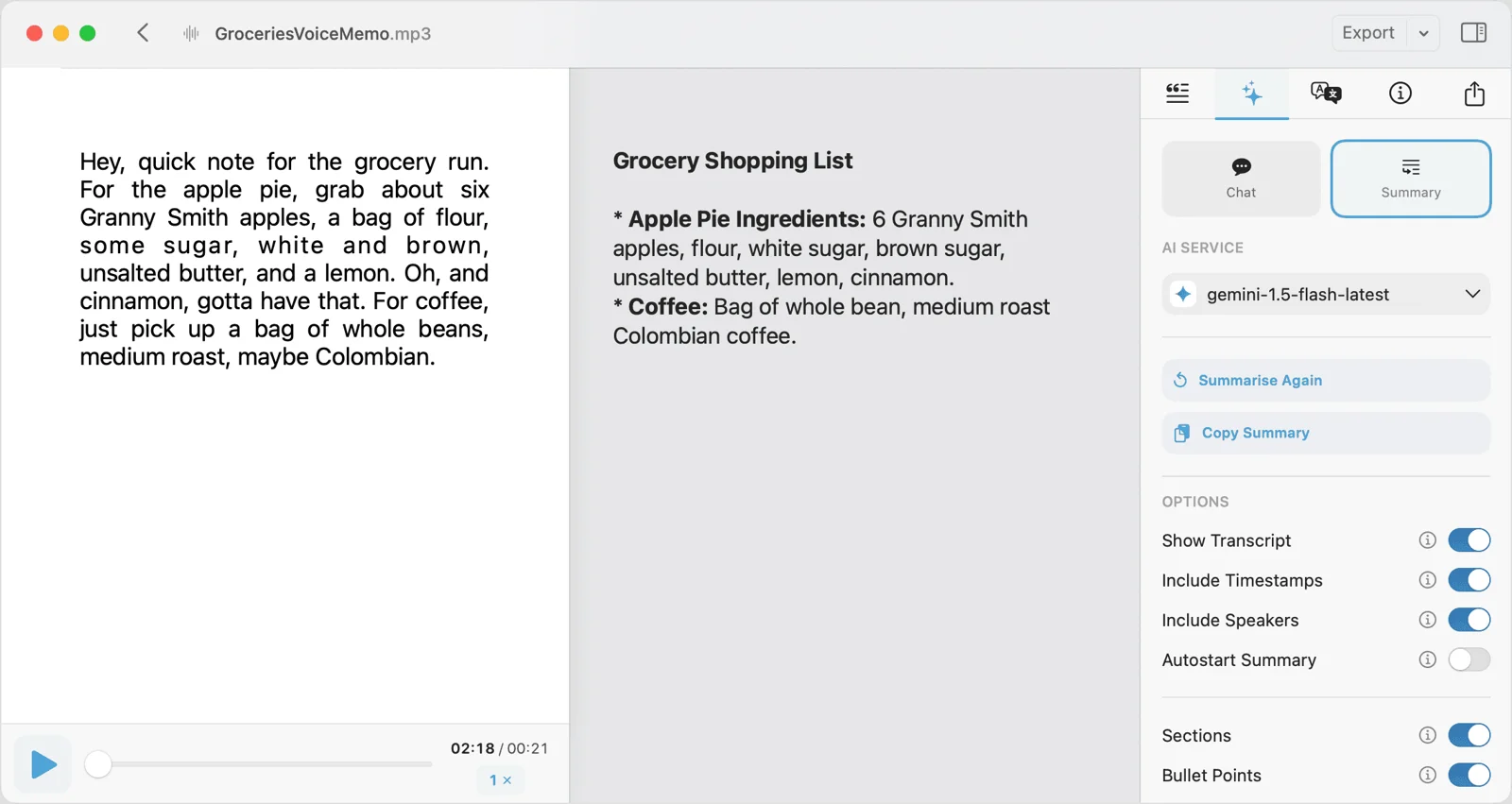
App screenshots from macwhisper.com. More on our MacWhisper deal page.
Feature by feature
| Topic | MacWhisper | Spokenly |
|---|---|---|
| Main job | Transcribing audio and video files, plus meeting recording and dictation. | Dictating at the cursor in any app. |
| Transcribing files | Drag and drop, batch transcription on Pro, YouTube transcription on Pro. | Not described on the pages we read. |
| Meeting recording | Detects Zoom, Teams, Webex, Skype and Discord calls and records with no bot joining. | Not described on the pages we read. |
| Speaker labels and exports | Speaker recognition, an editor, and SRT, VTT, CSV, DOCX, PDF, Markdown and HTML exports. | History with search, audio replay and one-click export of dictations. |
| Dictation | System-wide dictation with Whisper models; grammar cleanup needs an AI service you set up. | Hold a shortcut and talk; AI cleanup on Pro, or with Apple Intelligence or your own key. |
| Local models | Whisper models, plus Parakeet and Qwen on Pro. | Whisper and Parakeet, free. |
| Languages | More than 100. | More than 100, including mixing two in one sentence. |
| Platforms | Mac, with an iPhone and iPad app. | Desktop apps for Mac, Windows and Linux, plus iPhone and Android. |
Privacy
MacWhisper says transcription is done on your device and no data leaves your machine, which is why it suits sensitive interviews. It can also connect to cloud transcription and AI services, but only when you set those up. Spokenly’s free models run locally with no sign-in, and a mode that blocks all network traffic; audio only leaves the machine if you pick Pro’s hosted models or add your own cloud keys. Check each maker’s privacy policy before sending client material to any cloud service.
Where Spokenly wins
- Its on-device dictation is free with no word cap, and the paid tiers are optional.
- It also runs on Windows, Linux and Android, with a single Pro plan across devices.
- It is aimed squarely at talking to coding agents, email and chat, with cleanup that strips filler words and fits the text to the app you are in.
Who should pick which
- MacWhisper suits journalists, students, researchers and podcasters who turn recordings into text, subtitles or notes.
- Spokenly Free suits anyone who only wants to dictate and does not need file transcription.
- Spokenly Local+ or Pro fits people wanting the nicer recording styles, sync across devices or managed cloud transcription.
Our take: these overlap on dictation but not on the main job. Pay for MacWhisper when you have recordings to transcribe, and try Spokenly Free first if dictation is all you need.
See the Black Friday terms
No commission here. MacWhisper’s code is entered at checkout on the Gumroad page; check the final amount and tax before you pay.
MacWhisper on Gumroad ↗ Spokenly pricing ↗
MacWhisper deal page · Spokenly deal page · Browse every comparison
Sources and notes, checked Nov 27, 2026
- MacWhisper on Gumroad: Free at €0 and Pro as a one-time payment with no subscription, a 7-day refund on Pro, 25% off with code BF20263 for Black Friday 2026, the Pro feature list, supported formats, 100 languages, and local transcription on your device. The one-license Pro option is €65 in the page’s purchase options; the Black Friday figure is that price less 25%, which is €48.75.
- MacWhisper website: file transcription, meeting recording for Zoom, Teams, Webex, Skype and Discord with no bots, system-wide dictation, local models, speaker recognition, exports, and a Black Friday banner for 25% off.
- Spokenly pricing: Free at $0, Local+ at $39 lifetime and $29 in the Black Friday sale, Pro at $12 a month billed $144 a year, 40% off the first Pro year ($86.40), 14-day refund, and platforms including Linux.
- Three-year totals repeat today’s price for three years. Taxes may be extra.