At a glance
Lunille, launch price
Best forPeople who want accessories, meetings and assistant prompts in the notch with plain privacy notes
NotchNook Pro lifetime, Black Friday
Best forPeople who want a well-known notch hub with a file converter
Quick verdict
Pick Lunille for accessory cards, meeting controls and Intel support.
Pick NotchNook for its file converter and longer track record.
Both figures come from the price table below. A one-time licence is paid once, so its 3-year cost stays the same unless you buy an upgrade.
Lunille makes the notch a live island for music and synced lyrics, AirPods and other accessories drawn in 3D with battery rings, meetings, notes, timers and coding-assistant alerts, with a small moon character called Luni living in it. NotchNook from lo.cafe is the better-known notch hub, covering music, your calendar, files and prompts from coding agents. Lunille’s launch price of $9.99 runs until November 30, 2026, then it becomes $14.99.
Direct links to lunille.com and lo.cafe. No commission.
Licence prices, one and three years
| Plan | What you get | Year 1 | 3 years |
|---|---|---|---|
| Lunille, launch price | One-time purchase for up to 3 Macs, no code, until November 30. | $9.99 once | $9.99 |
| Lunille, from December 1 | Price after the launch period. | $14.99 once | $14.99 |
| NotchNook Pro lifetime, Black Friday | 50% off through November 30; two Macs; Apple silicon only. | $9.50 once | $9.50 |
| NotchNook Pro monthly | Month-to-month plan at $3.00. | $36 | $108 |
| NotchNook Classic lifetime | The original edition; also runs on Intel Macs. | $15 once | $15 |
Lunille prices from lunille.com and confirmed by its maker; NotchNook prices from lo.cafe/notchnook. Read November 27, 2026. Monthly totals are our arithmetic.
Worked example
Sam has AirPods, a Magic Mouse and back-to-back calls
Sam wants battery levels at a glance, a meeting reminder with a join button, and a heads-up when a coding assistant needs approval.
With Lunille
Each accessory appears as a 3D model in its real colour with its battery ring; AirPods noise modes switch from the card. Meetings show the call app’s own Mute, Camera and Leave buttons. Assistant requests show in full, with risky ones asking twice, and answering from the notch stays off until Sam turns it on. Luni dances to the music and hides during calls.
With NotchNook
Pro shows music with synced lyrics, the next meeting with join buttons, a file tray, copy history, format conversion and Claude Code and Codex approvals, with Liquid Glass styling.
Sam’s cost: $9.99 once for Lunille on up to three Macs, or $9.50 once for NotchNook Pro on two.
A look inside Lunille
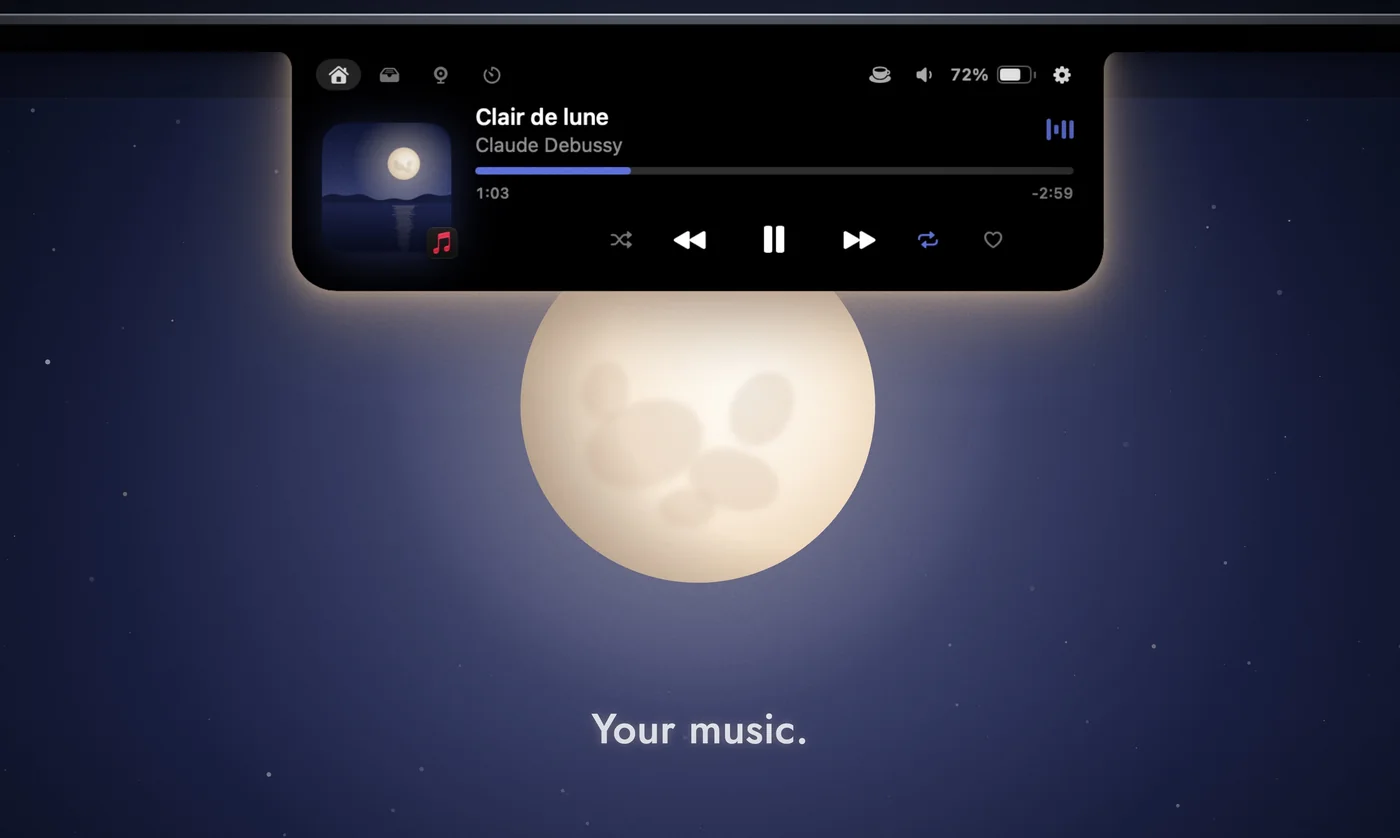
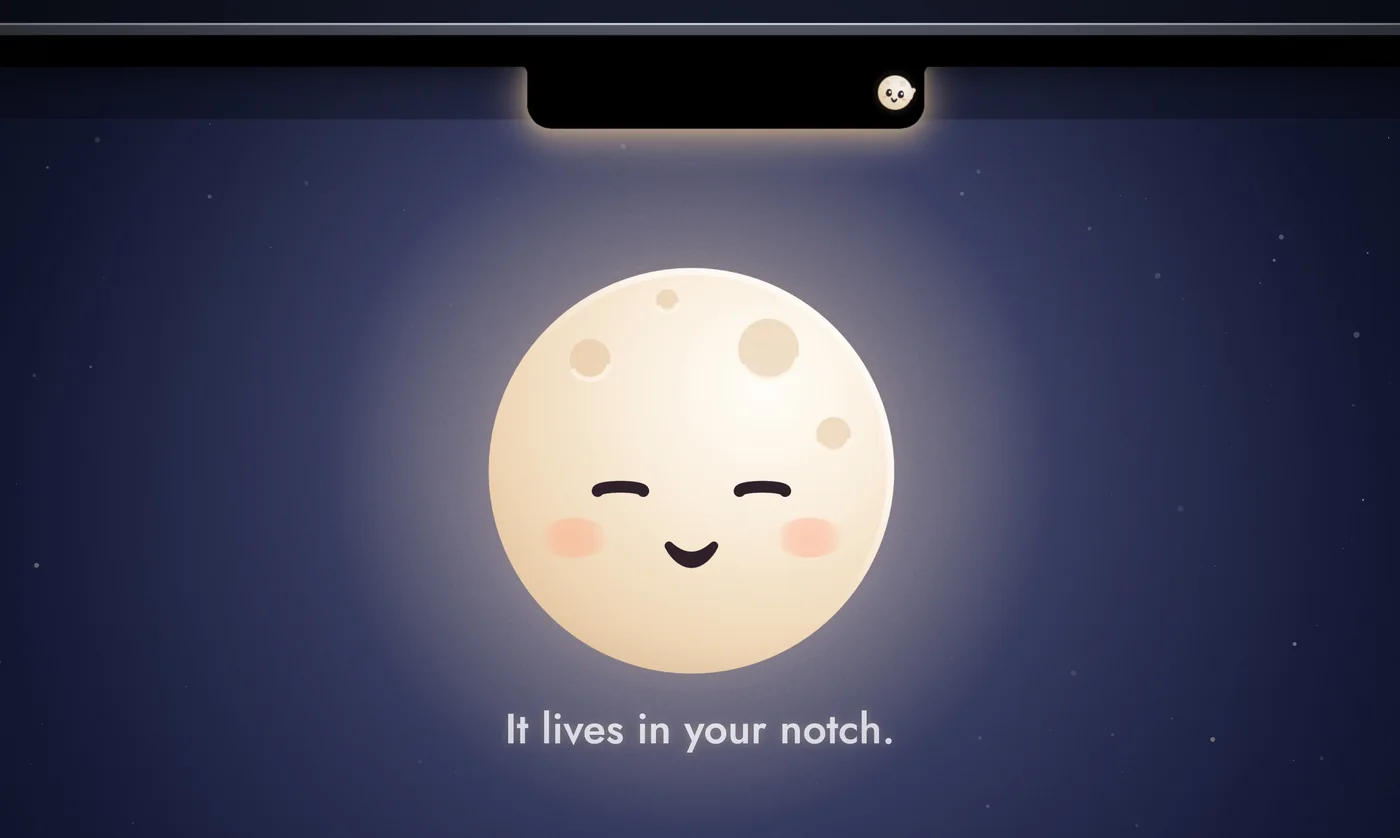
Uncropped screenshots hosted on lunille.com/assets/screenshots, sent by the maker as links, checked 2026-11-26. More on our Lunille deal page.
Feature checklist
| Topic | Lunille | NotchNook |
|---|---|---|
| Music | Now playing, beat, synced lyrics, new-song pop-out. | Controls, artwork, synced lyrics. |
| Accessories and battery | 3D accessory models with battery rings; charging states. | Not covered on its site. |
| Meetings | Reminder with Join for Zoom, Meet, Teams, FaceTime; in-call controls. | Join buttons for Meet, Zoom, Teams, Webex. |
| Coding assistants | Finished and needs-you alerts; Allow and Deny, risky asks twice. | Approve Claude Code and Codex. |
| Files and clipboard | Tray with AirDrop and Quick Look; clipboard history on your Mac. | File tray with AirDrop, copy history and a converter. |
| Extras | Notes, teleprompter, Pomodoro, keep awake, weather, Luni. | Pomodoro and to-dos, camera mirror. |
| Licence and trial | Up to 3 Macs; 14-day trial, no account. | Up to 2 Macs; 48-hour trial; 7-day refund. |
| Requirements | macOS 14 or later; Apple silicon and Intel; works without a notch. | macOS 14.6+, Apple silicon for Pro. |
Privacy and data
Lunille spells out what leaves the Mac: a rounded location for weather (only if you allow it), song details to LRCLIB for lyrics (switchable), Spotify artwork requests, licence activation with Lemon Squeezy and a daily update check. It says it has no account, analytics or tracking. NotchNook’s product page is silent on data handling; lo.cafe links a privacy page.
Updates and platforms
Lunille is at version 1.3 and publishes what is new in each update. NotchNook Pro is lo.cafe’s rebuilt edition, with Classic still sold for Intel Macs. lo.cafe also makes NotchNook for Windows.
Where NotchNook leads
- A built-in file converter for MP4, PDF, TXT and more.
- Liquid Glass styling and Live Activities.
- A longer track record and a Windows edition.
Who should pick which
- Lunille suits people who want accessories, meetings and assistant prompts in the notch with clear privacy notes, and enjoy a bit of character.
- NotchNook suits people who want an established notch hub with a file converter and Liquid Glass design.
Our take: Lunille covers more ground than its price suggests, and its accessory cards and privacy detail stand out. NotchNook is the safer known name; at $9.50 and $9.99 this week, the trial is the best way to decide.
Lunille for $9.99 until November 30
Download Lunille from lunille.com, use everything free for 14 days, then buy for $9.99 once by November 30, 2026; it rises to $14.99 after. No affiliate link here.
Sources and notes, checked Nov 27, 2026
- Lunille, read November 27, 2026: $9.99 launch price until 30 November, then $14.99; macOS 14 and later, universal; 14-day free trial; music, lyrics, accessories in 3D with battery, timers, Focus, meetings with Join and in-call controls, coding assistant alerts and Allow/Deny, notifications, notes, teleprompter, Pomodoro, tray and clipboard, keep awake, weather, automation; privacy table (weather location, LRCLIB, Spotify artwork, Lemon Squeezy, daily update check; no account, analytics or tracking); version 1.3.
- Maker confirmation: the $9.99 price until November 30, 2026, one-time for up to 3 Macs, was confirmed to IndieMarkdowns by Lunille’s maker.
- NotchNook, read November 27, 2026: Pro $19.00 lifetime, $9.50 Black Friday until November 30, $3.00/month; Classic $15.00 lifetime; features as listed in the table; up to 2 Macs; 48-hour trial; 7-day refund; macOS 14.6+.
- We did not test either app.