Fluent vs ChatGPT
At a glance

Fluent Basic, lifetime upgrades, regular
Best forWriting on a Mac with AI working inside the apps you already use
ChatGPT Plus
Best forOpenAI’s official product on the web and on a phone, plus the Plus feature list
Quick verdict
If you write on a Mac and want AI to work inside the apps you already use, Fluent is the better value on official prices.
If you keep paying for Plus and add Fluent, you pay both.
Figures from the official price table below; 3-year totals are list price × 3 (lifetime and one-time licences are one payment).
If you write on a Mac and want AI to work inside the apps you already use, Fluent is the better value on official prices. On Nov 20, 2026, Fluent Basic with lifetime upgrades was $49, or $36.75 with code BF2026 until Dec 1, 2026. ChatGPT Plus is $20 a month, billed monthly, with no annual plan. That is $240 for one year and $720 over three years if you keep paying. The comparison is not a simple swap: Fluent is a Mac app that can sign in with a ChatGPT plan you already pay for, or run Apple Intelligence and local models so you do not add a second AI bill. If you keep paying for Plus and add Fluent, you pay both.
Get Fluent ↗(affiliate link)
Prices, plans, features and policies below come from official Fluent and OpenAI pages checked on Nov 20, 2026. The buttons on this page go to Fluent through our affiliate link. Affiliate link: IndieMarkdowns may earn a commission if you buy through this link, at no extra cost to you. Fluent’s site states prices are in USD with tax included. ChatGPT’s listed monthly prices do not include any tax that may apply in your country.
What you pay, and what you do not
The value case depends on which AI bill you actually carry. Fluent is officially a one-time purchase. Basic, Standard and Team “come with lifetime upgrades.” ChatGPT Plus is officially $20 a month with no annual billing. If a writer buys Fluent Basic on the Black Friday price and uses Apple Intelligence or a local model, year 1 and years 1–3 are both $36.75. If they buy Fluent at the regular $49 lifetime-upgrades price, both windows are $49. If they also keep ChatGPT Plus, they add $240 a year.
| Plan (official, checked Nov 20, 2026) | What it covers, as listed | Year 1 | Years 1 to 3 combined |
|---|---|---|---|
| Fluent Basic, lifetime upgrades, Black Friday | $49 marked down to $36.75 with code BF2026, until Dec 1. One Mac. Lifetime upgrades. Official site: prices in USD, tax included. 14-day money-back guarantee, 7-day free trial. | $36.75 | $36.75 |
| Fluent Basic, lifetime upgrades, regular | $49 one-time, one Mac, lifetime upgrades. Same trial and refund terms. | $49.00 | $49.00 |
| Fluent Basic, 1 year of upgrades | $29 one-time, one Mac. Official FAQ: you get every version released in the 12 months after you buy; after that, “Fluent keeps working forever, but newer versions are not included.” Lifetime upgrades can be added later for $39, or you can move to Standard (2 Macs, lifetime upgrades) for $68. | $29.00 | $29.00 if you stay on that license; $68.00 if you later buy the $39 lifetime-upgrade add-on |
| Fluent Standard, lifetime upgrades, Black Friday | $69 marked down to $51.75 with code BF2026, until Dec 1. Two Macs. Lifetime upgrades. | $51.75 | $51.75 |
| Fluent Standard, lifetime upgrades, regular | $69 one-time, two Macs, lifetime upgrades. | $69.00 | $69.00 |
| ChatGPT Free | $0/month. Official pricing lists unlimited text chats with GPT-6, with limits on uploads, images, voice, deep research, memory, Codex and desktop ChatGPT Work. Content is used to train models, with opt-out available. | $0 | $0 |
| ChatGPT Go | $8/month. Official pricing: more messages, uploads, images, voice and longer memory than Free. “This plan may include ads.” | $96.00 | $288.00 |
| ChatGPT Plus | $20/month, billed monthly. Official help: no annual billing and no option to pay for multiple months in advance. Website and supported apps. API usage is billed separately. | $240.00 | $720.00 |
| ChatGPT Pro | Official pricing: “From $100/month,” with a choice of three usage tiers. | From $1,200.00 | From $3,600.00 |
| Fluent Basic (BF price) plus ChatGPT Plus | What you pay if you buy Fluent and also keep a Plus subscription, for example to sign in with that plan. Two official bills, added together by us. | $276.75 | $756.75 |
Sources: fluentmac.app and chatgpt.com/pricing, plus OpenAI’s “What is ChatGPT Plus?” help article, checked Nov 20, 2026. Three-year columns for ChatGPT multiply the official monthly price by 36; they are not a plan OpenAI sold. Fluent one-time licenses stay at the purchase price unless you later buy the official upgrade add-ons above. We did not apply Fluent’s stated educational discount (an additional 30% for educational institutions, teachers and students) as a dollar figure, because the page does not say which list price that 30% comes off.
Fluent’s FAQ also says, of API keys: “on average, users spend under $0.50-1.00 per month on general tasks like translation, grammar fix, summarization, etc. using OpenAI’s models. Prices may vary depending on provider, model and usage patterns.” That is Fluent’s published claim, not a measurement we ran.
What you do not pay for with a Fluent license alone: $20 a month to OpenAI, if you use Apple Intelligence, a local model, or a plan you already pay for. What you do not get with Fluent alone: ChatGPT’s official web, iOS and Android product, Plus features such as custom GPTs, scheduled tasks, or ChatGPT Work on mobile, or any model quality Fluent does not itself provide. Model access follows the provider you choose.
Illustrative scenario — not a real customer
A writer using AI across Mail, Notes and Safari for a year
This is a worked example so the prices are easier to judge. It is not a test we ran and not a person we interviewed. Every step uses a feature the official product pages list. We do not invent reply quality, time saved, or a word count.
Alex is a freelance writer on one Mac. Over a year they draft pitches and replies in Apple Mail, keep research and outlines in Notes, and read source tabs in Safari. They want help fixing grammar in place, turning a short instruction into a reply that fits a thread, and comparing a few open pages. Safari is not named on the Fluent site we checked; the official wording is “Press ⌥ Space in any app,” “In mail and chats,” a built-in Notes integration, and “Across apps and tabs.” This scenario uses Mail, Notes and Safari as the writer’s everyday apps.
In Fluent, using only listed tools
- Install Fluent and start the official 7-day free trial, or buy a license. Official refund: a 14-day money-back guarantee “without any questions.”
- Choose a model path in Settings → Models, which the FAQ names: sign in with a ChatGPT, Claude, GitHub Copilot or Google AI plan already paid for; run Apple Intelligence, local MLX models, Ollama or LM Studio; or add API keys.
- In any of the three apps, press Option-Space (⌥ Space). Official site: “Press ⌥ Space in any app, say what you need, and get it back right where you were working.” The FAQ calls this the Smart Panel, which “captures relevant context (selection, clipboard or window content).”
- In Mail, use the official mail-and-chats example: type a short instruction such as “Thursday at 2 works, ask for the agenda.” Fluent’s site says it “reads the thread and writes the reply for you.” We do not claim a particular tone or that the reply is sent automatically; the official text stops at writing the reply.
- In Notes, select a rough draft and use Fix Grammar. Official wording: “Select your draft and click Fix Grammar. The clean version replaces it, right where you wrote it.” Notes is also listed among 16 built-in integrations (Finder, Calendar, Reminders, Notes, Web Search, Computer Use, YouTube, Maps and more).
- With several Safari tabs open, use the official “Across apps and tabs” flow: “Attach the pages you’re choosing between and ask which one. You get the costs side by side, and a pick.” We do not invent the recommendation.
- If the same sign-off or refund policy comes up all year, the official Memory feature is: “Tell it once. It remembers. Your refund policy, your sign-off, your preferences: say it once, and every later answer already knows.” The privacy FAQ says Memory is stored locally, unencrypted by design.
Official cost for this one-Mac year, at the prices we checked on Nov 20, 2026:
- Fluent Basic with lifetime upgrades during the official sale: $36.75 once (code BF2026, until Dec 1). Over three years the license is still $36.75 if they do not buy something else.
- Same plan after the sale, at the regular list price: $49 once, and $49 over three years.
- If Alex already pays for ChatGPT Plus and signs in with that plan: $36.75 (or $49) plus $240 for the Plus year, which is $276.75 or $289 in year 1, and $756.75 or $769 over three years if Plus stays $20 a month. Fluent’s official line for this path is “Sign in with ChatGPT, Claude, Copilot or Google AI. No API key, no second bill.” OpenAI’s Plus help article describes “Sign in with ChatGPT” for participating tools, with usage drawing from the Plus allowance, not a second allowance, and with API usage billed separately. We list both official statements. We do not independently certify that Fluent is on OpenAI’s participating-tools list.
- If Alex uses Apple Intelligence or a local model instead: the official FAQ says you can “run Apple Intelligence and local models on your Mac for free,” in which case the only new payment in this scenario is the Fluent license.
In ChatGPT, using only listed tools
- Use ChatGPT on the website or a supported app. Official Plus help: the plan “is available on the ChatGPT website and supported apps.” Official Plus pricing also lists “Expanded access to ChatGPT Work on desktop, web, and mobile.”
- Paste or upload the draft or source material. Official Plus benefits include file uploads and analysis, expanded messages and uploads, expanded memory and context, and projects, scheduled tasks and custom GPTs.
- Ask for a grammar pass, a reply, or a comparison of sources, then place the text into Mail, Notes or Safari yourself. ChatGPT’s official Plus and pricing pages describe the ChatGPT website and supported apps; they do not describe replacing text inside Apple Mail or Notes. We do not claim ChatGPT cannot be used while those apps are open. We only describe what those official pages document.
Official cost if Alex pays for ChatGPT Plus and does not buy Fluent: $240 in year 1 and $720 over three years, at $20 a month with no official annual plan. ChatGPT Go would be $8 a month, which is $96 and $288 on the same arithmetic, and official pricing says that plan may include ads. ChatGPT Free is $0, with the limits listed on the pricing page.
What the numbers say for this scenario: a Fluent Basic lifetime-upgrades license at $36.75 (or $49 regular) is far cheaper than three years of ChatGPT Plus, and the official product is built to work inside Mac apps, including Mail and Notes as described above. That saving holds if Alex does not also need the ChatGPT product on the web or on a phone, or Plus-only tools such as custom GPTs. If they want those, they may still pay $20 a month. If they sign in to Fluent with Plus, Fluent is an extra one-time cost on top of that bill, not a replacement for it.
A look inside Fluent
This Mac AI Now Clicks for You (and Has a Pet) – Fluent 2. Official video from Fluent’s YouTube channel (@fluent-mac), embedded on fluentmac.app. Loads from the video host only when you press play.
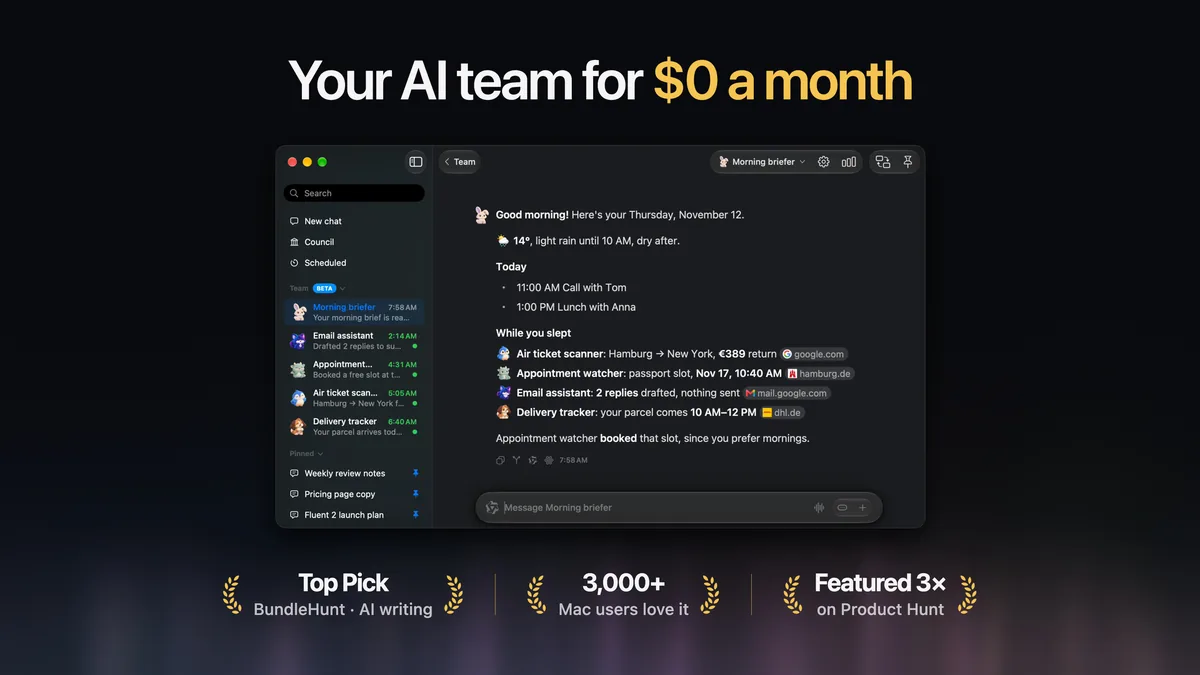
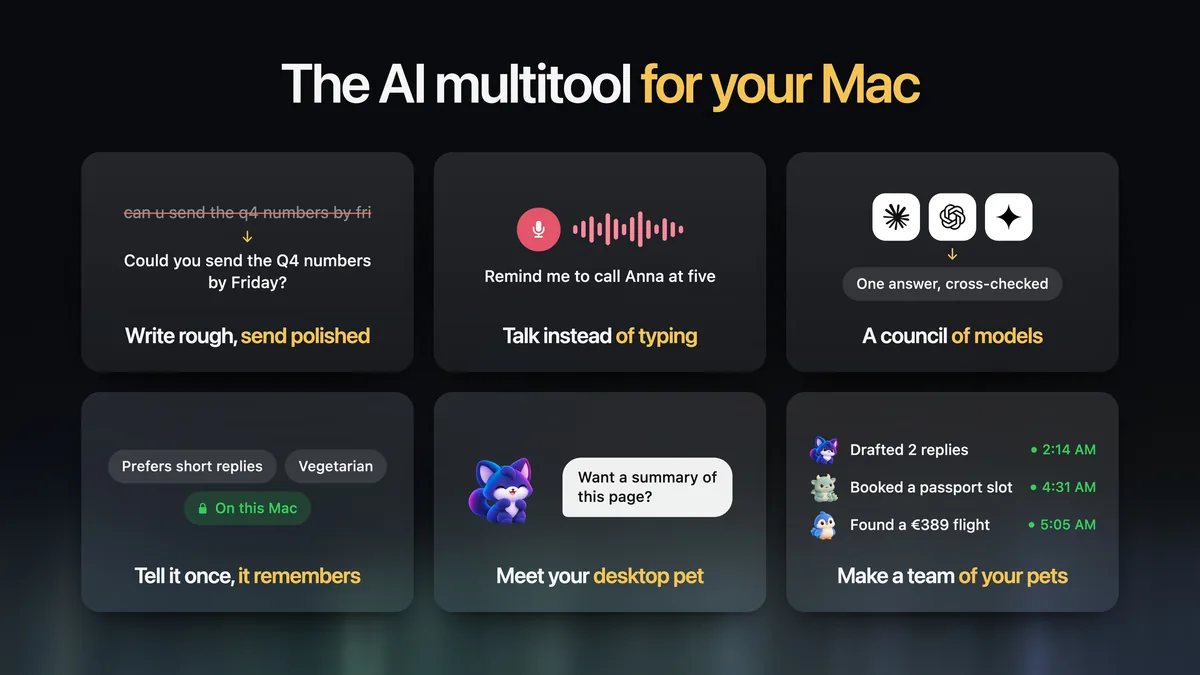
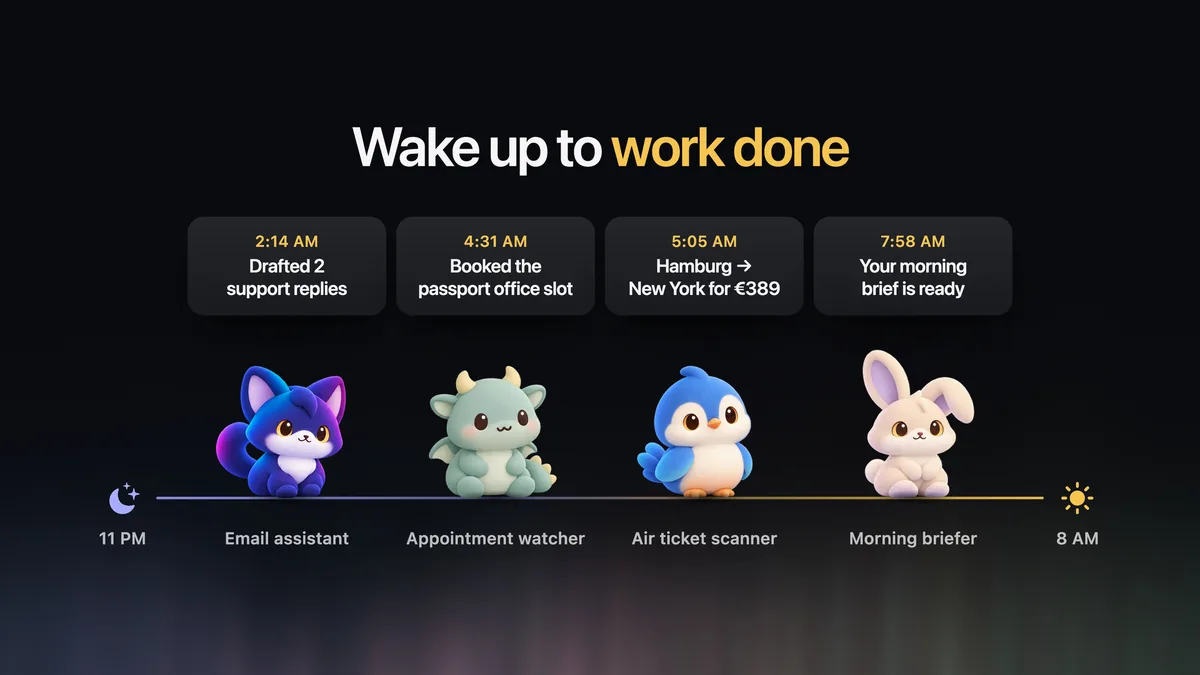
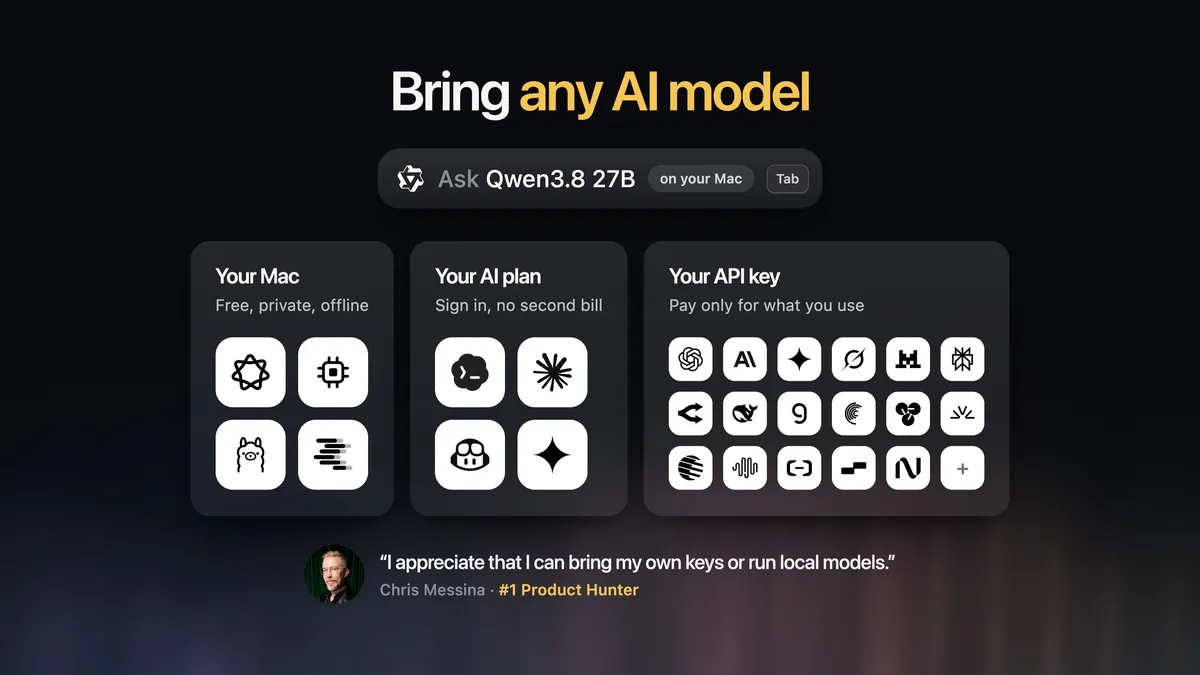
Images from Fluent. More on our Fluent deal page.
Official plans in more detail
Fluent
The official site, checked Nov 20, 2026, sells a one-time purchase: “No subscription required.” Licenses are per Mac: Basic covers 1 Mac, Standard covers 2, Team starts at 3. During the listed Black Friday offer, “25% off with code BF2026, until Dec 1,” the lifetime-upgrades prices were Basic $49 → $36.75, Standard $69 → $51.75, and Team $29 → $21.75 per license. Those sale figures appeared on the page as split decimals ($36 . 75); they are 25% off the listed prices. All three lifetime-upgrades tiers list the same tool set on the pricing cards, including Computer Use, voice dictation, context awareness, MCP support, Memory (RAG), and chat with documents and pictures. “Prices in USD. Tax included. Secure payment via Stripe.” Refund: “14-day moneyback guarantee without any questions,” and “Fluent also includes a 7-day free trial.” Educational institutions, teachers and students are offered an “additional 30% discount,” with inquiries by email; the page does not print the resulting dollar amount.
ChatGPT
On chatgpt.com/pricing, checked Nov 20, 2026, individual plans were Free at $0/month, Go at $8/month, Plus at $20/month, and Pro from $100/month. Plus is listed with advanced reasoning models with GPT-6, expanded messages and uploads, image creation, deep research, memory and context, projects, scheduled tasks, custom GPTs, expanded Codex usage, expanded ChatGPT Work on desktop, web and mobile, and early access to new features, with a note that limits apply. The official Plus help article states the price as “$20/month (billed monthly),” availability “on the ChatGPT website and supported apps,” that API usage is “separate and billed independently,” and, under “Is there an annual plan available?,” “Currently, we do not support annual billing or the option to pay for multiple months in advance for ChatGPT Plus subscriptions.”
Where ChatGPT wins, stated plainly
- Platforms. ChatGPT is official on the website, iOS, Android, and, for Plus, ChatGPT Work on desktop, web and mobile. Fluent’s official site is a macOS app, licensed per Mac. A writer who also wants the same assistant on a phone is looking at ChatGPT’s product, not at Fluent alone.
- The ChatGPT product itself. Plus officially includes custom GPTs, scheduled tasks, projects, deep research, image generation, voice, and Codex usage. Fluent officially connects to models and plans; it does not claim to be ChatGPT’s full product.
- No Mac required. If the work happens in a browser on Windows or on a phone only, ChatGPT’s official apps cover that. Fluent does not list those platforms.
- Model access without a third-party app. Paying for Plus gets you ChatGPT’s own interface and the official Sign in with ChatGPT path for participating tools. Fluent is another piece of software, with its own license, even when you sign in with a plan you already have.
Feature by feature, from official pages
| Topic | Fluent, as listed on fluentmac.app (checked Nov 20, 2026) | ChatGPT, as listed on chatgpt.com/pricing and Plus help (checked Nov 20, 2026) |
|---|---|---|
| Where it runs | macOS app. Call the Smart Panel in any macOS app. Licenses are per Mac. | Website and supported apps. Plus: expanded ChatGPT Work on desktop, web and mobile. Pricing also lists web, iOS and Android access. |
| In-place text | “Get it back right where you were working.” Fix Grammar replaces the draft “right where you wrote it.” | Official pages describe working in ChatGPT’s website and supported apps, including file uploads on Plus. They do not list in-place replacement inside Apple Mail or Notes. |
| Mail and threads | “In mail and chats”: type a short instruction; “Fluent reads the thread and writes the reply for you.” | Not listed as an Apple Mail integration on the official Plus or pricing pages we checked. |
| Notes | Notes is one of 16 built-in integrations, alongside Finder, Calendar, Reminders, Web Search, Computer Use, YouTube and Maps, plus a catalog of external MCP servers. | Not listed as an Apple Notes integration on those official pages. |
| Pages and tabs | “Across apps and tabs”: attach pages and ask which one. | Plus lists file uploads and analysis. A separate ChatGPT “Sites” feature is linked from the pricing navigation; we did not treat that as a Safari in-page replacement. |
| Models | Sign in with ChatGPT, Claude, Copilot or Google AI; API keys; Apple Intelligence; local MLX, Ollama, LM Studio; NanoGPT with a 10% token discount for Fluent users. FAQ: “over 500+ models.” | Plus: advanced reasoning models with GPT-6, subject to the model picker and limits. API is a separate bill. |
| Memory | “Tell it once. It remembers.” FAQ: Memory is stored locally, unencrypted by design. History is stored locally, encrypted. | Plus: expanded memory and context. Official pricing: content is used to train models, with opt-out available. |
| Computer use / agents | Computer Use: “It clicks through apps for you” with “a pointer of its own. Your mouse stays yours.” Actions can run on a schedule. | Pro lists “Dot, your always-on agent.” Plus lists scheduled tasks. We do not equate those with Fluent’s Computer Use. |
| Trial and refund | 7-day free trial; 14-day money-back guarantee, no questions. | Plus help describes canceling the subscription and a refund request process, typically processed within 5–10 business days after approval. We are not restating eligibility rules beyond that article. |
Privacy and where text goes
Fluent’s Privacy Policy, last updated November 1, 2025, opens with: “TL;DR: Fluent collects zero personal data and zero telemetry.” It says that when you use cloud AI with your own API keys, “you are responsible for the data you send to those providers,” and that “Fluent does not store, proxy, or retain your content or credentials beyond what macOS Keychain securely holds on your device.” It also says Fluent “does not operate servers that collect usage analytics or personal data about you,” and lists encryption in transit and at rest (Keychain). The official FAQ adds that Fluent “does not operate cloud servers, except license verification one – which only verifies your license key in a fully encrypted manner,” that there is “no user authentication via Email or any other kind of identifier by design,” that History is stored locally fully encrypted, and that Memory and generated images are stored locally unencrypted by design.
OpenAI’s official pricing page, checked Nov 20, 2026, states that for Free, Go, Plus and Pro, “Content is used to train our models,” with opt-out available, and links to How your data is used to improve model performance. The Plus help article says: “OpenAI may use conversations to improve model performance and safety. You can opt out of having your data used for training at any time.” The OpenAI Privacy Policy is the full policy.
If Alex signs in with a ChatGPT plan or sends text to a cloud model through Fluent, that text is still subject to the provider’s policy. Fluent’s official position is that it does not keep a copy beyond Keychain credentials. Local and Apple Intelligence paths are the official way Fluent describes keeping work on the Mac.
Updates
Fluent’s FAQ, checked Nov 20, 2026, describes “What’s new in Fluent 2”: a desktop pet, Computer Use, Memory, sign-in with an existing AI plan, scheduled actions, picture replies, and rebuilt Settings, and it points to the official changelog for every change. We did not rely on a third-party version number. Lifetime-upgrades licenses officially include later versions; the $29 Basic license includes versions released in the first 12 months only.
ChatGPT’s official Plus page says model availability and limits change over time and tells users to check the model picker. Plus also lists “Early access to new features.” There is no desktop “version history” in the same sense as a Mac app changelog.
Platforms and offline use
Fluent: official macOS app, per-Mac licenses. Official local options are Apple Intelligence, local MLX models, Ollama and LM Studio. Cloud models need a network connection and follow the provider you choose. We did not find an iPhone, iPad or Windows app on the official site we checked.
ChatGPT: official website and supported apps, including mobile. Plus includes expanded ChatGPT Work on desktop, web and mobile. We did not find an official “fully offline ChatGPT Plus” option on the pricing or Plus help pages. Local models are a Fluent official path, not a ChatGPT Plus official path on those pages.
What we are not quoting
Fluent’s homepage publishes customer comments, including lines attributed to Reddit usernames. We did not treat those as independently verified user reports. Public Reddit threads about Fluent exist, but we could not retrieve them from here on Nov 20, 2026 (the requests were blocked), so we are not quoting them. We would rather leave this section empty than invent or composite a user.
Who should pick which
- Pick Fluent Basic with lifetime upgrades ($36.75 until Dec 1, 2026 with code BF2026, or $49 regular) if you write on one Mac, want Option-Space and Fix Grammar in the apps you already use, and you can sign in with a plan you already pay for, or use Apple Intelligence or a local model. That is the value choice for the writer scenario above.
- Pick Fluent Standard ($51.75 during the same sale, or $69 regular) if you need two Macs and lifetime upgrades.
- Pick ChatGPT Plus ($20 a month, $240 a year) if you want OpenAI’s official product on the web and on a phone, plus the Plus feature list (custom GPTs, scheduled tasks, projects, deep research, and the rest of that list), and you do not need in-place editing inside Mac apps.
- Pay for both if you want Fluent’s in-app Mac workflow and you also want to keep Plus, including signing in with that plan. Official prices then stack: the Fluent license plus $240 a year.
Our verdict for a Mac-only writer who can use a local model, Apple Intelligence, or a plan they already pay for: Fluent’s official one-time Basic license is the better value, by a wide margin against paying $20 a month. If the writer’s real need is ChatGPT itself, on every device, Plus is the product that lists that, and Fluent is optional.
Get Fluent
Current official prices and the BF2026 code, until Dec 1, are on fluentmac.app. Our Fluent deal page lists the same 25% off with code BF2026, until Dec 1, 2026. The button below uses our existing approved affiliate link.
Some links on this page are affiliate links. If you buy through them, IndieMarkdowns may earn a commission at no extra cost to you.
All comparison pages · Fluent on IndieMarkdowns · ChatGPT official pricing
Sources, checked Nov 20, 2026
- Fluent homepage and pricing; Fluent Privacy Policy, last updated November 1, 2025.
- ChatGPT plans and pricing (also reached from openai.com/chatgpt/pricing); What is ChatGPT Plus?; How your data is used to improve model performance; OpenAI Privacy Policy.