At a glance
EchoKeys Lifetime Pro, Black Friday
Best forTutorial makers who want styled key overlays, click effects and typing sounds
KeyCastr
Best forAnyone who wants free, open-source keystroke display for screencasts
Quick verdict
Pick EchoKeys if themes, click effects, sounds and the 2.0 menu bar tools are worth a $0.49 unlock.
Pick KeyCastr if plain keystroke and click display, free and open source, is enough.
Both figures come from the price table below. A one-time licence is paid once, so its 3-year cost stays the same unless you buy an upgrade.
EchoKeys shows the keys, shortcuts and clicks you press on screen for tutorials and demos, and the 2.0 release bundles extra menu bar utilities such as pointer jump and keep-awake. KeyCastr is the free, open-source keystroke visualiser many screencasters already use. During November 27 to 30, 2026, EchoKeys’ Lifetime Pro is $0.49 instead of $0.99.
Both links go to the projects themselves. Neither is a paid link.
EchoKeys versus KeyCastr, costs to year three
| Plan | What you get | Year 1 | 3 years |
|---|---|---|---|
| EchoKeys Lifetime Pro, Black Friday | Single in-app unlock for EchoKeys, half price from November 27 to 30, 2026. | $0.49 once | $0.49 |
| EchoKeys Lifetime Pro, usual price | EchoKeys Pro Lifetime, normal pricing. | $0.99 once | $0.99 |
| EchoKeys Yearly Pro | Pro access renewing annually. | $1.99 | $5.97 |
| EchoKeys Free | Keys and shortcuts on screen, Graphite style, default click ripple, Secure Input hiding. | $0 | $0 |
| KeyCastr | Free and open source under the BSD-3-Clause licence. | $0 | $0 |
EchoKeys numbers are Apple’s US listing; KeyCastr’s cost is from its source page. Read November 27, 2026.
Worked example
Ana records a short video showing ten Figma shortcuts
Viewers need to see each shortcut as she presses it, and where she clicks.
With EchoKeys
She grants Input Monitoring, picks a readable position and size, and records. Free shows each combination and a default click ripple, and hides keys during Secure Input. With Pro, $0.49 once during the sale, she gets extra themes, shortcut emphasis, pulse and spotlight click effects, and optional keyboard sounds.
With KeyCastr
She installs it from GitHub or with Homebrew, grants Input Monitoring, and chooses to show command keys, all modified keys, or every keystroke, plus mouse clicks. It costs nothing and the code is open.
Ana’s cost: $0 with KeyCastr or EchoKeys Free, or $0.49 once for EchoKeys Pro.
A look inside EchoKeys
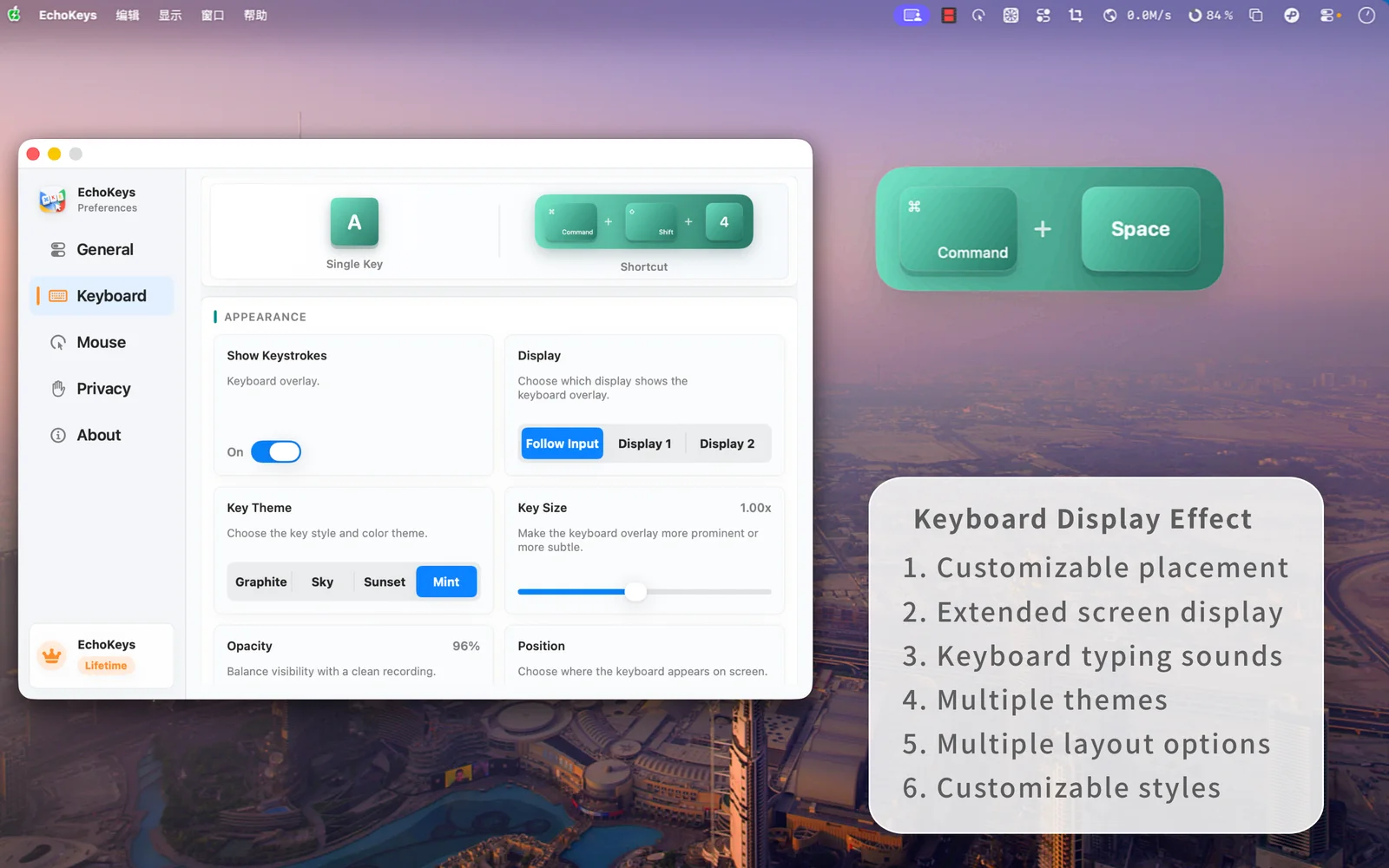
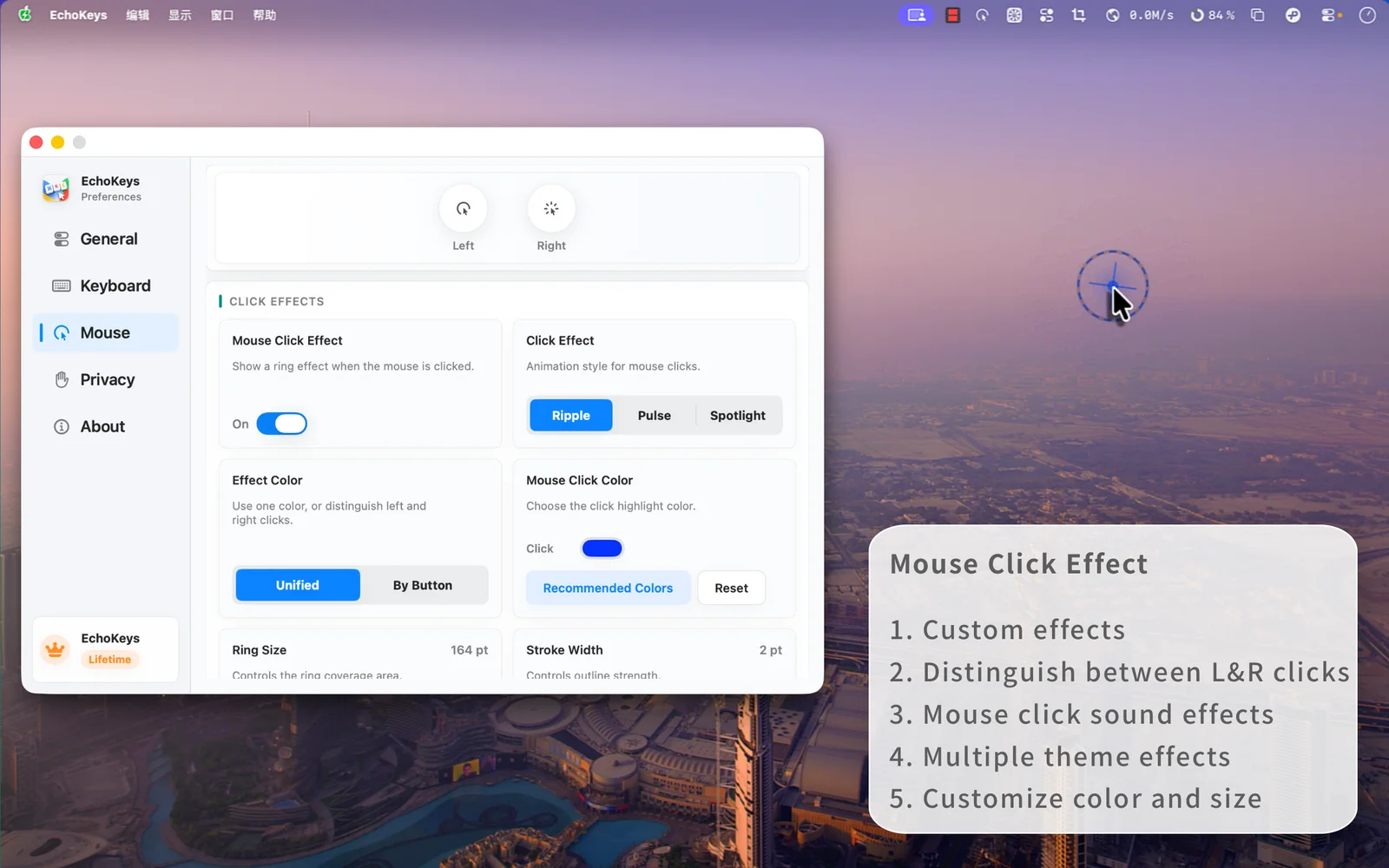
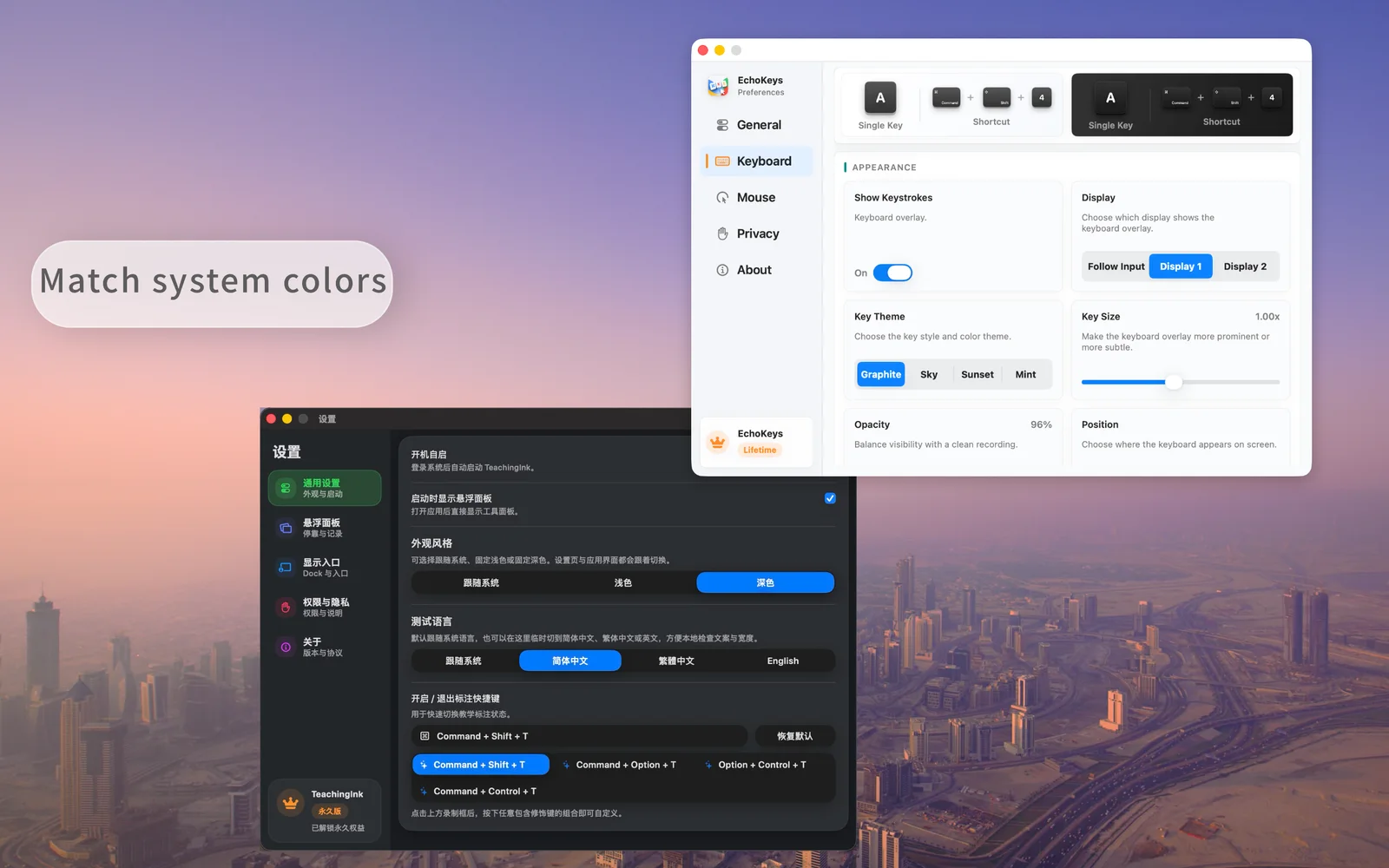
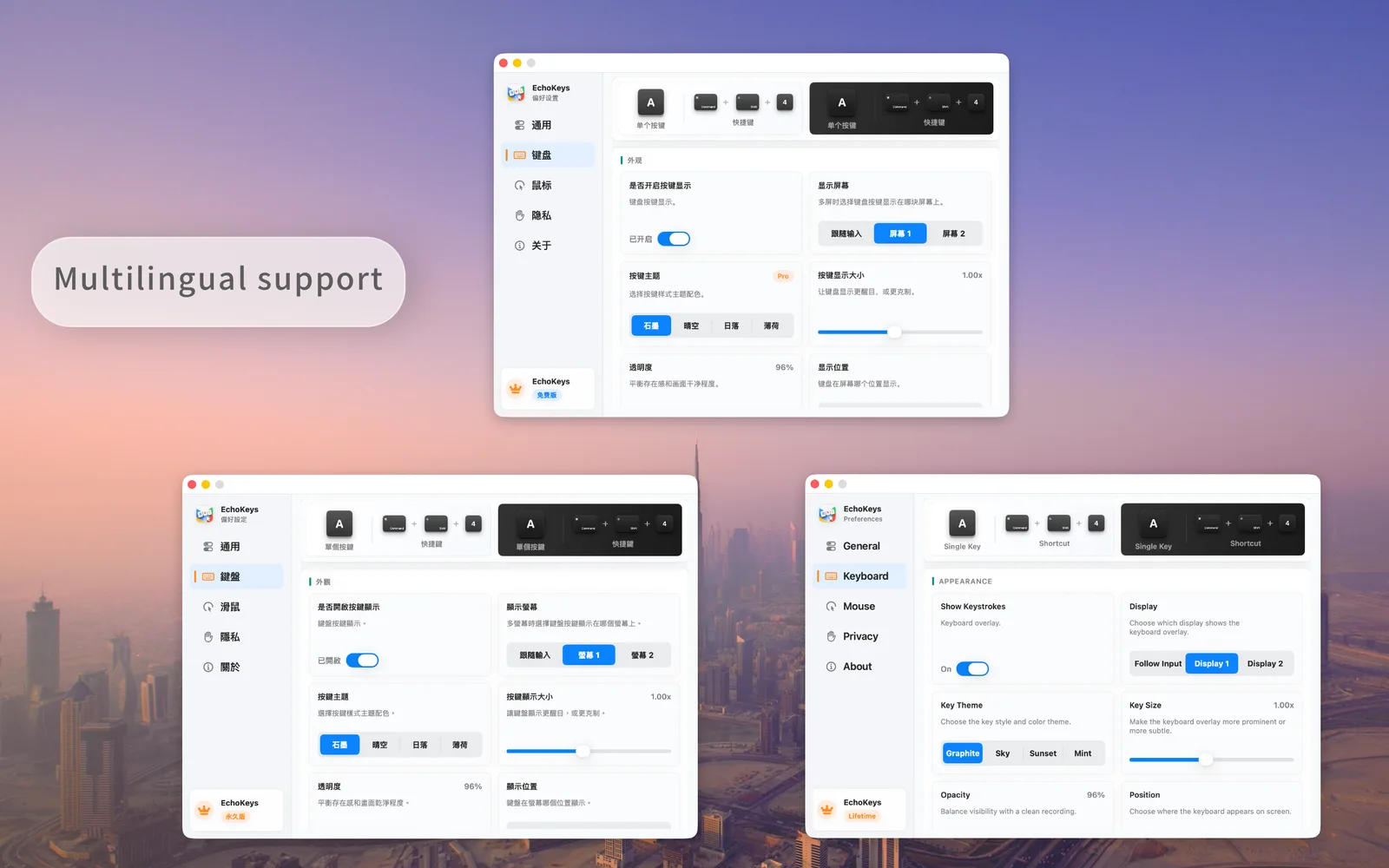
Mac screenshots from the EchoKeys Mac App Store listing (https://apps.apple.com/us/app/id6764276614?mt=12), developer Marzer Wong (Haloa). More on our EchoKeys deal page.
Feature by feature
| Topic | EchoKeys | KeyCastr |
|---|---|---|
| What it shows | Single keys, modifiers and shortcuts, with position, opacity, size and timing controls. | Command keys, all modified keys, or all keystrokes. |
| Clicks | A basic ripple is free; Pro unlocks pulse and spotlight effects with more colour options. | An option to include mouse clicks. |
| Sounds | Pro: local keyboard and mouse sounds. | None. |
| Privacy controls | Hides keys during Secure Input, excludes chosen apps, pause from the menu bar. | Not covered in the README. |
| Extra tools in 2.0 | Moves the pointer to another screen, locks the keyboard layout, keeps the Mac awake, hides desktop icons and dims displays. | None; it focuses on visualising input. |
| Install | Mac App Store, macOS 12 or later. | GitHub release or Homebrew cask. |
| Customising | Themes in Pro. | Open source; you can build your own visualiser on top. |
Privacy and data
EchoKeys’ privacy listing at Apple reads “Data Not Collected”. Haloa says input is drawn locally in real time with no key history saved, uploaded or exported. It warns that Secure Input detection is not a guarantee for every password field. KeyCastr is open source, so anyone can read exactly what it does with the input events it receives. Both need Input Monitoring permission.
Updates and platforms
EchoKeys 2.0.0 went live on the Mac App Store on November 27, 2026, adding several new utilities; it first launched in May 2026. KeyCastr’s latest GitHub release is v0.11.1 from September 2026, and the repository has over 15,000 stars.
Where KeyCastr pulls ahead
- No price at all and the source is public.
- Installs with one Homebrew command and has a long, public history.
- You can extend it with your own visualiser.
Who should pick which
- EchoKeys suits tutorial makers who want styled overlays, click effects, typing sounds and extra menu bar tools.
- KeyCastr suits anyone who just needs keystrokes and clicks on screen for free, or wants open-source software.
Our take: KeyCastr is the default free choice and does the core job well. EchoKeys is worth the $0.49 sale unlock if you want themes, click effects and sounds that make a tutorial look finished.
EchoKeys Lifetime Pro for $0.49, November 27 to 30
EchoKeys downloads free; the 49-cent Lifetime Pro is in its upgrade panel until November 30, and our link earns nothing.
Sources and notes, checked Nov 27, 2026
- EchoKeys product page (Haloa), read November 27, 2026: Free key and shortcut display, Graphite style, default ripple, Secure Input hiding, excluded apps, pause; Pro themes, click effects, sounds; local rendering, no event history; Black Friday Lifetime Unlock $0.49 instead of $0.99, Nov 27–30, 2026, no code.
- EchoKeys on the Mac App Store: Lifetime Pro $0.49, Yearly Pro $1.99, Monthly Pro $0.99; macOS 12.0 or later; version 2.0.0 (November 27, 2026) with pointer jump, input source lock, keep awake, clean desktop and dimming; privacy label Data Not Collected.
- Maker sale terms: Haloa (Marzer Wong) confirmed the Black Friday price, November 27 to 30, 2026, no code, in email to IndieMarkdowns on November 24, 2026; the Haloa product page carries the same Black Friday line.
- KeyCastr on GitHub, read November 27, 2026: open-source keystroke visualiser, BSD-3-Clause; display command keys, modified keys or all keystrokes, optional mouse clicks; install from releases or
brew install --cask keycastr; Input Monitoring permission; latest release v0.11.1 (September 7, 2026); about 15,200 stars. - “Not covered in the README” means the KeyCastr README did not mention it. We did not test either app.