Dropshare vs Dropbox Transfer
At a glance

Dropshare Personal, regular
Best forSending a link to a file when you already have your own storage (S3, Backblaze B2, a NAS)
Dropbox Plus + Transfer
Best forStorage included in the plan you pay for; recipients do not need a Dropbox account
Quick verdict
If you already have your own storage — S3, Backblaze B2, a NAS, or another provider on Dropshare’s official list of 41+ — buying Dropshare once is the better value for sending a link to a file.
Dropshare does not include the storage.
Figures from the official price table below; 3-year totals are list price × 3 (lifetime and one-time licences are one payment).
If you already have your own storage — S3, Backblaze B2, a NAS, or another provider on Dropshare’s official list of 41+ — buying Dropshare once is the better value for sending a link to a file. On the official site we checked on Nov 20, 2026, a Personal macOS license is a $39 one-off purchase (on sale for $29 starting Monday, November 23). Dropbox Transfer is not a separate product you buy by itself on the official plans page; it is included with a Dropbox plan. Official limits are 2 GB and a 7-day expiry on the free Basic plan, and 50 GB and a 7-day expiry on Plus, which the official plans page listed at $9.99 a month. Over three years, that Plus price is $359.64 if it stays the same, versus $39 — or $29 — once for Dropshare. Dropshare does not include the storage. Dropbox Transfer does, inside the Dropbox plan you pay for, and recipients do not need a Dropbox account.
Get Dropshare ↗(affiliate link)
Prices, plans and features below come from official Dropshare and Dropbox pages checked on Nov 20, 2026. Dropshare states prices include VAT. Dropbox’s listed plan prices may have tax on top, depending on where you are. The button on this page goes to Dropshare through our affiliate link. Affiliate link: IndieMarkdowns may earn a commission if you buy through this link, at no extra cost to you.
What you pay, and what you do not
Dropshare’s official Personal card is a one-off purchase at $39, with a free 7-day trial, 41+ storage providers, and free updates for the 6.x series. The homepage banner, checked the same day, said Personal licenses “will be on sale for $39 $29 starting Monday, November 23rd.” Our deal record, confirmed with the maker, puts the end of that $29 price on November 29, 2026; the homepage banner we fetched stated the start date, not the end date. A Small Team Bundle is listed as a $117 one-off for 3 macOS licenses, with controls for 5 and 10 Macs as well.
Dropbox Transfer’s official size and expiry limits depend on the Dropbox plan. Basic is free, with a 2 GB transfer limit and a 7-day expiry. Plus, listed at $9.99 a month on dropbox.com/plans, raises that official limit to 50 GB, still with a 7-day expiry. Standard and Advanced on that same plans table were $15 and $24 per user per month, with official Transfer delivery up to 100 GB. Those three-year totals below multiply the official monthly figures by 36; they are not a three-year Dropbox plan.
| Option (official, checked Nov 20, 2026) | What you get, as listed | Year 1 | Years 1 to 3 combined |
|---|---|---|---|
| Dropshare Personal, regular | $39 one-off, native macOS app, free 7-day trial, 41+ providers, free updates for 6.x. Official FAQ: macOS, iOS and Android are separate products; iOS is a separate App Store purchase (or included with Setapp). | $39.00 | $39.00 |
| Dropshare Personal, official sale | $29 starting Monday, Nov 23, 2026, per the official homepage. End date on our deal page (Nov 29, 2026) comes from the maker, not from the homepage banner we fetched. | $29.00 | $29.00 |
| Dropshare Small Team Bundle, 3 Macs | $117 one-off for 3 macOS licenses, official homepage, prices including VAT. | $117.00 | $117.00 |
| Dropbox Basic + Transfer | Free. Official Transfer limit 2 GB, expiry 7 days. Expired transfers are deleted from Dropbox servers 30 days after expiry. | $0 | $0 |
| Dropbox Plus + Transfer | Official plans page: $9.99/month, 2 TB of storage, Transfer up to 50 GB, 7-day expiry, 30-day version history. Recipients do not need a Dropbox account. | $119.88 | $359.64 |
| Dropbox Standard + Transfer | Official plans page: $15/user/month. Transfer up to 100 GB, custom expiration, password and branded transfers, as listed for Standard. Starts at 3 TB for the team. | $180.00 | $540.00 |
Sources: dropshare.app and Dropbox Transfer help (updated Sept 24, 2026), plus dropbox.com/plans, checked Nov 20, 2026. Dropshare’s Personal $39 and $29, and the team $117, include VAT per the official footnote. Storage you attach to Dropshare is billed by that provider, not by Dropshare, and is not in the Dropshare column above.
What you do not pay for with Dropshare alone: a $119.88 Dropbox Plus year, if all you needed was a shareable link and you already have a bucket or drive. What you do not get with Dropshare alone: hosting, a 2 TB Dropbox disk, official 50 GB or 100 GB transfer caps billed as part of a Dropbox plan, or password-protected and branded transfers that Dropbox lists for Standard and higher. Official Dropshare wording is that transfers “run straight from your Mac or iPhone to your provider; nothing is stored on our infrastructure in between.”
Illustrative scenario — not a real customer
A freelancer who sends a large client video a couple of times a week
This is a worked example so the prices are easier to judge. It is not a test we ran and not a person we interviewed. File sizes here are only to place official limits next to a realistic job. We do not invent upload times, link reliability, or whether a client opened the file.
Riley is a freelance video editor on a Mac, sending a finished 8 GB review file to a client about twice a week. The client should not have to create an account. Riley already uses object storage (Backblaze B2 and Amazon S3 are both on Dropshare’s official provider list) for archives.
In Dropshare, using only listed tools
- Download Dropshare and use the official free 7-day trial, which the FAQ says is unrestricted.
- Add a destination. Official site: “choose between 41+ well-known industry standard cloud provider integrations, or your own server,” including Amazon S3 and Backblaze B2, and “Add several destinations and pick where each upload goes.”
- Upload the 8 GB file from the Mac (menu bar, drag and drop, keyboard shortcut, share menu, or Shortcuts, as the site lists) and send the shareable link. Official wording: “Upload screen shots, screen recordings and any files to your trusted storage provider and share them immediately with just a link.” Official Transfer size caps are a Dropbox feature, not a Dropshare limit we found on the homepage; we do not invent a Dropshare file-size cap.
- The file goes to Riley’s provider. Official wording: “nothing is stored on our infrastructure in between.” The storage bill stays with that provider.
Official Dropshare cost for this one-Mac year: $39, or $29 if purchased in the official $29 window that starts Nov 23, 2026. Over three years the license is still that one payment, with official updates for the 6.x series. A later major version may cost extra; the official FAQ says upgrade pricing is available for existing Dropshare 5 customers, which is a reminder that major upgrades are a paid path, not an unlimited-lifetime promise.
In Dropbox Transfer, using only listed tools
- On Dropbox Basic, official Transfer is limited to 2 GB. An 8 GB file does not fit that official cap. Riley would need a paid plan whose official limit is at least 8 GB.
- On Dropbox Plus, official Transfer delivers up to 50 GB, so 8 GB fits. Official expiry on Plus is 7 days. The client clicks a link and can download without a Dropbox account, per official help.
- Create the transfer on dropbox.com or in the official app, send the link, and use official download tracking as described on the Transfer product page (“deliver a copy of your files, and track downloads”).
- If Riley needed custom expiry, a password, or branding, official help lists those customizations for Standard, Professional, Education, Essentials, Business, Business Plus, Advanced, and Enterprise — not for Basic, Family, or Plus.
Official cost if Riley pays for Plus at the $9.99 a month listed on the plans page: $119.88 in year 1 and $359.64 over three years, if that price stays the same. That plan also includes 2 TB of Dropbox storage, which Dropshare does not sell. Official Basic would be $0, but it cannot officially carry an 8 GB file.
What the numbers say for this scenario: if Riley already pays for S3 or B2, Dropshare at $29 or $39 once is far cheaper than three years of Plus, and the official 8 GB file is not blocked by a 2 GB cap. If Riley does not already have storage, the storage bill has to be added, and we do not invent that provider’s price here. If Riley also wants Dropbox’s 2 TB disk, 50 GB transfers, and a recipient link with no client account, Plus is the official product that bundles that, and Dropshare is not a substitute for a Dropbox subscription.
A look inside Dropshare
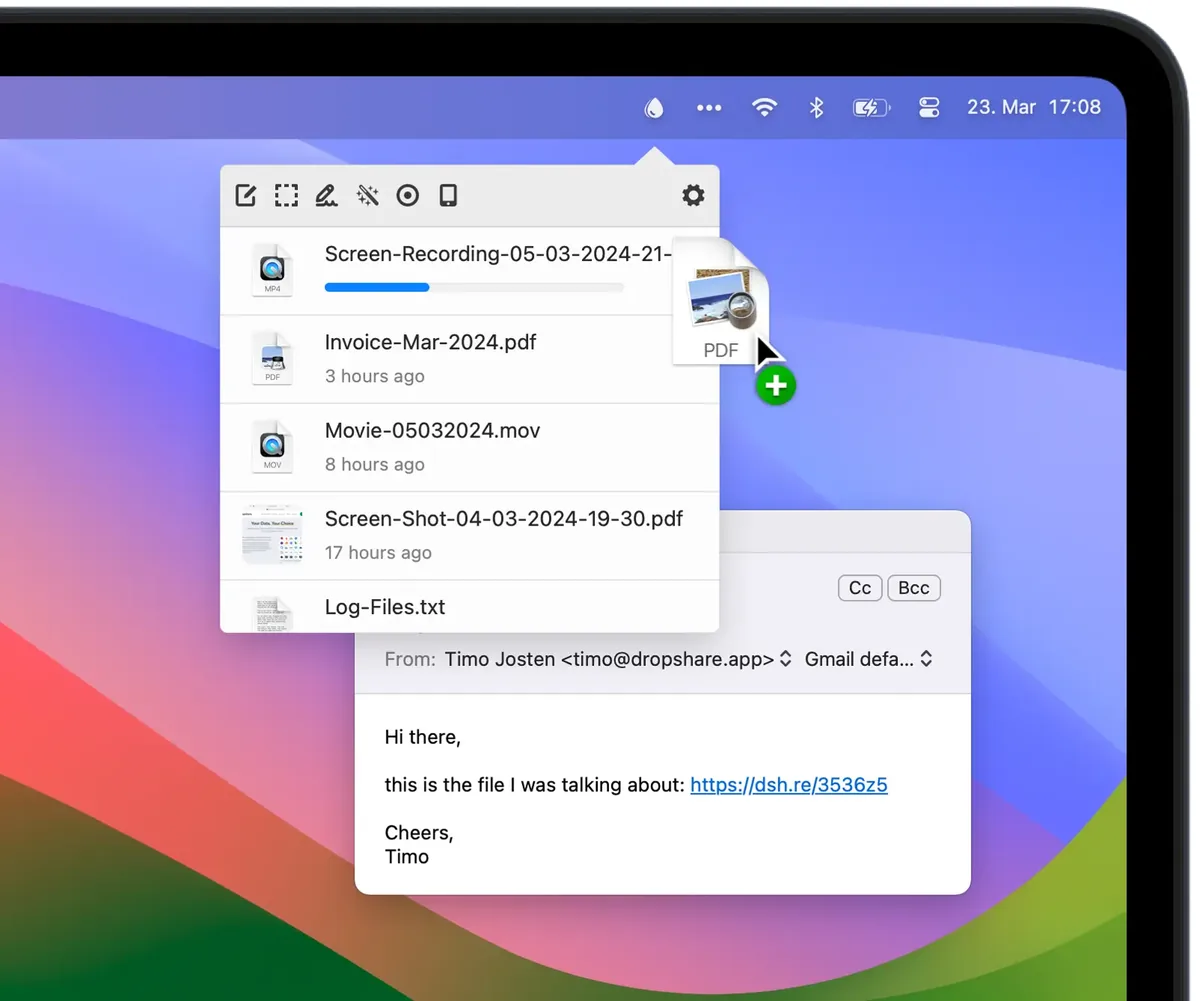
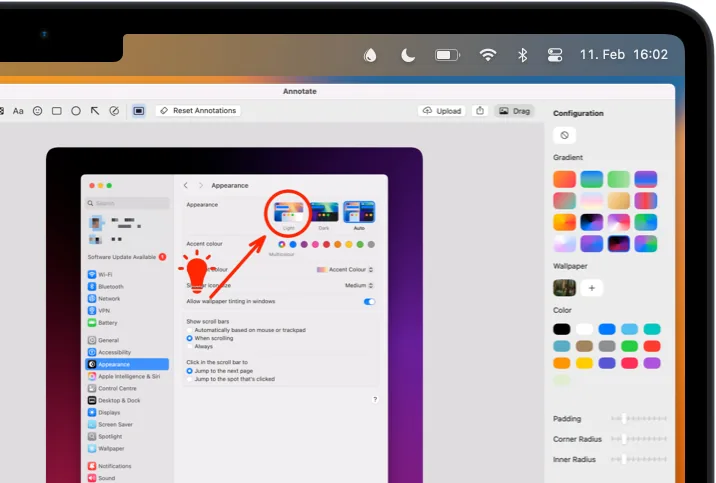
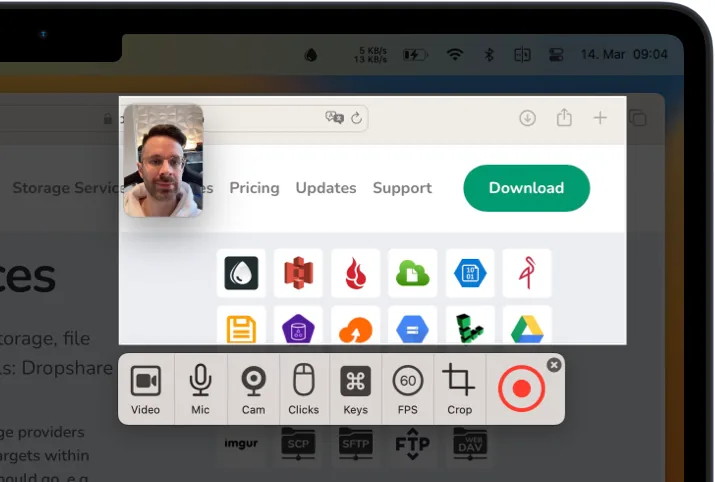
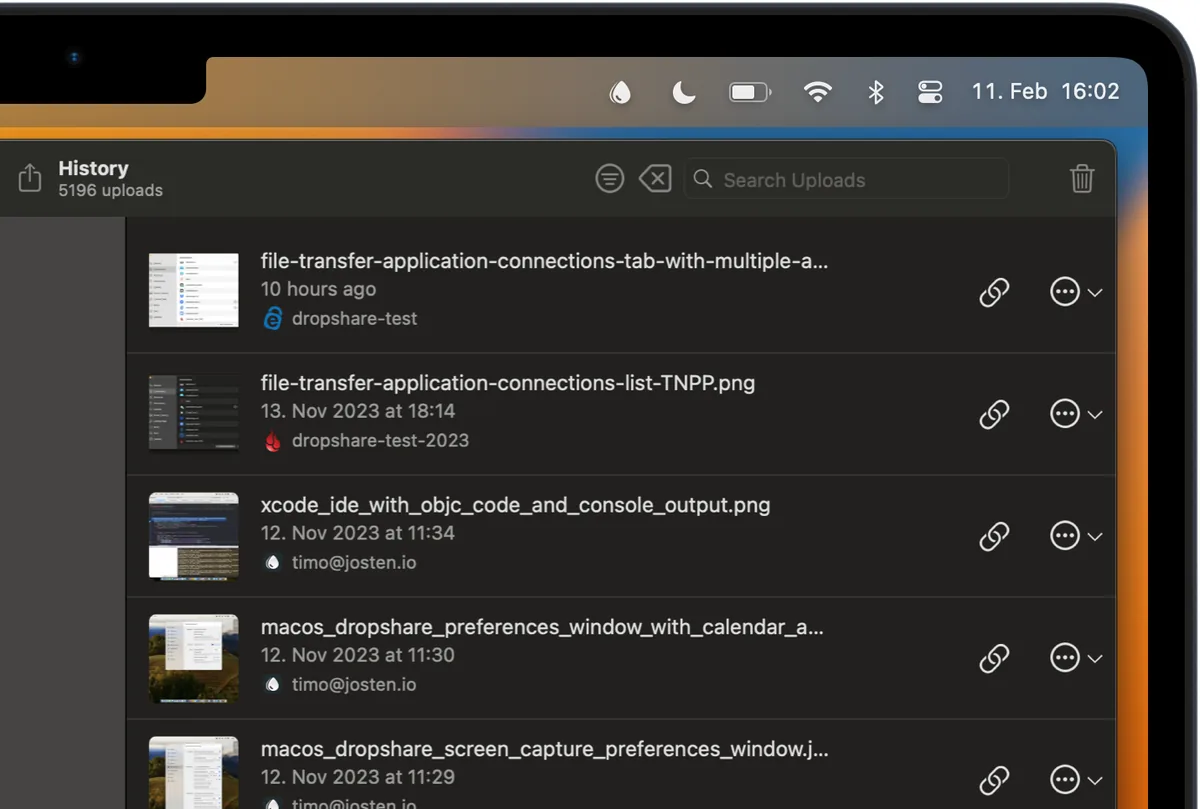
Images from Dropshare. More on our Dropshare deal page.
Where Dropbox Transfer wins, stated plainly
- No storage account to set up, if you do not already have one. Official Transfer hosting is part of the Dropbox plan.
- Recipients do not need an account. Official help states that clearly. Dropshare links point at whatever provider you configured; we do not invent whether that provider also allows unauthenticated downloads in every case.
- Official size tiers up to 100 GB or 250 GB on higher Dropbox plans, and 250 GB with the Replay add-on, per official help. Plus is 50 GB.
- Passwords, custom expiry, branding, and transfer analytics are listed for Standard and higher on the official plans table, not for Plus.
- A free path for small files. Official Basic Transfer (2 GB, 7 days) costs $0.
- Platforms. Dropbox is official on the web and official apps across devices. Dropshare’s official FAQ treats macOS, iOS, and Android as separate products, with iOS sold separately on the App Store.
Feature by feature, from official pages
| Topic | Dropshare, as listed on dropshare.app (checked Nov 20, 2026) | Dropbox Transfer, as listed on help.dropbox.com and dropbox.com/plans (checked Nov 20, 2026) |
|---|---|---|
| What you buy | One-off Personal license, currently $39, or a Small Team Bundle. Free updates for 6.x. | Included with a Dropbox plan. Not priced as a standalone SKU on the official plans page we checked. |
| Where the file lives | On the storage provider or server you configure. “Nothing is stored on our infrastructure in between.” | On Dropbox’s servers for the life of the transfer. Official deletion: 30 days after expiry on Basic, Family, and Plus; 180 days after expiry on the higher plans listed in the help article. |
| Size limits | Not stated as a 2 / 50 / 100 GB cap on the homepage we checked. | Basic 2 GB; Family and Plus 50 GB; Transfer, Standard, Professional, Education, Essentials, Advanced, and Business 100 GB; Business Plus and Enterprise 250 GB. |
| Link expiry | Not stated as a fixed 7-day cap on the homepage we checked. | Basic, Family, and Plus: 7 days. Higher plans in the help article: custom expiry, default 30 days. |
| Trial | Free 7-day trial, official FAQ, unrestricted. Also on Setapp. | Basic is free with the 2 GB cap. The official plans page also offers a 30-day free trial on some paid plans; we do not merge that into Transfer-only terms. |
| Platforms | Native macOS app (macOS 12.3+). Official FAQ: iOS and Android are separate products. Upload history can sync across Apple devices with iCloud. | Officially available to all Dropbox users, with transfer creation described for dropbox.com and official apps. |
Privacy and where files go
Dropshare’s official homepage says uploads go “to the accounts and servers you configure” and that nothing is stored on Dropshare’s infrastructure in between. History sync across Apple devices uses iCloud, per the official FAQ. The privacy of a given upload then follows that provider’s policy, which we are not restating here.
Dropbox Transfer official help describes files held on Dropbox servers until they expire and are later deleted on the timetable above. Dropbox’s own privacy policy is the place to read how Dropbox handles that content. We are not shortening that policy here.
Updates
Official Dropshare wording is “Free Updates for 6.x,” and the site describes “over 100 updates in 5 major versions.” The FAQ says upgrade pricing is available for existing Dropshare 5 licenses. That is a paid major-upgrade path, not a promise of every future major version. Dropbox’s official help article for Transfer was updated September 24, 2026; plan features change with the Dropbox subscription, not with a desktop version number of the same kind.
Who should pick which
- Pick Dropshare Personal ($29 in the official sale window starting Nov 23, or $39 regular) if you already have storage on a supported provider, work on a Mac, and want a one-off app that sends a link from the menu bar. That is the value choice for the freelancer scenario above.
- Pick the Dropshare team bundle if you need three or more official macOS seats in one purchase.
- Use Dropbox Basic Transfer ($0) if every file is under the official 2 GB cap and a 7-day link is enough.
- Pick Dropbox Plus ($9.99 a month as listed) if you want Transfer up to 50 GB plus 2 TB of Dropbox storage, and you do not want to run your own bucket. Pay for Standard or higher if you need official 100 GB transfers, custom expiry, passwords, or branding.
Our verdict: Dropshare is the better value when the storage is already paid for, because the official license is a single payment and there is no official 2 GB cap in the way of an 8 GB client file. Dropbox Transfer is the better fit when you want Dropbox to host the file, especially on Basic for small files or on Plus and above when you also want the cloud disk. It is not a close price contest over three years if you are only paying to send links and already have a bucket.
Get Dropshare
Current official prices and the $29 sale start date are on dropshare.app. Our Dropshare deal page lists the $29 Personal license window. The button below uses our existing approved affiliate link.
Some links on this page are affiliate links. If you buy through them, IndieMarkdowns may earn a commission at no extra cost to you.
All comparison pages · Dropshare on IndieMarkdowns · Dropbox Transfer official help
Sources, checked Nov 20, 2026
- Dropshare homepage, pricing, and FAQ.
- Dropbox Transfer: an overview, updated Sept 24, 2026; Dropbox plans.