At a glance

Dottie, 50% off
Best forMac pixel artists and game jammers who sketch with a tablet, a Force Touch trackpad or an iPad over Sidecar
Aseprite
Best forGame studios that share sprites across Windows, Mac and Linux and script their pipeline
Quick verdict
Dottie gives Mac artists pressure brushes, animation and vector layers in a native app, at half Aseprite’s price this week.
Aseprite stays the safer choice for cross-platform teams and pipeline scripting.
Both figures come from the price table below. A one-time licence is paid once, so its 3-year cost stays the same unless you buy an upgrade.
Dottie is a pixel art editor made only for the Mac, and it shows: pressure-sensitive brushes work with a Wacom tablet, a Force Touch trackpad or an Apple Pencil over Sidecar, and vector layers sit next to your pixels for clean shapes. Aseprite is the long-standing favourite of indie game studios, sold for Windows, macOS and Linux with a Steam key. Both animate frame by frame and export sprite sheets. For Mac-only artists, Dottie costs half as much as Aseprite this week; teams that share files across Windows and Linux are better served by Aseprite.
Dottie on the Mac App Store ↗ Aseprite ↗
These go straight to Apple and to Aseprite. No referral fee either way.
The money side
| Buy | What you get | Year 1 | 3 years |
|---|---|---|---|
| Dottie, 50% off | Mac App Store, one payment, November 21 to December 1. | $9.99 once | $9.99 |
| Dottie | Regular price after the sale. | $19.99 once | $19.99 |
| Aseprite | Windows, macOS and Ubuntu builds plus a Steam key. | $19.99 once | $19.99 |
Checked Nov 23, 2026 on Apple’s US store (Dottie, id 6746683847) and on Aseprite’s Steam store entry (app 431730), which aseprite.org/buy also sells.
Worked example
Sam draws a 16-frame walk cycle for a game jam on a MacBook and an iPad
Sam sketches with an Apple Pencil, wants a palette from Lospec, onion skin while animating, and a sprite sheet for the engine by Sunday night.
Working in Dottie
The iPad joins as a Sidecar tablet and the Pencil’s pressure shapes each stroke. Sam pulls a palette from Lospec, animates on the timeline with onion skin, and exports a sprite sheet and a GIF for the jam page. A vector layer holds the clean UI frame.
Working in Aseprite
Aseprite handles the same job with frame tags, ping-pong playback, RotSprite rotation and a JSON sprite sheet for the engine. It is the tool many tutorials assume, which helps when Sam gets stuck.
Cost for Sam: $9.99 once for Dottie until December 1, against $19.99 for Aseprite.
A look inside Dottie
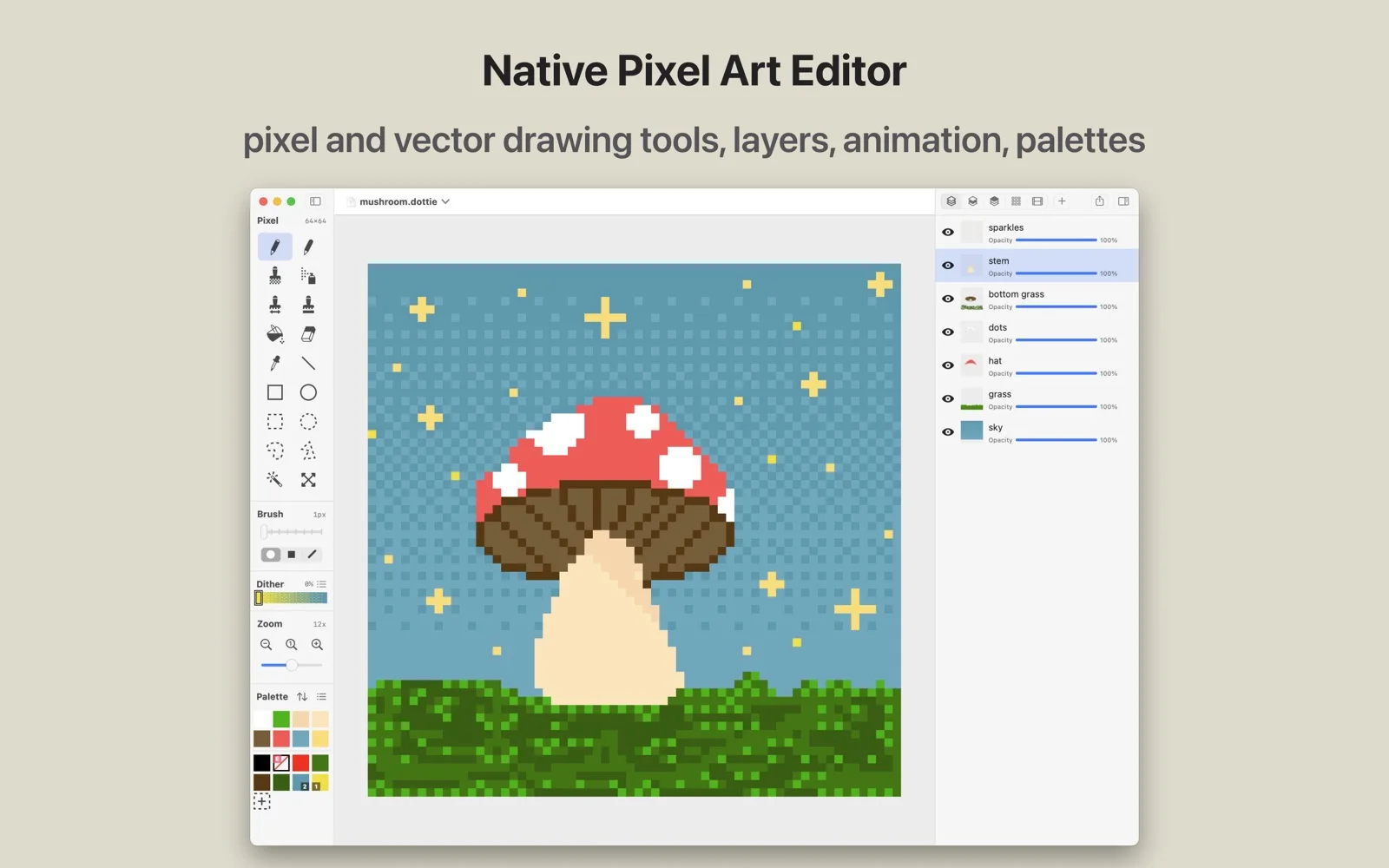
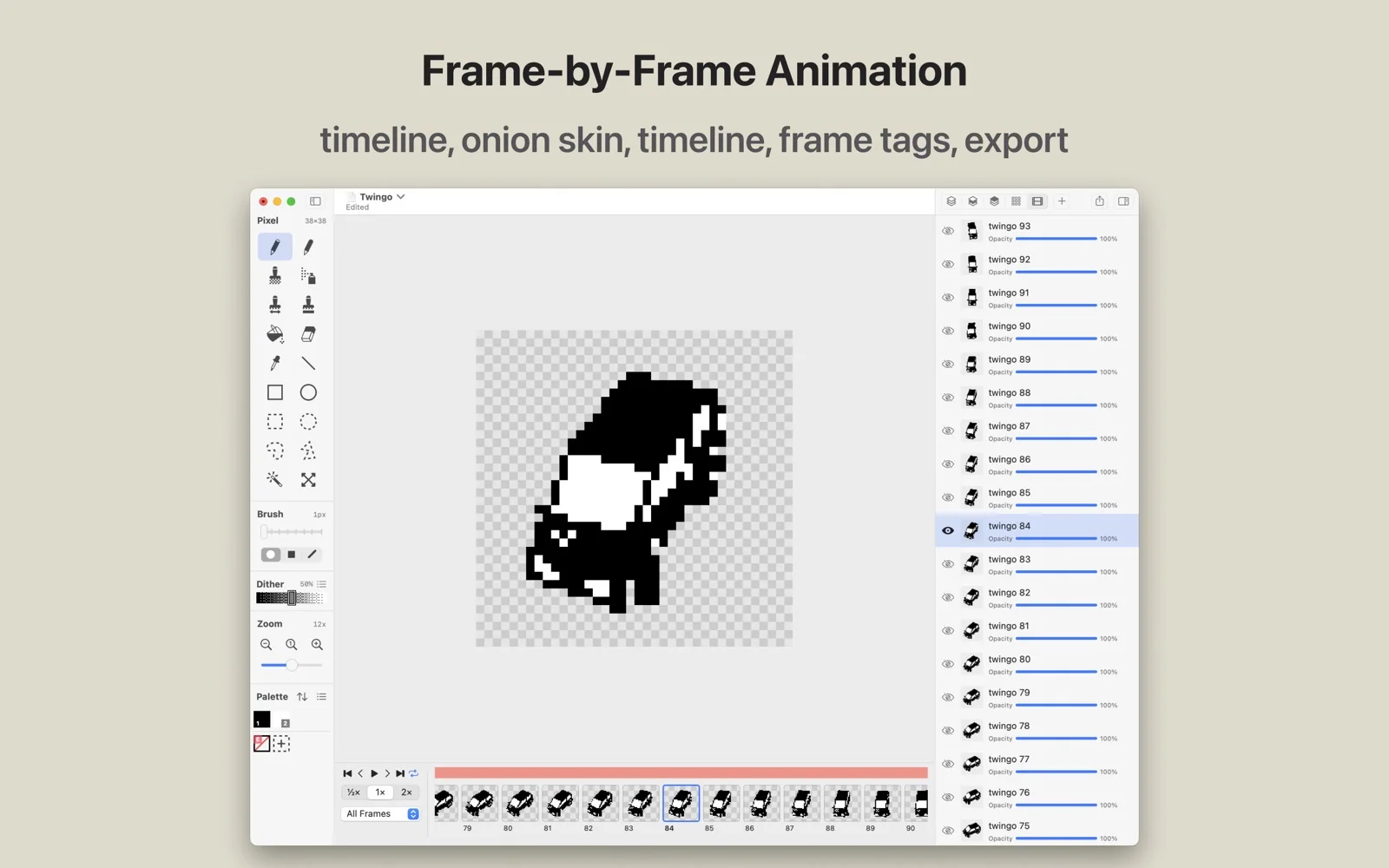
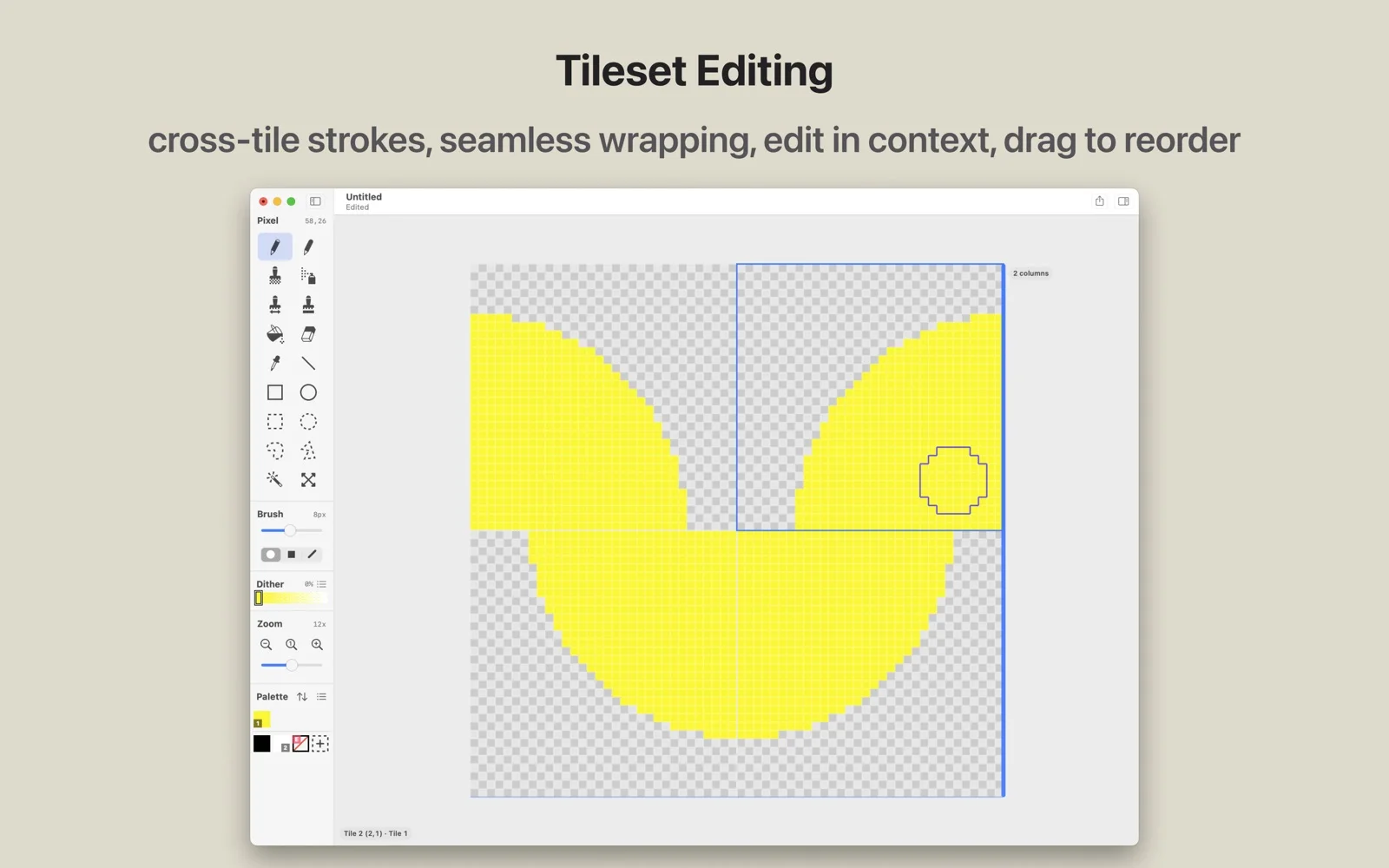
Mac screenshots from the Dottie Mac App Store listing (https://apps.apple.com/app/id6746683847), seller Matt Sephton. More on our Dottie deal page.
Tools compared
| Need | Dottie | Aseprite |
|---|---|---|
| Platforms | Mac only, macOS 12.4 Monterey or later. | Windows, macOS and Linux, with a Steam key. |
| Drawing | Pixel-perfect pencils, dithering, fills, symmetry, pressure from tablets, Force Touch and Sidecar. | Pixel-perfect strokes, shading ink, custom brushes, tiled mode, blend modes. |
| Animation | Frame-by-frame timeline with onion skin. | Frames, linked cels, tags, forward, reverse and ping-pong loops, onion skin modes. |
| Export | GIF, APNG and sprite sheets. | PNG sequences, GIF, sprite sheets with JSON data, texture atlases. |
| Extras | Vector layers, tilesets, 16 preset palettes plus Lospec import, magic wand and lasso selections. | RotSprite rotation, colour wheel harmonies, crash recovery. |
| Automation | Plugins, AppleScript and JXA. | A command-line interface for asset pipelines. |
Privacy
Dottie’s maker says the app collects no personal data, and your art stays on your Mac. Aseprite is a desktop app as well, and its privacy policy is linked from aseprite.org.
What Aseprite does better
- It runs on Windows and Linux too, so a mixed team can share files and shortcuts.
- Its command-line tool and texture atlases slot neatly into game engine pipelines.
- Its makers publish a tutorial, a community forum, a Discord server and a public roadmap.
Pick by how you work
- Dottie suits hobby pixel artists and indie developers on a Mac who draw with a tablet, Force Touch or an iPad over Sidecar.
- Dottie also suits illustrators who want pixels and clean vector shapes in the same file.
- Aseprite suits studios that work across Windows, Mac and Linux and script their asset pipeline.
Our take: Dottie feels at home on the Mac and costs $9.99 until December 1. Choose Aseprite when your team or your tutorials live on other platforms.
Dottie is half price until December 1
Buy it on Apple’s store; no code required. Nothing on this page earns us money.
Sources and notes, checked Nov 23, 2026
- Dottie on the Mac App Store: official listing, $9.99, version 1.0.3 released November 19, 2026, macOS 12.4 or later. The maker confirmed the $19.99 regular price and the November 21 to December 1 dates.
- Dottie official page and its privacy statement: pressure input, layers, animation, export formats, palettes, vector layers, scripting.
- Aseprite on Steam: $19.99 in the US store on November 23, 2026, for Windows, macOS and Linux.
- Aseprite official site and buy page: features, platform builds and the included Steam key. The buy page loads its price at checkout, so we used the Steam figure. Aseprite’s source code is also public on GitHub for people who compile it themselves.