At a glance
Dockspace Lifetime, Black Friday
Best forDevelopers who want AI limits, agent status and a clipboard where the Dock sits
uBar 5 Personal
Best forPeople who want every window as a taskbar button with previews
Quick verdict
Dockspace is the better fit for anyone tracking coding agents, and its free tier lets you try the idea first.
uBar remains the stronger window switcher, especially across several monitors, if you are on macOS 26.
Both figures come from the price table below. A one-time licence is paid once, so its 3-year cost stays the same unless you buy an upgrade.
Dockspace and uBar both take over the strip at the bottom of a Mac screen, but they fill it with different things. uBar turns it into a Windows-style taskbar with every window one click away, window previews and a bar per monitor. Dockspace fills it with live widgets, a clipboard shelf under the notch, and quota bars for the AI coding tools you use. For Black Friday every Dockspace Pro plan is half price until December 1, and its lifetime licence costs $9.99.
Plain links to Dockspace’s site and Brawer Software’s uBar page, with no tracking codes and no fee to us.
Dockspace and uBar plans compared
| Plan | What you get | Year 1 | 3 years |
|---|---|---|---|
| Dockspace Free | Ten widgets with no time limit, including the Dock replacement, Disk Doctor and the clipboard shelf. | $0 | $0 |
| Dockspace Lifetime, Black Friday | Pro on one Mac with one year of updates; you keep the last version. Until December 1. | $9.99 once | $9.99 |
| Dockspace Forever Edition, Black Friday | Pro on up to five Macs with every future version. Until December 1. | $24.99 once | $24.99 |
| Dockspace One Year, Black Friday | Pro on one Mac; first year at half price, then $11.99 a year. | $5.99 | $29.97 |
| Dockspace Lifetime | The one-Mac licence after the sale. | $19.99 once | $19.99 |
| Dockspace Forever Edition | The five-Mac licence after the sale. | $49.99 once | $49.99 |
| uBar 5 Personal | One-time licence for up to two Macs you use; 14-day trial. | $39 once | $39 |
| uBar 5 Commercial | Per employee, up to two Macs. | $69 once | $69 |
| uBar Cloud add-on, yearly | Optional; runs uBar’s Command feature in the cloud. | $29.99 | $89.97 |
Prices from getdock.space and brawersoftware.com/products/ubar, read Nov 24, 2026. uBar 4 owners can move up for $20 (Personal) or $35 (Commercial). Local tax is charged on top where it applies.
Worked example
Priya runs Claude Code and Codex on a MacBook Air and keeps losing track of open windows
Priya wants to see when an agent finishes, how close she is to her weekly limits, and where her many browser windows went.
With Dockspace
The bar at the bottom shows her apps next to tiles for the Claude and Codex five-hour and weekly limits and a board of running agent sessions. When Codex waits for approval, the Tilo character pops up. Option, command and V brings back a link she copied an hour ago. Lifetime for one Mac is $9.99 in the sale.
With uBar
The same strip becomes a taskbar: each browser window gets its own button, hovering shows a preview, and clicking an app lists its windows. Holding Control shows each app’s CPU and memory use. uBar does not track AI tools. It needs macOS 26 Tahoe, and Personal costs $39 for two Macs.
For Priya: Dockspace covers the agent and limit tracking she asked for at a quarter of uBar’s price. If window switching were the main pain, uBar would be the better tool.
A look inside Dockspace
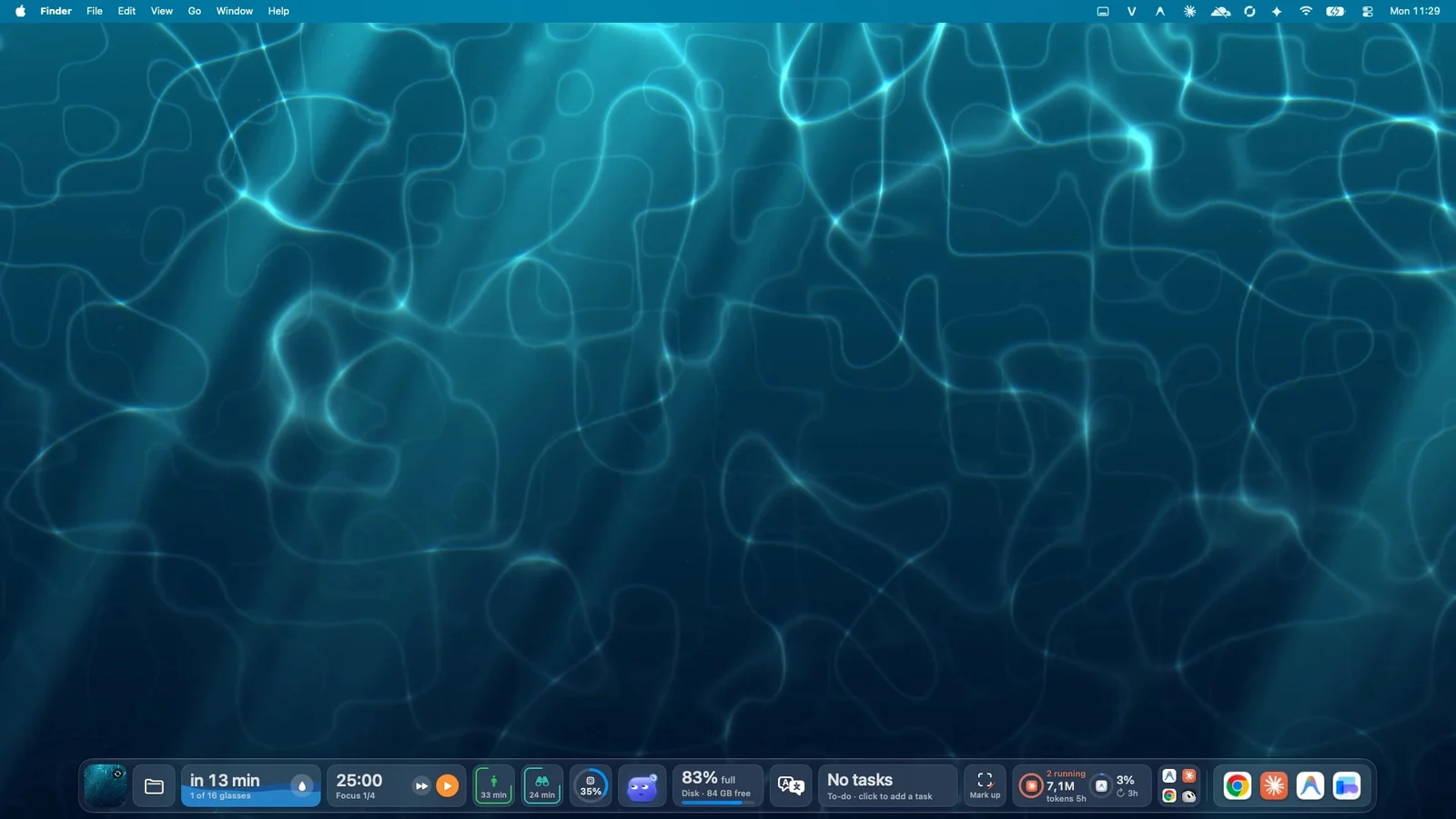
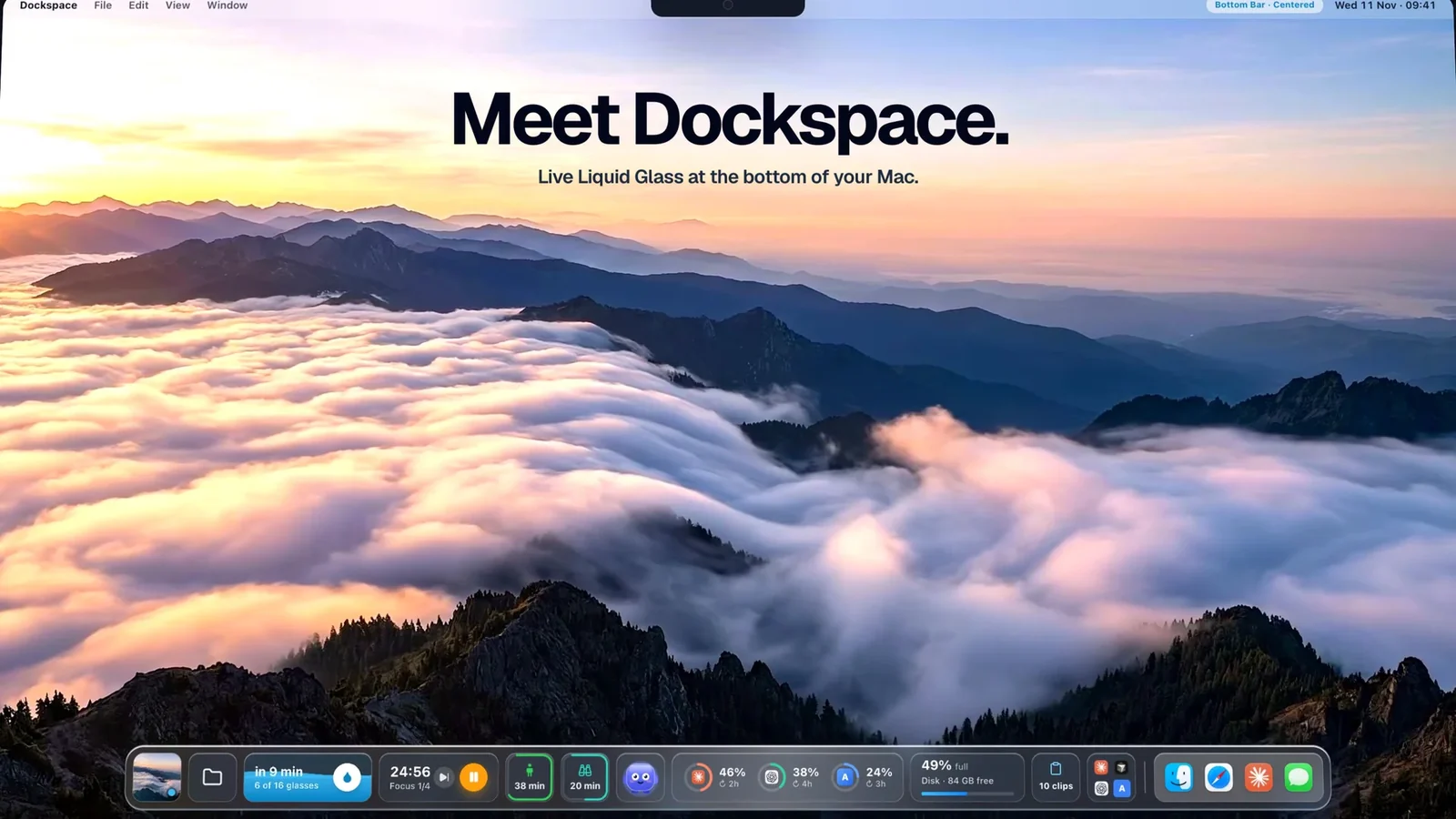
Images from Dockspace's site. More on our Dockspace deal page.
Feature by feature
| Topic | Dockspace | uBar |
|---|---|---|
| Main idea | A bar of live widgets that can stand in for the Dock (that mode is marked beta) or sit beside or above it. | A dock or a Windows-style taskbar, your choice, with every window shown. |
| Windows | Shows the Dock’s apps, running apps and the Trash. | Window grouping on or off, live window previews, a window menu per app, up to five rows. |
| Widgets | 174 in four tile sizes on Pro, from weather and world clocks to SSL expiry and GitHub pull requests; ten on Free. | Clock and calendar, battery health, sound devices and drive ejecting. |
| AI tools | Quota bars for three AI services and a live board of agent sessions across projects, built from logs already on the Mac. | Command lets you type or say “Hey uBar” to open apps and click menus, on the device or through uBar Cloud. |
| Multiple monitors | Separate bar profiles for the laptop screen and a desk monitor. | A bar on each screen showing only its own windows, or one mirrored bar. |
| Clipboard | Clipboard history under the notch and in the bar. | Not offered. |
| Requirements | macOS 14 or later; signed and notarized, downloaded from getdock.space. | macOS 26 Tahoe or later; macOS 27 supported. |
| Updates | Lifetime includes one year of updates; Forever Edition includes all future versions. | Version 5.0.5, released October 28, 2026; the uBar 4 to 5 move is a paid upgrade. |
Privacy
According to Dockspace’s privacy page, agent tracking looks only at whether a session is running, which tool and folder it uses, timestamps and the percentage of quota used, and it does not read your prompts or code, and that clipboard history stays on the Mac and skips items password managers mark private. Weather and similar tiles call public services, the licence is checked with Polar, and in-app usage analytics can be switched off. uBar’s Command can run on the device or through the optional paid uBar Cloud, so read what Brawer Software says about its cloud service before you switch that on.
Where uBar wins
- It is a real taskbar: every window gets a button and a preview, which Dockspace does not try to do.
- Each monitor can show only its own windows, a big help on multi-screen desks.
- One Personal licence covers two Macs, where Dockspace Lifetime covers one.
- Voice and typed commands that click through menus for you have no match in Dockspace.
Who should pick which
- Dockspace suits developers running coding agents who want limits, agent status and a clipboard in view, on macOS 14 or later.
- Dockspace Forever Edition fits someone with several Macs who never wants to pay for an upgrade.
- uBar suits people who think in windows rather than apps, especially switchers from Windows, on macOS 26 Tahoe.
Our take: start with Dockspace’s free ten widgets, and if the AI tiles earn their place, the half-price Pro plans run until December 1.
Try Dockspace free
Neither Dockspace nor Brawer Software pays IndieMarkdowns. The half-price Pro plans end December 1, 2026.
Sources and notes, checked Nov 24, 2026
- Dockspace homepage and pricing: official One Year $11.99 a year, Lifetime $19.99 (one Mac, one year of updates), Forever Edition $49.99 (five Macs), Black Friday 50% off through December 1 with code BLACKFRIDAY2026 applied automatically, ten free widgets, macOS 14 or later.
- Dockspace privacy policy and about page: local agent tracking, Polar licence checks, made by JBer.
- uBar product page: official Personal $39 and Commercial $69 one-time prices for up to two Macs, uBar Cloud $2.99 a month or $29.99 a year, 14-day trial, macOS 26 Tahoe or later, version 5.0.5 of October 28, 2026, Brawer Canada Inc.
- Three-year totals repeat yearly prices three times (Dockspace One Year: $5.99 then two years at $11.99) and count one payment for one-time licences.