DockFix vs the macOS Dock
At a glance
DockFix lifetime
Best forPeople who want a custom dock, will use the seven-day trial, and are happy to pay once
macOS Dock
Best forPeople who already like the system Dock and do not want a replacement bar
Quick verdict
DockFix is the custom dock at €14.99 once, after a seven-day trial with no card.
The macOS Dock is already on the computer and costs nothing extra.
Both figures come from the price table below. A one-time license is paid once, so its 3-year cost stays the same unless you buy an upgrade.
DockFix is a custom Mac dock from AppVerge. On Nov 28, 2026, dockfix.app and its pricing page sold a lifetime licence at €14.99, paid once, with a seven-day trial that needs no card, a 30% student discount, and use on every Mac you own. No November coupon appeared on those pages that day. The Dock that comes with macOS is free, and Apple’s Mac User Guide covers how to open apps from it and how to change Dock settings.
DockFix ↗ Apple’s Dock settings help ↗
The first button is dockfix.app; the second is Apple’s Mac help. No tracking codes on either.
A paid custom dock versus the one macOS already has
| Plan | What you get | Year 1 | 3 years |
|---|---|---|---|
| DockFix lifetime | €14.99 once, every future update, every Mac you own. Seven days free, no card required. Needs macOS 14+, on both chip families. No subscription. | €14.99 once | €14.99 |
| macOS Dock | The Dock that ships with the Mac, configured in System Settings, with no extra fee. | $0 | $0 |
A look inside DockFix
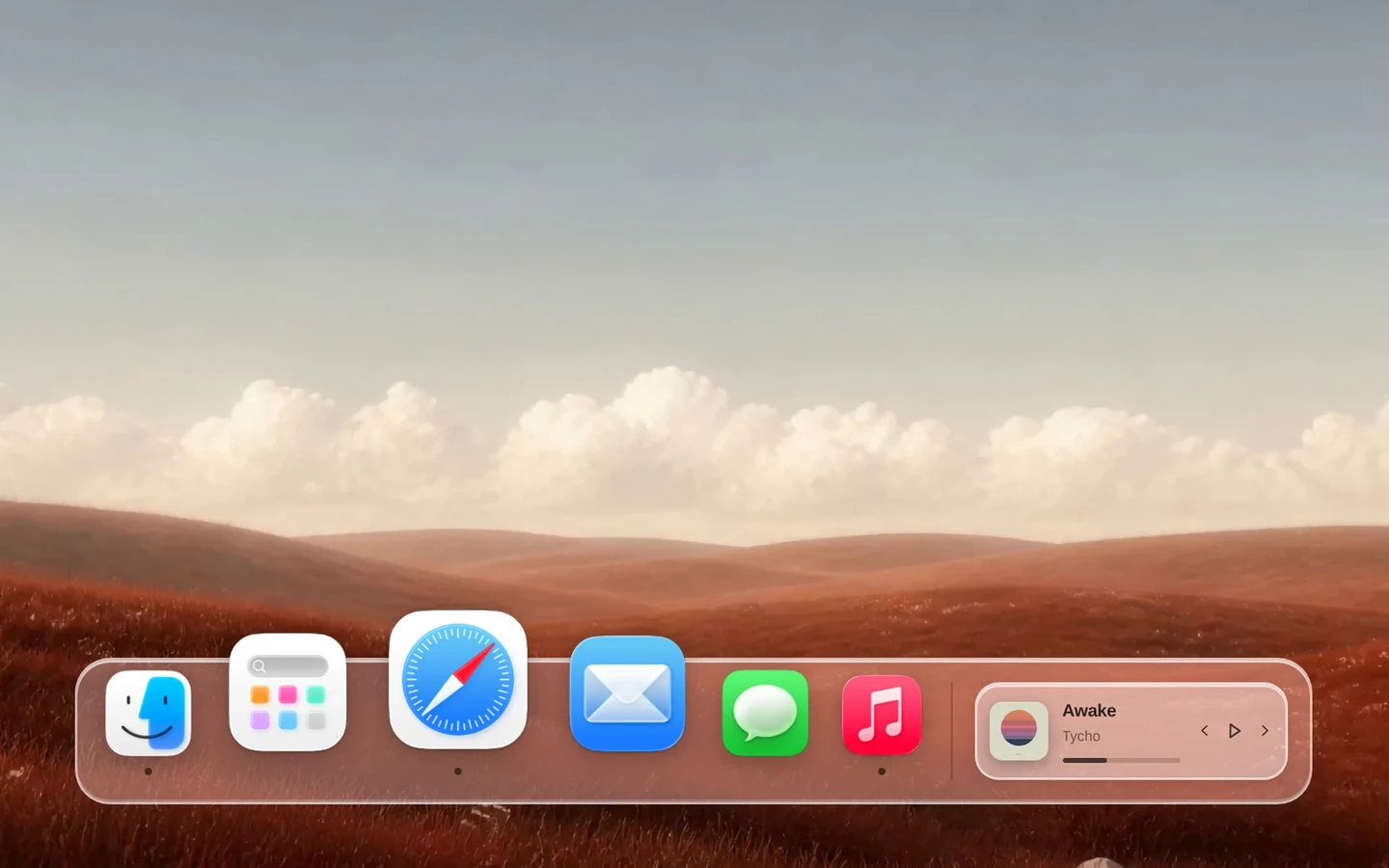
Product screenshot from the AppVerge DockFix showcase, https://www.appverge.net/Apps/DockFix/Showcase.webp, checked 2026-11-21. Homepage hero layers and the social OG image were also fetched; the OG image is a marketing title card, and the hero background alone has no Dock, so they were not used as additional screenshots. More on our DockFix deal page.
What DockFix adds, and what the system Dock already does
| Topic | DockFix | macOS Dock |
|---|---|---|
| Look and layout | The maker describes a custom dock, including current visual styles, community docks, and a claim of under 1% average CPU use. | Apple’s Dock: launch apps, show running apps, folders, and the trash, with size, magnification, position, and hiding controls in System Settings. |
| Trying it | Seven days, full features, no card, nothing to cancel. Buy to keep going after the trial. | Already there; no trial needed. |
| Discounts | 30% off for enrolled students, applied through the student discount page. Existing owners get the rewrite at no extra charge. | No license to discount. |
Where the built-in Dock is the sensible pick
If launching apps from a familiar bar is all you need, the macOS Dock already does that. DockFix is a visual and layout replacement you pay for. It does not make Apple’s Dock disappear from the system, and it is not a required add-on for everyday opening of apps.
Who should pick which
- Buy DockFix if you want a custom dock, will use the seven-day trial, and are comfortable with €14.99 once.
- Stay with the macOS Dock if the system bar already behaves the way you work.
Start the DockFix trial
A week to try it, with no card. The lifetime key is €14.99 once.
DockFix and macOS Dock sources, Nov 28, 2026
- dockfix.app and dockfix.app/pricing: €14.99 paid once; 7-day trial, no card; 30% student discount; macOS 14 or later, Apple silicon and Intel; no subscription; licence on every Mac you own; future updates included. The pages opened this day had no November coupon and no reduced euro amount, so none is used here.
- Apple Mac User Guide, changing desktop and Dock settings: support.apple.com/guide/mac-help/change-desktop-dock-settings-mchlp1119/mac. The Dock is a system feature; the built-in row is $0.