At a glance
Crest Pro, Black Friday
Best forMacBook owners who run Claude Code or Codex and want agent approvals, logins and codes one glance away
NotchNook Pro lifetime, Black Friday
Best forPeople who treat the notch as a shelf for files, clipboard snippets and AirDrop
Quick verdict
Crest does more jobs from the notch, from agent approvals to Safari logins, and its full price undercuts NotchNook Pro.
During the sales the two cost almost the same, so choose by features: logins and file handoff for Crest, a file tray and clipboard for NotchNook.
Both figures come from the price table below. A one-time licence is paid once, so its 3-year cost stays the same unless you buy an upgrade.
Crest turns the MacBook notch into a small control room: approve a Claude Code or Codex prompt, fill a Safari login and its two-factor code, jot a note or drop a file to another Mac without leaving the window you are in. NotchNook is the best-known notch app, and its new Pro edition also answers coding-agent prompts. Crest is the one to pick if you want logins and file handoff in the same strip, and it costs $9.99 once during its Black Friday sale.
These go straight to each maker. No referral fee either way.
What the two notch apps cost
| Plan | What you get | Year 1 | 3 years |
|---|---|---|---|
| Crest Pro, Black Friday | The full app for two Macs, updates through Crest 7, no code needed, until December 1 at 23:59 UTC. | $9.99 once | $9.99 |
| Crest Pro | Crest Pro after the sale ends. Works offline once activated. | $14.99 once | $14.99 |
| Crest Passwords add-on, yearly | Optional. Keeps password and 2FA sync after the free first month; $2.99 a month if you pay monthly. | $24.99 | $74.97 |
| NotchNook Pro lifetime, Black Friday | The rebuilt Pro edition for two Macs, until November 30. | $9.50 once | $9.50 |
| NotchNook Pro lifetime | The same licence after the sale. | $19 once | $19 |
| NotchNook Pro monthly | Pro as a subscription you can cancel in the app. | $36 | $108 |
| NotchNook Classic lifetime | The original app, which also runs on Intel Macs. | $15 once | $15 |
| NotchNook Classic monthly | Classic as a subscription. | $24 | $72 |
Prices from crestnotch.app/pricing and lo.cafe/notchnook, read Nov 23, 2026, plus Crest’s sale price as confirmed by its maker. Crest Cloud storage and the maker’s separate Take and Minutes apps are optional extras and are left out.
Worked example
Riley runs Claude Code on a MacBook Air and logs in to a dozen client dashboards a day
Riley wants two things from the notch: approve the agent’s questions without switching windows, and stop hunting for one-time codes.
With Crest
The agent asks to run a command; Riley approves it from the notch and keeps typing. A client portal wants a password and a code; Crest fills both in Safari after a Face ID check. At the end of the day Riley drops the exported report onto a colleague’s notch. Crest Pro costs $9.99 in the sale, the first month of password sync is included, and keeping sync after that is $24.99 a year.
With NotchNook
NotchNook Pro also answers Claude Code and Codex prompts, and adds a file tray, clipboard history and AirDrop shortcuts. Riley would still need a separate password manager for logins and codes. Pro lifetime is $9.50 until November 30, then $19.
For Riley: the two Pro licences cost almost the same during the sales. Crest is the better buy if logins and codes are half of Riley’s notch use; NotchNook if the tray and clipboard matter more.
A look inside Crest
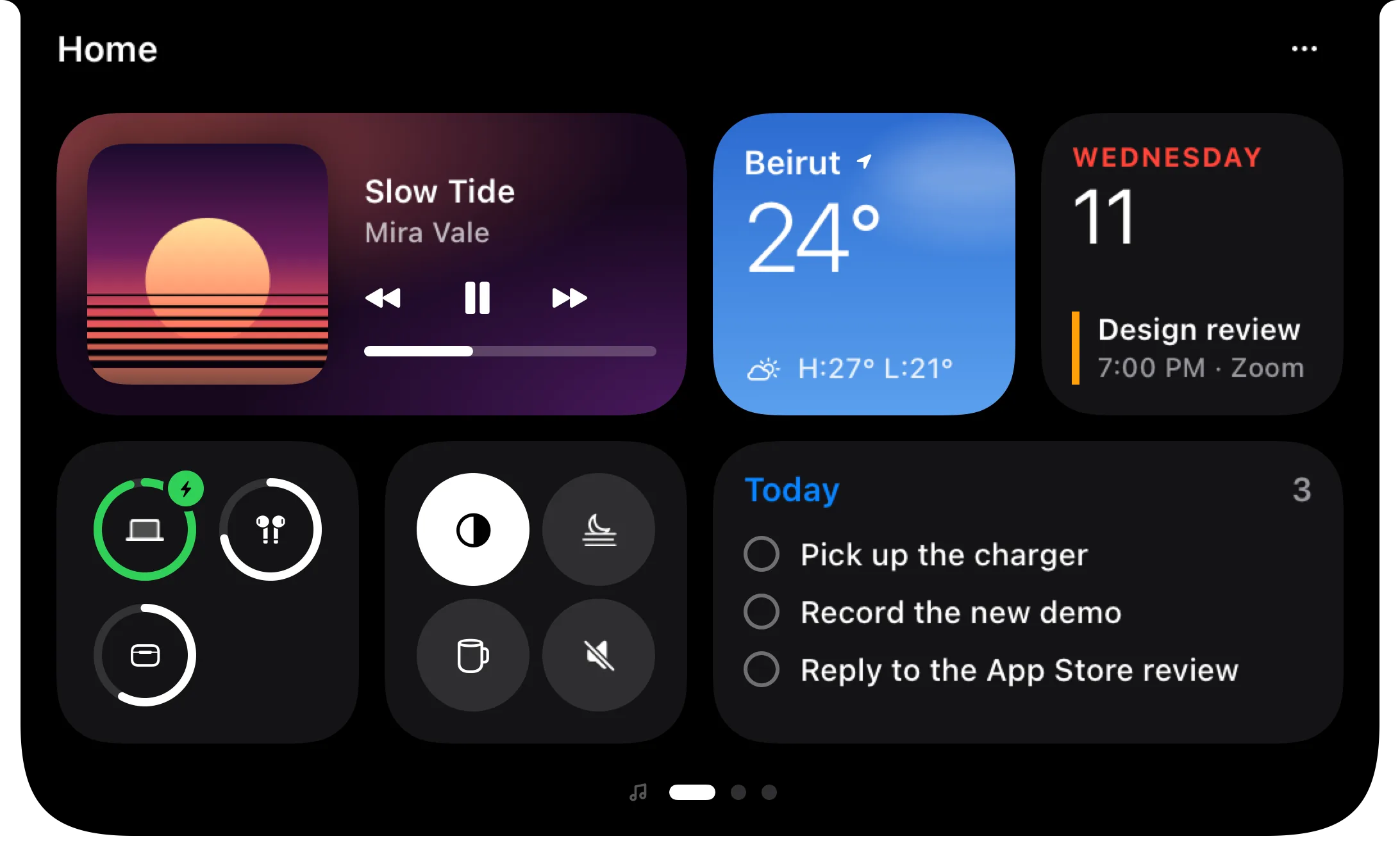
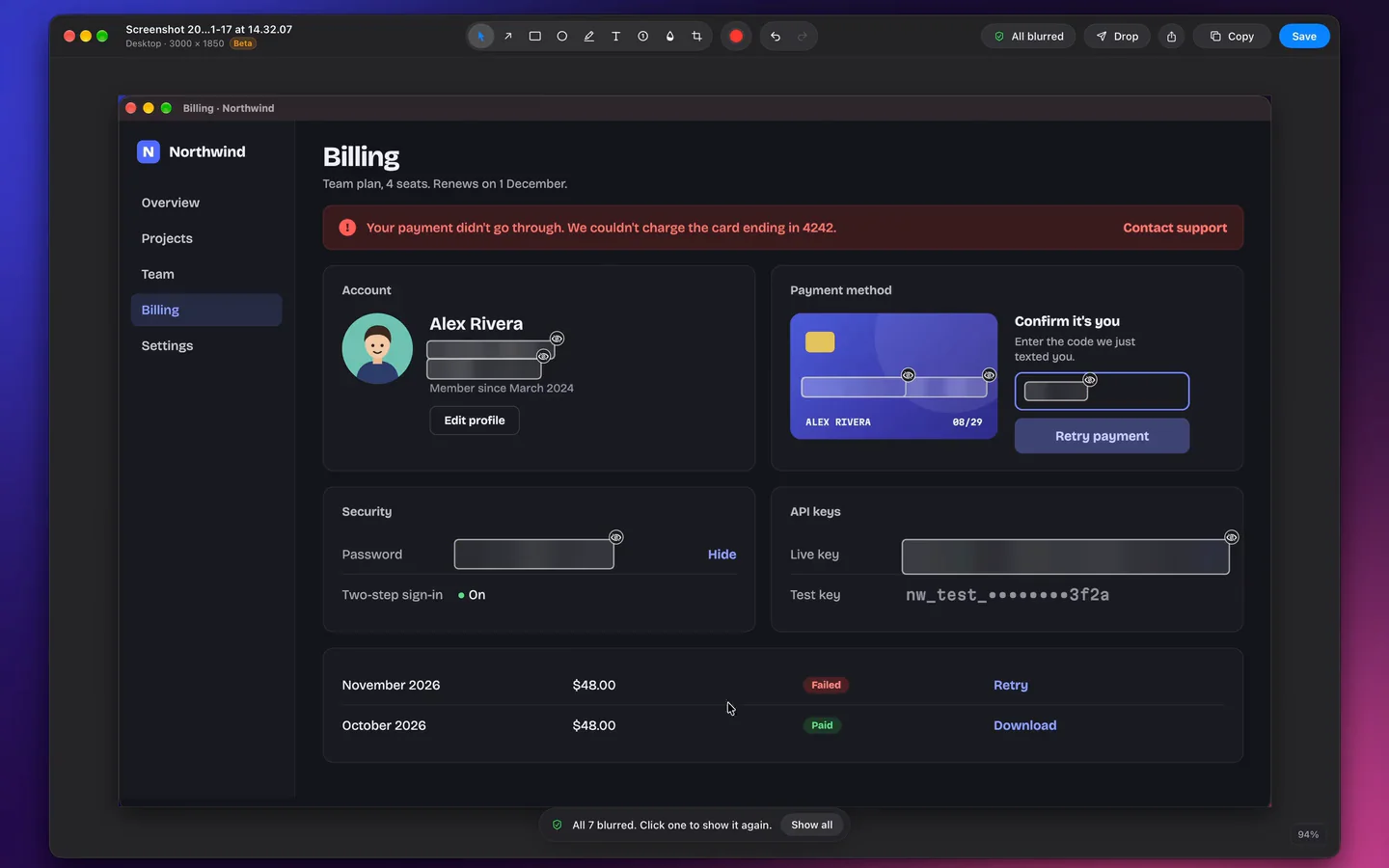
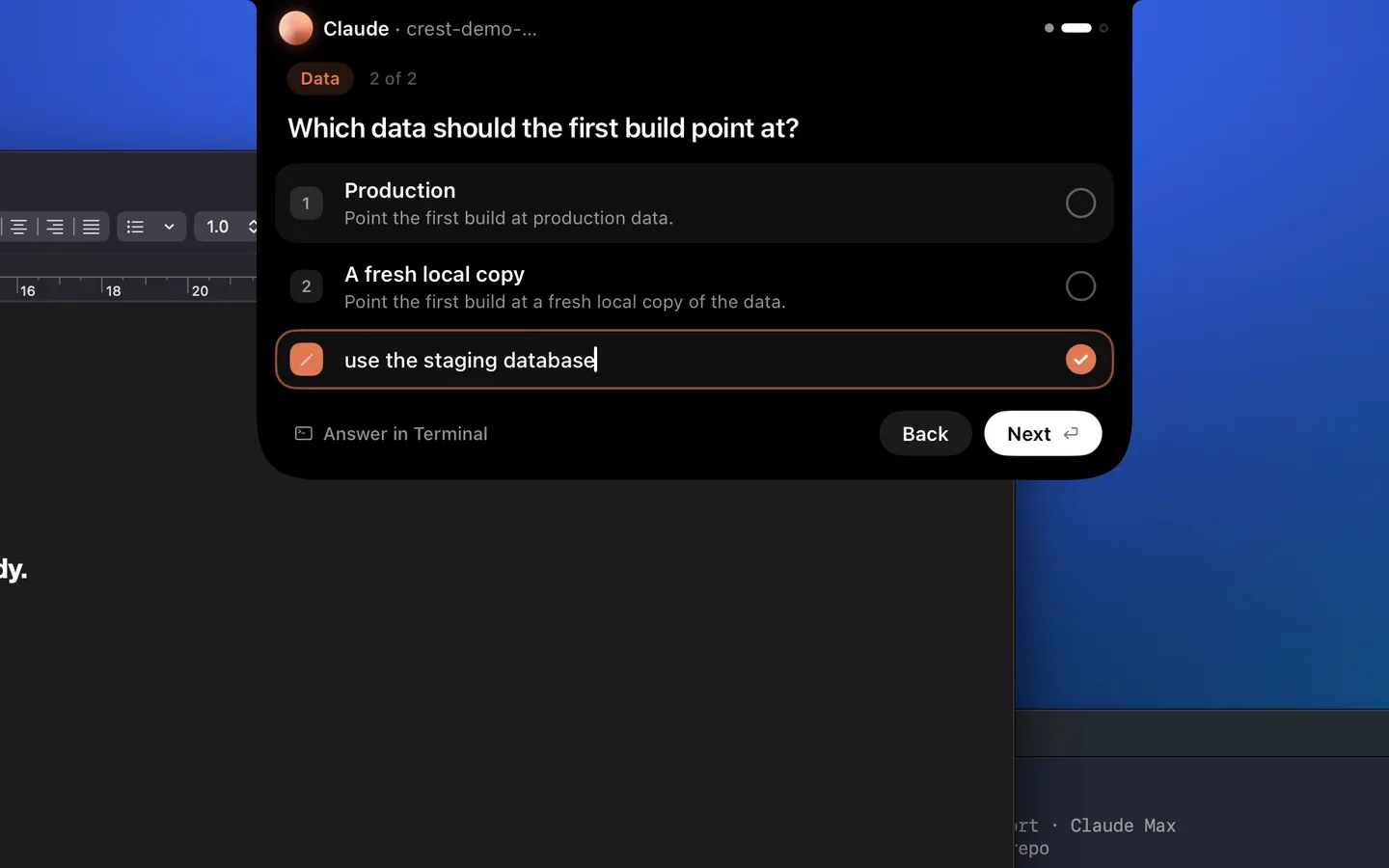
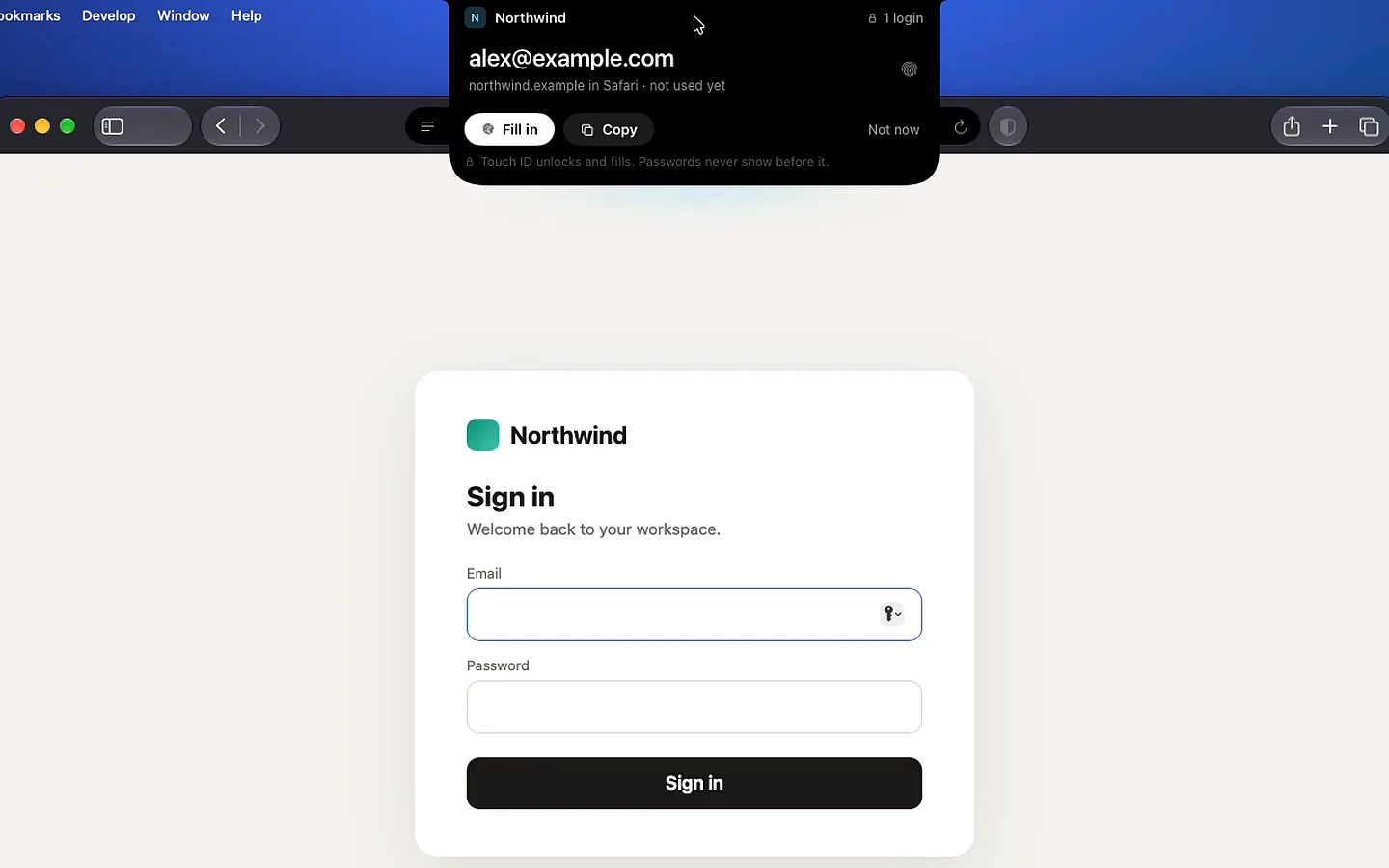
Mac app UI images from crestnotch.app (Home view, screenshot editor, agent approval, password fill and 2FA fill). Not cropped. More on our Crest deal page.
Feature by feature
| Topic | Crest | NotchNook |
|---|---|---|
| Coding agents | Approve Claude Code and Codex questions from the notch. | Pro accepts or rejects Claude Code and Codex prompts from the notch. |
| Logins and codes | Fills Safari logins and two-factor codes, with Face ID. Sync is free for the first month, then an add-on. | No password feature on the page we read. |
| Files | Drop sends a file to another Mac or someone else’s notch; Crest Cloud is an optional paid plan. | A file tray, AirDrop, a file converter and a Pocket shelf. |
| Everyday extras | Notes, reminders, now playing and screenshot markup, also in a desktop Home view. | Music, calendar, notes and clipboard history; Live Activities on Pro. |
| Macs supported | Version 6.9.6 runs on Apple silicon and Intel from macOS 14. Two Macs per licence. | Pro needs Apple silicon and macOS 14.6; Classic also runs on Intel. Two Macs per licence. |
| Trial | Seven days with every feature, no card or account. | 48 hours. |
| Phone | A free iPhone beta on TestFlight for passwords, codes and Drop. | None listed. |
Privacy
Crest keeps widgets and most of its work on the Mac. Passwords, codes, Drop transfers and Cloud files are encrypted on your Mac before they leave it; weather and lyrics come from outside services only if you use those widgets. NotchNook’s page does not describe a password or sync service, so there is less of your data to think about. Read each maker’s privacy policy before you install.
Where NotchNook wins
- NotchNook Pro is 49 cents cheaper than Crest during the sales, and Classic at $15 is the cheaper licence that keeps an older Intel Mac happy on the NotchNook side.
- Its file tray, clipboard history and AirDrop shortcut make it the stronger shelf for dragging things around.
- A $3 monthly plan lets you try Pro for longer than its 48-hour trial without paying for a lifetime licence.
Who should pick which
- Crest Pro suits MacBook owners who run coding agents and type passwords and codes all day. $9.99 in the sale covers two Macs.
- Crest Pro at $14.99 after December 1 still beats NotchNook Pro’s $19 list price.
- NotchNook Pro suits people who mostly use the notch as a shelf for files and clipboard snippets.
- NotchNook Classic suits someone who wants music, calendar and files in the notch on an Intel Mac.
Our take: Crest packs more daily jobs into the notch, and its week-long trial gives you time to see if that sticks. Pick NotchNook if you only want a smarter file shelf.
Try Crest free for seven days
We are not paid by either maker. Crest’s sale ends December 1 at 23:59 UTC; NotchNook’s ends November 30.
Sources and notes, checked Nov 23, 2026
- Crest homepage and Crest pricing: official Pro price of $14.99 once for two Macs, seven-day trial, Passwords at $2.99 a month or $24.99 a year after the included month, Cloud, Take and Minutes as separate purchases.
- Crest’s $9.99 Black Friday price until December 1, 2026 at 23:59 UTC was confirmed with the maker and appears at checkout; the pricing page itself still showed $14.99 when we loaded it.
- NotchNook on lo.cafe: official Pro $19 lifetime or $9.50 until November 30, $3 a month; Classic $15 lifetime or $2 a month; 48-hour trial; Pro on macOS 14.6+ with Apple silicon, Classic also on Intel.
- Three-year totals repeat today’s price for three years, or count one payment for lifetime licences. Taxes may be extra.