At a glance
ChocolateBar, Black Friday
Best forNotch MacBooks and crowded work Macs that need hidden icons one shortcut away
Bartender 7
Best forPeople who want triggers, profiles and styling for the whole menu bar
Quick verdict
Pick ChocolateBar if you only need the icons the notch hides, in a strip you can click.
Pick Bartender if you want automation rules and a customised bar.
Both figures come from the price table below. A one-time licence is paid once, so its 3-year cost stays the same unless you buy an upgrade.
ChocolateBar adds a thin second strip below the Mac menu bar for icons the notch or a crowded bar pushes out of view, and it can hide third-party icons too. Bartender is the long-running menu bar manager from Applause Group, now at version 7 with triggers, profiles, styling and a Command Bar. With code BLACKFRIDAY, ChocolateBar is $9.99 instead of $15 until December 30, 2026.
Plain links to each developer’s site, with no referral arrangement.
Cost of each licence over three years
| Plan | What you get | Year 1 | 3 years |
|---|---|---|---|
| ChocolateBar, Black Friday | One-time licence with code BLACKFRIDAY, through December 30, 2026; one year of updates. | $9.99 once | $9.99 |
| ChocolateBar, regular | ChocolateBar at list price. | $15 once | $15 |
| Bartender 7 | One-time licence for version 7, which also activates Bartender 6; use on all your Macs. | $25 once | $25 |
| Bartender Pro | Yearly plan with every future major version and the Pro tools. | $20 | $60 |
| Bartender Mega Supporter | Lifetime access to every version, including Pro. | $80 once | $80 |
ChocolateBar prices from chocolatebar.app; Bartender prices from macbartender.com/purchase, both read November 27, 2026. Bartender showed $25.00 against a $31.25 comparison price, $20.00/yr against $25.00/yr and $80.00 against $100.00. The Pro three-year figure is three years at today’s $20 yearly rate; Bartender may charge a different renewal.
Worked example
Maya has a 14-inch MacBook Pro and eighteen menu bar icons
Her VPN, Slack and password manager icons keep vanishing behind the notch, and her work Mac has security tools she is not allowed to remove.
With ChocolateBar
She presses ⇧⌘B and a strip opens under the menu bar with the hidden icons at full size; clicking one opens its menu. She can also switch on hiding to tuck third-party icons behind a divider, and save a work profile and a home profile. It needs Accessibility access only, never Screen Recording.
With Bartender
She hides items that the notch would cover and brings them back with a click or hotkey, shows the battery icon only when unplugged, and sets profiles per display. Triggers, Shortcuts and AppleScript automate the rest.
Maya’s cost: $9.99 once for ChocolateBar with the code, or $25 once for Bartender 7.
A look inside ChocolateBar
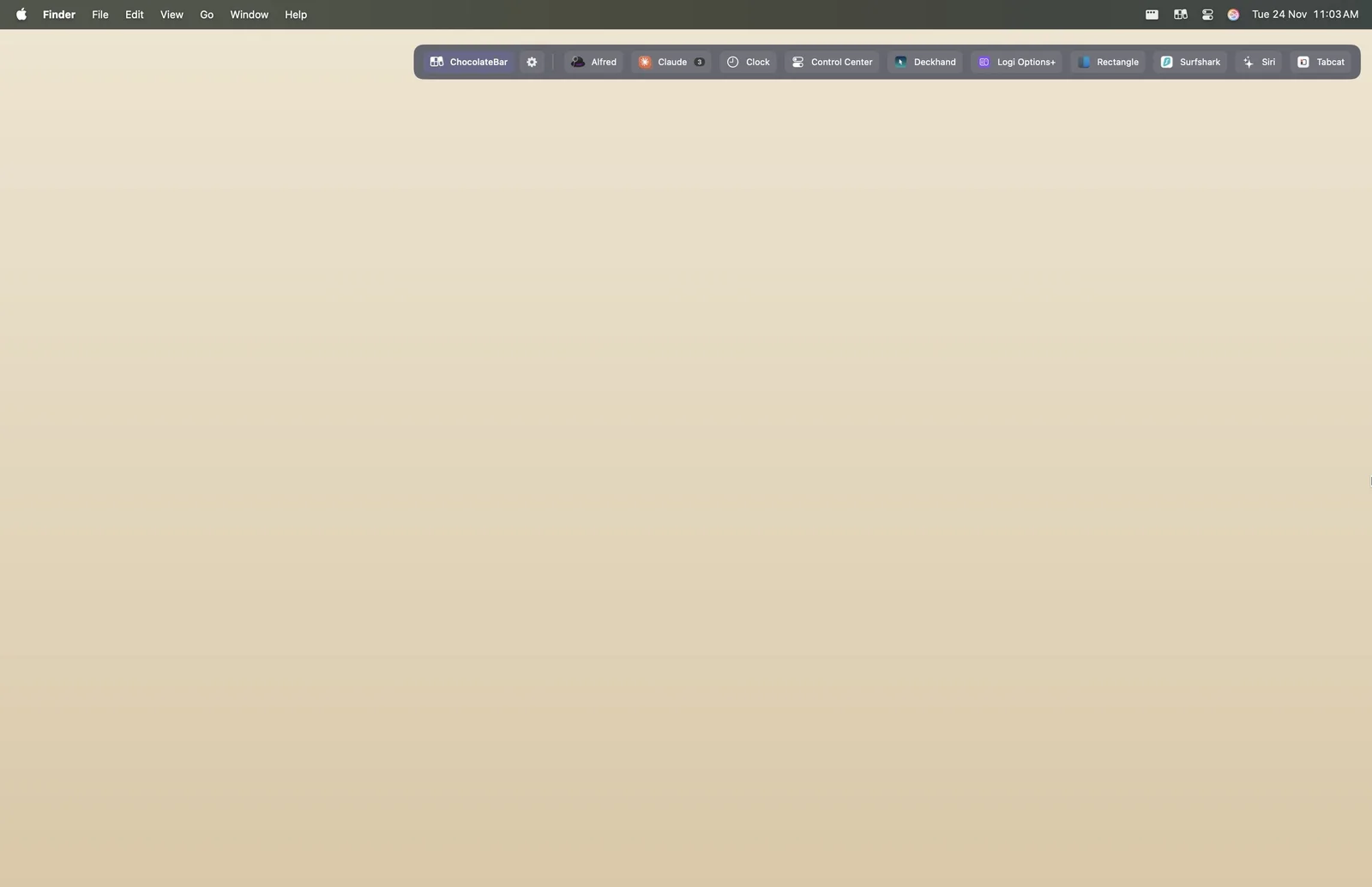
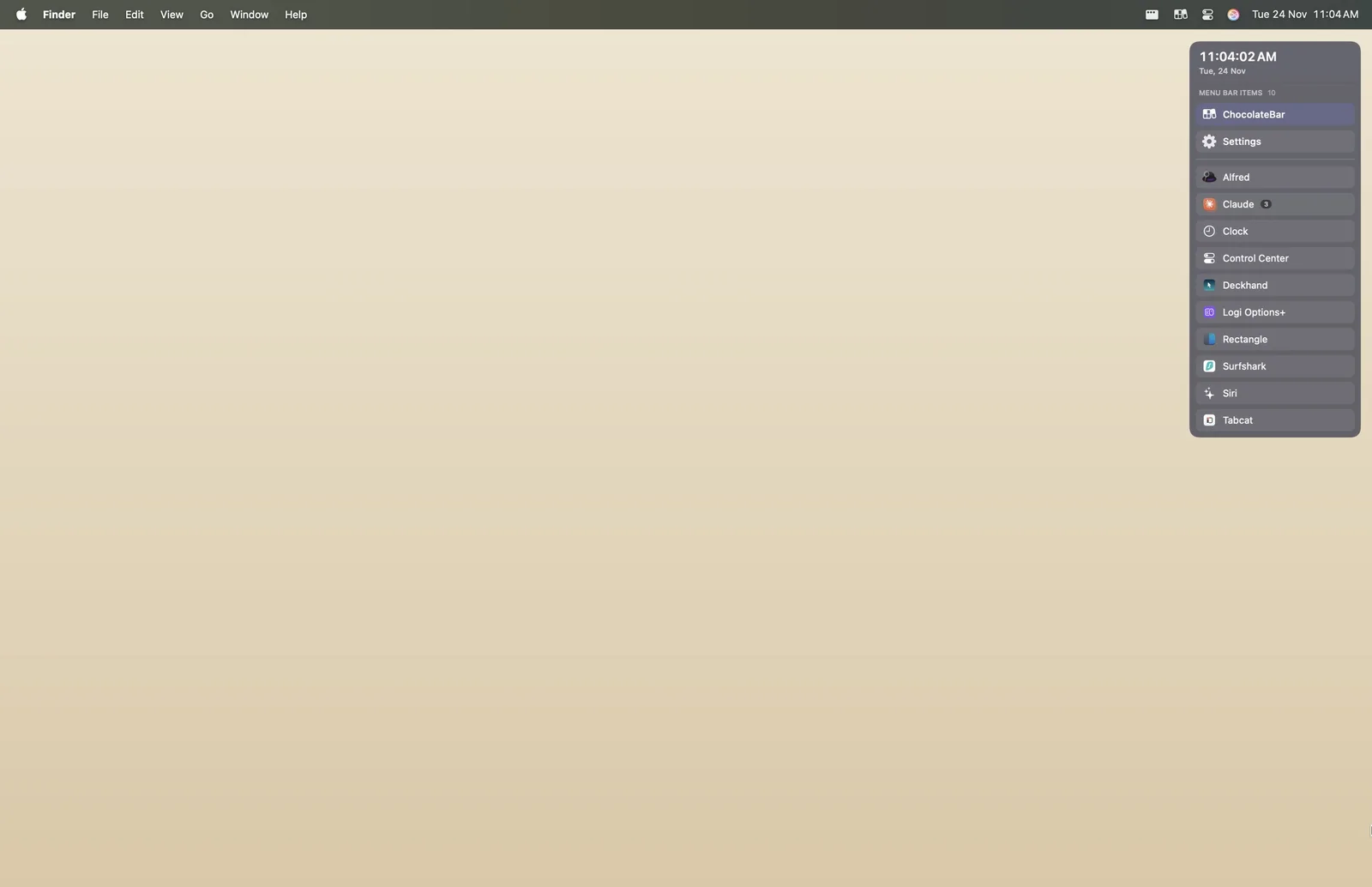
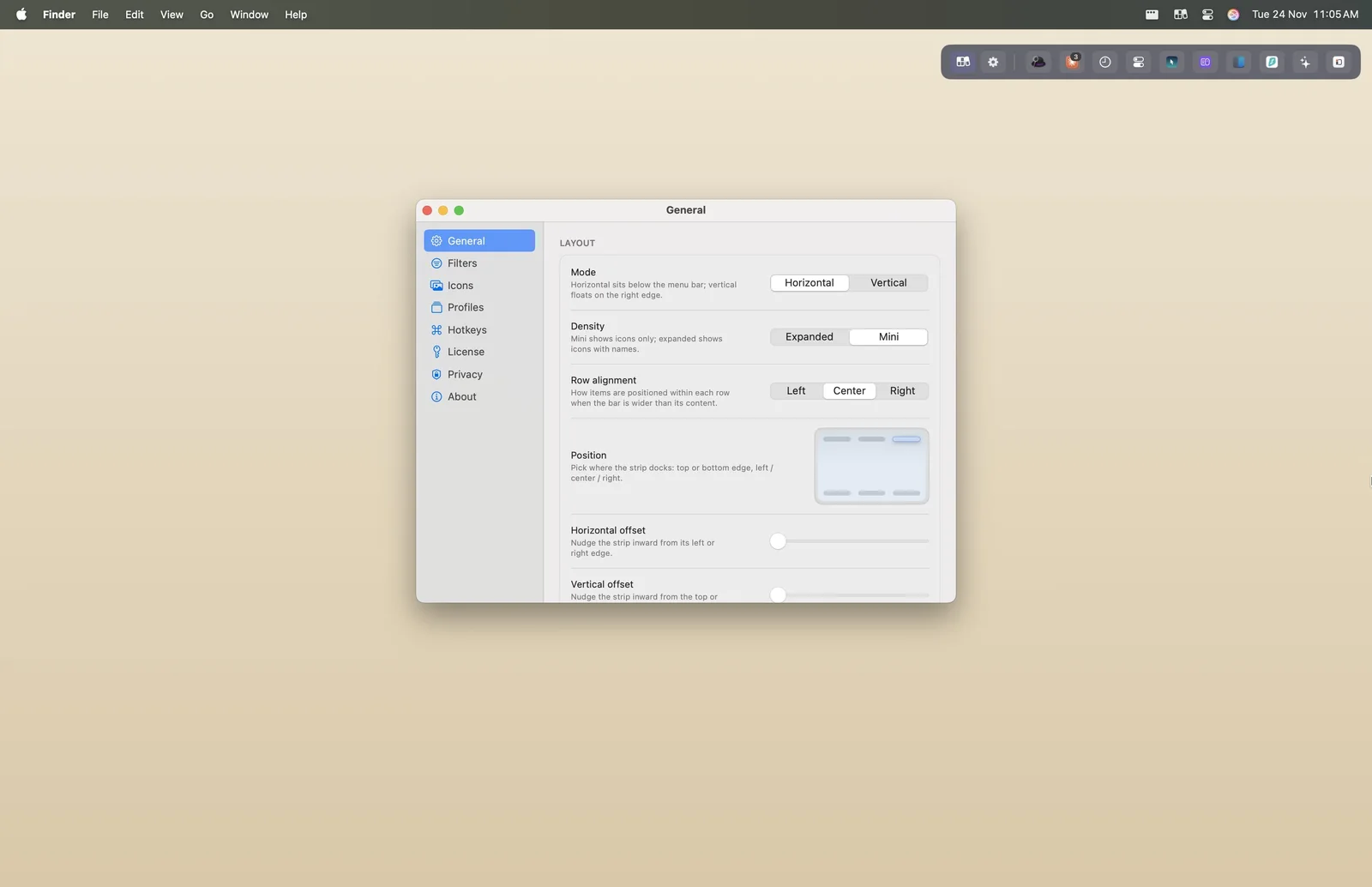
Full screenshots hosted on chocolatebar.app, sent by the maker (Aloysius Lim) on 2026-11-25. More on our ChocolateBar deal page.
Side by side, feature by feature
| Topic | ChocolateBar | Bartender |
|---|---|---|
| Hidden icons | An extra strip beneath the menu bar, laid out across or down one edge. | Hide, show on hover or click, and the Bartender Bar. |
| Hiding clutter | Optional divider that tucks third-party icons away. | Full hide and show rules, plus notch-aware hiding. |
| Automation | Profiles with a hotkey to cycle them. | Triggers (power, Wi-Fi, apps), Shortcuts, AppleScript, Siri, profiles per display. |
| Look of the bar | Not covered on its site. | Glass, colours, gradients, rounded bars, spacing control. |
| Search | Not covered on its site. | Command Bar search with clipboard history. |
| Permissions | Accessibility only; no Screen Recording. | Can run without Screen Recording, showing app icons instead of item images. |
| Trial and refund | 48-hour trial, no card; 7-day refund. | 4-week trial on the home page; 14-day refund. |
| Requirements | macOS 12 to 15 and macOS 26; Apple silicon and Intel. | Bartender 7 for macOS 27; Bartender 6 for macOS 26. |
Privacy and data
ChocolateBar reads menu bar items through Apple’s Accessibility API and says it only contacts its servers to check for updates. Bartender says it can work without Screen Recording permission, showing app icons instead of live images of your items. Neither page we read describes collecting usage data.
Updates and platforms
ChocolateBar is at 0.6.2. Licences sold since 0.6.0 get twelve months of updates; the app keeps running once they end; earlier buyers keep lifetime updates. Bartender 7 one-time licences cover all version 7 updates, while Pro and Mega Supporter include future major versions. Bartender has been sold for more than ten years.
Where Bartender is stronger
- Triggers that show or hide items by power, network, app or meeting state.
- Menu bar styling, spacing control and custom script-driven items.
- Ten-plus years of updates and a Command Bar for keyboard search.
Who should pick which
- ChocolateBar suits notch MacBooks and crowded work Macs where you just want every icon one shortcut away, without Screen Recording access.
- Bartender suits people who want rules, automation and styling for the whole menu bar.
Our take: if the notch hiding icons is the whole problem, ChocolateBar’s second row fixes it for $9.99 with the code. Bartender costs more and does far more, which matters if you will use triggers and profiles.
ChocolateBar for $9.99 with BLACKFRIDAY
Buy on chocolatebar.app and enter BLACKFRIDAY at checkout before December 30, 2026. Try it free for 48 hours first. No affiliate link here.
Sources and notes, checked Nov 27, 2026
- ChocolateBar, read November 27, 2026: Black Friday $9.99 instead of $15 until 30 Dec; 48-hour trial, no card; 7-day refund; no Screen Recording; Accessibility API; macOS 12–15 and 26, universal; second row via ⇧⌘B; hiding, profiles; 0.6.2; licences from 0.6.0 include one year of updates.
- IndieMarkdowns deal record: code BLACKFRIDAY at checkout, through December 30, 2026 at 11:59 PM Pacific.
- Bartender home and purchase page, read November 27, 2026: Bartender 7 $25.00 (comparison $31.25); Pro $20.00/yr (comparison $25.00/yr); Mega Supporter $80.00 (comparison $100.00); 14-day refund; all your Macs; 4-week trial; triggers, Bartender Bar, Command Bar, styling, profiles; Bartender 7 built for macOS 27, Bartender 6 for macOS 26.
- “Not covered on its site” means the maker page we read did not mention it. We did not test either app.