At a glance
bSaver Personal, BLACKWEEKS
Best forApple-silicon MacBook owners who keep the laptop docked all day and want the battery to rest, not cycle
AlDente Pro Lifetime
Best forTinkerers and Intel MacBook owners who want the most charging controls, or a free limiter
Quick verdict
bSaver lets the battery rest at a healthy level, calibrates it on schedule and explains what it is doing, for one small payment.
AlDente has a free limiter, more controls and Intel support, which makes it the pick for older MacBooks.
Both figures come from the price table below. A one-time licence is paid once, so its 3-year cost stays the same unless you buy an upgrade.
bSaver keeps a MacBook that lives on the charger from sitting at 100% all day. Choose where charging stops, anywhere on the scale, from the menu bar; at the four presets between 80 and 95% it uses the charge limit built into macOS so the battery simply rests while the charger runs the Mac. Below that, a smart range, a heat guard and a periodic calibration charge look after the cells, and desktop widgets show charging power and health at a glance. AlDente is the best-known charge limiter: free to start, with a long list of Pro extras. For Apple-silicon owners who want a pay-once app that explains what the battery is doing, bSaver Personal is $7.99 until November 30.
Get bSaver ↗(affiliate link)
Price over three years
| Licence | What you get | Year 1 | 3 years |
|---|---|---|---|
| bSaver Personal, BLACKWEEKS | One Mac at a time, $4 off until November 30. | $7.99 once | $7.99 |
| bSaver Personal | The usual price, after a 7-day trial with everything unlocked. | $11.99 once | $11.99 |
| bSaver House, BLACKWEEKS | Up to three Macs in one household. | $14.99 once | $14.99 |
| AlDente Pro Lifetime, Black Week | Every Pro feature, 30% off until December 1, 9:00 CET. | $17.49 once | $17.49 |
| AlDente Pro Lifetime | The same licence at its usual price. | $24.99 once | $24.99 |
| AlDente Free | Charge limiter and discharge. | $0 | $0 |
Read Nov 23, 2026 from bsaver.pl and from AlDente’s pricing page with its Paddle price lookup for the US.
Worked example
Jakub’s M3 MacBook Pro sits on a desk dock 10 hours a day, closed, driving two monitors
He renders video in the afternoon, the MacBook gets warm, and the battery health has already dropped to 91% after a year.
On bSaver
He sets 80%. bSaver hands that to macOS’s own limit, so once it gets there the battery rests and the charger powers the renders, with no cycling. The widget shows “Using 38 W” and the battery’s health in plain words. Every 30 days bSaver charges to 100% once, waits for the cells to balance, then drops back to 80%. Before a trip he clicks “Charge to 100% once”.
On AlDente
AlDente’s free charge limiter would hold 80% too. Pro adds heat protection, sailing mode, a calibration mode, schedules and clamshell discharge, which suits him if he wants to fine-tune every behaviour.
What Jakub pays: $7.99 once for bSaver this week, or $17.49 for AlDente Pro Lifetime in its sale.
A look inside bSaver
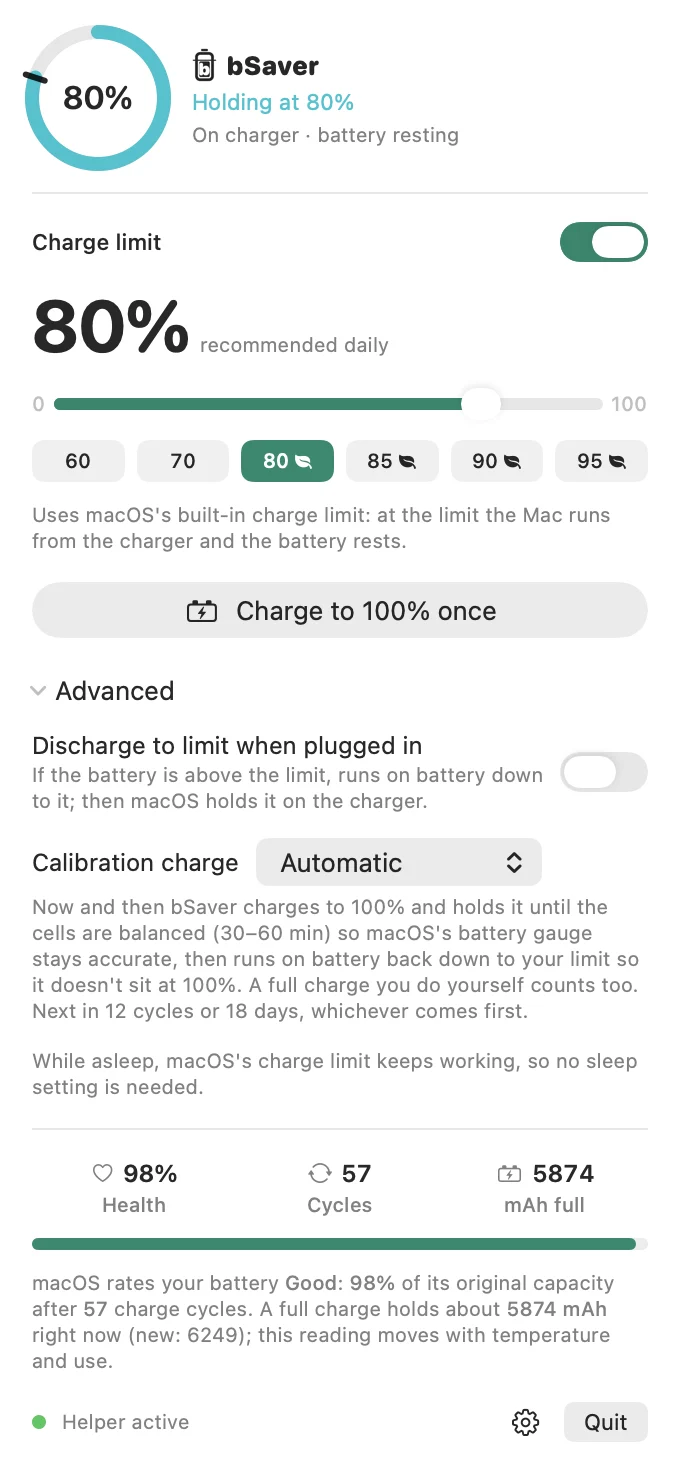
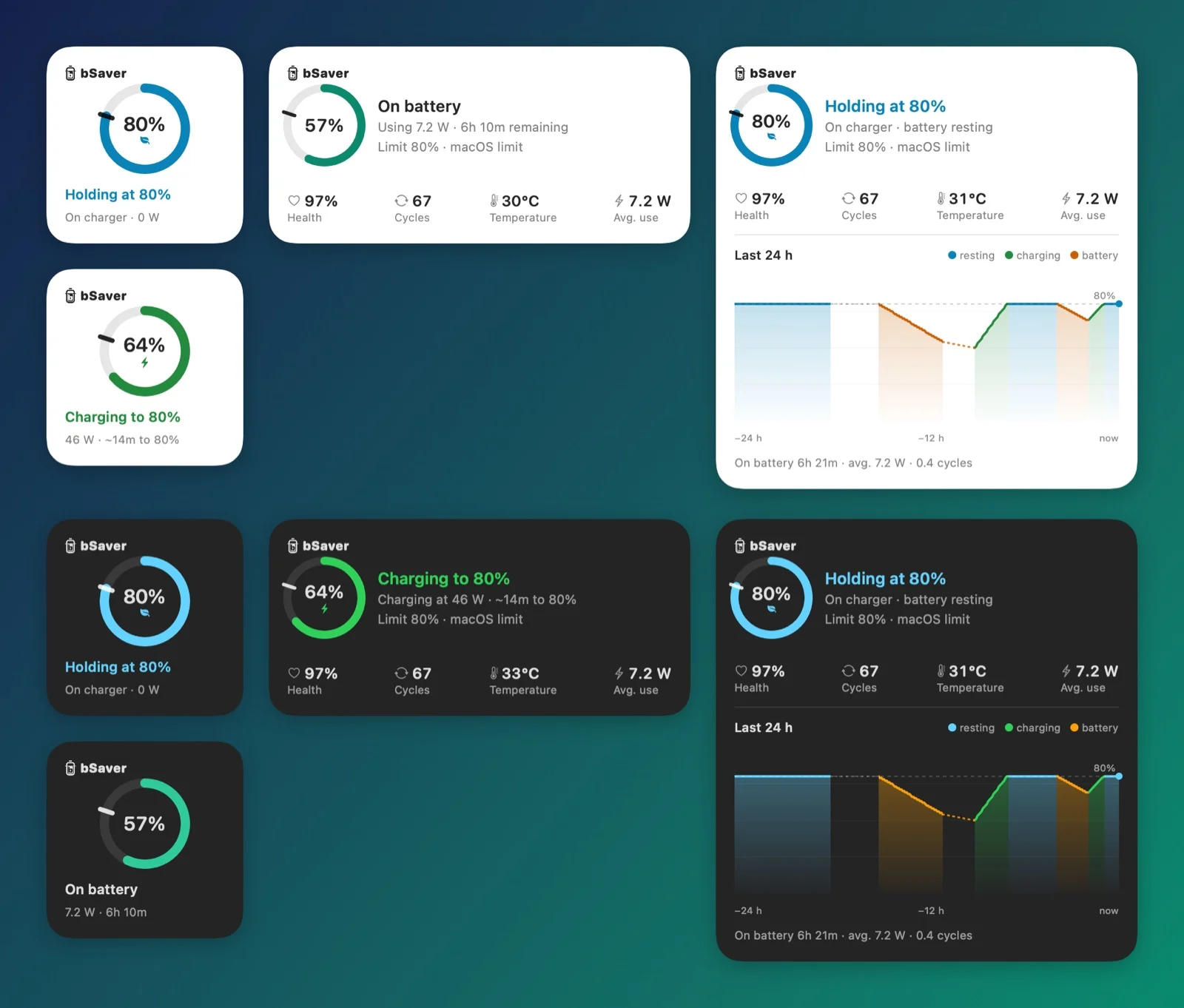
Images from bSaver. More on our bSaver deal page.
Feature by feature
| Feature | bSaver | AlDente |
|---|---|---|
| Charge limit | Every percentage is allowed; the 80 to 95% presets hand over to macOS so the battery rests. | Charge limiter in the free version. |
| Below 80% | A smart range with its cycle cost shown, a heat guard, and a temporary switch to 80% under heavy load. | Discharge free; heat protection and sailing mode in Pro. |
| Calibration | A full charge after 20 cycles or a month, whichever comes first, then back to your limit. | Calibration mode in Pro. |
| Information | Desktop widgets in three sizes, live charging power, health and cycle count explained. | Customisable menu bar icons and popover in Pro. |
| Extras | One-click full charge for trips. | Top up, schedules, sleep control, MagSafe LED, Low Power Mode, Shortcuts. |
| Requirements | An M-series MacBook on Sonoma or newer; a small privileged helper is installed. | Most Apple-silicon and Intel MacBooks, macOS 12 to 27. |
Privacy
bSaver has no account, analytics or tracking, according to its privacy policy, and goes online only for updates and licence checks. AlDente is notarized by Apple and sold through Paddle and Setapp; its privacy policy is on apphousekitchen.com.
What AlDente offers that bSaver doesn’t
- A free version with the core charge limiter.
- Support for Intel MacBooks and macOS 12 and 13.
- Schedules, sleep control, MagSafe LED control and Shortcuts actions.
Pick by priority
- bSaver suits Apple-silicon MacBook owners who keep the laptop docked all day and want the battery to rest with as little cycling as possible.
- bSaver also suits anyone who wants battery health, charging power and calibration handled and explained without tuning a dozen settings.
- AlDente suits tinkerers and Intel MacBook owners who want the widest set of charging controls, or a free limiter.
Our take: bSaver makes a sensible default easy, with calibration and heat protection built in, and $7.99 once is less than half of AlDente Pro. AlDente’s free tier is still a fine start if you only need a limit.
bSaver Personal for $7.99 until November 30
BLACKWEEKS is applied automatically at checkout. Try it free for seven days first; refunds are possible within 30 days.
Some links on this page are affiliate links. If you buy through them, IndieMarkdowns may earn a commission at no extra cost to you.
bSaver on IndieMarkdowns · AlDente pricing · All comparison pages
Sources and notes, checked Nov 23, 2026
- bSaver official site: version 1.7.0, any limit from 0 to 100%, built-in macOS limits at 80 to 95%, smart range, thermal guard (no restart above 39 °C), calibration charge, widgets, live power, Apple-silicon MacBooks on macOS 14 or later, 7-day trial. The Black Weeks code takes $4 off any licence until November 30; the site notes it is the lowest price in the last 30 days. The licence is sold through Gumroad, with refunds within 30 days and free updates within the major version.
- AlDente pricing: free versus Pro feature list, lifetime and yearly licences, Setapp, macOS 12 to 27. The page showed euro prices to us; its Paddle price lookup for the US returned $24.99 for Pro Lifetime and $13.99 a year for the subscription. The site’s Black Week offer is 30% off Pro until December 1, 9:00 CET; we worked out $17.49 for the lifetime licence. On the yearly plan the discount applies to the first year only.
- We did not measure battery health with either app.